


下载arthas全量包之后,启动发现报了个这个错,上网上找了一圈发现这个问题解决方案在我这都不好使,最后找到原因了
[ERROR] Can not read arthas version from: https://arthas.aliyun.com/api/latest_version
[ERROR] Can not find Arthas under local: /root/.arthas/lib and remote repo mirror: aliyun
[ERROR] Unable to download arthas from remote server, please download the full package according to wiki: https://github.com/alibaba/arthas
问题原因和解决方案
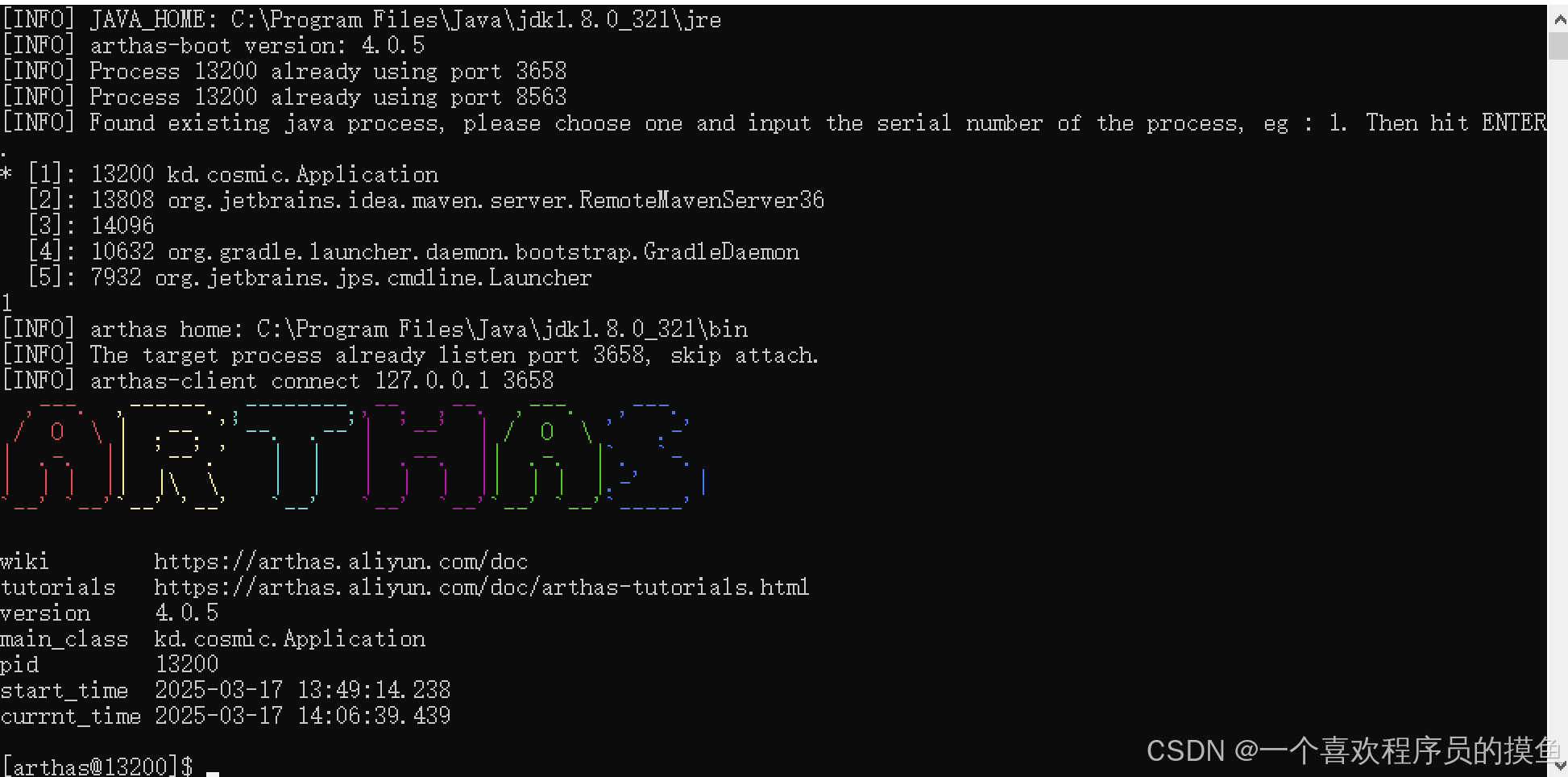
当用java -jar arthas-boot.jar 启动时,需要找到jdk的存放路径,所以需要把下载的arthas包放到使用的jdk的bin路径下,我这里是在C:\Program Files\Java\jdk1.8.0_321\bin.
所以只需要把整个全量包解压到bin目录下,在这个目录下启动java -jar arthas-boot.jar,就可以了





 扫一扫
扫一扫


 1221
1221

 被折叠的 条评论
为什么被折叠?
被折叠的 条评论
为什么被折叠?
 到【灌水乐园】发言





