


P5学会使用print
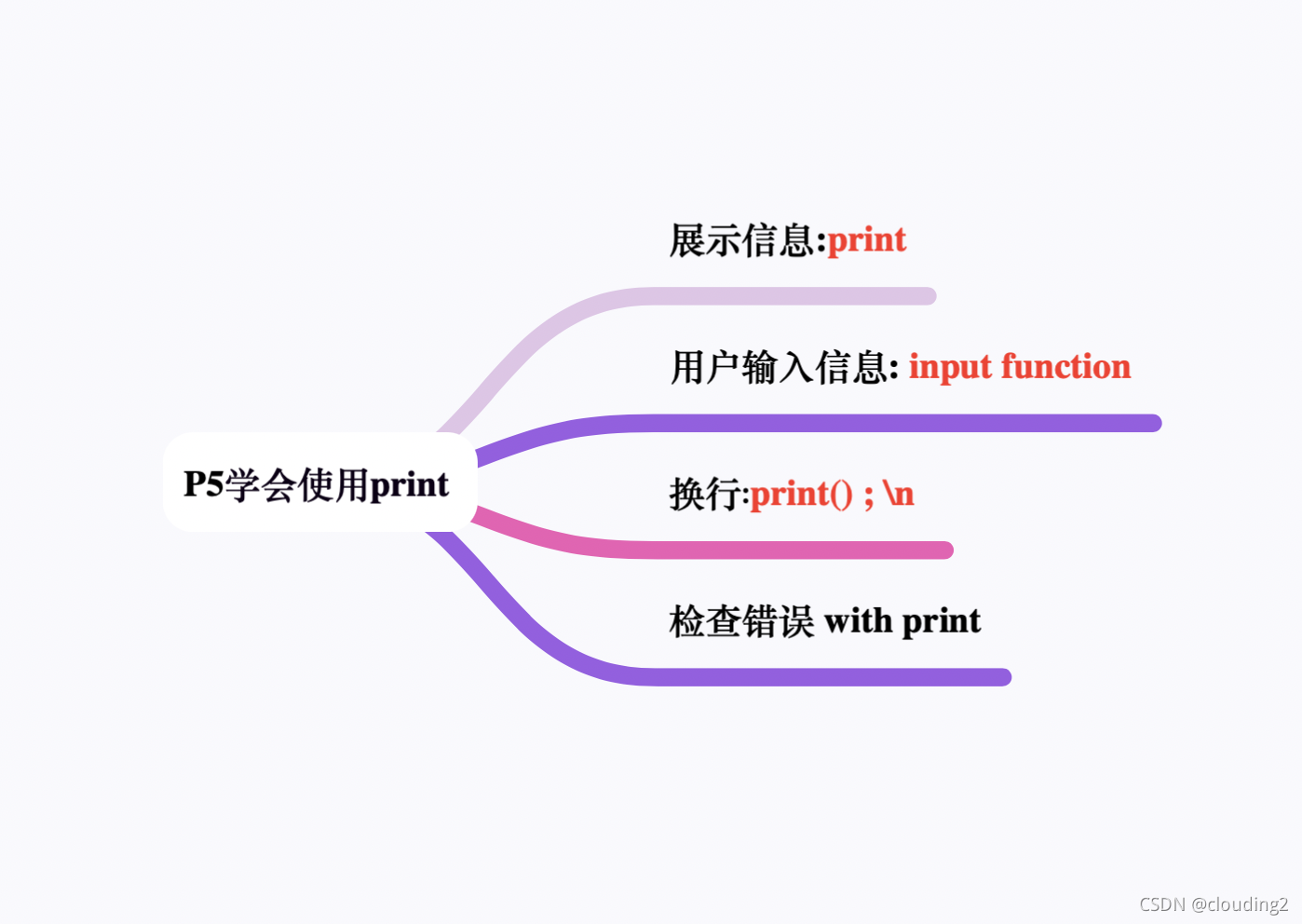
`Display a message: print
You can use either single quotes or double quotes to enclose your strings;Consistent
Eg:
print(‘hello world single quotes’)
print(“hello world double quotes”)
`Ask for information from the user: input function
name = input(‘please enter your name:’)

print(name)
Whatever value is passed back by the user will then be put into that name variable
`Blank line: print() ; \n slash n means insert a new line here
Eg:
 print(‘hello world’)

     print()

     printI(‘blank line\nin the middle of string’)
`Debugging with print figure out where my code blew up:
print('Adding numbers')
x=42+206
print('performing division')
y=x/0
print('Math complete')
Adding numbers
Performing division
Traceback(most recent call last): #读取文件时遇到文件结尾而无法读取
File"demo.py",line 4,in<modle>
y=x/0
ZeroDivisionEroor: float division by zero #除数为0报错
P6 第一次在VSC中敲代码
`create a folder on your file system: open file
`new file
`save (keyboard shortcuts:command+s)
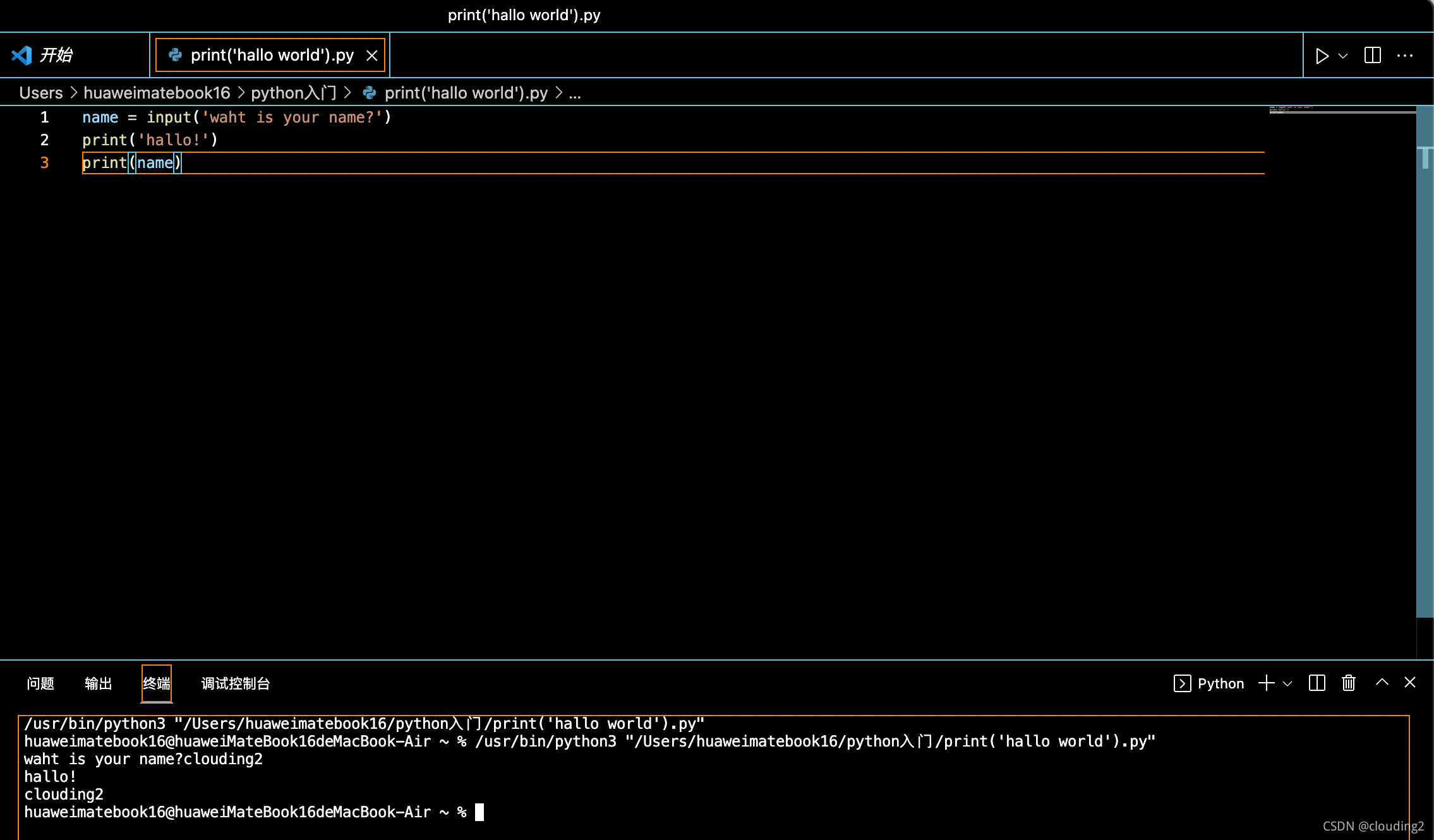
`clear the screen: cls (linux是clear)
`debug the code:use print statements as a debugging tool
print('adding numbers')
x=532+12
print('dividing numbers')
y=x/0
print('yay I did math')
adding numbers
dividing numbers
Traceback (most recent call last):
File "/Users/huaweimatebook16/python入门/print('hallo world').py", line 4, in <module>
y=x/0
ZeroDivisionError: division by zero





 扫一扫
扫一扫


 被折叠的 条评论
为什么被折叠?
被折叠的 条评论
为什么被折叠?
 到【灌水乐园】发言





