



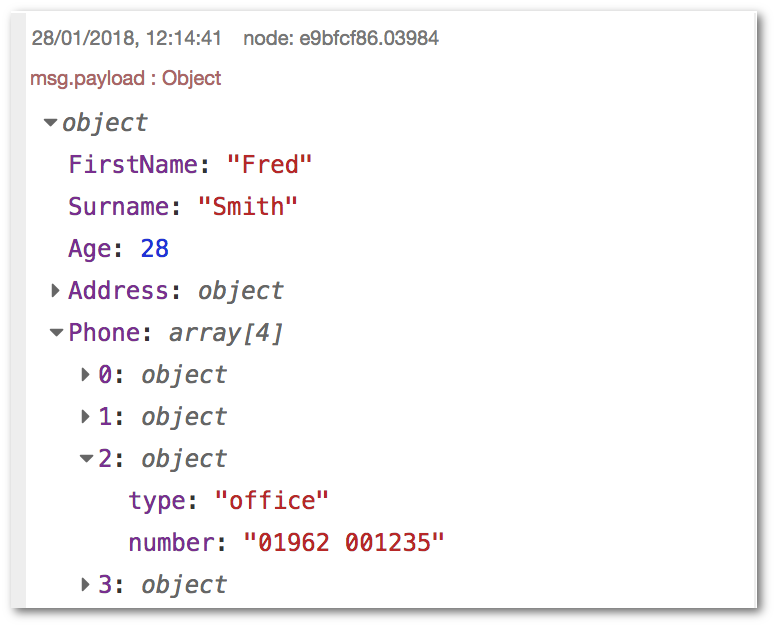
 编辑器与消息调试,来源:https://nodered.org/docs/user-guide/messages
目标
- 熟练掌握核心节点:Inject、Debug、Change、Switch、Function
- 理解
msg消息结构与常见路由/清洗模式 - 通过可导入 Flow 快速上手并验证结果
消息结构与调试
- 消息对象:
msg,默认使用msg.payload - 使用 Debug 节点观察结构与类型,支持查看完整消息
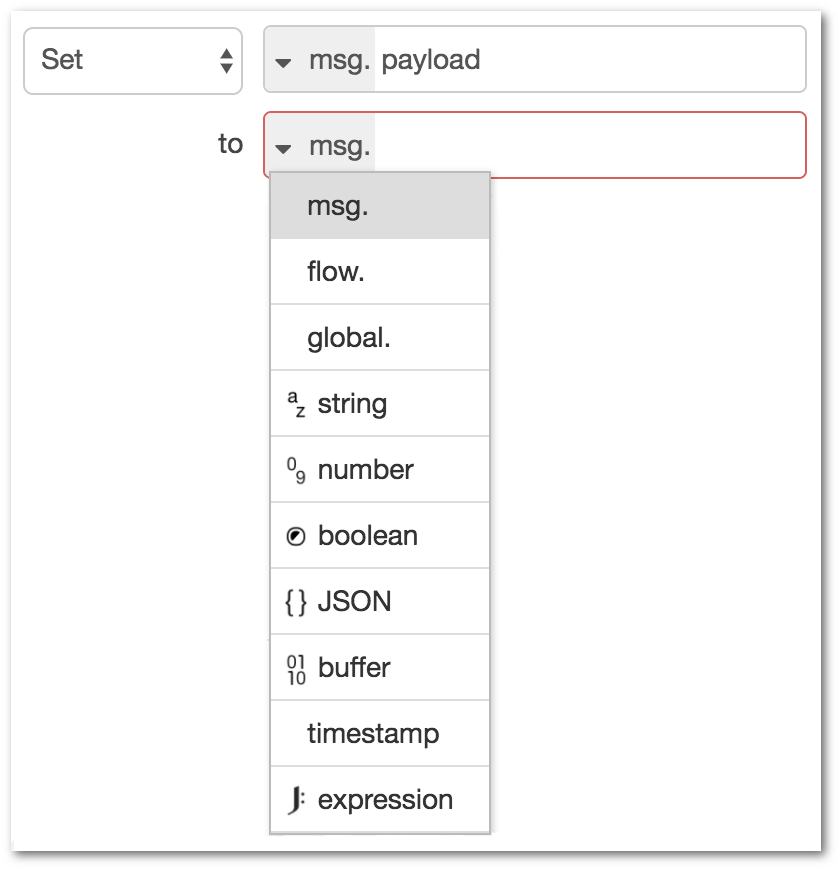
来源:https://nodered.org/docs/user-guide/messages
示例一:时间戳→清洗→调试
描述:每秒生成一个时间戳,将其转为可读字符串并输出到 Debug。
导入以下 JSON,Deploy 后观察右侧 Debug 面板:
[
  {
    "id": "i1",
    "type": "inject",
    "z": "f1",
    "name": "every second",
    "props": [{ "p": "payload" }],
    "repeat": "1",
    "once": true,
    "payloadType": "date",
    "x": 170,
    "y": 120,
    "wires": [["c1"]]
  },
  {
    "id": "c1",
    "type": "change",
    "z": "f1",
    "name": "format date",
    "rules": [
      {
        "t": "set",
        "p": "payload",
        "pt": "msg",
        "to": "\"$millis := $.payload;\n$moment($millis).format('YYYY-MM-DD HH:mm:ss')\"",
        "tot": "jsonata"
      }
    ],
    "x": 360,
    "y": 120,
    "wires": [["d1"]]
  },
  {
    "id": "d1",
    "type": "debug",
    "z": "f1",
    "name": "out",
    "active": true,
    "tosidebar": true,
    "console": false,
    "tostatus": false,
    "complete": "payload",
    "targetType": "msg",
    "x": 540,
    "y": 120,
    "wires": []
  }
]
示例二:Switch 条件路由与告警高亮
描述:温度数据 >= 30 走告警分支,否则走正常分支。
[
  {
    "id": "inj",
    "type": "inject",
    "z": "f2",
    "name": "temp=28",
    "props": [{"p":"payload"}],
    "payload": "{\"temperature\":28}",
    "payloadType": "json",
    "x": 150,
    "y": 180,
    "wires": [["sw"]]
  },
  {
    "id": "sw",
    "type": "switch",
    "z": "f2",
    "name": ">=30?",
    "property": "payload.temperature",
    "rules": [
      {"t": ">=", "v": "30", "vt": "num"},
      {"t": "else"}
    ],
    "checkall": "true",
    "repair": false,
    "x": 330,
    "y": 180,
    "wires": [["chg"],["dbg"]]
  },
  {
    "id": "chg",
    "type": "change",
    "z": "f2",
    "name": "set alert",
    "rules": [
      {"t":"set","p":"topic","pt":"msg","to":"alert","tot":"str"},
      {"t":"set","p":"payload","pt":"msg","to":"\"HIGH TEMP\"","tot":"jsonata"}
    ],
    "x": 500,
    "y": 160,
    "wires": [["dbg"]]
  },
  {
    "id": "dbg",
    "type": "debug",
    "z": "f2",
    "name": "out",
    "active": true,
    "tosidebar": true,
    "console": false,
    "tostatus": true,
    "complete": "true",
    "targetType": "full",
    "x": 680,
    "y": 180,
    "wires": []
  }
]
示例三:Function 节点与上下文计数
描述:统计消息到达次数,并将计数返回到 msg.payload。
[
  {
    "id": "inj3",
    "type": "inject",
    "z": "f3",
    "name": "trigger",
    "props": [{"p":"payload"}],
    "payload": "1",
    "payloadType": "num",
    "repeat": "1",
    "once": true,
    "x": 150,
    "y": 260,
    "wires": [["fn"]]
  },
  {
    "id": "fn",
    "type": "function",
    "z": "f3",
    "name": "counter",
    "func": "let counter = context.get('counter') || 0;\ncounter += 1;\ncontext.set('counter', counter);\nmsg.payload = counter;\nreturn msg;",
    "outputs": 1,
    "noerr": 0,
    "initialize": "// On Start 里可初始化 context 值\nif (context.get('counter') === undefined) {\n  context.set('counter', 0)\n}",
    "libs": [],
    "x": 330,
    "y": 260,
    "wires": [["dbg3"]]
  },
  {
    "id": "dbg3",
    "type": "debug",
    "z": "f3",
    "name": "out",
    "active": true,
    "tosidebar": true,
    "console": false,
    "tostatus": false,
    "complete": "payload",
    "targetType": "msg",
    "x": 520,
    "y": 260,
    "wires": []
  }
]
常用技巧
- Change + JSONata:在不写 JS 的情况下高效清洗/映射
- Switch:选择
checkall=true支持多条件依次匹配 - Function:优先修改原始
msg,避免丢失链路信息(如 HTTP req/res) - On Start/On Stop:在 Function 编辑器对应面板中做初始化与清理
参考
- 消息与调试指南:https://nodered.org/docs/user-guide/messages
- 编写 Function 指南:https://nodered.org/docs/user-guide/writing-functions
- Debug 侧栏(含过滤):https://nodered.org/docs/user-guide/editor/sidebar/debug





 扫一扫
扫一扫


 被折叠的 条评论
为什么被折叠?
被折叠的 条评论
为什么被折叠?
 到【灌水乐园】发言





