


QML的一大好处就是动画特别简单,这里给出变换(平移即修改x,y的值、旋转即修改rotation的值、缩放即修改scale的值)和透明度opactiy以及颜色color属性的动画代码的简单演示,并理解anchor布局的作用。
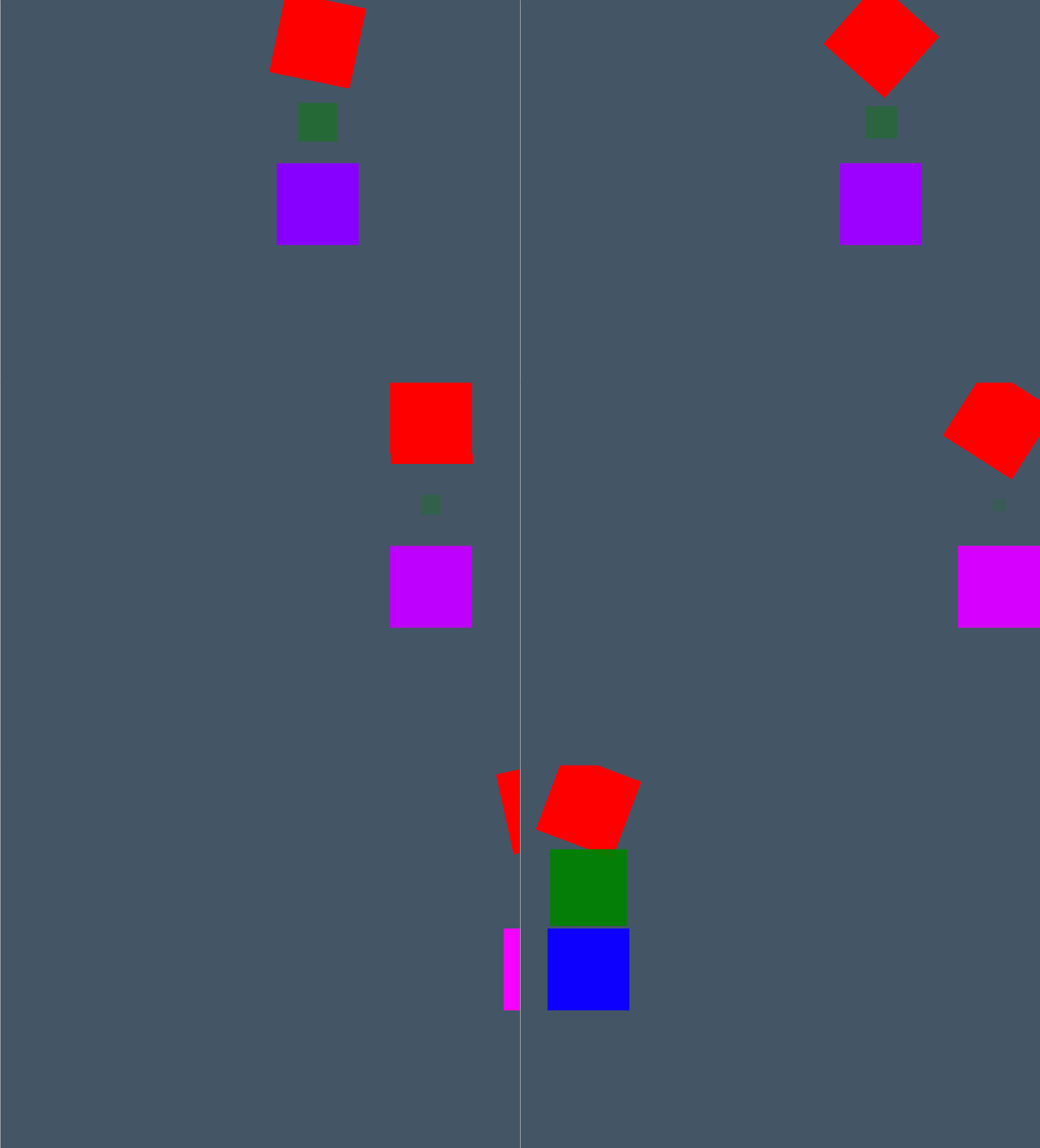
代码如下:
import QtQuick
import Qt.labs.platform
import QtQuick.Controls
Window {
id: mainWindow
title: "Main Window"
color: "#456"
width:640
height:480
visible: true
Rectangle{
id: rr //red rectangle
width: 100
height: 100
color: "red"
}
Rectangle{
id: gr
anchors.left: rr.left
anchors.top: rr.bottom
width: 100
height: 100
color: "green"
}
Rectangle{
id: br
anchors.left: gr.left
anchors.top: gr.bottom
width: 100
height: 100
color: "blue"
}
readonly property int during: 2000
//red rect (move and spin)
PropertyAnimation{
target: rr
property: "x"
from: 0
to : mainWindow.width
duration:during
running: true
loops: 500
}
PropertyAnimation{
target: rr
property: "rotation"
from:0
to: 360
duration:during
running: true
loops: 500
}
//green rect
PropertyAnimation{
target: gr
from: 1
to: 0
properties: "scale,opacity"
running: true
duration: during
loops: 500
}
//blue rect
ColorAnimation {
target: br
from: Qt.rgba(0,0,1,1)
to: Qt.rgba(1,0,1,1)
property: "color"
duration: during
loops:500
running: true
}
}





 扫一扫
扫一扫


 776
776

 被折叠的 条评论
为什么被折叠?
被折叠的 条评论
为什么被折叠?
 到【灌水乐园】发言





