




文章目录
官方帮助文档
Command 模块
功能:在远程主机执行linux命令,此为默认模块,可忽略-m选项
注意:此命令不支持 $VARNAME < > | ; & 等,用shell模块实现
ansible-doc -s command

- chdir:执行命令之前切换到该路径
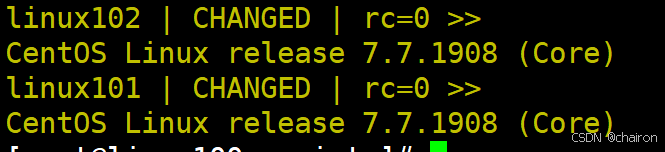
# 以下两条命令是一样的,对webservers组的主机查看centos版本
 ansible webservers -m command -a 'cd /etc cat centos-release'
 ansible webservers -m command -a 'chdir=/etc cat centos-release'
- create:判断文件是否存在,不存在就执行,存在不执行。
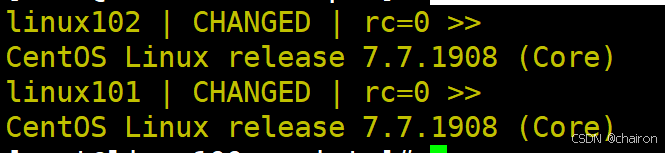
# creates=/data/f1.txt :原本目录里不存在这个文件,这条语句才可以执行成功
ansible webservers -m command -a 'chdir=/etc creates=/data/f1.txt cat centos-release'
原本的主机里没有这个文件,所以执行成功:
现在在linux101中创建这个文件:
mkdir /data
 touch /data/f1.txt
之后再在linux100中执行:
ansible webservers -m command -a 'chdir=/etc creates=/data/f1.txt cat centos-release'

执行就报错啦,因为文件已经存在
- removes:文件存在才执行。
ansible webservers -m command -a 'chdir=/etc removes=/data/f1.txt cat centos-release'

并不是所有linux命令command模块都能成功执行,很多命令会报错。
shell模块
和command相似,用shell执行命令
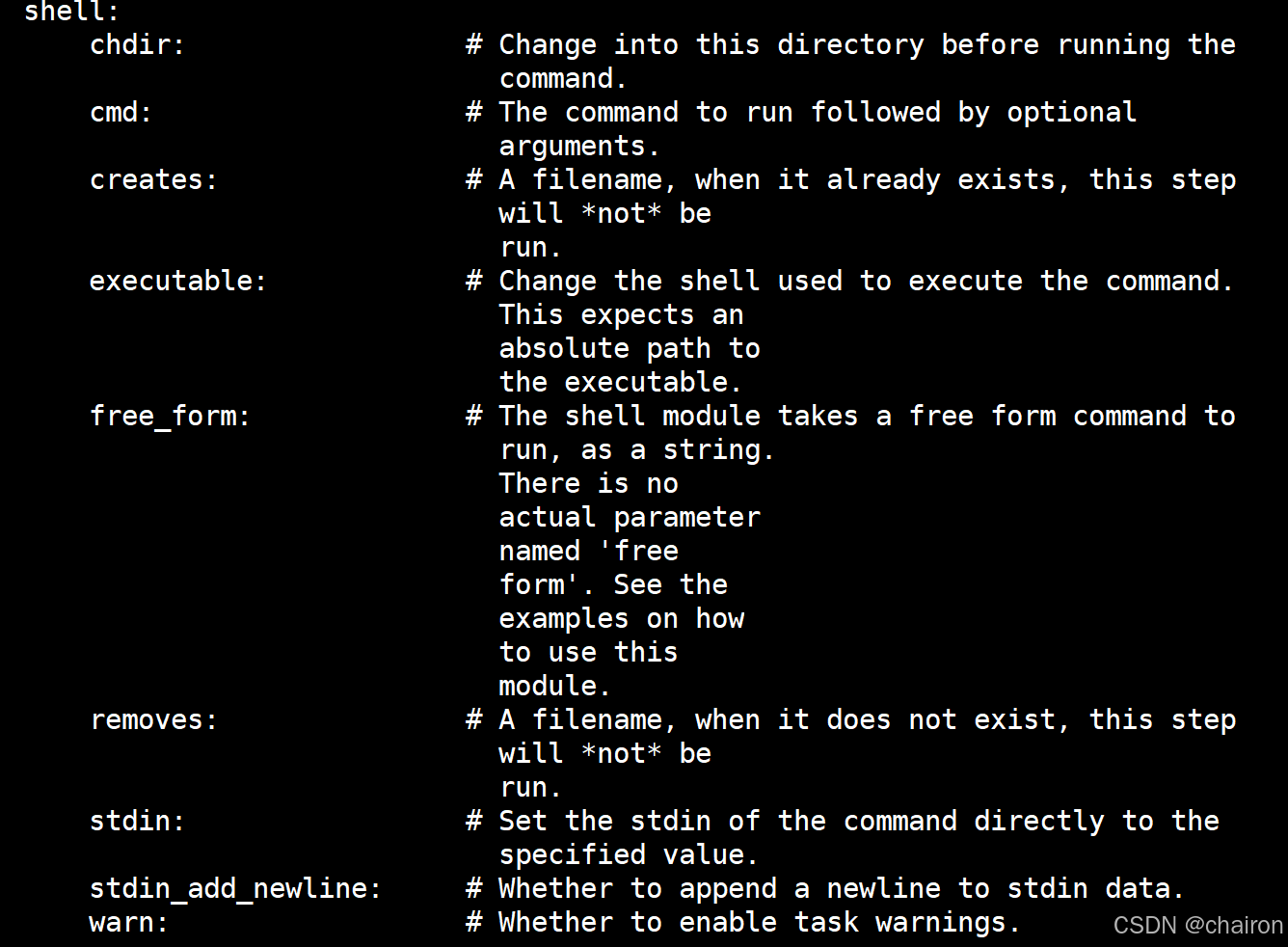
ansible webservers -m shell -a 'echo $HOSTNAME'

注意:调用bash执行命令 类似 cat /tmp/test.md | awk -F‘|’ ‘{print $1,$2}’ &> /tmp/example.txt 这些复杂命令,即使使用shell也可能会失败,解决办法:写到脚本时,copy到远程,执行,再把需要的结果拉回执行命令的机器
将shell模块代替command,设为默认模块:
vim /etc/ansible/ansible.cfg

shell模块只能运行远程主机本来就有的命令;像是脚本文件就没法直接运行
Script模块
功能:在远程主机上运行ansible服务器上的脚本
vim test.sh

 chmod +x test.sh
 ./test.sh
my hostname is linux100
注意现在远程主机上是没有test.sh文件的
ansible webservers -a ‘./test.sh’

ansible-doc -s script

ansible webservers -m script -a './test.sh'
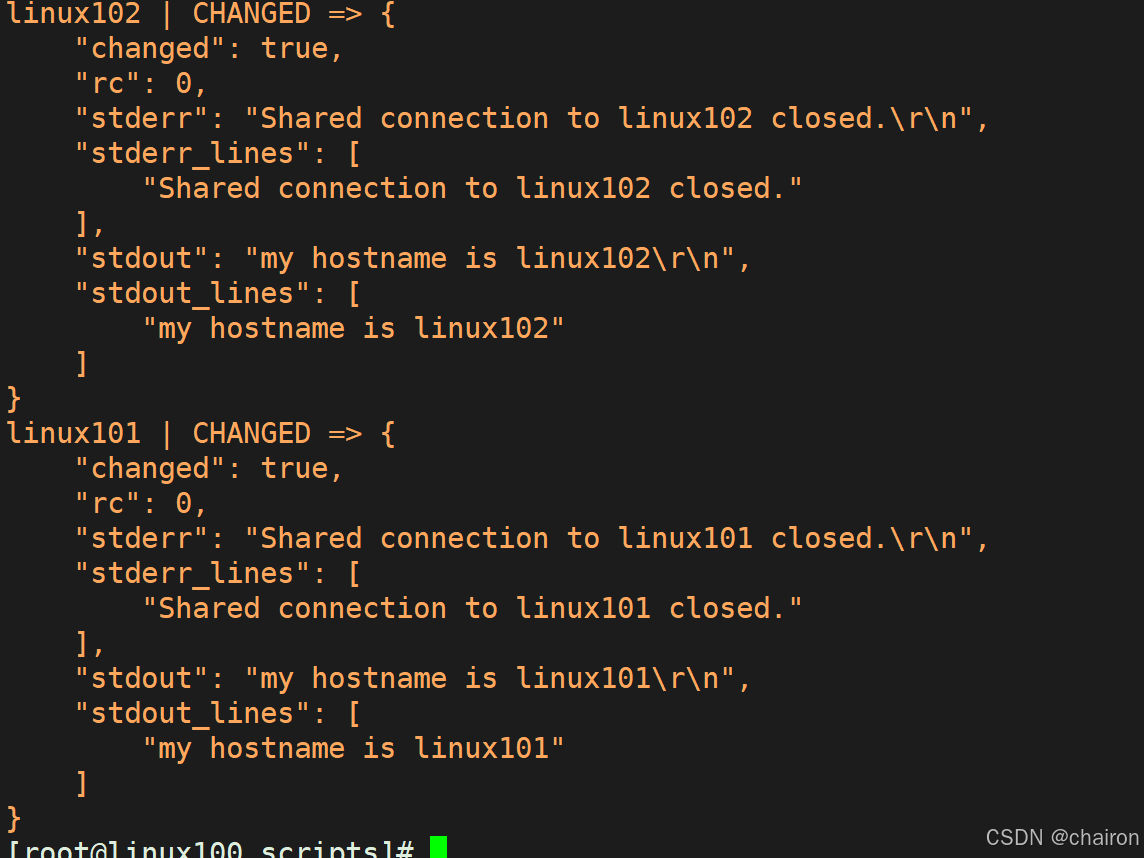
请注意:这个脚本文件远程主机都没有。执行命令的时候ansible会把该文件临时拷贝到远程主机上,命令执行完后会立马删除。
copy模块
功能:从ansible服务器主控端复制文件到远程主机
#复制/etc/fonts目录,到/data/
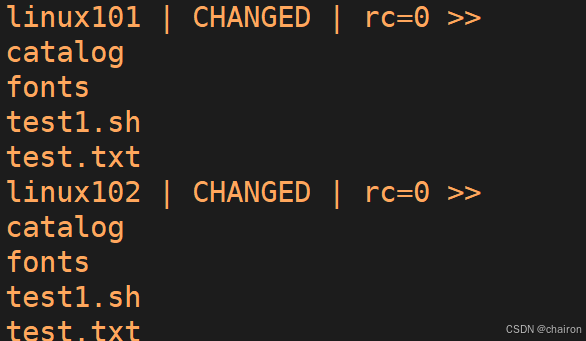
ansible webservers -m copy -a 'src=/etc/fonts dest=/data/'
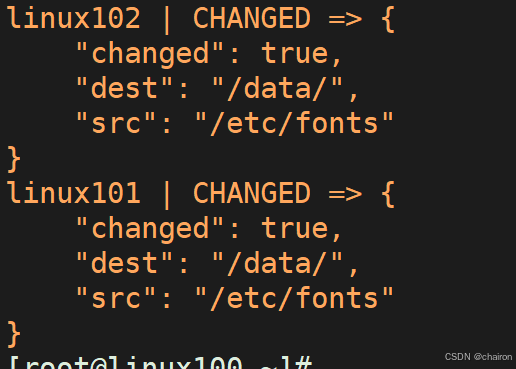
ansible webservers -a 'ls /data/'

#复制/etc/xml/下的文件,不包括/etc/xml目录自身
ansible webservers -m copy -a 'src=/etc/xml/ dest=/data/'
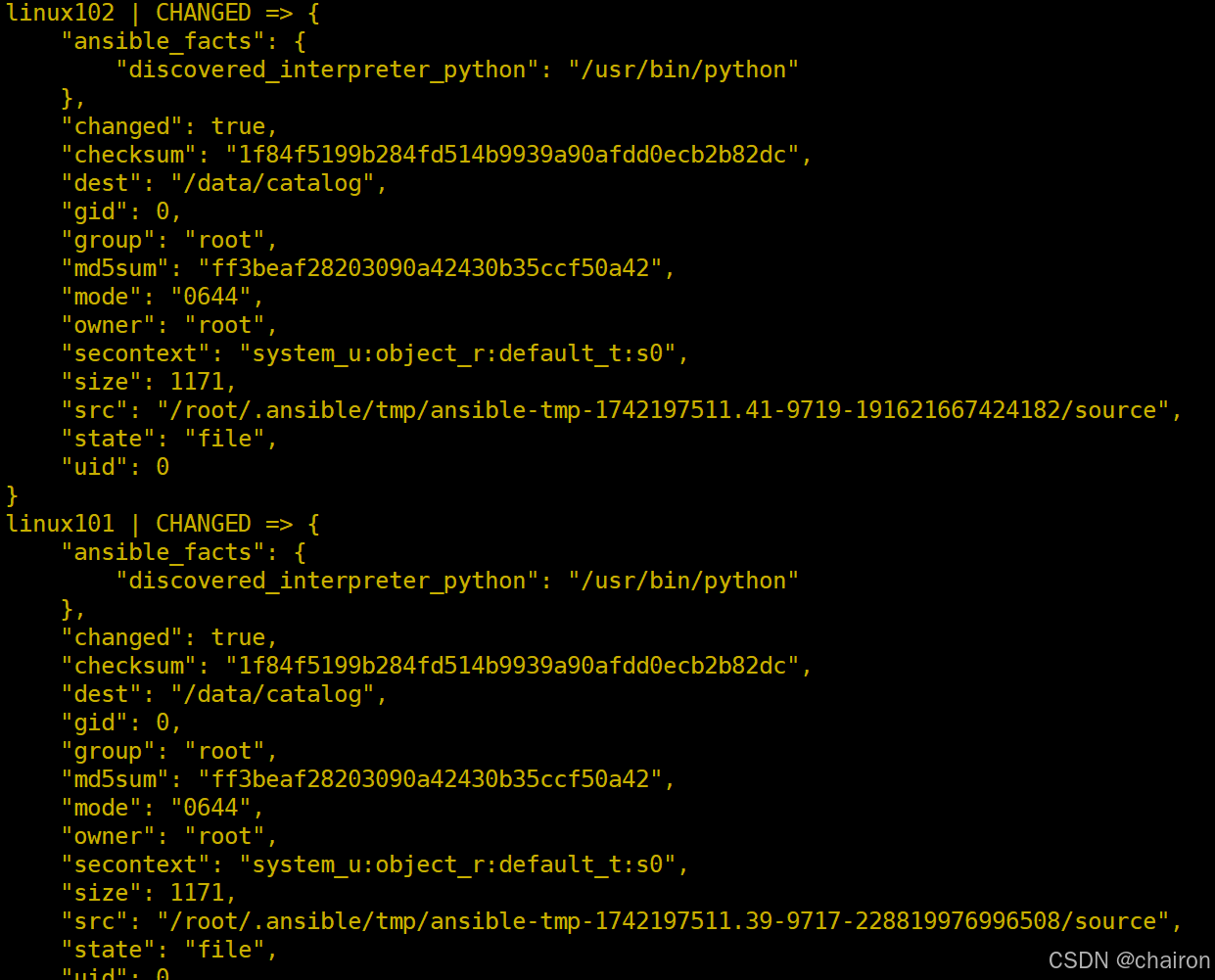
ansible webservers -a 'ls /data/'
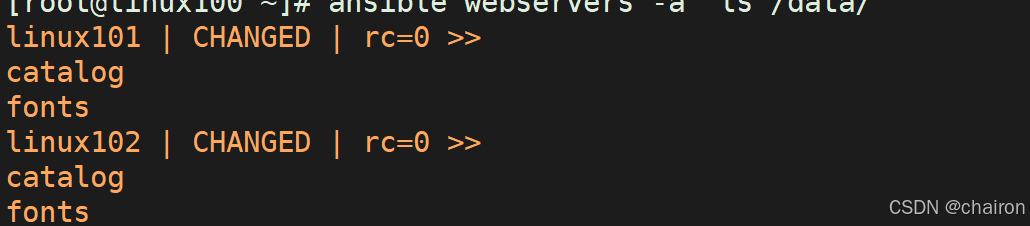
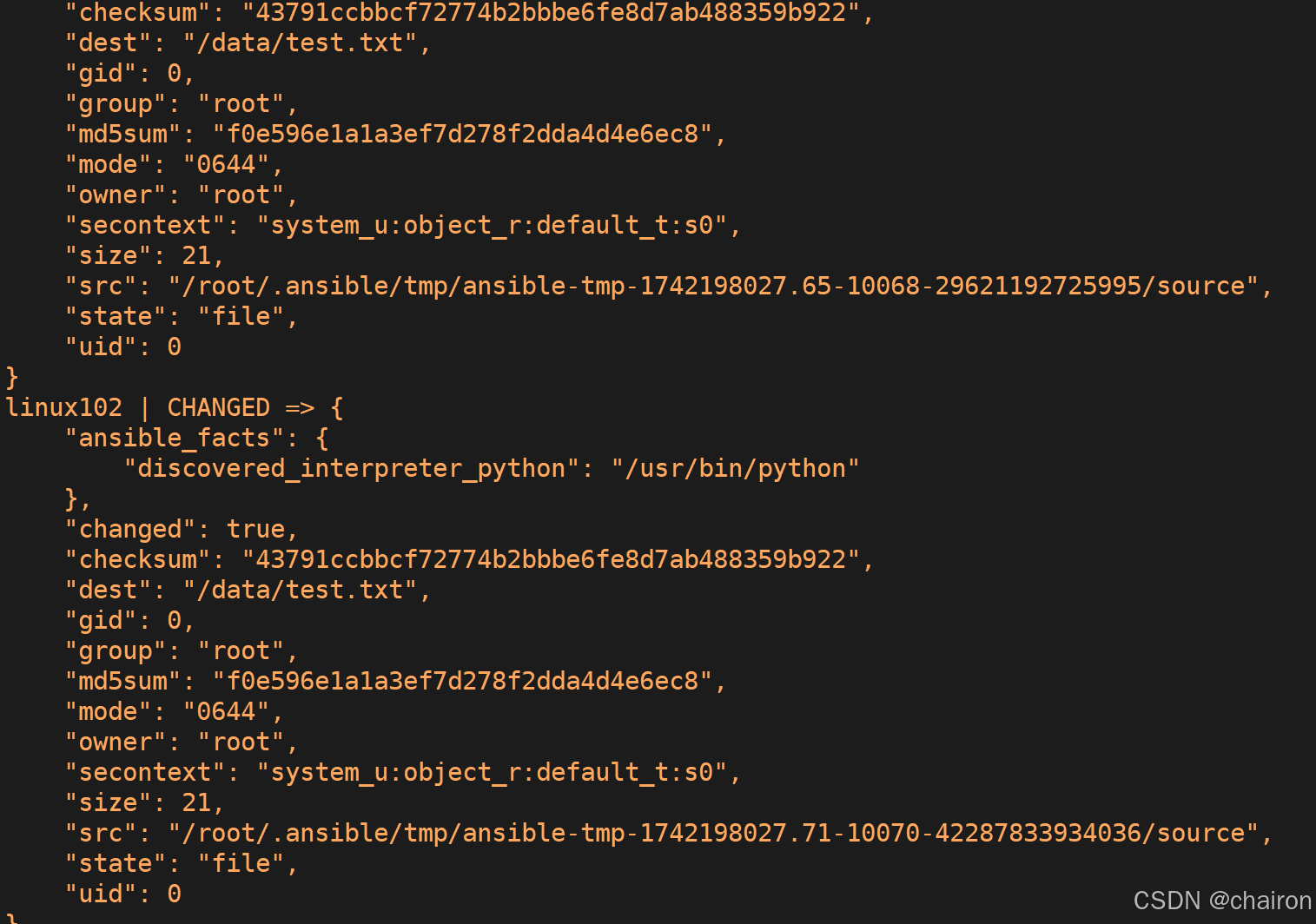
#指定内容,直接生成目标文件
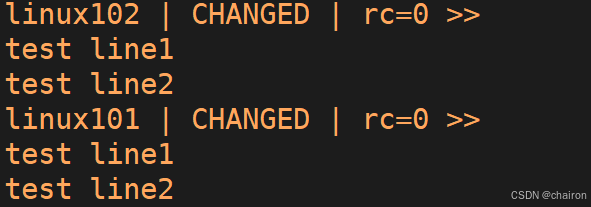
ansible webservers -m copy -a "content='test line1\ntest line2' dest=/data/test.txt"
ansible webservers -a "cat /data/test.txt"
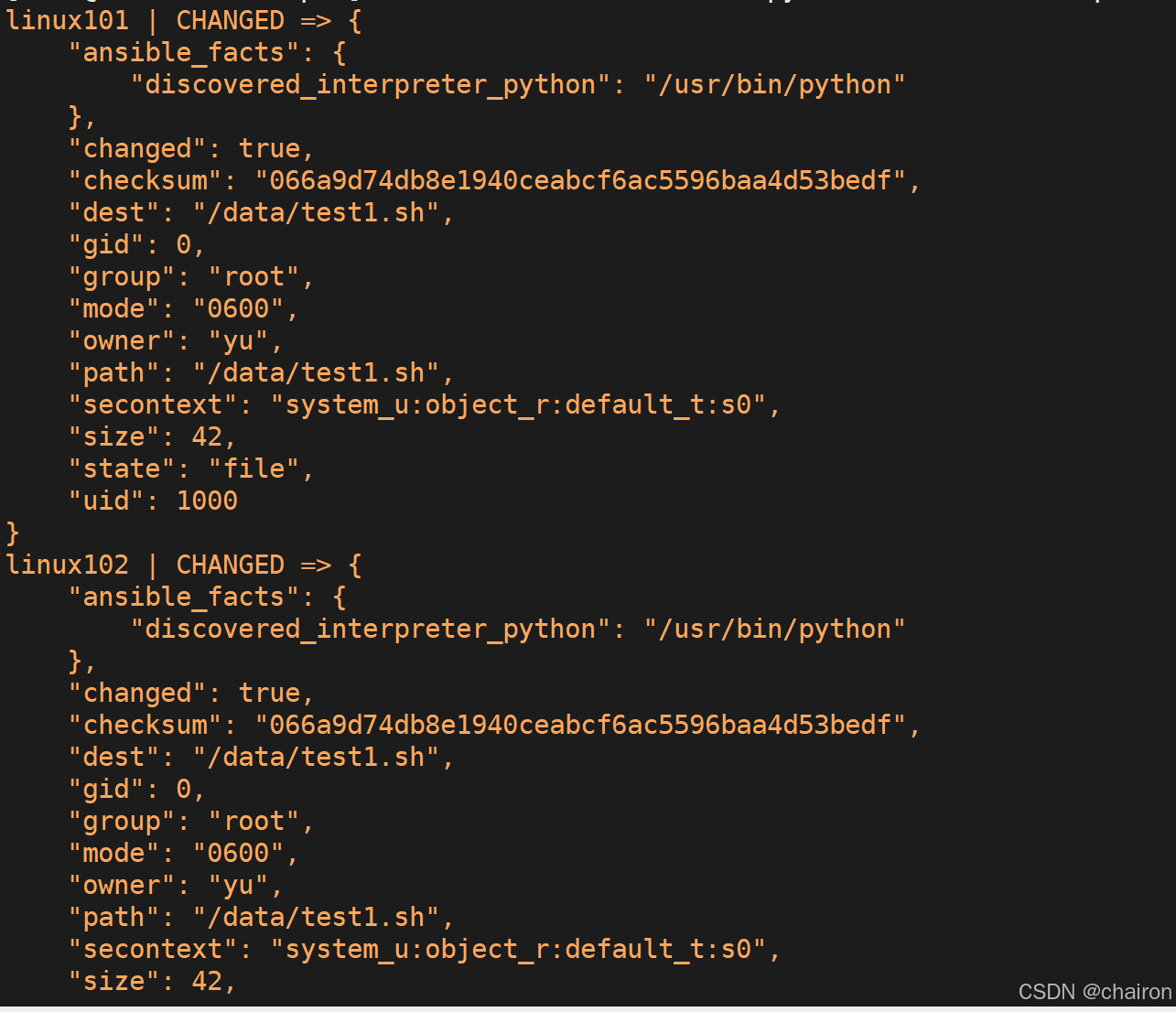
如目标存在,默认覆盖,此处指定先备份
ansible webservers -m copy -a "src=/root/scripts/test.sh dest=/data/test1.sh owner=yu  mode=600 backup=yes"
ansible webservers -a "ls /data/"
Fetch模块
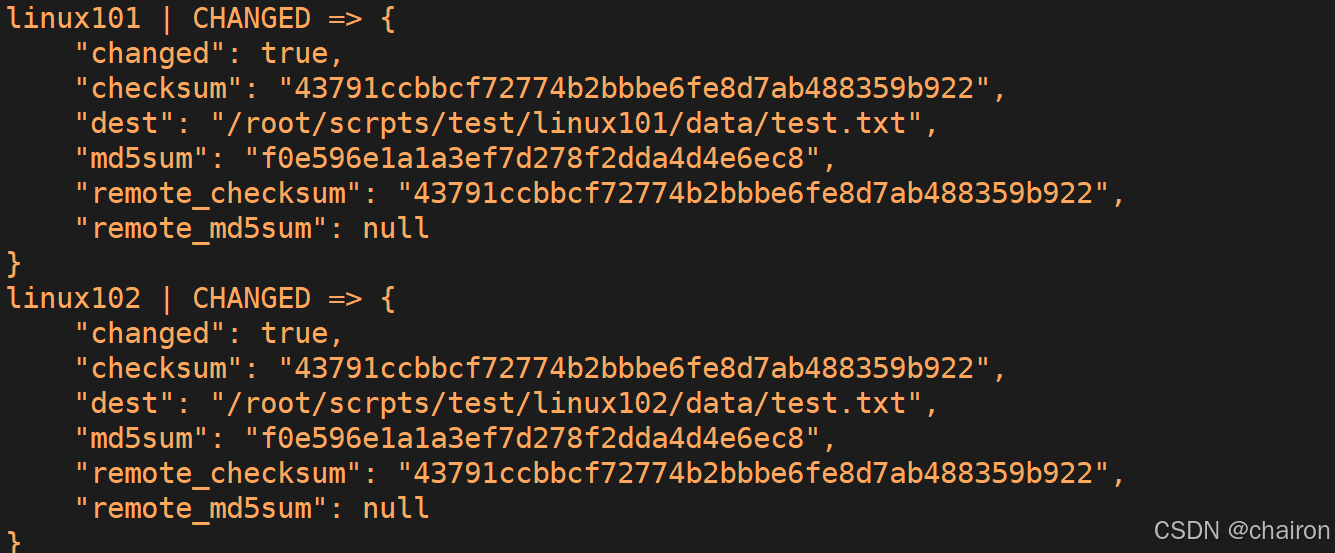
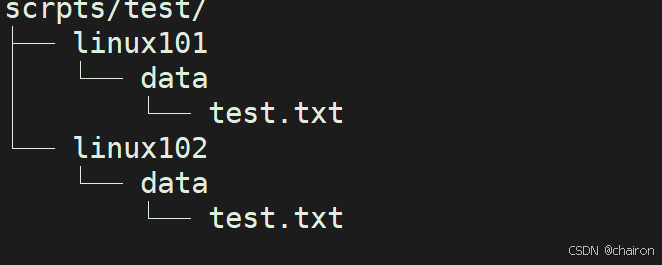
功能:从远程主机提取文件至ansible的主控端,copy相反,目前不支持目录
ansible webservers -m fetch -a 'src=/data/test.txt dest=/root/scrpts/test'
tree scrpts/test/
File模块
功能:设置文件属性
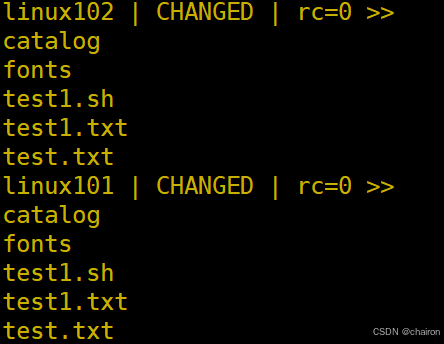
#创建空文件
ansible webservers -m file -a 'path=/data/test1.txttate=touch'
ansible webservers -a "ls /data"
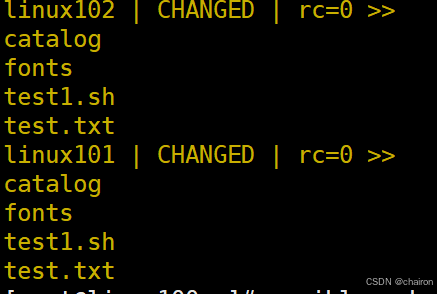
#删除文件
ansible webservers -m file -a 'path=/data/test1.txt state=absent'
ansible webservers -a "ls /data/"
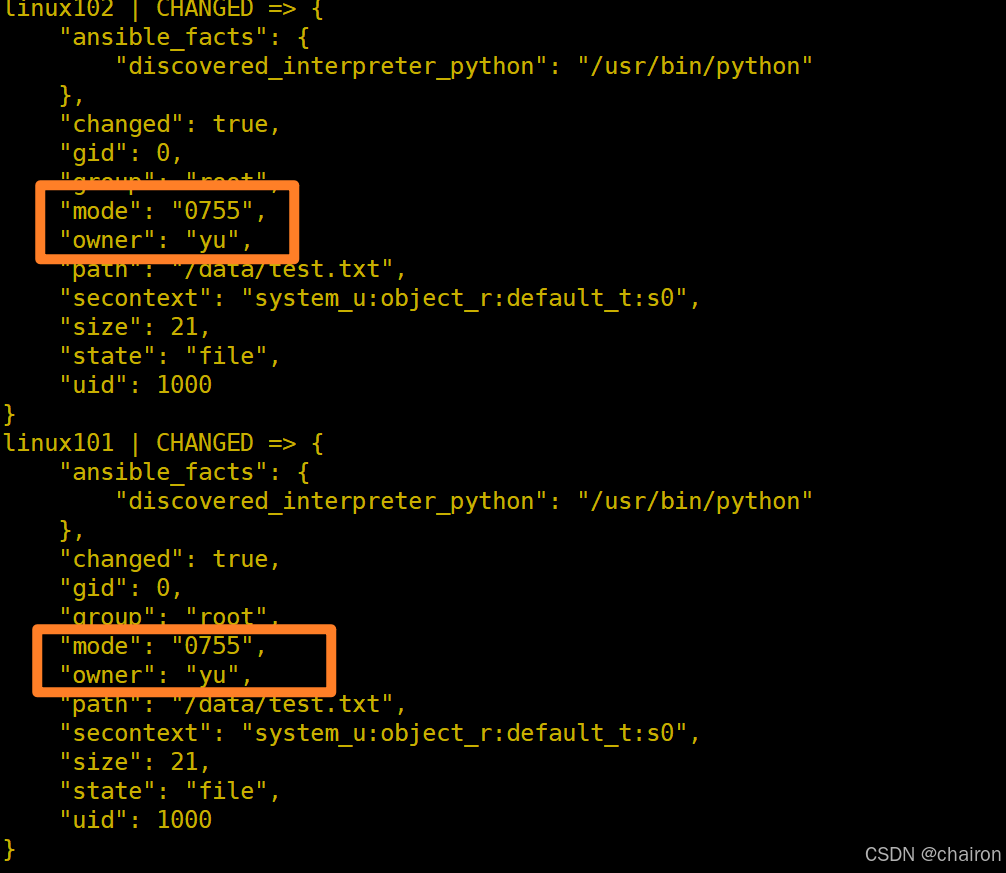
#修改文件信息
ansible webservers -m file -a 'path=/data/test.txt owner=yu mode=755'
#创建文件夹
ansible webservers -m file -a 'path=/data/mysql state=directory owner=yu group=root'
ansible webservers -a "ls /data/"
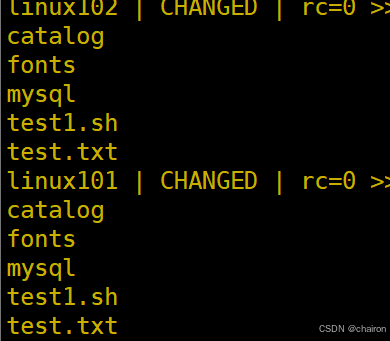
#创建软连接
ansible webservers -m file -a 'src=/data/mysql dest=/data/sql-link state=link'
ansible webservers -a "ls /data/"

unarchive模块
功能:解包解压缩
实现有两种用法:
- 将ansible主机上的压缩包传到远程主机后解压缩至特定目录,设置copy=yes
- 将远程主机上的某个压缩包解压缩到指定路径下,设置copy=no
常见参数:
copy:默认为yes,当copy=yes,拷贝的文件是从ansible主机复制到远程主机上,如果设置为copy=no,会在远程主机上寻找src源文件remote_src:和copy功能一样且互斥,yes表示在远程主机,不在ansible主机,no表示文件在ansible主机上src:源路径,可以是ansible主机上的路径,也可以是远程主机上的路径,如果是远程主机上的路径,则需要设置copy=nodest:远程主机上的目标路径mode:设置解压缩后的文件权限
tar zcvf data.tar.gz data/
ls

ansible webservers -a 'rm -rf /data/*'
ansible webservers -a 'ls /data/'
ansible webservers -m  unarchive -a 'src=/root/data.tar.gz dest=/data owner=yu'
ansible webservers -a 'ls /data/'

ansible webservers -m  copy -a 'src=/root/data.tar.gz dest=/data'
ansible webservers -a 'ls /data/'
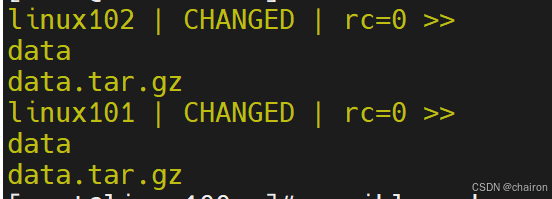
ansible webservers -m  unarchive -a 'src=/data/data.tar.gz dest=/data/data/ copy=no'
ansible webservers -a 'ls /data/data'
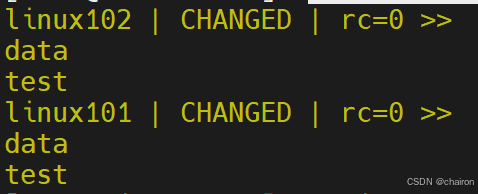
archive
功能:打包压缩
ansible webservers -m archive -a 'path=/data/data/test/ dest=/data/data/test.tar.gz format=gz owner=yu mode=0600'
ansible webservers -a 'ls /data/data/'
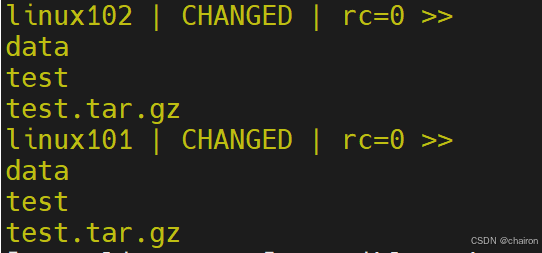
Hostname模块
功能:管理主机名
ansible linux101 -m hostname -a 'name=ansible101'
ansible linux101 -a 'hostname'

ansible linux101 -m hostname -a 'name=linux101'
ansible linux101 -a 'hostname'

Cron模块
功能:计划任务
支持时间:minute,hour,day,month,weekday
#创建定时任务
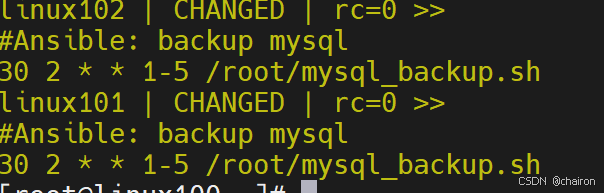
 ansible webservers -m cron -a 'hour=2 minute=30 weekday=1-5 name="backup mysql" job=/root/mysql_backup.sh'
 ansible webservers -a 'crontab -l'
#禁用计划任务
ansible webservers -m cron -a 'hour=2 minute=30 weekday=1-5 name="backup mysql" job=/root/mysql_backup.sh disabled=yes'
#启用计划任务
ansible webservers -m cron -a 'hour=2 minute=30 weekday=1-5 name="backup mysql" job=/root/mysql_backup.sh disabled=no'
#删除计划任务
ansible webservers -m cron -a 'name="backup mysql" state=absent'
ansible webservers -a 'crontab -l'

Yum模块
功能:管理软件包,只支持RHEL,CentOS,fedora,不支持Ubuntu其它版本
#安装
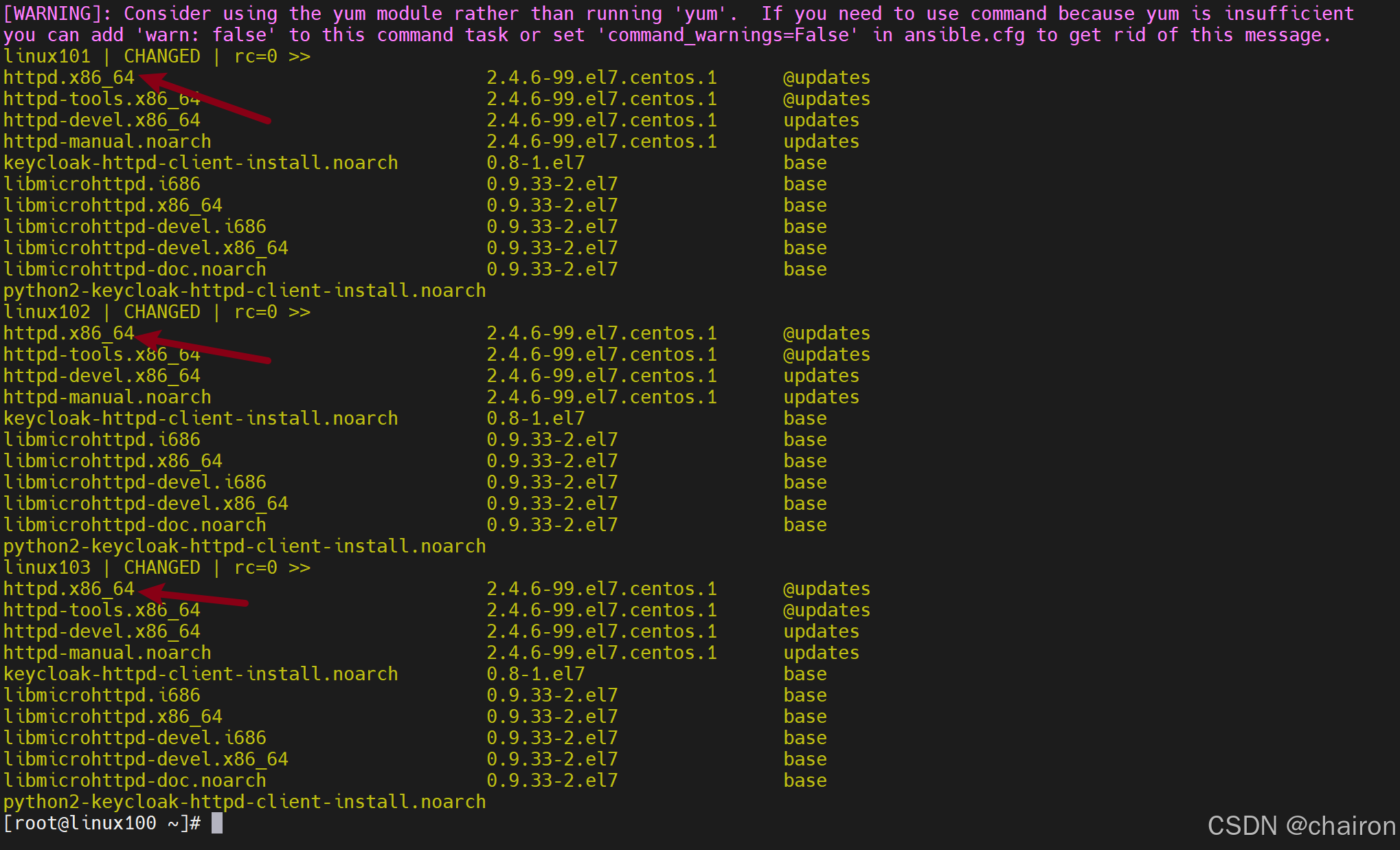
ansible all -m yum -a 'name=httpd'
ansible all -a 'yum list |grep httpd'
#卸载
 ansible all -m yum -a 'name=httpd state=absent'
再将httpd模块安装上!
Service模块
功能:管理服务
#启用httd服务
ansible all -m service -a 'name=httpd state=started enabled=yes'
#监听的 TCP 套接字的信息
ansible all -a 'ss -ntl'
#停止服务
ansible all -m service -a 'name=httpd state=stopped'
#重新加载服务
ansible all -m service -a 'name=httpd state=reloaded'
#重启服务
ansible all -m service -a 'name=httpd state=restarted'
User模块
功能:管理用户
#创建用户
ansible all -m user -a 'name=user1 comment=“test user” uid=2048 home=/app/user1 group=root'

ansible all -m user -a 'name=nginx comment=nginx uid=88 group=nginx groups="root,daemon" shell=/sbin/nologin system=yes create_home=no  home=/data/nginx non_unique=yes'

#删除用户及家目录等数据
ansible all -m user -a 'name=nginx state=absent remove=yes'
Group模块
功能:管理组
范例:
#创建组
ansible websrvs -m group  -a 'name=nginx gid=88 system=yes'
#删除组
ansible websrvs -m group  -a 'name=nginx state=absent'
Lineinfile模块
ansible在使用sed进行替换时,经常会遇到需要转义的问题,而且ansible在遇到特殊符号进行替换时,存在问题,无法正常进行替换 。
其实在ansible自身提供了两个模块:lineinfile模块和replace模块,可以方便的进行替换
功能:相当于sed,可以修改文件内容
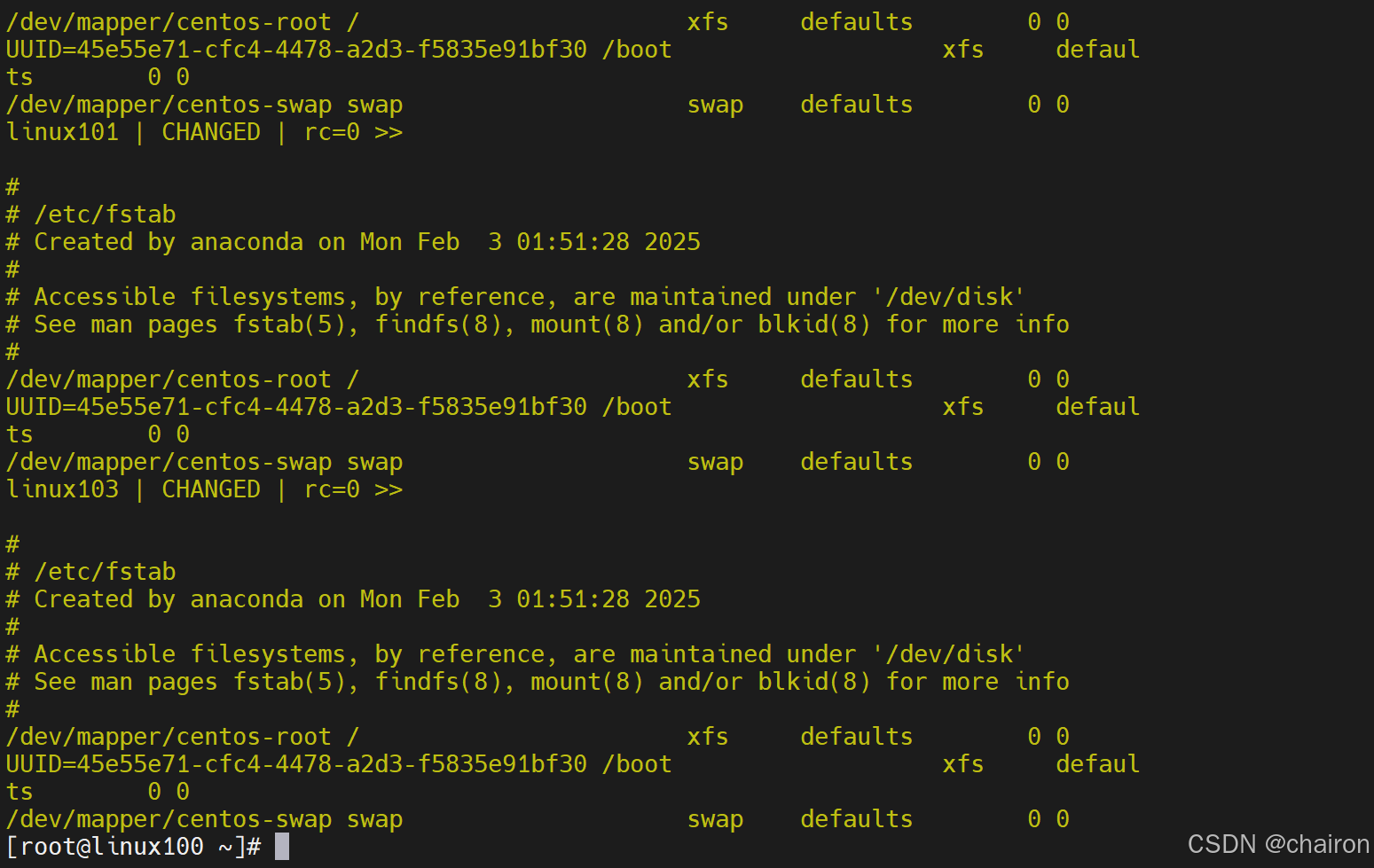
ansible all -a 'cat /etc/fstab'
#删掉注释行
ansible all -m lineinfile  -a 'dest=/etc/fstab state=absent regexp="^#"'
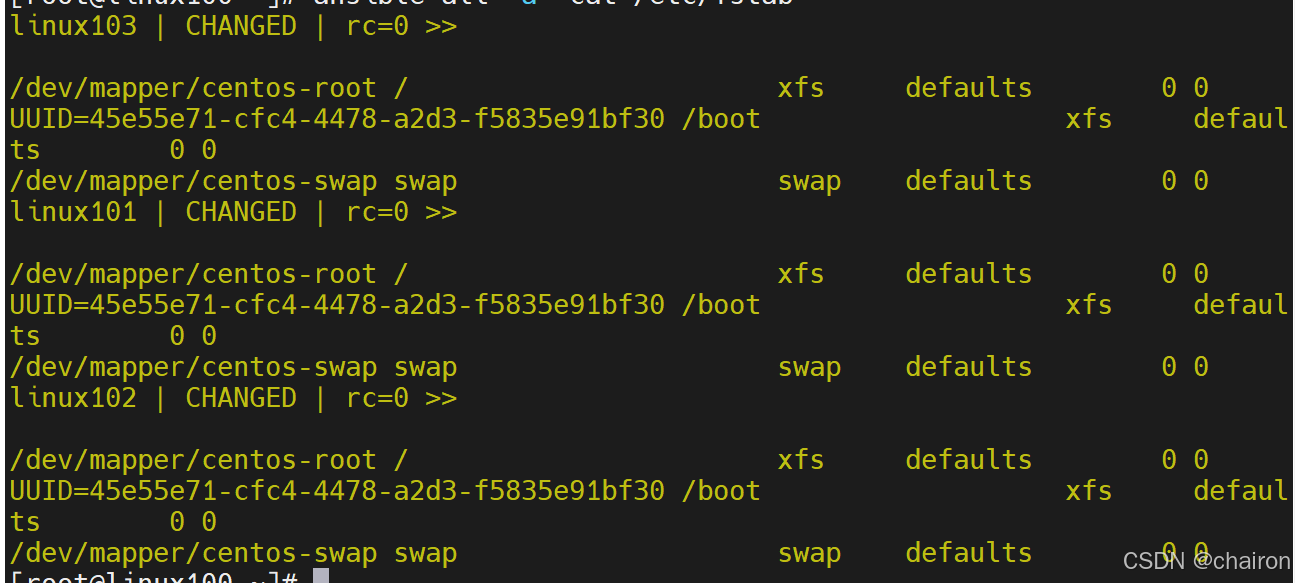
ansible all -a 'cat /etc/selinux/config'

#替换
ansible all -m lineinfile -a "path=/etc/selinux/config regexp='^SELINUX=' line='SELINUX=disabled'"
ansible all -a 'cat /etc/selinux/config'

Replace模块
该模块有点类似于sed命令,主要也是基于正则进行匹配和替换
ansible all -a 'cat /etc/fstab'
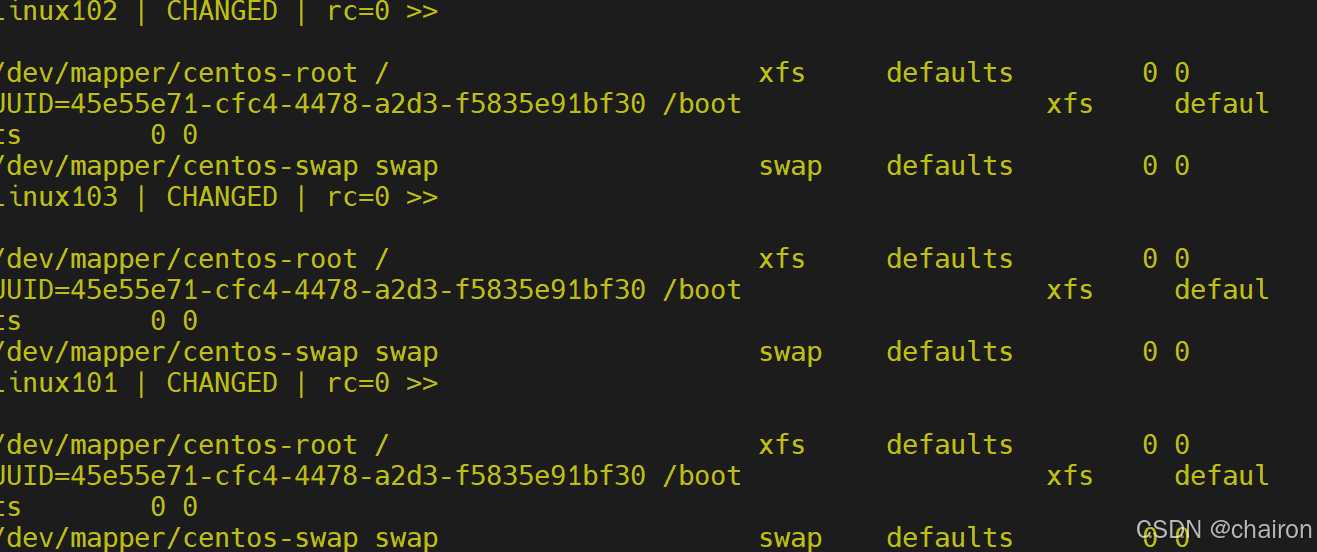
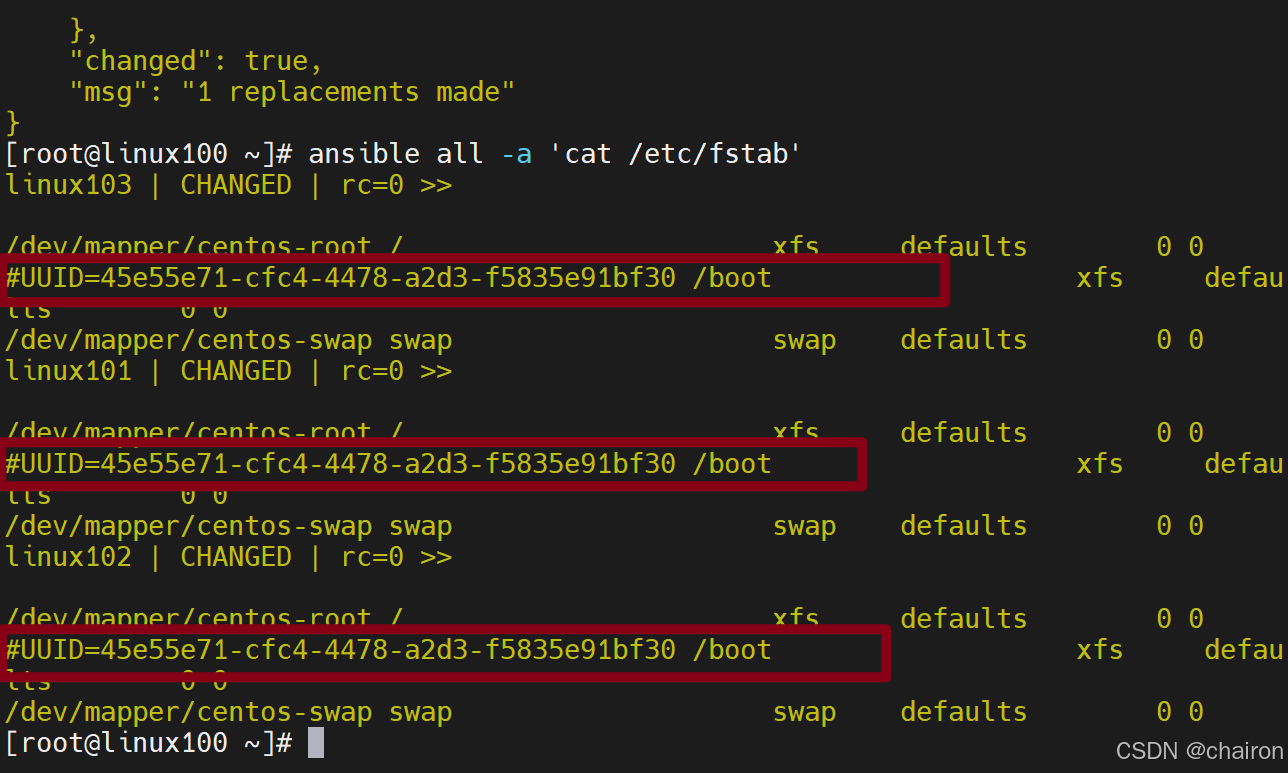
#在uuid行前面添加#
ansible all -m replace -a "path=/etc/fstab regexp='^(UUID.*)' replace='#\1'"
ansible all -a 'cat /etc/fstab'
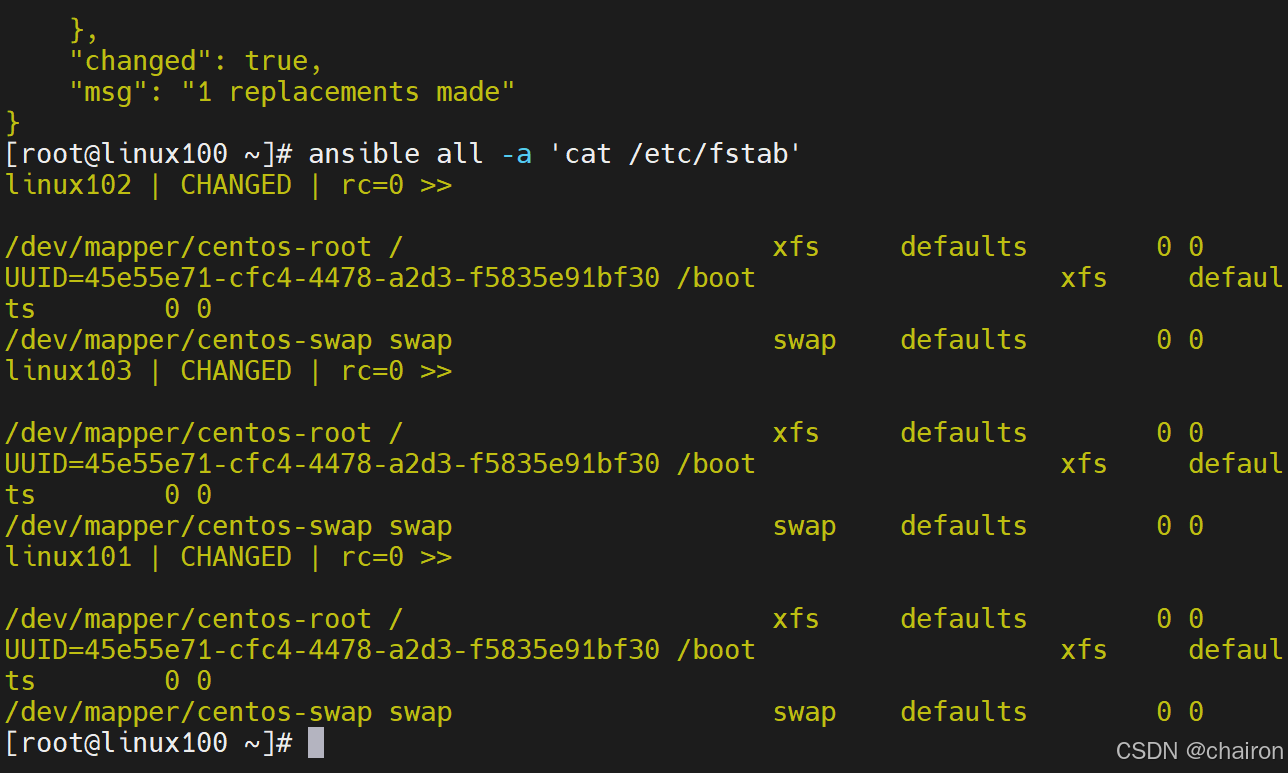
#在以#开头的行中删除#
 ansible all -m replace -a "path=/etc/fstab regexp='^#(.*)' replace='\1'"
 ansible all -a 'cat /etc/fstab'
Setup模块
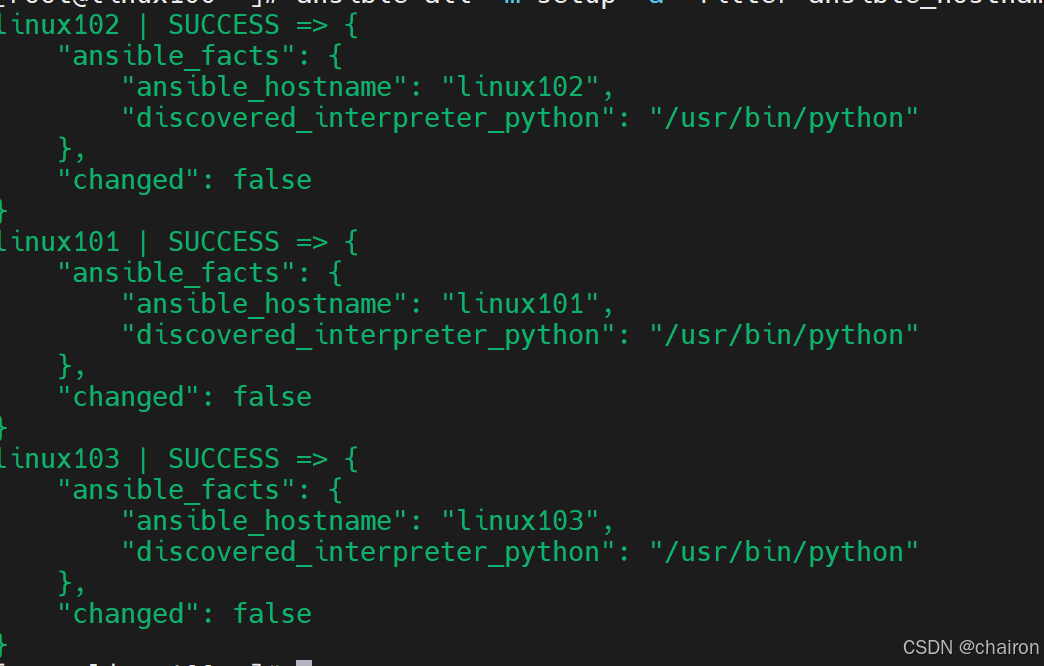
功能: setup 模块来收集主机的系统信息,这些 facts 信息可以直接以变量的形式使用,但是如果主机较多,会影响执行速度,可以使用gather_facts: no 来禁止 Ansible 收集 facts 信息。
#收集主机名
ansible all -m setup -a 'filter=ansible_hostname'
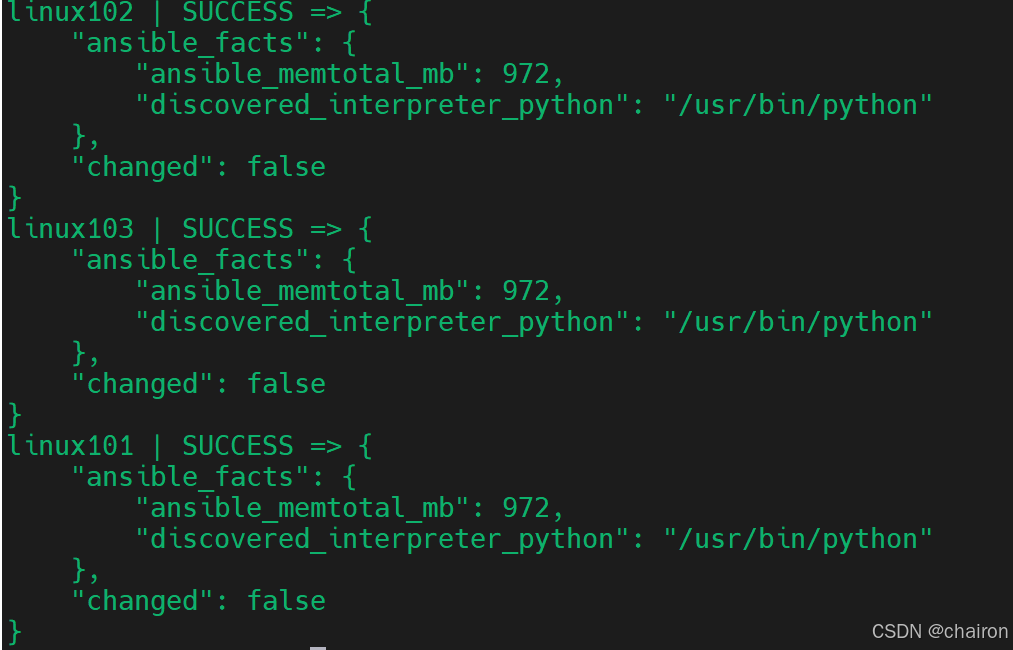
#收集内存信息
ansible all -m setup -a 'filter=ansible_memtotal_mb'





 扫一扫
扫一扫


 368
368

 被折叠的 条评论
为什么被折叠?
被折叠的 条评论
为什么被折叠?
 到【灌水乐园】发言





