 HTML题目代码与结果展示


第一题
代码:
<!DOCTYPE html>
<html lang="en">
<head>
    <meta charset="UTF-8">
    <meta name="viewport" content="width=device-width, initial-scale=1.0">
    <title>第二次作业</title>
    <style>
        .calendar {
  width: 150px;
  height: 180px;
  background-color: white;
  border: 1px solid #ccc;
  border-radius: 5px;
  box-shadow: 0 2px 4px rgba(0, 0, 0, 0.1);
}

.header {
  background-color: red;
  color: white;
  text-align: center;
  padding: 5px 0;
  border-top-left-radius: 5px;
  border-top-right-radius: 5px;
}

.date {
  font-size: 60px;
  text-align: center;
  margin: 20px 0;
}

.recommendation {
  margin-top: 20px;
}

h2 {
  font-size: 18px;
}

p {
  font-size: 14px;
  color: #666;
}
    </style>


</head>


<body>
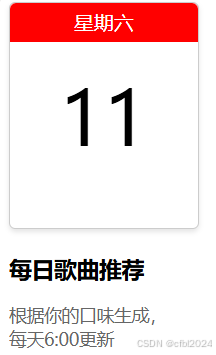
    <div class="calendar">
    <div class="header">星期六</div>
    <div class="date">11</div>
  </div>
  <div class="recommendation">
    <h2>每日歌曲推荐</h2>
    <p>根据你的口味生成,<br>每天6:00更新</p>
  </div>
</body>
</html>
结果:
第二题:
代码:
DOCTYPE html>
<html lang="en">
<head>
  <meta charset="UTF-8">
  <meta name="viewport" content="width=device-width, initial-scale=1.0">
  <title>图标</title>
</head>
<body>
  <table>
    <div>
      <img style="width: 40px;" src="图标1.png">

    </div>
    <div>
      <img style="width: 40px;" src="图标2.png">
    </div>
    <div>
      <img style="width: 40px;" src="图标3.png">
    </div>
    <div>
      <img style="width: 40px;" src="图标4.png">
    </div>
  </table>
</body>
</html>
结果:
第三题:
代码:
<!DOCTYPE html>
<html lang="zh - CN">

<head>
  <meta charset="UTF - 8">
  <meta name="viewport" content="width=device-width, initial - scale=1.0">
  <link rel="stylesheet" href="styles.css">
  <title>下载按钮示例</title>
  <style>

  .download-container {
    display: flex;
    justify-content: space - between;
    margin-bottom: 10px;
  }

  .windows-button,
  .apple-button,
  .mac-app-store-button {
    display: flex;
    align-items: center;
    text-decoration: none;
    padding: 10px 20px;
    border-radius: 5px;
    color: white;
    font-weight: bold;
  }
  .windows-button span,
  .apple-button span,
  .mac-app-store-button span {
    visibility: hidden;
  }

  .windows-button {
    background-color: #d92323;
  }

  .apple-button {
    background-color: #d92323;
  }

  .mac-app-store-button {
    background-color: #007aff;
  }

  .button-icon {
    width: 20px;
    height: 20px;
    margin-right: 10px;
  }
</style>
</head>

<body>
  <div class="download-container">
    <a href="#" class="windows-buton">
      <img src="网页下载.png" alt="Windows 图标" class="button - icon">
      <span>立即下载</span>
    </a>
    <a href="#" class="apple - button">
      <img src="苹果下载.png" alt="苹果图标" class="button - icon">
      <span>立即下载</span>
    </a>
    <a href="#" class="mac - app - store - button">
      <img src="MAC.png" alt="Mac App Store 图标" class="button - icon">
      <span>Available on the Mac App Store</span>
    </a>
  </div>
  <div class="download - container">
    <a href="#" class="windows - button">
      <img src="网页下载.png" alt="Windows 图标" class="button - icon">
      <span>立即下载</span>
    </a>
    <a href="#" class="apple - button">
      <img src="苹果下载.png" alt="苹果图标" class="button - icon">
      <span>立即下载</span>
    </a>
    <a href="#" class="mac - app - store - button">
      <img src="MAC.png" alt="Mac App Store 图标" class="button - icon">
      <span>Available on the Mac App Store</span>
    </a>
  </div><div class="download - container">
    <a href="#" class="windows - button">
      <img src="网页下载.png" alt="Windows 图标" class="button - icon">
      <span>立即下载</span>
    </a>
    <a href="#" class="apple - button">
      <img src="苹果下载.png" alt="苹果图标" class="button - icon">
      <span>立即下载</span>
    </a>
    <a href="#" class="mac - app - store - button">
      <img src="MAC.png" alt="Mac App Store 图标" class="button - icon">
      <span>Available on the Mac App Store</span>
    </a>
  </div>

</body>

</html>
结果:
第四题:
!DOCTYPE html>
<html lang="zh - CN">

<head>
  <meta charset="UTF - 8">
  <meta name="viewport" content="width=device-width, initial - scale=1.0">
  <link rel="stylesheet" href="styles.css">
  <title>歌手信息展示</title>
  <style>
  .singer-item{
    display: flex;
    align-items: center;
    border-bottom: 1px solid #ccc;
    padding: 10px 0;
  }

  .singer-item {
    width: 80px;
    height: 80px;
    margin-right: 10px;
  }

  .singer-info {
    flex: 1;
  }

  .singer-info h2 {
    margin: 0;
  }

  .singer-info p {
    margin: 5px 0 0;
    font-size: 14px;
    color: #666;
  }
</style>
</head>

<body>
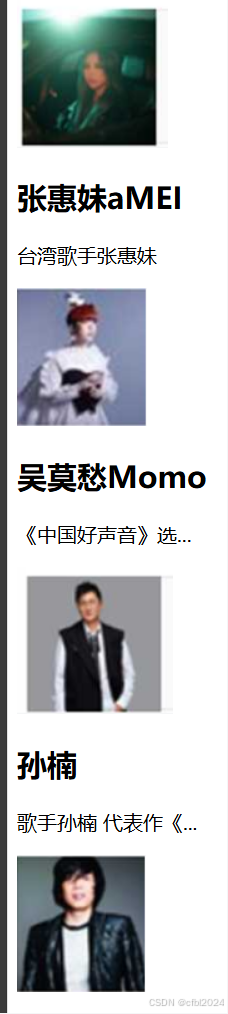
    <table>
        <tr>
            <div class="singer - item">
                 <img src="张惠妹.png"alt ="张惠妹">
                  <div class="singer - info">
                     <h2>张惠妹aMEI</h2>
                     <p>台湾歌手张惠妹</p>
                    </div>
                </div>
         </tr>

  <div class="singer - item">
    <img src="吴莫愁.png"alt="吴莫愁">
    <div class="singer - info">
      <h2>吴莫愁Momo</h2>
      <p>《中国好声音》选...</p>
    </div>
  </div>
  <div class="singer - item">
    <img src="孙楠.png"alt ="孙楠">
    <div class="singer - info">
      <h2>孙楠</h2>
      <p>歌手孙楠 代表作《...</p>
    </div>
  </div>
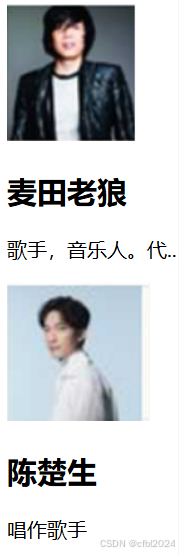
  <div class="singer - item">
    <img src=" 麦田老狼.png"alt="麦田老狼">
    <div class="singer - info">
      <h2>麦田老狼</h2>
      <p>歌手,音乐人。代...</p>
    </div>
  </div>
  <div class="singer - item">
    <img src="陈楚生.png"alt="陈楚生">
    <div class="singer - info">
      <h2>陈楚生</h2>
      <p>唱作歌手</p>
    </div>
  </div>
</table>
</body>

</html>
结果:
第五题:
<!DOCTYPE html>
<html lang="zh - CN">
<head>
<meta charset="UTF - 8">
<meta name="viewport" content="width=device-width, initial - scale=1.0">
<link rel="stylesheet" href="styles.css">
<title>搜索框示例</title>
</head>
<body>
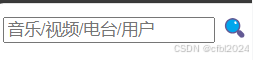
<div class="search - container">
<input type="text" placeholder="音乐/视频/电台/用户" class="search - input">
<span class="search - icon">🔍</span>
</div>
</body>
</html>
结果:





 扫一扫
扫一扫


 2036
2036

 被折叠的 条评论
为什么被折叠?
被折叠的 条评论
为什么被折叠?
 到【灌水乐园】发言





