



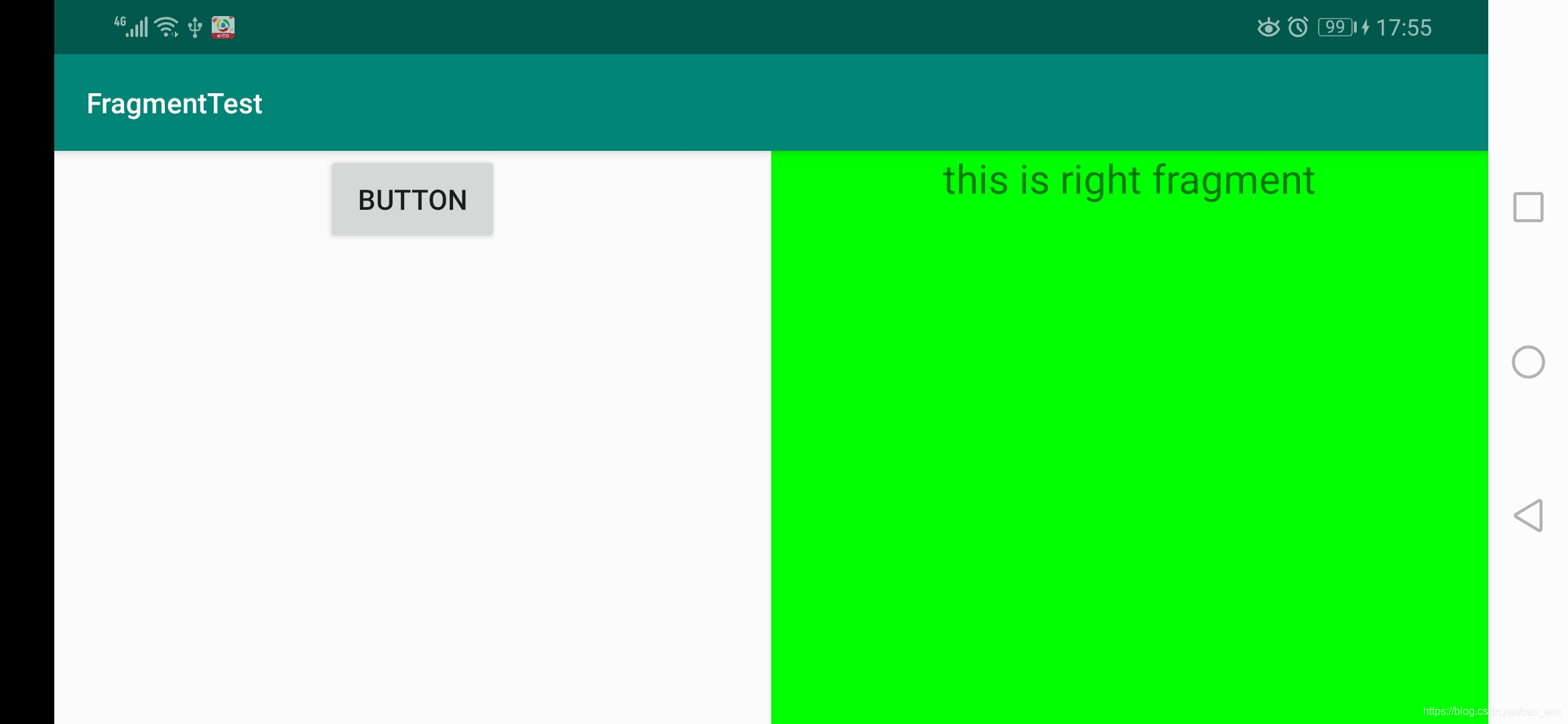
 本文介绍如何利用ConstraintLayout的weight属性,实现两个控件在屏幕上等宽度显示的技术细节。通过设置layout_constraintHorizontal_weight,使左右两个fragment各占屏幕一半宽度,达到美观且响应式的布局效果。
比如要使两个控件各占一半,就要使用 weight,这个时候关键点在于要两个控件互相关联:
<?xml version="1.0" encoding="utf-8"?>
<android.support.constraint.ConstraintLayout xmlns:android="http://schemas.android.com/apk/res/android"
    xmlns:app="http://schemas.android.com/apk/res-auto"
    xmlns:tools="http://schemas.android.com/tools"
    android:layout_width="match_parent"
    android:layout_height="match_parent"
    tools:context=".MainActivity">


    <fragment
        android:id="@+id/left_fragment"
        android:name="com.example.fragmenttest.LeftFragment"
        android:layout_width="0dp"
        android:layout_height="match_parent"
        app:layout_constraintHorizontal_weight="1"
        app:layout_constraintLeft_toLeftOf="parent"
        app:layout_constraintRight_toLeftOf="@id/right_fragment"
        app:layout_constraintTop_toTopOf="parent" />

    <fragment
        android:id="@+id/right_fragment"
        android:name="com.example.fragmenttest.RightFragment"
        android:layout_width="0dp"
        android:layout_height="match_parent"
        app:layout_constraintHorizontal_weight="1"
        app:layout_constraintLeft_toRightOf="@id/left_fragment"
        app:layout_constraintRight_toRightOf="parent"
        app:layout_constraintTop_toTopOf="parent" />

</android.support.constraint.ConstraintLayout>
效果:
参考:https://blog.youkuaiyun.com/weixin_39178206/article/details/87879784





 扫一扫
扫一扫


 1818
1818

 被折叠的 条评论
为什么被折叠?
被折叠的 条评论
为什么被折叠?
 到【灌水乐园】发言





