





 本文指导如何修复Maven中JSP编译错误,包括检查jar包冲突、设置servlet-api和jsp-api为provided scope,以及调整Tomcat版本以匹配JRE。还介绍了处理servlet访问404问题和web.xml配置的调整。
配置maven时常见的小问题
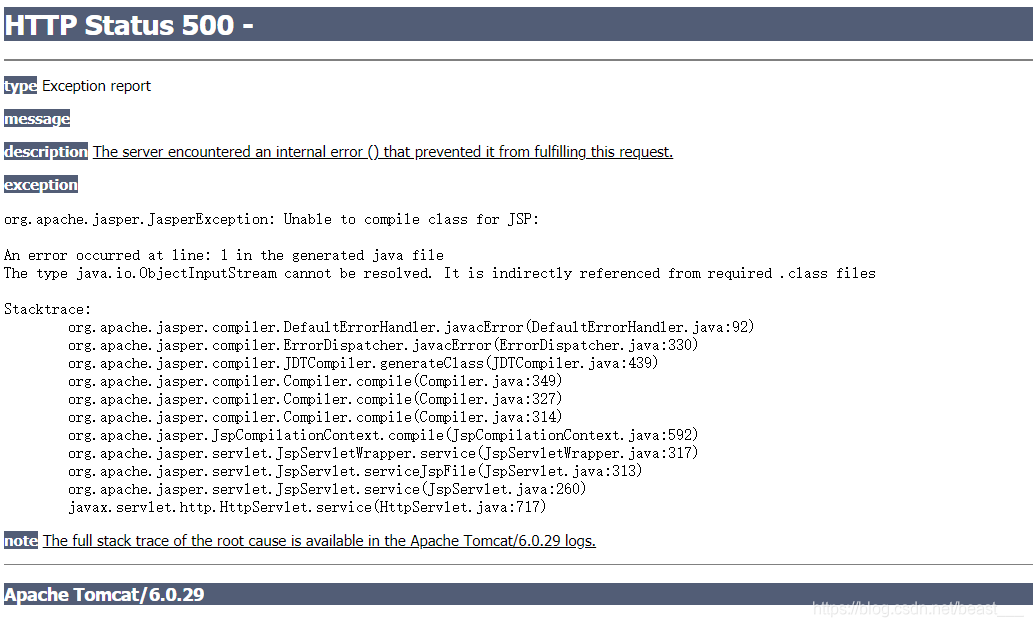
1.出现报错Unable to compile class for JSP
报错信息图片如下:
解决方案
1.考虑是否是jar包冲突而出现的问题
在pom.xml中添加jar包没有加限制,如下列代码:
<?xml version="1.0" encoding="UTF-8"?>

<!--修改前-->

<project xmlns="http://maven.apache.org/POM/4.0.0" xmlns:xsi="http://www.w3.org/2001/XMLSchema-instance"
  xsi:schemaLocation="http://maven.apache.org/POM/4.0.0 http://maven.apache.org/xsd/maven-4.0.0.xsd">
  <modelVersion>4.0.0</modelVersion>

  <groupId>org.example</groupId>
  <artifactId>maven_web</artifactId>
  <version>1.0-SNAPSHOT</version>
  <packaging>war</packaging>

  <name>maven_web Maven Webapp</name>
  <!-- FIXME change it to the project's website -->
  <url>http://www.example.com</url>

  <properties>
    <project.build.sourceEncoding>UTF-8</project.build.sourceEncoding>
    <maven.compiler.source>1.7</maven.compiler.source>
    <maven.compiler.target>1.7</maven.compiler.target>
  </properties>

  <dependencies>
    <dependency>
      <groupId>junit</groupId>
      <artifactId>junit</artifactId>
      <version>4.11</version>
      <scope>test</scope>
    </dependency>
    <dependency>
      <groupId>javax.servlet</groupId>
      <artifactId>servlet-api</artifactId>
      <version>2.5</version>

    </dependency>
    <dependency>
      <groupId>javax.servlet.jsp</groupId>
      <artifactId>jsp-api</artifactId>
      <version>2.0</version>

    </dependency>
  </dependencies>
</project>
我们需要在servlet-api以及jsp.api的pom依赖后加上provided,使其不参与代码运行,从而避免jar包冲突。具体代码如下所示。
<?xml version="1.0" encoding="UTF-8"?>

<!--修改后-->

<project xmlns="http://maven.apache.org/POM/4.0.0" xmlns:xsi="http://www.w3.org/2001/XMLSchema-instance"
  xsi:schemaLocation="http://maven.apache.org/POM/4.0.0 http://maven.apache.org/xsd/maven-4.0.0.xsd">
  <modelVersion>4.0.0</modelVersion>

  <groupId>org.example</groupId>
  <artifactId>maven_web</artifactId>
  <version>1.0-SNAPSHOT</version>
  <packaging>war</packaging>

  <name>maven_web Maven Webapp</name>
  <!-- FIXME change it to the project's website -->
  <url>http://www.example.com</url>

  <properties>
    <project.build.sourceEncoding>UTF-8</project.build.sourceEncoding>
    <maven.compiler.source>1.7</maven.compiler.source>
    <maven.compiler.target>1.7</maven.compiler.target>
  </properties>

  <dependencies>
    <dependency>
      <groupId>junit</groupId>
      <artifactId>junit</artifactId>
      <version>4.11</version>
      <scope>test</scope>
    </dependency>
    <dependency>
      <groupId>javax.servlet</groupId>
      <artifactId>servlet-api</artifactId>
      <version>2.5</version>
      <scope>provided</scope>
    </dependency>
    <dependency>
      <groupId>javax.servlet.jsp</groupId>
      <artifactId>jsp-api</artifactId>
      <version>2.0</version>
      <scope>provided</scope>
    </dependency>
  </dependencies>
</project>
2.如果解决了jar包还是报错Unable to compile class for JSP,那应该考虑是不是Tomcat版本不兼容项目使用的JRE版本
maven中自带的Tomcat版本是Tomcat6.0.29,而项目中使用的JRE版本为1.8,可能出现不兼容的问题,我们可以在pom.xml中添加依赖使用更高版本的Tomcat,如下所示
<?xml version="1.0" encoding="UTF-8"?>

<project xmlns="http://maven.apache.org/POM/4.0.0" xmlns:xsi="http://www.w3.org/2001/XMLSchema-instance"
  xsi:schemaLocation="http://maven.apache.org/POM/4.0.0 http://maven.apache.org/xsd/maven-4.0.0.xsd">
  <modelVersion>4.0.0</modelVersion>

  <groupId>org.example</groupId>
  <artifactId>maven_web</artifactId>
  <version>1.0-SNAPSHOT</version>
  <packaging>war</packaging>

  <name>maven_web Maven Webapp</name>
  <!-- FIXME change it to the project's website -->
  <url>http://www.example.com</url>

  <properties>
    <project.build.sourceEncoding>UTF-8</project.build.sourceEncoding>
    <maven.compiler.source>1.7</maven.compiler.source>
    <maven.compiler.target>1.7</maven.compiler.target>
  </properties>

  <dependencies>
    <dependency>
      <groupId>junit</groupId>
      <artifactId>junit</artifactId>
      <version>4.11</version>
      <scope>test</scope>
    </dependency>
    <dependency>
      <groupId>javax.servlet</groupId>
      <artifactId>servlet-api</artifactId>
      <version>2.5</version>
      <scope>provided</scope>
    </dependency>
    <dependency>
      <groupId>javax.servlet.jsp</groupId>
      <artifactId>jsp-api</artifactId>
      <version>2.0</version>
      <scope>provided</scope>
    </dependency>
  </dependencies>

  <build>
    <finalName>maven_web</finalName>
    <pluginManagement><!-- lock down plugins versions to avoid using Maven defaults (may be moved to parent pom) -->
      <plugins>
        <!--tomcat7插件-->
        <plugin>
          <groupId>org.apache.tomcat.maven</groupId>
          <artifactId>tomcat7-maven-plugin</artifactId>
          <version>2.2</version>
          <configuration>
            <port>8080</port>
          </configuration>
        </plugin>
      </plugins>
    </pluginManagement>
  </build>
</project>
添加完成后,使用tomcat7:run命令启动即可。
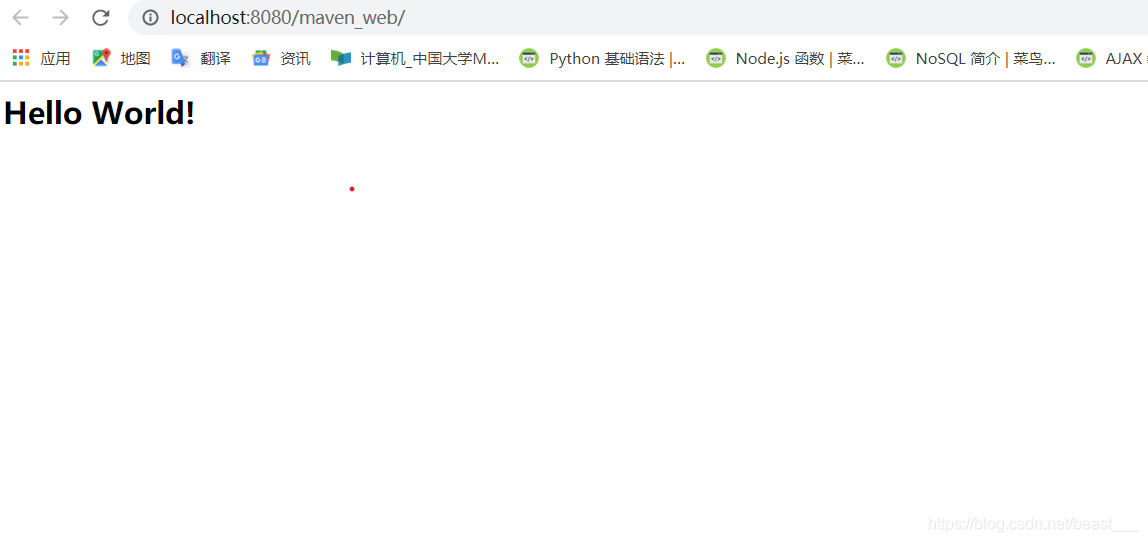
这样就可以成功访问jsp页面了。
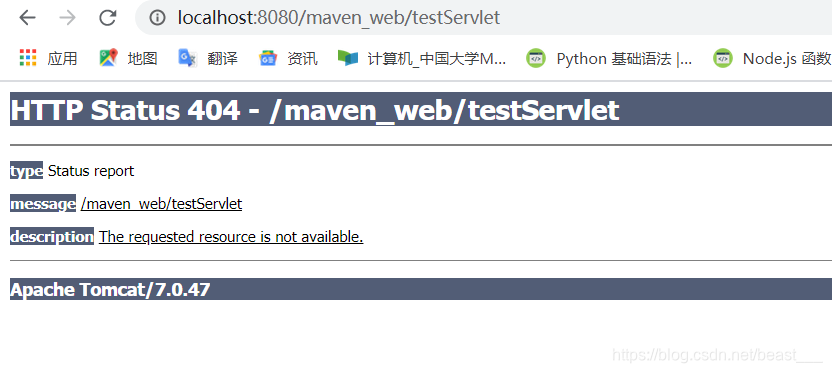
2.无法访问servlet
在访问servlet时页面显示为404
解决方案
在web.xml中进行配置,添加上servlet的url路径
修改前:
<!DOCTYPE web-app PUBLIC
 "-//Sun Microsystems, Inc.//DTD Web Application 2.3//EN"
 "http://java.sun.com/dtd/web-app_2_3.dtd" >

<web-app>
  <display-name>Archetype Created Web Application</display-name>
    <servlet>
        <servlet-name>TestServlet</servlet-name>
        <servlet-class>org.example.servlet.TestServlet</servlet-class>
    </servlet>


</web-app>
修改后:
<!DOCTYPE web-app PUBLIC
 "-//Sun Microsystems, Inc.//DTD Web Application 2.3//EN"
 "http://java.sun.com/dtd/web-app_2_3.dtd" >

<web-app>
  <display-name>Archetype Created Web Application</display-name>
    <servlet>
        <servlet-name>TestServlet</servlet-name>
        <servlet-class>org.example.servlet.TestServlet</servlet-class>
    </servlet>

    <servlet-mapping>
        <servlet-name>TestServlet</servlet-name>
        <url-pattern>/testServlet</url-pattern>
    </servlet-mapping>

</web-app>
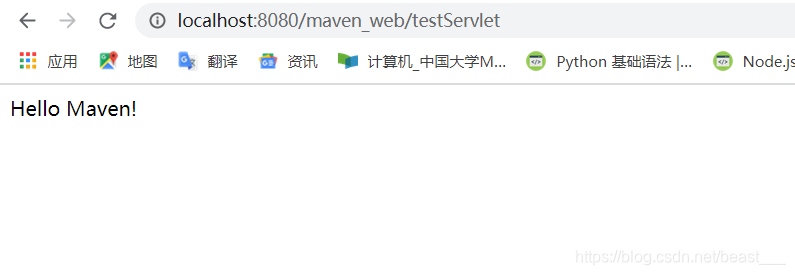
再次运行即可成功。





 扫一扫
扫一扫


 1456
1456

 被折叠的 条评论
为什么被折叠?
被折叠的 条评论
为什么被折叠?
 到【灌水乐园】发言





