


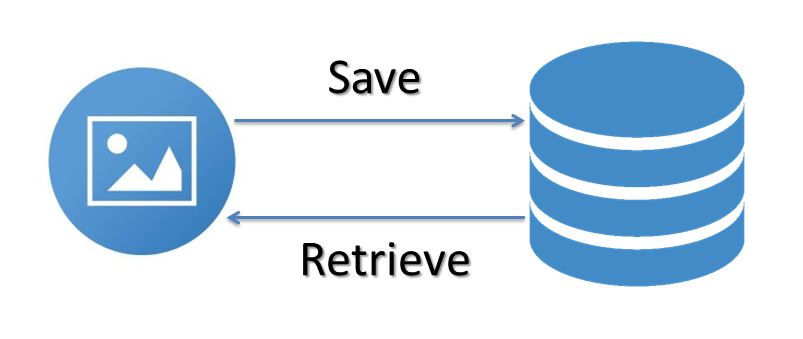
Here you will get an example for save and retrieve image from MySql database using Java.
In development we generally use folders for managing images. But we can store images directly in database using BLOB (Binary Large Object) data type.
MySql has following blob types:
TINYBLOB: 255 bytes
BLOB: 64 KB
MEDIUMBLOB: 16 MB
LONGBLOB: 4 GB
Depending upon requirement we can use any type. It is recommend no to use database for storing images with large size because it will increase the database size.
Below I have given an example of how to store and retrieve images from database. The description for table that I used is given below.
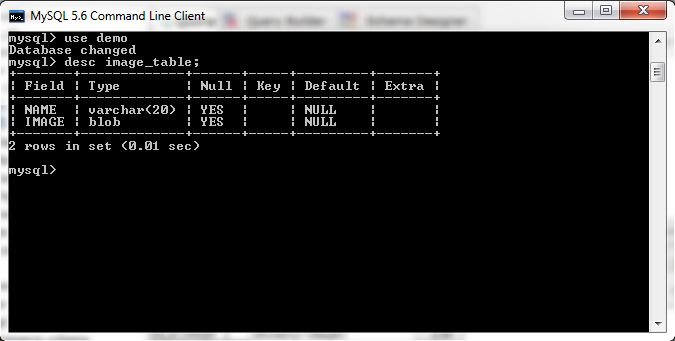
Save and Retrieve Image from MySql Database Using Java
How to Save Image in Database
package com;

import java.sql.*;
import java.io.*;

public class DatabaseImageExample {
	public static void main(String args[]){
		try{
			Class.forName("com.mysql.jdbc.Driver");
			Connection con=DriverManager.getConnection("jdbc:mysql://localhost/demo","root","root");

			File file=new File("E:\\image.png");
			FileInputStream fis=new FileInputStream(file);

			PreparedStatement ps=con.prepareStatement("insert into image_table (name,image) values(?,?)");
			ps.setString(1,"image 1");
			ps.setBinaryStream(2,fis,(int)file.length());
			ps.executeUpdate();

			ps.close();
			fis.close();
			con.close();
		}catch(Exception e){
			e.printStackTrace();
		}
	}
}
Above example will take image from location E:\\image.png and save it into database table. Actually you can’t see the image directly in the table. You have to retrieve it from database and then save it to some location. Below example shows how you can do this.
How to Retrieve Image from Database
package com;

import java.io.*;
import java.sql.*;

public class DatabaseImageExample {
	public static void main(String args[]){
		try{
			Class.forName("com.mysql.jdbc.Driver");
			Connection con=DriverManager.getConnection("jdbc:mysql://localhost/demo","root","root");

			File file=new File("E:\\image1.png");
			FileOutputStream fos=new FileOutputStream(file);
			byte b[];
			Blob blob;

			PreparedStatement ps=con.prepareStatement("select * from image_table");
			ResultSet rs=ps.executeQuery();

			while(rs.next()){
				blob=rs.getBlob("image");
				b=blob.getBytes(1,(int)blob.length());
				fos.write(b);
			}

			ps.close();
			fos.close();
			con.close();
		}catch(Exception e){
			e.printStackTrace();
		}
	}
}
Above example will fetch image from database and save it at location E:\\image1.png.
Comment below if you facing difficulty to understand above code.
Happy Coding!!







 扫一扫
扫一扫


 2170
2170

 被折叠的 条评论
为什么被折叠?
被折叠的 条评论
为什么被折叠?
 到【灌水乐园】发言





