


案例© Fu Xianjun. All Rights Reserved.
一:导包
import cv2
import numpy as np
二:定义Point类
class Point(object):
def __init__(self,x,y):
self.x=x
self.y=y
def getX(self):
return self.x
def getY(self):
return self.y
三:计算像素偏差
def getGrayDiff(img,currentPoint,tmpPoint):
return abs(int(img[currentPoint.x,currentPoint.y]) -int(img[tmpPoint.x,tmpPoint.y]))
四:设置八领域
def selectConnects(p):
if p==8:
connects = [Point(-1, -1), Point(0, -1), Point(1, -1), Point(1, 0), Point(1, 1),Point(0, 1), Point(-1, 1), Point(-1, 0)]
else:
connects = [Point(0, -1), Point(1, 0),Point(0, 1),Point(-1, 0)]
return connects
五:定义生长函数
def regionGrow(img,seeds,thresh,p = 4):
height, weight = img.shape
seedMark = np.zeros(img.shape) #生成和原图相同大小的seedMark
seedList = []
for seed in seeds:
seedList.append(seed)
label = 1
connects = selectConnects(p) #选择领域
while(len(seedList)>0):
currentPoint = seedList.pop(0) #弹出第一个元素
seedMark[currentPoint.x,currentPoint.y] = label #将第一个seedMark赋值label
#以种子点位中心进行比较
for i in range(p):
tmpX = currentPoint.x + connects[i].x
tmpY = currentPoint.y + connects[i].y
#判断是点是否在图像内
if tmpX < 0 or tmpY < 0 or tmpX >= height or tmpY >= weight:
continue
grayDiff = getGrayDiff(img,currentPoint,Point(tmpX,tmpY)) #判断邻域点和种子点的差值
#如果差值小于阈值且位被分类,则赋值label,作为下一个种子点放入seedList
if grayDiff < thresh and seedMark[tmpX,tmpY] == 0:
seedMark[tmpX,tmpY] = label
seedList.append(Point(tmpX,tmpY))
return seedMark
六:鼠标交互
def mouse(event,x,y,flages,param):
if event==cv2.EVENT_LBUTTONDOWN:
seeds=[Point(x,y)]
binaryImg=regionGrow(img,seeds,3)
cv2.imshow("binaryImg",binaryImg)
七:应用区域生长
img=cv2.imread("peppa.jpg",0) #导图
cv2.namedWindow('gray') #窗口名
cv2.setMouseCallback("gray",mouse) #鼠标事件
while True:
cv2.imshow("gray",img)
if cv2.waitKey(1)==27:
break
cv2.destroyAllWindows()
原图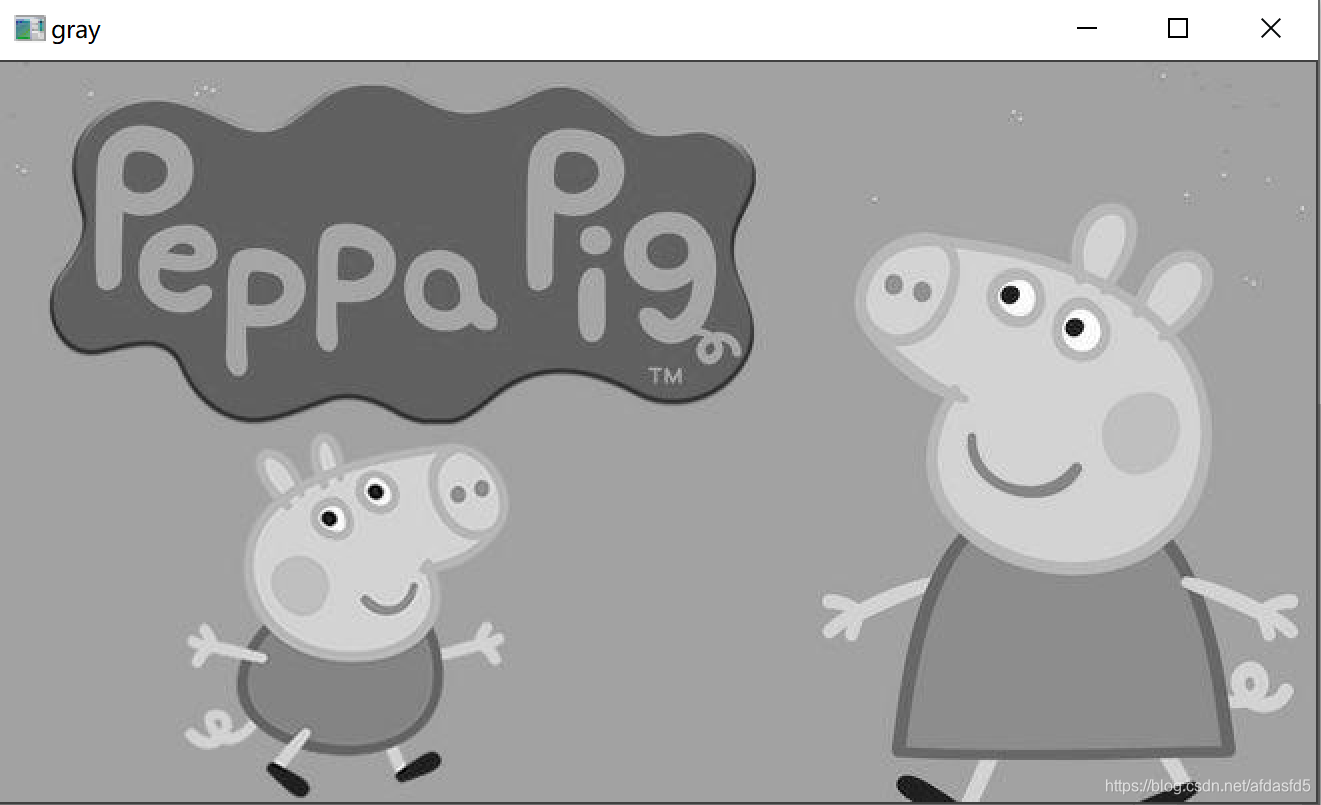
效果图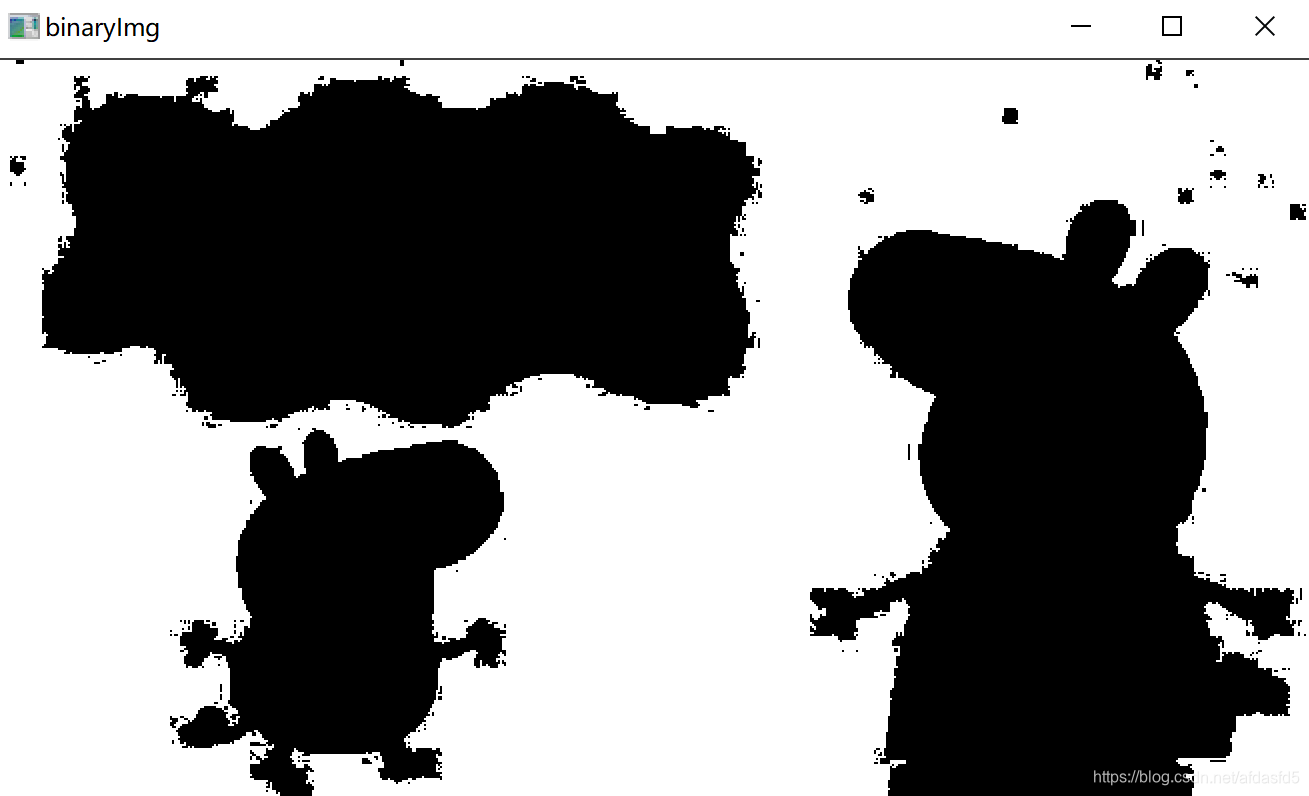






 扫一扫
扫一扫


 1601
1601

 被折叠的 条评论
为什么被折叠?
被折叠的 条评论
为什么被折叠?
 到【灌水乐园】发言





