


ARMv8重新规划了软件世界的格局,定义了安全和非安全两大阵营,以及EL0-EL3四种特权级别,把整个软件世界定义了8个空间。
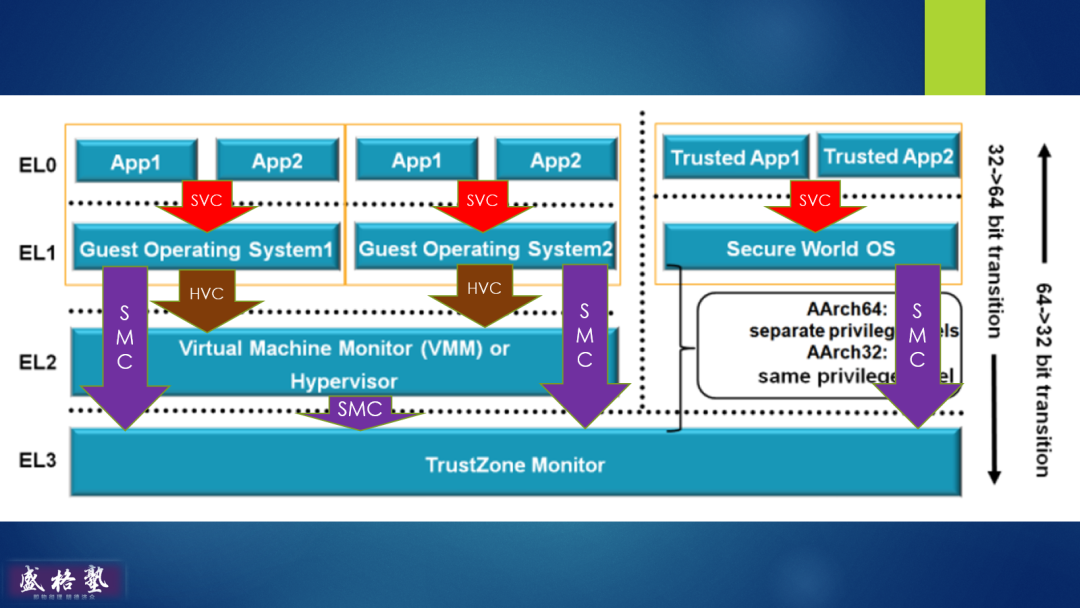
EL0-EL3四种特权级别中,EL0级别最低,EL3级别最高。
有了这个定义后,系统中的所有资源便都有了阶层的差别,内存区域有阶层差别,寄存器也有阶层差别。进一步说,不同的代码运行在不同的级别。应用程序运行在级别最低的EL0,操作系统运行在EL1,VMM运行在EL2,最高级别的EL3留给系统固件,一般称为ATF(ARM Trusted Firmware),也称TZM(Trust Zone总督)。
读EL3寄存器失败
上周六,兰友Steve领衔探讨如何调试EL3的问题。他让幽兰代码本进入U-Boot命令行,然后使用NDB中断下来,发现当时CPU工作在EL2。
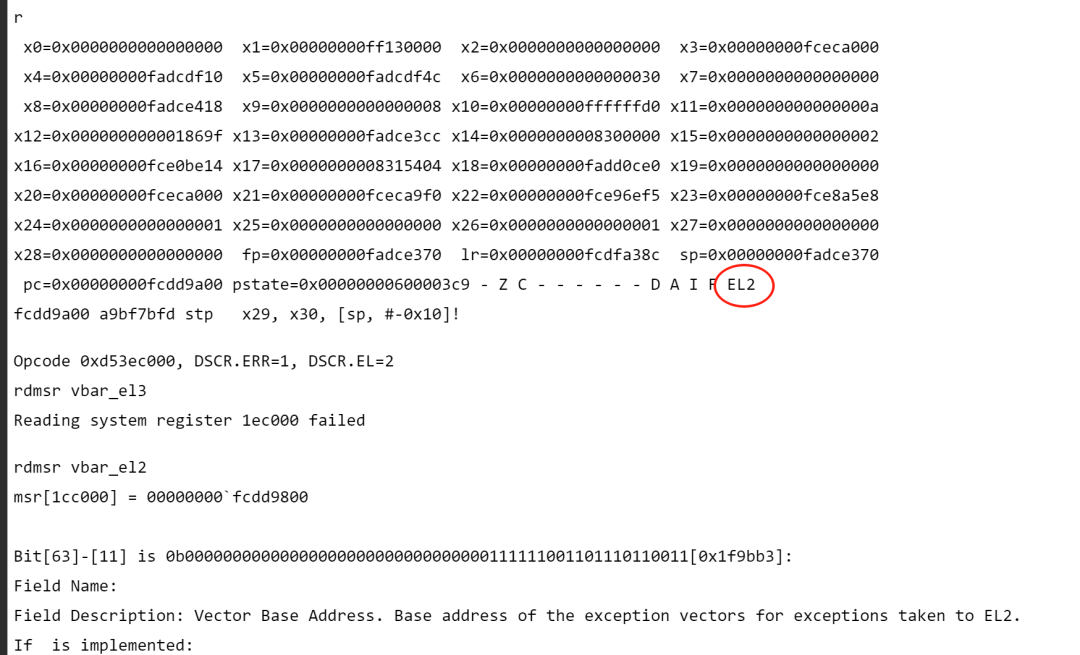
此时尝试读EL3的寄存器,遭到拒绝。
rdmsr vbar_el3
Reading system register 1ec000 failed
如果读EL2的寄存器,那么是可以的。
rdmsr vbar el2
msr[1cc000l=00000000~fcdd9800
对于这个问题,很多兰友都感兴趣。于是很多人都加入了讨论。博渊找出他以前做的笔记,证明可以用NDB调试EL3。
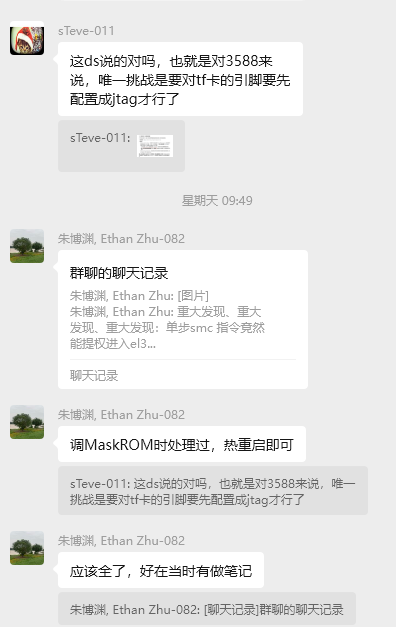
调试EL3的稳定步骤
诚如博渊所言,使用NDB和幽兰代码本可以轻松地调试EL3代码。特别整理步骤如下。
1. 进入U-Boot命令行
有很多方法,基本的方法是启动时按‘11’,对于最新的U-Boot,还可以reboot console。
2. 执行rbrom重启进入神秘的MaskROM模式
我在U-Boot课程中,曾经翻来覆去、浓墨重彩的讲过MaskROM,简单说,它是SoC厂商在出厂前烧到芯片内的一段程序,它以可信固件的身份工作EL3。
在U-Boot命令行输入rbrom命令后,屏幕关闭,幽兰重启,整个系统进入黑暗和静寂之中...
ulan# rbrom
3. 上NDB
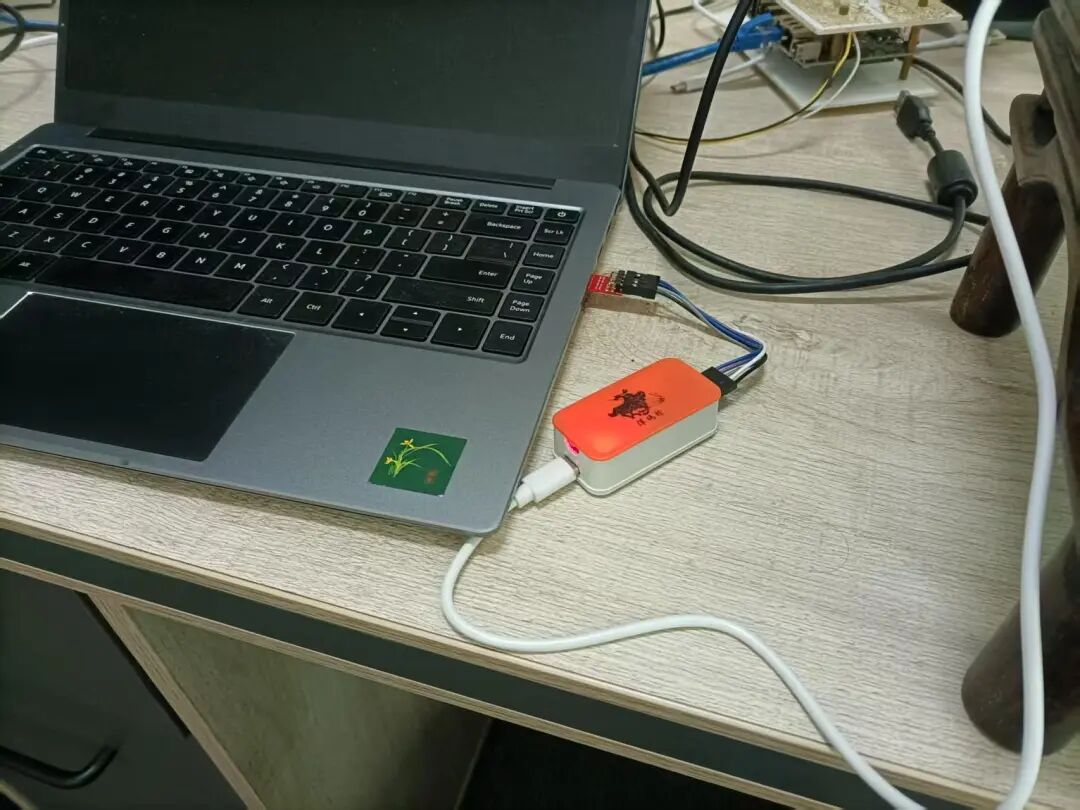
此时连接挥码枪,启动NDB,开始调试会话。
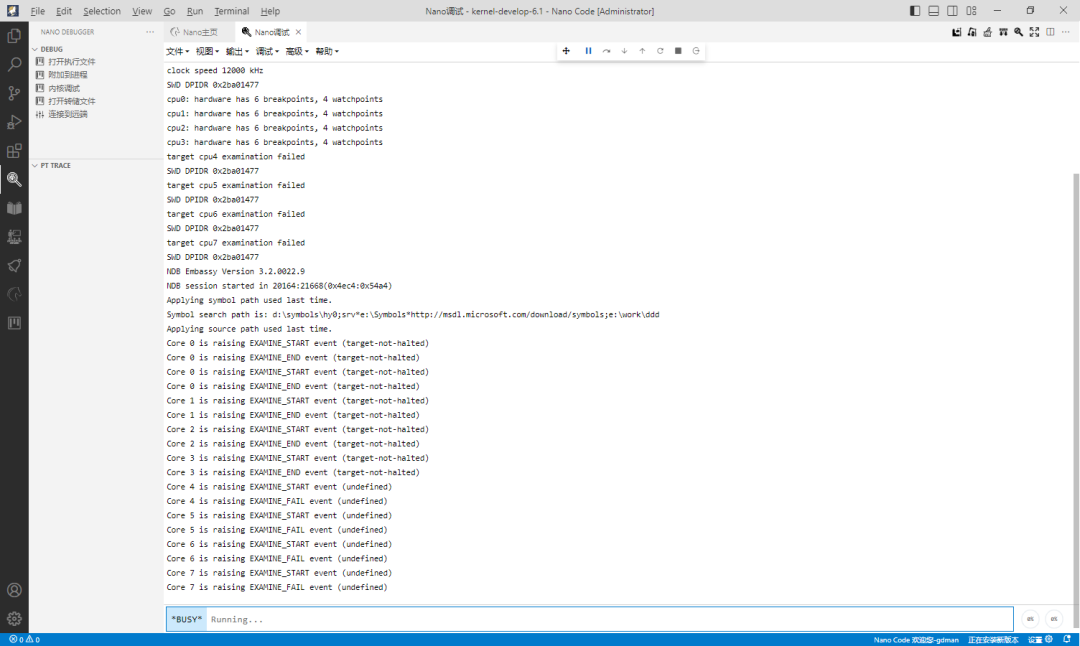
幽兰有8个A核的CPU,四大四小,此时只可以检测到四个A55小核,四个A76大核在睡觉。
cpu0: hardware has 6 breakpoints, 4 watchpointscpu1: hardware has 6 breakpoints, 4 watchpointscpu2: hardware has 6 breakpoints, 4 watchpointscpu3: hardware has 6 breakpoints, 4 watchpointstarget cpu4 examination failedSWD DPIDR 0x2ba01477target cpu5 examination failedSWD DPIDR 0x2ba01477target cpu6 examination failedSWD DPIDR 0x2ba01477target cpu7 examination failed点击工具栏上的蓝色Break按钮,发起中断。NDB迅速响应,通过ADI接口与SoC对话,让对方进入调试模式,一切就绪后,NDB显示出命令行提示符,等待更多命令。
提示符前面的1代表当前对话的是1号CPU。可以使用~0s切换到0号CPU,依此类推。
执行r命令观察寄存器,可以看到CPU工作在EL3。
r x0=0x00000000ff000004 x1=0x0000000000000001 x2=0x0000000000000000 x3=0x0000000000000000 x4=0x0000000000000000 x5=0x0000000000000000 x6=0x0000000000000000 x7=0x0000000000000000 x8=0x0000000000000000 x9=0x0000000000000000 x10=0x0000000000000000 x11=0x0000000000000000x12=0x0000000000000000 x13=0x0000000000000000 x14=0x0000000000000000 x15=0x0000000000000000x16=0x0000000000000000 x17=0x0000000000000000 x18=0x0000000000000000 x19=0x0000000000000000x20=0x0000000000000000 x21=0x0000000000000000 x22=0x0000000000000000 x23=0x0000000000000000x24=0x0000000000000000 x25=0x0000000000000000 x26=0x0000000000000000 x27=0x0000000000000000x28=0x0000000000000000 fp=0x0000000000000000 lr=0x0000000000000000 sp=0x0000000000000000 pc=0x0000000000000200 pstate=0x00000000200003cd - - C - - - - - - D A I F EL3此时就可以自由访问EL3世界里的所有资源了,包括神秘的EL3级别系统寄存器,比如VBAR_EL3。
rdmsr vbar_el3msr[1ec000] = 00000000`ffff4800Bit[63]-[11] is 0b00000000000000000000000000000000111111111111111101001[0x1fffe9]:Field Name: Field Description: Vector Base Address. Base address of the exception vectors for exceptions taken to EL3.If the implementation supports , then:If tagged addresses are not being used, bits [63:56] of VBAR_EL3 must be 0 or else the use of the vector address will result in a recursive exception.Otherwise:If the implementation supports , then:If tagged addresses are being used, bits [55:52] of VBAR_EL3 must be 0 or else the use of the vector address will result in a recursive exception.If tagged addresses are not being used, bits [63:52] of VBAR_EL3 must be 0 or else the use of the vector address will result in a recursive exception.If the implementation does not support , then:If tagged addresses are being used, bits [55:48] of VBAR_EL3 must be 0 or else the use of the vector address will result in a recursive exception.If tagged addresses are not being used, bits [63:48] of VBAR_EL3 must be 0 or else the use of the vector address will result in a recursive exception.----------------------------------------------Bit[10]-[0] is 0b00000000000[0x0]:Field Name: Field Description: Reserved, RES0.----------------------------------------------如NDB显示的寄存器描述信息所言,vbar_el3寄存器存放的向量基地址,是中断和异常的入口。
Vector Base Address. Base address of the exception vectors for exceptions taken to EL3.
与x86的IDT是数据不同,ARMv8的向量表里面放的是代码,可以用u来反汇编。
u 0`ffff4800ffff4800 14000000 b #0xffff4800ffff4804 d503201f nop ffff4808 d503201f nop ffff480c d503201f nop ffff4810 d503201f nop ffff4814 d503201f nop ffff4818 d503201f nop ffff481c d503201f nopu命令默认反汇编8条指令,可以增加L参数来指定更大的长度,比如:
u 0`ffff4800 L100
此时就可以看到有些表项的处理指令了。
ffff4aac a8c17bf2 ldp x18, x30, [sp], #0x10ffff4ab0 a8c147f0 ldp x16, x17, [sp], #0x10ffff4ab4 a8c13fee ldp x14, x15, [sp], #0x10ffff4ab8 a8c137ec ldp x12, x13, [sp], #0x10ffff4abc a8c12fea ldp x10, x11, [sp], #0x10ffff4ac0 a8c127e8 ldp x8, x9, [sp], #0x10ffff4ac4 a8c11fe6 ldp x6, x7, [sp], #0x10ffff4ac8 a8c117e4 ldp x4, x5, [sp], #0x10ffff4acc a8c10fe2 ldp x2, x3, [sp], #0x10ffff4ad0 a8c107e0 ldp x0, x1, [sp], #0x10ffff4ad4 d69f03e0 eret也可以打开反汇编窗口,使用图形界面来看汇编代码和做单步跟踪。
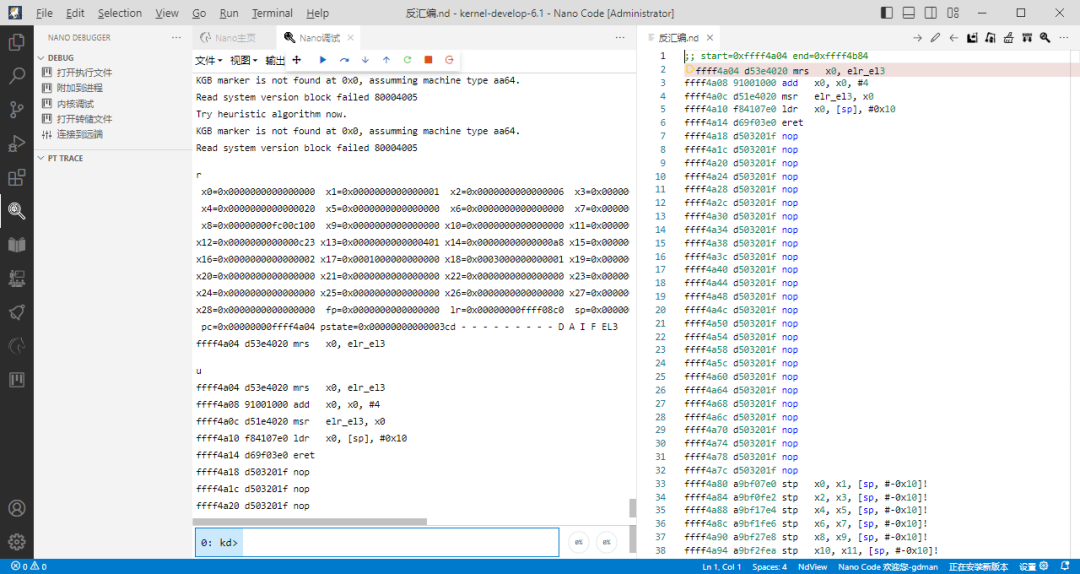
这便是调试EL3代码的一种简单方法。除此之外,兰友还摸索出了其它的方法,比如通过单步smc指令从EL2跟随CPU进入EL3,这对于调试某些跨特权级协作的问题非常有用。考虑到本文只给初学者做入门之用,就不介绍太多了。
(写文章很辛苦,恳请各位读者点击“在看”,也欢迎转发)
*************************************************
正心诚意,格物致知,以人文情怀审视软件,以软件技术改变人生
扫描下方二维码或者在微信中搜索“盛格塾”小程序,可以阅读更多文章和有声读物

也欢迎关注格友公众号





 扫一扫
扫一扫


 1万+
1万+

 被折叠的 条评论
为什么被折叠?
被折叠的 条评论
为什么被折叠?
 到【灌水乐园】发言





