


 本文详细介绍了如何通过调整Nginx配置来优化Web服务器性能,包括页面缓存、工作进程设置、并发控制、连接超时等,同时涵盖了安全优化措施如隐藏版本号、防盗链配置以及内核和模块的优化,还涉及日志管理与内核限制文件的设置。
目录
1.web主机(www.yang.com)配置 IP:192.168.88.13
2.配置盗链主机(www.xia.com) ip:192.168.88.31
3.在源web主机(192.168.88.13 www.yang.com)配置防盗链
1.性能优化
页面缓存时间
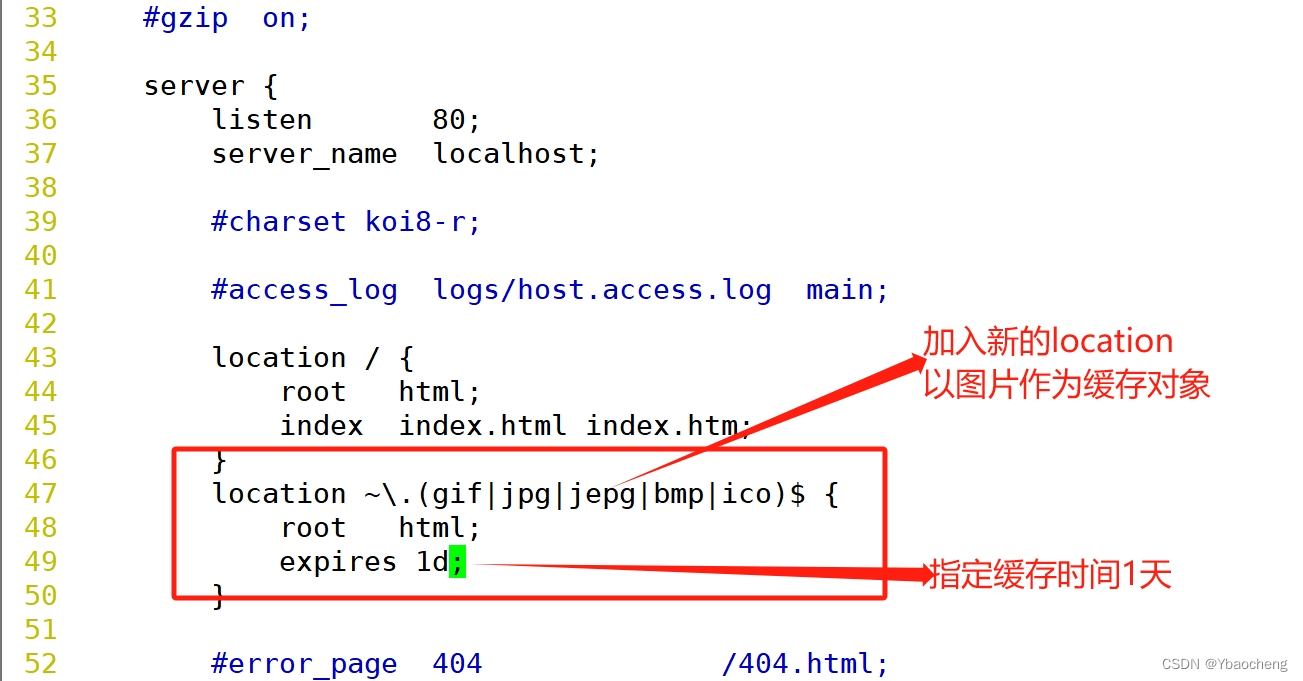

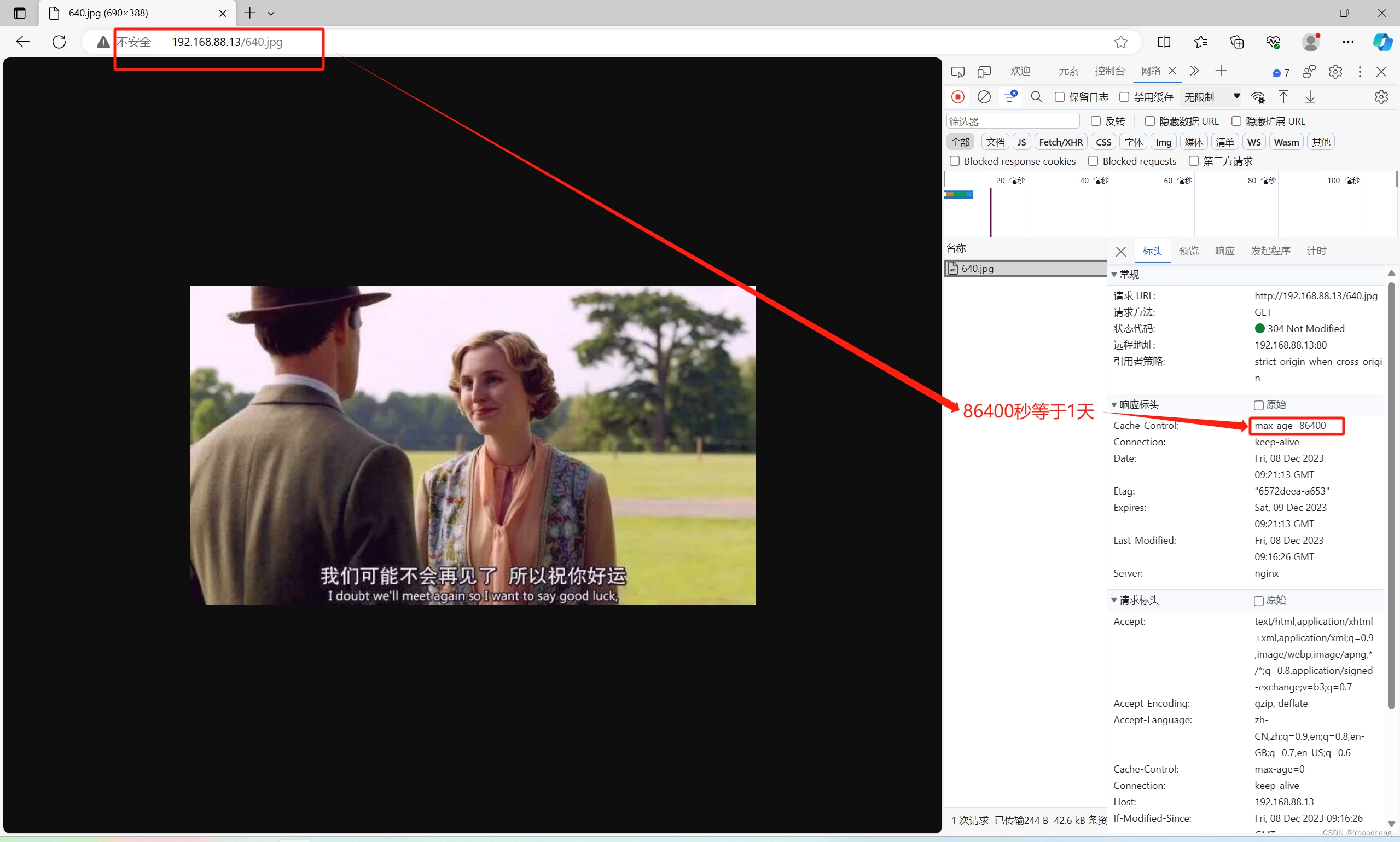
设置工作进程数

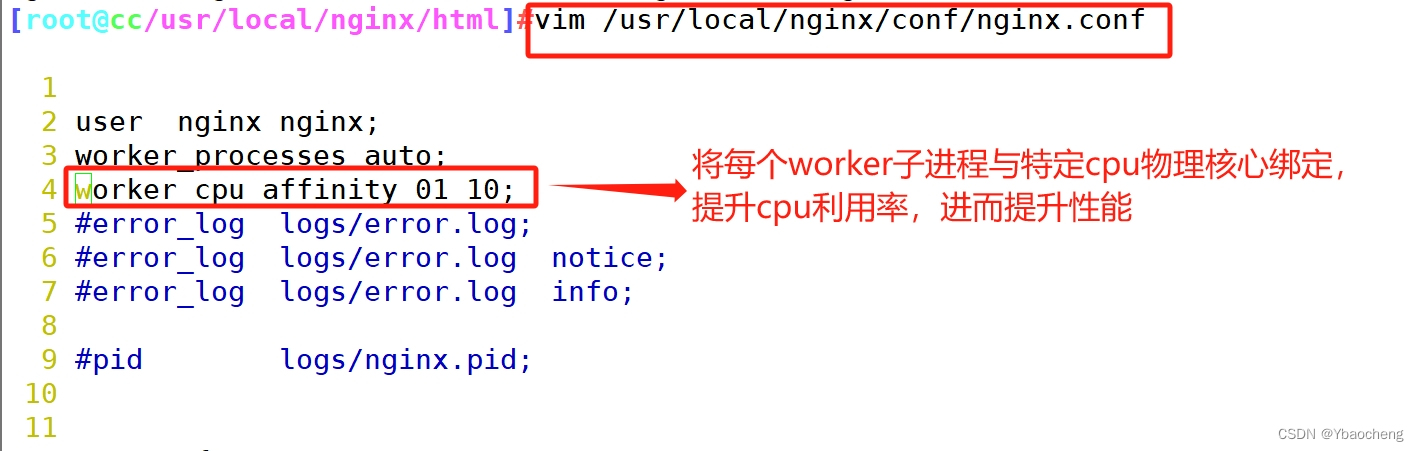
工作进程静态绑核
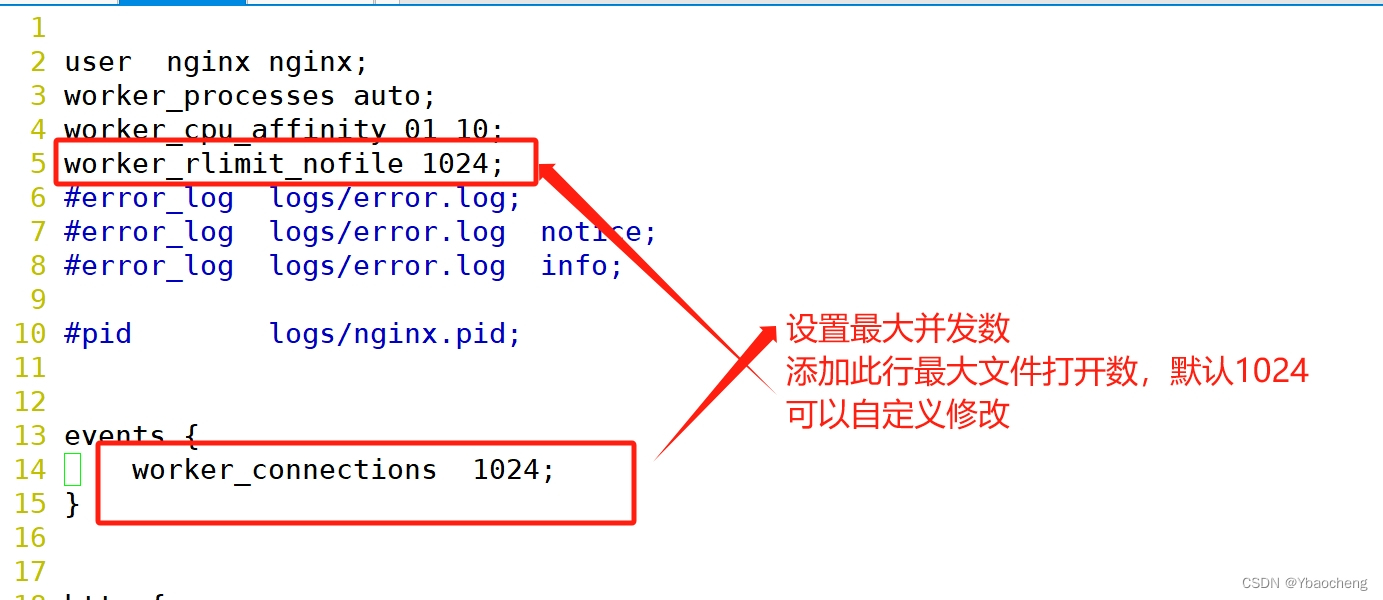
设置并发
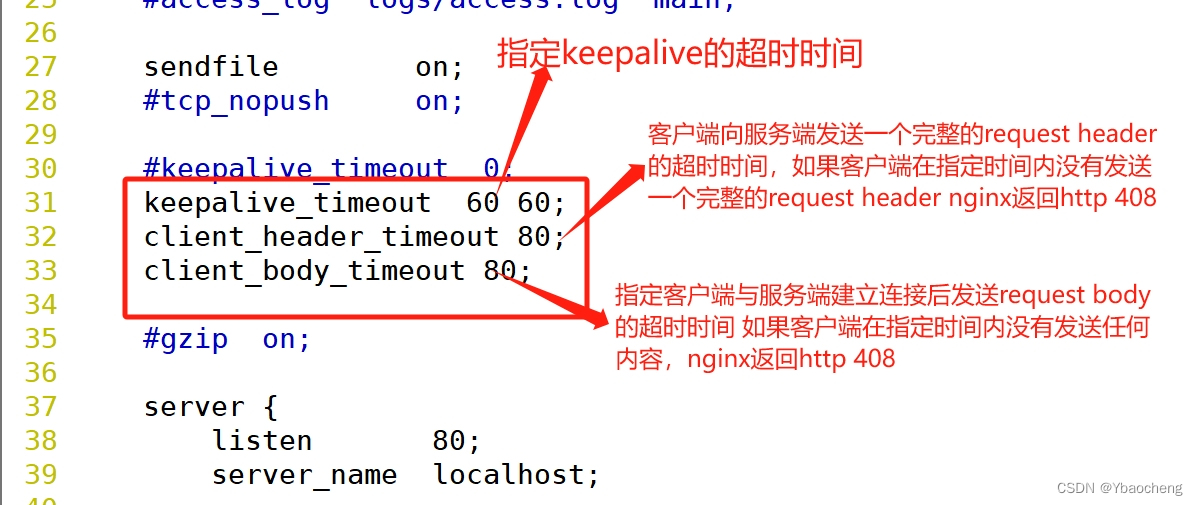
连接保持超时
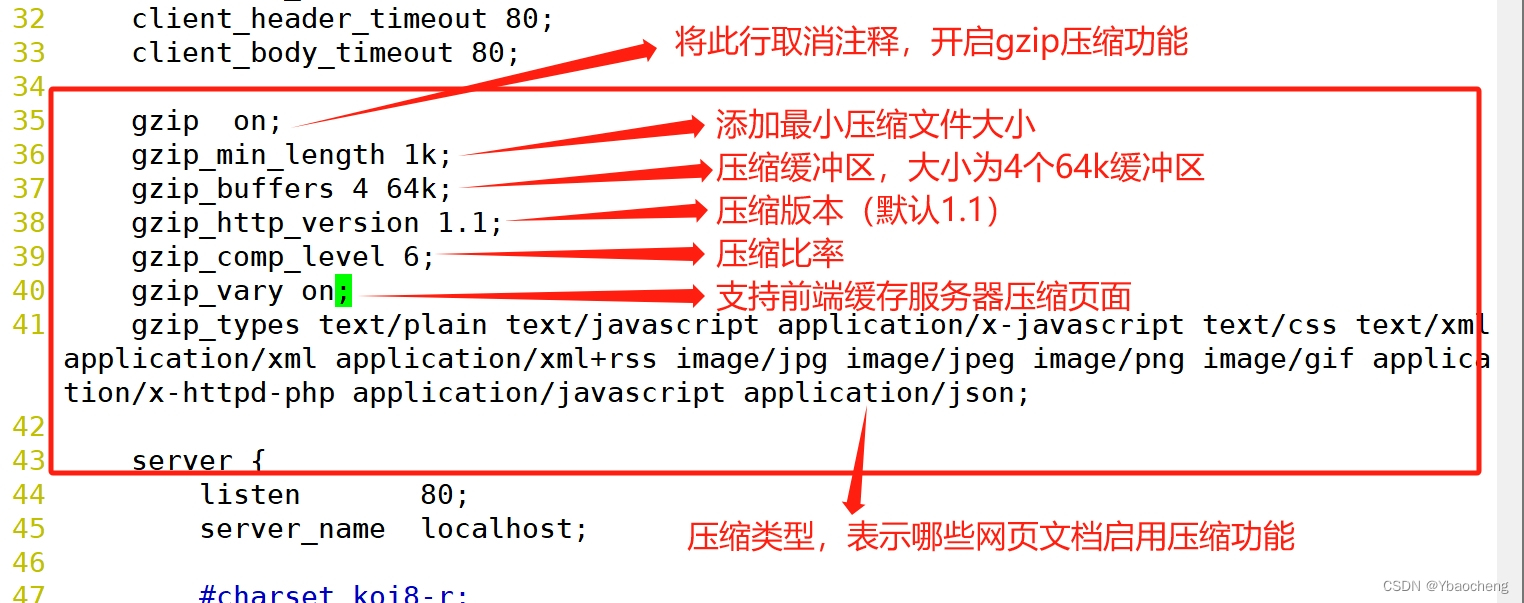
网页压缩
2.安全优化
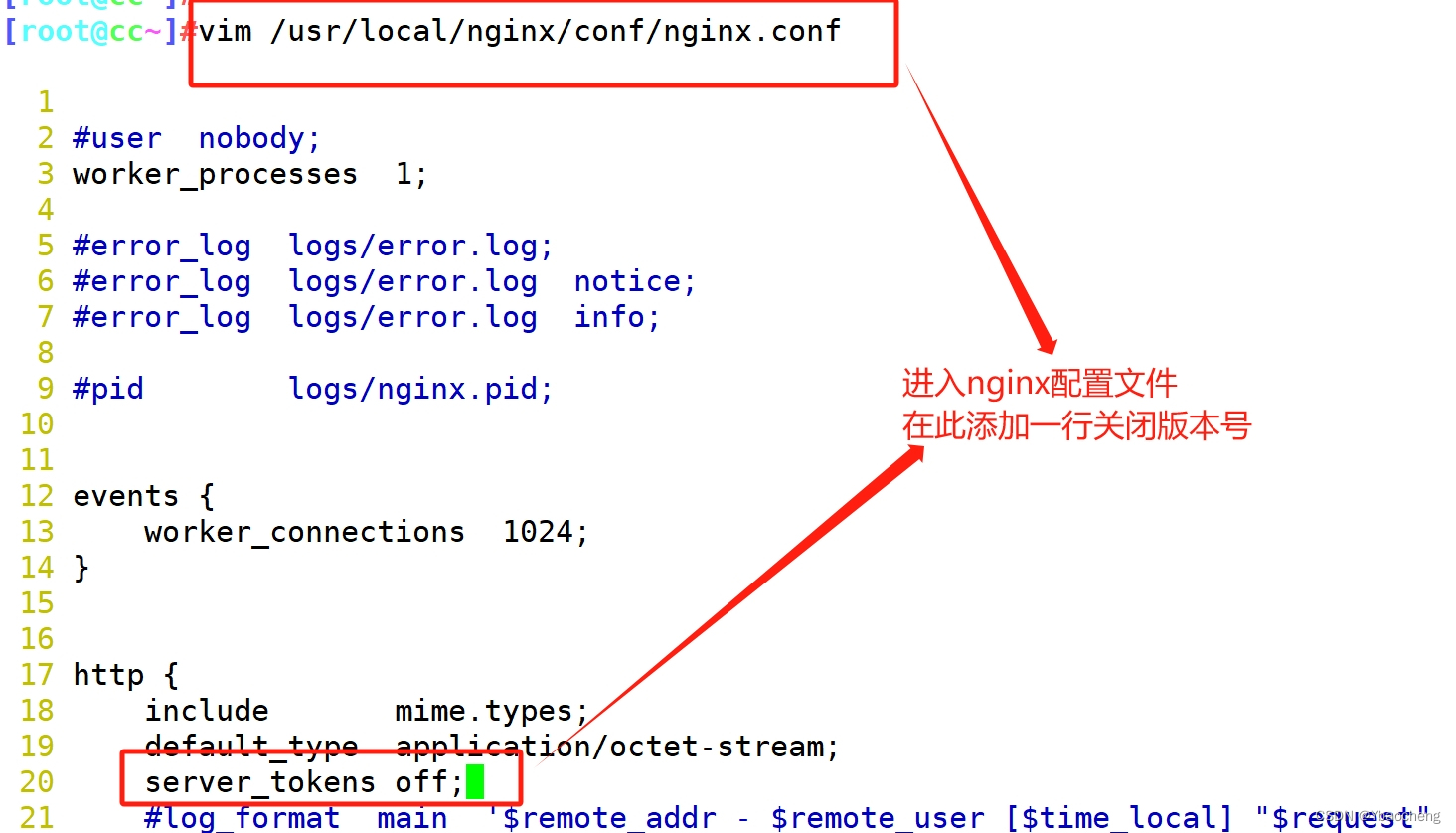
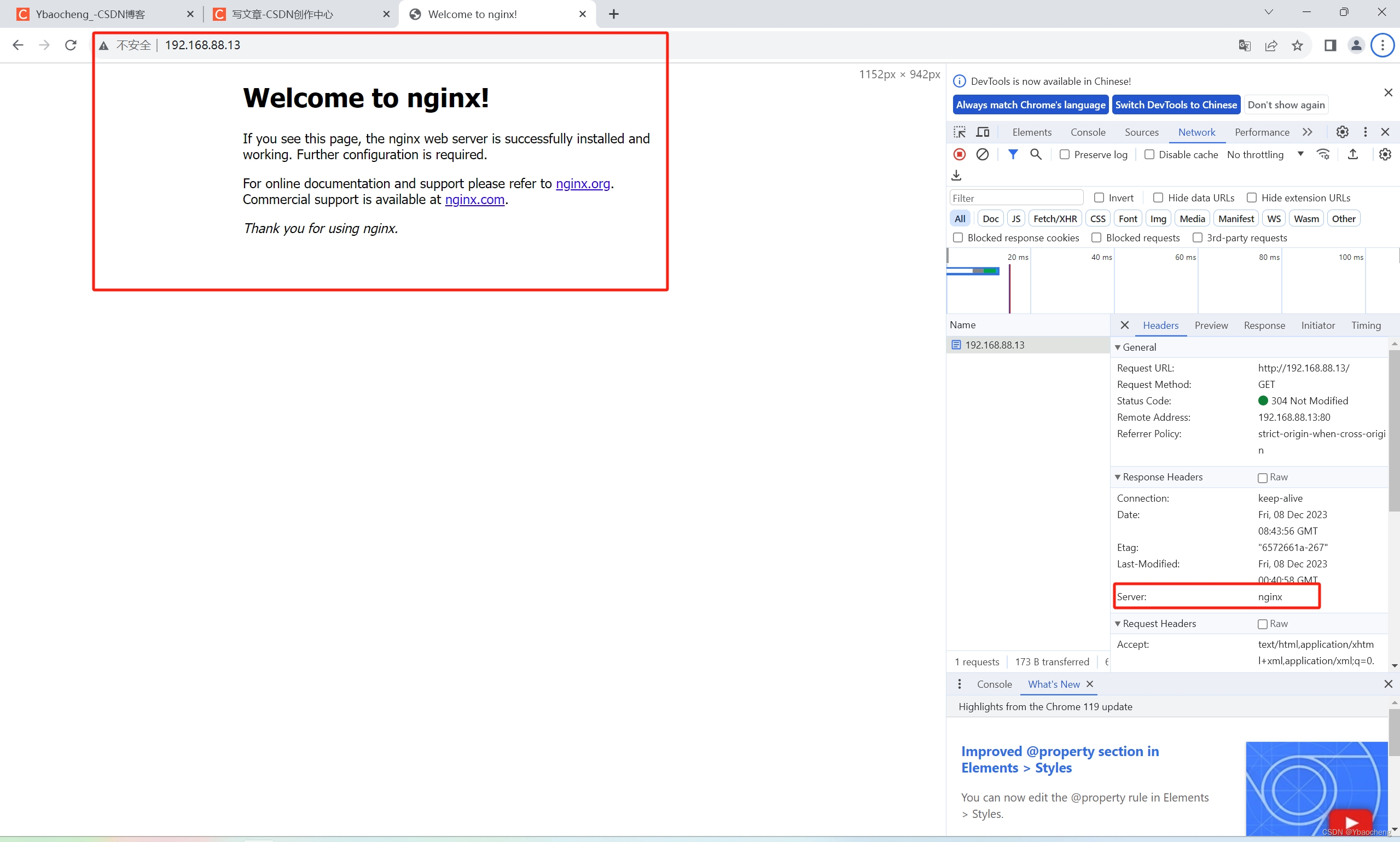
隐藏版本号
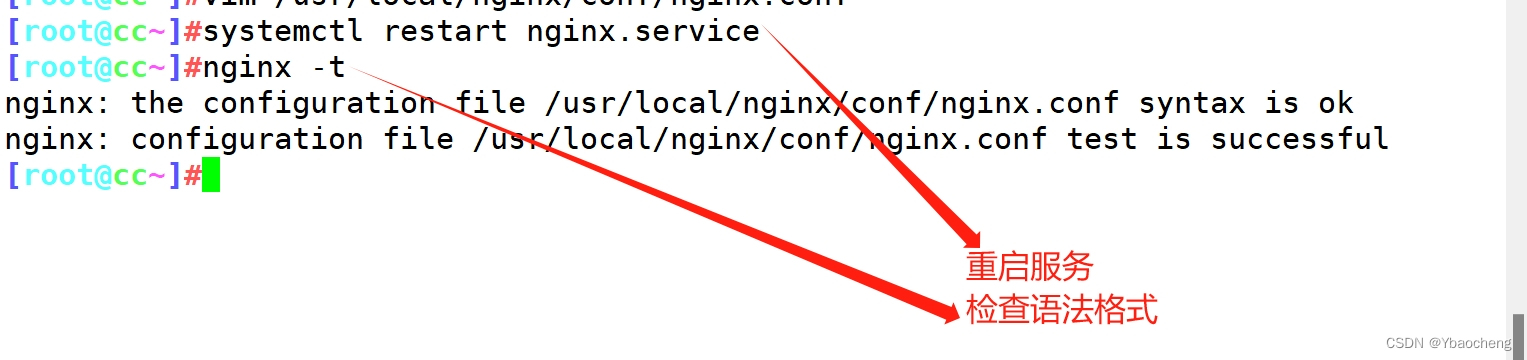
方法一:修改配置文件
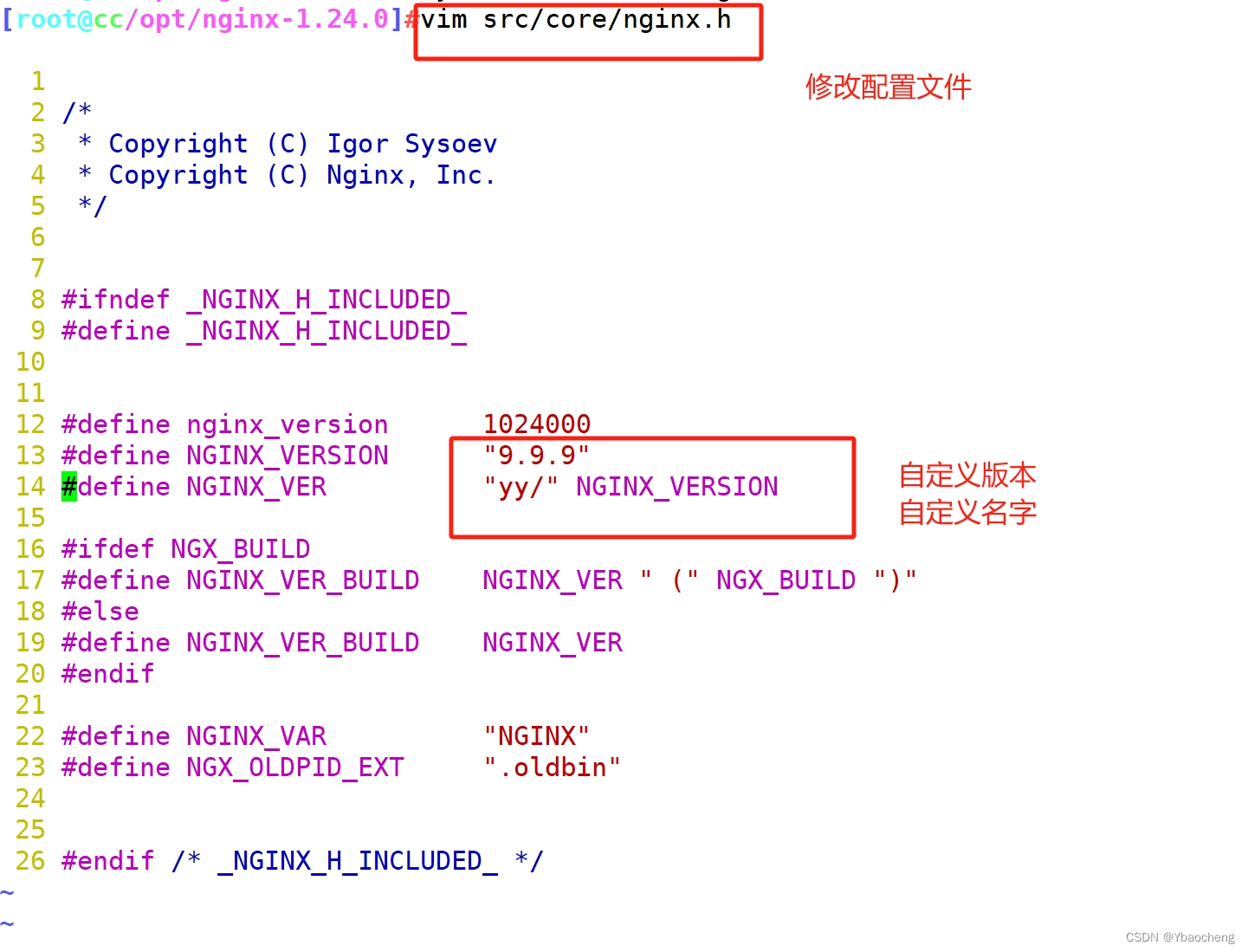
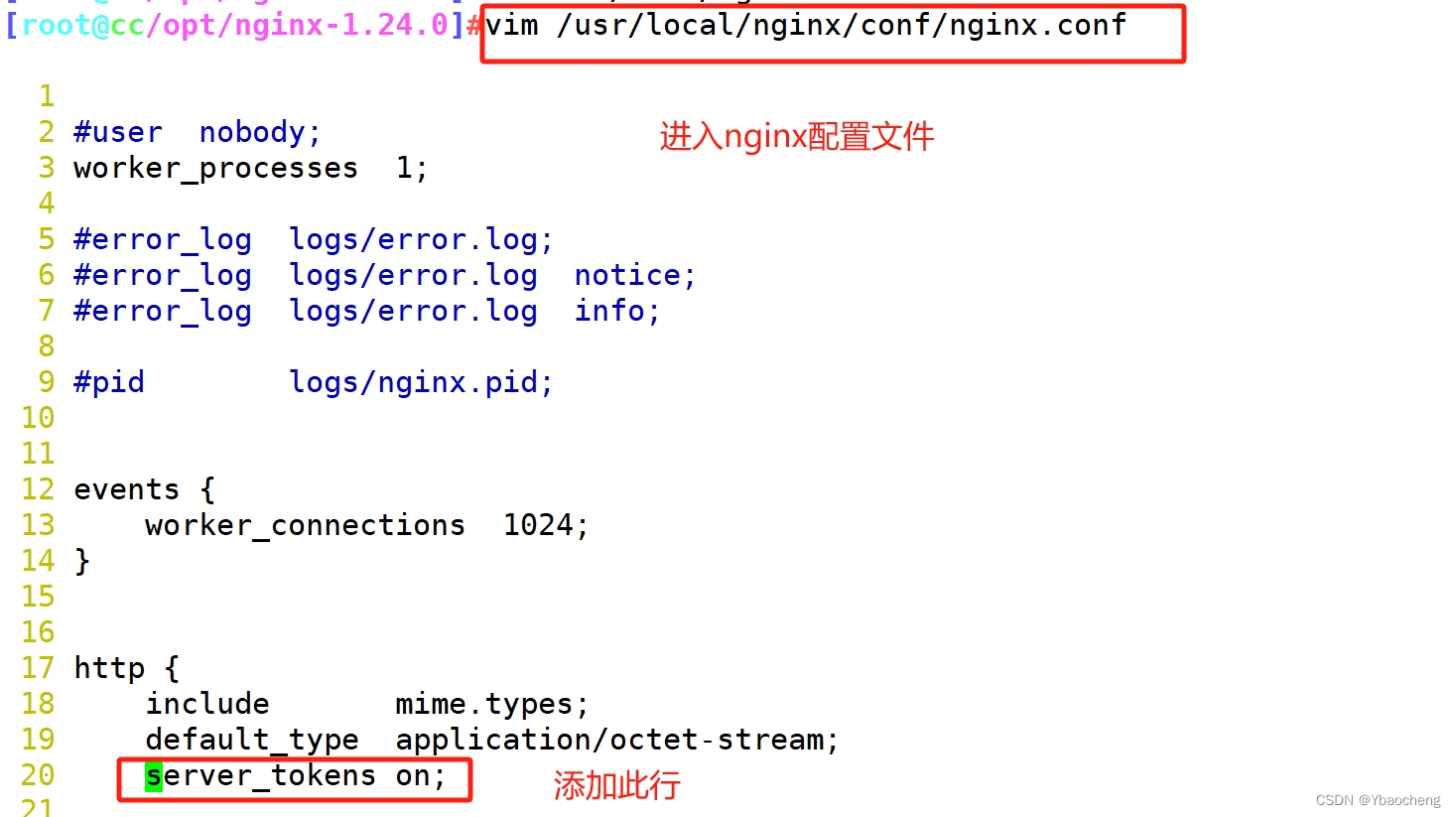
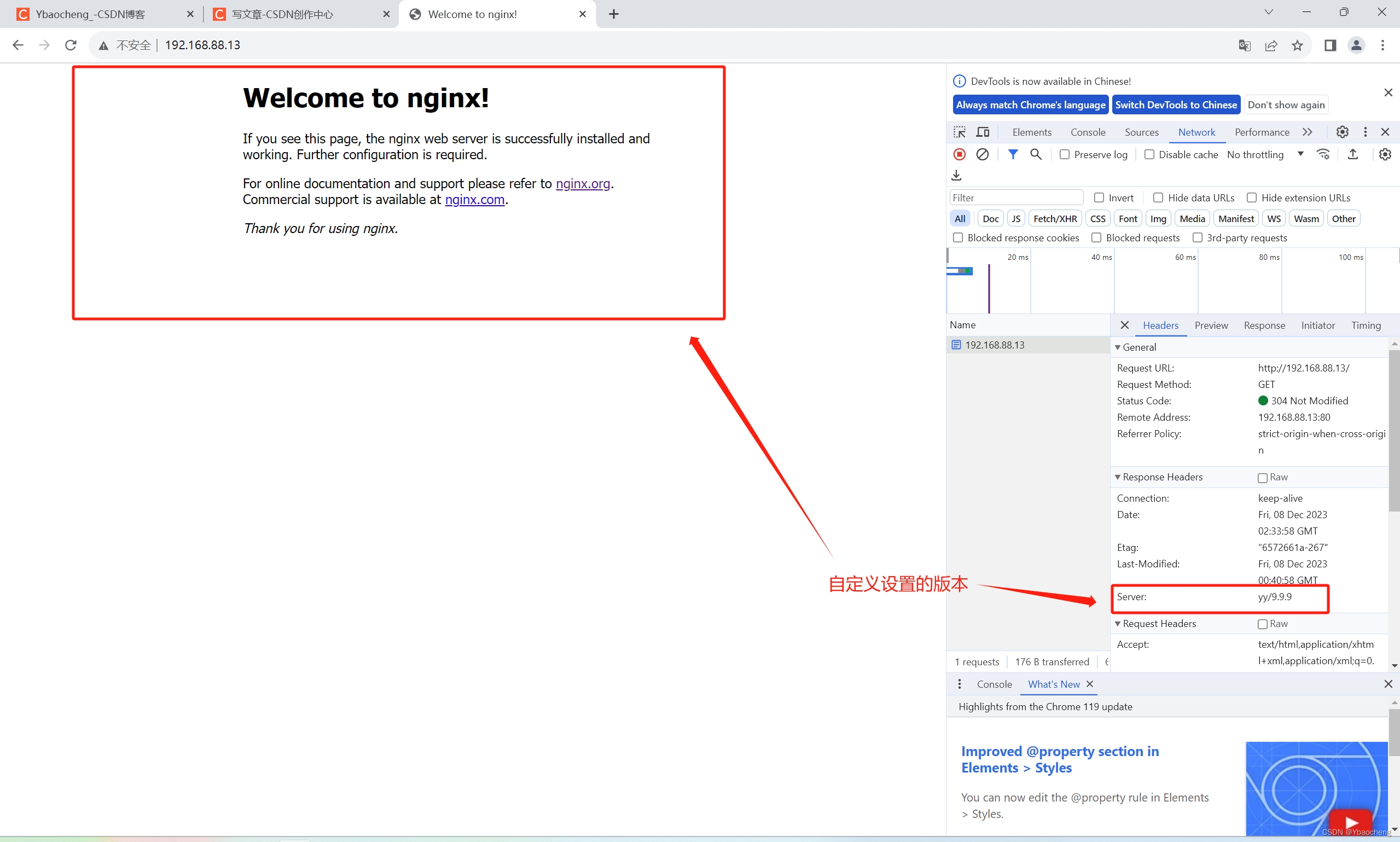
方法二:修改源码文件,重新编译安装



修改用户与组

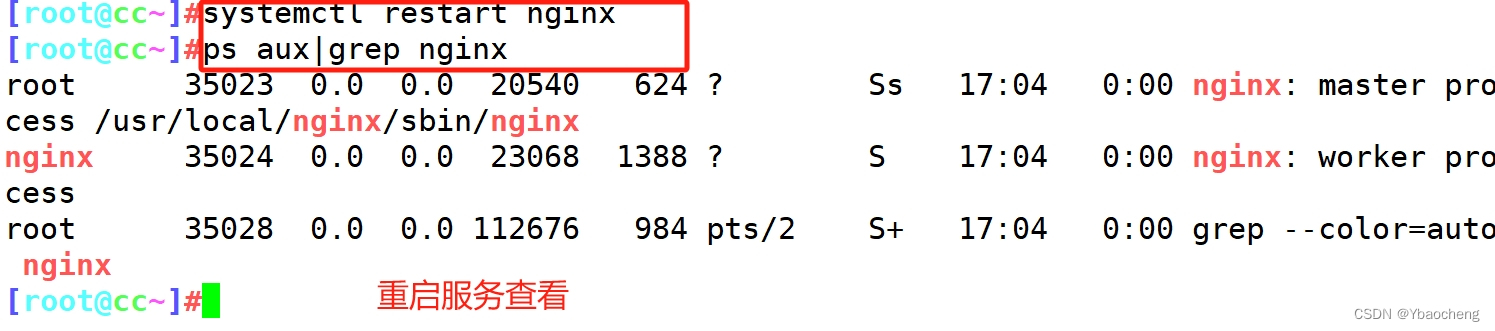
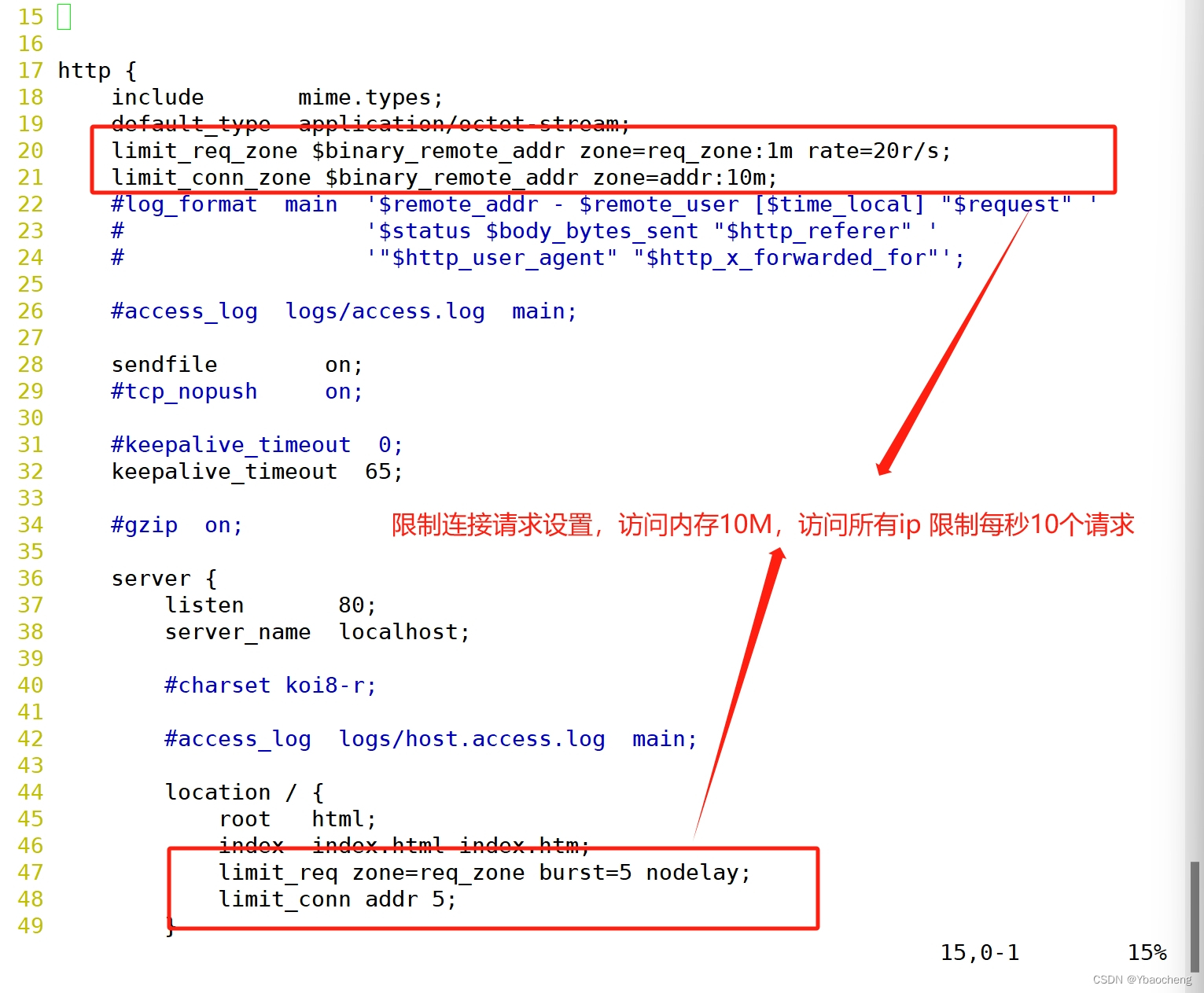
限制单个ip的访问频率和连接数
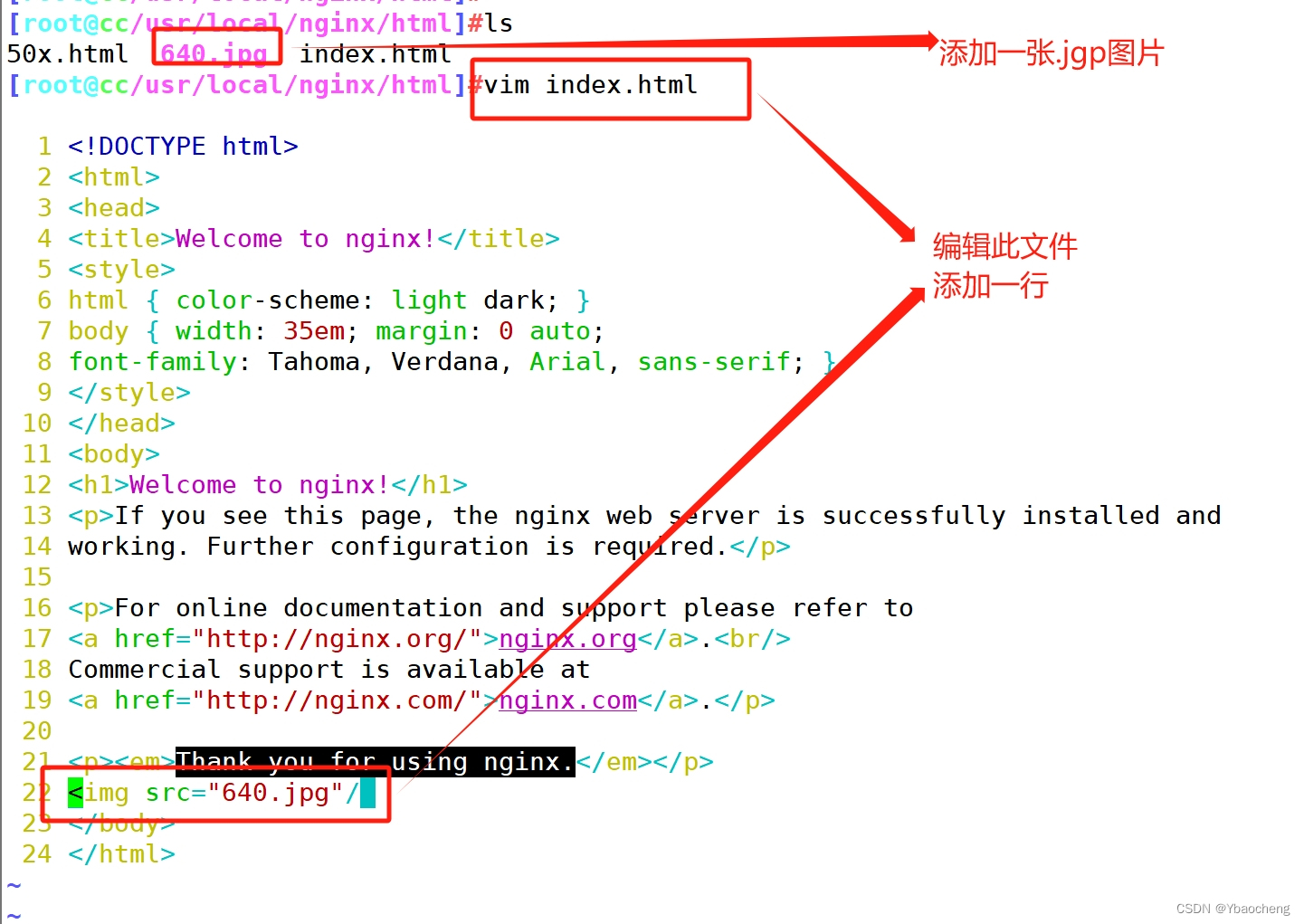
配置防盗链
1.web主机(www.yang.com)配置 IP:192.168.88.13
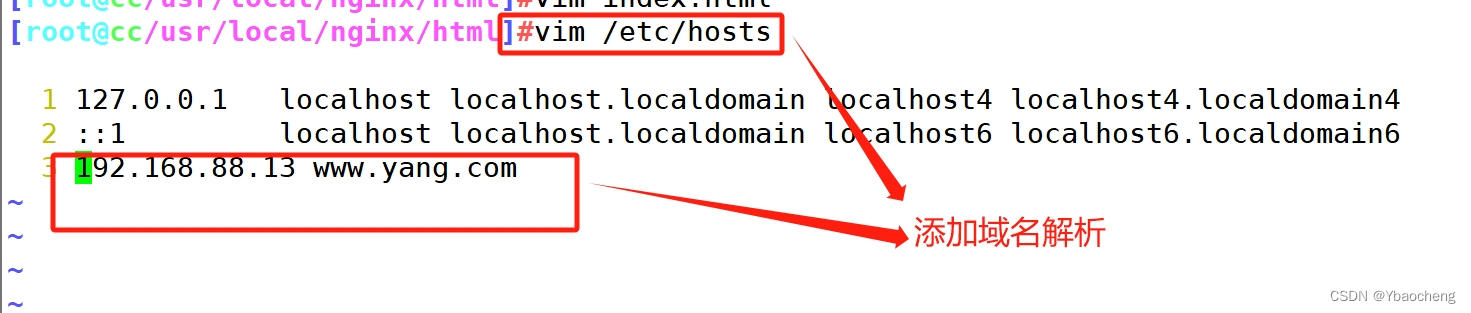
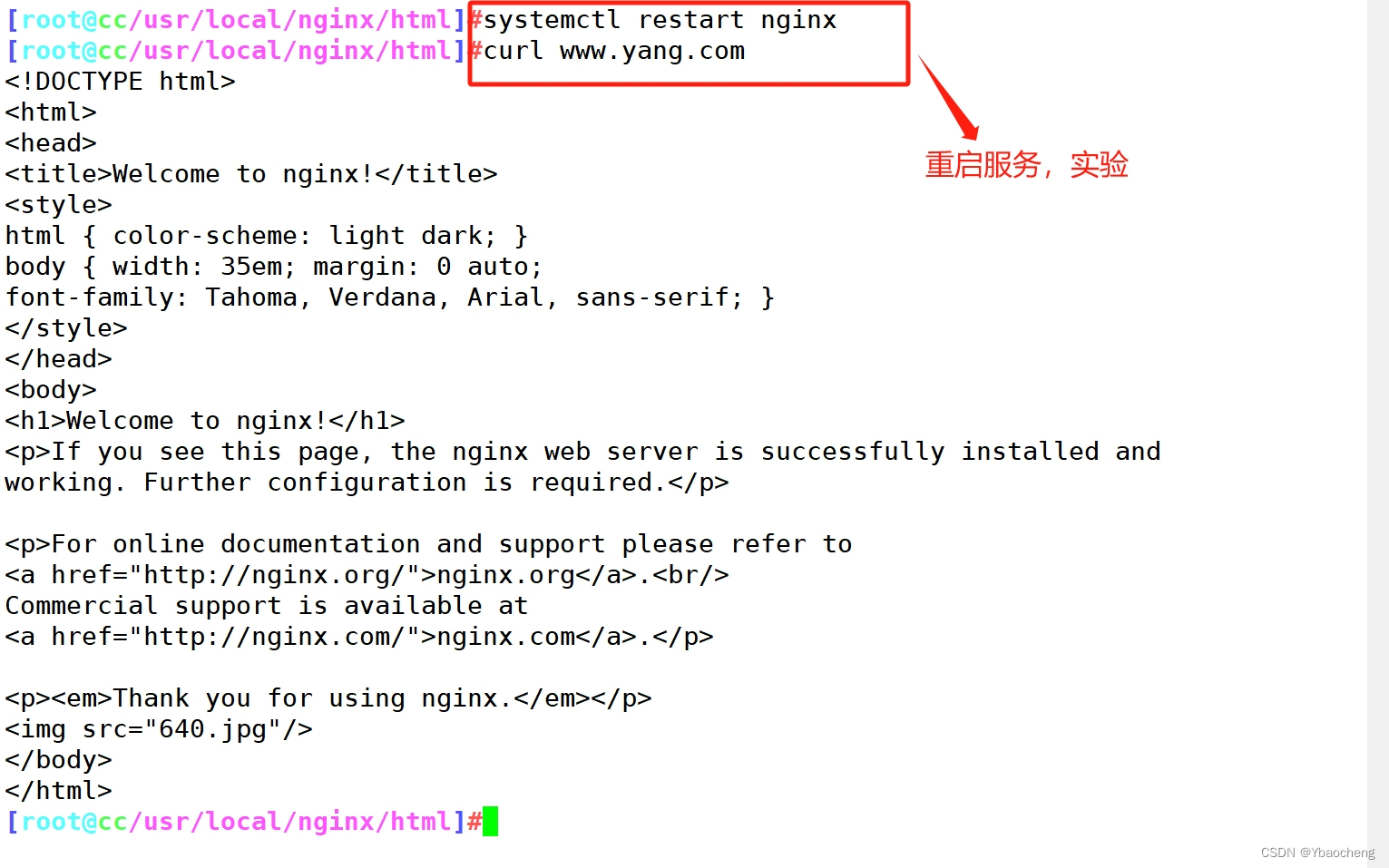
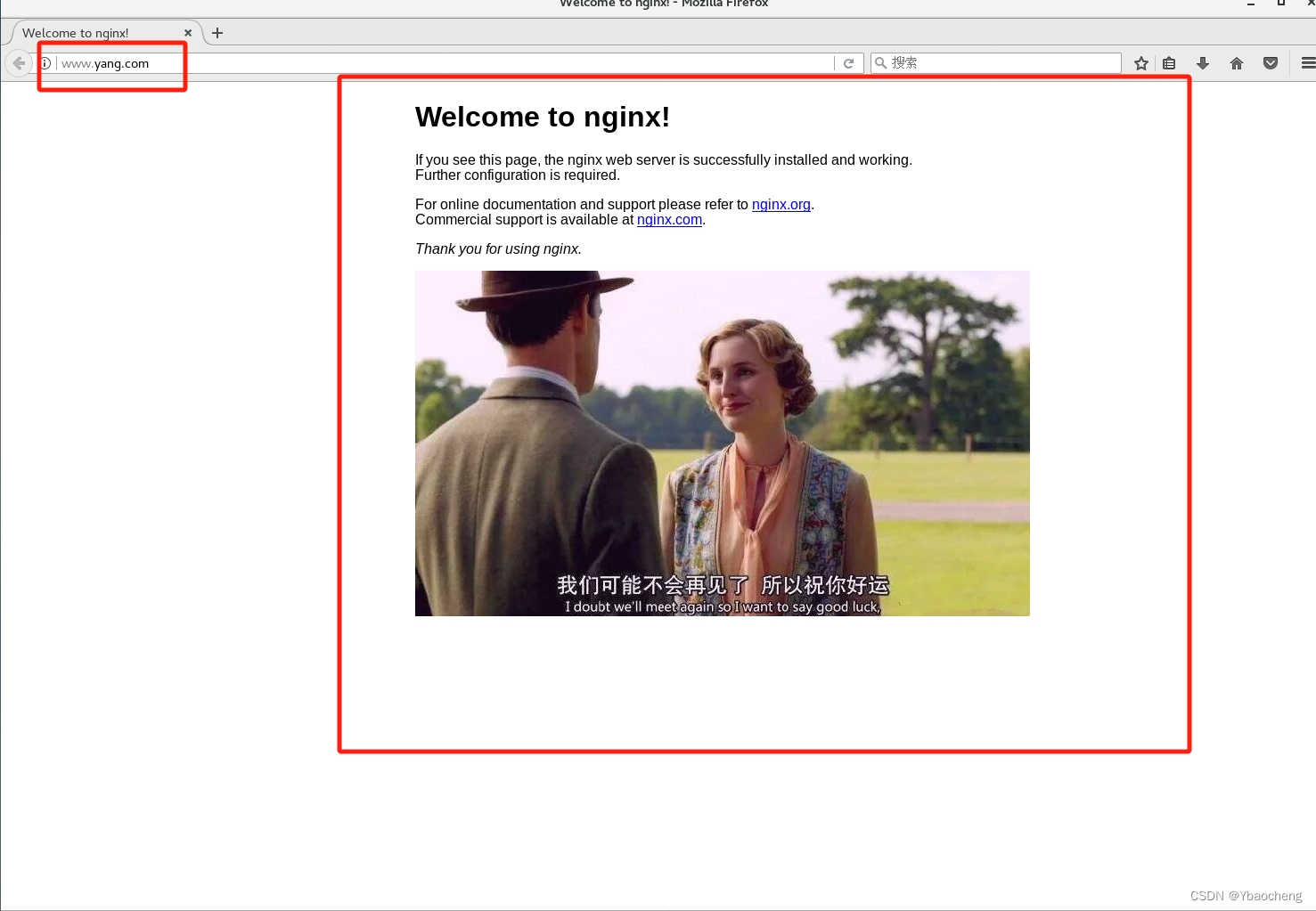
2.配置盗链主机(www.xia.com) ip:192.168.88.31
yum install -y httpd //安装httpd服务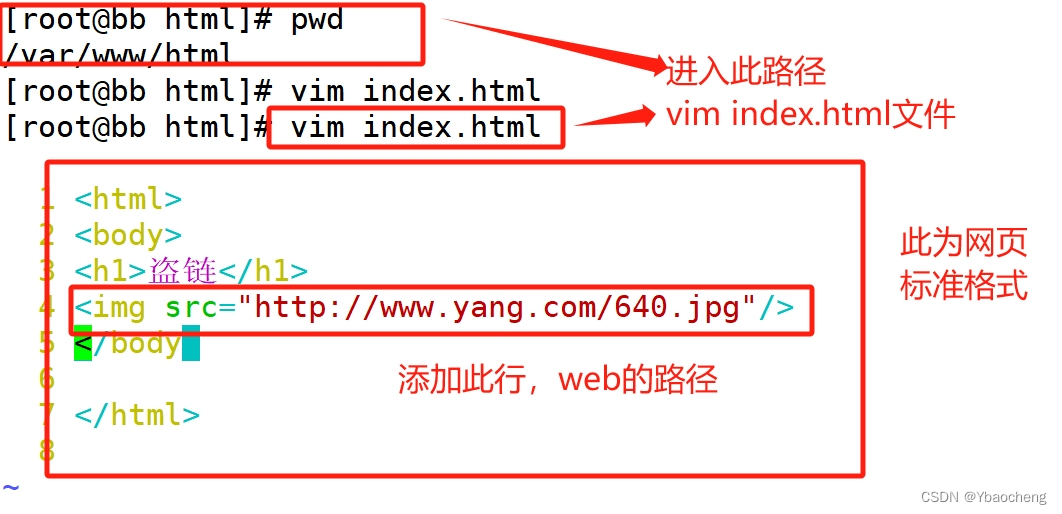
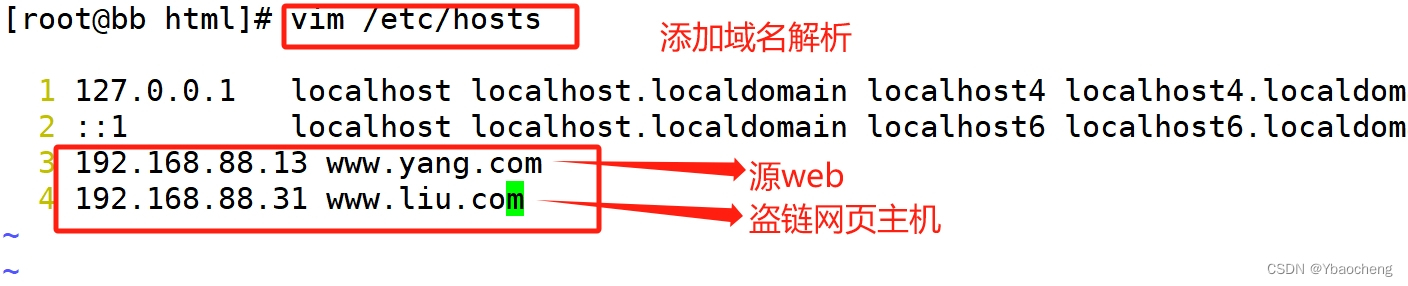
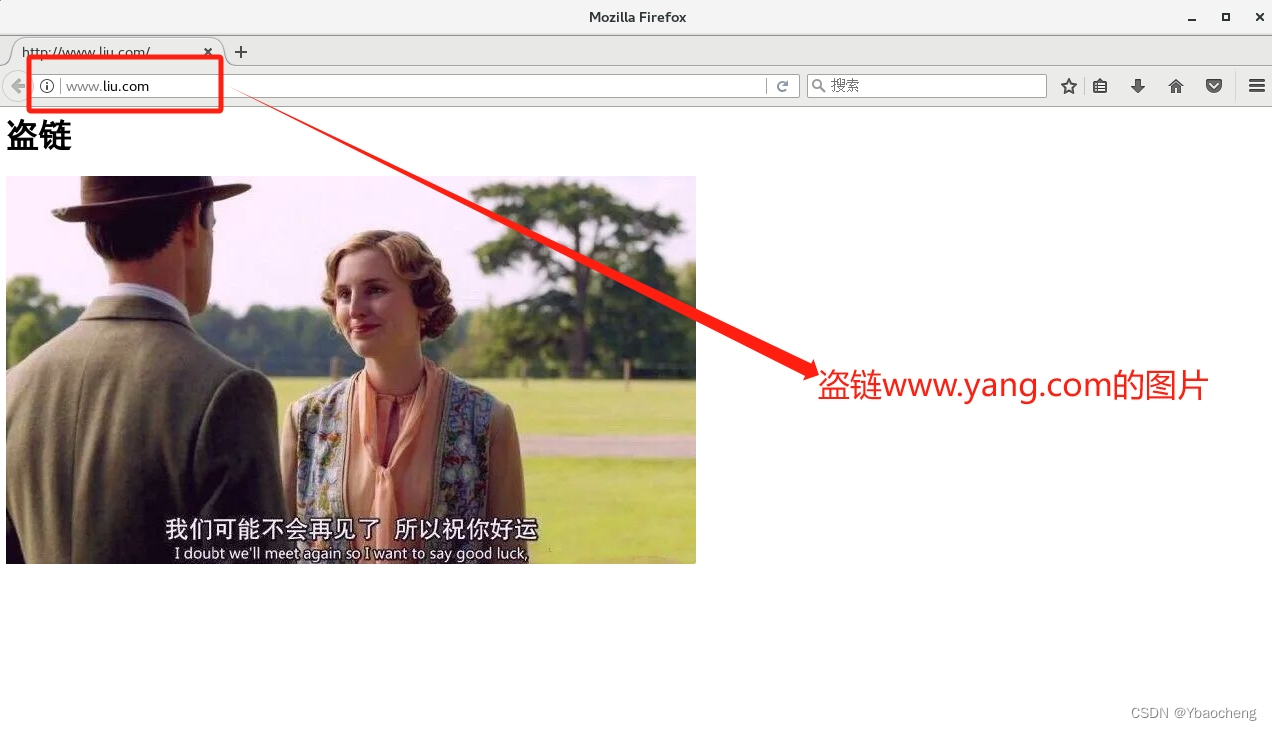
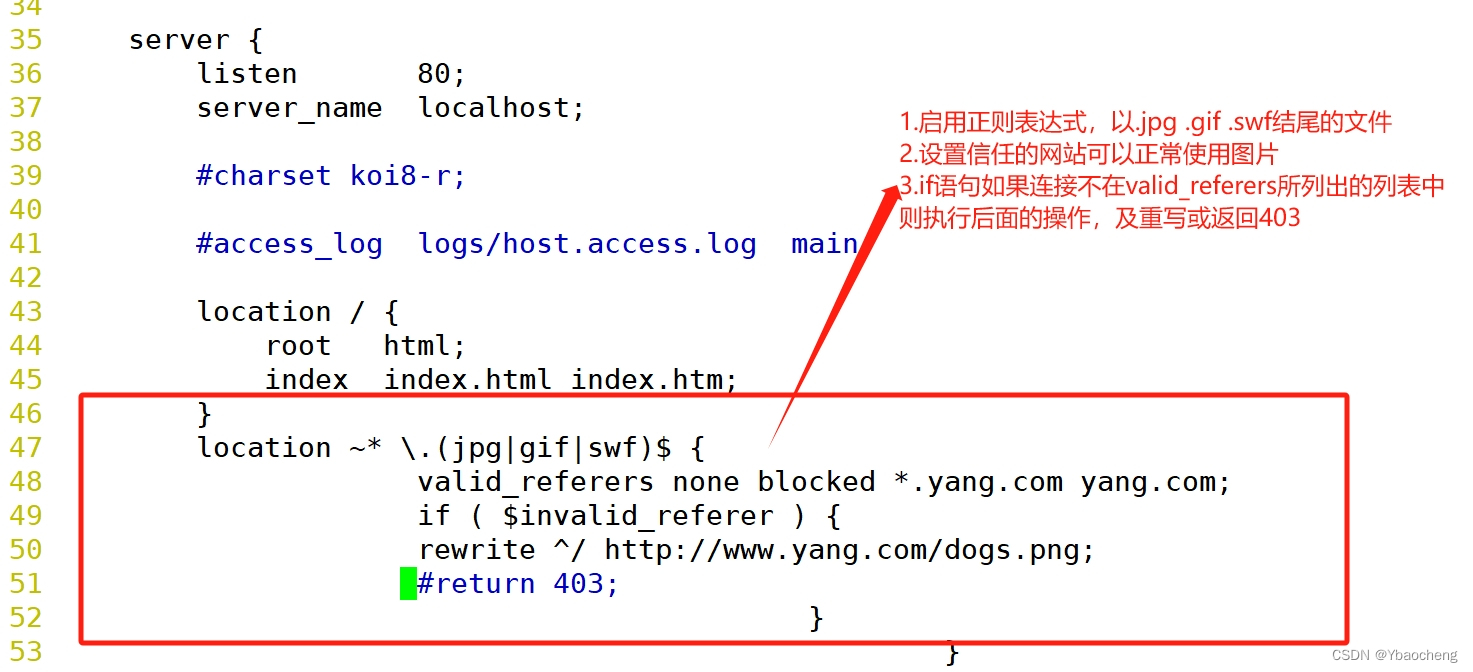
3.在源web主机(192.168.88.13 www.yang.com)配置防盗链

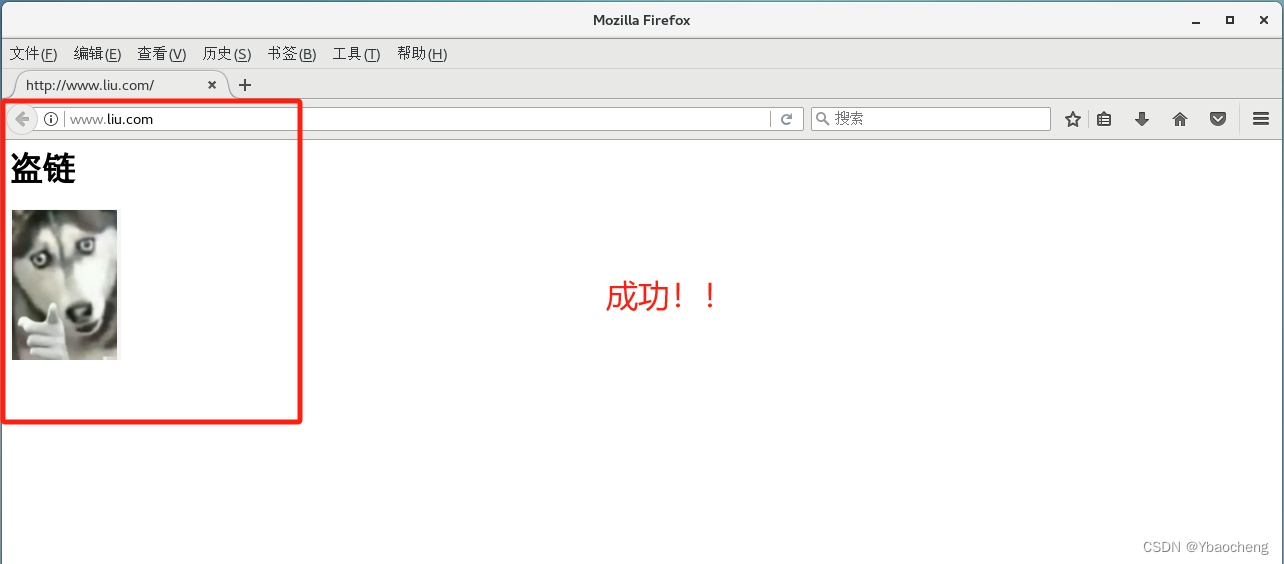
进入盗链主机再次访问
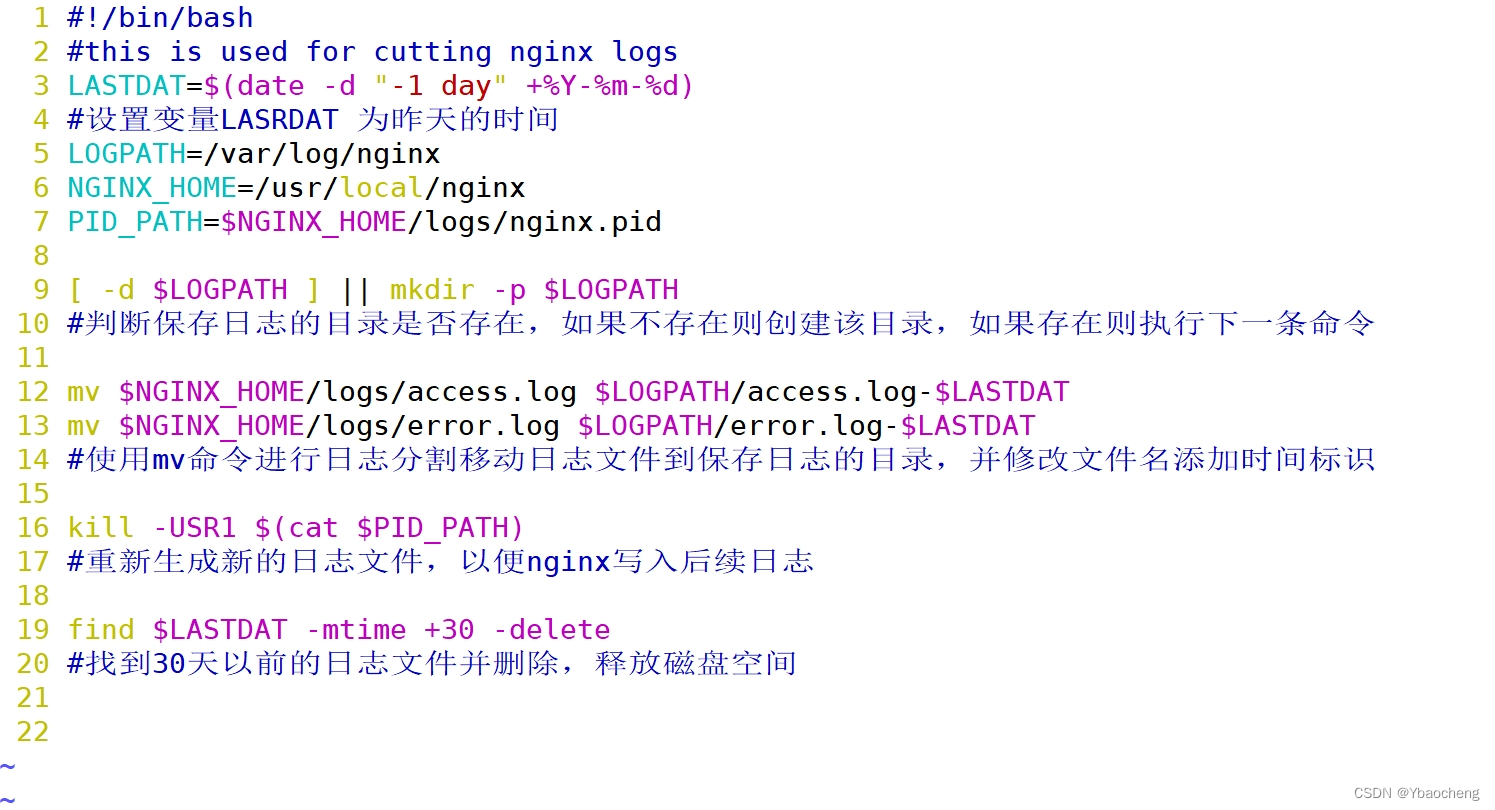
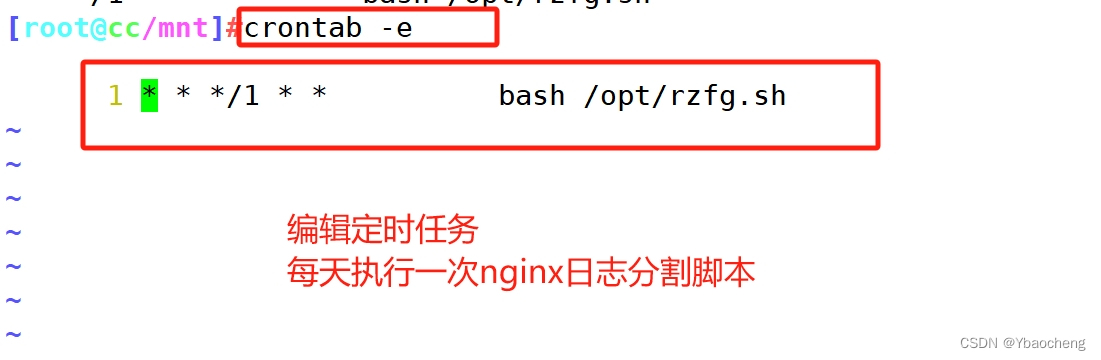
3.nginx日志分割
#!/bin/bash
#this is used for cutting nginx logs
LASTDAT=$(date -d "-1 day" +%Y-%m-%d)
LOGPATH=/var/log/nginx
NGINX_HOME=/usr/local/nginx
PID_PATH=$NGINX_HOME/logs/nginx.pid
[ -d $LOGPATH ] || mkdir -p $LOGPATH
mv $NGINX_HOME/logs/access.log $LOGPATH/access.log-$LASTDAT
mv $NGINX_HOME/logs/error.log $LOGPATH/error.log-$LASTDAT
kill -USR1 $(cat $PID_PATH)
find $LASTDAT -mtime +30 -delete
4.nginx内核优化
net.ipv4.tcp_syncookies = 1
net.ipv4.tcp_tw_reuse = 1
net.ipv4.tcp_tw_recycle = 1
net.ipv4.tcp_fin_timeout = 30
net.ipv4.tcp_max_tw_buckets = 5000
net.ipv4.ip_local_port_range = 1024 65535
net.ipv4.tcp_max_syn_backlog = 8192
net.core.somaxconn = 10000
net.ipv4.tcp_keepalive_time = 1200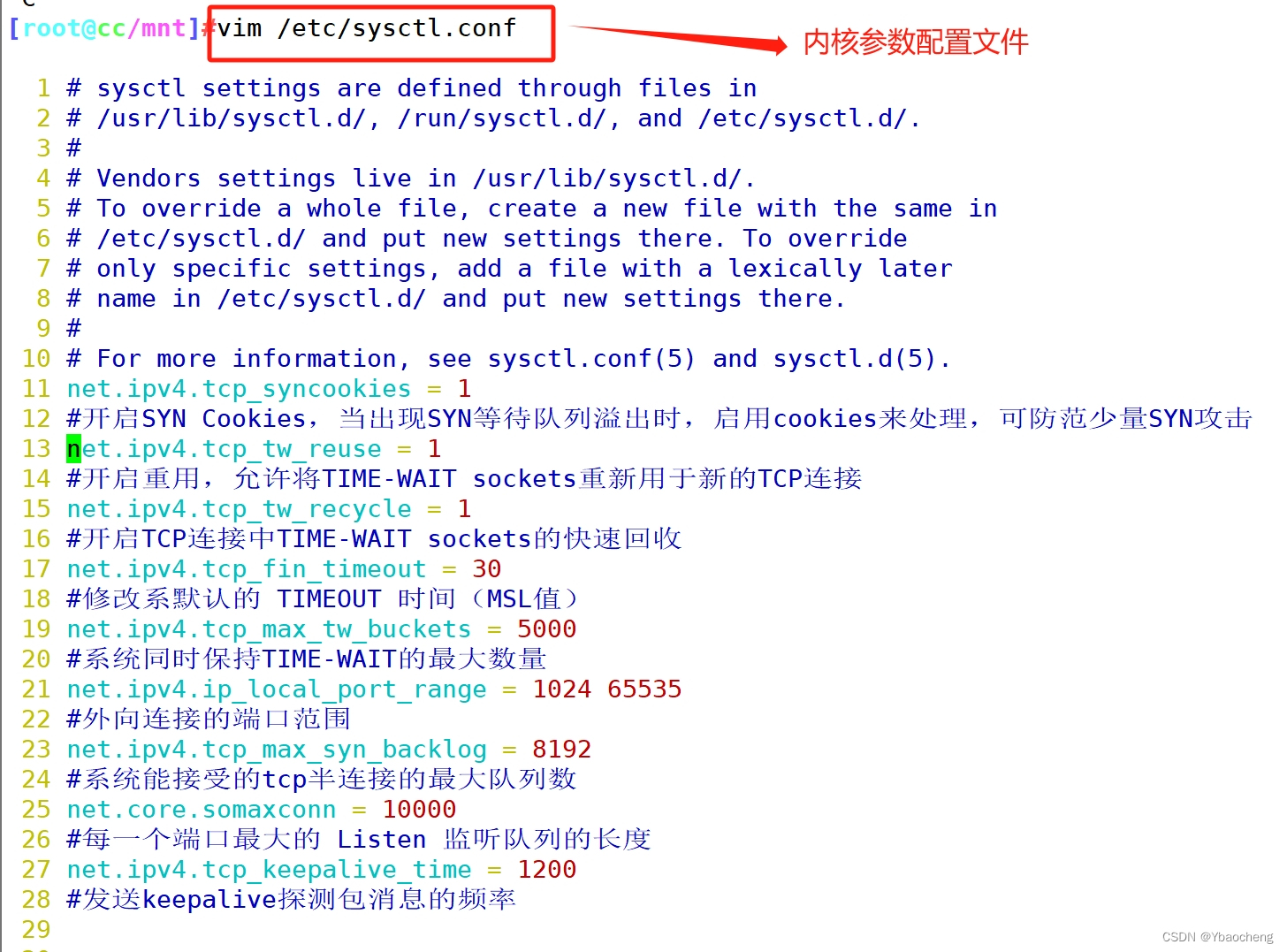
5.nginx编译安装常用模块
http_gzip_module              网页压缩模块
http_stub_status_module       状态统计模块
http_auth_basic_module        网页用户认证模块
http_fastcgi_module           fastcgi转发php-fpm的模块
http_rewrite_module           URL重写模块
http_ssl_module               https安全加密模块
http_limit_conn_module        限制最大连接数模块
http_limit_req_module         限制最大访问频率模块
http_proxy_module             请求转发模块
http_image_filter_module      图片处理模块
http_upstream_*_module        负载均衡服务器列表模块
stream_*_module               四层代理转发模块
6.nginx内核限制文件优化
/etc/security/limits.conf //内核限制文件路径生产中建议设置
* 	soft 	noproc			65535      打开的进程数
* 	hard 	noproc			65535
* 	soft 	nofile			65535      打开的文件数
* 	hard 	nofile			65535
* 	soft 	memlock 		unlimited     不做内存锁定
* 	hard 	memlock 		unlimited





 扫一扫
扫一扫


 1065
1065

 被折叠的 条评论
为什么被折叠?
被折叠的 条评论
为什么被折叠?
 到【灌水乐园】发言





