 Qwen-Image图像生成模型本地部署教程



一、模型介绍
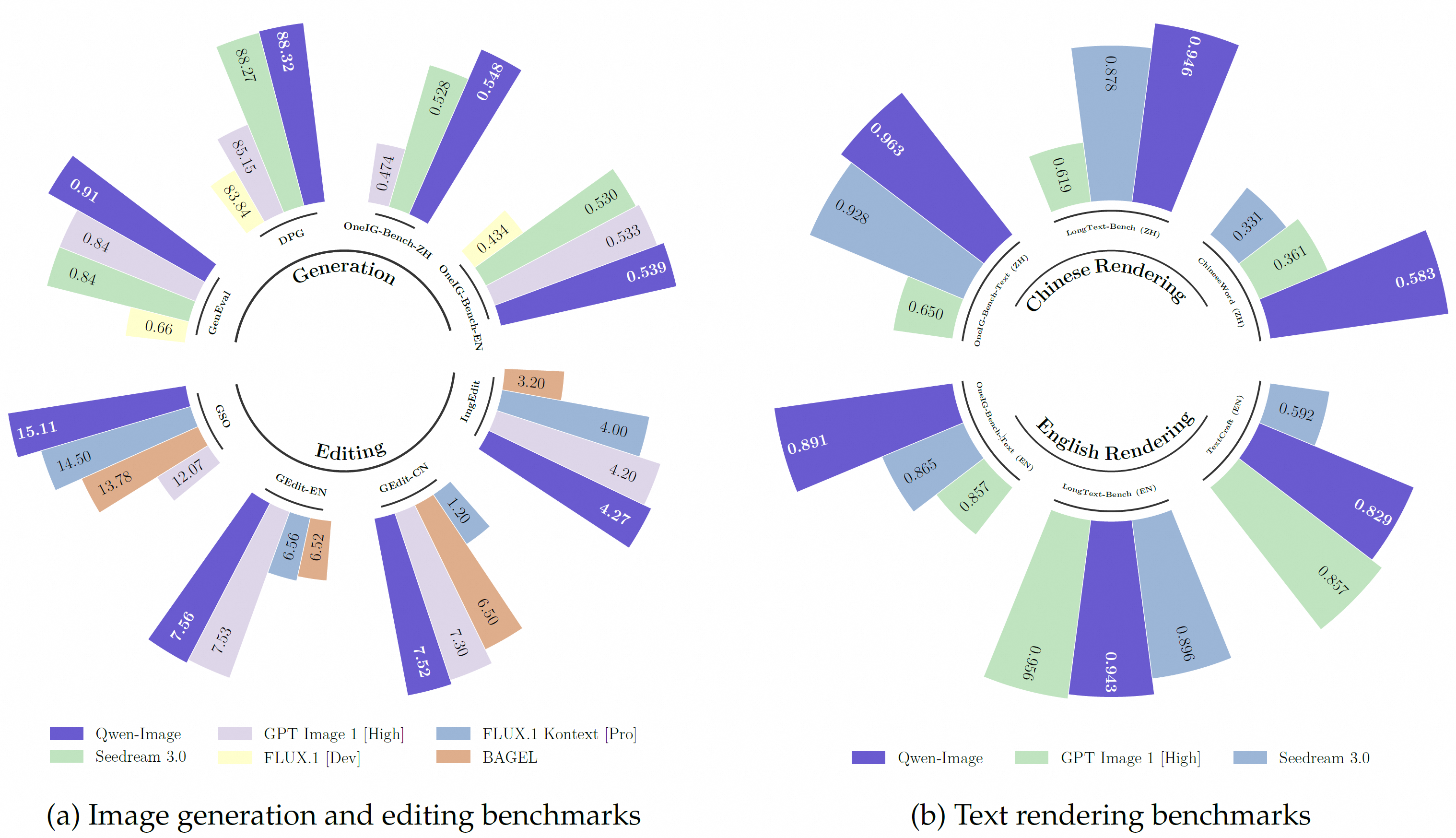
Qwen-Image 是阿里巴巴通义千问团队于 2025 年 8 月开源的首个图像生成基础模型,也是目前在复杂文本(尤其是中文)渲染方面表现最好的开源文生图大模型之一。
这是一个 20B MMDiT 图像基础模型,在复杂文本渲染和精确图像编辑方面取得了重大进步。
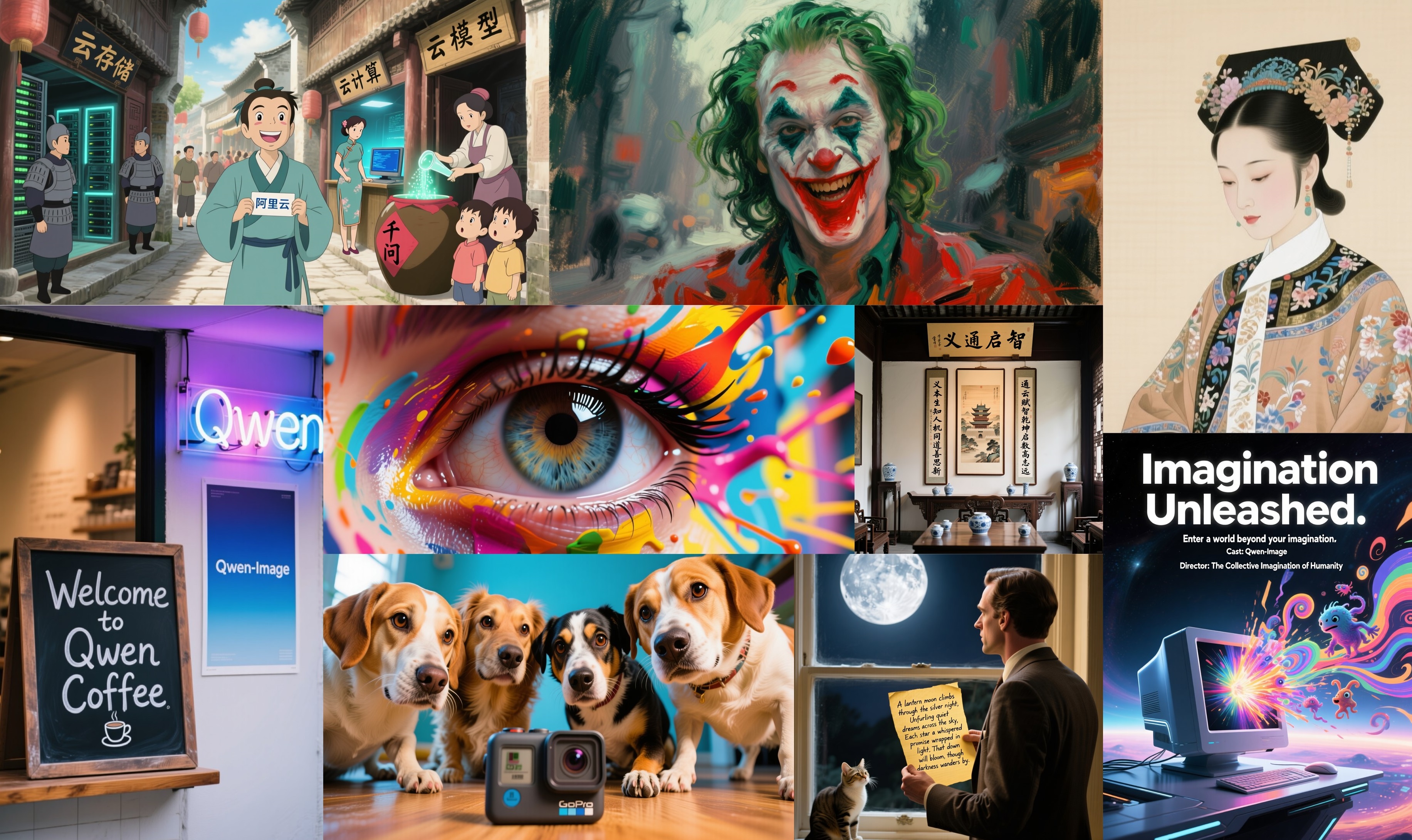
性能表现上,在多个公开基准上的对 Qwen-Image 的全面评估,包括用于通用图像生成的 GenEval、DPG 和 OneIG-Bench,以及用于图像编辑的 GEdit、ImgEdit 和 GSO。Qwen-Image 在所有基准测试中均取得了最先进的性能,展现出其在图像生成与图像编辑方面的强大能力。
此外,在用于文本渲染的 LongText-Bench、ChineseWord 和 TextCraft 上的结果表明,Qwen-Image 在文本渲染方面表现尤为出色,特别是在中文文本渲染上,大幅领先现有的最先进模型。这凸显了 Qwen-Image 作为先进图像生成模型的独特地位,兼具广泛的通用能力与卓越的文本渲染精度。
主要特性包括:
- 卓越的文本渲染能力 : Qwen-Image 在复杂文本渲染方面表现出色,支持多行布局、段落级文本生成以及细粒度细节呈现。无论是英语还是中文,均能实现高保真输出。
- 一致性的图像编辑能力 : 通过增强的多任务训练范式,Qwen-Image 在编辑过程中能出色地保持编辑的一致性。
- 强大的跨基准性能表现 : 在多个公开基准测试中的评估表明,Qwen-Image 在各类生成与编辑任务中均获得 SOTA,是一个强大的图像生成基础模型。
二、模型部署
注:快速部署方法,请参考算家云“镜像社区”
基础环境最低配置推荐
| 环境名称 | 版本信息 |
|---|---|
| Ubuntu | 22.04.4 LTS |
| Python | 3.12 |
| CUDA | 12.6 |
| NVIDIA Corporation | RTX 4090 * 3 |
注:该模型支持多卡并行而不支持多卡推理,若显卡配置较高,可先用A100;较低,则可选用3张4090显卡配置,不过需要对原代码进行修改。
1.更新基础软件包、配置镜像源
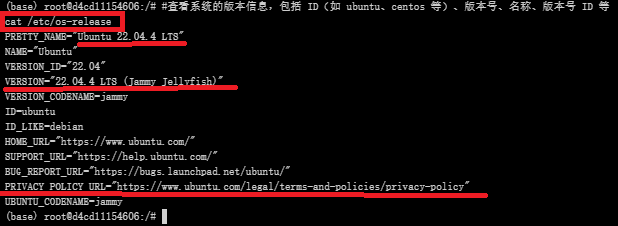
查看系统版本信息
#查看系统的版本信息,包括 ID(如 ubuntu、centos 等)、版本号、名称、版本号 ID 等
cat /etc/os-release
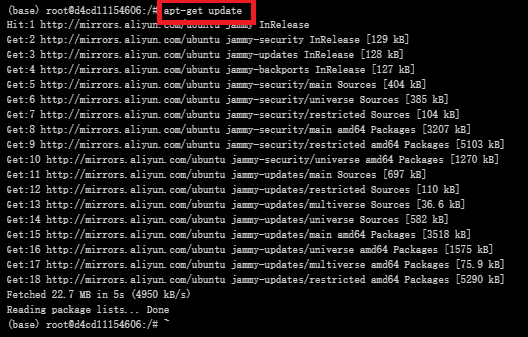
更新软件包列表
#更新软件列表
apt-get update
配置国内镜像源(阿里云)
具体而言,vim 指令编辑文件 sources.list
#编辑源列表文件
vim  /etc/apt/sources.list

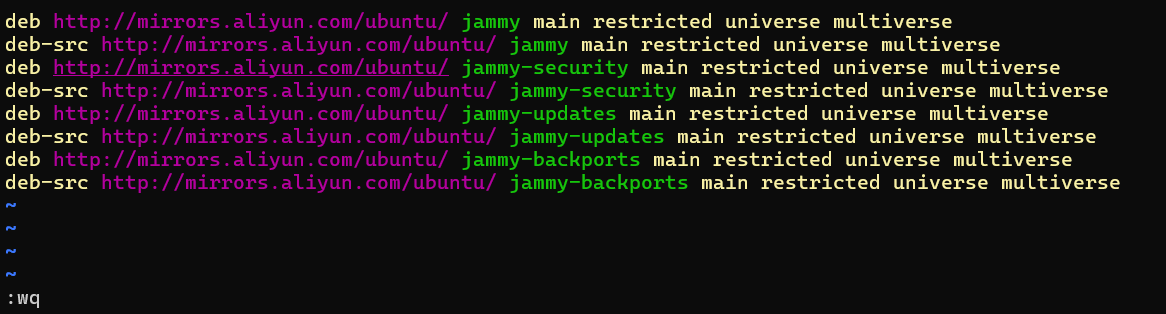
按 “i” 进入编辑模式,将如下内容插入至 sources.list 文件中
deb http://mirrors.aliyun.com/ubuntu/ jammy main restricted universe multiverse
deb-src http://mirrors.aliyun.com/ubuntu/ jammy main restricted universe multiverse
deb http://mirrors.aliyun.com/ubuntu/ jammy-security main restricted universe multiverse
deb-src http://mirrors.aliyun.com/ubuntu/ jammy-security main restricted universe multiverse
deb http://mirrors.aliyun.com/ubuntu/ jammy-updates main restricted universe multiverse
deb-src http://mirrors.aliyun.com/ubuntu/ jammy-updates main restricted universe multiverse
deb http://mirrors.aliyun.com/ubuntu/ jammy-backports main restricted universe multiverse
deb-src http://mirrors.aliyun.com/ubuntu/ jammy-backports main restricted universe multiverse
最后,按 "esc" 键退出编辑模式,输入 :wq 命令并按下 “enter” 键便可保存并退出 sources.list 文件
2.创建虚拟环境
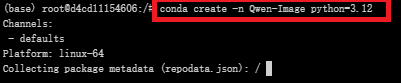
创建虚拟环境
#创建名为Qwen-Image的虚拟环境,python版本:3.12
conda create -n Qwen-Image python=3.12
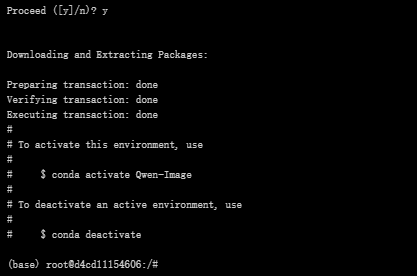
激活虚拟环境
conda activate Qwen-Image

3.克隆项目
创建Qwen-Image文件夹
#创建Qwen-Image文件夹
mkdir Qwen-Image


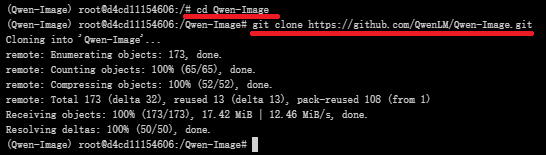
github(QwenLM/Qwen-Image:Qwen-Image 是一个强大的图像生成基础模型,能够进行复杂的文本渲染和精确的图像编辑。)中克隆项目代码文件至该目录
#进入Qwen-Image目录
cd Qwen-Image
#克隆仓库
git clone https://github.com/QwenLM/Qwen-Image.git
4.下载依赖
requirements.txt 文件
pip install -r requirements.txt
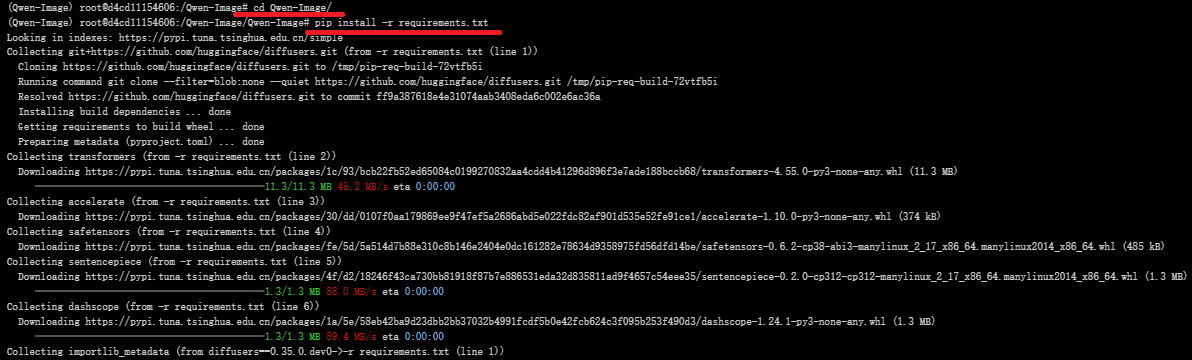
文件内容:
git+https://github.com/huggingface/diffusers.git
transformers
accelerate
safetensors
sentencepiece
dashscope
5.模型下载
转到魔塔社区官网下载模型文件:Qwen-Image · 模型库
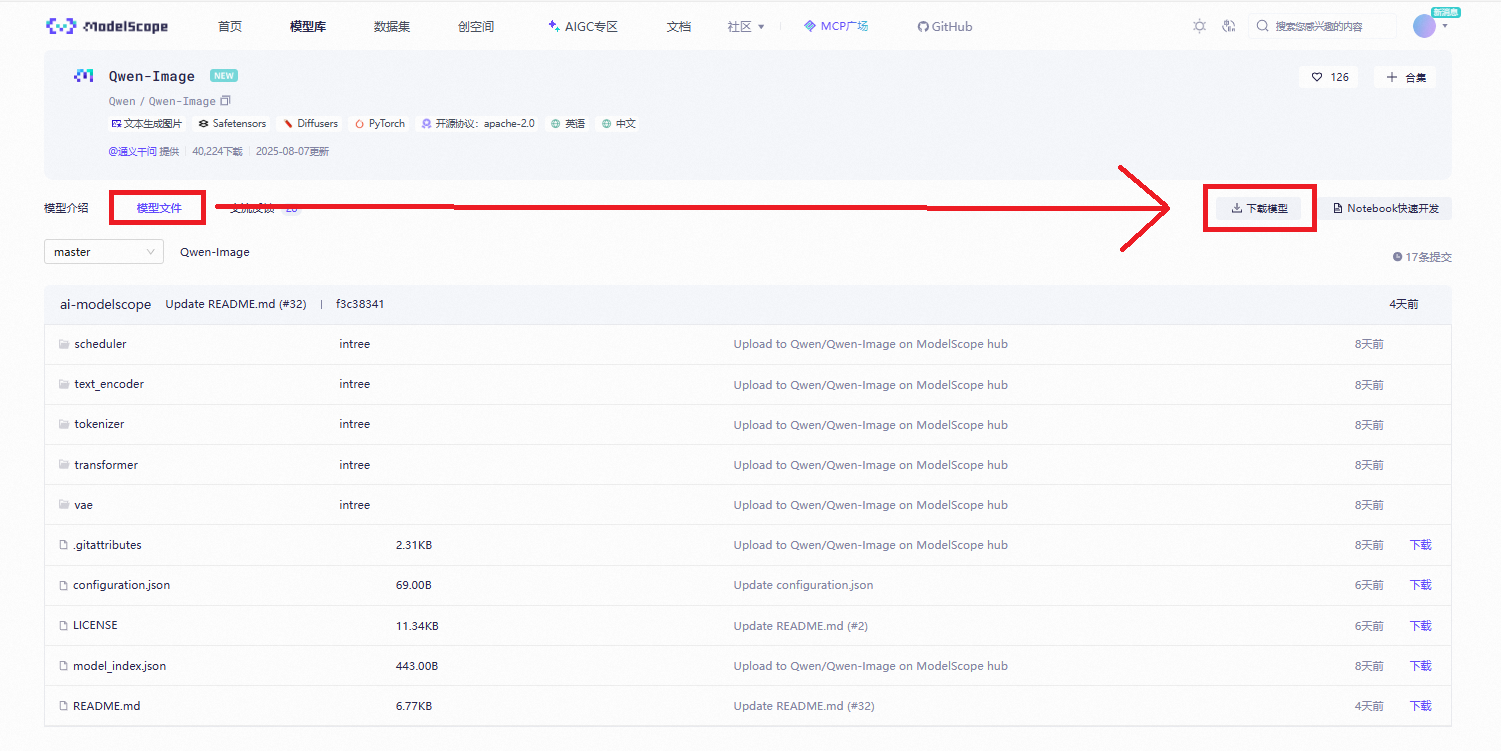
使用命令行下载完整模型库
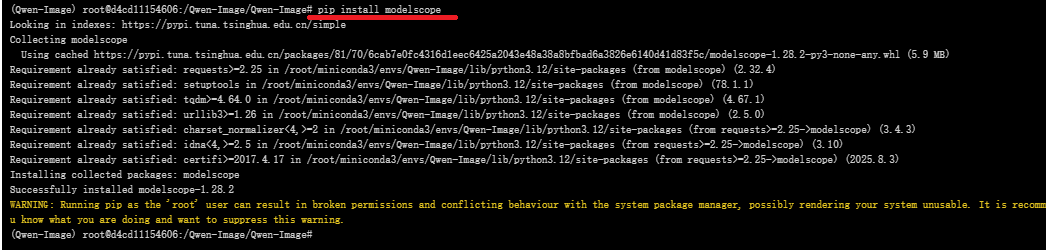
#在下载前,请先通过如下命令安装
pip install modelscope

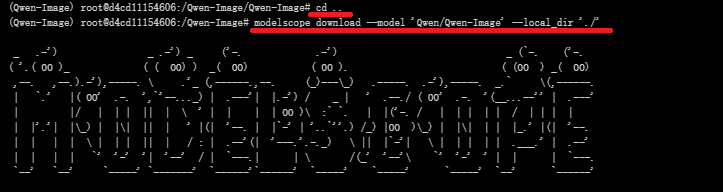
#命令行下载(下载至当前文件夹)
modelscope download --model 'Qwen/Qwen-Image' --local_dir './'
三、web页面启动
注:该模型支持多卡并行但不支持多卡推理,若要进行多卡推理,解决方案如1所示;若配置较高,显卡为A100,则可选用方案2,速度更快。
1.采用3 * 4090的显卡配置
官方文档中并没有具体给出多卡推理的实现代码,如下的app.py可用于实现多卡推理。
#进入目录
cd Qwen-Image/src/examples/
#查看文件列表
ls
#编写app.py文件
vim app.py

app.py:
import torch
import numpy as np
from diffusers import DiffusionPipeline
from diffusers.pipelines.qwenimage import QwenImagePipeline
from diffusers.pipelines.qwenimage.pipeline_output import QwenImagePipelineOutput
from typing import Any, Callable, Dict, List, Optional, Union
from diffusers.pipelines.stable_diffusion.pipeline_stable_diffusion import retrieve_timesteps
from diffusers.utils import is_torch_xla_available
import gradio as gr
if is_torch_xla_available():
import torch_xla.core.xla_model as xm
XLA_AVAILABLE = True
else:
XLA_AVAILABLE = False
def calculate_shift(
image_seq_len,
base_seq_len: int = 256,
max_seq_len: int = 4096,
base_shift: float = 0.5,
max_shift: float = 1.15,
):
m = (max_shift - base_shift) / (max_seq_len - base_seq_len)
b = base_shift - m * base_seq_len
mu = image_seq_len * m + b
return mu
class CustomQwenImagePipeline(QwenImagePipeline):
@torch.no_grad()
def __call__(
self,
prompt: Union[str, List[str]] = None,
negative_prompt: Union[str, List[str]] = None,
true_cfg_scale: float = 4.0,
height: Optional[int] = None,
width: Optional[int] = None,
num_inference_steps: int = 50,
sigmas: Optional[List[float]] = None,
guidance_scale: float = 1.0,
num_images_per_prompt: int = 1,
generator: Optional[Union[torch.Generator, List[torch.Generator]]] = None,
latents: Optional[torch.Tensor] = None,
prompt_embeds: Optional[torch.Tensor] = None,
prompt_embeds_mask: Optional[torch.Tensor] = None,
negative_prompt_embeds: Optional[torch.Tensor] = None,
negative_prompt_embeds_mask: Optional[torch.Tensor] = None,
output_type: Optional[str] = "pil",
return_dict: bool = True,
attention_kwargs: Optional[Dict[str, Any]] = None,
callback_on_step_end: Optional[Callable[[int, int, Dict], None]] = None,
callback_on_step_end_tensor_inputs: List[str] = ["latents"],
max_sequence_length: int = 512,
):
r"""
Function invoked when calling the pipeline for generation.
Args:
prompt (`str` or `List[str]`, *optional*):
The prompt or prompts to guide the image generation. If not defined, one has to pass `prompt_embeds`.
instead.
negative_prompt (`str` or `List[str]`, *optional*):
The prompt or prompts not to guide the image generation. If not defined, one has to pass
`negative_prompt_embeds` instead. Ignored when not using guidance (i.e., ignored if `true_cfg_scale` is
not greater than `1`).
true_cfg_scale (`float`, *optional*, defaults to 1.0):
When > 1.0 and a provided `negative_prompt`, enables true classifier-free guidance.
height (`int`, *optional*, defaults to self.unet.config.sample_size * self.vae_scale_factor):
The height in pixels of the generated image. This is set to 1024 by default for the best results.
width (`int`, *optional*, defaults to self.unet.config.sample_size * self.vae_scale_factor):
The width in pixels of the generated image. This is set to 1024 by default for the best results.
num_inference_steps (`int`, *optional*, defaults to 50):
The number of denoising steps. More denoising steps usually lead to a higher quality image at the
expense of slower inference.
sigmas (`List[float]`, *optional*):
Custom sigmas to use for the denoising process with schedulers which support a `sigmas` argument in
their `set_timesteps` method. If not defined, the default behavior when `num_inference_steps` is passed
will be used.
guidance_scale (`float`, *optional*, defaults to 3.5):
Guidance scale as defined in [Classifier-Free Diffusion
Guidance](https://huggingface.co/papers/2207.12598). `guidance_scale` is defined as `w` of equation 2.
of [Imagen Paper](https://huggingface.co/papers/2205.11487). Guidance scale is enabled by setting
`guidance_scale > 1`. Higher guidance scale encourages to generate images that are closely linked to
the text `prompt`, usually at the expense of lower image quality.
num_images_per_prompt (`int`, *optional*, defaults to 1):
The number of images to generate per prompt.
generator (`torch.Generator` or `List[torch.Generator]`, *optional*):
One or a list of [torch generator(s)](https://pytorch.org/docs/stable/generated/torch.Generator.html)
to make generation deterministic.
latents (`torch.Tensor`, *optional*):
Pre-generated noisy latents, sampled from a Gaussian distribution, to be used as inputs for image
generation. Can be used to tweak the same generation with different prompts. If not provided, a latents
tensor will be generated by sampling using the supplied random `generator`.
prompt_embeds (`torch.Tensor`, *optional*):
Pre-generated text embeddings. Can be used to easil 最低0.47元/天 解锁文章






 扫一扫
扫一扫


 729
729


 到【灌水乐园】发言




