


概要
使用n8n表单上传多个文件合并处理
完整流程
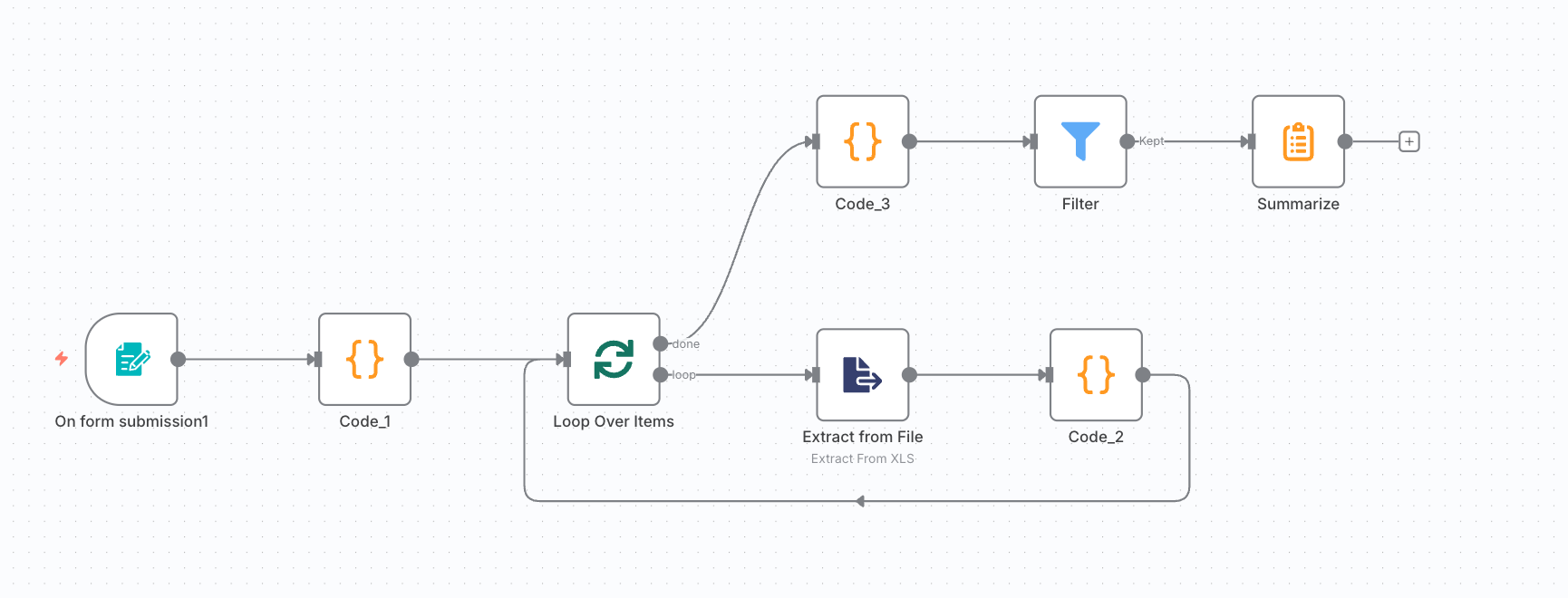
添加节点
-
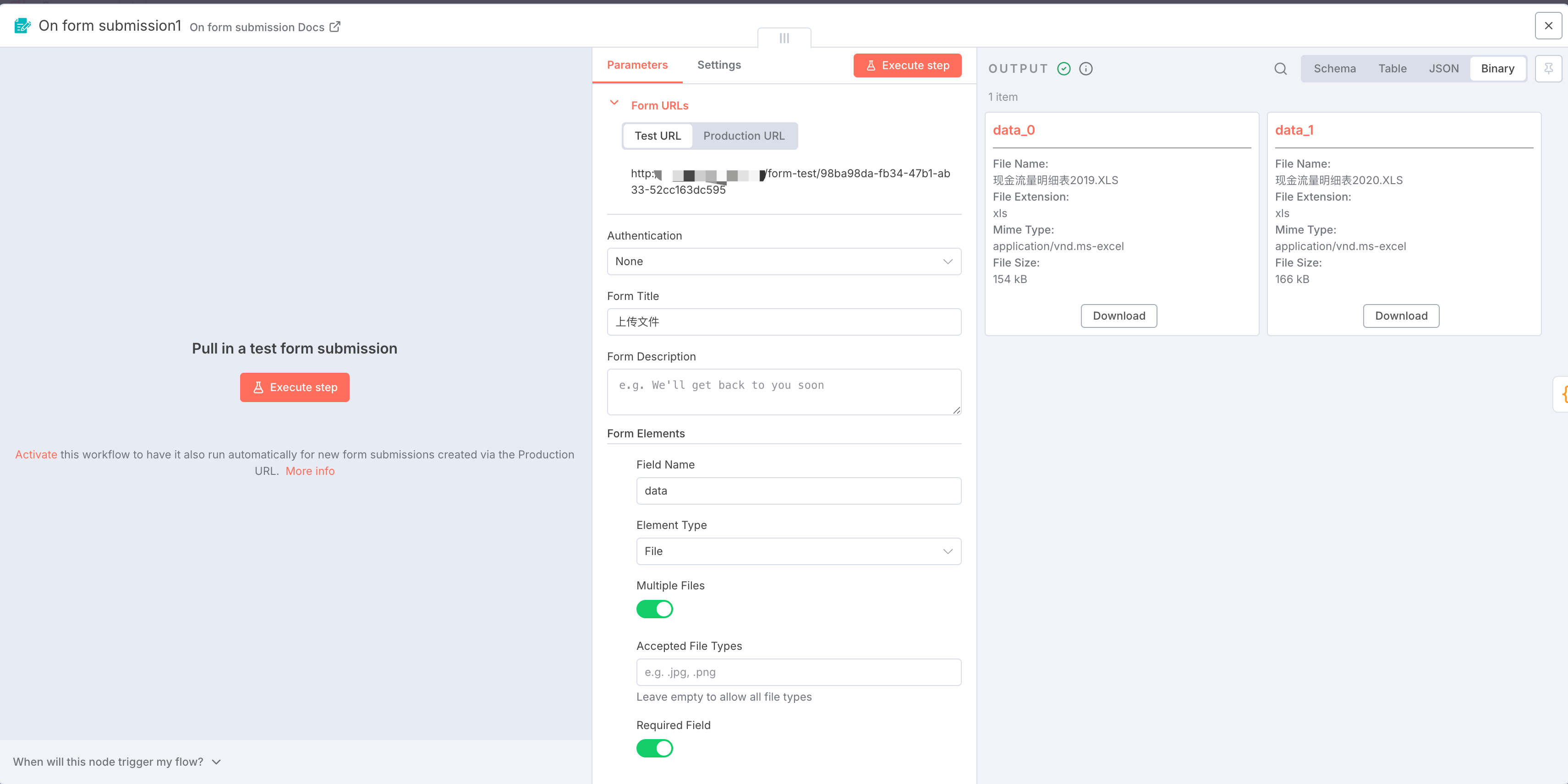
使用On form submission提交上传多个文件
-
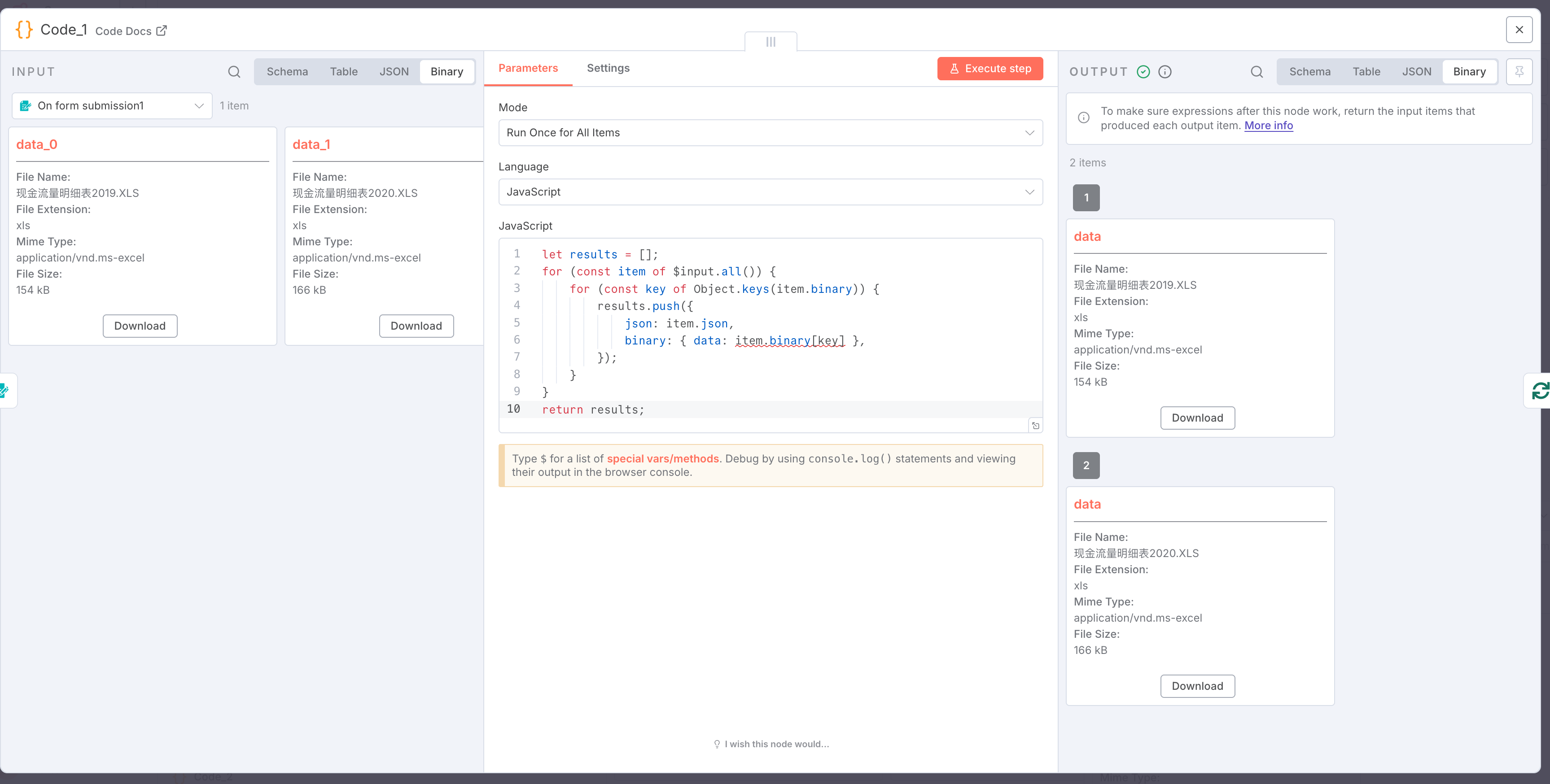
添加Code节点,JavaScrip代码如下,作用是把提交的表单拆成可以循环的数组,注意执行前后的变化,由 1 item (data_0 , data_1)变为 2 items (data, data)
let results = [];
for (const item of $input.all()) {
    for (const key of Object.keys(item.binary)) {
        results.push({
            json: item.json,
            binary: { data: item.binary[key] },
        });
    }
}
return results;
- 添加Loop Over Items节点,在循环中接入Extract from File节点,Operation选择你上传的文件格式。在On form submission节点最好通过Accepted File Types指定文件格式,否则这里不好控制文件类型。当然也可以自己加入判断节点走不同的流程,这里只展示最简单的配置。
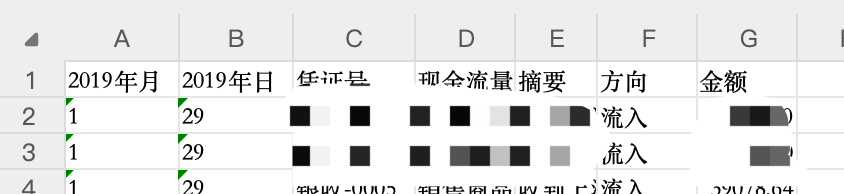
- 在循环中添加Code节点,这一步可以对每个文件内容做定制化改造,我这里是处理的xls数据,所以可以自定义列信息。JavaScrip代码如下,不需要的可以忽略这个节点。
function getSimpleWeekNumber(date, weekStart = 1) {
  // weekStart: 0=周日, 1=周一
  const firstDay = new Date(date.getFullYear(), 0, 1);
  const firstDayOfWeek = firstDay.getDay();
  // 计算距离本周起始日的天数
  let offset = (firstDayOfWeek - weekStart + 7) % 7;
  // 计算本日期与1月1日所在周的起始日的天数差
  const diffDays = Math.floor((date - firstDay + offset * 24 * 60 * 60 * 1000) / (24 * 60 * 60 * 1000));
  return Math.floor(diffDays / 7) + 1;
}

return $input.all().map(item => {
  const json = item.json;
  const city = $node["Code_1"].json["city"];
  // 匹配 xxxx年月 和 xxxx年日
  const yearMonthKey = Object.keys(json).find(key => key.match(/^\d{4}年月$/));
  const yearDayKey = Object.keys(json).find(key => key.match(/^\d{4}年日$/));
  let year, month, day, week;

  if (yearMonthKey) {
    year = yearMonthKey.slice(0, 4);
    month = json[yearMonthKey];
  }
  if (yearDayKey) {
    // 优先使用年月里的年份
    year = year || yearDayKey.slice(0, 4);
    day = json[yearDayKey];
  }
  week = getSimpleWeekNumber(new Date(year, month - 1, day))

  return {
    json: {
      '城市':city,
      '年': year,
      '月': month,
      '日': day,
      '周':week,
      '凭证号': json['凭证号'],
      '现金流量项目': json['现金流量项目'],
      '摘要': json['摘要'],
      '方向': json['方向'],
      '金额': json['金额']
    }
  };
});
- 在Loop的Done节点添加Code,作用是把每个文件生成的JSON转为一个数组对象,方便下一步对合并后的数据进行处理。效果如下:
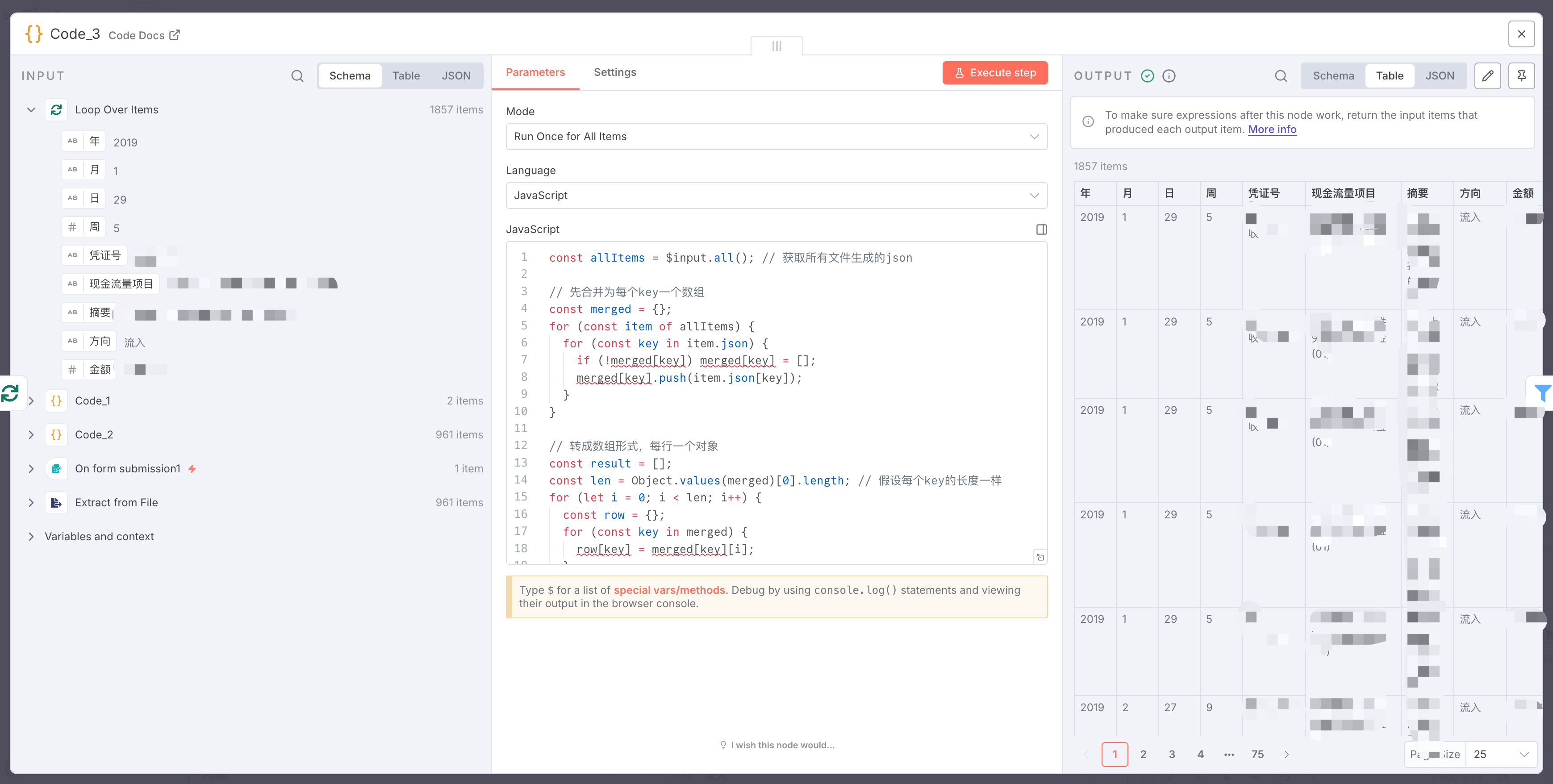
const allItems = $input.all(); // 获取所有文件生成的json

// 先合并为每个key一个数组
const merged = {};
for (const item of allItems) {
  for (const key in item.json) {
    if (!merged[key]) merged[key] = [];
    merged[key].push(item.json[key]);
  }
}

// 转成数组形式,每行一个对象
const result = [];
const len = Object.values(merged)[0].length; // 假设每个key的长度一样
for (let i = 0; i < len; i++) {
  const row = {};
  for (const key in merged) {
    row[key] = merged[key][i];
  }
  result.push(row);
}

return result.map(row => ({ json: row }));
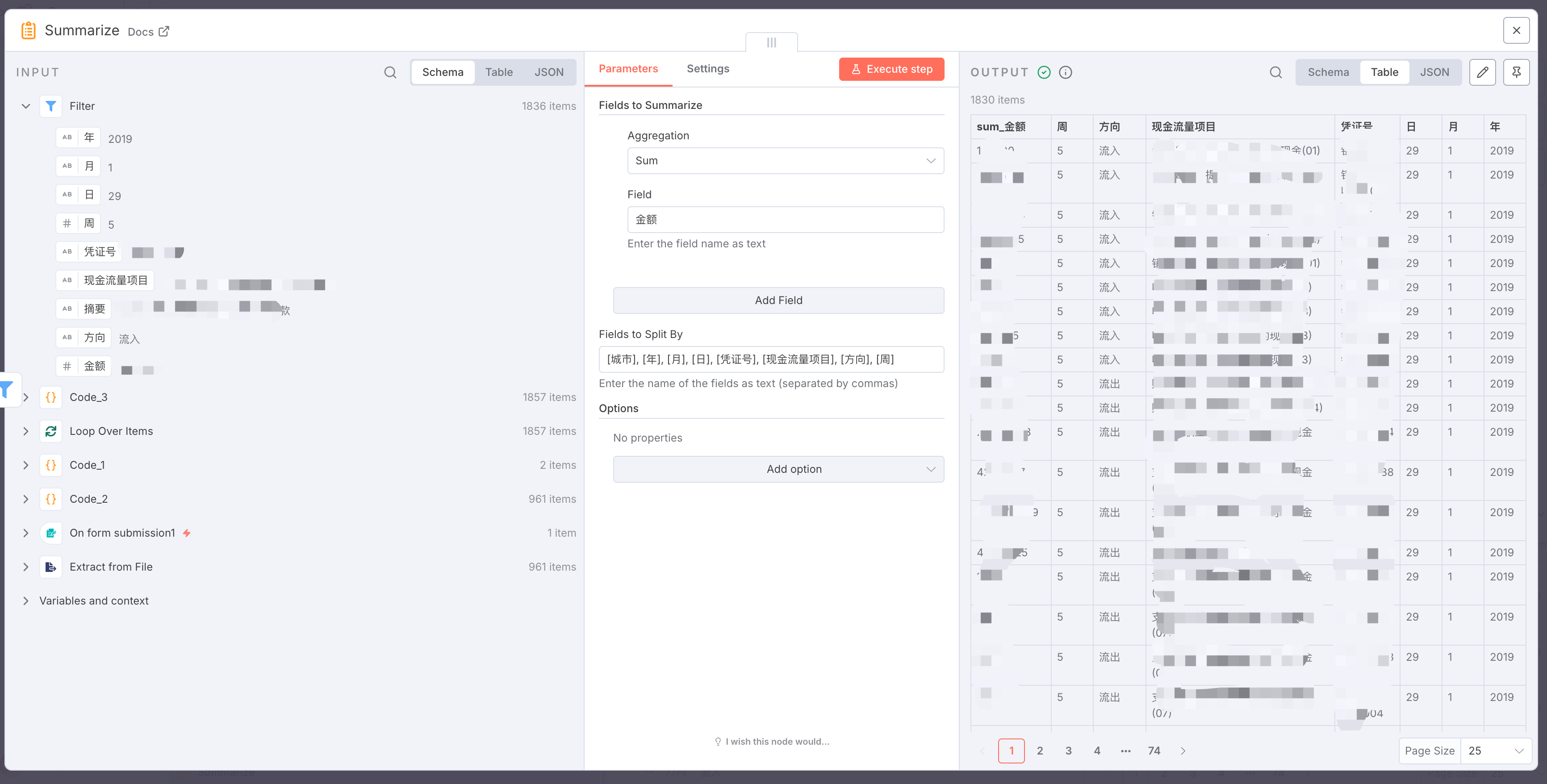
- 添加其他节点,如 Filter、Summarize节点对数据进行处理
总结
主要是需要把表单提交的多个文件,拆成可循环的数组,再把每个文件数据合并为一个数组的过程。





 扫一扫
扫一扫


 674
674

 被折叠的 条评论
为什么被折叠?
被折叠的 条评论
为什么被折叠?
 到【灌水乐园】发言





