



 本文介绍了SVG的path元素,详细讲解了d属性中的M、H、V、L和C指令的使用,包括如何绘制直线、曲线,并通过实例展示了这些指令创建的动画效果。
一、svg 的 path 介绍
1.1 path元素的形状是通过属性d来定义的,属性d的值是一个命令+参数的序列。
1.2 path 指令
M = moveto(M X,Y) : 将画笔移动到指定的坐标位置
L = lineto(L X,Y) :画直线到指定的坐标位置
H = horizontal lineto(H X):画水平线到指定的X坐标位置
V = vertical lineto(V Y):画垂直线到指定的Y坐标位置
C = curveto(C X1,Y1,X2,Y2,ENDX,ENDY):三次贝赛曲线
S = smooth curveto(S X2,Y2,ENDX,ENDY)
Q = quadratic Belzier curve(QX,Y,ENDX,ENDY):二次贝赛曲线
T = smooth quadratic Belzier curveto(TENDX,ENDY):映射
A = elliptical Arc(A RX,RY,XROTATION,FLAG1,FLAG2,X,Y):弧线
Z = closepath():关闭路径
二、path部分指令的使用
2.1 M H V L 指令
M 起点X,起点Y H(水平线)终点X V(垂直线)终点Y L(直线)终点X,终点Y
<svg width="200px" height="200px" version="1.1" xmlns="http://www.w3.org/2000/svg">
	<path stroke="black" stroke-width="1px" d="M20 20 H100 M20 20 V100 M20 20 L100 100"/>
</svg>
运行结果:

2.2 M H V L 指令动画
<!DOCTYPE html>
<html>
	<head>
		<meta charset="utf-8">
		<title>svg path</title>
		<style type="text/css">
			svg {
				margin: 200px;
				width: 150px;
				height: 150px;
				border: #CCCCCE .5px solid;
			}
			g {
				/*	stroke-dasharray:用于创建虚线,之所以后面跟的是array的,是因为值其实是数组。
					为一个参数时: 其实是表示虚线长度和每段虚线之间的间距
						stroke-dasharray = '10'
						表示:虚线长10,间距10,然后重复 虚线长10,间距10

					两个参数或者多个参数时:一个表示长度,一个表示间距
						stroke-dasharray = '10, 5'
						表示:虚线长10,间距5,然后重复 虚线长10,间距5
						stroke-dasharray = '20, 10, 5'
						表示:虚线长20,间距10,虚线长5,接着是间距20,虚线10,间距5,之后开始如此循环

				*/
				stroke-dasharray: 0,114;
				/* 动画效果 animation: 动画名称 动画时长 相同速度 无限循环;*/
				animation: animations 1.5s linear infinite;
			}
			@keyframes animations{
				from{stroke-dasharray: 0,114;}
				to{stroke-dasharray: 114,114;}
			}

		</style>
	</head>
	<body>
		<svg version="1.1" xmlns="http://www.w3.org/2000/svg">
			<g stroke-width="1px">
				<path stroke="red" d="M20 20 H100"/>
				<path stroke="green" d="M20 20 V100"/>
				<path stroke="blue" d="M20 20 L100 100"/>
			</g>

		</svg>
		<script type="text/javascript">
			// 计算路径长度 分别计算取最大的那个
			console.log(document.querySelector("path").getTotalLength());
		</script>
	</body>
</html>
运行结果:
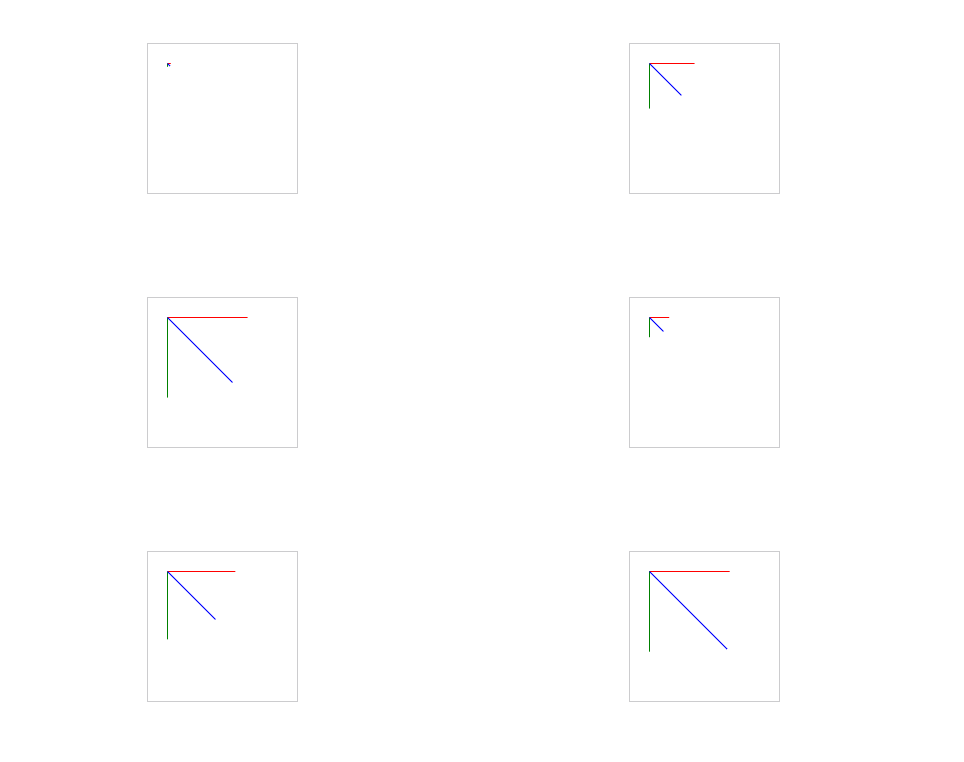
2.3 C ( 三次贝塞尔曲线) 指令
三次贝塞尔曲线需要定义一个终点和两个控制点,所以用C命令需要设置三组坐标参数:C x1 y1, x2 y2, x y
M 起点x 起点y C 控制点1x 控制点1y 控制点2x 控制点2y 终点x 终点y
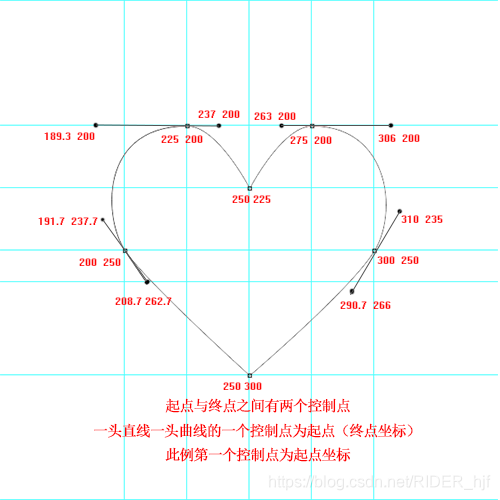
代码示例:
<svg width="500px" height="500px" version="1.1" xmlns="http://www.w3.org/2000/svg">
	<path stroke-width="1px" stroke="red" fill="none"
	d="M250 300 C250 300 208.7 262.7 200 250 C191.7 237.7 189.3 200 225 200
	C237 200 250 225 250 225 C250 225 263 200 275 200 C306 200 310 235 300 250
	C290.7 266 250 300 250 300"/>
</svg>
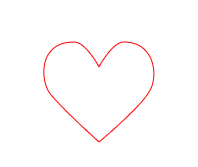
运行结果:
2.4 C ( 三次贝塞尔曲线) 指令动画:
<!DOCTYPE html>
<html>
	<head>
		<meta charset="utf-8">
		<title></title>
		<style type="text/css">
			svg {
				margin: 200px;
				width: 500px;
				height: 500px;
			}
			g {
				stroke-dasharray: 0 177;
				stroke-dashoffset: 0;
				animation: animations 2s ease-out 1s infinite;
			}
			@keyframes animations{
				from{}
				to{stroke-dasharray: 177 177;}
			}
		</style>
	</head>
	<body>
		<svg version="1.1" xmlns="http://www.w3.org/2000/svg">
			<g stroke-width="1px" stroke="red" fill="none">
				<path d="M250 300 C250 300 208.7 262.7 200 250 C191.7 237.7 189.3 200 225 200 C237 200 250 225 250 225"/>
				<path d="M250 300 C250 300 290.7 266 300 250 C310 235 306 200 275 200 C263 200 250 225 250 225"/>
			</g>

		</svg>
		<script type="text/javascript">
			// 计算路径长度 分别计算取最大的那个
			console.log(document.querySelector("path").getTotalLength());
		</script>
	</body>
</html>
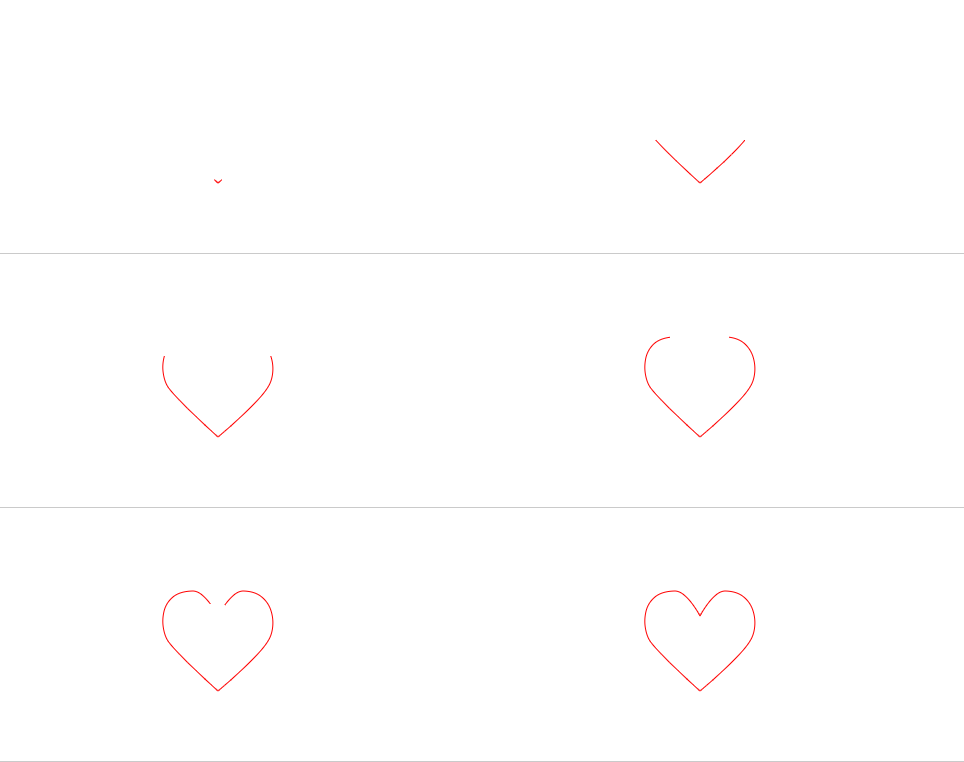
运行效果:





 扫一扫
扫一扫


 274
274

 被折叠的 条评论
为什么被折叠?
被折叠的 条评论
为什么被折叠?
 到【灌水乐园】发言





