



 本文介绍如何在SpringBoot2.0中进行单元测试,包括引入依赖、使用@RunWith和@SpringBootTest注解的方法,并提供了一个具体的JUnit单元测试案例。
第四章 SpringBoot2.0单元测试进阶实战和自定义异常处理
03-1 @SpringBootTest单元测试实战
简介:讲解SpringBoot的单元测试
    1、引入相关依赖
        <!--springboot程序测试依赖,如果是自动创建项目默认添加-->
        <dependency>
        <groupId>org.springframework.boot</groupId>
        <artifactId>spring-boot-starter-test</artifactId>
        <scope>test</scope>
        </dependency>
	2、使用
		@RunWith(SpringRunner.class)  //底层用junit  SpringJUnit4ClassRunner
		@SpringBootTest(classes={XdclassApplication.class})//启动整个springboot工程
		public class SpringBootTests { }
1.JJUnit单元测试
@RunWith注解说明
-
@RunWith就是一个运行器
-
@RunWith(JUnit4.class)就是指用JUnit4来运行
-
@RunWith(SpringJUnit4ClassRunner.class),让测试运行于Spring测试环境
-
@RunWith(Suite.class)的话就是一套测试集合,
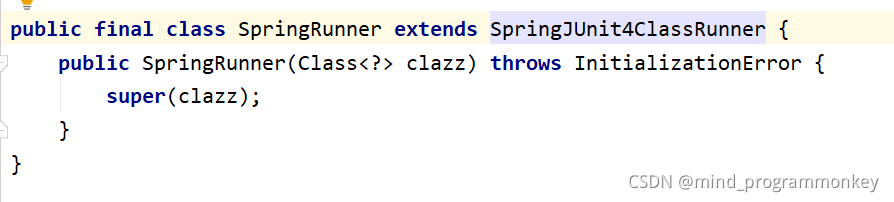
在使用 spring-test 的过程中,有两个 runner 可以选择,分别是 SpringRunner 和 SpringJUnit4ClassRunner。如果是在 4.3 之前,只能选择 SpringJUnit4ClassRunner,如果是 4.3 之后,建议选择 SpringRunner。
@SpringBootTest注解
Spring Test与JUnit等其他测试框架结合起来,提供了便捷高效的测试手段。而Spring Boot Test 是在Spring Test之上的再次封装,增加了切片测试,增强了mock能力。
整体上,Spring Boot Test支持的测试种类,大致可以分为如下三类:
- 单元测试:一般面向方法,编写一般业务代码时,测试成本较大。涉及到的注解有@Test。
- 切片测试:一般面向难于测试的边界功能,介于单元测试和功能测试之间。涉及到的注解有@RunWith @WebMvcTest等。
- 功能测试:一般面向某个完整的业务功能,同时也可以使用切面测试中的mock能力,推荐使用。涉及到的注解有@RunWith @SpringBootTest等。
JUnit单元测试代码如下
package com.lcz.spring_demo5;

import org.junit.After;
import org.junit.Assert;
import org.junit.Before;
import org.junit.jupiter.api.AfterEach;
import org.junit.jupiter.api.BeforeEach;
import org.junit.jupiter.api.Test;
import org.junit.runner.RunWith;
import org.springframework.boot.test.context.SpringBootTest;
import org.springframework.test.context.junit4.SpringRunner;

@RunWith(SpringRunner.class) //底层用junit SpringJUnit4ClassRunner
@SpringBootTest(classes = {SpringDemo5Application.class}) //启动整个springboot工程
class SpringDemo5ApplicationTests {

    @Test
    void testJunit() {
        System.out.println("test hello");
        Assert.assertEquals(1,1);
    }

    @BeforeEach
    public void testBefore(){
        System.out.println("before");
    }

    @AfterEach
    public void testAfter(){
        System.out.println("after");
    }

}
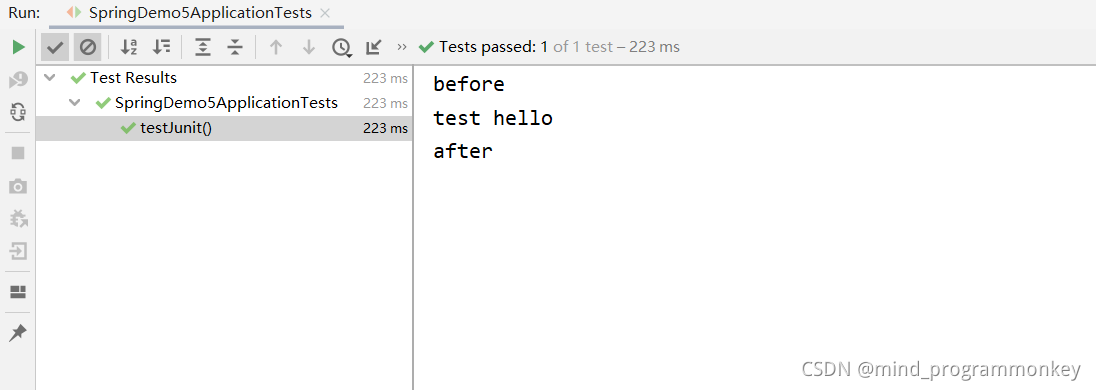
测试结果如下:
还有后续工作,大家点赞评论收藏关注走起来!!!学起来!!!





 扫一扫
扫一扫


 2698
2698

 被折叠的 条评论
为什么被折叠?
被折叠的 条评论
为什么被折叠?
 到【灌水乐园】发言





