


 本文通过实例演示了SpringBoot中GET请求的各种用法,包括如何使用@RequestMapping和@GetMapping处理请求,参数传递的方式,如@PathVariable、@RequestParam、@RequestBody等。
第二章:SpringBoot接口Http协议开发实战
02-3 SpringBoot基础HTTP接口GET请求实战
简介:讲解springboot接口,http的get请求,各个注解使用
		1、GET请求
			1、单一参数@RequestMapping(path = "/{id}", method = RequestMethod.GET)
				1) public String getUser(@PathVariable String id ) {}
			2)@RequestMapping(path = "/{depid}/{userid}", method = RequestMethod.GET) 可以同时指定多个提交方法
			getUser(@PathVariable("depid") String departmentID,@PathVariable("userid") String userid)

			3)一个顶俩
			@GetMapping = @RequestMapping(method = RequestMethod.GET)
			@PostMapping = @RequestMapping(method = RequestMethod.POST)
			@PutMapping = @RequestMapping(method = RequestMethod.PUT)
			@DeleteMapping = @RequestMapping(method = RequestMethod.DELETE)

			4)@RequestParam(value = "name", required = true)
				可以设置默认值,比如分页

			4)@RequestBody 请求体映射实体类
				需要指定http头为 content-type为application/json charset=utf-8

			5)@RequestHeader 请求头,比如鉴权
				@RequestHeader("access_token") String accessToken

			6)HttpServletRequest request自动注入获取参数
在一章创建的spring boot项目的基础上,测试get请求接口。新建一个GetController类用于本节测试。
1.RequestMapping从路径PathVariable中获取字段
RestController
public class GetController {
    private Map<String,Object> params = new HashMap<>();

    /**
     * 功能描述:测试RequestMapping,从路径中获取字段
     * @param cityId
     * @param userId
     * @return
     */
    @RequestMapping(path="/{city_id}/{user_id}",method = RequestMethod.GET)
    public Object findUser(@PathVariable("city_id")String cityId,
                           @PathVariable("user_id")String userId){
        params.clear();
        params.put("cityId",cityId);
        params.put("userId",userId);
        return params;
    }

}
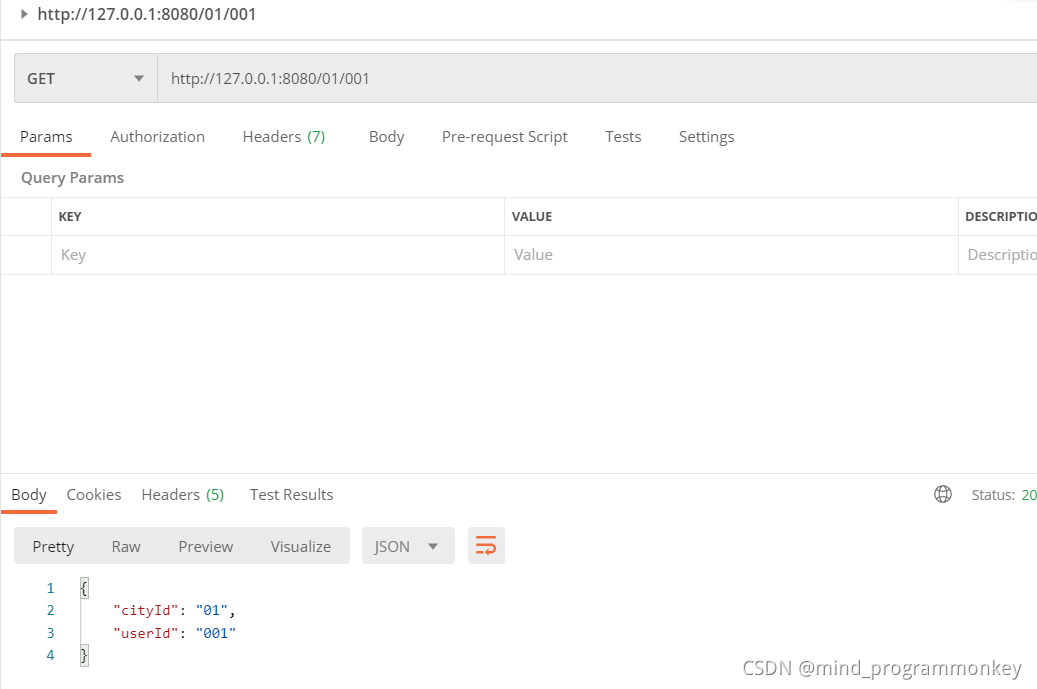
测试结果如下:
2.GetMapping从params中获取参数
    /**
     * GetMapping从params获取参数
     * @param form
     * @param size
     * @return
     */
    @GetMapping(value = "/v1/page_user1")
    public Object pageUser(int form,int size){
        params.clear();
        params.put("form",form);
        params.put("size",size);

        return  params;
    }
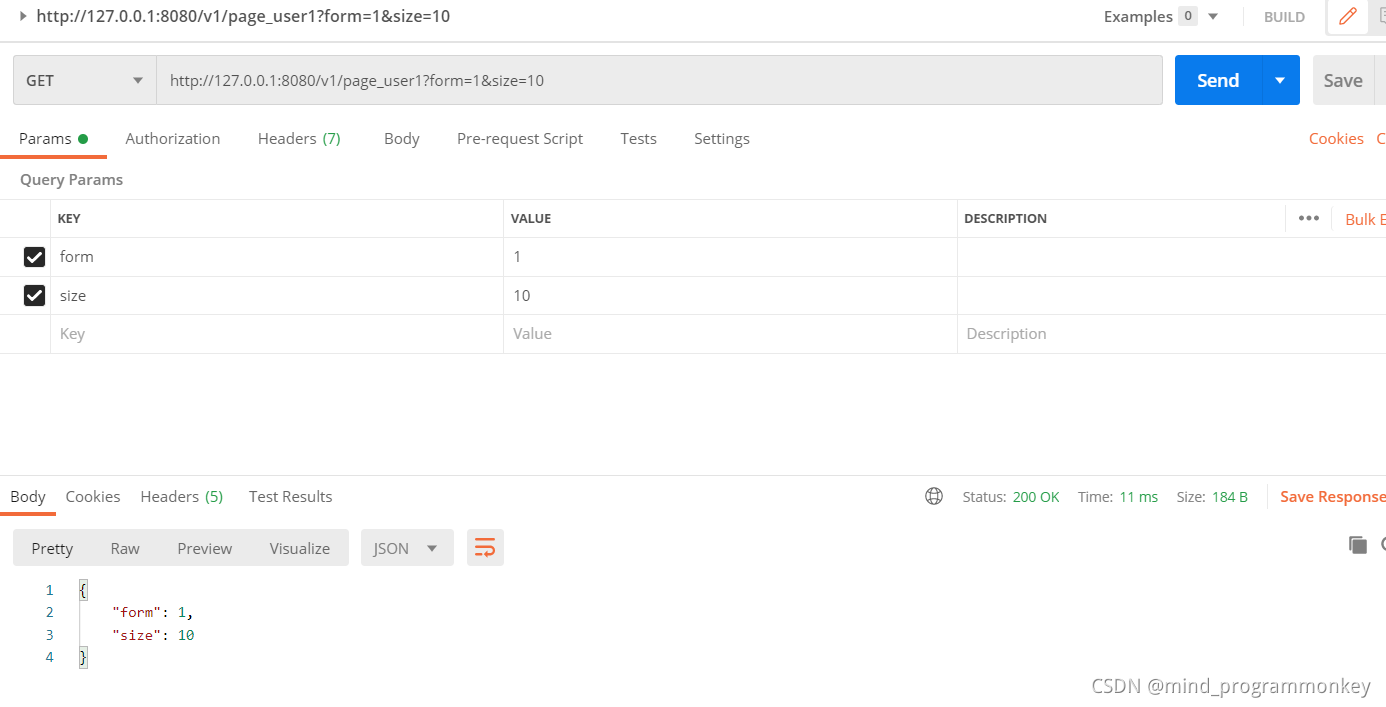
**测试结果 **
3.RequestParam给参数设定默认值
 /**
     * 功能描述:默认值,是否必须的参数
     * @param form
     * @param size
     * @return
     */
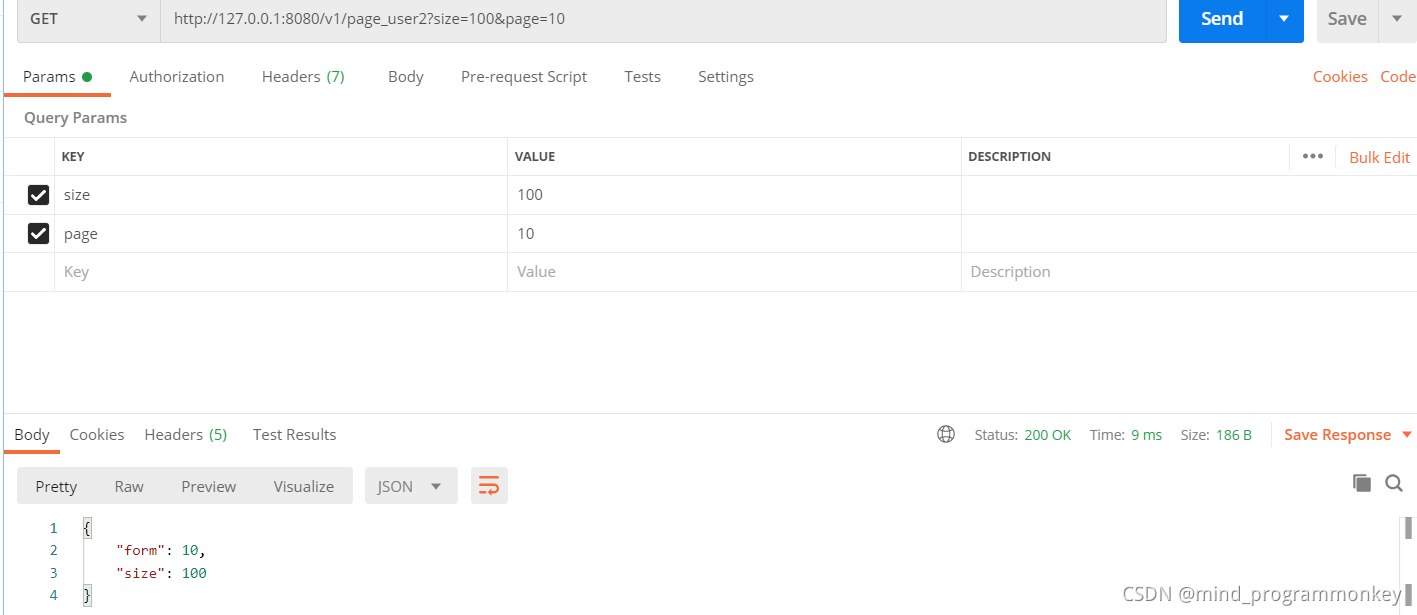
    @GetMapping(value = "/v1/page_user2")
    public Object pageUserV2(@RequestParam(defaultValue = "0",name="page") int form,int size){

        params.clear();
        params.put("form",form);
        params.put("size",size);
        return params;
    }
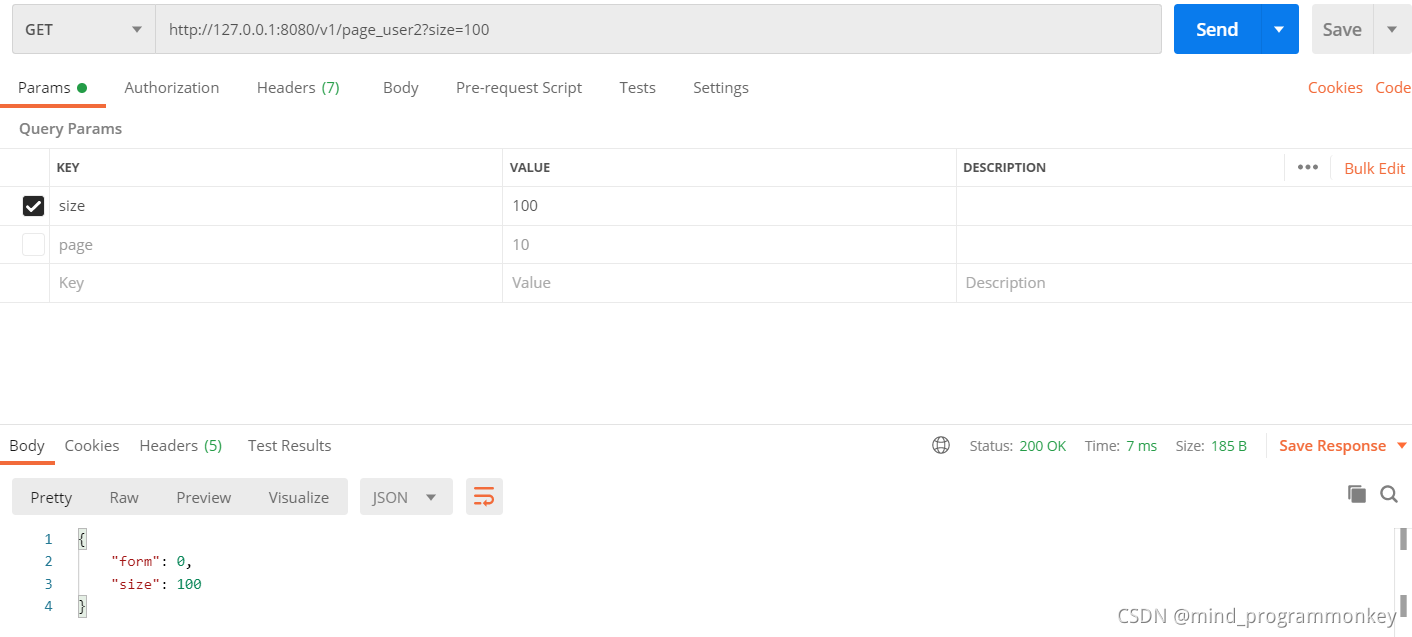
测试结果:
4.RequestBody从body给bean对象(User)传参
/**
     * 功能描述:bean对象传参
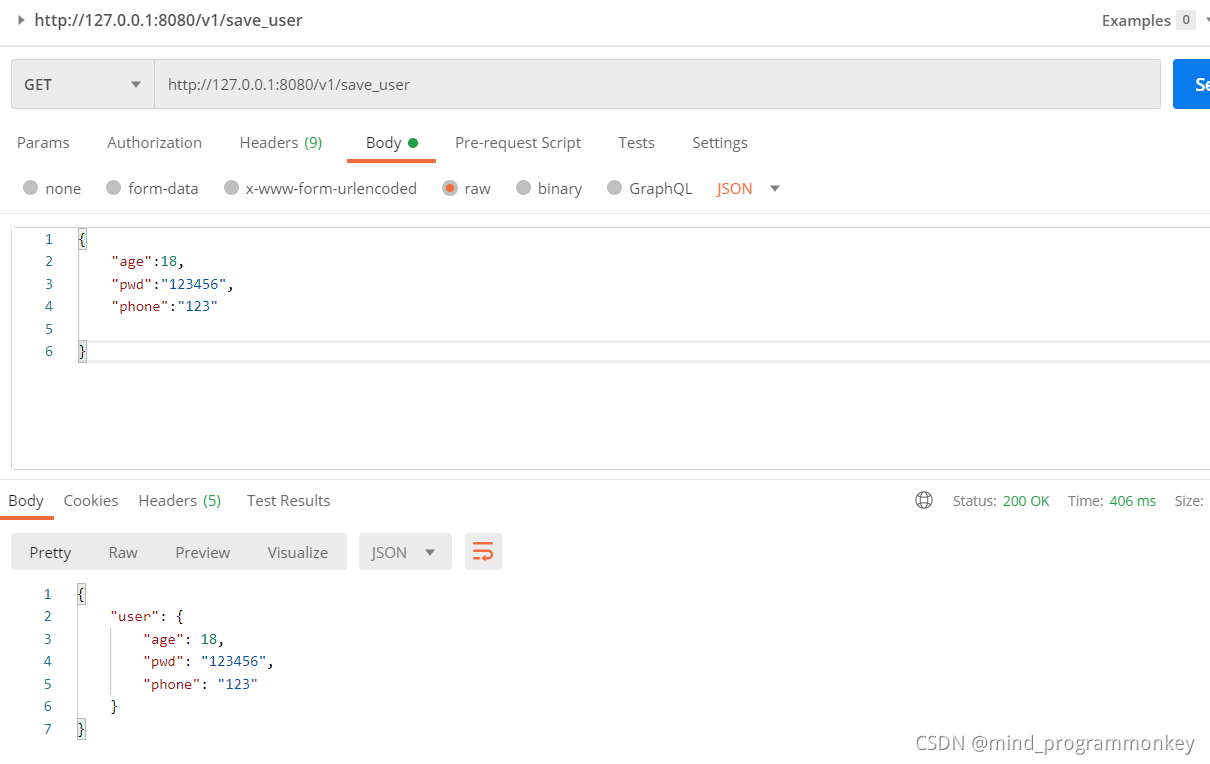
     * 注意:1、注意需要指定http头为content-type为application/json
     * 2、使用body传输数据
     * @param user
     * @return
     */
    @GetMapping(value = "/v1/save_user")
    public Object saveUser(@RequestBody User user){
        params.clear();
        params.put("user",user);
        return params;
    }
package com.example.spring_demo02.domain;

/**
 * @author : codingchao
 * @date : 2021-11-16 22:07
 * @Description:
 **/
public class User {
    private int age;
    private String pwd;
    private String phone;

    public User() {

    }

    public User(int age, String pwd, String phone) {
        this.age = age;
        this.pwd = pwd;
        this.phone = phone;
    }

    public int getAge() {
        return age;
    }

    public void setAge(int age) {
        this.age = age;
    }

    public String getPwd() {
        return pwd;
    }

    public void setPwd(String pwd) {
        this.pwd = pwd;
    }

    public String getPhone() {
        return phone;
    }

    public void setPhone(String phone) {
        this.phone = phone;
    }
}
测试结果 :
5.RequestHeader从headers获取http头信息
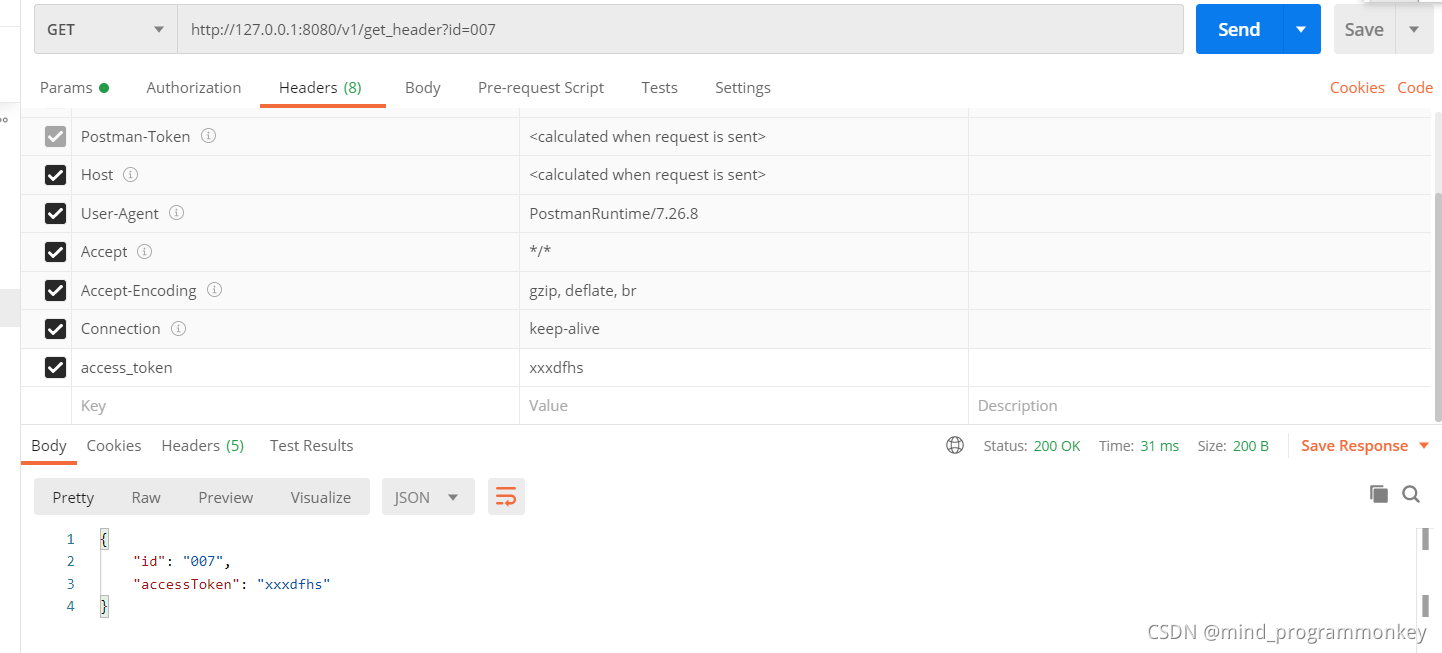
 @GetMapping(value = "/v1/get_header")
    public Object getHeader(@RequestHeader("access_token") String accessToken,String id){
        params.clear();
        params.put("accessToken",accessToken);
        params.put("id",id);
        return params;
    }
测试结果
6.HttpServletRequest获取请求中的参数
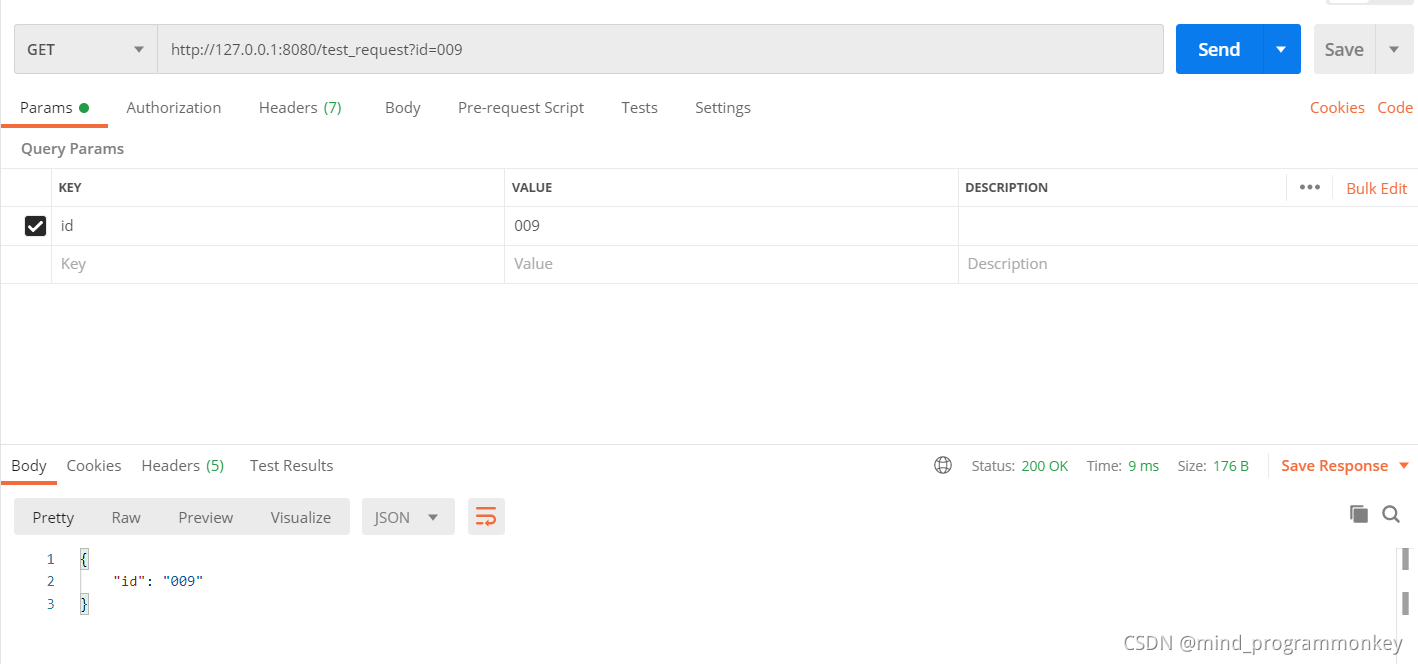
@GetMapping(value ="/test_request")
    public Object testRequest(HttpServletRequest request){
        params.clear();
        String id = request.getParameter("id");
        params.put("id",id);
        return params;
    }
测试结果
还有后续工作,大家点赞评论收藏关注走起来!!!学起来!!!





 扫一扫
扫一扫


 570
570


 到【灌水乐园】发言



