


需求如下:
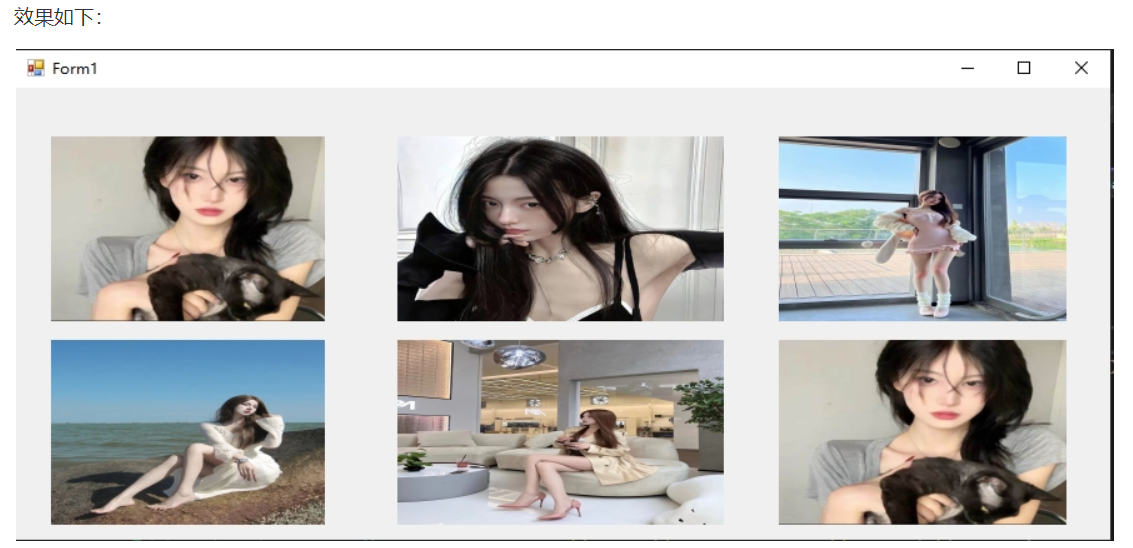
1. 当项目启动后,在窗口中均匀展示六张图片,并开始播放音乐
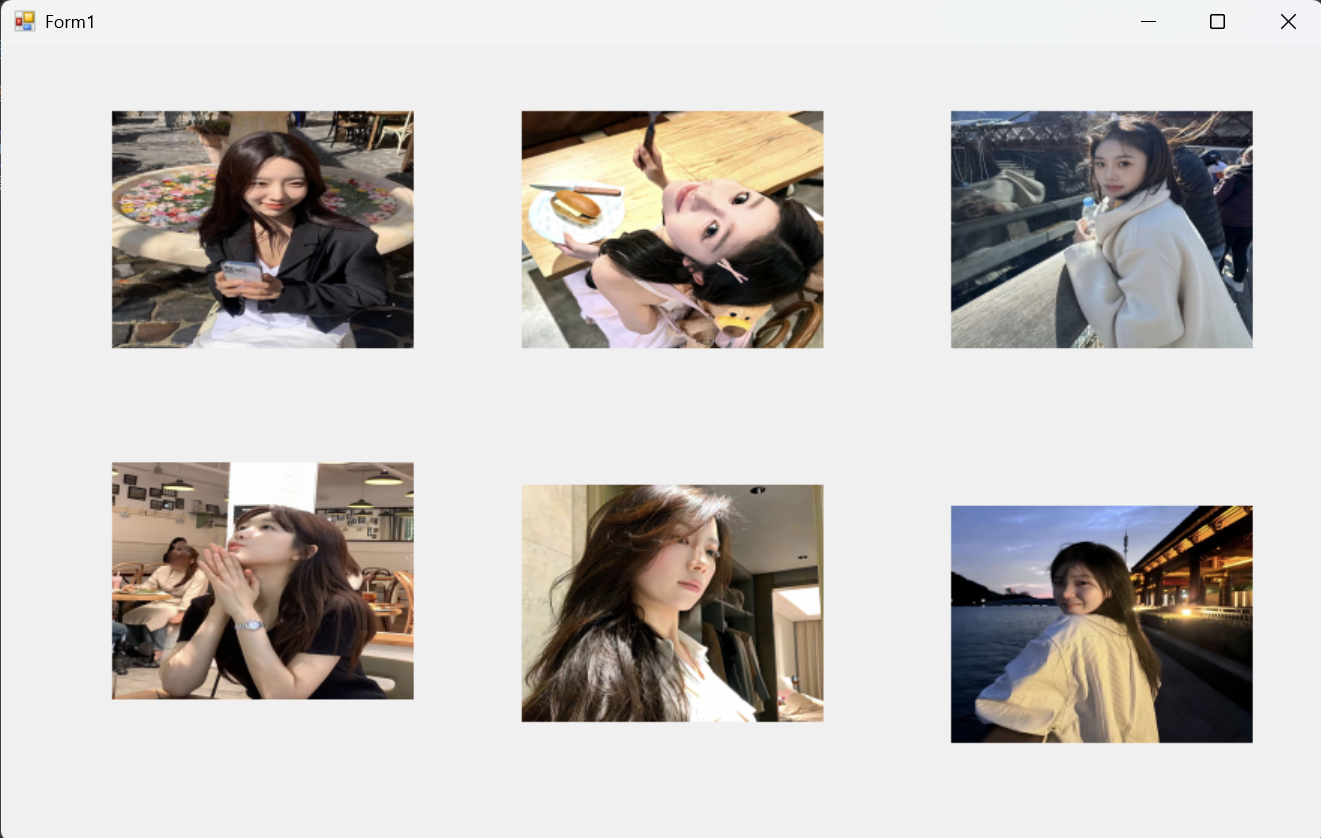
2. 每间隔一秒钟,随机选取图片库中六张图片进行展示。
效果预览:
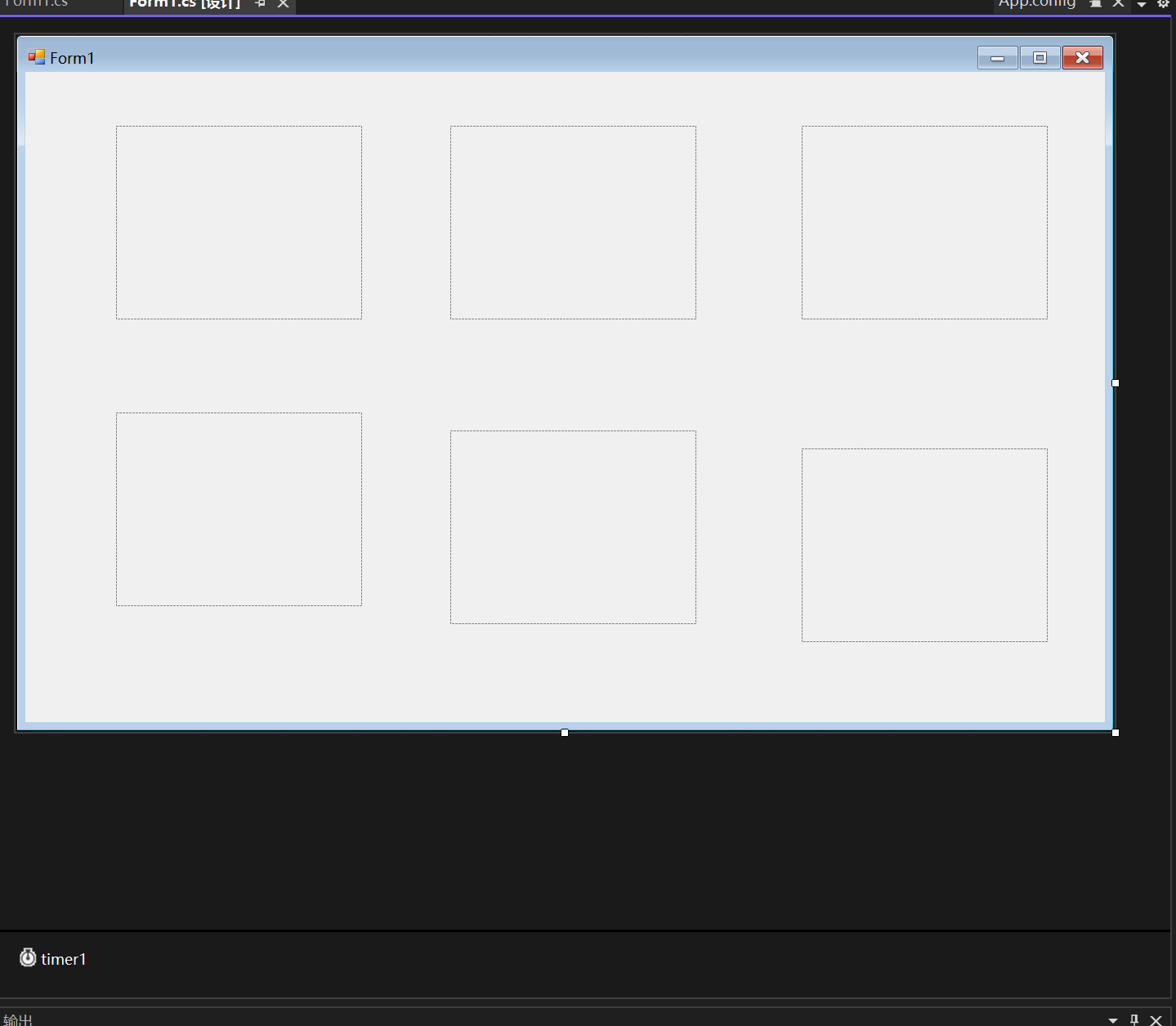
创建 Winform 项目并设计界面
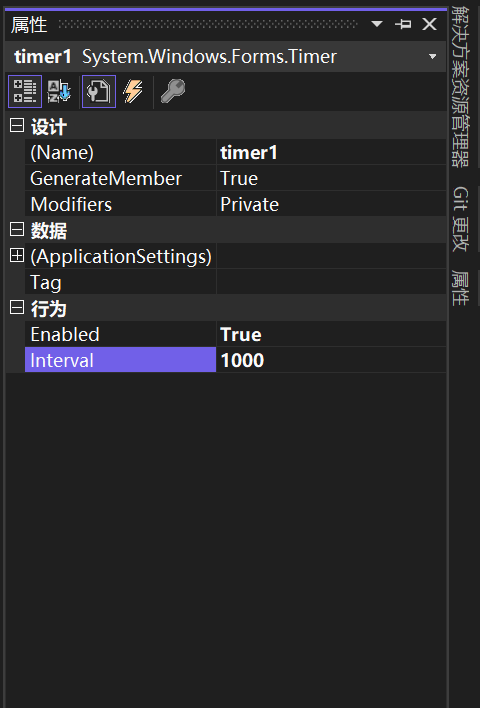
编写代码实现切换逻辑
using System;
using System.Collections.Generic;
using System.Drawing;
using System.IO;
using System.Media;
using System.Windows.Forms;

namespace 美女图像随机展示
{
    public partial class Form1 : Form
    {

        // 存储图片文件路径的数组:用于缓存所有图片路径
        private string[] imageFiles;
        // 随机数生成器:用于随机选择图片
        private Random random = new Random();
        // 音乐播放器对象:用于播放WAV格式音频
        private readonly SoundPlayer soundPlayer = new SoundPlayer();
        // 图片文件夹路径(可根据实际文件位置修改)
        private const string ImgFolderPath = "E:/桌面/图片";
        // 音乐文件路径(仅支持WAV格式,若需MP3需使用其他库如NAudio)
        private const string MusicFilePath = @"E:\桌面\音乐播放器案例素材\mp3\a七里香.wav";
        // 每次需要显示的不重复图片数量(固定为6,对应6个PictureBox)
        private const int RequiredPicCount = 6;


        public Form1()
        {
            InitializeComponent();
        }

        //窗口加载事件
        private void Form1_Load(object sender, EventArgs e)
        {
            // 1. 初始化图片资源(优先初始化,避免图片加载失败影响其他功能)
            InitImageResources();

            // 2. 初始化音乐播放(次要初始化,音频失败不影响图片功能)
            InitMusicPlayer();

            // 3. 启动时立即加载一次图片(避免窗口启动后PictureBox为空)
            UpdateAllPictures();
        }


        /// <summary>
        /// 初始化图片资源:检查文件夹存在性、读取图片路径、容错处理
        /// </summary>
        private void InitImageResources()
        {
            // 第一步:检查图片文件夹是否存在
            if (!Directory.Exists(ImgFolderPath))
            {
                // 弹出提示框告知用户路径错误,点击确定后关闭窗口
                MessageBox.Show(
                    text: $"图片文件夹不存在!\n请检查路径:{ImgFolderPath}",
                    caption: "错误提示",
                    buttons: MessageBoxButtons.OK,
                    icon: MessageBoxIcon.Error
                );
                this.Close(); // 关闭窗口,避免后续逻辑出错
                return;
            }
            // 第二步:读取文件夹中所有文件(默认读取所有类型,若需筛选图片格式可添加后缀过滤)
            // 若需仅读取图片格式:Directory.GetFiles(ImgFolderPath, "*.jpg|*.png|*.bmp", SearchOption.TopDirectoryOnly)
            imageFiles = Directory.GetFiles(ImgFolderPath);

            // 第三步:检查文件夹中是否有图片文件(避免空数组导致后续随机数报错)
            if (imageFiles.Length == 0)
            {
                MessageBox.Show(
                    text: $"图片文件夹中无可用图片!\n路径:{ImgFolderPath}",
                    caption: "警告提示",
                    buttons: MessageBoxButtons.OK,
                    icon: MessageBoxIcon.Warning
                );
                this.Close();
                return;
            }
        }


        /// <summary>
        /// 初始化音乐播放器:检查文件存在性、设置播放模式
        /// 注意:SoundPlayer仅支持WAV格式,不支持MP3(MP3需使用NAudio等第三方库)
        /// </summary>
        private void InitMusicPlayer()
        {
            // 检查音乐文件是否存在(容错处理,避免文件缺失导致播放失败)
            if (!File.Exists(MusicFilePath))
            {
                MessageBox.Show(
                    text: $"音乐文件不存在!\n请检查路径:{MusicFilePath}",
                    caption: "警告提示",
                    buttons: MessageBoxButtons.OK,
                    icon: MessageBoxIcon.Warning
                );
                return; // 仅提示不关闭窗口,允许图片功能正常使用
            }

            // 设置音频文件路径
            soundPlayer.SoundLocation = MusicFilePath;

            // 循环播放模式(Play():单次播放;PlayLooping():循环播放;PlaySync():同步播放(阻塞UI))
            soundPlayer.PlayLooping();

            // 可选:添加播放状态提示(若需)
            // MessageBox.Show("音乐已开始循环播放!", "提示", MessageBoxButtons.OK, MessageBoxIcon.Information);
        }
        /// <summary>
        /// Timer的Tick事件:每间隔Interval毫秒触发一次,用于更新图片
        /// 作用:实现图片自动切换的核心逻辑
        /// </summary>
        /// <param name="sender">事件触发源(此处为timer1)</param>
        /// <param name="e">事件参数(无额外数据)</param>
        private void timer1_Tick(object sender, EventArgs e)
        {
            // 直接更新图片
            UpdateAllPictures();
        }

        /// <summary>
        /// 批量更新所有PictureBox图片(核心修复:释放旧资源,避免内存泄漏)
        /// </summary>
        private void UpdateAllPictures()
        {
            if (imageFiles == null || imageFiles.Length == 0) { return; }

            // 第一步:获取6个不重复的随机图片路径(核心逻辑)
            List<string> randomUniquePicPaths = GetRandomUniquePicturePaths(RequiredPicCount);

            // 第二步:给每个PictureBox分配不重复的图片(按顺序赋值)
            SetRandomImage(pictureBox1, randomUniquePicPaths[0]);
            SetRandomImage(pictureBox2, randomUniquePicPaths[1]);
            SetRandomImage(pictureBox3, randomUniquePicPaths[2]);
            SetRandomImage(pictureBox4, randomUniquePicPaths[3]);
            SetRandomImage(pictureBox5, randomUniquePicPaths[4]);
            SetRandomImage(pictureBox6, randomUniquePicPaths[5]);
        }

        /// <summary>
        /// 获取指定数量的不重复随机图片路径
        /// </summary>
        /// <param name="count">需要的图片数量</param>
        /// <returns>不重复的图片路径列表</returns>
        private List<string> GetRandomUniquePicturePaths(int count)
        {
            List<string> uniquePaths = new List<string>();
            List<int> usedIndexes = new List<int>(); // 记录已使用的图片索引(避免重复)

            while (uniquePaths.Count < count)
            {
                // 生成随机索引(0 ~ 图片总数-1)
                int randomIndex = random.Next(imageFiles.Length);

                // 若索引未使用过,则添加到结果列表
                if (!usedIndexes.Contains(randomIndex))
                {
                    usedIndexes.Add(randomIndex);
                    uniquePaths.Add(imageFiles[randomIndex]);
                }
            }
            return uniquePaths;
        }

        /// <summary>
        /// 给单个PictureBox设置图片(保留资源释放逻辑)
        /// </summary>
        /// <param name="pb">目标PictureBox</param>
        /// <param name="picPath">图片路径</param>
        private void SetRandomImage(PictureBox pb, string picPath)
        {
            try
            {
                // 释放旧图片资源(避免内存泄漏)
                if (pb.Image != null)
                {
                    pb.Image.Dispose();
                    pb.Image = null;
                }

                // 加载并设置新图片
                pb.Image = Image.FromFile(picPath);
                pb.SizeMode = PictureBoxSizeMode.StretchImage; // 自适应大小
            }
            catch (Exception ex)
            {
                MessageBox.Show($"加载图片失败:{ex.Message}", "提示", MessageBoxButtons.OK, MessageBoxIcon.Information);
            }
        }

        /// <summary>
        /// 窗口关闭时触发:释放所有资源(避免程序退出后内存残留)
        /// </summary>
        private void Form1_FormClosing(object sender, FormClosingEventArgs e)
        {
            // 1. 停止音乐并释放播放器资源
            soundPlayer.Stop();
            soundPlayer.Dispose();

            // 2. 释放所有PictureBox的图片资源
            ReleasePictureResource(pictureBox1);
            ReleasePictureResource(pictureBox2);
            ReleasePictureResource(pictureBox3);
            ReleasePictureResource(pictureBox4);
            ReleasePictureResource(pictureBox5);
            ReleasePictureResource(pictureBox6);

            // 3. 释放Timer资源
            timer1.Dispose();
        }

        /// <summary>
        /// 辅助方法:释放单个PictureBox的图片资源
        /// </summary>
        /// <param name="pb">要释放资源的PictureBox</param>
        private void ReleasePictureResource(PictureBox pb)
        {
            if (pb != null && pb.Image != null)
            {
                pb.Image.Dispose();
                pb.Image = null;
            }
        }
    }
}
效果演示





 扫一扫
扫一扫


 被折叠的 条评论
为什么被折叠?
被折叠的 条评论
为什么被折叠?
 到【灌水乐园】发言





