






使用:
1.连接安卓手机。
adb devices
check是否连接ok
2.执行下面脚本,会弹出手机当前跳一跳界面,点击图片中起点和终点,程序自动执行跳跃,跳跃完成后刷新图片,继续点击继续跳跃…
import os
import PIL
import numpy
import matplotlib

matplotlib.use('TKAgg')
import matplotlib.pyplot as plt
import time

from matplotlib.animation import FuncAnimation

# 是否需要进行图片更新
need_update = True

def get_screen_image():
    # 截取手机当前图片
    os.system('adb shell screencap -p /sdcard/screen.png')
    # 拉取到PC端
    os.system('adb pull /sdcard/screen.png')
    # 将图像转成数组返回
    return numpy.array(PIL.Image.open('screen.png'))

def jump_to_next(point1, point2):
    x1, y1 = point1;
    x2, y2 = point2
    distance = ((x2 - x1) ** 2 + (y2 - y1) ** 2) ** 0.5
    # 计算按压指令和按压时长
    os.system("adb shell input touchscreen swipe 320 410 320 410 %d" % (distance * 1.35))

def on_clack(event, coor=[]):
    global need_update
    coor.append((event.xdata, event.ydata))
    if len(coor) == 2:
        # 执行跳步指令
        jump_to_next(coor.pop(), coor.pop())
    # 进行图片刷新
    need_update = True

def update_screen(frame):
    global need_update
    if need_update:
        time.sleep(2)
        axes_image.set_array(get_screen_image())
        # 已刷新,设置为false
        need_update = False
    return axes_image,


figure = plt.figure()
axes_image = plt.imshow(get_screen_image(), animated=True)
figure.canvas.mpl_connect('button_press_event', on_clack)
# 定时更新
ani = FuncAnimation(figure, update_screen, interval=50, blit=True)
plt.show()


黑客/网络安全学习包


资料目录
-
成长路线图&学习规划
-
配套视频教程
-
SRC&黑客文籍
-
护网行动资料
-
黑客必读书单
-
面试题合集
因篇幅有限,仅展示部分资料,需要点击下方链接即可前往获取
优快云大礼包:《黑客&网络安全入门&进阶学习资源包》免费分享
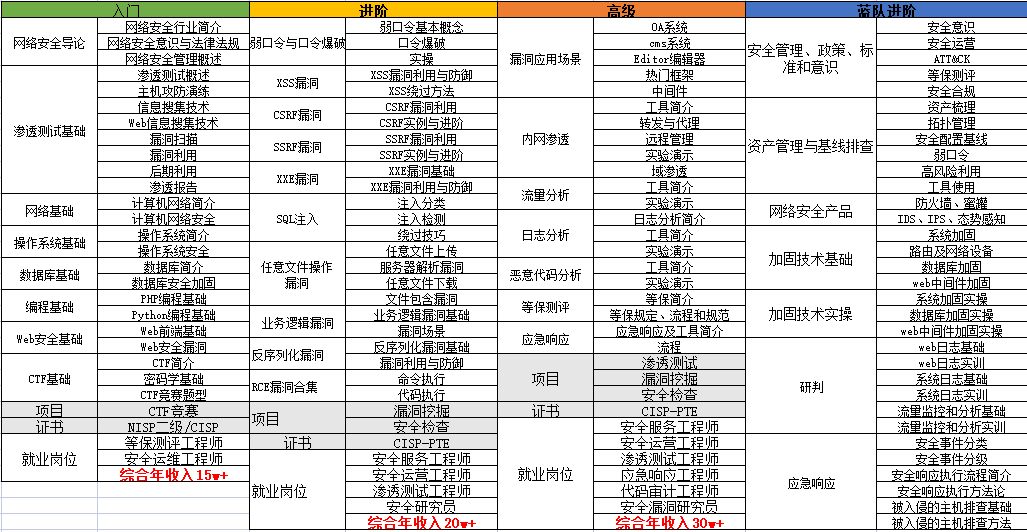
1.成长路线图&学习规划
要学习一门新的技术,作为新手一定要先学习成长路线图,方向不对,努力白费。
对于从来没有接触过网络安全的同学,我们帮你准备了详细的学习成长路线图&学习规划。可以说是最科学最系统的学习路线,大家跟着这个大的方向学习准没问题。

因篇幅有限,仅展示部分资料,需要点击下方链接即可前往获取
优快云大礼包:《黑客&网络安全入门&进阶学习资源包》免费分享
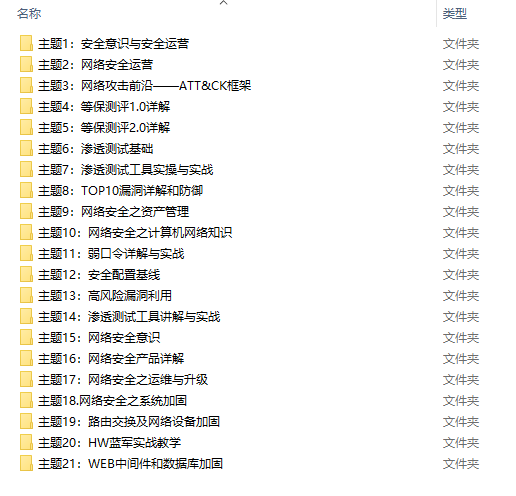
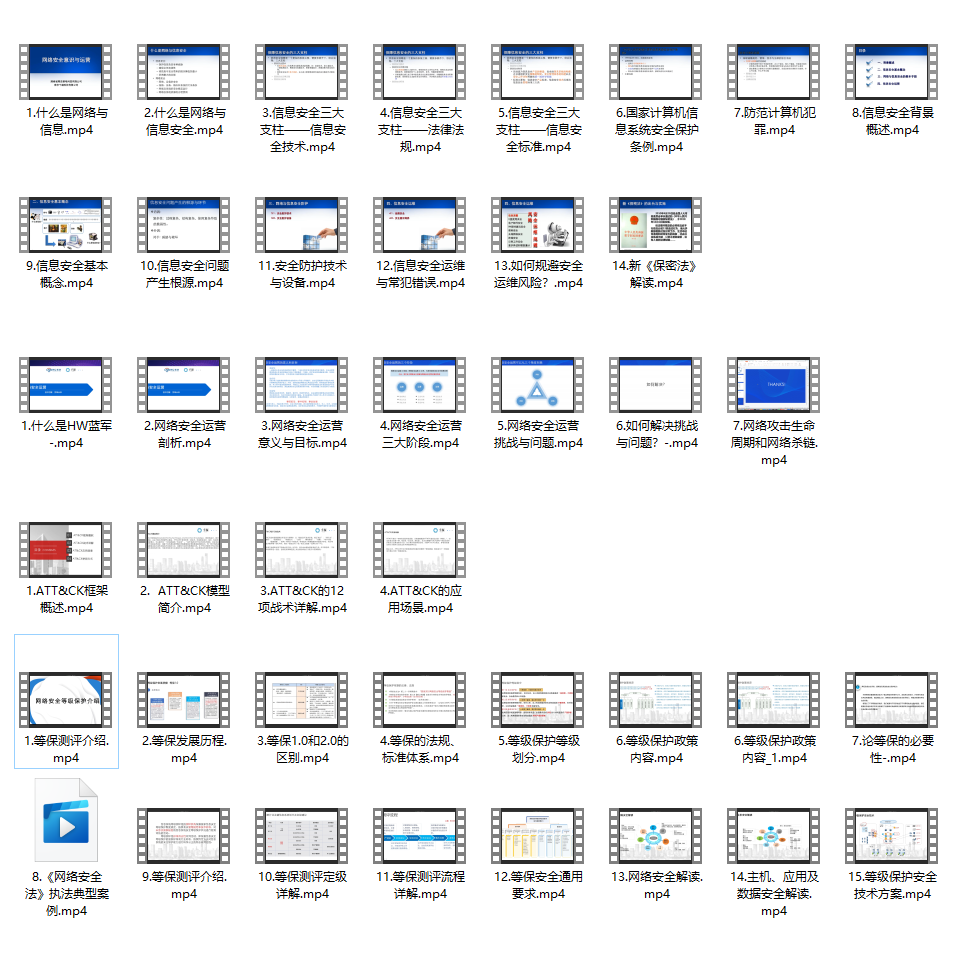
2.视频教程
很多朋友都不喜欢晦涩的文字,我也为大家准备了视频教程,其中一共有21个章节,每个章节都是当前板块的精华浓缩。
因篇幅有限,仅展示部分资料,需要点击下方链接即可前往获取
优快云大礼包:《黑客&网络安全入门&进阶学习资源包》免费分享
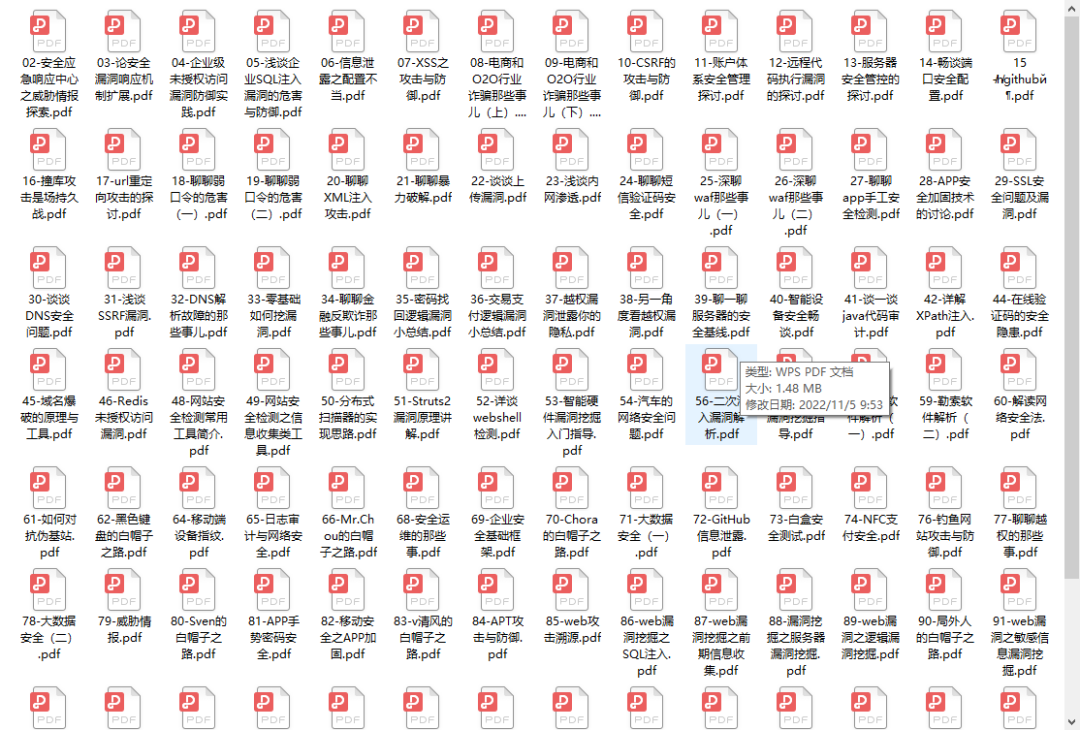
3.SRC&黑客文籍
大家最喜欢也是最关心的SRC技术文籍&黑客技术也有收录
SRC技术文籍:
黑客资料由于是敏感资源,这里不能直接展示哦!
4.护网行动资料
其中关于HW护网行动,也准备了对应的资料,这些内容可相当于比赛的金手指!
5.黑客必读书单
**

**
6.面试题合集
当你自学到这里,你就要开始思考找工作的事情了,而工作绕不开的就是真题和面试题。
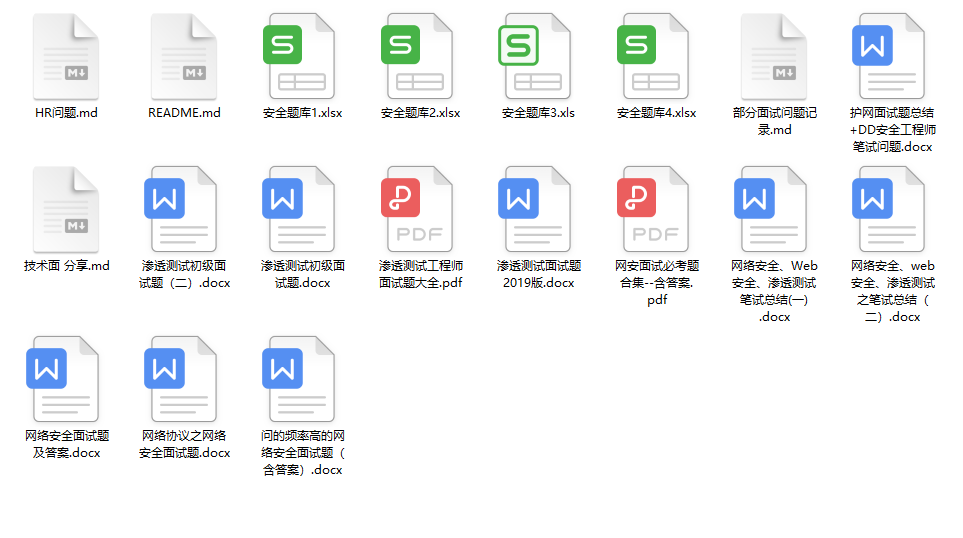
更多内容为防止和谐,可以扫描获取~

因篇幅有限,仅展示部分资料,需要点击下方链接即可前往获取





 扫一扫
扫一扫


 1万+
1万+

 被折叠的 条评论
为什么被折叠?
被折叠的 条评论
为什么被折叠?
 到【灌水乐园】发言





