Python绘画案例4——用Python的turtle模块画烟花秀,包含源码
写在开始
这个Python专栏大概会出一百多个绘画作品,大家有喜欢的收藏关注一下,谢谢咯~
运行结果展示
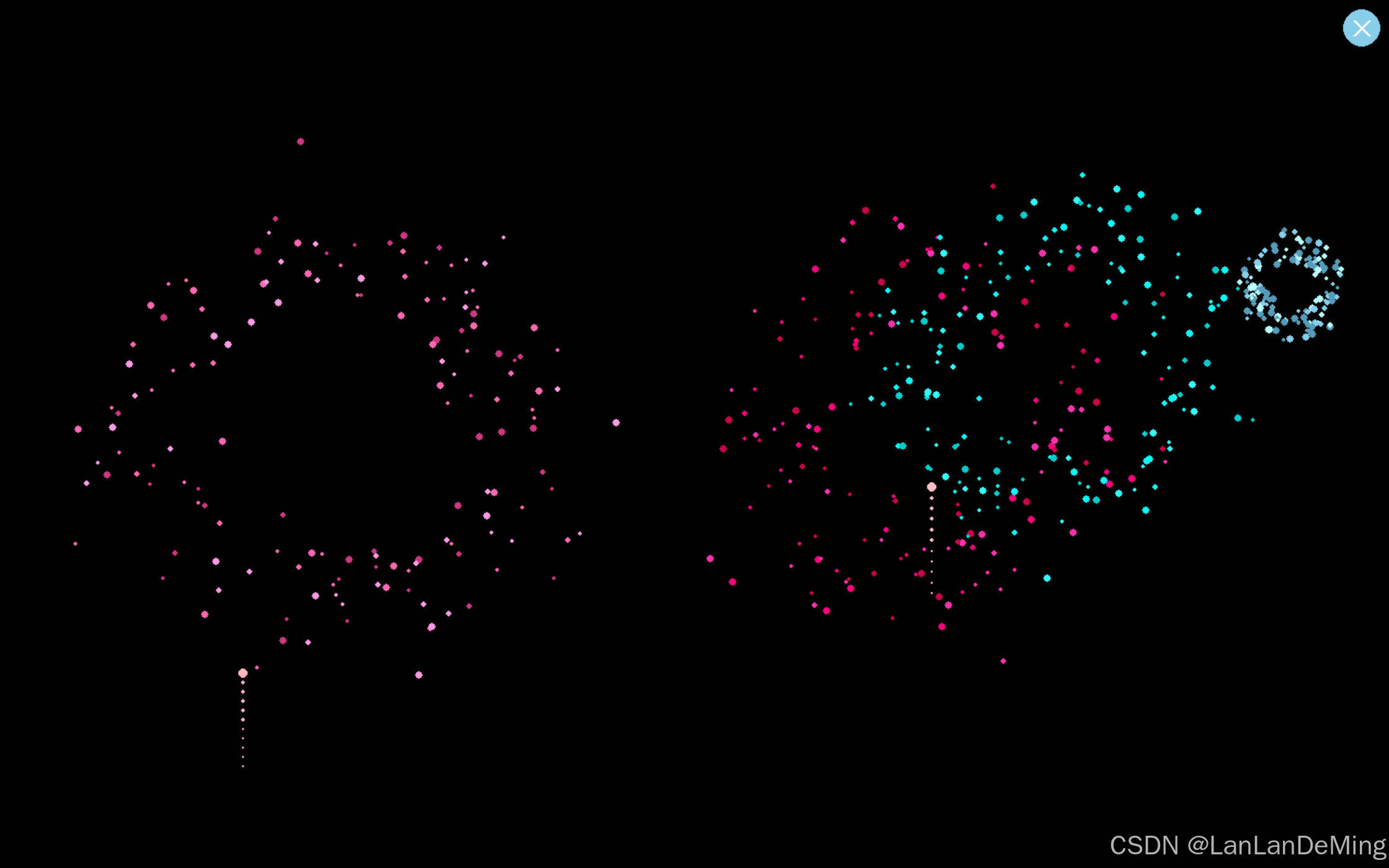
话不多说,展示源代码
import pygame
import random
import math
pygame.init()
info = pygame.display.Info()
WIDTH, HEIGHT = info.current_w, info.current_h
CLOSE_BUTTON_RADIUS = 20
CLOSE_BUTTON_POS = (WIDTH - CLOSE_BUTTON_RADIUS - 10, CLOSE_BUTTON_RADIUS + 10)
FPS = 60
COLORS = [
(255,255,255),
(240,230,140),
(135,206,235),
(0,0,255),
(0,255,255),
(255,192,203),
(255,182,193),
(255,20,147),
(255,105,180),
(255,0,127),
(199,21,133)
]
class Firework:
def __init__(self):
self.x = random.randint(50, WIDTH - 50)
self.y = HEIGHT
self.base_color = random.choice(COLORS)
self.speed = random.uniform(8, 12)
self.trail = []
self.exploded = False
def move(self):
self.y -= self.speed
self.trail.append((self.x, self.y))
if len(self.trail) > 15:
self.trail.pop(0)
if self.y < HEIGHT * 0.3 + random.randint(-50, 50):
self.explode()
return False
return True
def explode(self):
global sparks
explosion_colors = [
self.base_color,
(min(self.base_color[0] + 50, 255),
min(self.base_color[1] + 50, 255),
min(self.base_color[2] + 50, 255)),
(max(self.base_color[0] - 50, 0),
max(self.base_color[1] - 50, 0),
max(self.base_color[2] - 50, 0))
]
for _ in range(150):
angle = random.uniform(0, 2 * math.pi)
speed = random.uniform(4, 8)
life = random.randint(80, 120)
sparks.append(Spark(
self.x, self.y,
random.choice(explosion_colors),
angle, speed, life
))
class Spark:
def __init__(self, x, y, color, angle, speed, life):
self.x = x
self.y = y
self.color = color
self.vx = math.cos(angle) * speed * random.uniform(0.8, 1.2)
self.vy = math.sin(angle) * speed * random.uniform(0.8, 1.2)
self.life = life
self.gravity = 0.25 + random.random() * 0.1
self.size = random.randint(2, 4)
def update(self):
self.x += self.vx
self.y += self.vy
self.vy += self.gravity
self.life -= 2
return self.life > 0
def resize_screen():
global WIDTH, HEIGHT
WIDTH, HEIGHT = pygame.display.get_surface().get_size()
screen = pygame.display.set_mode((WIDTH, HEIGHT), pygame.FULLSCREEN | pygame.SCALED)
pygame.display.set_caption("烟花秀")
clock = pygame.time.Clock()
fireworks = []
sparks = []
running = True
while running:
for event in pygame.event.get():
if event.type == pygame.QUIT:
running = False
elif event.type == pygame.VIDEORESIZE:
resize_screen()
elif event.type == pygame.MOUSEBUTTONDOWN:
if event.button == 1:
mouse_pos = pygame.mouse.get_pos()
distance = math.hypot(mouse_pos[0] - CLOSE_BUTTON_POS[0],
mouse_pos[1] - CLOSE_BUTTON_POS[1])
if distance <= CLOSE_BUTTON_RADIUS:
running = False
screen.fill((0, 0, 0))
pygame.draw.circle(screen, (135,206,235), CLOSE_BUTTON_POS, CLOSE_BUTTON_RADIUS)
offset = 8
pygame.draw.line(screen, (255, 255, 255),
(CLOSE_BUTTON_POS[0] - offset, CLOSE_BUTTON_POS[1] - offset),
(CLOSE_BUTTON_POS[0] + offset, CLOSE_BUTTON_POS[1] + offset), 3)
pygame.draw.line(screen, (255, 255, 255),
(CLOSE_BUTTON_POS[0] + offset, CLOSE_BUTTON_POS[1] - offset),
(CLOSE_BUTTON_POS[0] - offset, CLOSE_BUTTON_POS[1] + offset), 3)
if random.random() < 0.04:
fireworks.append(Firework())
for fw in fireworks:
for i, pos in enumerate(fw.trail):
alpha = 255 * (i / len(fw.trail))
pygame.draw.circle(screen, fw.base_color + (int(alpha),), pos, 3 * (i / len(fw.trail)))
for fw in fireworks[:]:
if fw.move():
pygame.draw.circle(screen, fw.base_color, (int(fw.x), int(fw.y)), 5)
else:
fireworks.remove(fw)
for sp in sparks[:]:
if sp.update():
alpha = max(0, min(255, int(255 * (sp.life / 120))))
pygame.draw.circle(screen, sp.color + (alpha,), (int(sp.x), int(sp.y)), sp.size)
else:
sparks.remove(sp)
pygame.display.flip()
clock.tick(FPS)
pygame.quit()









 扫一扫
扫一扫


 1168
1168

 被折叠的 条评论
为什么被折叠?
被折叠的 条评论
为什么被折叠?
 到【灌水乐园】发言





