


💥💥💥💥💥💥💥💥💞💞💞💞💞💞💞💞💞Matlab武动乾坤博客之家💞💞💞💞💞💞💞💞💞💥💥💥💥💥💥💥💥
🚀🚀🚀🚀🚀🚀🚀🚀🚀🚀🚤🚤🚤🚤🚤🚤🚤🚤🚤🚤🚤🚤🚤🚤🚤🚤🚤🚤🚤🚤🚀🚀🚀🚀🚀🚀🚀🚀🚀🚀

🔊博主简介:985研究生,Matlab领域科研开发者;
🚅座右铭:行百里者,半于九十。
🏆代码获取方式:
优快云 Matlab武动乾坤—代码获取方式
更多Matlab图像处理仿真内容点击👇
①Matlab图像处理(进阶版)
⛳️关注优快云 Matlab武动乾坤,更多资源等你来!!
⛄一、简介
理论知识参考文献:图像印刷质量的客观评价——以报纸印刷为例
⛄二、部分源代码
function varargout = Kgpj(varargin)
%KGPJ M-file for Kgpj.fig
% KGPJ, by itself, creates a new KGPJ or raises the existing
% singleton*.
%
% H = KGPJ returns the handle to a new KGPJ or the handle to
% the existing singleton*.
%
% KGPJ(‘Property’,‘Value’,…) creates a new KGPJ using the
% given property value pairs. Unrecognized properties are passed via
% varargin to Kgpj_OpeningFcn. This calling syntax produces a
% warning when there is an existing singleton*.
%
% KGPJ(‘CALLBACK’) and KGPJ(‘CALLBACK’,hObject,…) call the
% local function named CALLBACK in KGPJ.M with the given input
% arguments.
%
% *See GUI Options on GUIDE’s Tools menu. Choose “GUI allows only one
% instance to run (singleton)”.
%
%
%
%
% Begin initialization code - DO NOT EDIT
gui_Singleton = 1;
gui_State = struct(‘gui_Name’, mfilename, …
‘gui_Singleton’, gui_Singleton, …
‘gui_OpeningFcn’, @Kgpj_OpeningFcn, …
‘gui_OutputFcn’, @Kgpj_OutputFcn, …
‘gui_LayoutFcn’, [], …
‘gui_Callback’, []);
if nargin && ischar(varargin{1})
gui_State.gui_Callback = str2func(varargin{1});
end
if nargout
[varargout{1:nargout}] = gui_mainfcn(gui_State, varargin{:});
else
gui_mainfcn(gui_State, varargin{:});
end
% End initialization code - DO NOT EDIT
% — Executes just before Kgpj is made visible.
function Kgpj_OpeningFcn(hObject, eventdata, handles, varargin)
% This function has no output args, see OutputFcn.
% hObject handle to figure
% eventdata reserved - to be defined in a future version of MATLAB
% handles structure with handles and user data (see GUIDATA)
% varargin unrecognized PropertyName/PropertyValue pairs from the
% command line (see VARARGIN)
% Choose default command line output for Kgpj
handles.output = hObject;
% Update handles structure
guidata(hObject, handles);
% UIWAIT makes Kgpj wait for user response (see UIRESUME)
% uiwait(handles.figure1);
% — Outputs from this function are returned to the command line.
function varargout = Kgpj_OutputFcn(hObject, eventdata, handles)
% varargout cell array for returning output args (see VARARGOUT);
% hObject handle to figure
% eventdata reserved - to be defined in a future version of MATLAB
% handles structure with handles and user data (see GUIDATA)
% Get default command line output from handles structure
varargout{1} = handles.output;
% — Executes on button press in pushbuttonLoadImage.
function pushbuttonLoadImage_Callback(hObject, eventdata, handles)
% hObject handle to pushbuttonLoadImage (see GCBO)
% eventdata reserved - to be defined in a future version of MATLAB
% handles structure with handles and user data (see GUIDATA)
filter = { …
‘.bmp;.jpg;.gif;.emf’, ‘所有图像文件 (.bmp; .jpg; .gif; emf)'; …
'.bmp’, '位图文件 (.bmp)'; …
'.jpg’, 'JPEG文件 (.jpg)’; …
‘.gif’, 'GIF文件 (.gif)’; …
‘.emf’, '图元文件 (.emf)’; …
‘.’, ‘所有文件 (.)’ …
};
% 选择文件
[filename, pathname] = uigetfile( filter, ‘打开…’);
if isequal(filename,0) | isequal(pathname,0), return, end
% 读入图像并显示
[X, map] = imread([pathname filename]);
colormap(map)
image(X)
% 设置坐标系为适合显示图像的方式
% axis imageset(gca, ‘vis’, ‘off’)
set(gcf,‘UserData’,X);
% — Executes during object creation, after setting all properties.
function pushbuttonLoadImage_CreateFcn(hObject, eventdata, handles)
% hObject handle to pushbuttonLoadImage (see GCBO)
% eventdata reserved - to be defined in a future version of MATLAB
% handles empty - handles not created until after all CreateFcns called
% — Executes on selection change in popupmenu.
function popupmenu_Callback(hObject, eventdata, handles)
% hObject handle to popupmenu (see GCBO)
% eventdata reserved - to be defined in a future version of MATLAB
% handles structure with handles and user data (see GUIDATA)
% Hints: contents = cellstr(get(hObject,‘String’)) returns popupmenu contents as cell array
% contents{get(hObject,‘Value’)} returns selected item from popupmenu
% — Executes during object creation, after setting all properties.
function popupmenu_CreateFcn(hObject, eventdata, handles)
% hObject handle to popupmenu (see GCBO)
% eventdata reserved - to be defined in a future version of MATLAB
% handles empty - handles not created until after all CreateFcns called
% Hint: popupmenu controls usually have a white background on Windows.
% See ISPC and COMPUTER.
if ispc && isequal(get(hObject,‘BackgroundColor’), get(0,‘defaultUicontrolBackgroundColor’))
set(hObject,‘BackgroundColor’,‘white’);
end
function editJG_Callback(hObject, eventdata, handles)
% hObject handle to editJG (see GCBO)
% eventdata reserved - to be defined in a future version of MATLAB
% handles structure with handles and user data (see GUIDATA)
% Hints: get(hObject,‘String’) returns contents of editJG as text
% str2double(get(hObject,‘String’)) returns contents of editJG as a double
% — Executes during object creation, after setting all properties.
function editJG_CreateFcn(hObject, eventdata, handles)
% hObject handle to editJG (see GCBO)
% eventdata reserved - to be defined in a future version of MATLAB
% handles empty - handles not created until after all CreateFcns called
% Hint: edit controls usually have a white background on Windows.
% See ISPC and COMPUTER.
if ispc && isequal(get(hObject,‘BackgroundColor’), get(0,‘defaultUicontrolBackgroundColor’))
set(hObject,‘BackgroundColor’,‘white’);
end
function SF = SpaceFrequency(image)
%计算空间频率
%=============================================
%空间频率反映了一幅图像空间域的总体活跃度
%=============================================
% clear all
% [filename,pathname]=uigetfile(‘.’,‘图像’);
% A=imread([pathname,filename]);
A=image;
%s=size(size(A));
%if s(2)==3
% A=rgb2gray(A);
%end
A=double(A);
[M,N]=size(A);
sum1=0;
sum2=0;
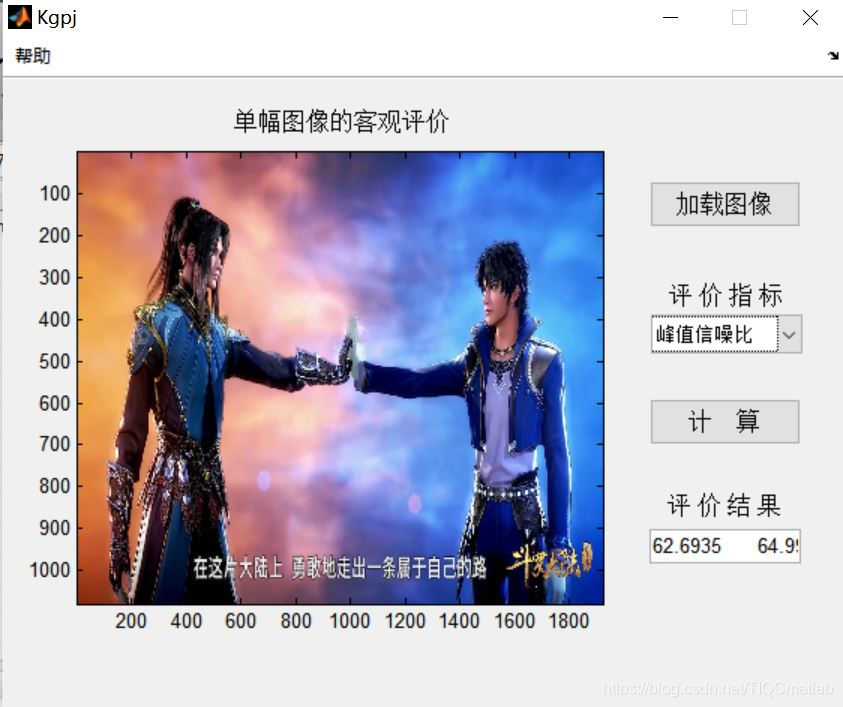
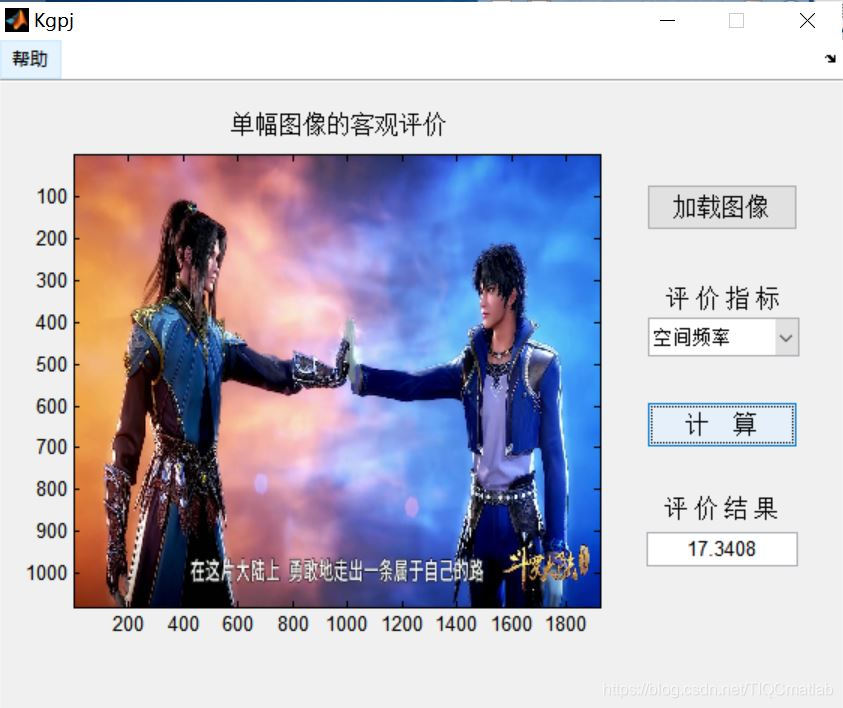
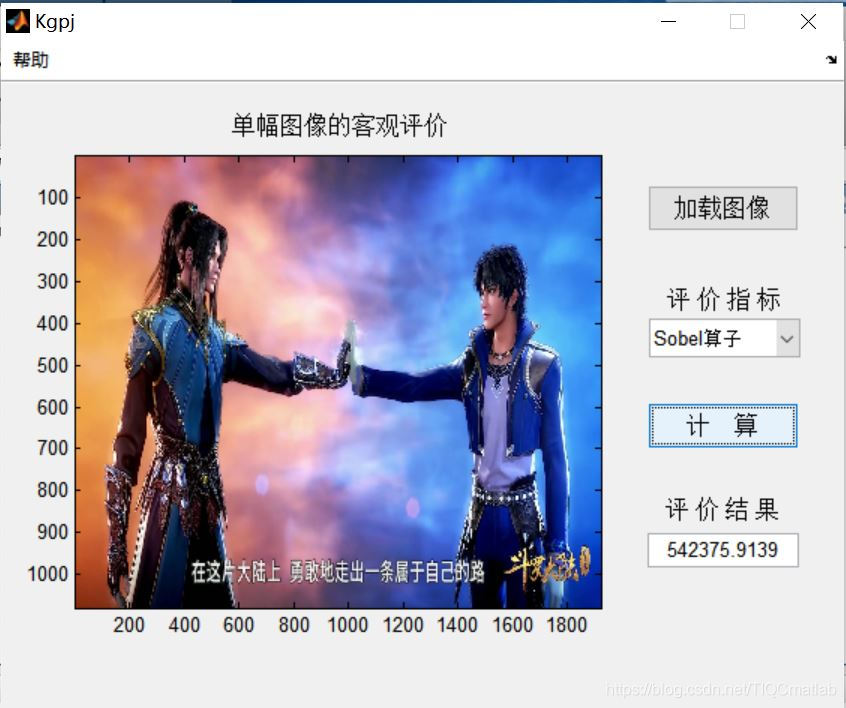
⛄三、运行结果
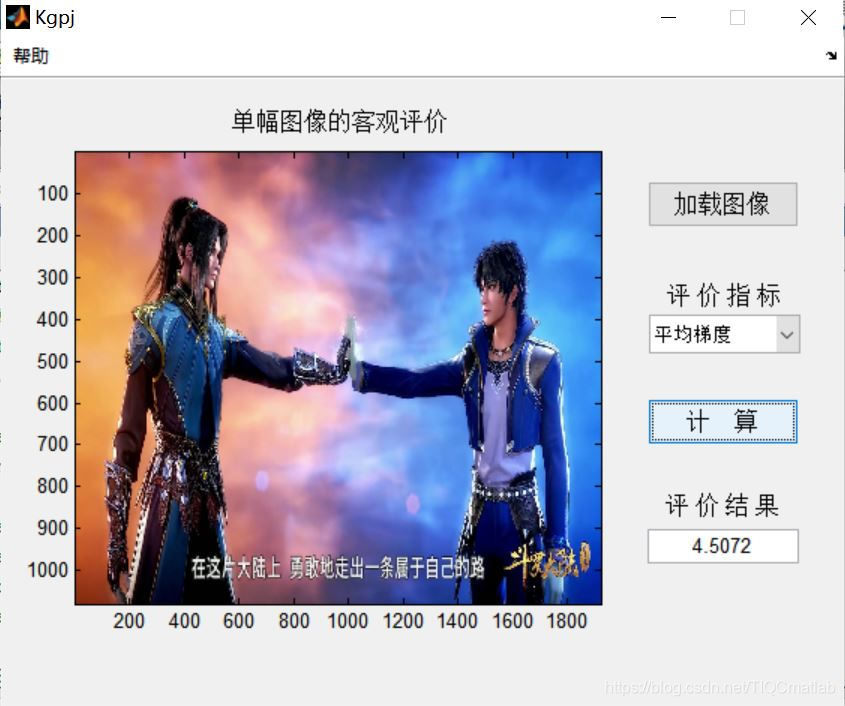
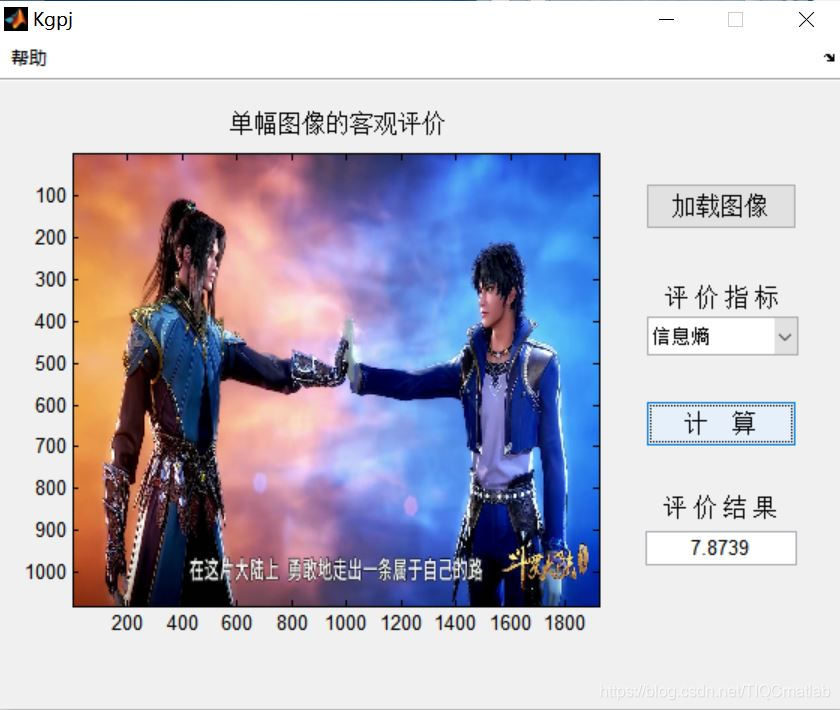
⛄四、matlab版本及参考文献
1 matlab版本
2014a
2 参考文献
[1]李保强.图像印刷质量的客观评价——以报纸印刷为例[J].印刷杂志. 2021,(04)
3 备注
简介此部分摘自互联网,仅供参考,若侵权,联系删除
🍅 仿真咨询
1 各类智能优化算法改进及应用
生产调度、经济调度、装配线调度、充电优化、车间调度、发车优化、水库调度、三维装箱、物流选址、货位优化、公交排班优化、充电桩布局优化、车间布局优化、集装箱船配载优化、水泵组合优化、解医疗资源分配优化、设施布局优化、可视域基站和无人机选址优化
2 机器学习和深度学习方面
卷积神经网络(CNN)、LSTM、支持向量机(SVM)、最小二乘支持向量机(LSSVM)、极限学习机(ELM)、核极限学习机(KELM)、BP、RBF、宽度学习、DBN、RF、RBF、DELM、XGBOOST、TCN实现风电预测、光伏预测、电池寿命预测、辐射源识别、交通流预测、负荷预测、股价预测、PM2.5浓度预测、电池健康状态预测、水体光学参数反演、NLOS信号识别、地铁停车精准预测、变压器故障诊断
3 图像处理方面
图像识别、图像分割、图像检测、图像隐藏、图像配准、图像拼接、图像融合、图像增强、图像压缩感知
4 路径规划方面
旅行商问题(TSP)、车辆路径问题(VRP、MVRP、CVRP、VRPTW等)、无人机三维路径规划、无人机协同、无人机编队、机器人路径规划、栅格地图路径规划、多式联运运输问题、车辆协同无人机路径规划、天线线性阵列分布优化、车间布局优化
5 无人机应用方面
无人机路径规划、无人机控制、无人机编队、无人机协同、无人机任务分配
6 无线传感器定位及布局方面
传感器部署优化、通信协议优化、路由优化、目标定位优化、Dv-Hop定位优化、Leach协议优化、WSN覆盖优化、组播优化、RSSI定位优化
7 信号处理方面
信号识别、信号加密、信号去噪、信号增强、雷达信号处理、信号水印嵌入提取、肌电信号、脑电信号、信号配时优化
8 电力系统方面
微电网优化、无功优化、配电网重构、储能配置
9 元胞自动机方面
交通流 人群疏散 病毒扩散 晶体生长
10 雷达方面
卡尔曼滤波跟踪、航迹关联、航迹融合







 扫一扫
扫一扫


 2235
2235

 被折叠的 条评论
为什么被折叠?
被折叠的 条评论
为什么被折叠?
 到【灌水乐园】发言





