


class 1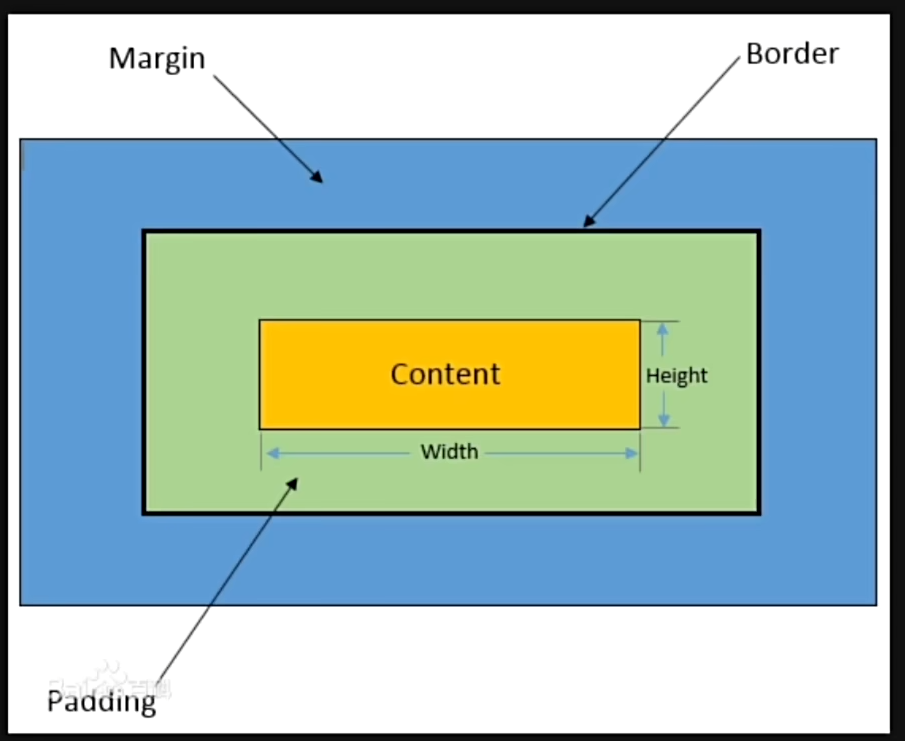
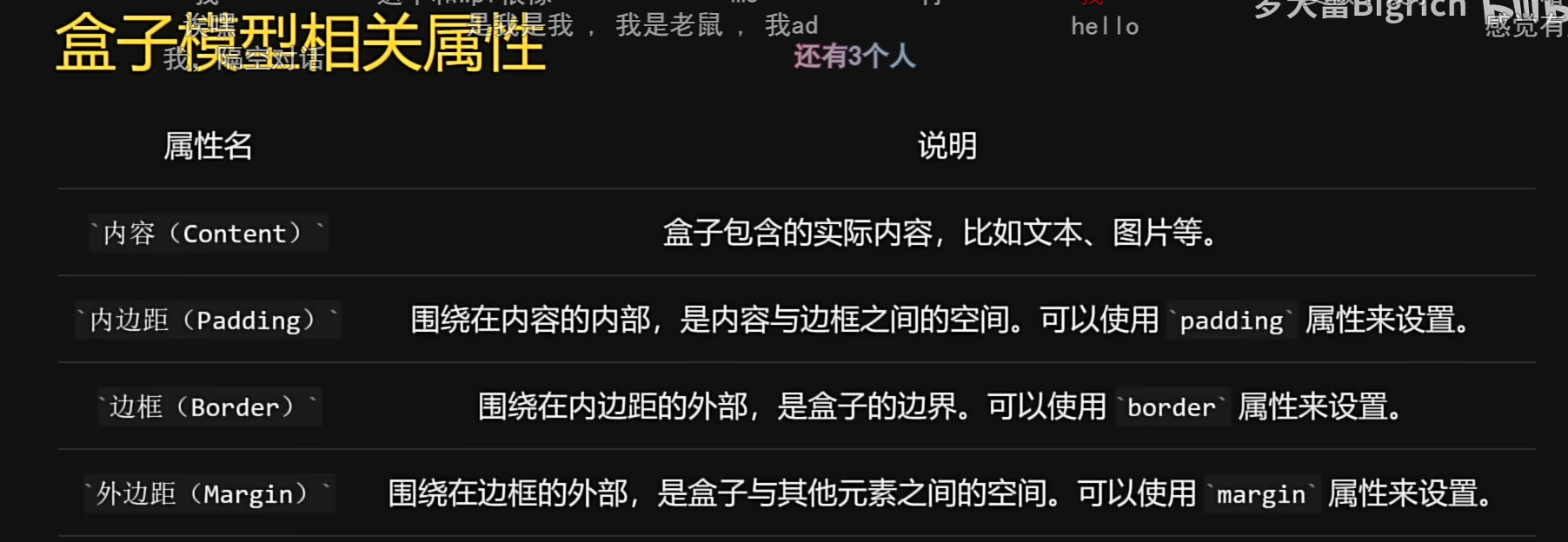
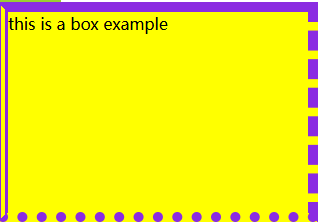
border:The styles of border include solid, dashed, dotted, and double.
/* solid: A single solid line (实线) */
border-style: solid;

/* dashed: A line consisting of short dashes (由短横线组成的虚线) */
border-style: dashed;

/* dotted: A line consisting of small dots (由圆点组成的点线) */
border-style: dotted;

/* double: Two parallel lines with a gap between them (两条平行线,中间有间隙的双线) */
border-style: double;
solid:A continuous, unbroken line(一条连续不断的实线)。dashed:A line made of short, evenly spaced dashes(由短横线均匀间隔组成的虚线)。dotted:A line made of small, round dots(由小圆点组成的点线)。double:Two parallel lines with a small gap between them(两条平行线,中间有窄缝的双线)。
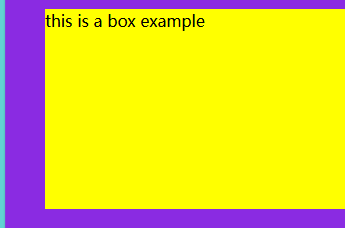
In the border-width property, you can input 4 values, which represent the top, right, bottom, and left directions in clockwise order. If the values for the bottom and right are not specified, they will be the same as their opposite counterparts (i.e., bottom inherits from top, right inherits from left).


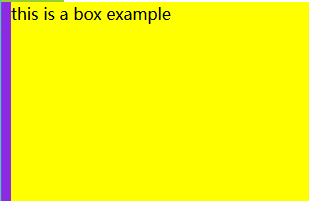

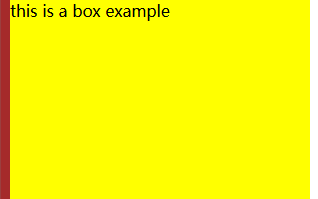

<!DOCTYPE html>
<html lang="en">
<head>
    <meta charset="UTF-8">
    <meta name="viewport" content="width=device-width, initial-scale=1.0">
    <title>box modle</title>
        <style>
        .demo{
            background-color: aqua;
            display: inline-block;
            border: 5px solid yellowgreen;
            padding: 50px;
            margin: 40px;

        }
        .border-demo{
            background-color: yellow;
            width: 300px;
            height: 200px;
            border-style: solid;
            border-width: 0 0 010px;
            border-color: blueviolet;
            /* border-left: 10px solid brown; */

        }
    </style>

</head>
<body>
    <div class="demo">cxk250</div>
    <div class="border-demo">this is a box example</div>

</body>
</html>
rendering
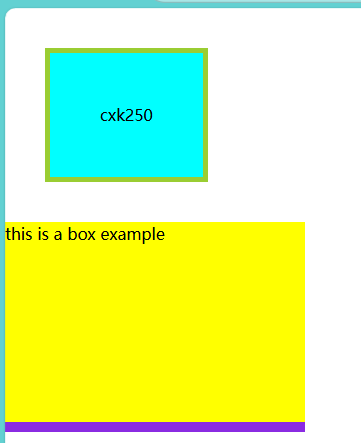
class2
w100+h100 =》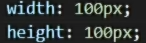
<!DOCTYPE html>
<html lang="en">
<head>
    <meta charset="UTF-8">
    <meta name="viewport" content="width=device-width, initial-scale=1.0">
    <title>float</title>
    <style>
        .farther{
            background-color: aquamarine;
            /* height: 150px; */
            border: 3px solid brown;
            /* overflow: hidden; */
            /* This is a method to clear floats. */

        }
        .farther::after {
            content: "" ;
            display: table;
            clear: both;
        }
        .left-son{
            width: 100px;
            height: 100px;
            background-color: yellowgreen;
            float: left;
        }
        .right-son{
            width: 100px;
            height: 100px;
            background-color: yellow;
            float: right;
        }
    </style>
</head>
<body>
    <div class="farther">
        <div class="left-son">left folat</div>
        <div class="right-son">right float</div>
    </div>
    <p>this is a text</p>
</body>
</html>
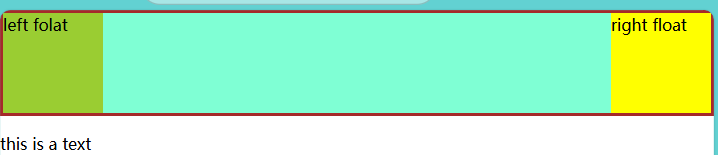
class 3
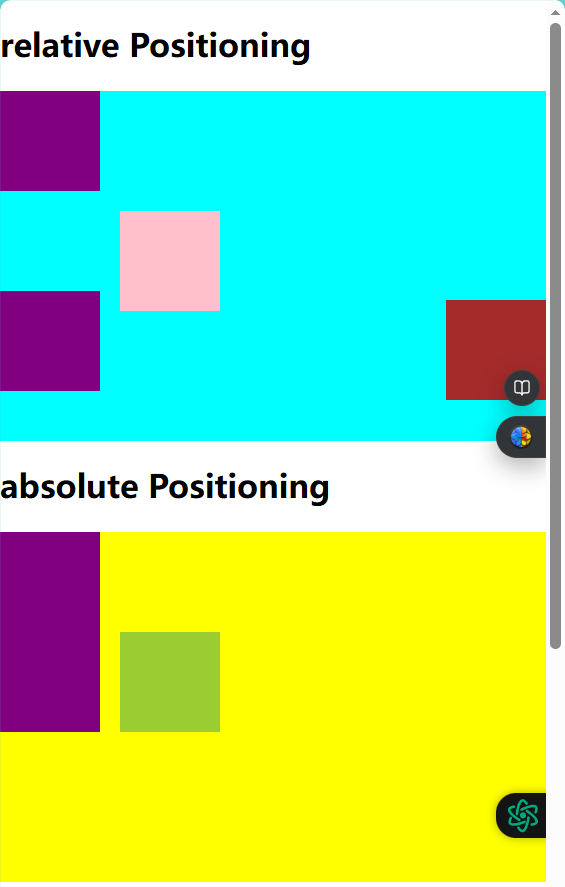
Relative Positioning: Positions relative to the element's normal position in the document flow.Absolute Positioning: Positions relative to its nearest positioned ancestor element and does not occupy the document flow.Fixed Positioning: Positions relative to the browser window. It does not occupy the document flow and is fixed in position on the screen, not moving with scrolling.
<!DOCTYPE html>
<html lang="en">
<head>
    <meta charset="UTF-8">
    <meta name="viewport" content="width=device-width, initial-scale=1.0">
    <title> Position</title>
    <style>
        .box1 {
            height: 350px;
            background-color: aqua;
        }
        .box-normal {
            width: 100px;
            height: 100px;
            background-color: purple;
        }
        .box-relative {
            width: 100px;
            height: 100px;
            background-color: pink;
            position: relative;
            left: 120px;
            right: ;
            bottom: ;
            top: 20px;
        }
        .box2 {
            height: 350px;
            background-color: yellow;
            margin-bottom: 300px;
        }
        .box-absolute {
            width: 100px;
            height: 100px;
            background-color: yellowgreen;
            position: absolute;
            left: 120px;
        }
        .box-fixed {
            width: 100px;
            height: 100px;
            background-color: brown;
            position: fixed;
            right: 0;
            top: 300px;
        }
    </style>
</head>
<body>
    <h1>relative Positioning</h1>
    <div class="box1">
        <div class="box-normal"></div>
        <div class="box-relative"></div>
        <div class="box-normal"></div>
    </div>
    <h1>absolute Positioning</h1>
    <div class="box2">
        <div class="box-normal"></div>
        <div class="box-absolute"></div>
        <div class="box-normal"></div>
    </div>
    <h1>fixed Positioning</h1>
    <div class="box-fixed"></div>
</body>
</html>
rendering





 扫一扫
扫一扫


 63
63

 被折叠的 条评论
为什么被折叠?
被折叠的 条评论
为什么被折叠?
 到【灌水乐园】发言





