


 本文详细介绍了虚幻引擎中角色、子弹和AI系统的实现。角色类包括设置摄像机、弹簧臂、人物移动和动作绑定,以及不同类型的攻击效果。子弹类基于SProjectileBase,具有碰撞检测、爆炸效果和不同攻击类型如普通攻击、闪现攻击。AI系统涉及行为树、导航网格体、环境查询系统,以及角色间的交互逻辑。此外,还涵盖了交互组件、血条显示、游戏时间等UI元素的实现。
目录
移动与朝向:MoveForward/MoveRight、Turn/LoopUp
为人物绑定设置子弹类:SpawnProjectile适配器类
❗为角色添加属性组件:USAttributeComponent
为角色添加交互组件接口:USInteractionComponent* InteractionComp;
胶囊碰撞体:USphereComponent* SphereComp;
子弹移动组件:UProjectileMovementComponent* MoveComp;
粒子系统组件(平A效果):UParticleSystemComponent* EffectComp;
粒子系统组件(爆炸效果):UParticleSystem* ImpactVFX;
子弹爆炸音效组件:USoundCue* ImpactSound;
?子弹播放声音组件:UAudioComponent* AudioComp;
子弹击中画面震动效果:TSubclassOf ImpactShake;
⭐碰撞事件&爆炸(虚函数):void Explode();(BlueprintNativeEvent)
游戏AI逻辑-范围内攻击:USBTService_CheckAttackRange(UBTService)
游戏AI范围内攻击任务结点:USBTTask_RangedAttack
角色类:SCharacter
设置摄像机
弹簧臂和摄像机设置
	UPROPERTY(VisibleAnywhere)
	USpringArmComponent* SpringArmComp;

	UPROPERTY(VisibleAnywhere)
	UCameraComponent* CameraComp;
在构造函数中创建这两个类,并设置依赖关系:
弹簧臂附着在RootComponent,摄像机附着在弹簧臂上
	SpringArmComp = CreateDefaultSubobject<USpringArmComponent>("SpringArmComp");
	SpringArmComp->bUsePawnControlRotation = true;
	SpringArmComp->SetupAttachment(RootComponent);

	CameraComp = CreateDefaultSubobject<UCameraComponent>("CameraComp");
	CameraComp->SetupAttachment(SpringArmComp);

    GetCharacterMovement()->bOrientRotationToMovement = true;
	bUseControllerRotationYaw = false;
注意 bUseControllerRotationYaw =false;其效果为:
bUseControllerRotationYaw=true;

bUseControllerRotationYaw=false;
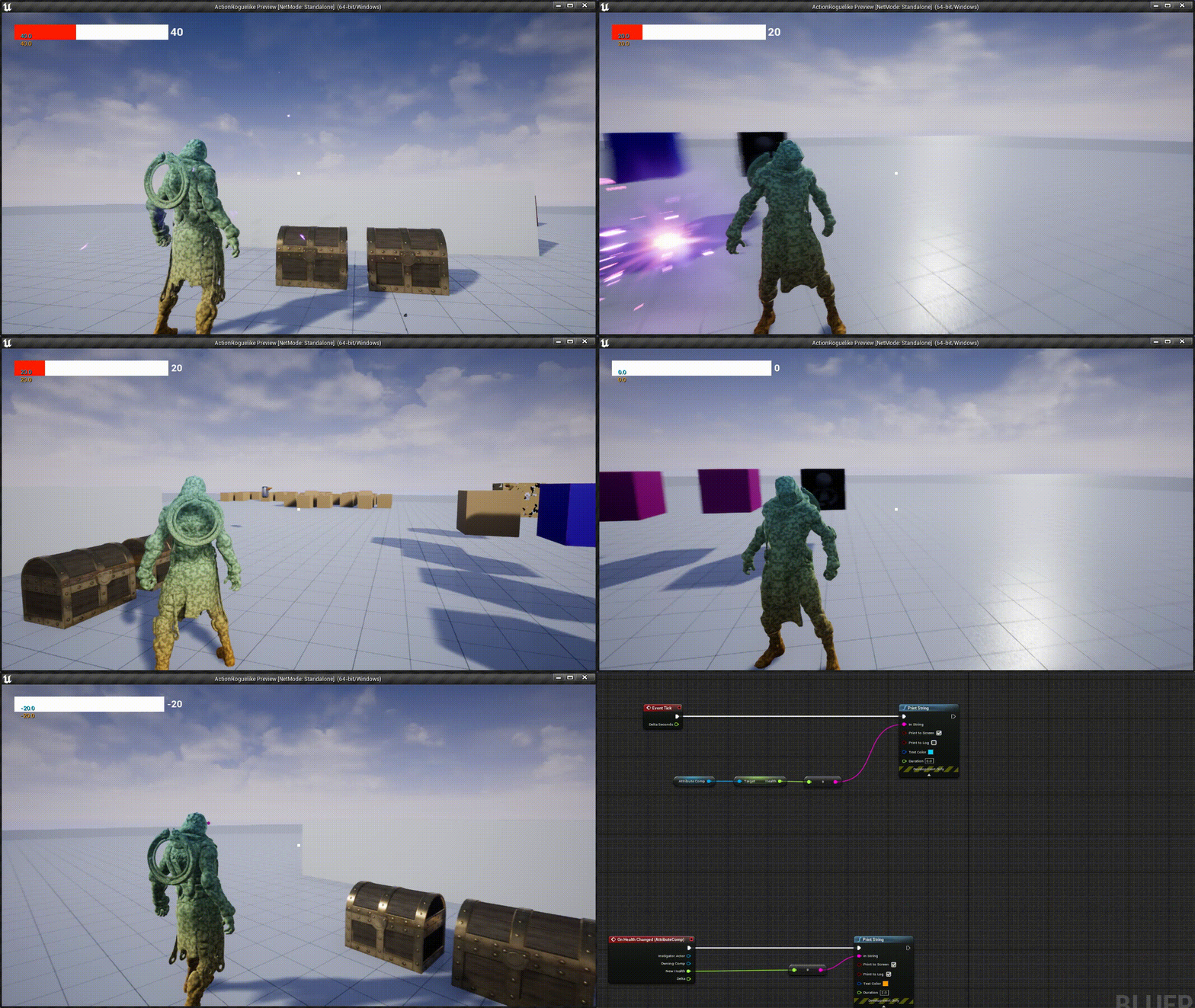
应该设置为false,
同时注意GetCharacterMovement()->bOrientRotationToMovement = true;
GetCharacterMovement()->bOrientRotationToMovement = false;如下
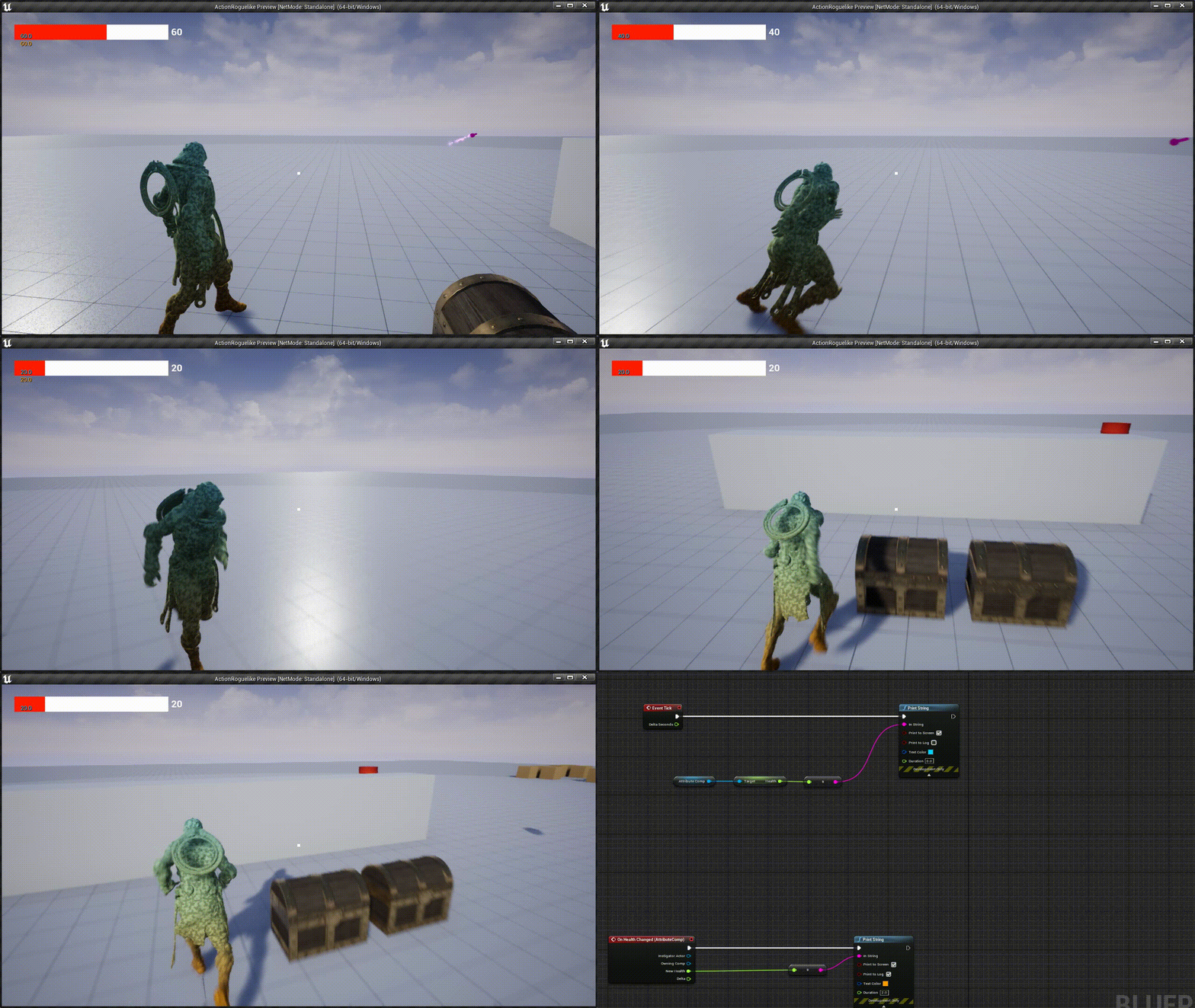
GetCharacterMovement()->bOrientRotationToMovement = true;如下
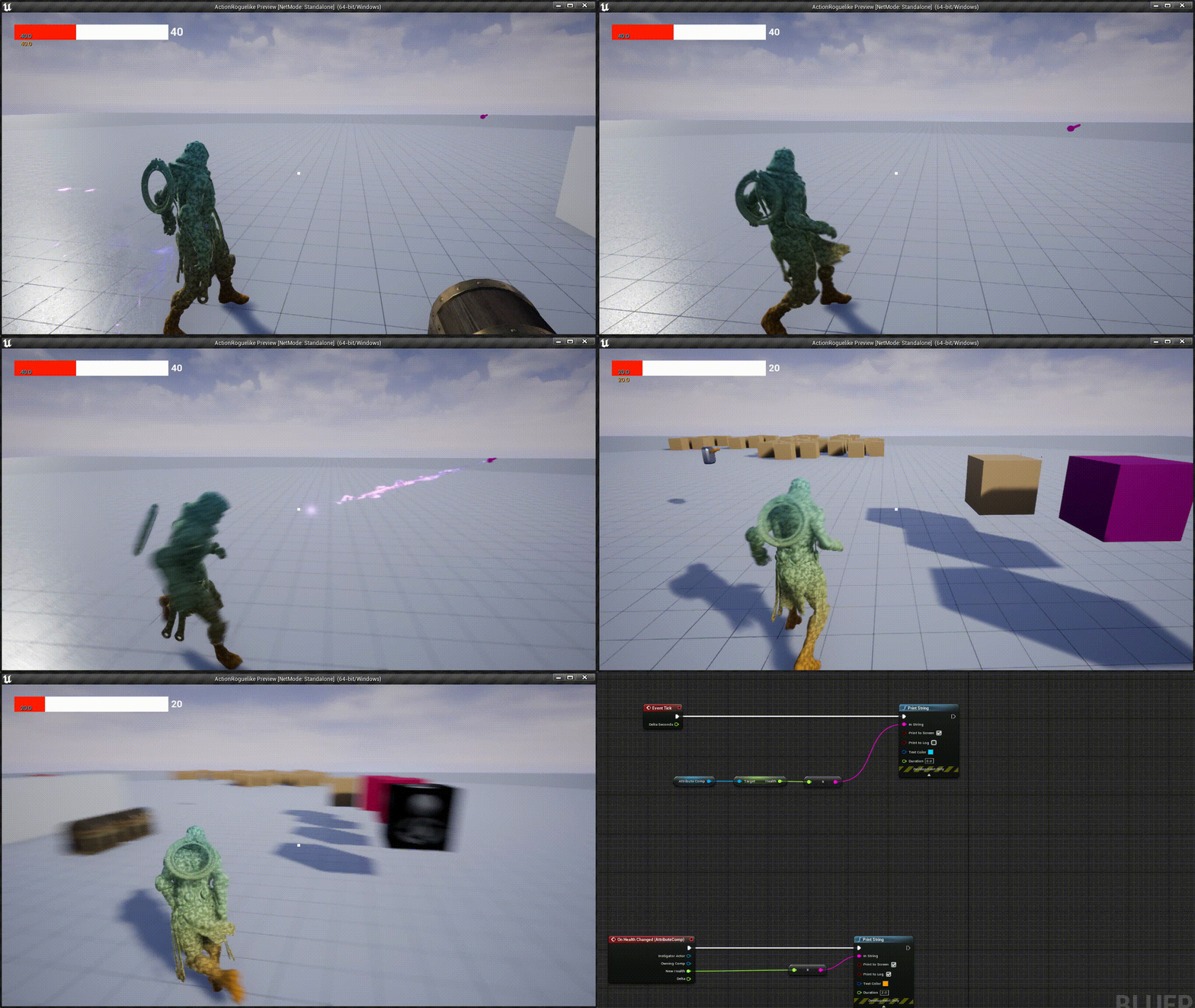 类似黑暗之魂这种第三人称的移动朝向方式。
设置人物移动和动作绑定
void ASCharacter::SetupPlayerInputComponent(UInputComponent* PlayerInputComponent)
{
	Super::SetupPlayerInputComponent(PlayerInputComponent);

	PlayerInputComponent->BindAxis("MoveForward", this, &ASCharacter::MoveForward);
	PlayerInputComponent->BindAxis("MoveRight", this, &ASCharacter::MoveRight);

	PlayerInputComponent->BindAxis("Turn", this, &APawn::AddControllerYawInput);
	PlayerInputComponent->BindAxis("LookUp", this, &APawn::AddControllerPitchInput);

	PlayerInputComponent->BindAction("PrimaryAttack", IE_Pressed, this, &ASCharacter::PrimaryAttack);
	// Used generic name 'SecondaryAttack' for binding
	PlayerInputComponent->BindAction("SecondaryAttack", IE_Pressed, this, &ASCharacter::BlackHoleAttack);
	PlayerInputComponent->BindAction("Dash", IE_Pressed, this, &ASCharacter::Dash);
	PlayerInputComponent->BindAction("PrimaryInteract", IE_Pressed, this, &ASCharacter::PrimaryInteract);

	PlayerInputComponent->BindAction("Jump", IE_Pressed, this, &ACharacter::Jump);
}
移动与朝向:MoveForward/MoveRight、Turn/LoopUp
void ASCharacter::MoveForward(float Value)
{
	FRotator ControlRot = GetControlRotation();
	ControlRot.Pitch = 0.0f;
	ControlRot.Roll = 0.0f;

	AddMovementInput(ControlRot.Vector(), Value);
}


void ASCharacter::MoveRight(float Value)
{
	FRotator ControlRot = GetControlRotation();
	ControlRot.Pitch = 0.0f;
	ControlRot.Roll = 0.0f;

	// X = Forward (Red)
	// Y = Right (Green)
	// Z = Up (Blue)

	FVector RightVector = FRotationMatrix(ControlRot).GetScaledAxis(EAxis::Y);

	AddMovementInput(RightVector, Value);
}
其中Turn和LookUp绑定的函数是由APawn中已经写好的内容。
&APawn::AddControllerYawInput
&APawn::AddControllerPitchInput
这里附上Yaw、Roll、Pitch的内容,结合代码理解:
UE是左手坐标系:拇指X,食指Y,中指Z(中指向上摆放)
X:Roll翻滚角
Y:Pitch俯仰角
Z:Yaw偏航角

动图:
1.俯仰:(Pitch)

2.翻滚:(Roll)

3.偏航:(Yaw)

所以,MoveForward和MoveRight只与Yaw有关,控制偏航角度;Turn也和Yaw有关,控制偏航角度;而LoopUp与Pitch有关,控制上下移动视角。
为人物绑定设置子弹类:SpawnProjectile适配器类
- 生成位置:手部Socket(HandLocation)
- Actor生成:设置碰撞,instigator为角色自身
- 碰撞预设:
- 子弹轨迹:起点为手部,终点为十字准星方向
void ASCharacter::SpawnProjectile(TSubclassOf<AActor> ClassToSpawn)
{
	if (ensureAlways(ClassToSpawn))
	{
		FVector HandLocation = GetMesh()->GetSocketLocation(HandSocketName);

		FActorSpawnParameters SpawnParams;
		SpawnParams.SpawnCollisionHandlingOverride = ESpawnActorCollisionHandlingMethod::AlwaysSpawn;
		SpawnParams.Instigator = this;

		FCollisionShape Shape;
		Shape.SetSphere(20.0f);

		// Ignore Player
		FCollisionQueryParams Params;
		Params.AddIgnoredActor(this);

		FCollisionObjectQueryParams ObjParams;
		ObjParams.AddObjectTypesToQuery(ECC_WorldDynamic);
		ObjParams.AddObjectTypesToQuery(ECC_WorldStatic);
		ObjParams.AddObjectTypesToQuery(ECC_Pawn);

		FVector TraceStart = CameraComp->GetComponentLocation();

		// endpoint far into the look-at distance (not too far, still adjust somewhat towards crosshair on a miss)
		FVector TraceEnd = CameraComp->GetComponentLocation() + (GetControlRotation().Vector() * 5000);

		FHitResult Hit;
		// returns true if we got to a blocking hit
		if (GetWorld()->SweepSingleByObjectType(Hit, TraceStart, TraceEnd, FQuat::Identity, ObjParams, Shape, Params))
		{
			// Overwrite trace end with impact point in world
			TraceEnd = Hit.ImpactPoint;
		}

		// find new direction/rotation from Hand pointing to impact point in world.
		FRotator ProjRotation = FRotationMatrix::MakeFromX(TraceEnd - HandLocation).Rotator();

		FTransform SpawnTM = FTransform(ProjRotation, HandLocation);
		GetWorld()->SpawnActor<AActor>(ClassToSpawn, SpawnTM, SpawnParams);
	}
}
设置攻击动画以及攻击特效
void ASCharacter::StartAttackEffects()
{
	PlayAnimMontage(AttackAnim);

	UGameplayStatics::SpawnEmitterAttached(CastingEffect, GetMesh(), HandSocketName, FVector::ZeroVector, FRotator::ZeroRotator, EAttachLocation::SnapToTarget);
}
普通攻击
void ASCharacter::PrimaryAttack()
{
	StartAttackEffects();

	GetWorldTimerManager().SetTimer(TimerHandle_PrimaryAttack, this, &ASCharacter::PrimaryAttack_TimeElapsed, AttackAnimDelay);
}


void ASCharacter::PrimaryAttack_TimeElapsed()
{
	SpawnProjectile(ProjectileClass);
}
黑洞攻击
void ASCharacter::BlackHoleAttack()
{
	StartAttackEffects();

	GetWorldTimerManager().SetTimer(TimerHandle_BlackholeAttack, this, &ASCharacter::BlackholeAttack_TimeElapsed, AttackAnimDelay);
}


void ASCharacter::BlackholeAttack_TimeElapsed()
{
	SpawnProjectile(BlackHoleProjectileClass);
}
闪现攻击
void ASCharacter::Dash()
{
	StartAttackEffects();

	GetWorldTimerManager().SetTimer(TimerHandle_Dash, this, &ASCharacter::Dash_TimeElapsed, AttackAnimDelay);
}


void ASCharacter::Dash_TimeElapsed()
{
	SpawnProjectile(DashProjectileClass);
}
❗为角色添加属性组件:USAttributeComponent
为角色添加交互组件接口:USInteractionComponent* InteractionComp;
子弹类:SProejctileBase
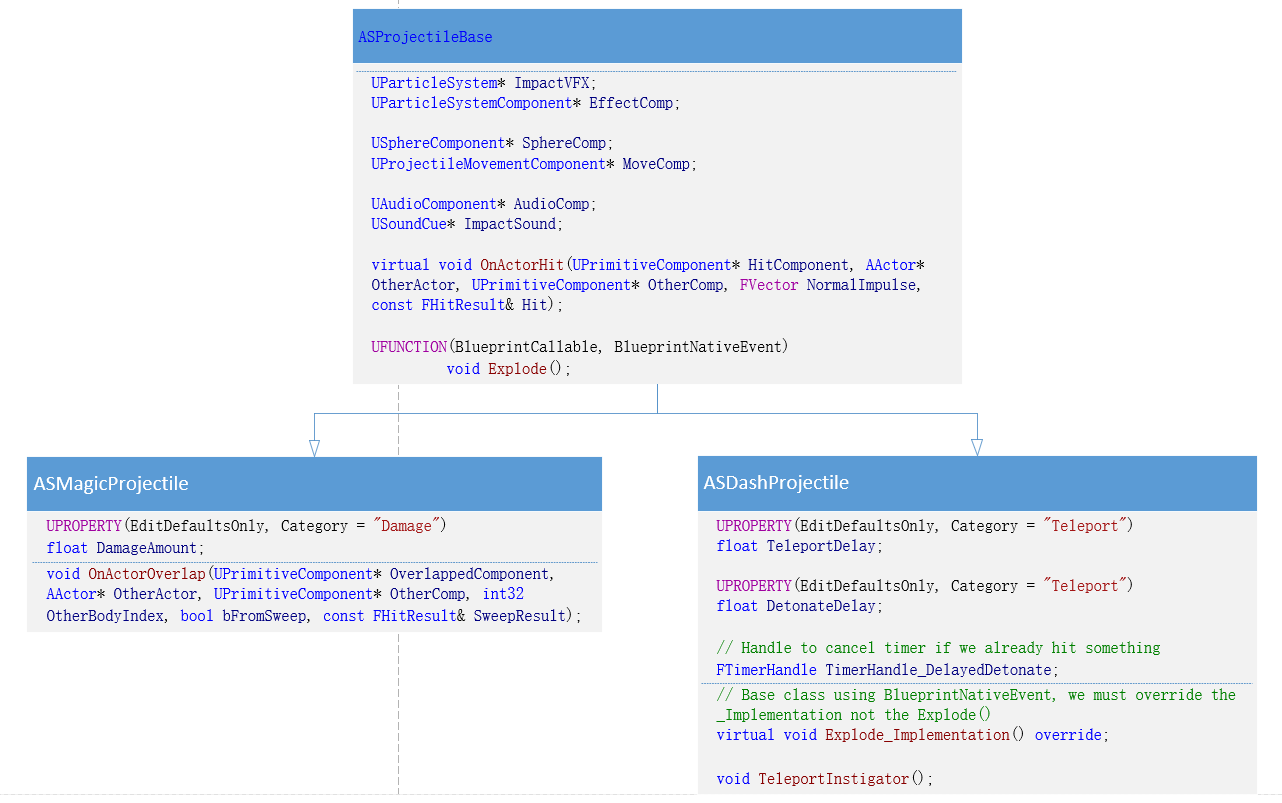
ASProjectileBase::ASProjectileBase()
{
	SphereComp = CreateDefaultSubobject<USphereComponent>("SphereComp");
	SphereComp->SetCollisionProfileName("Projectile");
	SphereComp->OnComponentHit.AddDynamic(this, &ASProjectileBase::OnActorHit);
	RootComponent = SphereComp;

	EffectComp = CreateDefaultSubobject<UParticleSystemComponent>("EffectComp");
	EffectComp->SetupAttachment(RootComponent);

	AudioComp = CreateDefaultSubobject<UAudioComponent>("AudioComp");
	AudioComp->SetupAttachment(RootComponent);

	MoveComp = CreateDefaultSubobject<UProjectileMovementComponent>("ProjectileMoveComp");
	MoveComp->bRotationFollowsVelocity = true;
	MoveComp->bInitialVelocityInLocalSpace = true;
	MoveComp->ProjectileGravityScale = 0.0f;
	MoveComp->InitialSpeed = 8000;

	ImpactShakeInnerRadius = 0.0f;
	ImpactShakeOuterRadius = 1500.0f;

}
胶囊碰撞体:USphereComponent* SphereComp;
- 设置名称
- 设置碰撞预设
- 设置碰撞触发事件
- 将RootComponent设为碰撞体
子弹移动组件:UProjectileMovementComponent* MoveComp;
- 初始化相关移动属性,比如速度
粒子系统组件(平A效果):UParticleSystemComponent* EffectComp;
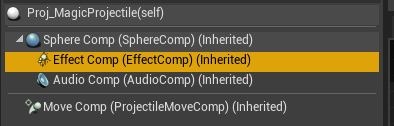
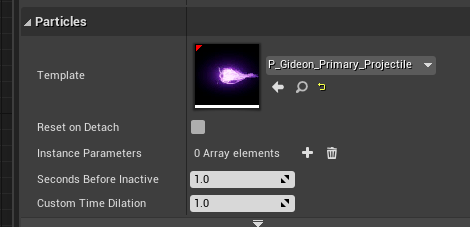
在cpp中构造函数进行初始化,只需要设置名称与挂载RootComponent。
因为子弹效果必然要跟随着子弹,故需要附着在RootComponent上。
 最低0.47元/天 解锁文章






 扫一扫
扫一扫


 335
335

 被折叠的 条评论
为什么被折叠?
被折叠的 条评论
为什么被折叠?
 到【灌水乐园】发言





