



 本文介绍了HTML的基本结构和常用标签,包括标题标签(h1-h6)、段落(p)、样式(style)、换行(br)、无序和有序列表(ul,ol)、图片(img)、超链接(a)、文本强调(em,i,strong,b)、输入框(input,包括text、checkbox、radio、file、range、submit)以及语义化标签(header,main,footer,nav,article,aside)的使用方法。
一些框架
html中如果要改内容要放在<body> </body>之间
<html lang = en>
    <head>
        <meta charset = utf-8>
            <title>
                1.2
            </title>
        <meta name = keywords content = "html">
        <style>
            .hi{color : red;}
        </style>
    </head>
    <body>
        <p class = "hi">
            helloworld
        </p>
    <body>
</html>
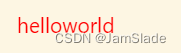
效果如下
helloworld
标题 title
<h1>first title</h1>
<h2>second title</h2>
<h3>third title</h3>
<h4>forth title</h4>
<h5>fifth title</h5>
<h6>sixth title</h6>
first title
second title
third title
forth title
fifth title
sixth title
换行 enter
<br>
标签 label
无序列表标签
<ul>
    <li>first row of disorder list</li>
    <li>second row of disorder list</li>
    <li>third row of disorder list</li>
</ul>
- first row of disorder list
- second row of disorder list
- third row of disorder list
有序列表标签
<ol>
    <li>first row of disorder list</li>
    <li>second row of disorder list</li>
    <li>third row of disorder list</li>
</ol>
- first row of order list
- second row of order list
- third row of order list
图片标签
    <img width = 1000 height = 300
    src = https://i-blog.csdnimg.cn/blog_migrate/6d6a88299ab64962e7e5eadfe2c39a92.png
    alt = "description">
    <!-- alt的作用是对图片的描述 -->
    <!-- src的作用是图片的地址 -->

超链接 Hypertext
<a href = "http://www.baidu.com"> 百度 </a>
文本相关标签
p标签: 新开段落
somthing in one paragraph
</p> second paragraph</p>
</p> third paragraph</p>
somthing in one paragraph
second paragraph third paragraphem/i标签: 强调阅读,表现形式多为斜体
content to be <em>emphasised</em>
<br>
content to be <i>emphasised</i>
content to be emphasised
content to be emphasised
strong/b标签: 强调阅读,表现形式多为粗体
content to be <strong>emphasised</strong>
<br>
content to be <b>emphasised</b>
content to be emphasised
content to be emphasised
输入标签 单行文本区
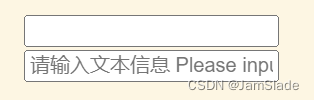
<input type = text />
<br>
<input type = text placeholder = "请输入文本信息 Please input some texts"/>
<!--换行自动去除-->
单选框
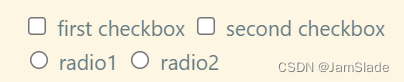
<input type = checkbox /> first checkbox
<input type = checkbox /> second checkbox
<br>
<input type = radio /> radio1
<input type = radio /> radio2
first checkbox
second checkbox
radio1
radio2
优化写法
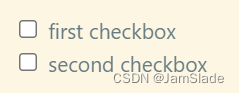
<label>
    <input type = checkbox /> first checkbox
</label>
<br>
<label>
    <input type = checkbox /> second checkbox
</label>
<!--点击文字也可以让单选框状态改变-->
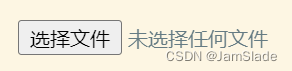
文件
<input type = file />
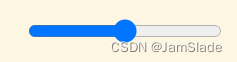
控制范围
<input type = range />
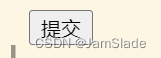
提交
<input type = submit />
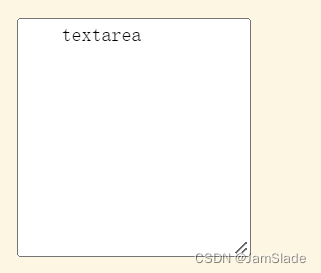
多行文本
<textarea name = name rows = 10 cols = 20 >
    textarea
</textarea>
语义化实例
<head></head>
<header></header>
<main></main>
<footer></footer>

<nav></nav>
<article></article>
<aside></aside>





 扫一扫
扫一扫


 1572
1572

 被折叠的 条评论
为什么被折叠?
被折叠的 条评论
为什么被折叠?
 到【灌水乐园】发言





