


写在开头
最近需要整理自己的项目代码,好久没有用GitHub上传新项目都有点忘了,索性写篇文章也方便自己以后看。
创建仓库
登录你的GitHub账号创建即可 设置是否公开。
设置本地Git配置信息
因为我这部分代码在windows工作机上,所以需要重新配置git信息,设置一下用户名和邮箱作为上传代码的作者标识。
(base) PS E:\CAROTID\unet> git config --global user.email "tianfeifeiwang@outlook.com"
(base) PS E:\CAROTID\unet> git config --global user.name "wtf"

设置SSH Key
git使用rsa算法加密,我们将公钥上传到GitHub,本地私钥进行验证。
ssh-keygen -t rsa -C "tianfeifeiwang@outlook.com"
这里-C是注释的意思,-t是选择加密方式。
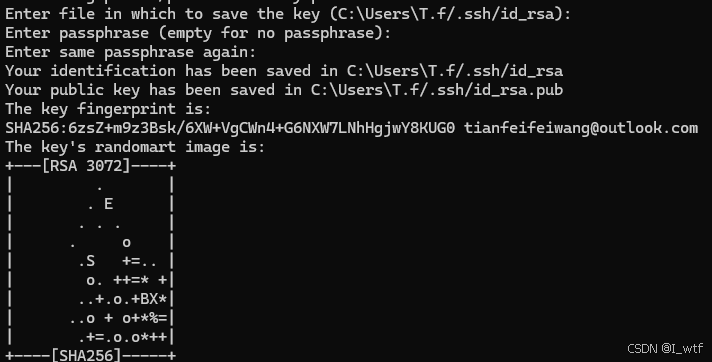
一路回车即可,设置声明的密钥文件名,设置密码,回车即无需密码。
在GitHub添加SSH-Key
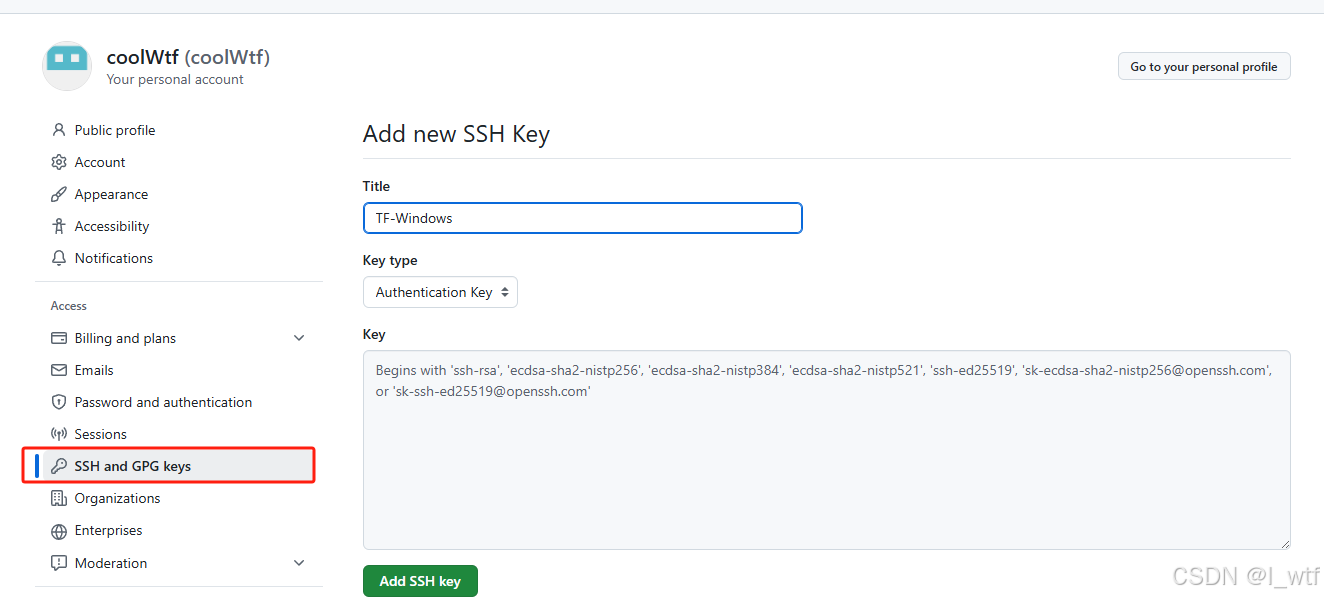
点开个人设置,找到SSH,add new ,设置这个公钥的title ,将本地的公钥文件复制到Key中。
本地公钥文件生成的.pub后缀文件。
上传本地项目到GitHub
(base) PS E:\C-Unet_code_only> git init
Initialized empty Git repository in E:/C-Unet_code_only/.git/
(base) PS E:\C-Unet_code_only> git add .
(base) PS E:\C-Unet_code_only> git commit -m "C-Unet code"
首先使用init初始化git环境,然后将项目下的文件加入git缓存中,然后commit提交到仓库
(base) PS E:\C-Unet_code_only> git remote add odigin git@github.com:coolWtf/Contrast-U-Net.git
(base) PS E:\C-Unet_code_only> git push origin main
error: src refspec main does not match any
error: failed to push some refs to 'origin'
(base) PS E:\C-Unet_code_only> git push odigin main
error: src refspec main does not match any
error: failed to push some refs to 'github.com:coolWtf/Contrast-U-Net.git'
(base) PS E:\C-Unet_code_only> git branch
* master
(base) PS E:\C-Unet_code_only> git push odigin master
这里要添加路径,写错了 只要仓库地址写对就行,然后git branch查看本地所有分支,如果想上传到main分支,用以下命令
git fetch origin main:main
fatal: 'origin' does not appear to be a git repository
fatal: Could not read from remote repository.

Please make sure you have the correct access rights
and the repository exists.
从仓库拉取main分支,这个是说Git 在尝试执行合并操作时,判定要合并的两个分支没有共同的提交历史,也就是它们被视为相互独立、毫无关联的分支,出于避免潜在合并混乱等风险的考虑,Git 默认情况下会拒绝进行这样的合并,
git checkout main
Already on 'main'
(base) PS E:\C-Unet_code_only> git merge master
fatal: refusing to merge unrelated histories
(base) PS E:\C-Unet_code_only> git merge --allow-unrelated-histories master
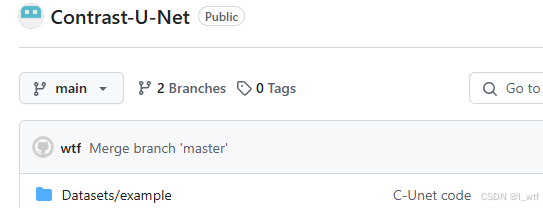
切换到main分支,强制合并master分支。





 扫一扫
扫一扫


 1369
1369

 被折叠的 条评论
为什么被折叠?
被折叠的 条评论
为什么被折叠?
 到【灌水乐园】发言





