



 本文深入探讨Nginx的高级配置技巧,包括如何修改端口设置,理解proxy_next_upstream指令的作用,以及如何通过配置实现错误页面的自定义显示。通过实例,详细解释了在分布式集群环境下,Nginx如何利用此功能进行错误处理和上游服务的选择。
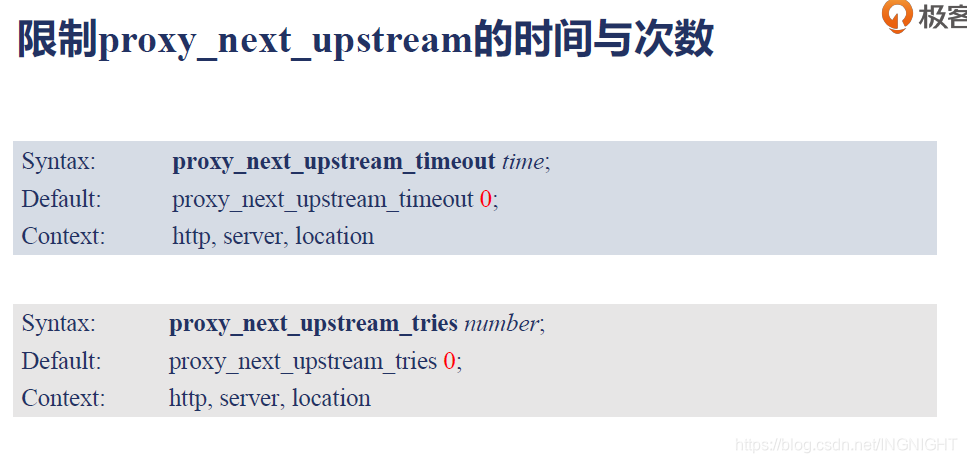
upserver.conf
server {
        listen 127.0.0.1:8011;
        return 200 'test 8011 server response.\n';
    default_type text/plain;
    limit_rate 1;
}

server {
        listen 8013;
        default_type text/plain;
        return 500 '8013 Server Internal Error.\n';
}
nextups.conf
upstream nextups {
        server 127.0.0.1:8013;
        server 127.0.0.1:8011;
}

server {
        server_name nextups.taohui.tech;
        error_log  logs/myerror.log  debug;
        #root html/;
        default_type text/plain;

        error_page 500 /test1.txt;
    listen 8097;

        location / {
                proxy_pass http://nextups;
        }

        location /test {
        }

        location /error {
                proxy_pass http://nextups;
                proxy_connect_timeout 1s;
                proxy_next_upstream error;
                #proxy_next_upstream off;
        }

        location /intercept {
                proxy_intercept_errors on;
                proxy_pass http://127.0.0.1:8013;
        }

        location /httperr {
                proxy_next_upstream http_500;
                proxy_pass http://nextups;
        }

}
1.将8013端口号改为8014端口号
由于proxy_next_upstream error,nginx可以屏蔽下游服务8013端口不存在的错误,rr选择8011.在分布式集群下好用的功能
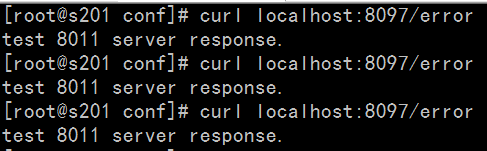
当出现错误换一个上游服务器继续处理
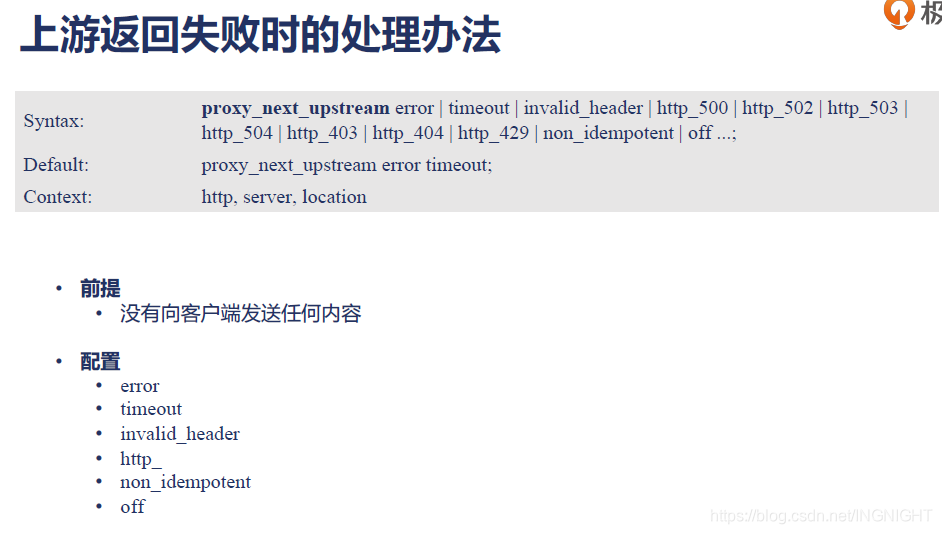
Syntax: proxy_next_upstream error | timeout | invalid_header | http_500 | http_502 | http_503 | http_504 | http_403 | htt
p_404 | http_429 | non_idempotent | off ...;
Default:
proxy_next_upstream error timeout;
Context: http, server, location
前提:
- 没有向客户端发送任何内容
配置:
-error,网络错误
-timeout,超时
-invalid_header,上游http header不合法
-http_,上游返回404,403错误
-non_idempotent:RFC7231规定POST, LOCK, PATCH请求,在上游服务不能使用upstream重选一个服务时,使用
-off
可以让nginx把错误屏蔽掉
2.proxy_next_upstream http_500,认为upserver返回500为错误,则会重新选择
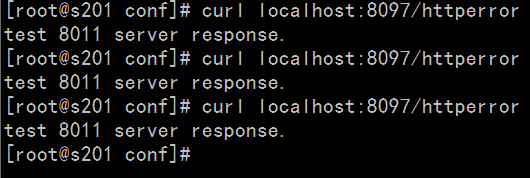
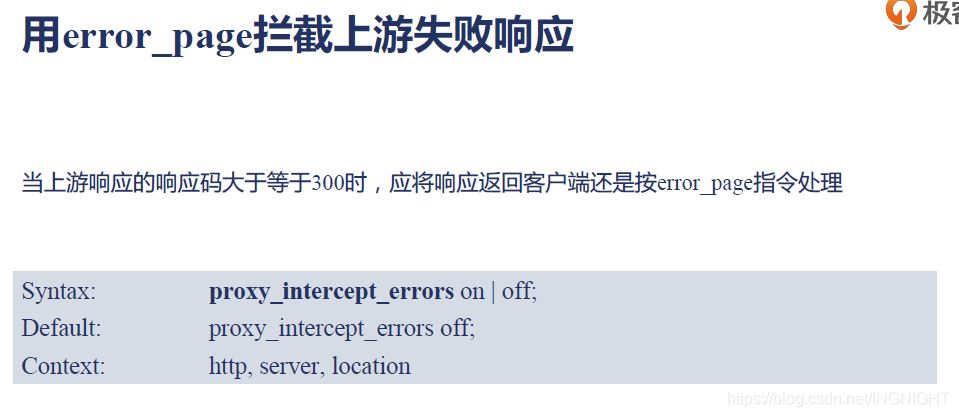
3.在nginx的环境html/test1.txt文件写入test1
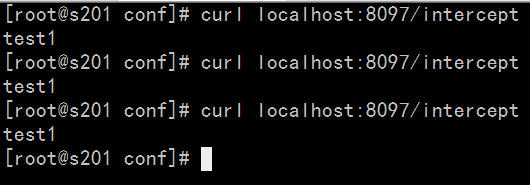
4.总结:
nginx与上游服务连接以及传输数据时,只要没有向client发送一个字节,可以认为上游的某些响应有问题.
重新访问新的上游返回给client.client无感知.对于nginx作为一个集群,容错上游服务.





 扫一扫
扫一扫


 被折叠的 条评论
为什么被折叠?
被折叠的 条评论
为什么被折叠?
 到【灌水乐园】发言





