



准备:python3.10,git,pycharm社区版(最好安装),anconda3(可选),Zluda,amd hip,ComfyUI-Zluda
遇到什么问题先重启控制台看能不能解决
所有操作基于AMD显卡,其他显卡可以参考,安装之前先看问题,有些操作需要提前使用
本人非自动安装配置可参考:
6650xt+ROCM6.2/4+gf1032+python3.11.9+cu11.8+pytorch2.7.1+zluda3.9.4+triton3.0.0
(6.4和6.2提升没区别,懒得搞就别更新了)
参考:
A卡WINDOWS下满血运行Stable diffusion!zluda使用详细教程! - 哔哩哔哩
AMD 显卡+Zluda 满血运行stable-diffusion-webui,ComfyUI,flux - 知乎
AMD HIP
官方
替换
https://github.com/likelovewant/ROCmLibs-for-gfx1103-AMD780M-APU
查看是否支持,和GFX版本
https://rocm.docs.amd.com/projects/install-on-windows/en/develop/reference/system-requirements.html
老黄的显卡跳过,两个勾的跳过替换这一步,一个勾的就需要替换,没有勾的不知道
AMD NO 我的只有一个
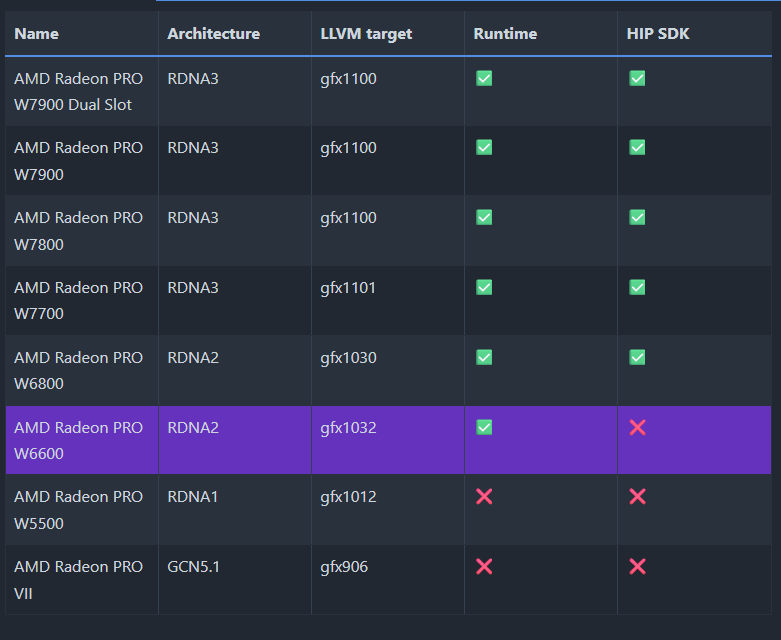
原文件备个份
library放入.\Program Files\AMD\ROCm\6.2\bin\rocblas
rocblas.dll放入.\Program Files\AMD\ROCm\6.2\bin\
设置环境变量
在win为安装ROCm的位置下的bin文件夹,举个栗子
C:\Program Files\AMD\ROCm\6.2\binVstudio安装
AMD HIP使用C语言clang编译器,需要安装win sdk和MSVC
安装VStudio的C/C++桌面版编译器,再清理一遍缓存C:\Users\用户名\AppData\Local\Temp
同时需要将MSVC路径设置进环境变量,否则triton编译不通过会出错
例如
C:\Program Files\Microsoft Visual Studio\2022\Community\VC\Tools\MSVC\14.41.34120\bin\Hostx64\x64
AMDrocm安装时会自动安装VS的插件,建议先安装VS
如果先安装了ROCM,可以将ROCM安装文件改名7Z,用7Z打开找到Packages/Apps/ROCmSDKPackages/VisualStudioPlugin2022/ROCmVisualStudioPlugin2022.msi安装就行
ComfyUI-ZLUDA
https://github.com/patientx/ComfyUI-Zluda
官方推荐python版本3.11.9
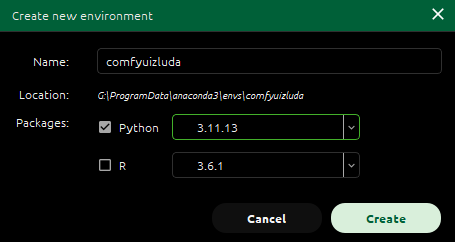
可以用conda窗口创建,也可以在控制窗口创建
conda create -n comfyuizluda python=3.11.9安装依赖
运行install-n.bat安装
如果是conda创建环境,将install-n.bat改为txt,修改Set "VIRTUAL_ENV=虚拟环境位置"
例如:Set "VIRTUAL_ENV=G:\\ProgramData\anaconda3\envs\comfyuizluda"
并在conda环境中运行,其中有些可能会安装失败,可以自行安装
安装torch
torch因为网络问题可能会下载不了(可以关掉代理试试),需要自行去阿里云下载对应版本手动安装
AMD需要先运行一遍官方的安装代码(因为官网torch+cu下载速度慢,torch安装完成之后运行官方安装代码会跳过安装其他依赖),再卸载随后安装镜像网站下载的torch+cu,
官网
仓库
镜像
安装自定义版本的torch(适用于AMD或者老nvidia显卡,下文的zluda到目前为止只支持CU11.X,torch最好安装11.X版本的cuda)
先卸载torch,torchvision和torchaudio重新安装看对应关系,下载到本地安装,不然会安装到其他文件夹,保险可以用以下代码安装
python -m pip installtorch组件对应关系
PyTorch中torch、torchvision、torchaudio、torchtext版本对应关系_torch2.0.1对应的torchvision-优快云博客
AMD的话找到和rocm版本兼容的下载,我是rocm6.2版本,找到linux中对应的版本下载(曲线救国
https://pytorch.org/get-started/previous-versions/
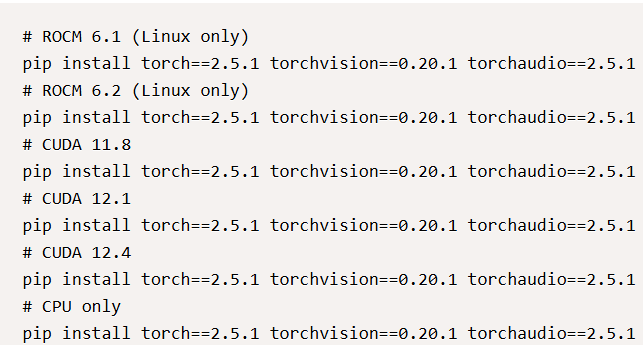
安装完成后用pip list指令查看,显示如下则完成

替换文件
https://github.com/lshqqytiger/ZLUDA
zluda版本分为“普通”和“nightly夜间版(开发版)”
普通版不支持cudnn,夜间版支持
注意,开启cudnn后,速度会变快,但是zluda对cudnn的支持并不完美,建议禁用cudnn功能(其实是懒得折腾了
cudnn功能rocm6.2开始支持,还要额外下载hip的cudnn扩展放入.\AMD\ROCm\6.2
HIP扩展下载
https://drive.google.com/file/d/1Gvg3hxNEj2Vsd2nQgwadrUEY6dYXy0H9/view?usp=sharing
- 自动安装
6.2rocm安装需要启动patchzluda2.bat,如果是conda环境修改内容
set torch_dir=%~dp0venv\Lib\site-packages\torch\lib
为
set torch_dir=环境位置\Lib\site-packages\torch\lib
例如
set torch_dir=G:\\ProgramData\anaconda3\envs\comfyuizluda\Lib\site-packages\torch\lib
如果要修改zluda版本,运行bat后把链接复制到CMD窗口Enter URL:一栏即可
- 手动安装
下载对应HIP版本的zluda打开文件夹内
cublas.dll 改名为 cublas64_11.dll
cusparse.dll改名为 cusparse64_11
nvrtc.dll改名为nvrtc64_112_0.dll
打开.\anaconda3\envs\环境\Lib\site-packages\torch\lib进行替换
cudnn的兼容性
禁用cudnn方法
- 启动前(存疑)
设置环境变量DISABLE_ADDMM_CUDA_LT=1
打开ComfyUI-Zluda/main.py添加代码,如果此种方法不行,可以在生成节点中设置
import torch

torch.backends.cudnn.enabled = False
torch.backends.cuda.enable_flash_sdp(False)
torch.backends.cuda.enable_math_sdp(True)
torch.backends.cuda.enable_mem_efficient_sdp(False)
torch.backends.cuda.enable_cudnn_sdp(False)
如果已经启动过comfyui了,建议删除缓存
C:\Users\radic\.triton
C:\Users\radic\AppData\Local\ZLUDA
- 工作流节点中设置
将.\ComfyUI-Zluda\cfz\中的3个cfz文件放入.ComfyUI-Zluda\custom_nodes,然后启用cfz_cudnn节点,cudnn选择false
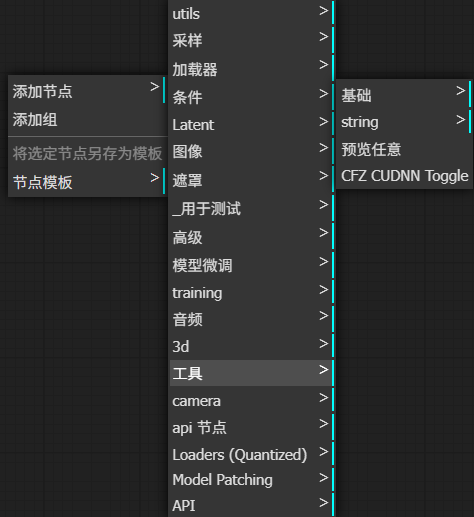

运行后会显示,代表成功

启动
打开comfyui-n.bat找到这两项
set PYTHON="%~dp0/venv/Scripts/python.exe"
set VENV_DIR=./venv
改为
set PYTHON="环境位置/Scripts/python.exe"
set VENV_DIR=-
例如
G:\\ProgramData\anaconda3\envs\comfyuizluda\Scripts\python.exe
需要在环境中运行,使用夜间版本可以在comfyui-n set中的COMMANDLINE_ARGS= 加上--use-zluda --use-nightl启动项
comfyui-n.bat成功的话,界面就会出来
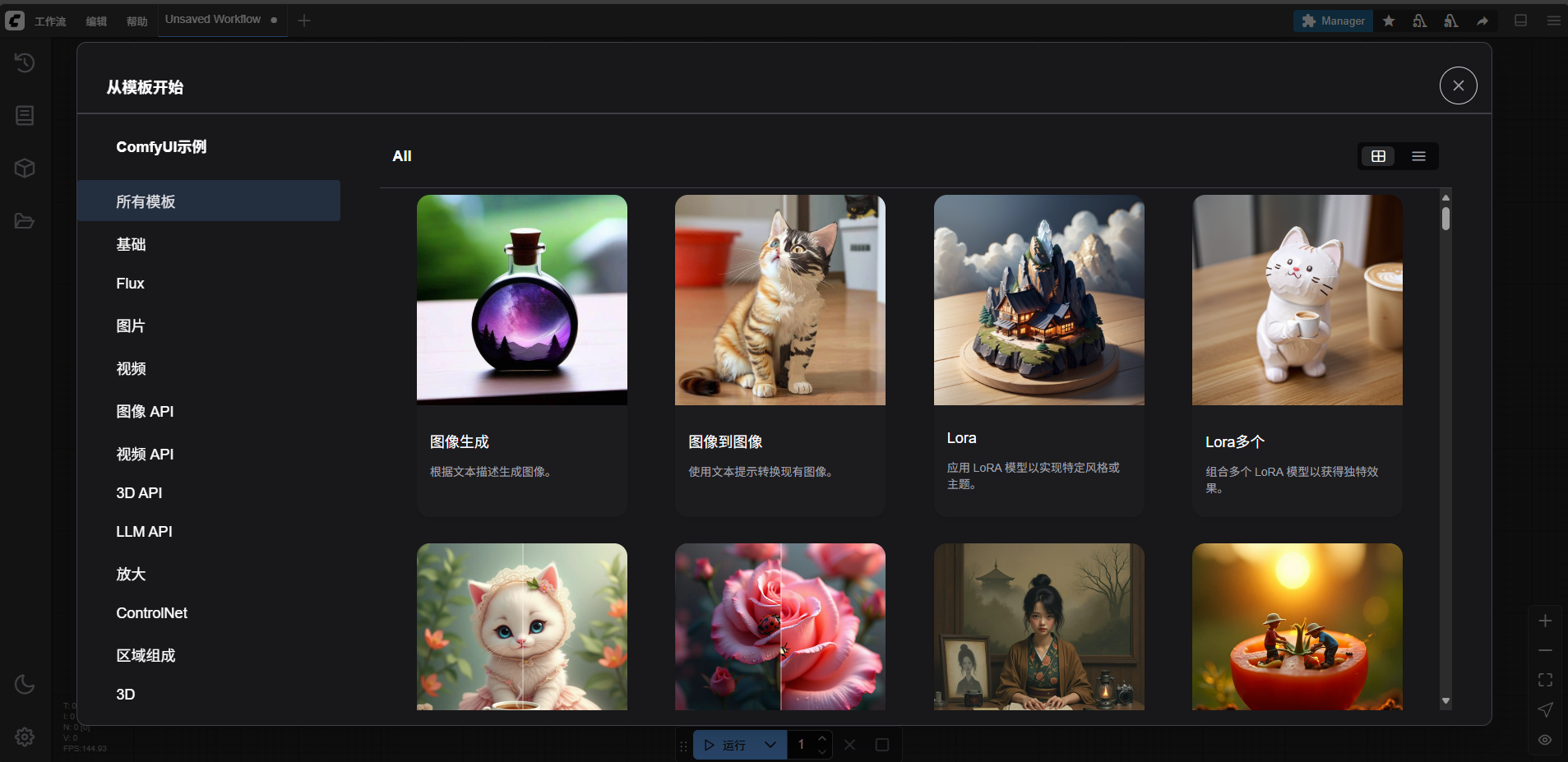
如果出现fatal: not a git repository (or any of the parent directories): .git
参考
Git篇:使用Git将代码库更新到本地(完整版)_git如何更新本地项目-优快云博客
bat内的位置修改好了,还是在环境中运行comfyui-n.bat就能启动,CMD窗口如下就代表成功
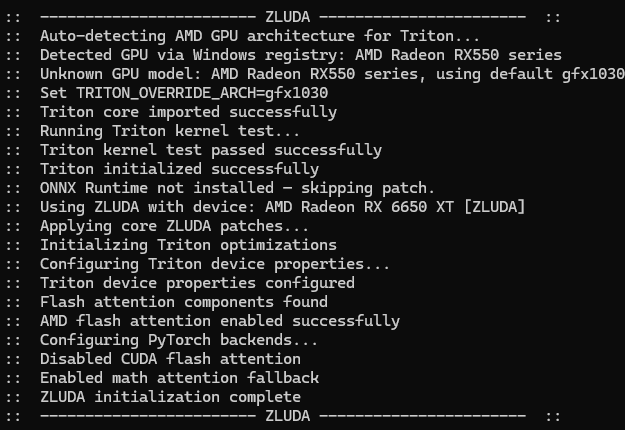
运行过程中可能会跳错误,认真看一遍是否有warning和error
安装中遇到的问题
ERROR: Could not install packages due to an OSError: [WinError 32] 另一个程序正在使用此文件
解决
看看缺什么,自行下载安装
Using HIP SDK Clang.
clang: warning: unable to find a Visual Studio installation
error:
'stdio.h' file not found
记得安装VStudio和必须的插件
warning: declaration of 'struct timeval' will not be visible outside of this function [-Wvisibility]
184 | struct timeval *tv,
clang: error: linker command failed with exit code 1104 (use -v to see invocation)
不能编译titron导致的,设置MSCV环境变量了吗?好好看看安装过程啊,ばか
.\triton\backends\amd\include\hip/hip_runtime.h:49:10: fatal error:
'stdio.h' file not found
49 | #include <stdio.h>
1 error generated.
Triton test failed: Command
VStudio中win sdk版本安装错误
解决
注意操作系统和winsdk是否匹配,并且删除C:\Users\用户名\AppData\Local\Temp中的VStudio缓存(直接删除所有文件,删不掉的跳过不影响使用)
Triton test failed: CUDA unknown error
- this may be due to an incorrectly set up environment, e.g. changing env variable CUDA_VISIBLE_DEVICES after program start. Setting the available devices to be zero
使用lshqqytiger的zluda只能使用自定义Triton
lshqqytiger/triton: Development repository for the Triton language and compiler
https://github.com/patientx/ComfyUI-Zluda/issues/128
如果还不行特别情况特别分析
- 如果是默认环境,在comfyuizluda文件夹下创建test_triton.py,然后运行python test_triton.py
- 如果是conda环境cd到环境目录下创建test_triton.py,例如
cd /d G:\\ProgramData\anaconda3\envs\环境名字\Lib\site-packages然后运行python test_triton.py
import torch
import triton
import triton.language as tl

@triton.jit
def add_kernel(x_ptr, y_ptr, output_ptr, n_elements, BLOCK_SIZE: tl.constexpr):
    pid = tl.program_id(axis=0)
    block_start = pid * BLOCK_SIZE
    offsets = block_start + tl.arange(0, BLOCK_SIZE)
    mask = offsets < n_elements
    x = tl.load(x_ptr + offsets, mask=mask)
    y = tl.load(y_ptr + offsets, mask=mask)
    output = x + y
    tl.store(output_ptr + offsets, output, mask=mask)

def add(x: torch.Tensor, y: torch.Tensor):
    output = torch.empty_like(x)
    n_elements = output.numel()
    grid = lambda meta: (triton.cdiv(n_elements, meta["BLOCK_SIZE"]),)
    add_kernel[grid](x, y, output, n_elements, BLOCK_SIZE=1024)
    return output

a = torch.rand(3, device="cuda")
b = a + a
b_compiled = add(a, a)
print(b_compiled - b)
print("If you see tensor([0., 0., 0.], device='cuda:0'), then it works")
Triton test failed: CUDA error: operation not supported
CUDA kernel errors might be asynchronously reported at some other API call, so the stacktrace below might be incorrect.
For debugging consider passing CUDA_LAUNCH_BLOCKING=1
Compile with `TORCH_USE_CUDA_DSA` to enable device-side assertions.
更新cu版本后,不兼容







 扫一扫
扫一扫


 4045
4045

 被折叠的 条评论
为什么被折叠?
被折叠的 条评论
为什么被折叠?
 到【灌水乐园】发言





