


 这篇博客详细介绍了ROS中的Launch文件,包括其基本语法、参数设置、节点启动、参数配置、重映射、嵌套及示例。Launch文件用于组织和启动ROS节点,通过XML格式定义节点、参数、重映射等,方便系统管理和部署。示例中展示了如何创建和使用Launch文件,以及如何通过参数文件和重映射调整节点行为。
Launch文件:通过XML文件实现多节点的配置和启动(可自动启动ROS Master)
Launch文件语法:
<launch> : launch文件中的根元素采用<launch>标签定义
<node> :
启动节点
<node pkg="package-name" type="executable-name" name="node-name"/>
- pkg : 节点所在的功能包名称
- type : 节点的可执行文件名称
- name : 节点运行时的名称
- output、respawn、required、ns、args
output : 是不是把日志信息打印到终端里的,node都在发送会很凌乱用output来控制
respawn : 启动运行突然挂掉了,是不是要重启
required : 终端里某个节点是不是一定要启动起来
ns : 给每个节点做命名空间,防止节点之间命名冲突
args : 给节点输入参数
//举例:
<launch>
    <node pkg="turtlesim" name="sim1" type="turtlesim_node"/>
    <node pkg="turtlesim" name="sim2" type="turtlesim_node"/>
</launch>
=============
参数设置
<param>/<rosparam>
设置ROS系统运行中的参数,存储在参数服务器中。
<param name="output_frame" value="odom"/>
- name : 参数名
- value : 参数值
加载参数文件中的多个参数:
<rosparam file="param.yaml" command="load" ns="params"/>
<arg>
launch文件内部的局部变量,仅限于launch文件使用
<arg name="arg-name" default="arg-value"/>
- name : 参数名
- value : 参数值
调用:
<param name="foo" value="$(arg arg-name)"/>
<node name="node" pkg="package" type="type" args="$(arg arg-name)"/>
===============
重映射
<remap>
重映射ROS计算图资源的命名,
<remap from="/turtlebot/cmd_vel" to="/cmd_vel"/>
- from : 原命名
- to : 映射之后的命名
==================
嵌套
<include>
包含其他launch文件,类似C语言中的头文件包含
<include file="$(dirname)/other.launch"/>
- file : 包含的其他launch文件路径
============================
Launch示例
//simple.launch
<launch>
    <node pkg="learning_topic" name="talker" type="person_subscriber" output="screen" />
    <node pkg="learning_topic" name="listener" type="person_publisher" output="screen" />
</launch>
//turtlesim_parameter_config.launch

<launch>

    <param name="/turtle_number"    value="2" />

    <node pkg="turtlesim" type="turtlesim_node" name="turtlesim_node">
        <param name="turtle_name1"    value="Tom" />
        <param name="turtle_name2"    value="Jerry" />

        <rosparam file="$(find learning_launch)/config/param.yaml" command="load" />
    </node>

    <node pkg="turtlesim" type="turtle_teleop_key" name="turtle_teleop_key" output="screen" />

</launch>
新建Launch功能包文件夹
catkin_create_pkg learning_launch
新建Launch文件夹
在Launch里建立两个文件,将文本改为XML
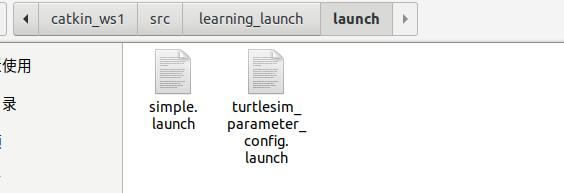
然后catkin_make 编译一下
roslaunch learning_launch simple.launch
新建文件夹config,文件夹里放param.yaml文件,文件内容如下:
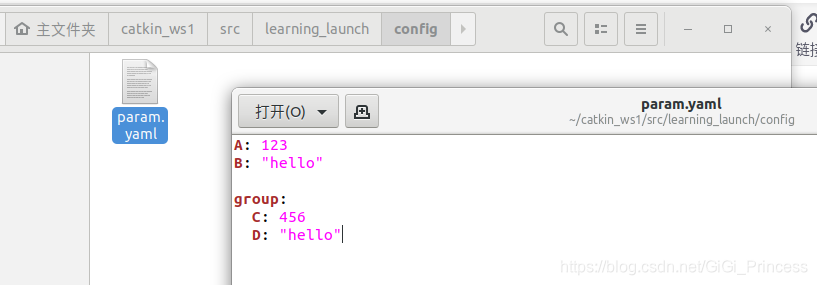
roslaunch learning_launch turtlesim_parameter_config.launch
================================
Launch示例
//start_tf_demo_c++.launch

<launch>

    <!-- Turtlesim Node-->
    <node pkg="turtlesim" type="turtlesim_node" name="sim" />
    <node pkg="turtlesim" type="turtle_teleop_key" name="teleop" output="screen" />

    <node pkg="learning_tf" type="turtle_tf_broadcaster" args="/turtle1" name="turtle1_tf_broadcaster" />
    <node pkg="learning_tf" type="turtle_tf_broadcaster" args="/turtle2" name="turtle2_tf_broadcaster" />

    <node pkg="learning_tf" type="turtle_tf_listener" name="listener" />

</launch>
//turtlesim_remap.launch

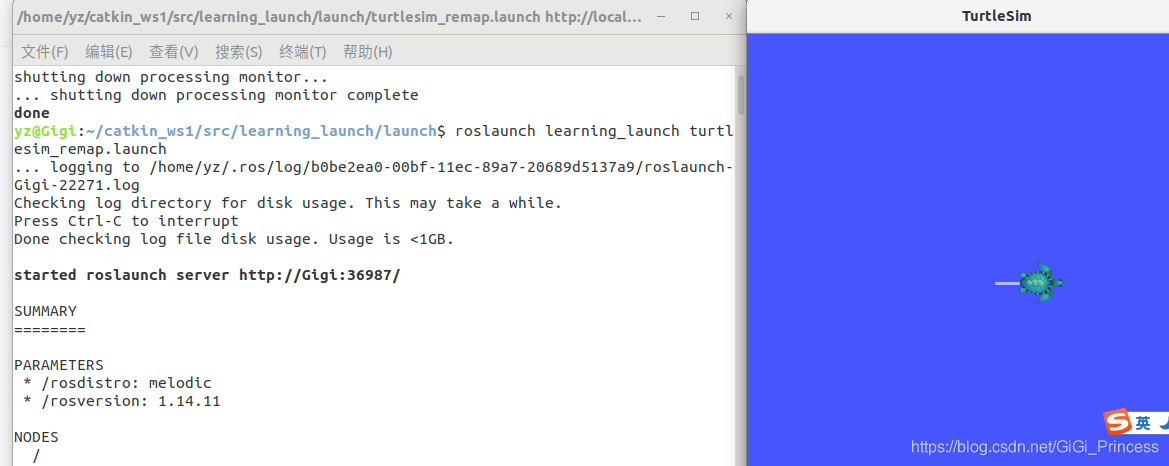
<launch>

    <include file="$(find learning_launch)/launch/simple.launch" />

    <node pkg="turtlesim" type="turtlesim_node" name="turtlesim_node">
        <remap from="/turtle1/cmd_vel" to="/cmd_vel" />
    </node>

</launch>
roslaunch learning_launch start_tf_demo_c++.launch
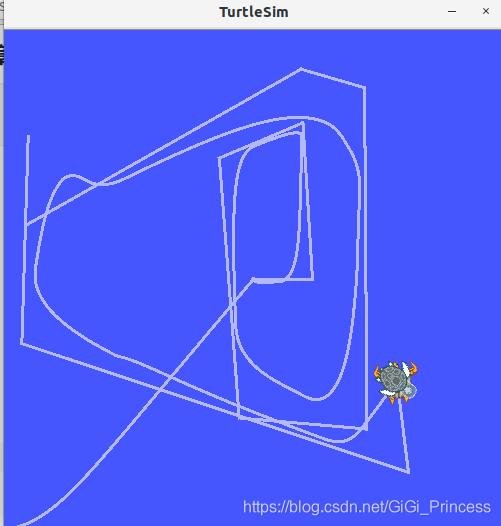
小海龟开始跟随
--------------------------------------
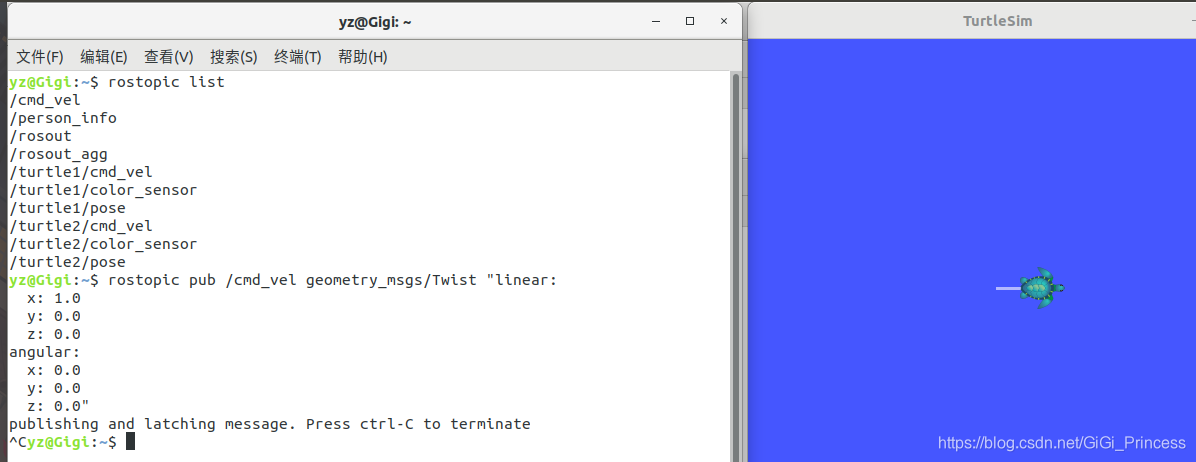
roslaunch learning_launch turtlesim_remap.launch





 扫一扫
扫一扫


 512
512

 被折叠的 条评论
为什么被折叠?
被折叠的 条评论
为什么被折叠?
 到【灌水乐园】发言





