



 本文详细描述了在安装AWVS过程中遇到的依赖库缺失问题,包括具体错误提示,以及通过sudo apt-get install命令逐一解决的过程。最后提供了一条关键安装命令,帮助读者顺利安装。

最近在安装使用AWVS时,安装出现了如下问题,报错
Checking os...
Checking for dependencies...
- dependency libgtk-3.so.0 not found on the system
- dependency libgdk_pixbuf-2.0.so.0 not found on the system
- dependency libXdamage.so.1 not found on the system
- dependency libatk-1.0.so.0 not found on the system
- dependency libatspi.so.0 not found on the system
- dependency libXfixes.so.3 not found on the system
- dependency libXrender.so.1 not found on the system
- dependency libcairo.so.2 not found on the system
- dependency libXcomposite.so.1 not found on the system
- dependency libgdk-3.so.0 not found on the system
- dependency libpangocairo-1.0.so.0 not found on the system
- dependency libX11-xcb.so.1 not found on the system
- dependency libXrandr.so.2 not found on the system
- dependency libXcursor.so.1 not found on the system
- dependency libXss.so.1 not found on the system
- dependency libatk-bridge-2.0.so.0 not found on the system
- dependency libXtst.so.6 not found on the system
Some dependencies are not found on the system.Aborting installation.
Aborting installation
如图:
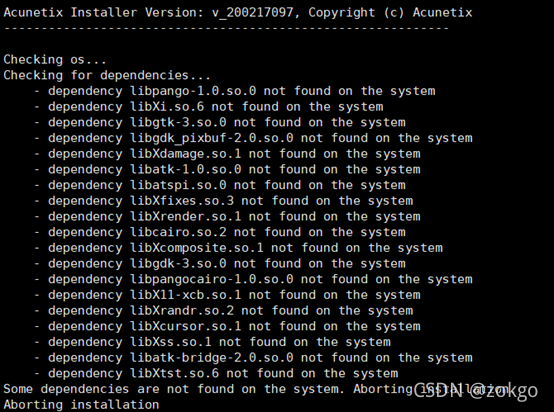
提示的这些依赖的名称直接使用sudo apt-get install xxxx安装会找不到对应的lib,在挨个查询尝试后,最终运行如下命令,就可以啦!!
sudo apt-get install libpango-1.0 libxi6 libgtk-3-0 libx11-xcb1 libxss1
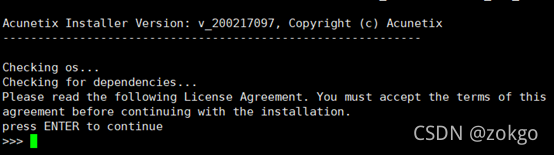
最后,成功进入安装界面。





 扫一扫
扫一扫


 4万+
4万+

 被折叠的 条评论
为什么被折叠?
被折叠的 条评论
为什么被折叠?
 到【灌水乐园】发言





