



 本文深入探讨了Java集合框架的各种类型,包括Set、List、Queue、Map等,详细讲解了每种集合的特点、用法及其实现原理。通过具体示例演示了如何使用这些集合进行数据存储、排序、检索和管理。

Java集合是一种特别有用的工具类,可用于存储数量不等的对象,并可以实现常用的数据结构

Set
Set集合不允许包含相同的元素,如果把两个相同的元素加入到同一个Set集合中,则add()方法返回false,且新元素不会被加入
HashSet
HashSet按Hash算法来存储集合中的元素,因此具有很好的存取和查找性能
其特点如下:
- 不能保证元素的排列顺序,顺序可能与添加顺序不同,顺序也有可能发生变化
- HashSet不是同步的,如果有多个线程同时访问一个HashSet,必须通过代码来保证其同步
- 集合元素值可以是null
TreeSet
TreeSet可以确保集合元素处于排序状态
TreeSet采用红黑树的数据结构来存储集合元素,并且它支持两种排序方法:自然排序和定制排序
注意:如果希望TreeSet能正常运作,TreeSet只能添加同一种类型的对象
List
List代表一个元素有序、可重复的集合,集合中每个元素都有对应的顺序索引
package day6;

import java.util.ArrayList;
import java.util.Comparator;
import java.util.Iterator;

public class ArrayListTest {
    public static void main(String[] args) {
        ArrayList<String> arrayList = new ArrayList<>();
        arrayList.add("Java");
        arrayList.add("C++");
        arrayList.add("C");
        arrayList.add("Python");
        arrayList.add("Go");
        arrayList.add("JavaScript");
        // 排序
        arrayList.sort(new Comparator<String>() {
            @Override
            public int compare(String o1, String o2) {
                return o1.compareTo(o2);
            }
        });
        System.out.println(arrayList);
        Iterator<String> iterator = arrayList.iterator();
        while (iterator.hasNext()) {
            System.out.println(iterator.next());
            System.out.println("==========");
        }
    }
}
[C, C++, Go, Java, JavaScript, Python]
C
==========
C++
==========
Go
==========
Java
==========
JavaScript
==========
Python
==========

Process finished with exit code 0
Queue
Queue用于模拟队列这种数据结构,队列通常是指 ” 先进先出(FIFO)“的容器
PriorityQueue
PriorityQueue不允许插入null元素,它还需要对队列元素进行排序,它有两种排序方法:自然排序和定制排序
package day6;

import java.util.PriorityQueue;

public class PriorityQueueTest {
    public static void main(String[] args) {
        PriorityQueue<Integer> priorityQueue = new PriorityQueue<>();
        // 添加元素
        priorityQueue.add(6);
        priorityQueue.add(-3);
        priorityQueue.add(30);
        priorityQueue.add(20);
        priorityQueue.add(0);
        // 输出队列
        System.out.println(priorityQueue);
        // 删除第一个元素
        System.out.println(priorityQueue.poll());
        System.out.println(priorityQueue);
    }
}
[-3, 0, 30, 20, 6]
-3
[0, 6, 30, 20]

Process finished with exit code 0
package day6;

import java.util.ArrayDeque;
import java.util.Scanner;

public class ArrayDequeTest {
    public static void main(String[] args) {
        Scanner scanner = new Scanner(System.in);
        int n = scanner.nextInt();
        ArrayDeque<Integer> stack = new ArrayDeque<>();
        while (n != 0) {
            stack.push(n % 2);
            n /= 2;
        }
        System.out.println("==========");
        while (!stack.isEmpty()) {
            System.out.print(stack.pop());
        }
        System.out.println();
        System.out.println("==========");
    }
}
10
==========
1010
==========

Process finished with exit code 0
Map
Map用于保存具有映射关系的数据
package day6;

import java.util.HashMap;

public class HashMapTest {
    public static void main(String[] args) {
        HashMap<String, Integer> hashMap = new HashMap<>();
        hashMap.put("a", 1);
        hashMap.put("b", 2);
        hashMap.put("c", 3);
        hashMap.put("d", 4);
        hashMap.put("e", 5);
        System.out.println(hashMap.containsKey("a"));
        System.out.println(hashMap.containsValue(2));
        for (String key : hashMap.keySet()) {
            System.out.println(key + ": " + hashMap.get(key));
        }
        hashMap.remove("c");
        System.out.println(hashMap);
    }
}
true
true
a: 1
b: 2
c: 3
d: 4
e: 5
{a=1, b=2, d=4, e=5}

Process finished with exit code 0
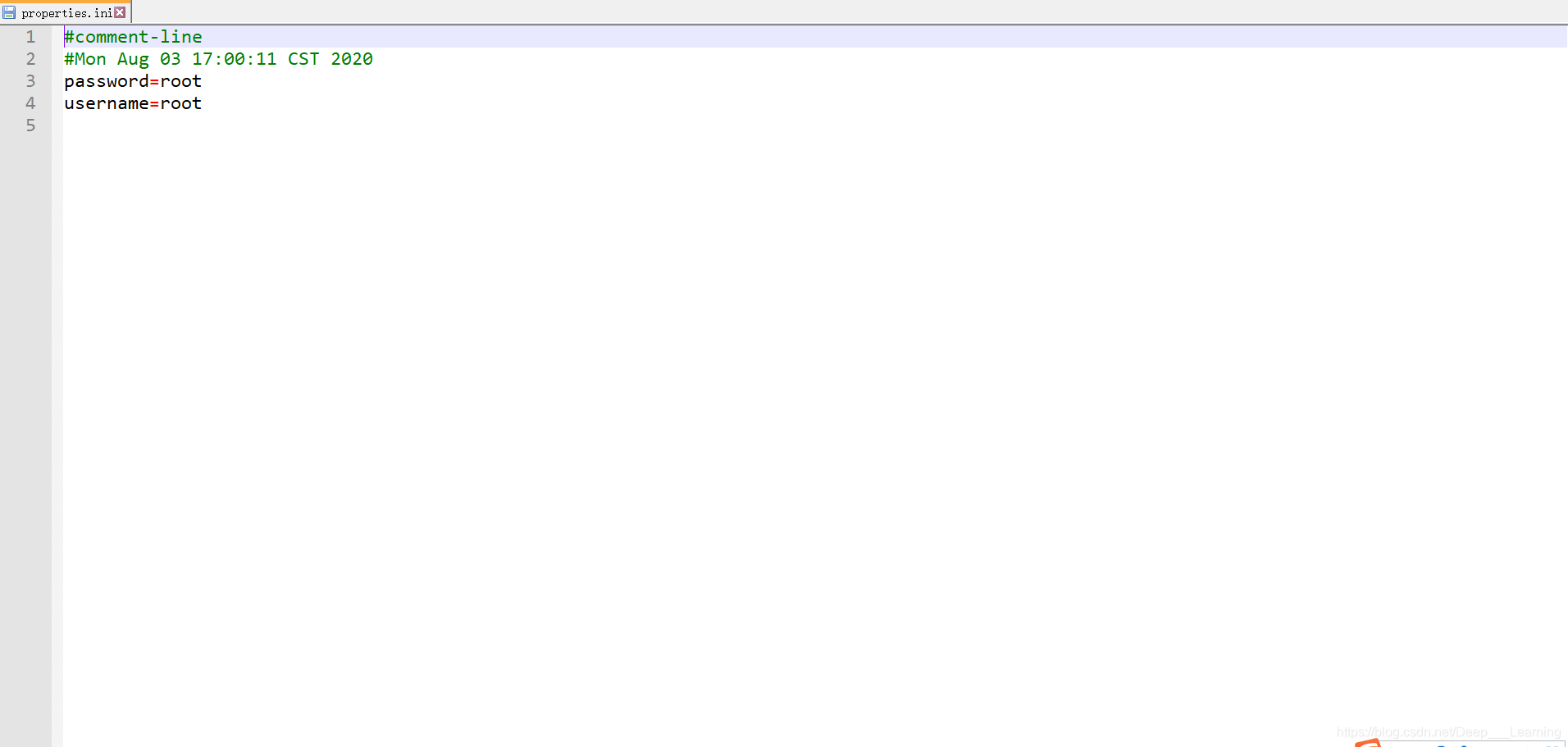
使用Properties读写属性文件
package day6;

import java.io.FileInputStream;
import java.io.FileOutputStream;
import java.io.IOException;
import java.util.Properties;

public class PropertiesTest {
    public static void main(String[] args) {
        Properties properties = new Properties();
        properties.setProperty("username", "root");
        properties.setProperty("password", "root");
        try {
            properties.store(new FileOutputStream("properties.ini"), "comment-line");
        } catch (IOException e) {
            e.printStackTrace();
        }
        Properties properties1 = new Properties();
        try {
            properties1.load(new FileInputStream("properties.ini"));
        } catch (IOException e) {
            e.printStackTrace();
        }
        System.out.println(properties1);
    }
}
{password=root, username=root}

Process finished with exit code 0
package day6;

import java.util.TreeMap;

public class TreeMapTest {
    public static void main(String[] args) {
        TreeMap<String, Integer> treeMap = new TreeMap<>();
        treeMap.put("a", 1);
        treeMap.put("b", 2);
        treeMap.put("d", 3);
        treeMap.put("c", 34);
        treeMap.put("z", 56);
        treeMap.put("x", 89);
        System.out.println(treeMap);
        System.out.println(treeMap.lastKey());
        System.out.println(treeMap.lowerEntry("c"));
        System.out.println(treeMap.subMap("b", "x"));
    }
}
{a=1, b=2, c=34, d=3, x=89, z=56}
z
b=2
{b=2, c=34, d=3}

Process finished with exit code 0
工具类:Collections
Collections提供了大量的方法对集合元素进行排序、查询和修改操作,还提供了将集合对象设置为不可变、对集合对象实现同步控制等方法
package day6;

import java.util.ArrayList;
import java.util.Collections;

public class SortTest {
    public static void main(String[] args) {
        ArrayList<Integer> arrayList = new ArrayList<>();
        arrayList.add(2);
        arrayList.add(-2);
        arrayList.add(3);
        arrayList.add(0);
        arrayList.add(-10);
        arrayList.add(100);
        System.out.println(arrayList);
        Collections.sort(arrayList);
        System.out.println(arrayList);
        Collections.reverse(arrayList);
        System.out.println(arrayList);
        Collections.shuffle(arrayList);
        System.out.println(arrayList);
    }
}
[2, -2, 3, 0, -10, 100]
[-10, -2, 0, 2, 3, 100]
[100, 3, 2, 0, -2, -10]
[2, -2, -10, 0, 3, 100]

Process finished with exit code 0
package day6;

import java.util.ArrayList;
import java.util.Collections;

public class SearchTest {
    public static void main(String[] args) {
        ArrayList<Integer> arrayList = new ArrayList<>();
        arrayList.add(-1);
        arrayList.add(2);
        arrayList.add(-9);
        arrayList.add(-10);
        arrayList.add(19);
        arrayList.add(100);
        arrayList.add(0);
        System.out.println(arrayList);
        System.out.println(Collections.max(arrayList));
        System.out.println(Collections.min(arrayList));
        System.out.println(Collections.replaceAll(arrayList, 0, 1));
        System.out.println(arrayList);
    }
}
[-1, 2, -9, -10, 19, 100, 0]
100
-10
true
[-1, 2, -9, -10, 19, 100, 1]

Process finished with exit code 0





 扫一扫
扫一扫


 1240
1240

 被折叠的 条评论
为什么被折叠?
被折叠的 条评论
为什么被折叠?
 到【灌水乐园】发言





