


目录
测试环境
设备型号:MECHREVO 系列微机(内存:16.0 GB)、iPhone14promax(内存256g)
操作系统:Windows(系统类型:64 位操作系统,基于 x64 的处理器 )
工具:JMeter、Selenium、Fiddler、Xmind、Apifox
测试用例
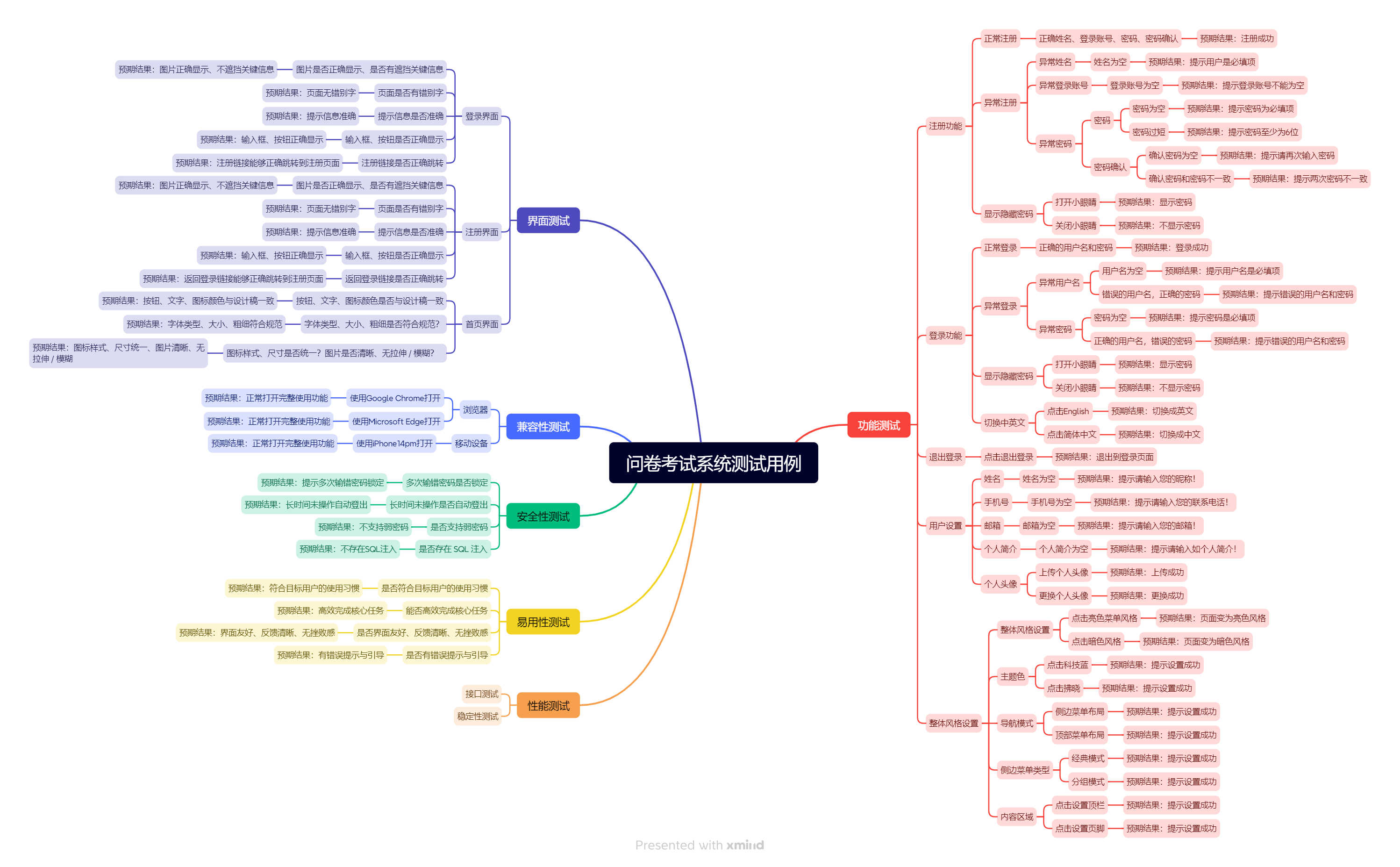
功能测试
注册功能展示:
正常注册:
以姓名小p、登录账号ppp、密码pp123456为例进行注册:
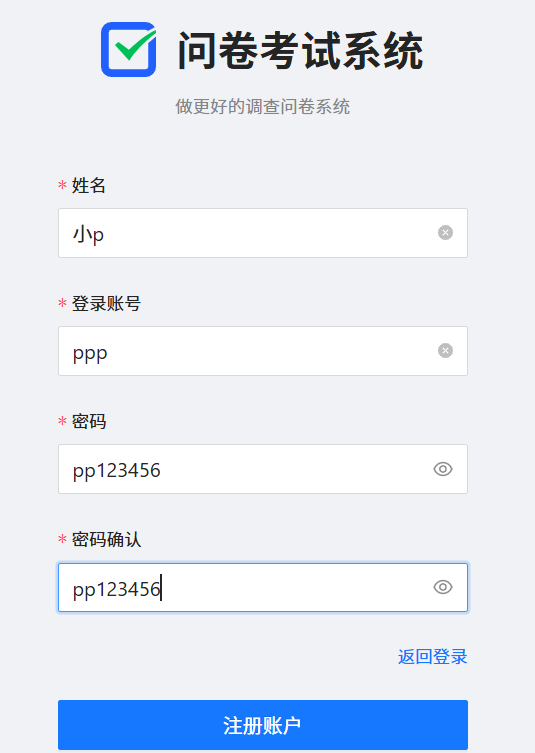
点击注册:
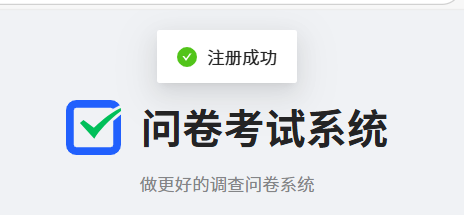
输入姓名、登录账号和密码,点击注册账户,页面会提示“注册成功”,正常注册情况下功能正常
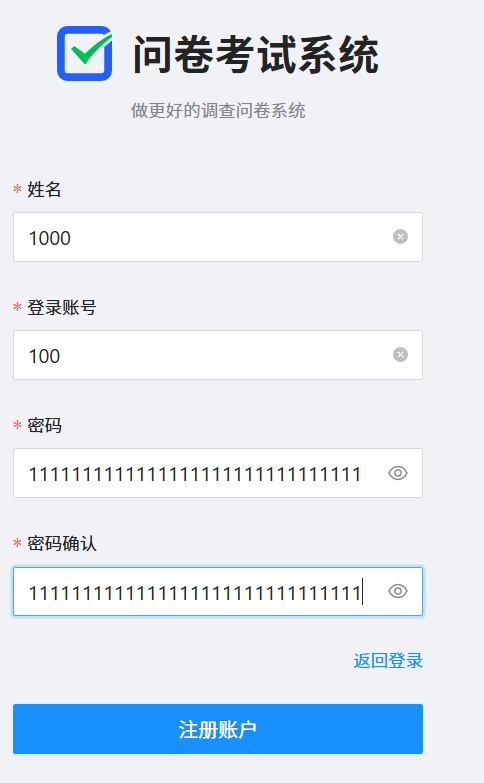
发现密码过长也可注册,不符合预期:
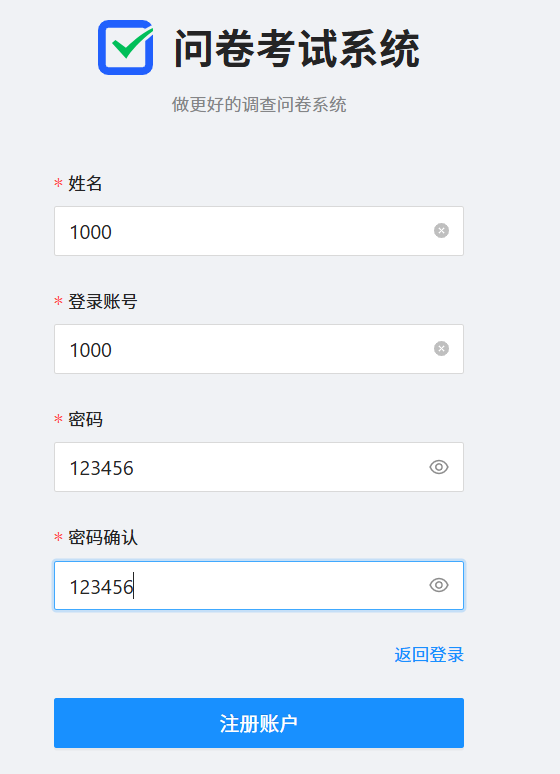
发现弱密码也可以注册,不符合预期:
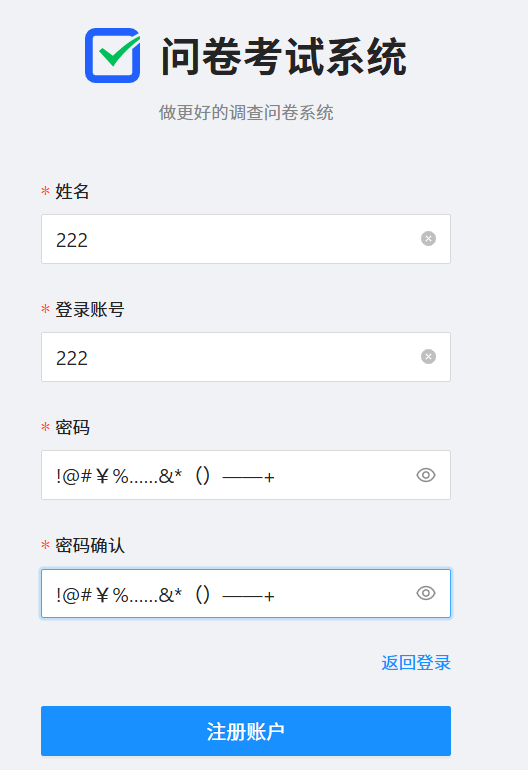
发现全是特殊字符也可以注册,不符合预期:
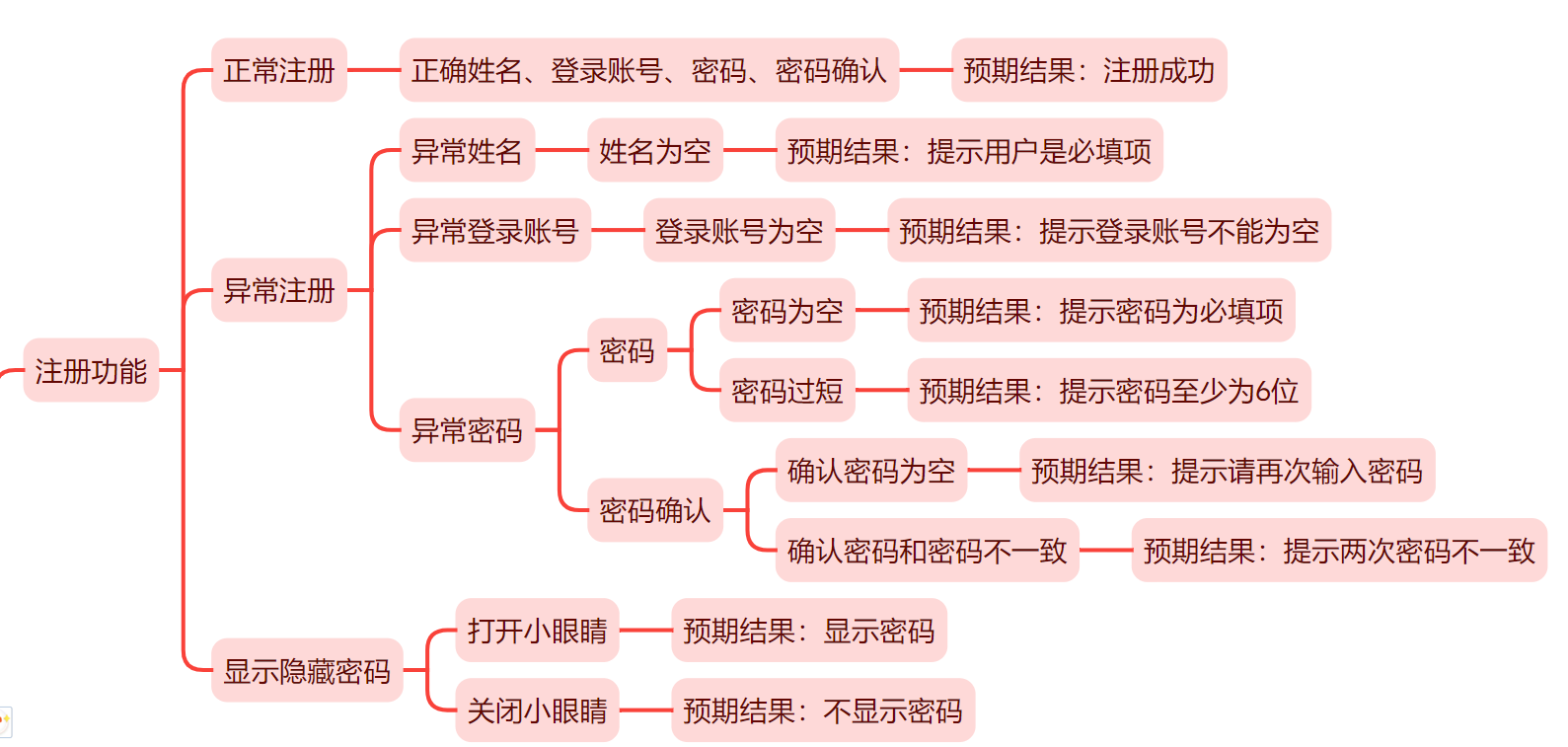
异常注册:
异常注册主要从一下角度进行测试:
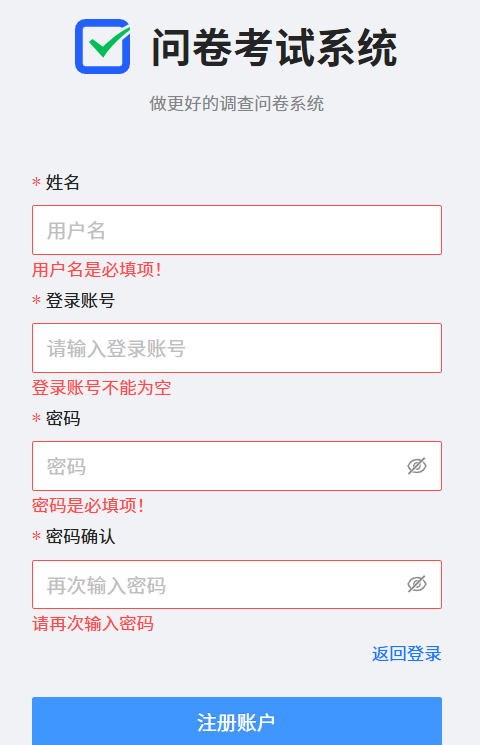
未填写完注册信息,直接点击注册:
姓名为空:
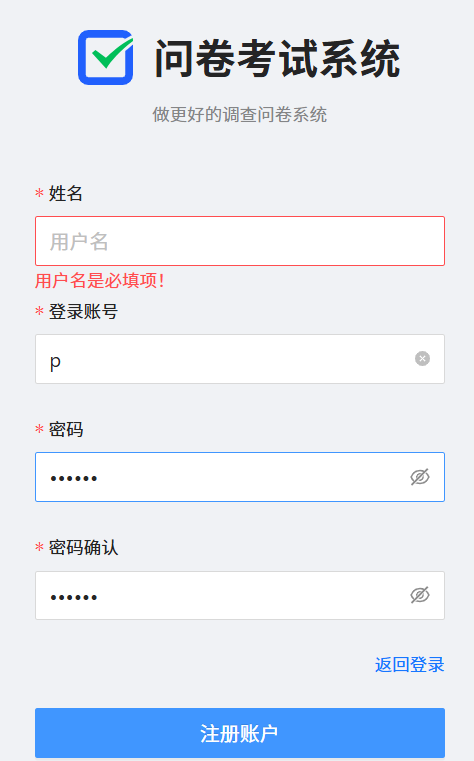
登录账号为空:
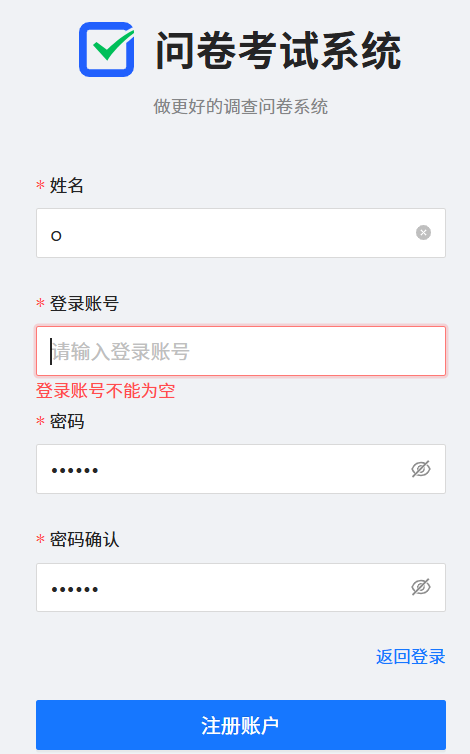
密码为空:
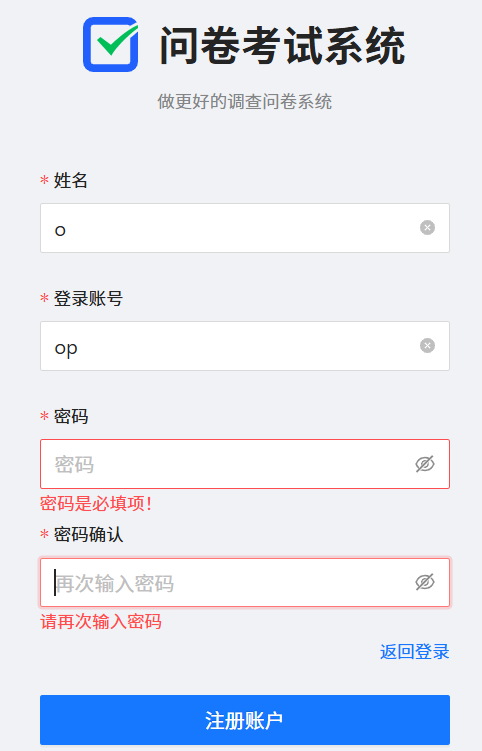
确认密码为空:
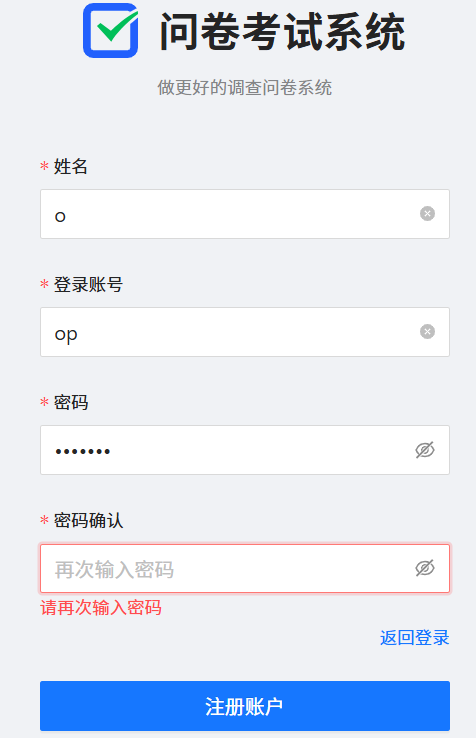
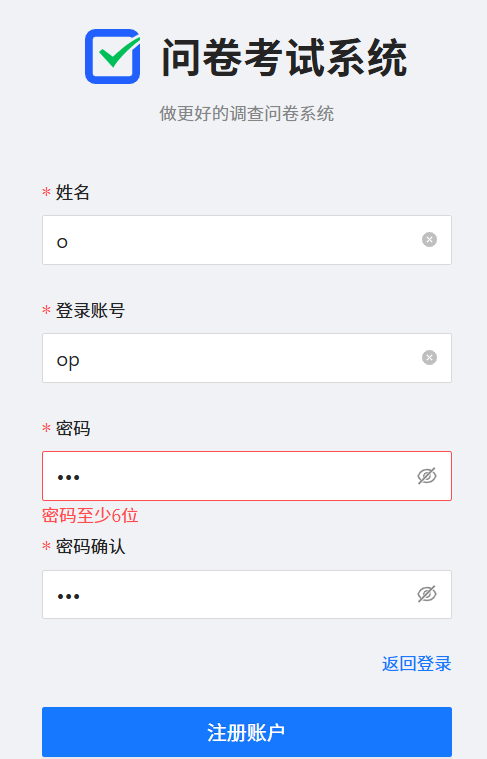
密码过短:
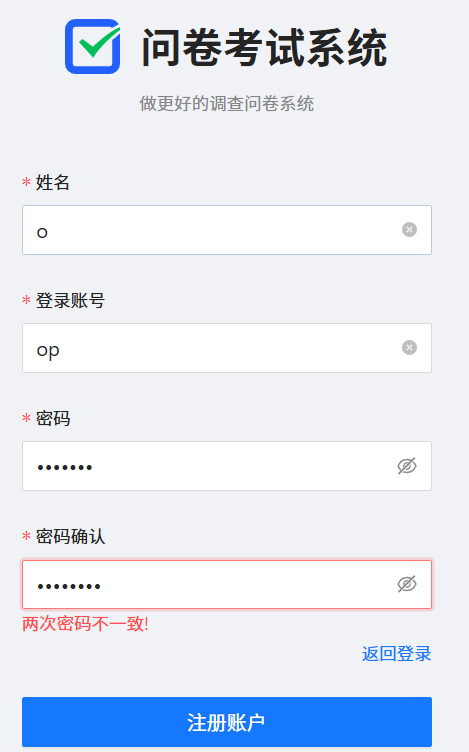
密码和确认密码不一致:
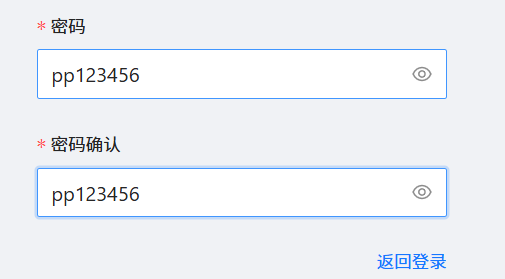
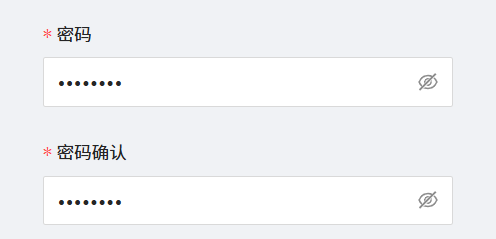
显示隐藏密码:
登录功能:
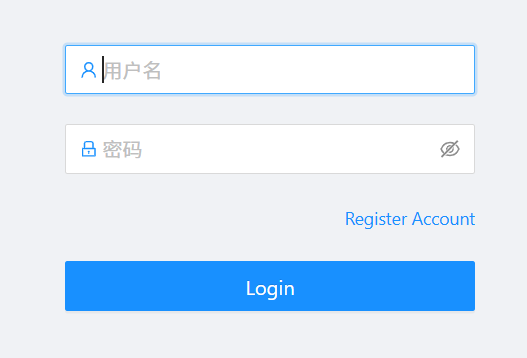
正常登录:
以姓名小p、登录账号ppp、密码pp123456为例进行登录:
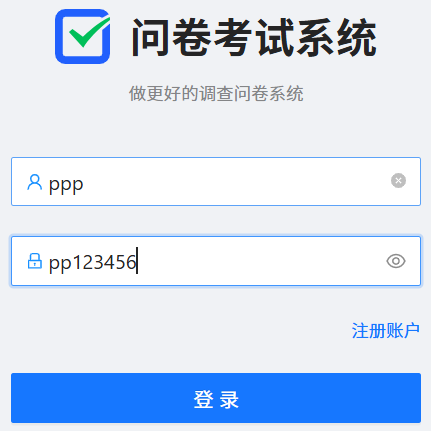
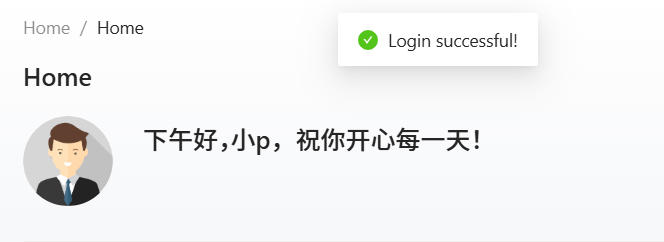
点击登录:

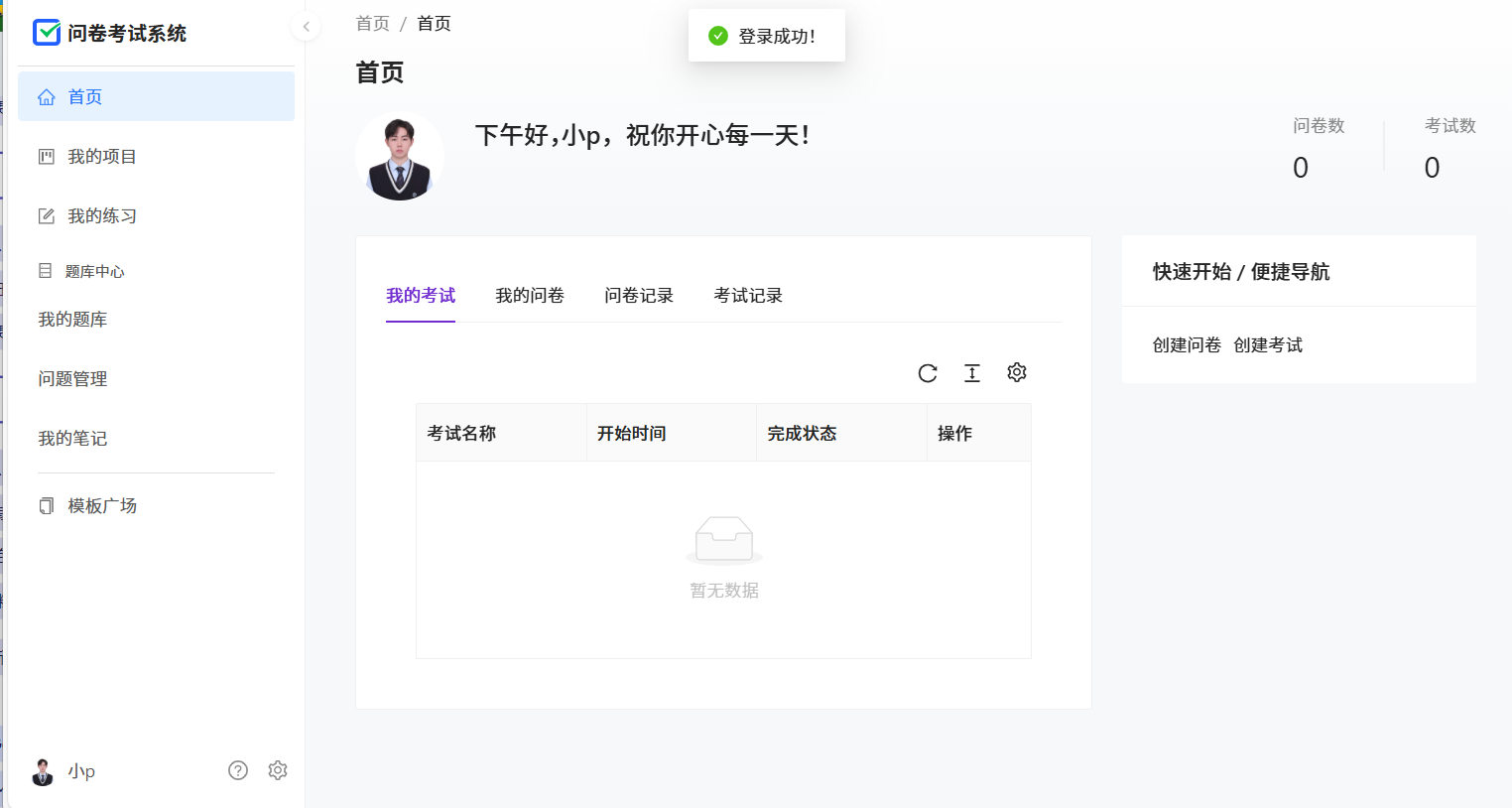
正常登录情况下,成功登录进入首页
异常登录:
用户名、密码为空:
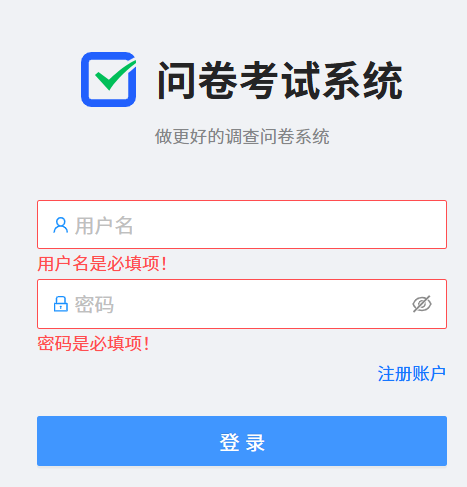
用户名为空:
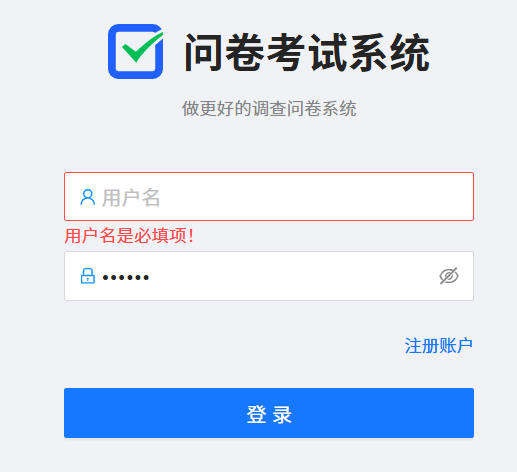
错误的用户名,正确的密码:
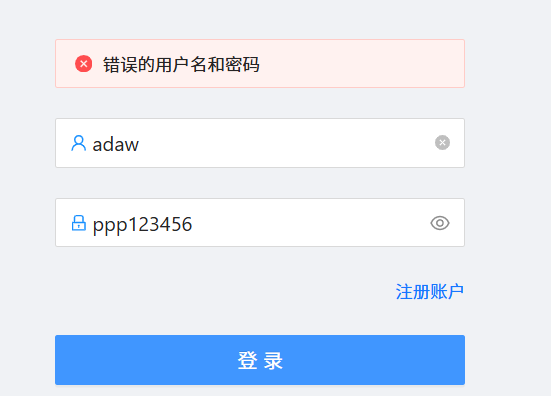
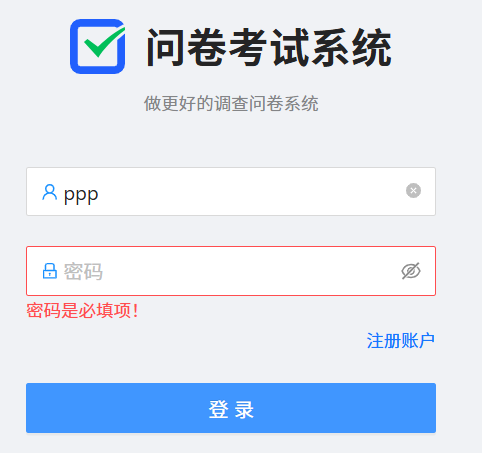
密码为空:
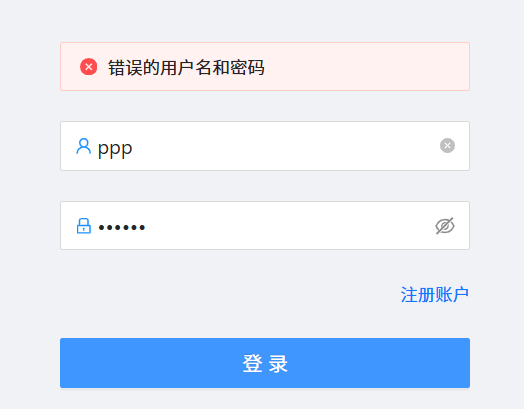
正确的用户名,错误的密码:
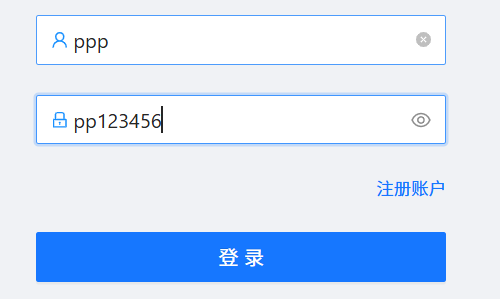
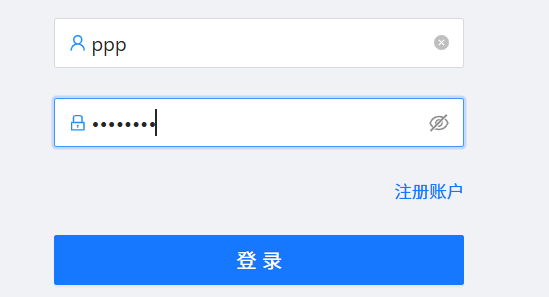
显示隐藏密码:
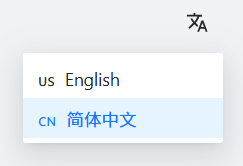
切换中英文:
退出登录功能:
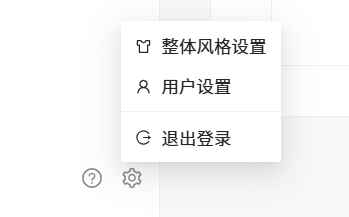
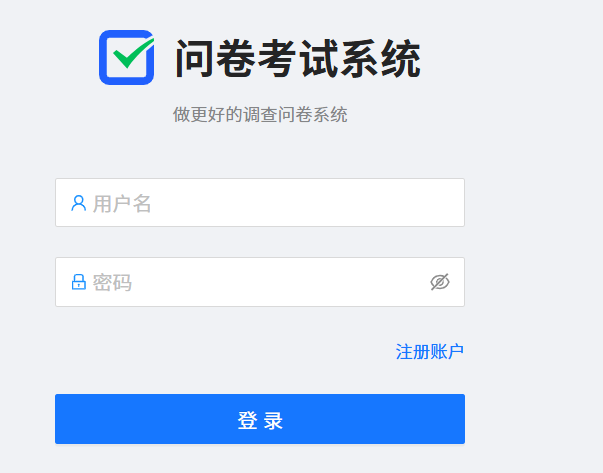
成功退出到登录页面
用户设置功能:
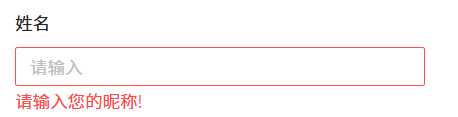
姓名为空:
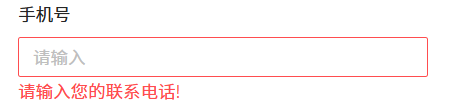
手机号为空:
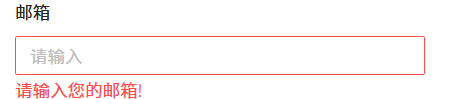
邮箱为空:
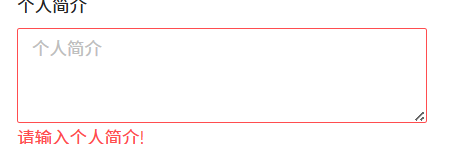
个人简介为空:
上传个人头像:
更换头像:
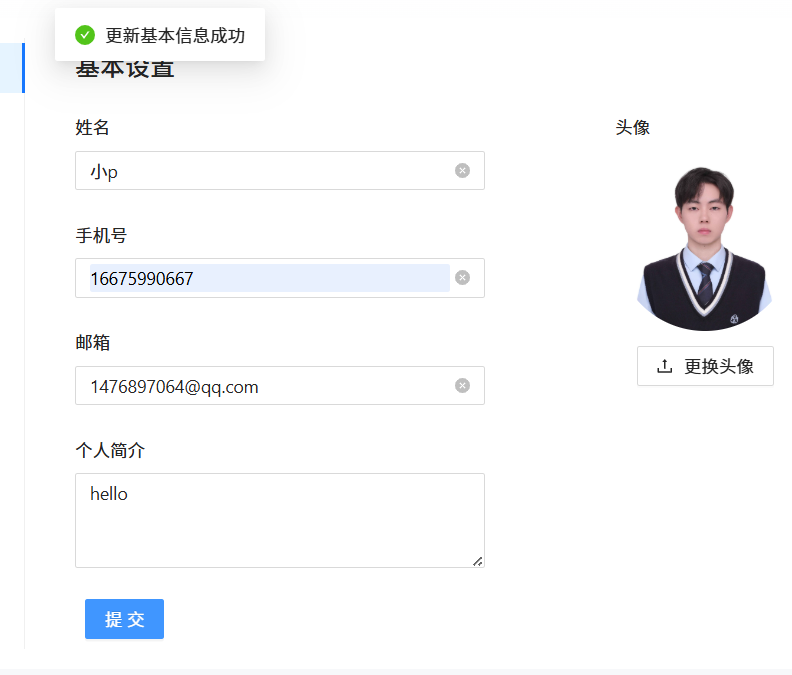
设置个人信息:
整体风格设置功能:
点击亮色菜单风格:

点击暗色风格:

点击科技蓝:
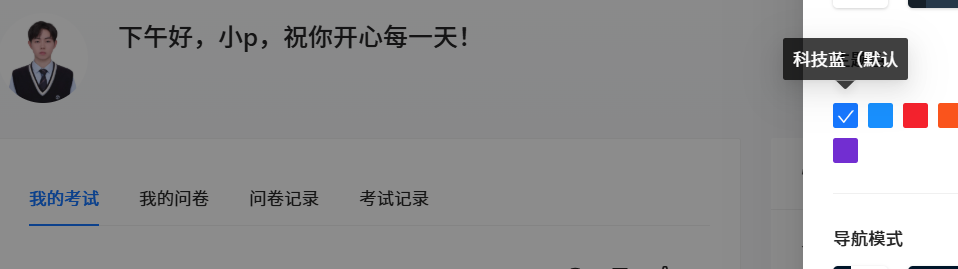
点击拂晓:
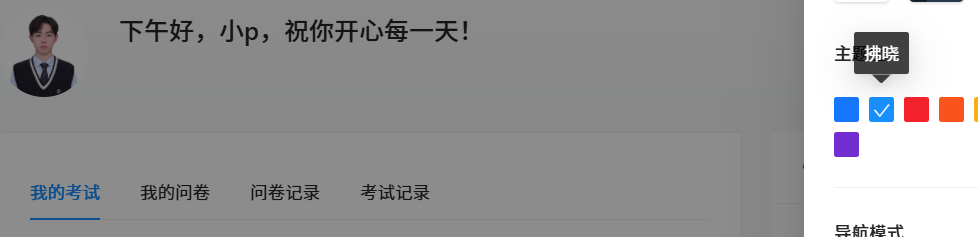
点击薄暮:
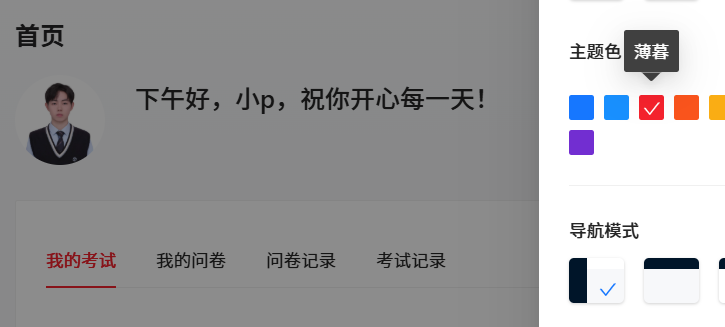
点击火山:
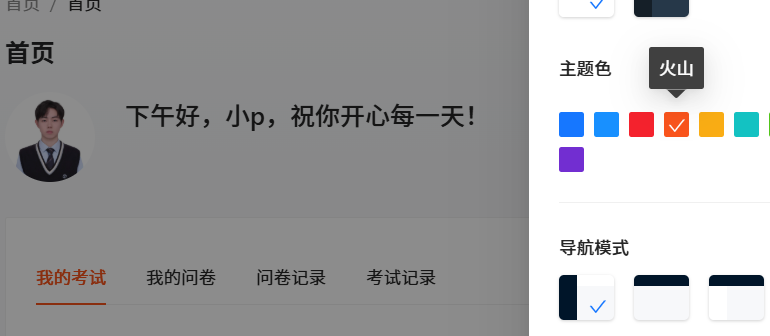
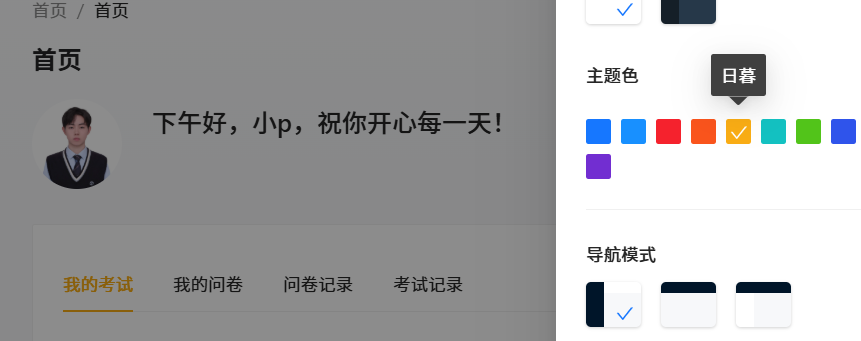
点击日暮:
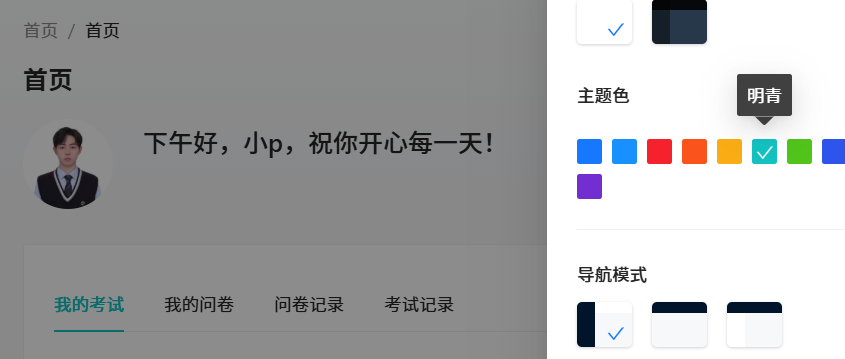
点击明青:
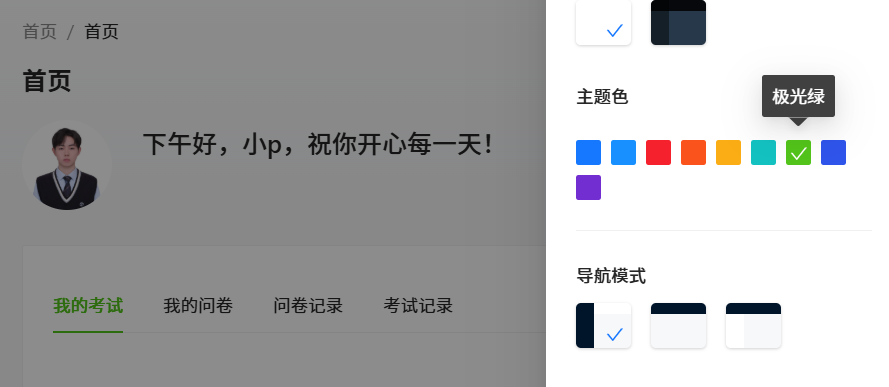
点击极光绿:
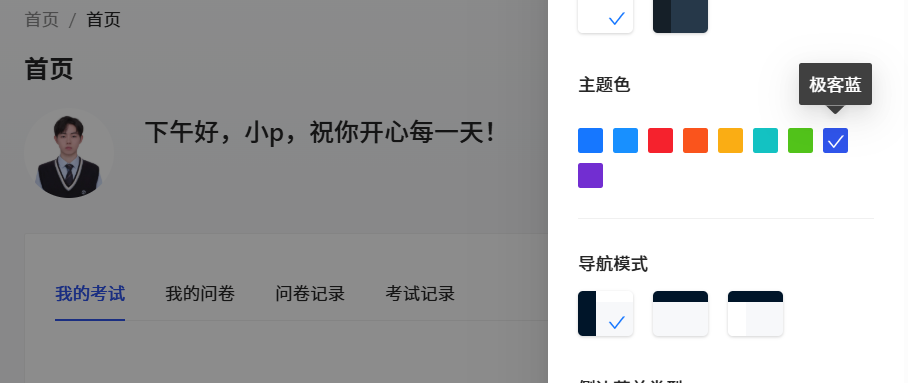
点击极客蓝:
点击酱紫:
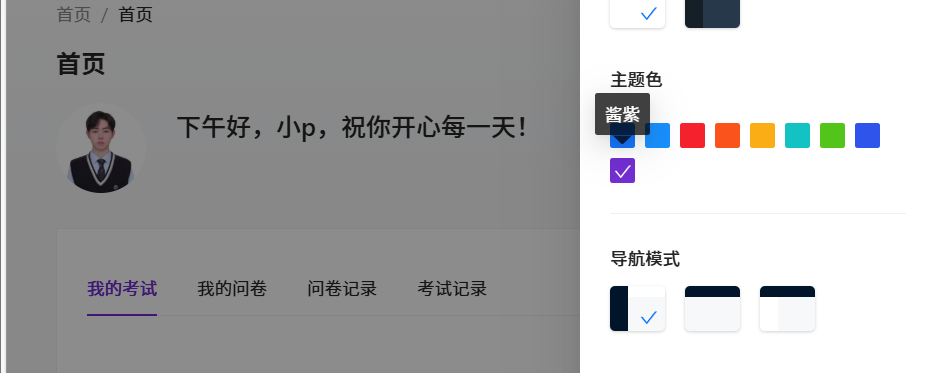
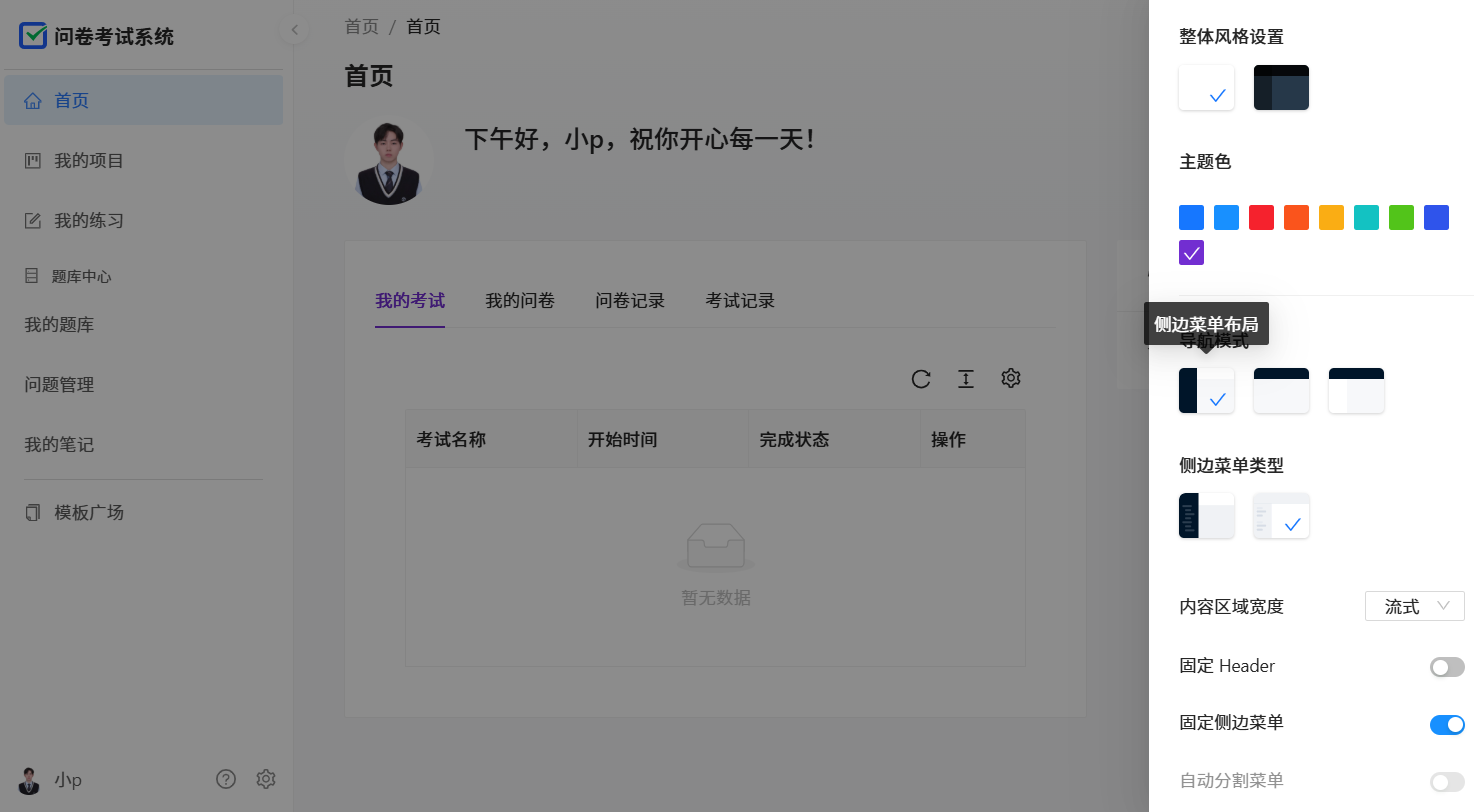
点击侧单菜单布局:
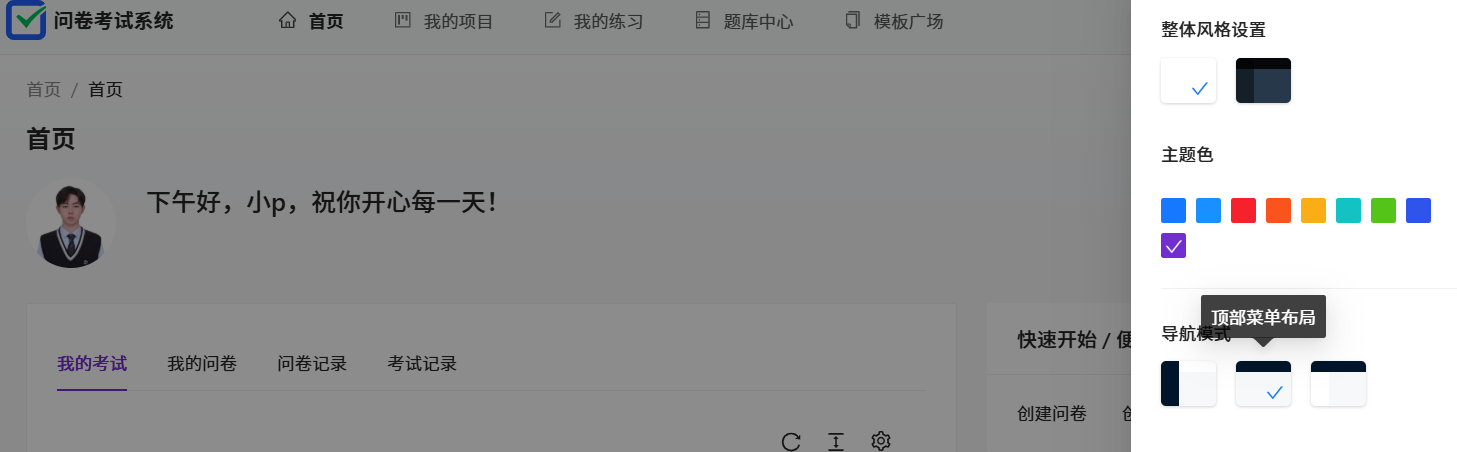
点击顶部菜单布局:
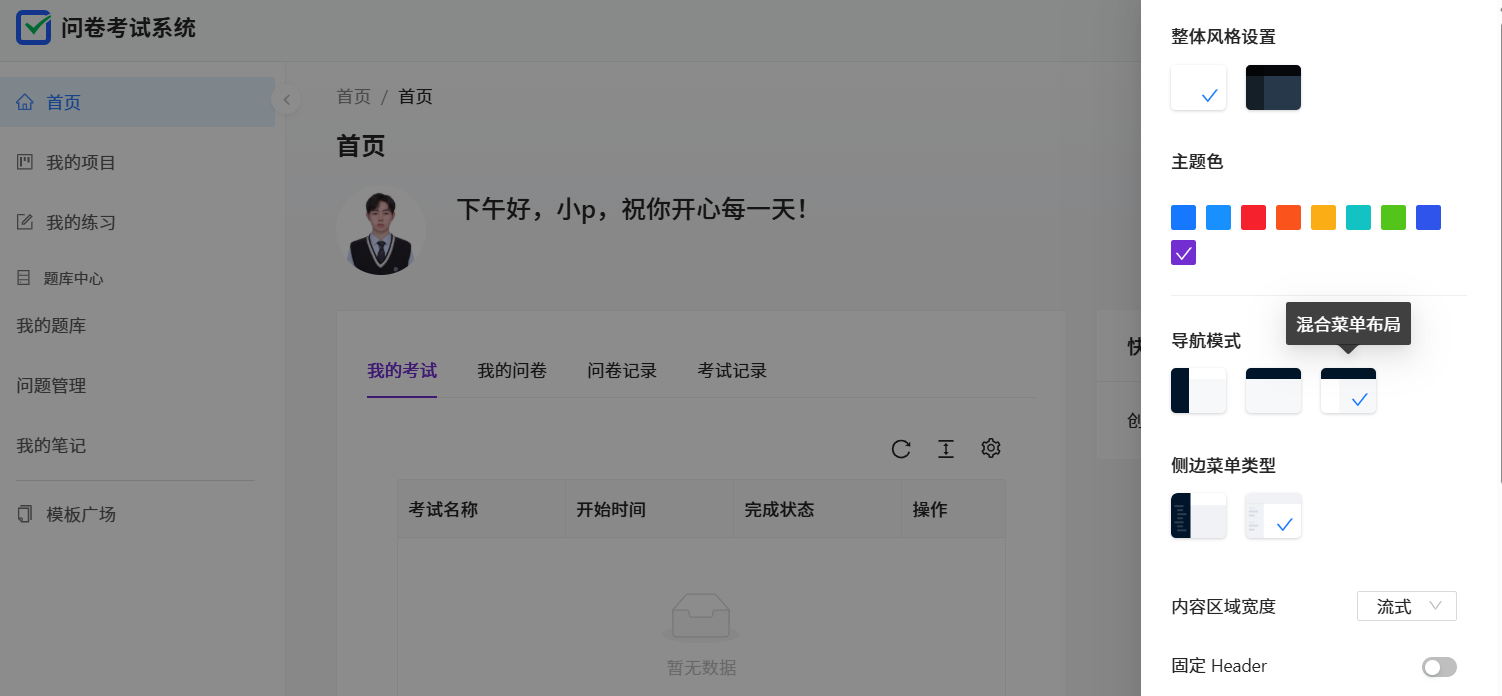
点击混合菜单布局:
点击色弱模式:
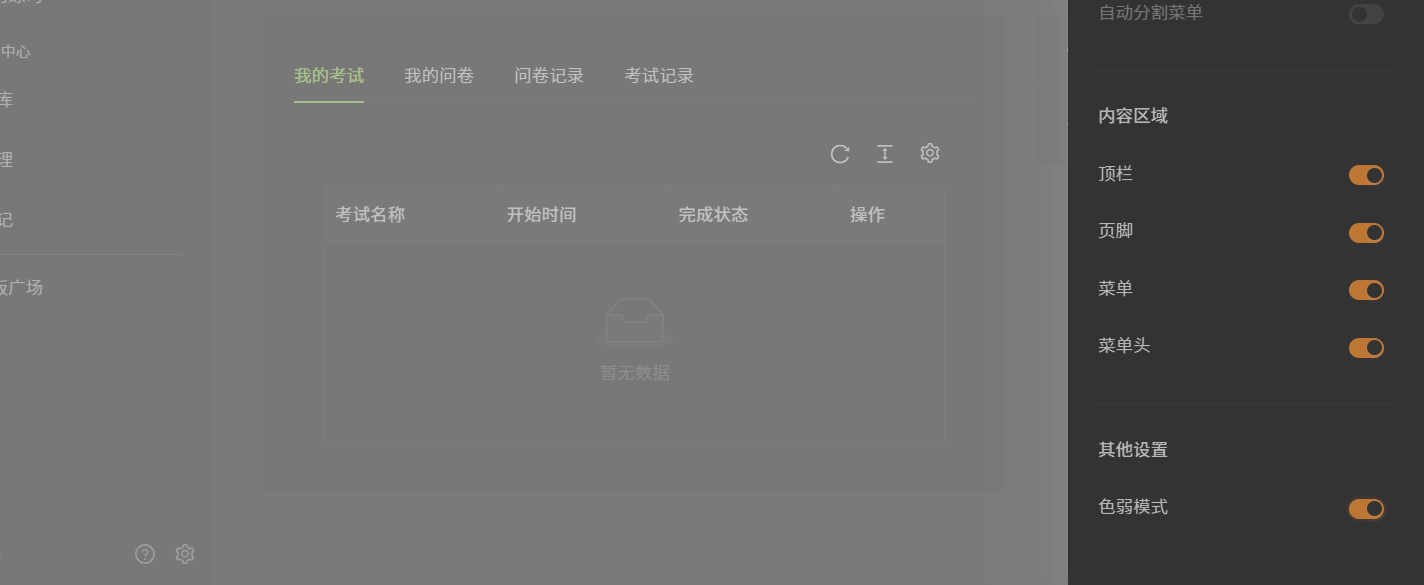
删除问卷时,首页还显示问卷数量,不符合预期:
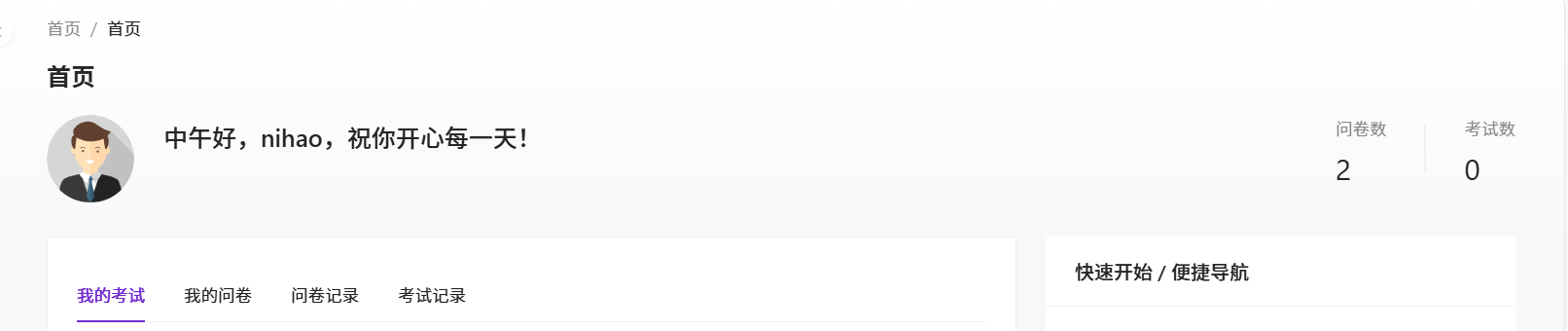
删除考试时,首页还显示考试数量,不符合预期:

创建成功的问卷,在首页找不到:

界面测试
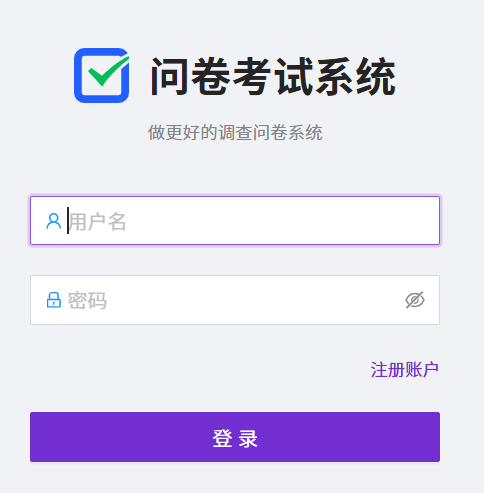
登录界面:
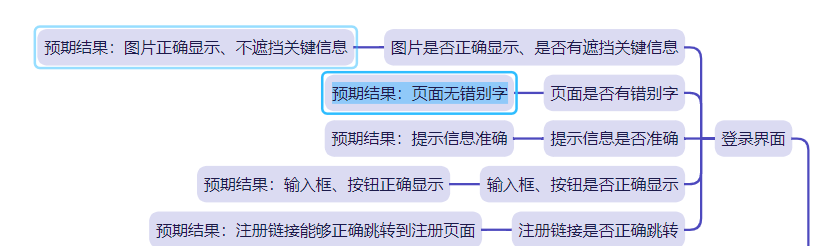
图片正确显示、不遮挡关键信息、页面无错别字

提示信息准确:
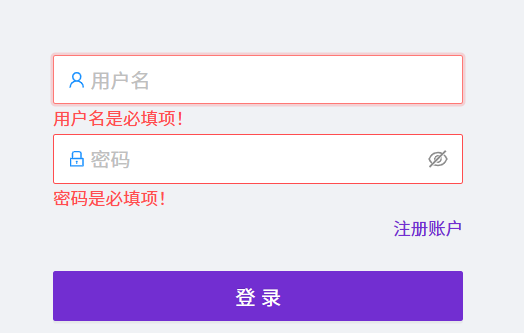
输入框、按钮正确显示:
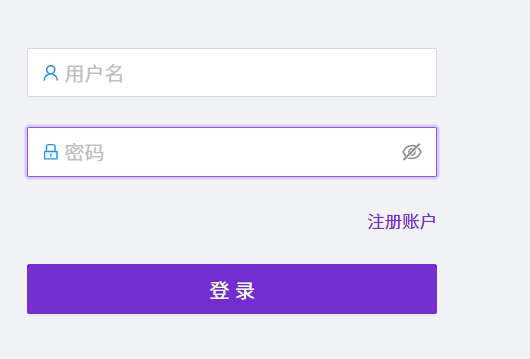
注册链接能跳转:
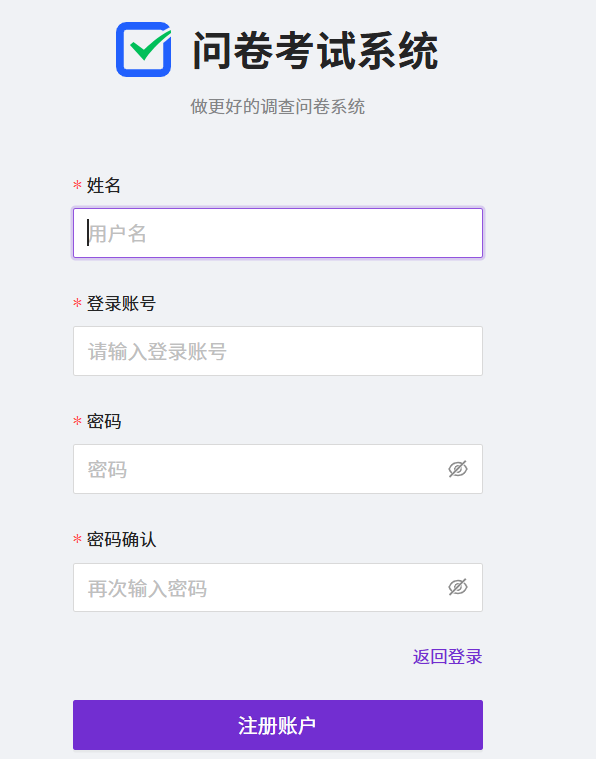
注册界面:
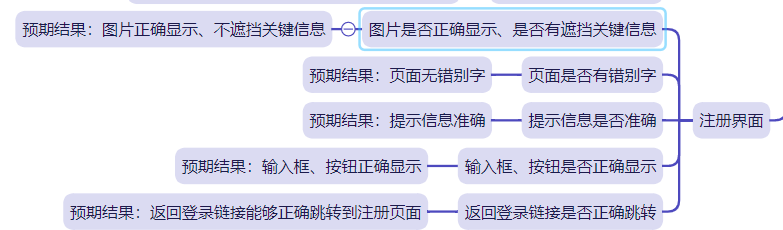
图片正确显示、不遮挡关键信息、页面无错别字:
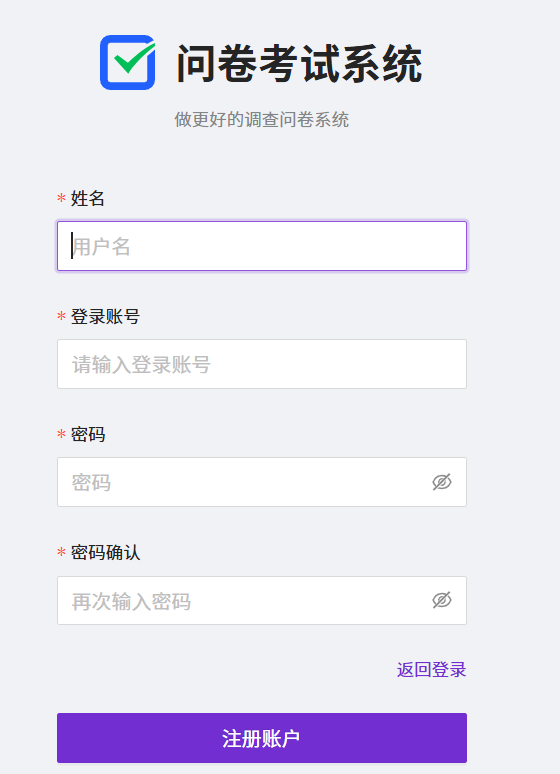
提示信息准确、输入框、按钮正确显示:
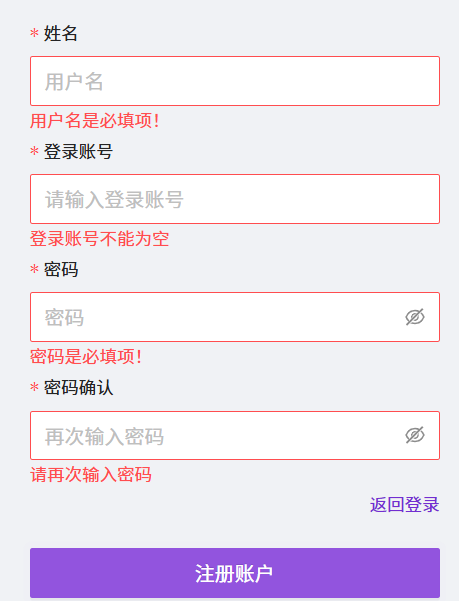
能正确跳转到登录页面:
首页界面:
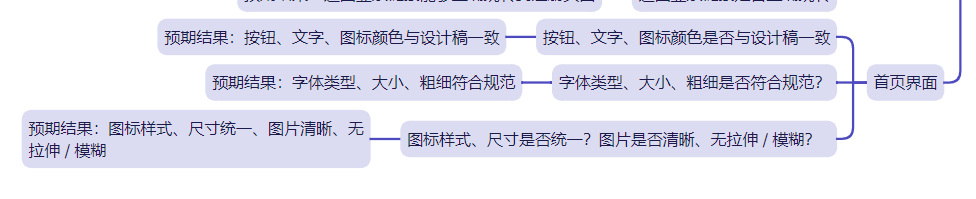
按钮、文字、图标颜色与设计稿一致、字体类型、大小、粗细符合规范、图标样式、尺寸统一、图片清晰、无拉伸 / 模糊
自动化测试
引入依赖:
  <dependencies>
        <dependency>
            <groupId>io.github.bonigarcia</groupId>
            <artifactId>webdrivermanager</artifactId>
            <version>5.8.0</version>
        </dependency>

        <dependency>
            <groupId>org.seleniumhq.selenium</groupId>
            <artifactId>selenium-java</artifactId>
            <version>4.0.0</version>
        </dependency>

        <dependency>
            <groupId>commons-io</groupId>
            <artifactId>commons-io</artifactId>
            <version>2.6</version>
        </dependency>

    </dependencies>
创建 Utils 类,用于存放自动化代码中的通用方法:
package common;

import io.github.bonigarcia.wdm.WebDriverManager;
import org.apache.commons.io.FileUtils;
import org.openqa.selenium.OutputType;
import org.openqa.selenium.TakesScreenshot;
import org.openqa.selenium.WebDriver;
import org.openqa.selenium.chrome.ChromeDriver;
import org.openqa.selenium.chrome.ChromeOptions;

import java.io.File;
import java.io.IOException;
import java.text.SimpleDateFormat;
import java.time.Duration;

public class Utils {
    public static WebDriver driver;
    public static WebDriver createDriver(){
        if (driver == null){
            WebDriverManager.chromedriver().setup();
            ChromeOptions options = new ChromeOptions();
            options.addArguments("--remote-allow-origins=*");

            driver = new ChromeDriver(options);

            driver.manage().timeouts().implicitlyWait(Duration.ofSeconds(2));
        }
        return driver;
    }
    public Utils(String url){
        driver = createDriver();
        driver.get(url);
    }


    //屏幕截图
    public void getScreenShot(String str) throws IOException {
        SimpleDateFormat sim1 = new SimpleDateFormat("yyyy-MM-dd");
        SimpleDateFormat sim2 = new SimpleDateFormat("HHmmssSS");

        String dirTime = sim1.format(System.currentTimeMillis());
        String fileTime = sim2.format(System.currentTimeMillis());

        String filename = "./src/test/image/"+ dirTime +"/" + str +"-" + fileTime + ".png";

        File srcFile = ((TakesScreenshot)driver).getScreenshotAs(OutputType.FILE);
        FileUtils.copyFile(srcFile,new File(filename));

    }
}
对登录页面进行自动化测试:
package tests;

import common.Utils;
import org.openqa.selenium.By;

public class LoginPage extends Utils {
    public static String url = "http://8.155.1.153:8081/user/login?redirect=%2Fsystem%2Fsetting";

    public LoginPage() {
        super(url);
    }

    public void loginPageRight() throws InterruptedException {
        Thread.sleep(2000);
        driver.findElement(By.cssSelector("#root > div > div.content___2zk1- > div.top___1C1Zi > div.header___5xZ3f > span"));
        driver.findElement(By.cssSelector("#root > div > div.content___2zk1- > div.main___x4OjT > div > form > button"));
//        driver.quit();
    }

    //登录成功
    public void LoginSuc() throws InterruptedException {
        driver.findElement(By.cssSelector("#username")).clear();
        driver.findElement(By.cssSelector("#password")).clear();

        driver.findElement(By.cssSelector("#username")).sendKeys("p");
        driver.findElement(By.cssSelector("#password")).sendKeys("123456");
        driver.findElement(By.cssSelector("#root > div > div.content___2zk1- > div.main___x4OjT > div > form > button")).click();

        Thread.sleep(2000);

        String expect = driver.getCurrentUrl();
        System.out.println(driver.getCurrentUrl());
        if (driver.getCurrentUrl().equals("http://8.155.1.153:8081/system/setting")){
            System.out.println("登录成功");
        }else {
            System.out.println("登录失败");
        }
        Thread.sleep(2000);
        driver.navigate().back();
//        driver.quit();

    }

    //登录失败
    public void LoginFail() throws InterruptedException {
        driver.findElement(By.cssSelector("#username")).clear();
        driver.findElement(By.cssSelector("#password")).clear();

        driver.findElement(By.cssSelector("#username")).sendKeys("p");
        driver.findElement(By.cssSelector("#password")).sendKeys("1234567");
        driver.findElement(By.cssSelector("#root > div > div.content___2zk1- > div.main___x4OjT > div > form > button")).click();

        Thread.sleep(2000);
        String expect1 = driver.getCurrentUrl();
        System.out.println(driver.getCurrentUrl());
        if (driver.getCurrentUrl().equals("http://8.155.1.153:8081/system/setting")){
            System.out.println("登录成功");
        }else {
            System.out.println("登录失败");
        }
        Thread.sleep(2000);
        driver.quit();
    }

}
进行测试:
public class Runtests {
    private static final Logger log = LoggerFactory.getLogger(Runtests.class);

    public static void main(String[] args) throws InterruptedException {
        LoginPage login = new LoginPage();
        login.loginPageRight();
        login.LoginSuc();
        login.LoginFail();
    }
}
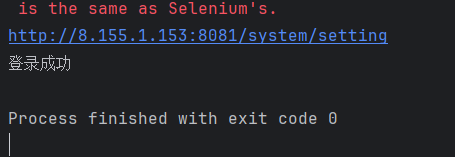
测试通过: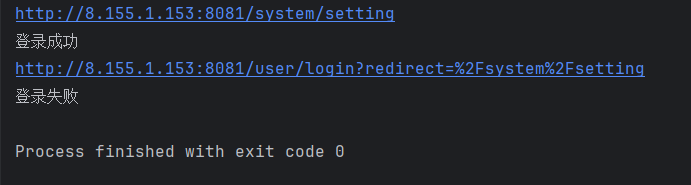
对注册进行自动化测试:
package tests;

import common.Utils;
import org.openqa.selenium.By;

public class RegisterPage extends Utils {
    public static String url = "http://8.155.1.153:8081/user/register";

    public RegisterPage() {
        super(url);
    }

    public void registerPageRight() throws InterruptedException {
        Thread.sleep(2000);
        driver.findElement(By.cssSelector("#root > div > div.content___1k5Ro > div.main___19HXK > div > form > div:nth-child(2) > div > div.ant-col.ant-form-item-label"));
        driver.findElement(By.cssSelector("#root > div > div.content___1k5Ro > div.main___19HXK > div > form > div:nth-child(3) > div > div.ant-col.ant-form-item-label > label"));
//        driver.quit();
    }

    //注册成功
    public void RegisterSuc() throws InterruptedException {
        driver.findElement(By.cssSelector("#name")).clear();
        driver.findElement(By.cssSelector("#username")).clear();
        driver.findElement(By.cssSelector("#password")).clear();
        driver.findElement(By.cssSelector("#rePassword")).clear();

        driver.findElement(By.cssSelector("#name")).sendKeys("彭");
        driver.findElement(By.cssSelector("#username")).sendKeys("ND");
        driver.findElement(By.cssSelector("#password")).sendKeys("123456");
        driver.findElement(By.cssSelector("#rePassword")).sendKeys("123456");
        driver.findElement(By.cssSelector("#root > div > div.content___1k5Ro > div.main___19HXK > div > form > button")).click();
        Thread.sleep(2000);

        String expect = driver.getCurrentUrl();
        System.out.println(driver.getCurrentUrl());
        if (driver.getCurrentUrl().equals("http://8.155.1.153:8081/user/login")){
            System.out.println("注册成功");
        }else {
            System.out.println("注册失败");
        }
        Thread.sleep(2000);
//        driver.quit();
    }

    //注册失败
    public void RegisterFail() throws InterruptedException {
        driver.findElement(By.cssSelector("#name")).clear();
        driver.findElement(By.cssSelector("#username")).clear();
        driver.findElement(By.cssSelector("#password")).clear();
        driver.findElement(By.cssSelector("#rePassword")).clear();

        driver.findElement(By.cssSelector("#name")).sendKeys("彭");
        driver.findElement(By.cssSelector("#username")).sendKeys("hah");
        driver.findElement(By.cssSelector("#password")).sendKeys("12345");
        driver.findElement(By.cssSelector("#rePassword")).sendKeys("12345");
        driver.findElement(By.cssSelector("#root > div > div.content___1k5Ro > div.main___19HXK > div > form > button")).click();
        Thread.sleep(2000);

        String expect = driver.getCurrentUrl();
        System.out.println(driver.getCurrentUrl());
        if (driver.getCurrentUrl().equals("http://8.155.1.153:8081/user/login")){
            System.out.println("注册成功");
        }else {
            System.out.println("注册失败");
        }
        Thread.sleep(2000);
        driver.quit();
    }
}
进行测试
    RegisterPage register = new RegisterPage();
        register.registerPageRight();
        register.RegisterSuc();
        register.RegisterFail();
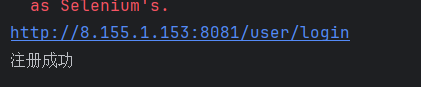
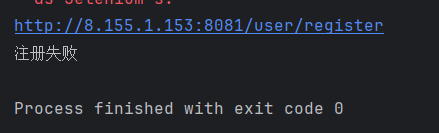
测试通过:
注册成功:
新建问卷功能测试:
package tests;

import common.Utils;
import org.openqa.selenium.By;
import org.openqa.selenium.WebElement;
import org.openqa.selenium.support.ui.ExpectedConditions;
import org.openqa.selenium.support.ui.WebDriverWait;

import java.time.Duration;

public class MyPojectPage extends Utils {
    public static String url = "http://8.155.1.153:8081/project";

    public MyPojectPage() {
        super(url);
    }

    public void myPojectPageRight() throws InterruptedException {
        Thread.sleep(2000);
        driver.findElement(By.cssSelector("#sk-layout > div > div > section > div.ant-pro-layout-container > main > div > div.ant-page-header.ant-pro-page-container-warp-page-header.ant-pro-page-container-warp-page-header.ant-page-header-has-breadcrumb.ant-page-header-ghost > div.ant-page-header-heading > div > span"));
        driver.findElement(By.cssSelector("#sk-layout > div > div > section > div.ant-pro-layout-container > main > div > div.ant-page-header.ant-pro-page-container-warp-page-header.ant-pro-page-container-warp-page-header.ant-page-header-has-breadcrumb.ant-page-header-ghost > div.ant-page-header-content > div > div > div > div > div > div > div > span > span > input"));
//        driver.quit();
    }

    //新建问卷调查
    public void NewMyPojectPage() throws InterruptedException {
        driver.findElement(By.cssSelector("#sk-layout > div > div > section > div.ant-pro-layout-container > main > div > div.ant-page-header.ant-pro-page-container-warp-page-header.ant-pro-page-container-warp-page-header.ant-page-header-has-breadcrumb.ant-page-header-ghost > div.ant-page-header-heading > span > div > div > button")).click();
        driver.findElement(By.cssSelector("body > div:nth-child(7) > div > div > ul > li:nth-child(1) > span")).click();
        driver.findElement(By.cssSelector("#rc-tabs-0-panel-1 > div > div > dl:nth-child(1) > div > div:nth-child(1) > dd > div")).click();

        WebDriverWait wait = new WebDriverWait(driver, Duration.ofSeconds(10));
        WebElement editor = wait.until(ExpectedConditions.visibilityOfElementLocated(
                By.cssSelector("#editorContent > div > div > div:nth-child(2) > div > div > div > div.q-content-wrap > div.q-title-wrap > div.sc-aXZVg.inUNmB.quill-container.not-focus > div > pre > div.ql-editor")
        ));
        editor.sendKeys("下面哪个是问号");

        WebDriverWait wait1 = new WebDriverWait(driver, Duration.ofSeconds(10));
        WebElement editor1 = wait.until(ExpectedConditions.visibilityOfElementLocated(By.cssSelector("#editorContent > div > div > div:nth-child(2) > " +
                "div > div > div > div.q-content-wrap > div.q-content > div > div > div:nth-child(1) > div > div >" +
                " div:nth-child(2) > div.sc-aXZVg.dDPeIT.quill-container.not-focus > div > pre > div.ql-editor > p")));
        editor1.sendKeys("?");

        WebDriverWait wait2 = new WebDriverWait(driver, Duration.ofSeconds(10));
        WebElement editor2 = wait.until(ExpectedConditions.visibilityOfElementLocated(By.cssSelector("#editorContent > div > div > div:nth-child(2) > " +
                "div > div > div > div.q-content-wrap > div.q-content > div > div > div:nth-child(2) > div > div > " +
                "div:nth-child(2) > div.sc-aXZVg.dDPeIT.quill-container.not-focus > div > pre > div.ql-editor > p")));
        editor2.sendKeys("!");
        Thread.sleep(2000);
        driver.findElement(By.cssSelector("#editor > div.survey-main-panel > div.survey-main-panel-toolbar > div:nth-child(2) > " +
                "div > button.ant-btn.ant-btn-primary.ant-btn-sm")).click();
        driver.quit();
    }
}
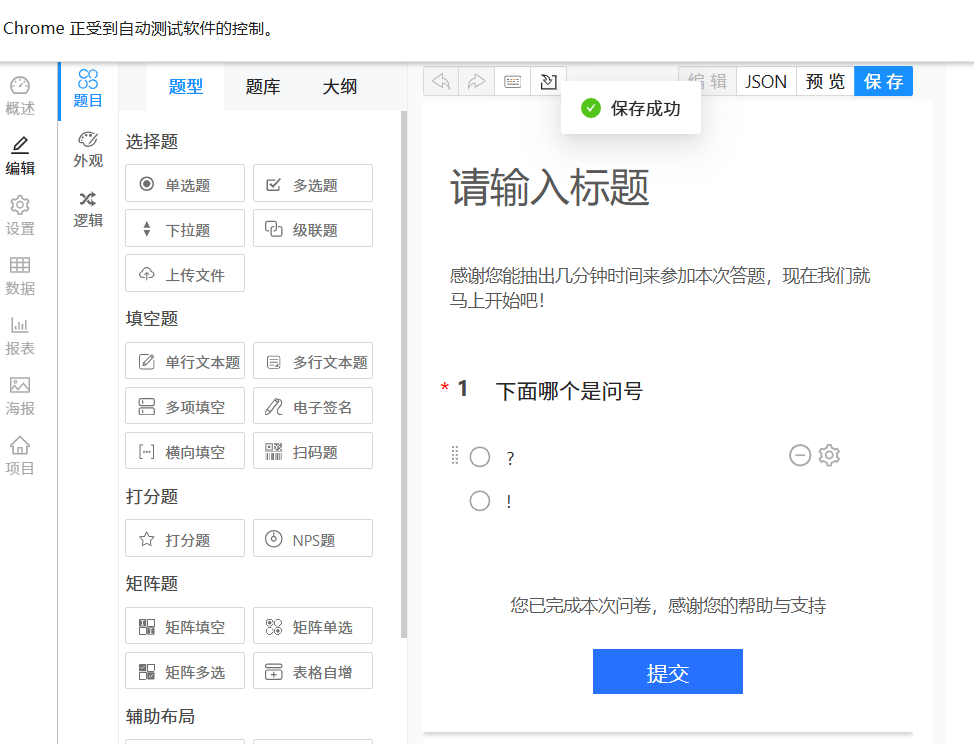
进行测试:
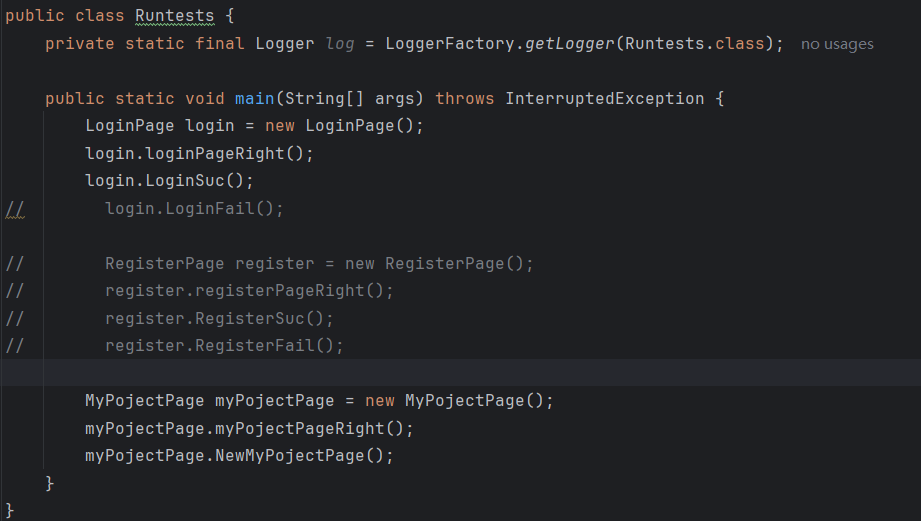
测试通过:
性能测试
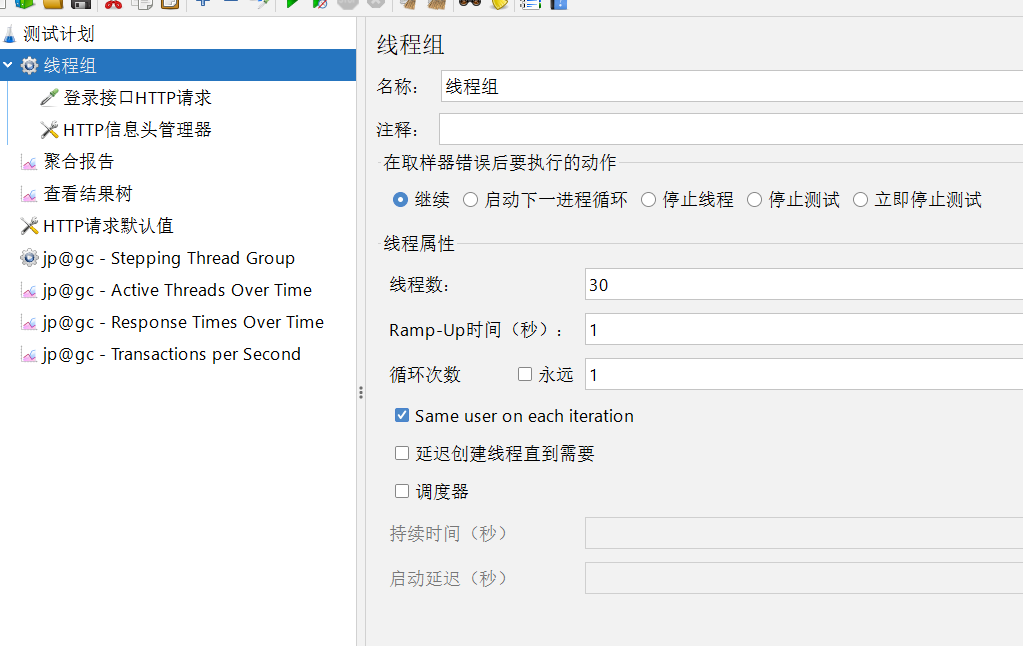
使用Jmeter对登录接口进行性能测试
聚合报告:
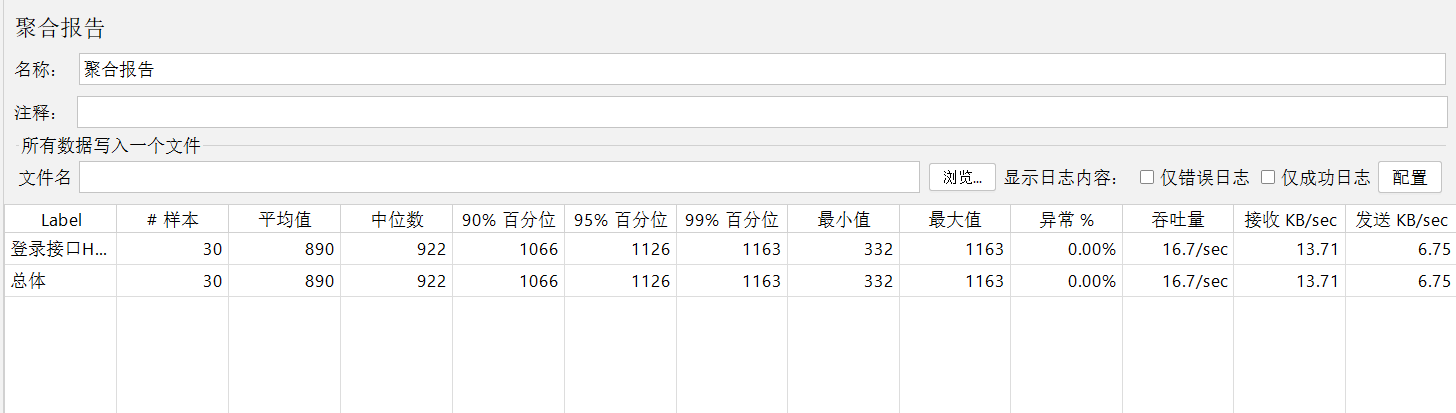
接口的异常率为0%,响应时间较为稳定;
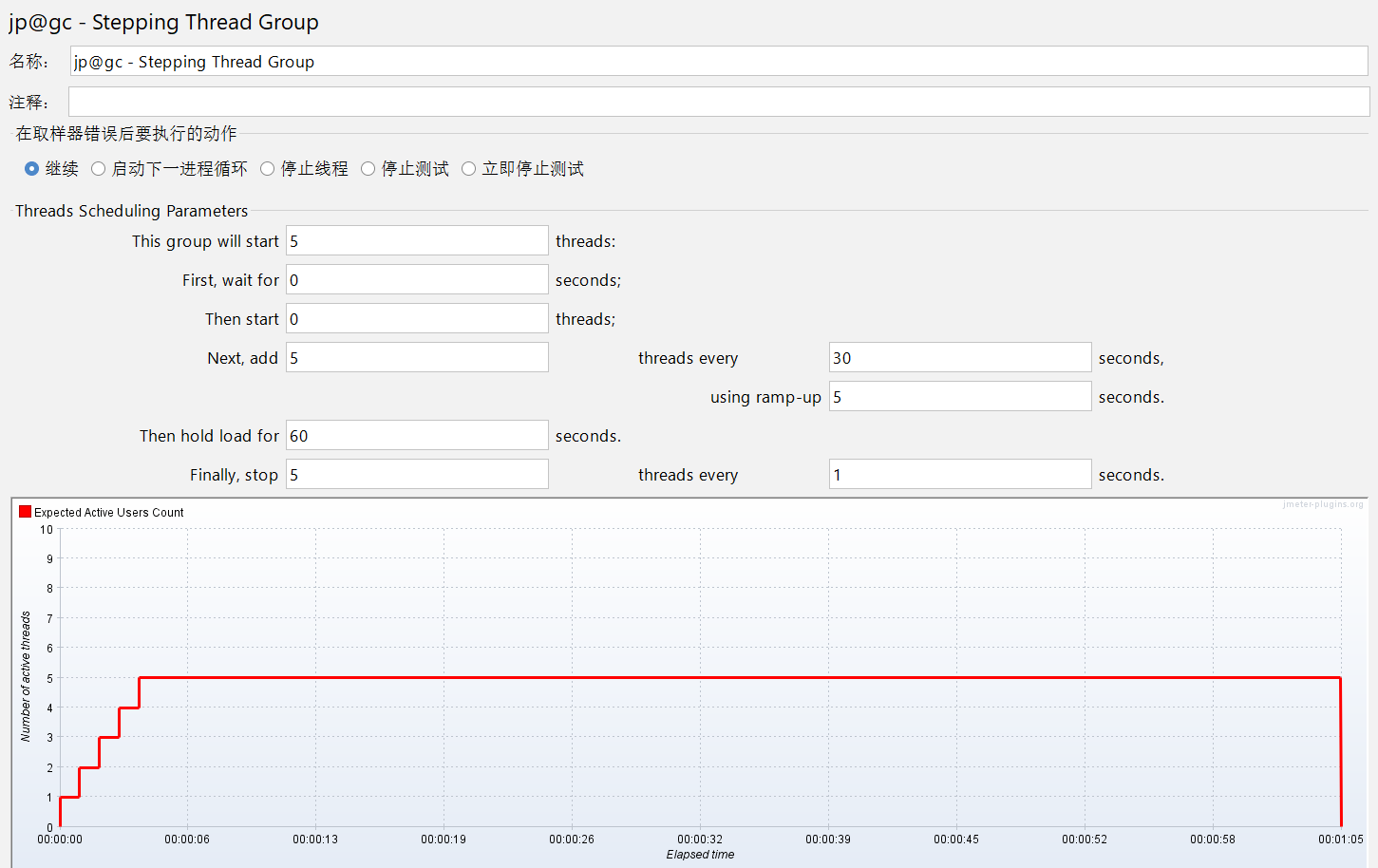
每 30 秒新增 5 个线程,且这 5 个线程会在 5 秒内逐步启动,实现负载逐步增加,模拟用户量慢慢上涨的场景:
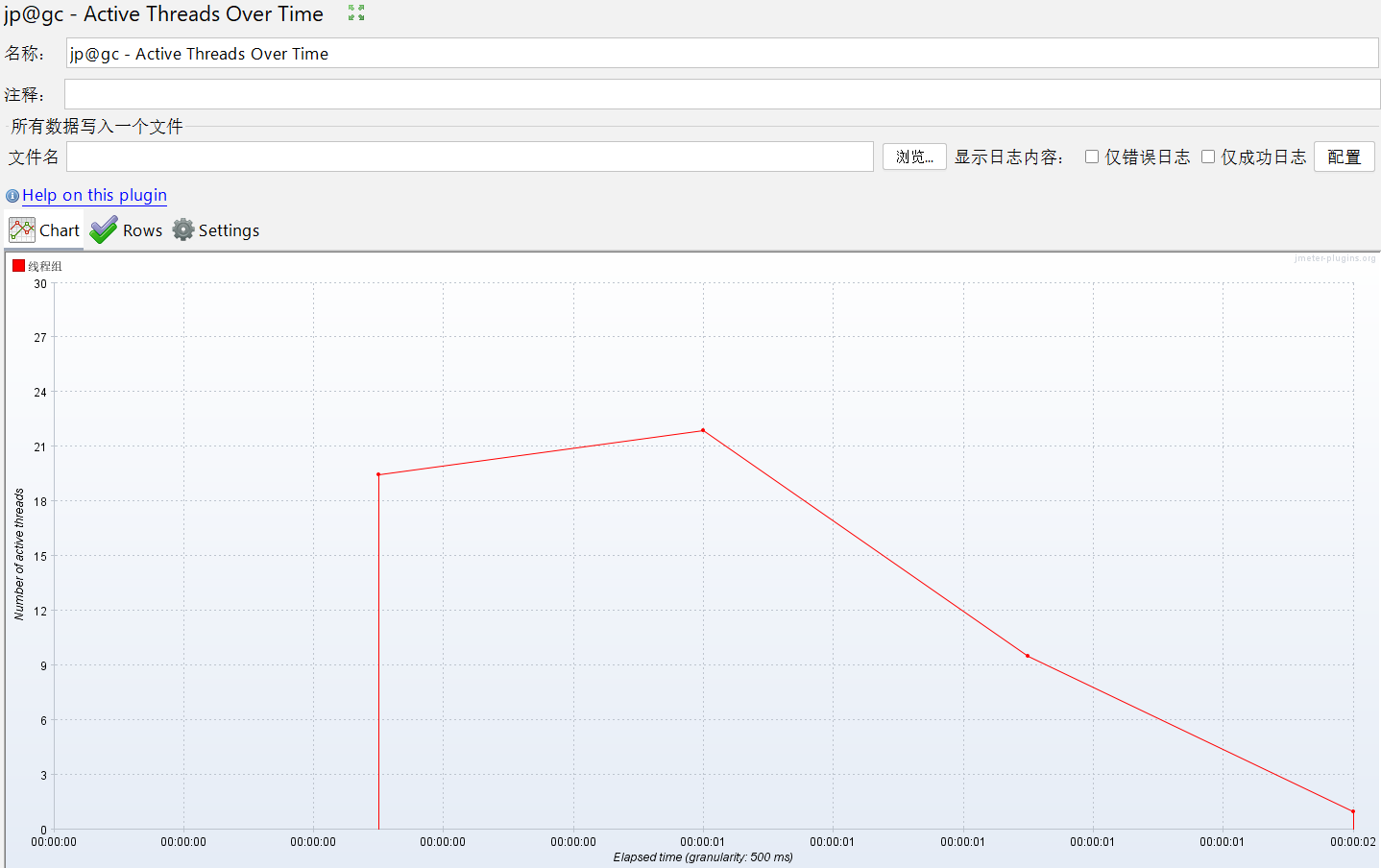
用于分析负载变化与系统响应的关联,活跃线程数随时间先快速上升至峰值、再逐步下降的变化趋势 :
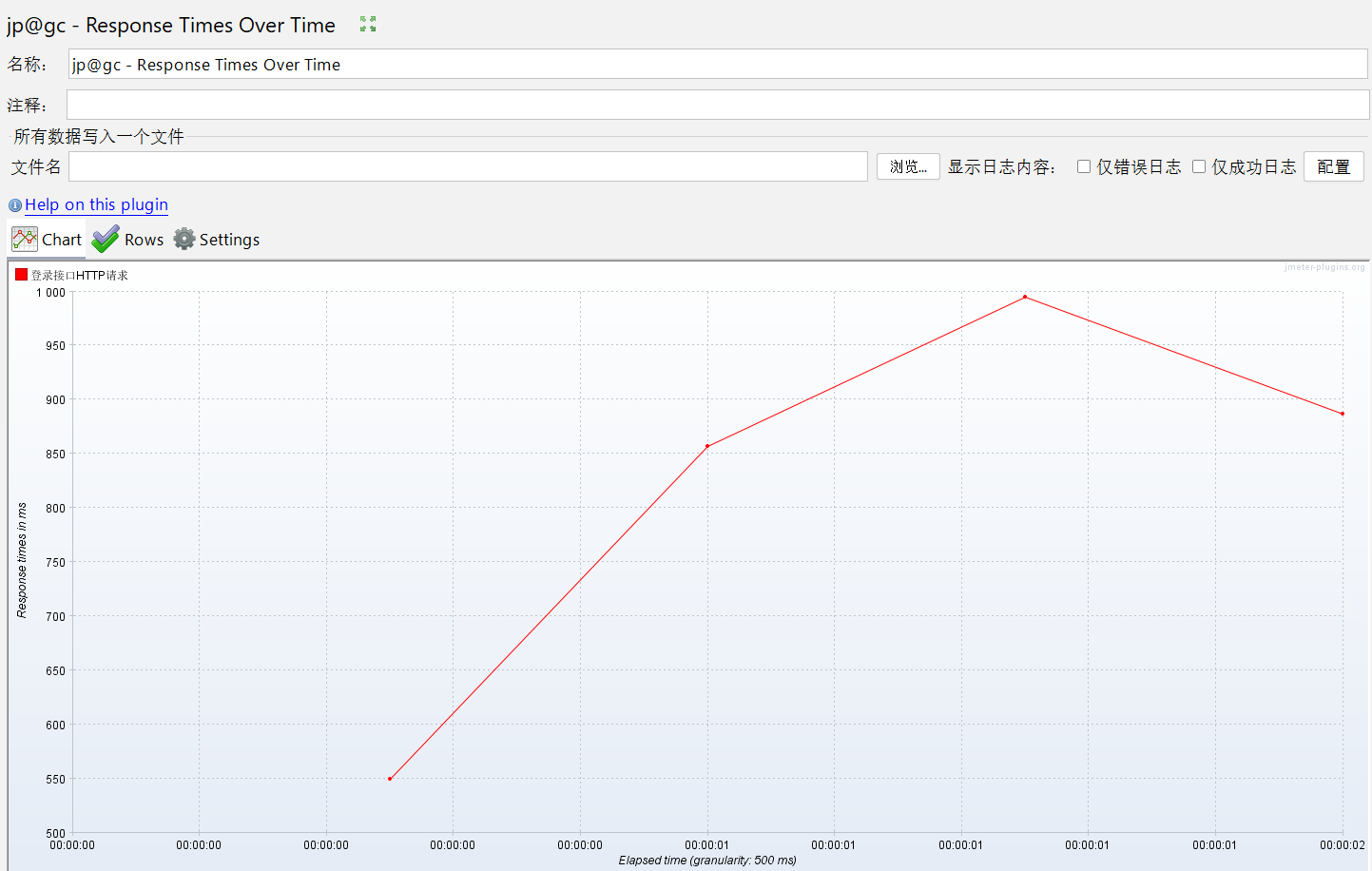
响应时间先快速上升、达峰值后略下降 ,反映接口在测试过程中性能波动:
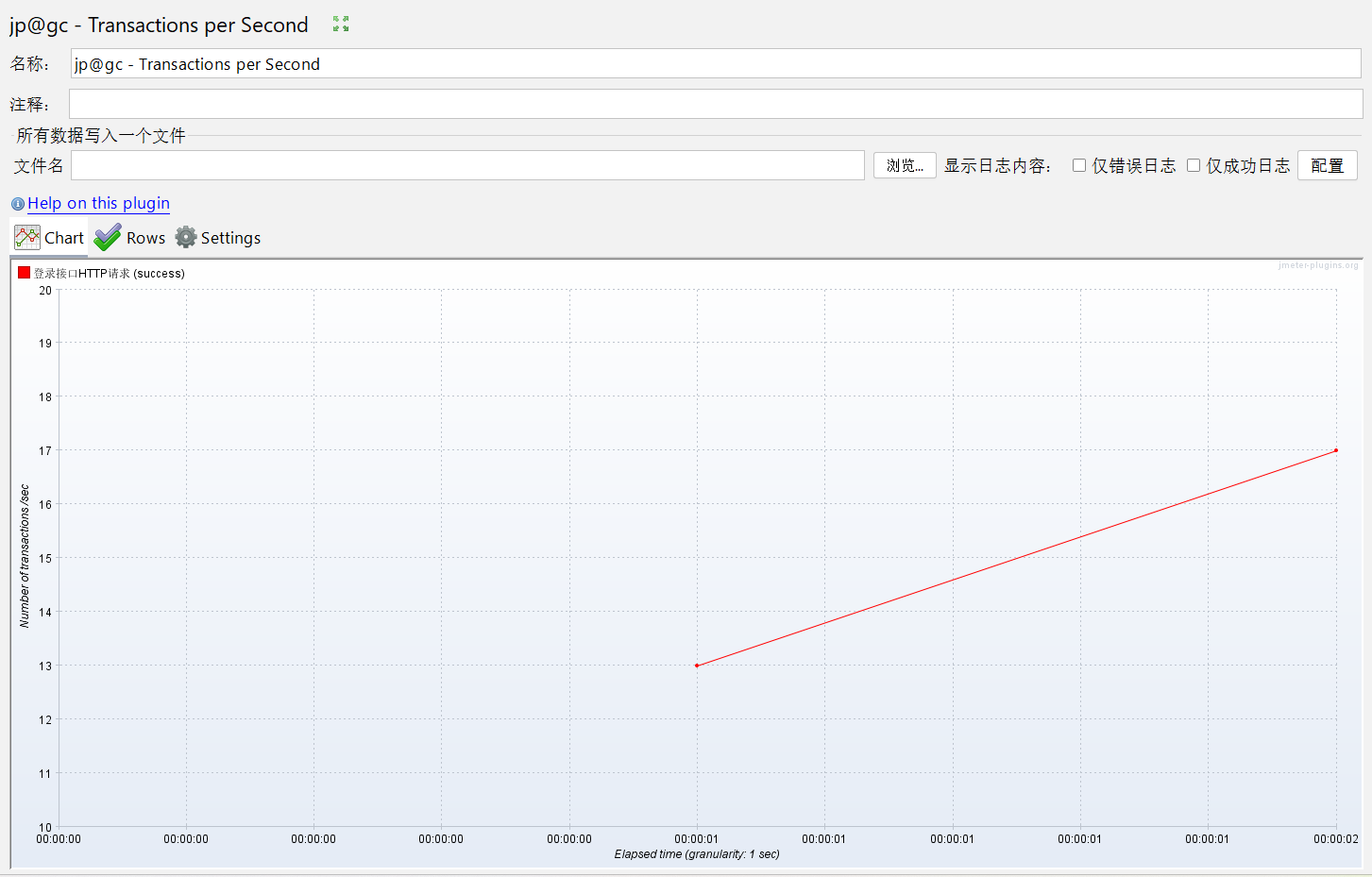
测试前期 TPS 为 0,从某时间点(约 00:00:01 )开始,TPS 从 13 逐步上升 ,反映登录接口在测试过程中,成功事务的处理能力随时间(或负载变化 )逐步提升 :
总结
功能测试:
问卷考试系统的基本功能正常运行,正常流程能够正确执行
优化首页问卷数,考试数的问题
界面测试:
1. 所有按钮点击响应及时,页面显示良好,无错别字,无遮挡或显示错误情况
2. 对于异常情况都进行提示,对用户体验不友好,可使用自定义模态框、表单验证反馈等进行提示
性能测试:
该系统的性能测试结果表明其在当前并发场景下表现优秀,能够满足需求





 扫一扫
扫一扫


 3007
3007

 被折叠的 条评论
为什么被折叠?
被折叠的 条评论
为什么被折叠?
 到【灌水乐园】发言





