针对FinalShell连接Ubuntu出现Session.connect:Java.netSocketException:Connection reset问题

今天本来正常打开虚拟机和finalshell,结果突然出现个这如图
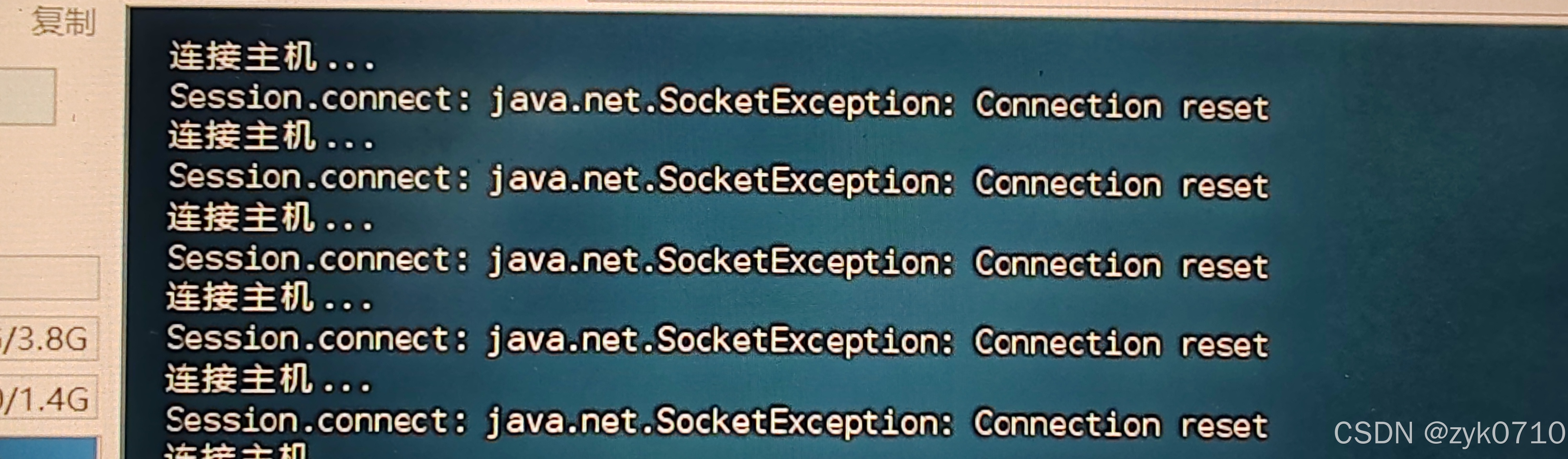
我上网找了许多资料发现改了半天,包括重启ssh,还有把NAT网络换成桥接发现还是不行,后面又重新核对了一下的finalshell的IP,用户名,还有端口号。总之都失败了。

然后我突然想起来是不是VMware网络配置问题,然后我重新打开虚拟机网络编辑器
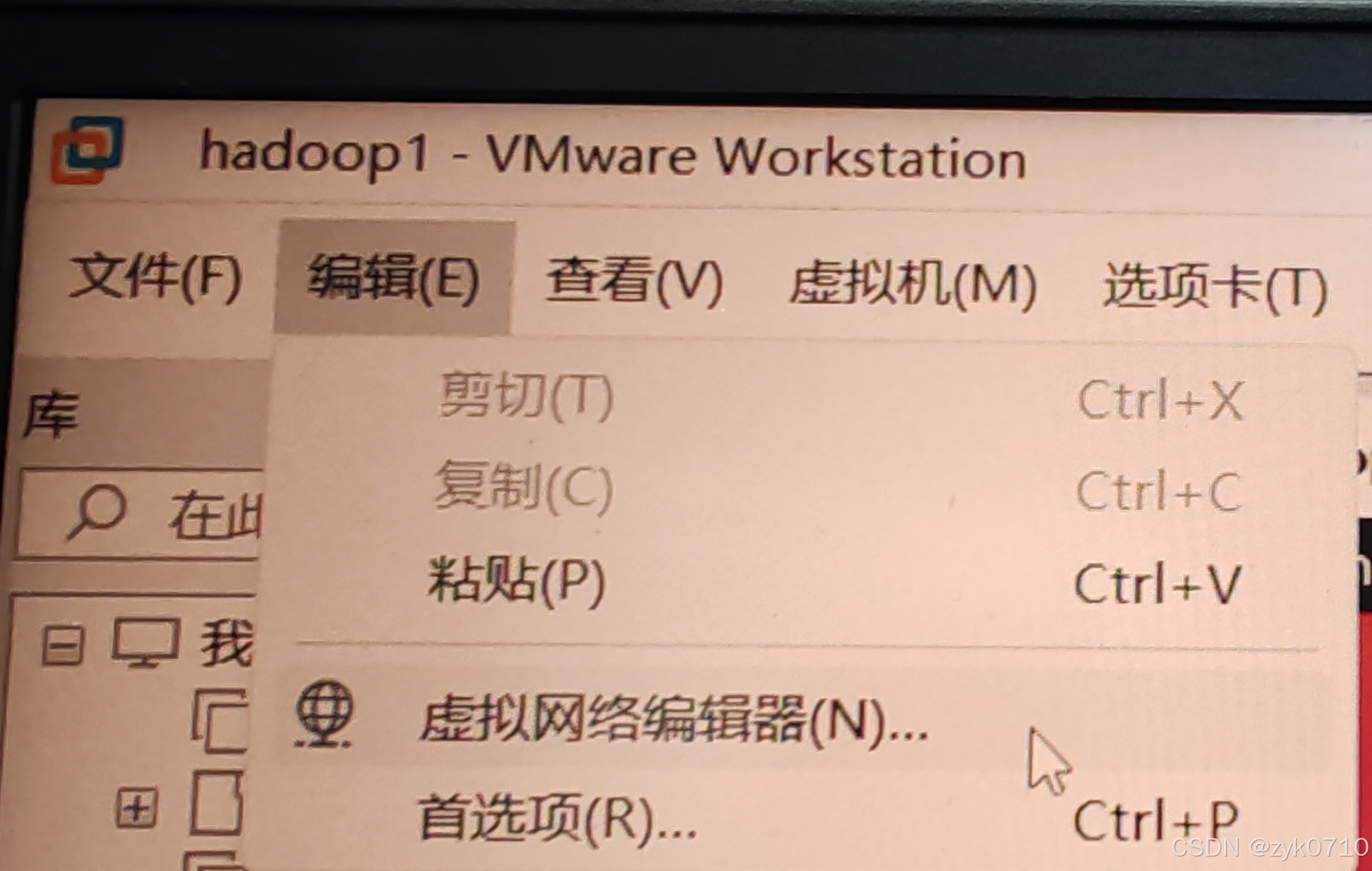
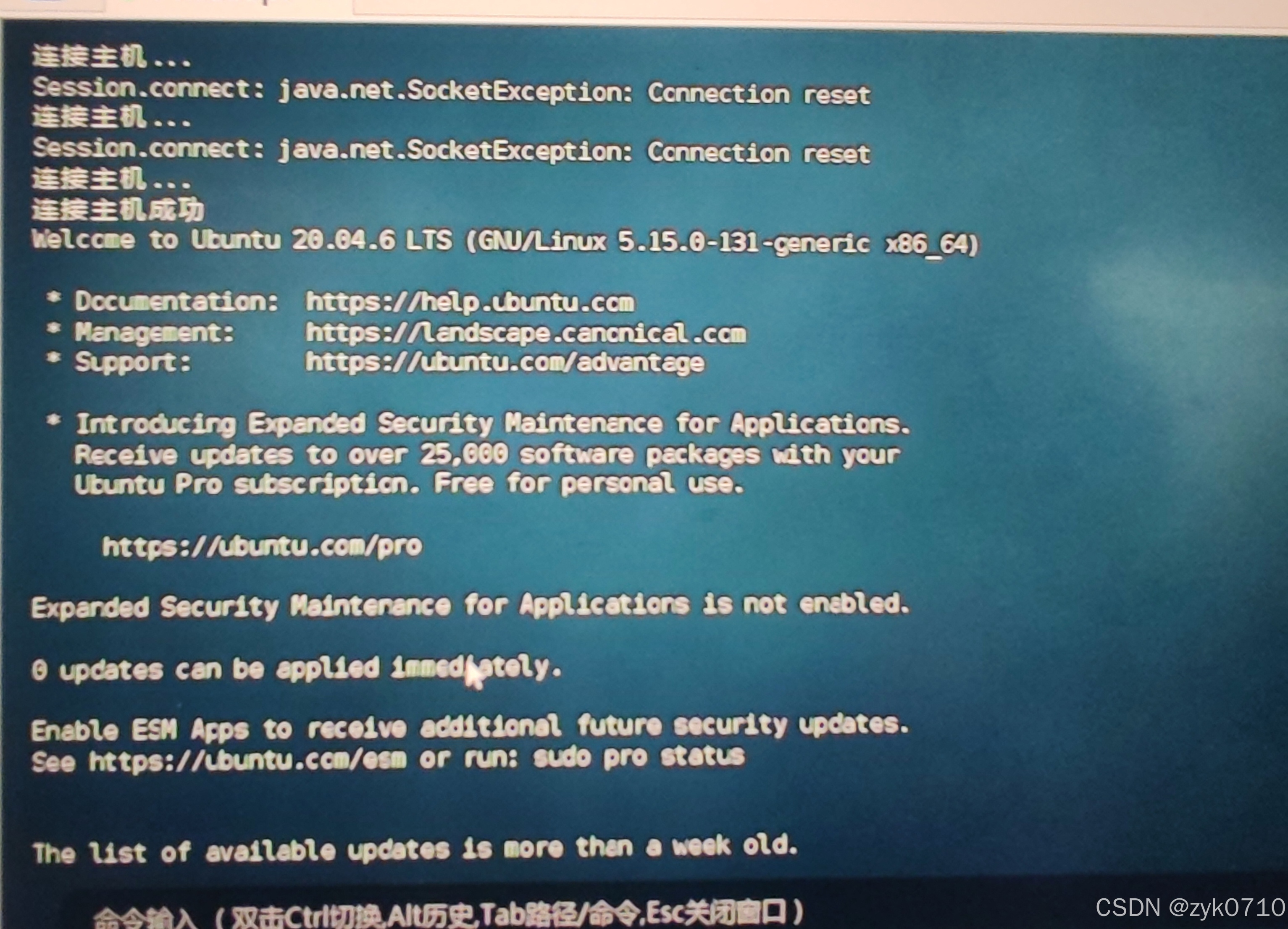
然后点击那个更改设置(有管理员权限),因为我的虚拟机是NAT配置,所以切换成NAT后看一下那个DHCP,里面有起始IP和结束IP记住这个范围,然后退出来点击那个NET设置,把网关IP改成在那个范围里面就可以了
virtualbox安装ubuntu链接vscode出错[19:33:54.498] Log Level: 2 [19:33:54.512] SSH Resolver called for "ssh-remote+127.0.0.1", attempt 1 [19:33:54.515] remote.SSH.useLocalServer = false [19:33:54.516] remote.SSH.useExecServer = true [19:33:54.516] remote.SSH.bindHost = {} [19:33:54.516] remote.SSH.showLoginTerminal = false [19:33:54.516] remote.SSH.remotePlatform = {} [19:33:54.516] remote.SSH.path = [19:33:54.516] remote.SSH.configFile = [19:33:54.516] remote.SSH.useFlock = true [19:33:54.518] remote.SSH.lockfilesInTmp = false [19:33:54.518] remote.SSH.localServerDownload = auto [19:33:54.518] remote.SSH.remoteServerListenOnSocket = false [19:33:54.518] remote.SSH.defaultExtensions = [] [19:33:54.518] remote.SSH.defaultExtensionsIfInstalledLocally = [] [19:33:54.518] remote.SSH.loglevel = 2 [19:33:54.518] remote.SSH.enableDynamicForwarding = true [19:33:54.518] remote.SSH.enableRemoteCommand = false [19:33:54.518] remote.SSH.serverPickPortsFromRange = {} [19:33:54.518] remote.SSH.serverInstallPath = {} [19:33:54.519] remote.SSH.permitPtyAllocation = false [19:33:54.519] remote.SSH.preferredLocalPortRange = undefined [19:33:54.519] remote.SSH.useCurlAndWgetConfigurationFiles = false [19:33:54.519] remote.SSH.experimental.chat = true [19:33:54.519] remote.SSH.experimental.enhancedSessionLogs = true [19:33:54.519] remote.SSH.httpProxy = {"*":""} [19:33:54.519] remote.SSH.httpsProxy = {"*":""} [19:33:54.525] VS Code version: 1.101.2 [19:33:54.525] Remote-SSH version: remote-ssh@0.120.0 [19:33:54.525] win32 x64 [19:33:54.527] SSH Resolver called for host: 127.0.0.1 [19:33:54.527] Setting up SSH remote "127.0.0.1" [19:33:54.535] Using commit id "2901c5ac6db8a986a5666c3af51ff804d05af0d4" and quality "stable" for server [19:33:54.535] Extensions to install: [19:33:54.540] Install and start server if needed [19:33:56.491] Checking ssh with "C:\Program Files\Common Files\Oracle\Java\javapath\ssh.exe -V" [19:33:56.493] Got error from ssh: spawn C:\Program Files\Common Files\Oracle\Java\javapath\ssh.exe ENOENT [19:33:56.493] Checking ssh with "C:\WINDOWS\system32\ssh.exe -V" [19:33:56.494] Got error from ssh: spawn C:\WINDOWS\system32\ssh.exe ENOENT [19:33:56.494] Checking ssh with "C:\WINDOWS\ssh.exe -V" [19:33:56.494] Got error from ssh: spawn C:\WINDOWS\ssh.exe ENOENT [19:33:56.495] Checking ssh with "C:\WINDOWS\System32\Wbem\ssh.exe -V" [19:33:56.495] Got error from ssh: spawn C:\WINDOWS\System32\Wbem\ssh.exe ENOENT [19:33:56.495] Checking ssh with "C:\WINDOWS\System32\WindowsPowerShell\v1.0\ssh.exe -V" [19:33:56.496] Got error from ssh: spawn C:\WINDOWS\System32\WindowsPowerShell\v1.0\ssh.exe ENOENT [19:33:56.496] Checking ssh with "C:\WINDOWS\System32\OpenSSH\ssh.exe -V" [19:33:56.513] > OpenSSH_for_Windows_9.5p1, LibreSSL 3.8.2 [19:33:56.516] Running script with connection command: "C:\WINDOWS\System32\OpenSSH\ssh.exe" -T -D 3425 "127.0.0.1" sh [19:33:56.517] Generated SSH command: 'type "C:\Users\MrLan\AppData\Local\Temp\vscode-linux-multi-line-command-127.0.0.1-634229397.sh" | "C:\WINDOWS\System32\OpenSSH\ssh.exe" -T -D 3425 "127.0.0.1" sh' [19:33:56.517] Using connect timeout of 17 seconds [19:33:56.518] Terminal shell path: C:\WINDOWS\System32\cmd.exe [19:33:56.700] > [19:33:56.701] Got some output, clearing connection timeout [19:35:11.885] > kex_exchange_identification: read: Connection reset [19:35:11.890] > Connection reset by 127.0.0.1 port 3369 > 过程试图写入的管道不存在。 [19:35:13.139] "install" terminal command done [19:35:13.140] Install terminal quit with output: 过程试图写入的管道不存在。 [19:35:13.140] Received install output: 过程试图写入的管道不存在。 [19:35:13.140] WARN: $PLATFORM is undefined in installation script output. Errors may be dropped. [19:35:13.140] Failed to parse remote port from server output [19:35:13.141] Resolver error: Error at y.Create (c:\Users\MrLan\.vscode\extensions\ms-vscode-remote.remote-ssh-0.120.0\out\extension.js:2:744751) at t.handleInstallOutput (c:\Users\MrLan\.vscode\extensions\ms-vscode-remote.remote-ssh-0.120.0\out\extension.js:2:742832) at t.tryInstall (c:\Users\MrLan\.vscode\extensions\ms-vscode-remote.remote-ssh-0.120.0\out\extension.js:2:865534) at async c:\Users\MrLan\.vscode\extensions\ms-vscode-remote.remote-ssh-0.120.0\out\extension.js:2:824246 at async t.withShowDetailsEvent (c:\Users\MrLan\.vscode\extensions\ms-vscode-remote.remote-ssh-0.120.0\out\extension.js:2:827501) at async A (c:\Users\MrLan\.vscode\extensions\ms-vscode-remote.remote-ssh-0.120.0\out\extension.js:2:820760) at async t.resolve (c:\Users\MrLan\.vscode\extensions\ms-vscode-remote.remote-ssh-0.120.0\out\extension.js:2:824898) at async c:\Users\MrLan\.vscode\extensions\ms-vscode-remote.remote-ssh-0.120.0\out\extension.js:2:1113660 [19:35:13.144] ------ [19:35:13.144] No hints found in the recent session.
07-02
评论
添加红包

请填写红包祝福语或标题

红包个数最小为10个

红包金额最低5元

当前余额3.43前往充值 >
需支付:10.00
成就一亿技术人!
领取后你会自动成为博主和红包主的粉丝 规则
hope_wisdom
发出的红包
实付
使用余额支付
点击重新获取
扫码支付
钱包余额 0

抵扣说明:

1.余额是钱包充值的虚拟货币,按照1:1的比例进行支付金额的抵扣。
2.余额无法直接购买下载,可以购买VIP、付费专栏及课程。

余额充值


