


 本文是SpringBoot结合Netflix的DGS(Data Graphs for Spring)框架开发GraphQL应用的指南。首先,创建一个新的Spring Boot项目,并添加graphql-dgs-spring-boot-starter依赖。接着,配置schema文件并实现数据提取程序。使用@InputArgument处理输入参数,并通过GraphiQL进行测试。此外,介绍了如何处理GraphQL错误和使用EasyCode生成schema代码。
入门
创建一个新的Spring Boot应用程序
DGS框架基于Spring Boot,因此,如果您还没有一个新的Spring Boot应用程序,请先开始。Spring Initializr是一种简便的方法。您可以使用Gradle或Maven,Java 8或更高版本,也可以使用Kotlin。我们推荐Gradle,因为我们有一个非常酷的代码生成插件!
唯一需要的Spring依赖项是Spring Web。
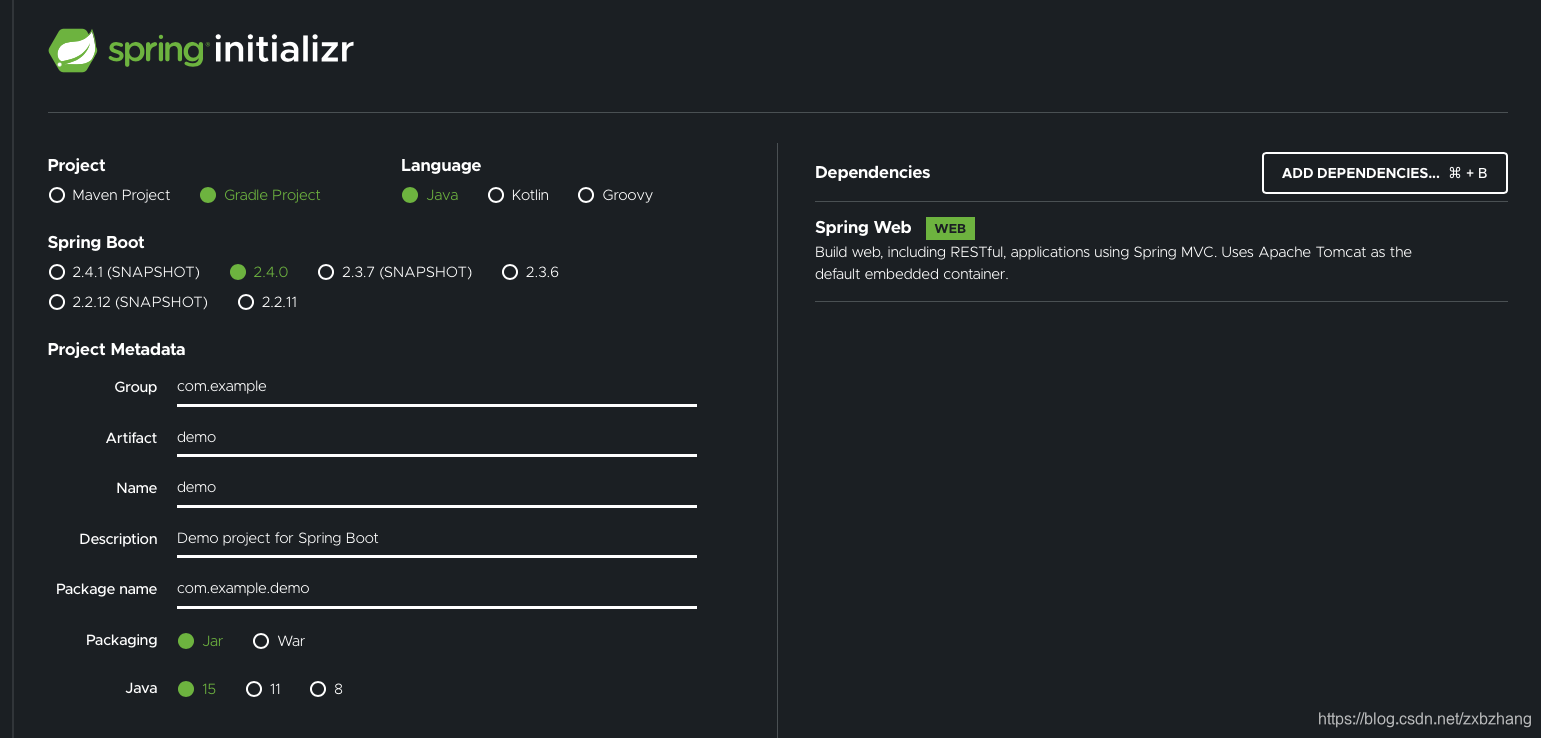
在IDE中打开项目(建议使用Intellij)。
添加[DGS]框架依赖性
将com.netflix.graphql.dgs:graphql-dgs-spring-boot-starter依赖项添加到您的Gradle或Maven配置中。
<dependency>
<groupId>com.netflix.graphql.dgs</groupId>
<artifactId>graphql-dgs-spring-boot-starter
</artifactId> <!-- Make sure to set the latest framework version! -->
<version>${dgs.framework.version}</version>
</dependency><!-- Enable bintray in settings.xml -->
<settings
xmlns:xsi='http://www.w3.org/2001/XMLSchema-instance'
xsi:schemaLocation='http://maven.apache.org/SETTINGS/1.0.0 http://maven.apache.org/xsd/settings-1.0.0.xsd'
xmlns='http://maven.apache.org/SETTINGS/1.0.0'>
<profiles>
<profile>
<repositories>
<repository>
<snapshots>
<enabled>false</enabled>
</snapshots>
<id>central</id>
<name>bintray</name>
<url>https://jcenter.bintray.com</url>
</repository>
</repositories>
<pluginRepositories>
<pluginRepository>
<snapshots>
<enabled>false</enabled>
</snapshots>
<id>central</id>
<name>bintray-plugins</name>
<url>https://jcenter.bintray.com</url>
</pluginRepository>
</pluginRepositories>
<id>bintray</id>
</profile>
</profiles>
<activeProfiles>
<activeProfile>bintray</activeProfile>
</activeProfiles>
</settings>
请注意,只有JVM库上的Apollo Federation才需要jcenter配置,该库当前仅在JCenter上可用。他们正在向Maven Central发布出版物。
在样例程序中我使用的是Gradle ,通过生成的schema 文件生成 JAVA 代码。
在生成实体的过程中,有可能遇到自定义类型或是复杂类型,可以通过配置Gradle 文件中的映射描述,处理此类问题:
generateJava{
typeMapping = ["Date": "java.util.Date"]
schemaPaths = ["${
projectDir}/src/main/resources/s
 最低0.47元/天 解锁文章






 扫一扫
扫一扫


 1613
1613


 到【灌水乐园】发言



