



目录:
1、Xinference安装以及简介
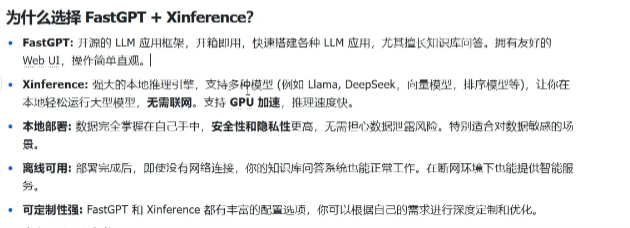
Xinference主要用于简化大语言模型(LLM)、语音识别、多模态模型等复杂模型的部署和推理过程,支持本地或分布式环境中快速搭建AI应用。
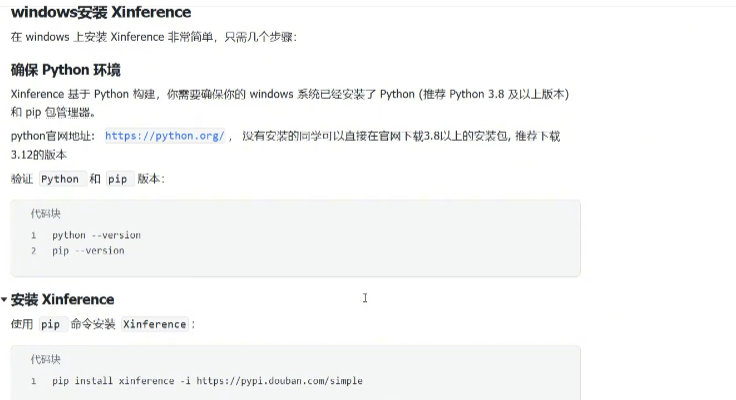
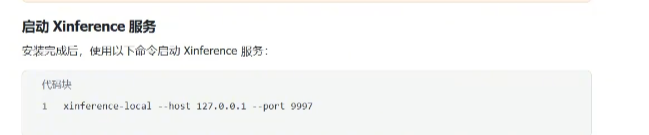
效果:
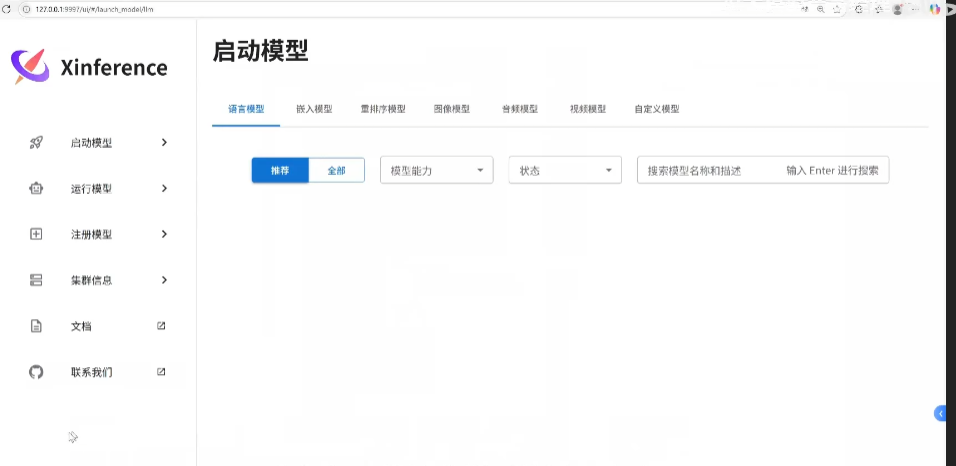
启动模型:
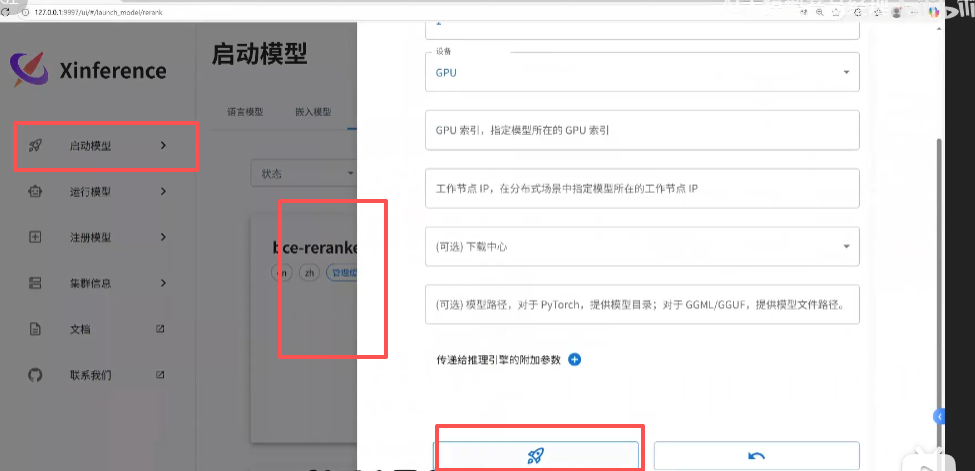
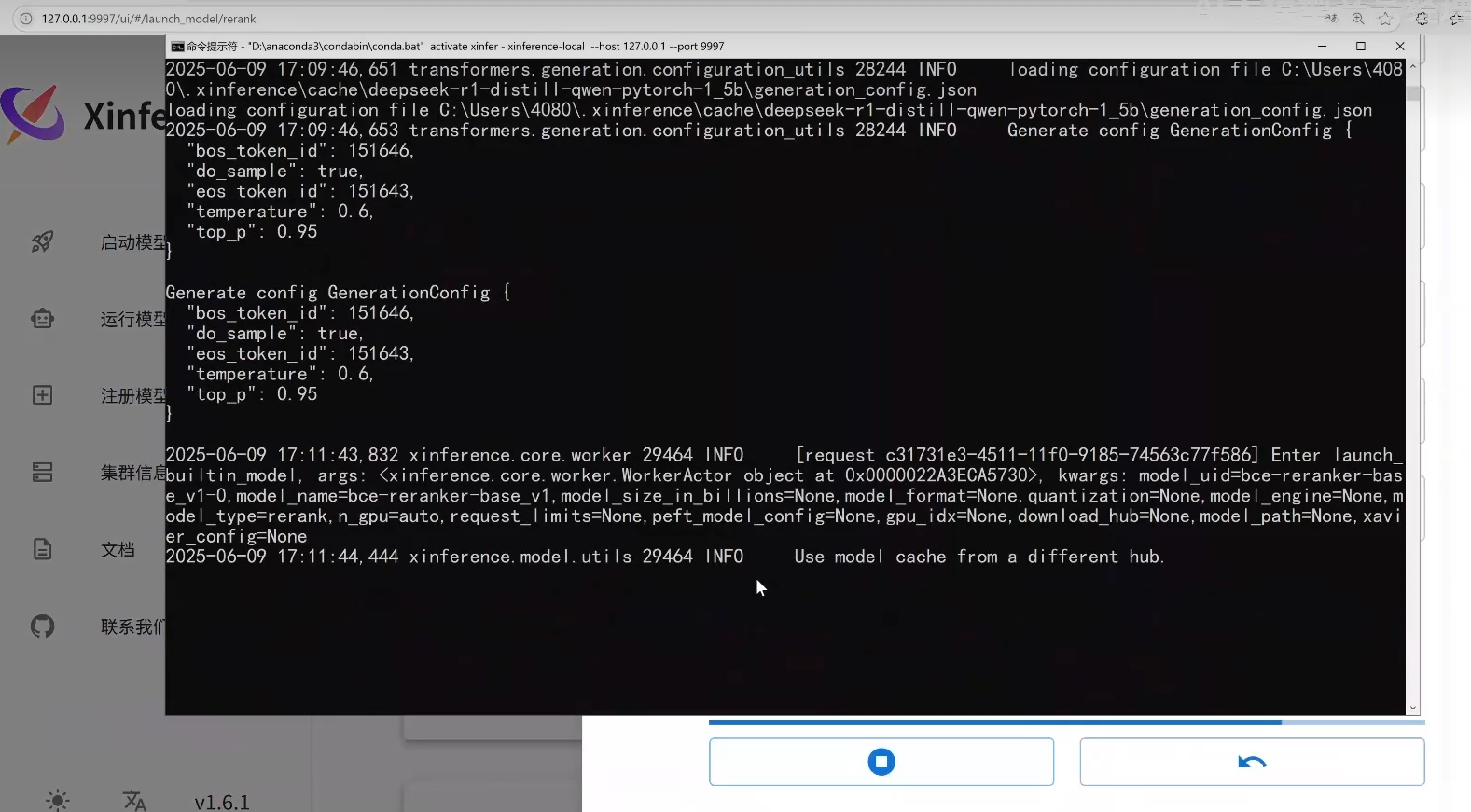
启动黑窗口,查看日志:
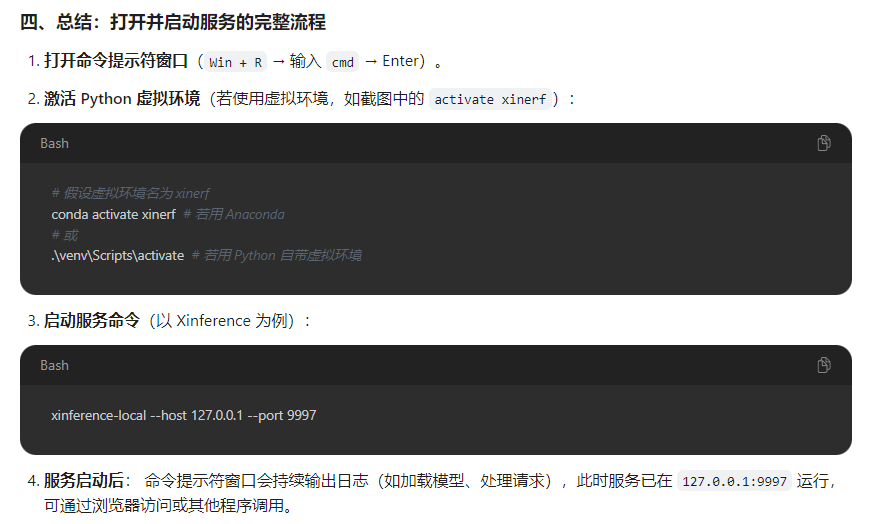
官方网址:
https://inference.readthedocs.io/zh-cn/latest/getting_started/installation.html
2、FastGPT安装以及简介
1. 准备 Docker 环境
# 安装 Docker
curl -fsSL https://get.docker.com | bash -s docker --mirror Aliyun
systemctl enable --now docker
# 安装 docker-compose
curl -L https://github.com/docker/compose/releases/download/v2.20.3/docker-compose-`uname -s`-`uname -m` -o /usr/local/bin/docker-compose
chmod +x /usr/local/bin/docker-compose
# 验证安装
docker -v
docker-compose -v
# 如失效,自行百度~
2. 获取部署文件
bash <(curl -fsSL https://doc.fastgpt.cn/deploy/install.sh) --region=cn --vector=pg
3.启动
docker compose -f docker-compose.pg.yml up -d
等待服务启动,通过 http://localhost:3000 进行访问 默认用户为 root,密码为 1234
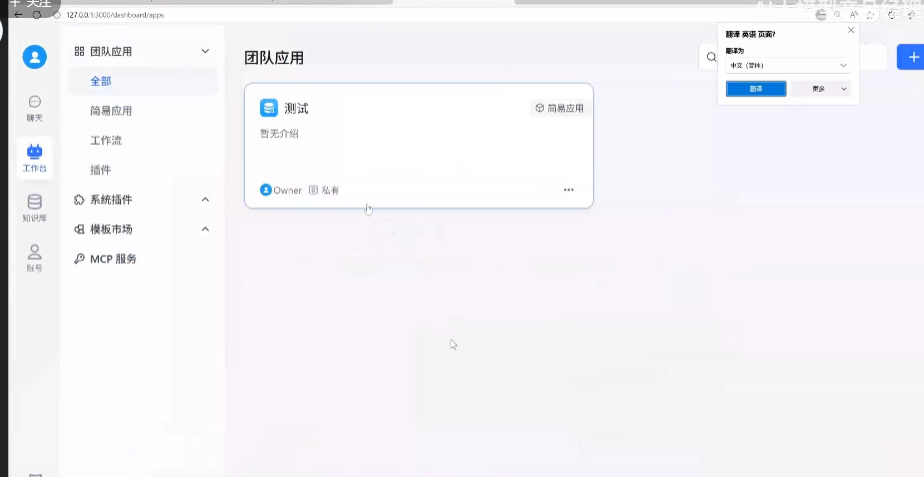
4.新增模型
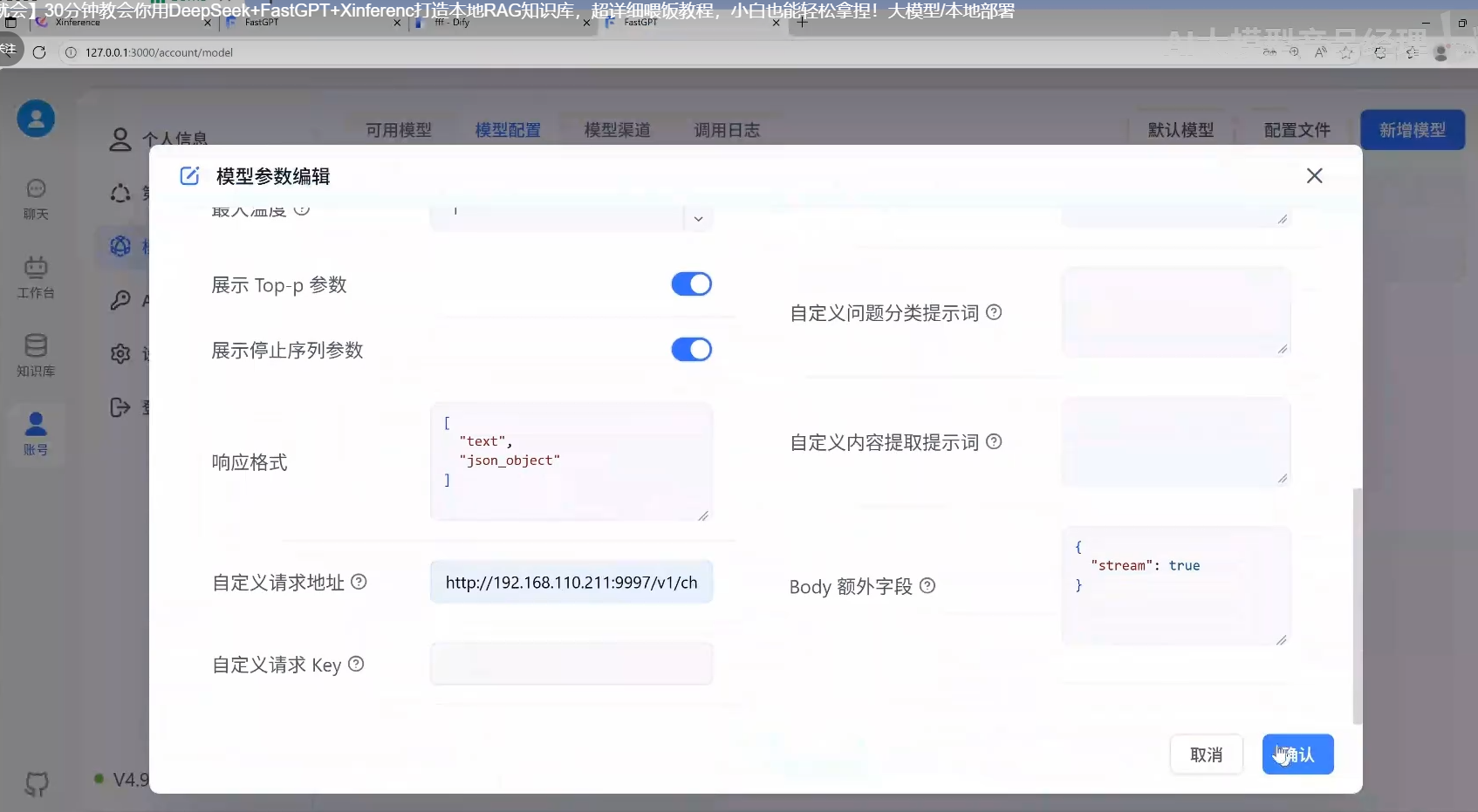
FastGPT官方网址:
https://doc.fastgpt.io/docs/introduction/development/quick-start
3、知识库搭建
1.新建知识库
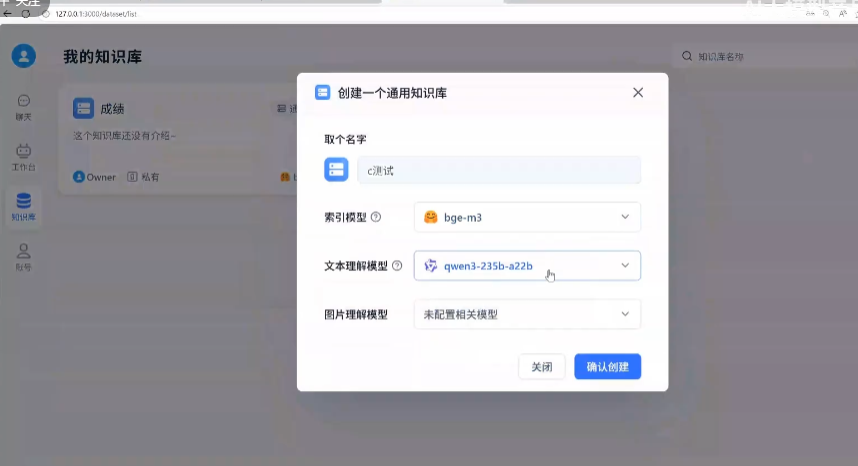
2.导入数据集

将你们的知识文档(可以是本地文件,网页链接,自定义数据集)上传后作为知识库检索。
3.问答对话
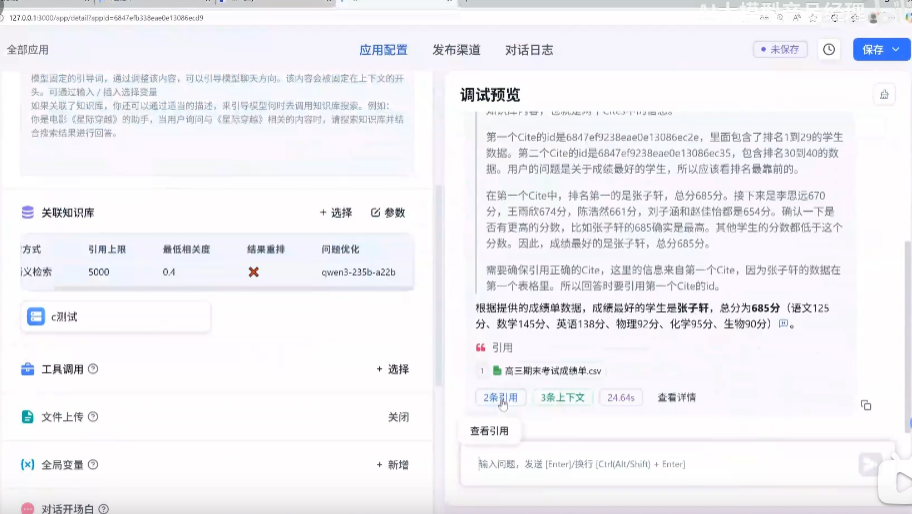
4、其他项目上如何接入FastGPT知识库
1.实现流程

2.导入文档到FastGPT知识库
FastGPT 支持直接上传文件或通过 API 批量导入文档到知识库。
通过api接口批量导入文档到知识库(迁移):
import requests
import os

FASTGPT_API_KEY = "your-api-key"  # 从 FastGPT 后台获取
KB_ID = "your-knowledge-base-id"  # 目标知识库 ID

def upload_to_fastgpt(file_path: str):
    url = "https://your-fastgpt-domain.com/api/kb/upload"
    headers = {"Authorization": f"Bearer {FASTGPT_API_KEY}"}

    with open(file_path, "rb") as f:
        files = {"file": (os.path.basename(file_path), f)}
        data = {"kbId": KB_ID}
        response = requests.post(url, headers=headers, files=files, data=data)

    if response.status_code == 200:
        print(f"文件 {file_path} 上传成功!")
    else:
        print(f"上传失败: {response.text}")

# 示例:上传多个文件
upload_to_fastgpt("产品手册.pdf")
upload_to_fastgpt("FAQ.docx")
3.通过 API 实现知识库问答
FastGPT 提供 HTTP API,其他项目可通过调用接口实现知识检索。
1. 获取 API Key 和知识库 ID
- API Key:在 FastGPT 后台 「设置」→「API 密钥」 中创建。
- 知识库 ID:在知识库列表页查看目标知识库的 ID。
2. 调用问答接口(Python 示例)
import requests

FASTGPT_API_KEY = "your-api-key"
KB_ID = "your-knowledge-base-id"

def ask_fastgpt(question: str):
    url = "https://your-fastgpt-domain.com/api/chat"
    headers = {
        "Authorization": f"Bearer {FASTGPT_API_KEY}",
        "Content-Type": "application/json"
    }
    payload = {
        "kbId": KB_ID,  # 指定知识库
        "question": question,
        "stream": False  # 是否流式返回(适合长回答)
    }

    response = requests.post(url, headers=headers, json=payload)
    if response.status_code == 200:
        return response.json()  # 返回答案和参考文档片段
    else:
        raise Exception(f"API 调用失败: {response.text}")

# 示例:提问并获取答案
answer = ask_fastgpt("如何重置密码?")
print(answer["answer"])  # 输出答案文本
print(answer["references"])  # 输出参考文档片段
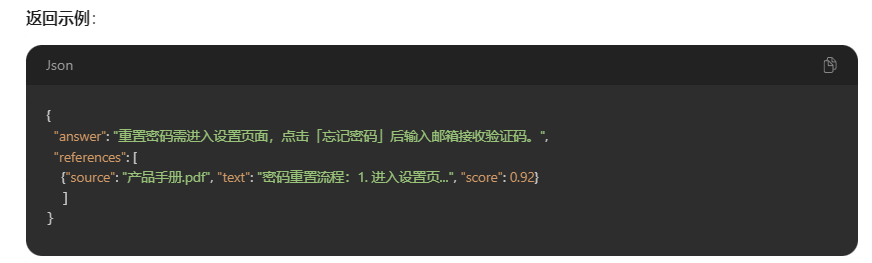
4.在自己项目上构建回答页面展示回答结果
方法 1:直接嵌入 FastGPT 的 Web 对话页(iframe)
<!-- 在已有项目中嵌入 FastGPT 对话界面 -->
<iframe
  src="https://your-fastgpt-domain.com/chat?kbId=your-knowledge-base-id"
  width="100%"
  height="600px"
  frameborder="0"
></iframe>
优点:简单快捷,无需开发前端。
缺点:样式和功能受限于 FastGPT 原生页面。
方法 2:自定义前端 + API 调用(React 示例)
通过调用 FastGPT API 实现自定义对话界面:
import React, { useState } from "react";
import axios from "axios";

function ChatWidget() {
  const [input, setInput] = useState("");
  const [messages, setMessages] = useState([]);

  const handleSend = async () => {
    if (!input.trim()) return;

    const userMessage = { role: "user", content: input };
    setMessages(prev => [...prev, userMessage]);

    try {
      const response = await axios.post(
        "https://your-fastgpt-domain.com/api/chat",
        { kbId: "your-knowledge-base-id", question: input },
        { headers: { Authorization: "Bearer your-api-key" } }
      );

      const botMessage = { role: "bot", content: response.data.answer };
      setMessages(prev => [...prev, botMessage]);
    } catch (error) {
      console.error("调用失败:", error);
    }

    setInput("");
  };

  return (
    <div className="chat-container">
      <div className="messages">
        {messages.map((msg, index) => (
          <div key={index} className={`message ${msg.role}`}>
            {msg.content}
          </div>
        ))}
      </div>
      <div className="input-area">
        <input
          value={input}
          onChange={(e) => setInput(e.target.value)}
          placeholder="输入问题..."
        />
        <button onClick={handleSend}>发送</button>
      </div>
    </div>
  );
}

export default ChatWidget;
优点:完全自定义 UI,灵活适配项目风格。
缺点:需前端开发工作量。
5、补充与总结
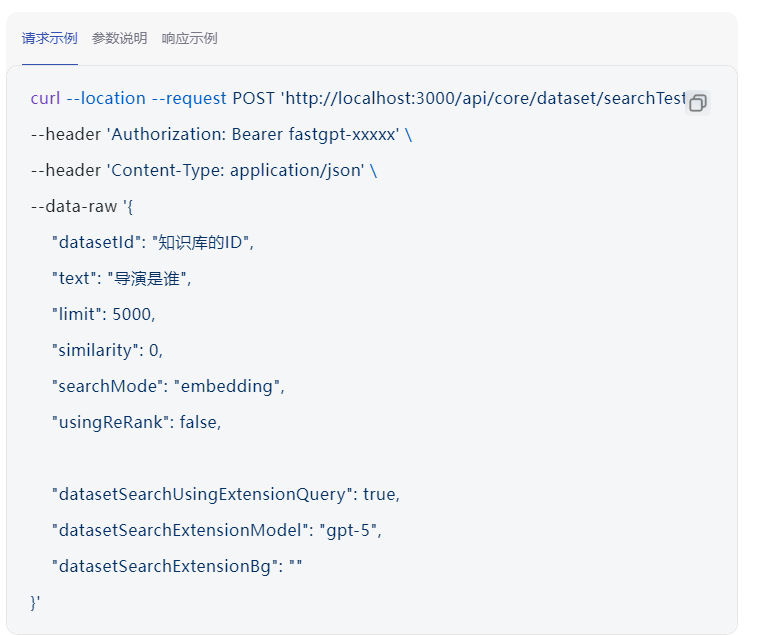
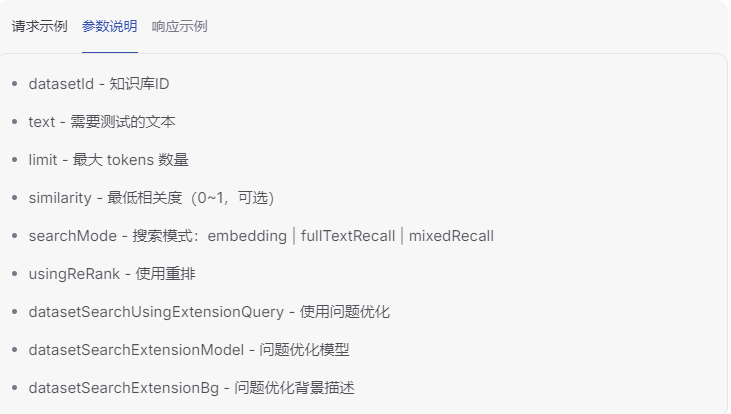
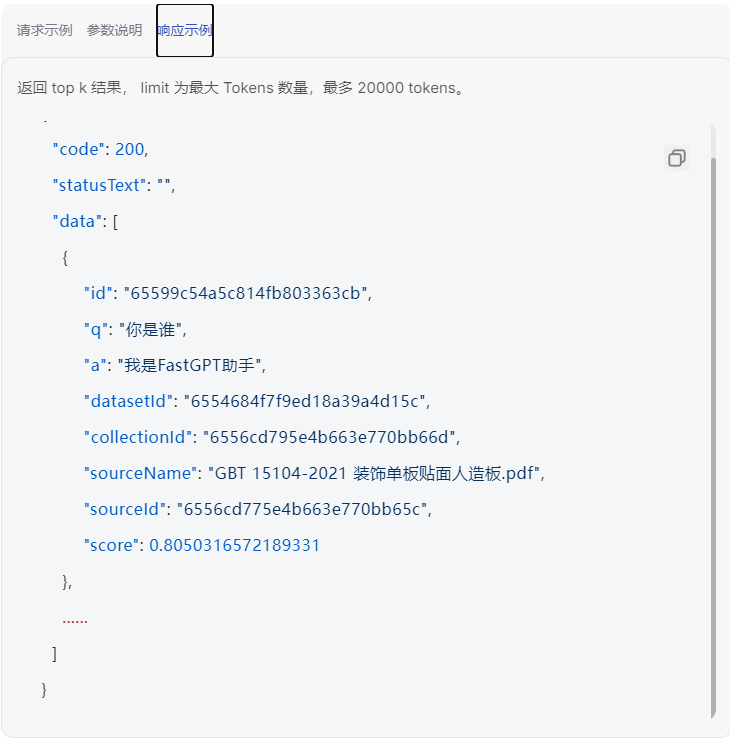
总结:
有个这个大家应该就很明白了,通过FastGPT知识库,检索文档回答,提供了问答接口我们去调用,那这样有这个接口,我们就能在自己的项目系统中调用接口去检索数据集,拿到响应的结果返回到我们自己的项目对话界面展示就行了。






 扫一扫
扫一扫


 9509
9509

 被折叠的 条评论
为什么被折叠?
被折叠的 条评论
为什么被折叠?
 到【灌水乐园】发言





