



简介
主要功能和特点
- Completely free and open-source
完全免费且开源 - Easy-to-use interface
易于使用的界面 - Customizable speed multiplier
可自定义的速度倍增器 - Good compatibility with various game engines
与各种游戏引擎良好的兼容性 - Low system resource consumption
低系统资源消耗 - Supports accelerating both x86 and x64 processes
支持加速x86和x64进程 - Non-invasive to the kernel: Ring3 level Hook, does not compromise the system kernel
‘对内核无侵入:Ring3级钩子,不会破坏系统内核’
重要提醒
- This tool is for learning and research purposes only
该工具仅用于学习和研究目的 - Some online games may have anti-cheat systems. Using this tool may result in your account being banned
- 一些网络游戏可能具有反作弊系统。使用此工具可能导致您的账号被封禁
- Excessive speeding up may cause the game physics engine to malfunction or crash
过度加速可能导致游戏物理引擎出现故障或崩溃 - Not recommended for use in competitive online games
不建议在竞技类网络游戏中使用 - Open source product does not include digital signature and may be falsely flagged by antivirus software
开源产品不包含数字签名,可能被杀毒软件误报
系统要求
OS: Windows 10 or later
操作系统:Windows 10 或更高版本
Platform: x86 (32-bit) and x64 (64-bit)
平台:x86(32位)和 x64(64位)
最新版本下载地址
https://github.com/game1024/Speedy/tags
使用-网盘为例
1启动网盘和下载任务
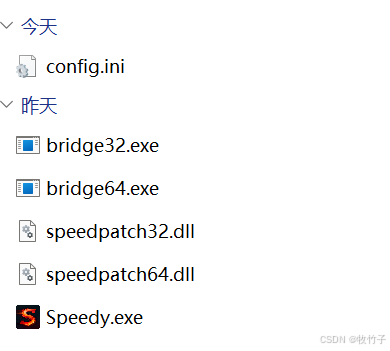
2.解压下载的Speedy-v1.7.8.zip,双击启动Speedy.exe
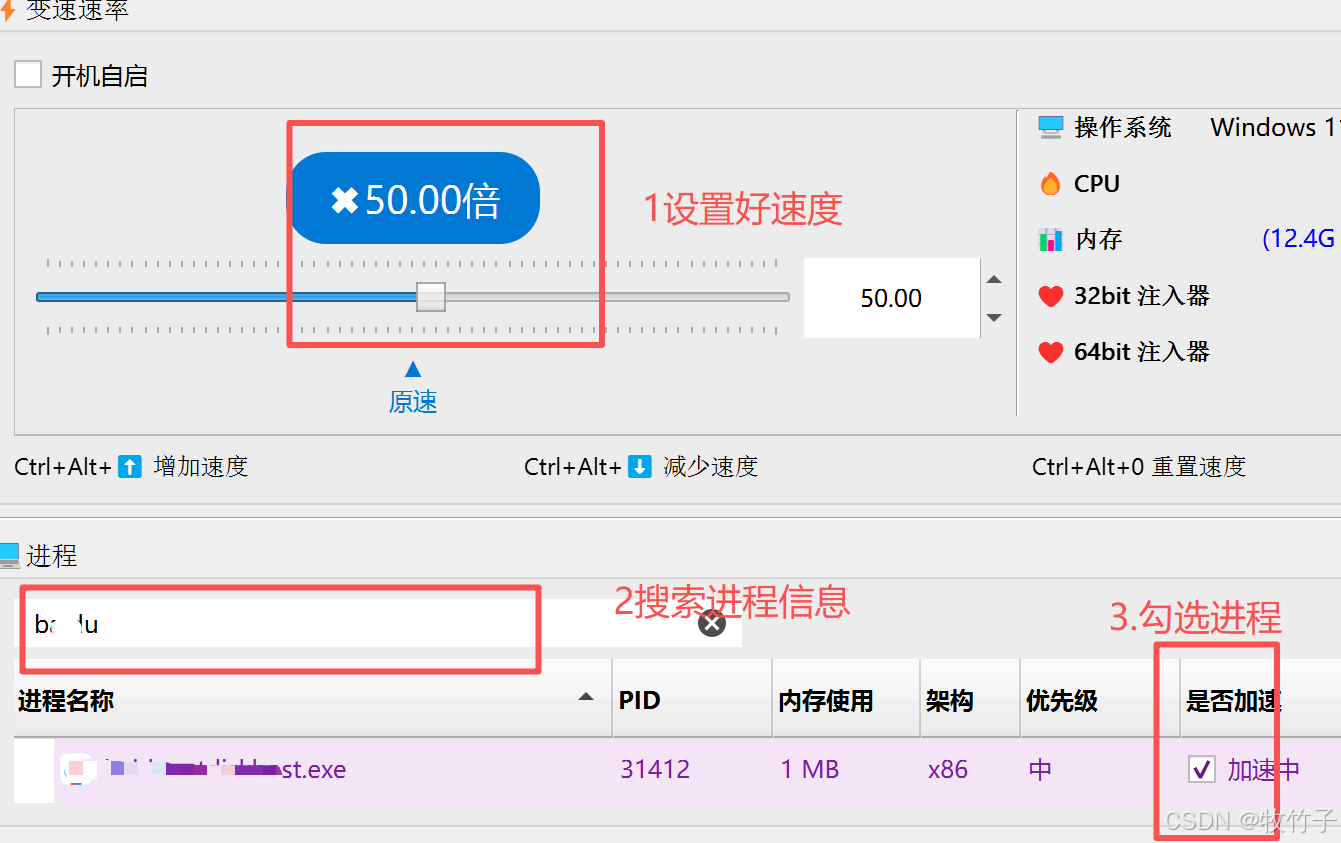
3.设置好速度后,搜索对应的进程信息,并勾选加速选框
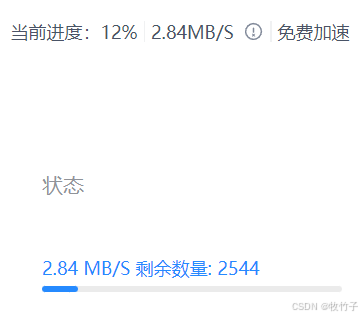
4.可以看到普通网盘用户的速度直接从KB到M





 扫一扫
扫一扫


 3万+
3万+

 被折叠的 条评论
为什么被折叠?
被折叠的 条评论
为什么被折叠?
 到【灌水乐园】发言





