


 本文介绍了如何使用weditor进行android app的自动化测试,包括环境准备、设备连接、页面元素抓取及代码调试。weditor提供便利的元素定位、支持xpath和坐标定位,且具备代码调试功能,相较于uiautomatorviewer更具优势。
一,前言
- android sdk里面自带的uiautomatorviewer.bat可以查看手机app上的元素,但是不太好用,网上找了个大牛写的weditor,试用了下还是蛮不错的
python环境:3.6
二,weditor环境准备
- 使用pip安装weditor,github地址https://github.com/openatx/weditor
pip install --pre weditor
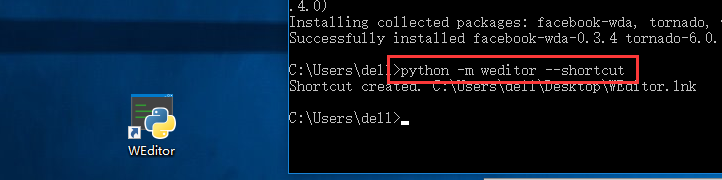
- 创建桌面快捷图标
python -m weditor --shortcut
- 创建完成后,桌面会出现一个WEditor快捷图标,双击就能启动了
- 也可以不创建图标,用命令行启动
python -m weditor
- 看到
 最低0.47元/天 解锁文章






 扫一扫
扫一扫


 2594
2594

 被折叠的 条评论
为什么被折叠?
被折叠的 条评论
为什么被折叠?
 到【灌水乐园】发言





