



 本文详细介绍了如何使用Ant Design Pro的Upload组件结合后端服务,实现图片上传至阿里云OSS的功能。从前端组件配置、自定义上传逻辑到后端处理流程及OSS直链获取,全面解析了图片上传的技术细节。
我们这里是前端将图片上传到后端,然后后端这里再上传到阿里云的OSS,并返回一个文件的路径给前端
先看效果
 上传后生成的图片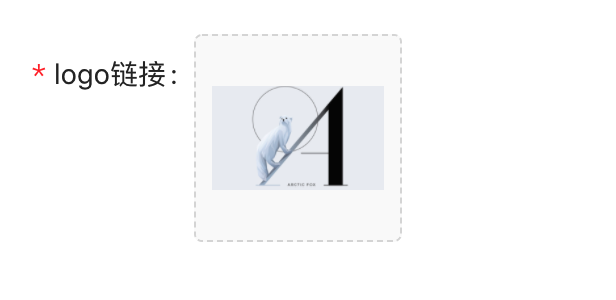
前端:
// pageList.js
const props = {
    name: "avatar",
    listType: "picture-card",
    className: "avatar-uploader",
    showUploadList: false,
    // 设置只上传一张图片,根据实际情况修改
    customRequest: info => {
      // 手动上传
      const formData = new FormData();
      formData.append('file', info.file);
      uploadLogoImg(formData);
    },
    onRemove: file => {
      // 删除图片调用
      this.setState(state => {
        const index = state.fileList.indexOf(file);
        const newFileList = state.fileList.slice();
        newFileList.splice(index, 1);
        return {
          fileList: newFileList,
        };
      });
    },

    beforeUpload: file => {
      // 控制上传图片格式
      const isJpgOrPng = file.type === 'image/jpeg' || file.type === 'image/png';

      if (!isJpgOrPng) {
        message.error('您只能上传JPG/PNG 文件!');
        return;
      }
      const isLt2M = file.size / 1024 / 1024 < 2;
      if (!isLt2M) {
        message.error('图片大小必须小于2MB!');
        return;
      }
    },
  }

...

<Upload
	{...props}
>
  {logoUrl ? <img src={logoUrl} alt="avatar" style={{ width: '100%' }} /> : uploadButton}
</Upload>

// model.js
// 上传图片logo
*uploadLogoImg({ payload }, { call, put }) {
  const response = yield call(uploadLogoImg, payload);
  yield put({
    type: 'handleUploadLogoImg',
    payload: {
      response
    },
  });
},

// api.js
export async function uploadLogoImg(params) {
  // console.log('cityApi.pageList 发送的参数');
  // console.log(JSON.stringify(params));
  return request(`${path}/uploadImage`, {
    method: 'POST',
    body: params,
  });
}
后端:
/**
 * 图片上传
 */
@PostMapping(value = "uploadImage")
public Response<String> uploadImage(LogoPicReq logoPicReq) {
  return success(appservice.uploadLogo(logoPicReq.getFile()));
}
注意:
这里的 LogoPicReq 没有@RequestBody,因为这里是通过表单提交的
@Data
public class LogoPicReq {

    private MultipartFile file;
}
OSS的代码
			if (appFile == null) {
            throw new BusinessException("数据为空");
        }
        String endpoint = ossProperties.getEndpoint();
        String accessKeyId = ossProperties.getAccessKeyId();
        String accessKeySecret = ossProperties.getAccessKeySecret();
        String bucketName = ossProperties.getBucketName();

        InputStream fileContent;
        try {
            fileContent = appFile.getInputStream();
            //获取图片名称
            String filename = appFile.getOriginalFilename();
            if (null == filename || "".equals(filename)) {
                throw new BusinessException("文件为空");
            }

            //获取图片扩展名
            String ext = filename.substring(filename.lastIndexOf(".") + 1);
            //生成图片的存放在服务器的路径
            String picName = "img/walle/" + UUID.randomUUID().toString() + "." + ext;

            OSS ossClient = new OSSClientBuilder().build(endpoint, accessKeyId, accessKeySecret);
            ossClient.putObject(bucketName, picName, fileContent);
            ossClient.shutdown();

            //获取OSS生成的url
            Date date = new Date();
            date.setTime(date.getTime() + 100L * 365 * 24 * 3600 * 1000);
            GeneratePresignedUrlRequest request = new GeneratePresignedUrlRequest(bucketName, picName, HttpMethod.GET);
            request.setExpiration(date);
            URL signedUrl = ossClient.generatePresignedUrl(request);
            log.info("[生成OSS直链]对象名:{},直链地址:{}", picName, signedUrl.toString());
            return signedUrl.toString();
        } catch (IOException e) {
            e.printStackTrace();
        }
        return null;
其中一定要通过直联的方式进行获取,否则就是上报没有权限
参考:
https://blog.youkuaiyun.com/qq_38209894/article/details/99729502





 扫一扫
扫一扫


 2849
2849

 被折叠的 条评论
为什么被折叠?
被折叠的 条评论
为什么被折叠?
 到【灌水乐园】发言





