 ASP.NET 实现POST文件上传至服务器



 本文介绍如何在ASP.NET中使用POST方法上传文件并将其存储到IIS服务器。通过前端选择文件,利用后端代码处理POST数据流,完成文件的上传操作。
ASP.NET 开发中,通过 POST 方式将文件上传至IIS服务器。
主要用到的方法
<%-- 前端文件上传 --%>
<asp:FileUpload ID="FileUpload1" runat="server" />

'后端获取所选的文件数据流
FileUpload1.SaveAs(m_SavePath)
前端代码:

<html xmlns="http://www.w3.org/1999/xhtml">
<head runat="server">
<meta http-equiv="Content-Type" content="text/html; charset=utf-8"/>
    <title></title>
</head>
<body>
     <form id="form1" runat="server">
         <%-- 前端文件上传 --%>
         <asp:FileUpload ID="FileUpload1" runat="server" />
         <asp:Button ID="Button1" runat="server" Text="上传" OnClick="Button1_Click" />
         <asp:HyperLink ID="HyperLink1" runat="server" NavigateUrl="https://www.abc.com">
             <asp:Label ID="Label1" runat="server" Text="" Style="color: Red"></asp:Label>
         </asp:HyperLink>
     </form>
</body>
</html>
后端代码:
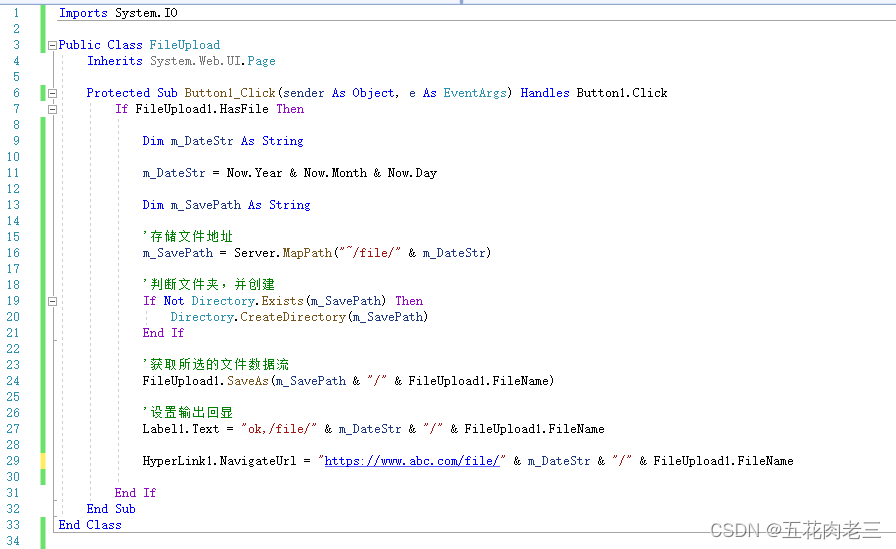
Imports System.IO

Public Class FileUpload
    Inherits System.Web.UI.Page

    Protected Sub Button1_Click(sender As Object, e As EventArgs) Handles Button1.Click
        If FileUpload1.HasFile Then

            Dim m_DateStr As String

            m_DateStr = Now.Year & Now.Month & Now.Day

            Dim m_SavePath As String

            '存储文件地址
            m_SavePath = Server.MapPath("~/file/" & m_DateStr)

            '判断文件夹,并创建
            If Not Directory.Exists(m_SavePath) Then
                Directory.CreateDirectory(m_SavePath)
            End If

            '获取所选的文件数据流
            FileUpload1.SaveAs(m_SavePath & "/" & FileUpload1.FileName)

            '设置输出回显
            Label1.Text = "ok,/file/" & m_DateStr & "/" & FileUpload1.FileName

            HyperLink1.NavigateUrl = "https://www.abc.com/file/" & m_DateStr & "/" & FileUpload1.FileName

        End If
    End Sub
End Class
编译、发布于IIS服务后,通过此页面aspx文件地址,选择需要上传的文件,以发送POST数据流方式,发送到后台保存。





 扫一扫
扫一扫


 662
662

 被折叠的 条评论
为什么被折叠?
被折叠的 条评论
为什么被折叠?
 到【灌水乐园】发言





