



 这篇博客介绍了如何使用Java实现BitOutputStream类,用于将比特写入输出流,并展示了如何将大文件分割成多个小文件进行备份。BitOutputStream通过writeBit方法存储比特,而cut()方法则利用RandomAccessFile将大文件分割成多个小片段。
题目
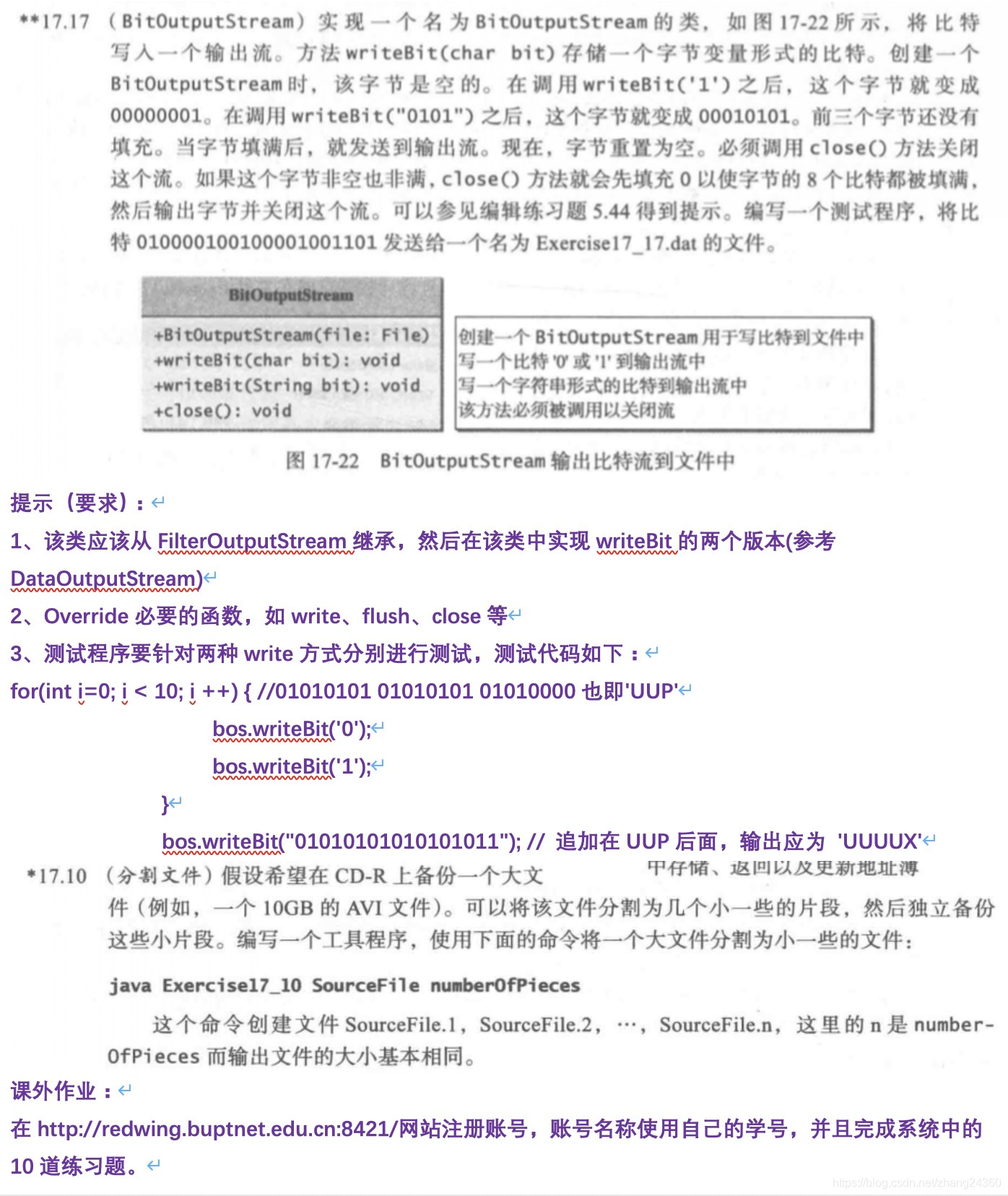
一 (BitOutputStream)实现一个名为BitOutputStream的类,将比特写入一个输出流,方法writeBit(char bit)存储一个字节变量形式的比特,创建BitOutputStream时,该字节是空的,在调用writeBit('1')之后,这个字节就变成00000001,在调用writeBit("0101")时,这个字节就变成00010101...
二 (分割文件)假设希望在CD-R上备份一个大文件中存储,返回以及更新地址簿文件(例如,一个10GB的AVI文件),可以将该文件中分割为几个小一些的片段,然后独立备份这些小片段,编写一个工程文件使用下面的命令将一个大文件分割为小一些的文件:
这个命令创建文件sourcefile.1,sourcefile2。。。
代码
一
package ch12;

import java.io.*;

public class a {
    public static void main(String[] args) throws Exception {
        BitOutputStream output = new BitOutputStream(new File("1.txt"));//改成Exercise17_17.data
        for(int i=0;i<10;i++) {
            output.writeBit("0");
            output.writeBit("1");
        }
        //output.writeBit("01010101010101011");
        output.close();
        System.out.println("Done");
    }

    public static class BitOutputStream {
        private FileOutputStream output;
        private int value;
        private int count = 0;
        private int mask = 1; // The bits are all zeros except the last one

        public BitOutputStream(File file) throws IOException {
            output = new FileOutputStream(file);
        }

        public void writeBit(char bit) throws IOException {
            count++;
            value = value << 1;

            if (bit == '1')
                value = value | mask;

            if (count == 8) {
                output.write(value);
                count = 0;
            }
        }

        public void writeBit(String bitString) throws IOException {
            for (int i = 0; i < bitString.length(); i++)
                writeBit(bitString.charAt(i));
        }

        /** Write the last byte and close the stream. If the last byte is not full, right-shfit with zeros */
        public void close() throws IOException {
            if (count > 0) {
                value = value << (8 - count);
                output.write(value);
            }

            output.close();
        }
    }
}
二
package ch12;
import java.io.*;


public class b {
    public static void main(String[] args) {
        cut();
    }
    public static void cut() {
        File file = new File("1.mp4");//要分割的文件名称
        int num = 10;//分割文件的数量

        long lon = file.length() / 10L + 1L;//使文件字节数+1,保证取到所有的字节
        try {
            RandomAccessFile raf1 = new RandomAccessFile(file, "r");

            byte[] bytes = new byte[1024];//值设置越小,则各个文件的字节数越接近平均值,但效率会降低,这里折中,取1024
            int len = -1;
            for (int i = 0; i < 10; i++) {
                String name = "D:\\course\\avi\\" +"SourceFile."+ (i+1) + ".avi";
                File file2 = new File(name);
                RandomAccessFile raf2 = new RandomAccessFile(file2, "rw");

                while ((len = raf1.read(bytes)) != -1){//读到文件末尾时,len返回-1,结束循环
                    raf2.write(bytes, 0, len);
                    if (raf2.length() > lon)//当生成的新文件字节数大于lon时,结束循环
                        break;
                }
                raf2.close();
            }
            raf1.close();
        } catch (FileNotFoundException e) {
            e.printStackTrace();
        } catch (IOException e) {
            e.printStackTrace();
        }

    }
}





 扫一扫
扫一扫


 799
799

 被折叠的 条评论
为什么被折叠?
被折叠的 条评论
为什么被折叠?
 到【灌水乐园】发言





