



目录
一. 项目的测试背景
微博客系统由五个页面构成:用户登录页面,博客列表页面,博客详情页面,博客编辑页面,博客发布页。现在对博客系统进行手动和自动化测试,以便用户使用博客系统,项目的具体测试内容为:博客系统的登录,博客列表页和博客详情页以及博客编辑页的页面呈现和功能,写博客,删除博客,退出博客登录的功能是否正常,个人博客系统可以实现发布个人博客,记录博客发布日期、时间、标题、博客发布者等信息。
二. 手工测试
1). 设计测试用例的六个方面
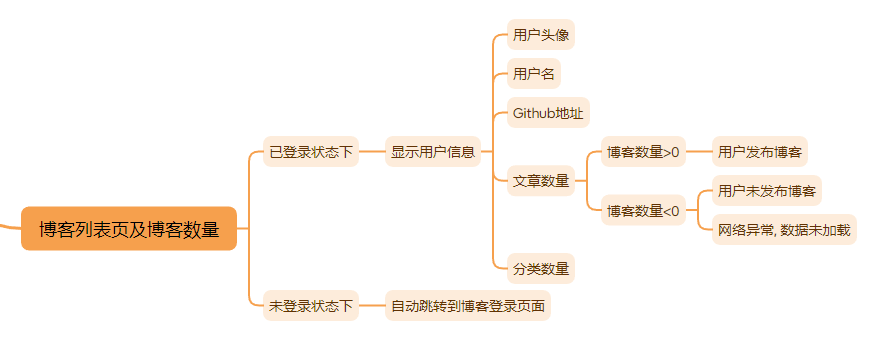
功能测试,界面测试,性能测试,易用性测试,兼容性测试,安全测试6个方面进行设计测试。
2). 设计个人博客系统测试用例思维导图
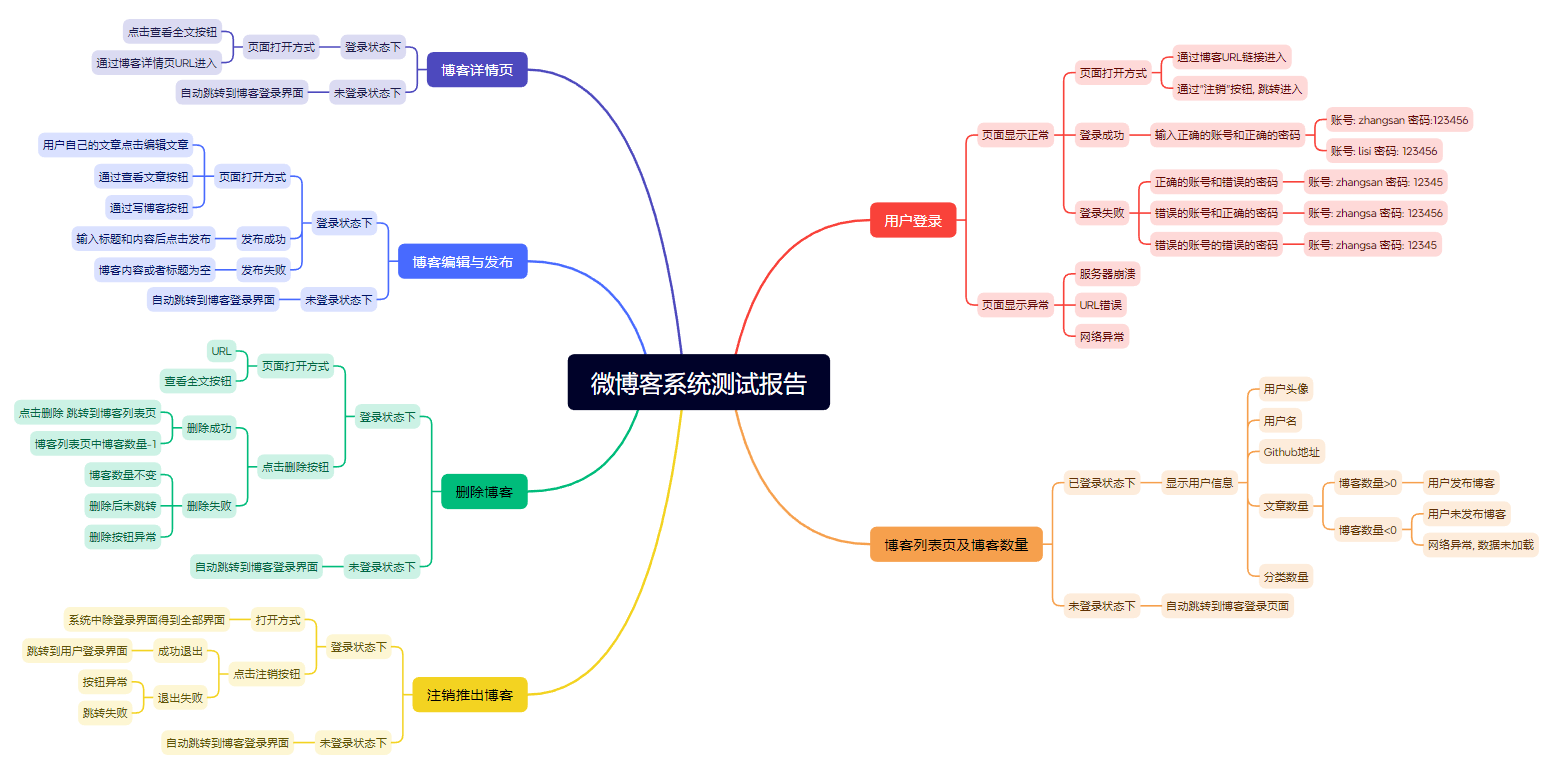
3). 登录页面测试
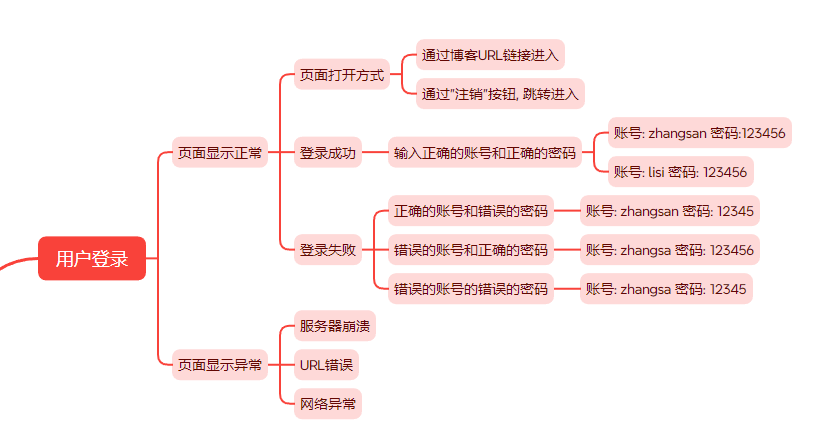
已知: 账号和密码都已经储存在数据库里面,只要对应的输入框输入正常的账号和密码就可以,跳转到博客列表页。
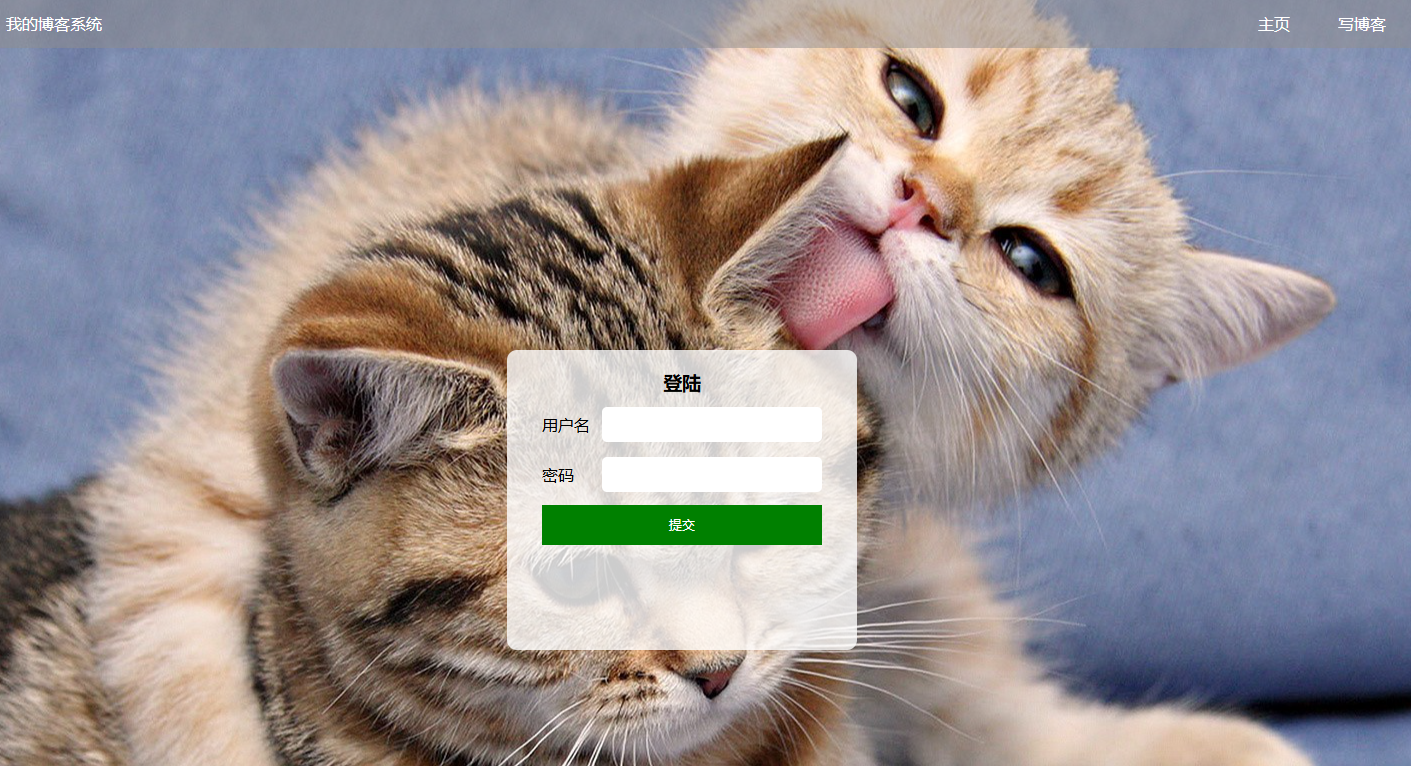
登录界面展示:
正确的账号和正确的密码账号 账号: lisi 密码: 123456
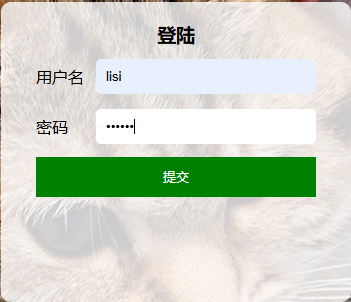
预期结果: 正确跳转至博客详情页
实际效果展示:
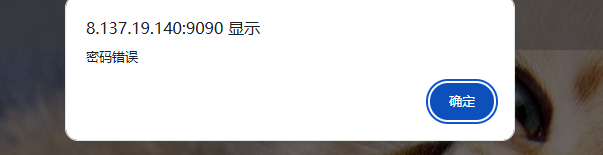
正确的账号和错误的密码 账号: zhangsan 密码: 12345
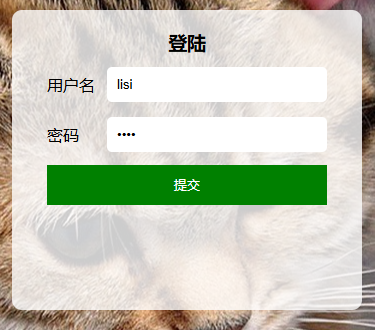
预期结果: 账号或者密码错误
实际效果展示:
错误的账号和正确的密码 账号: zhangsa 密码: 123456
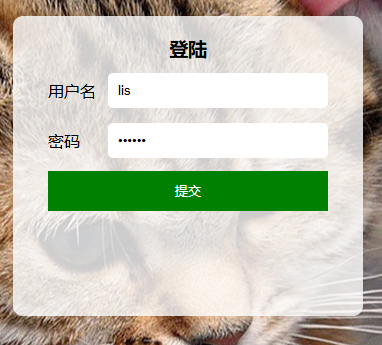
预期结果: 用户不存在
实际效果展示:

错误的账号的错误的密码 账号: zhangsa 密码: 12345
预期结果: 用户不存在
实际效果展示:
4). 博客列表页面测试
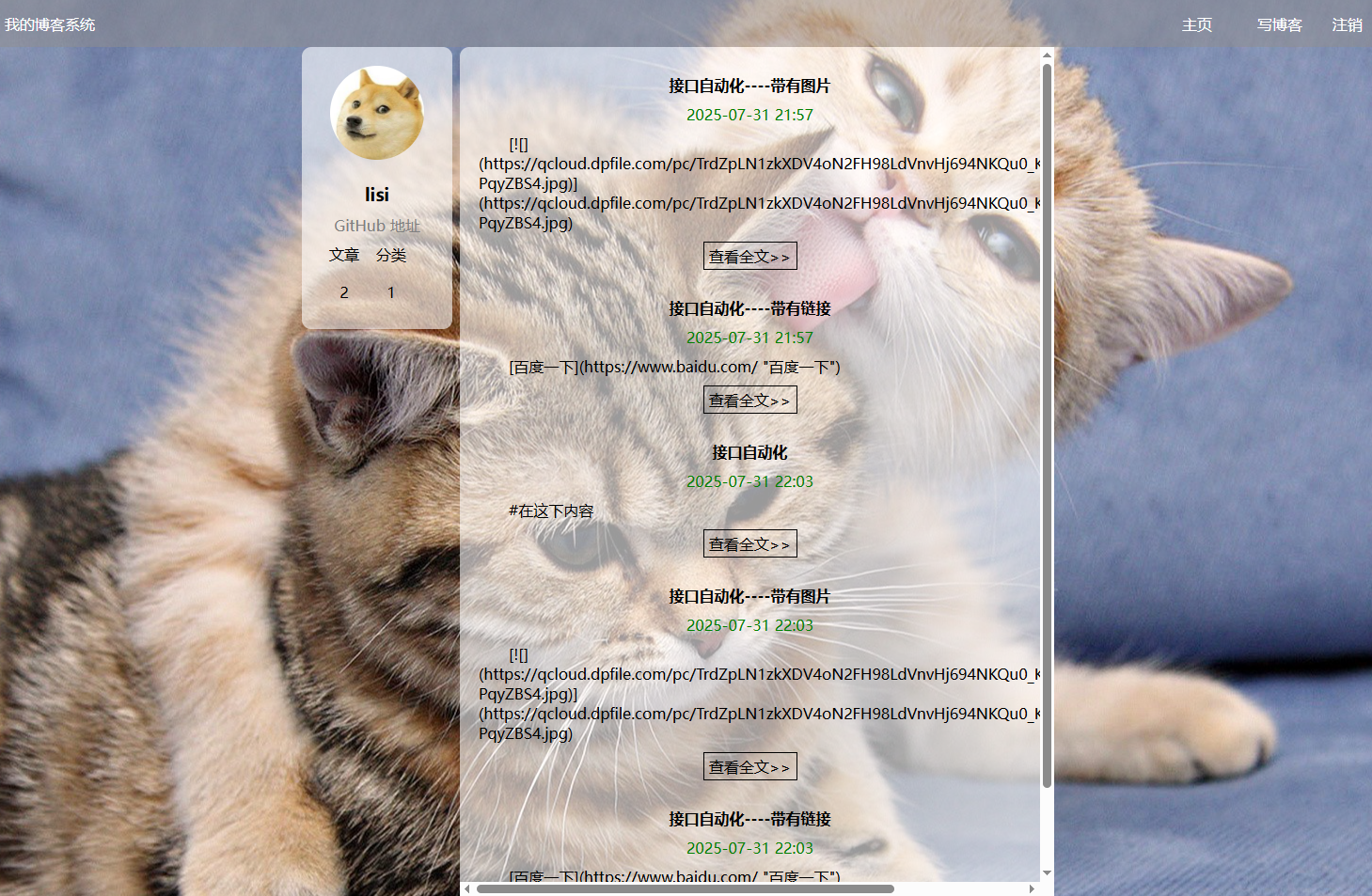
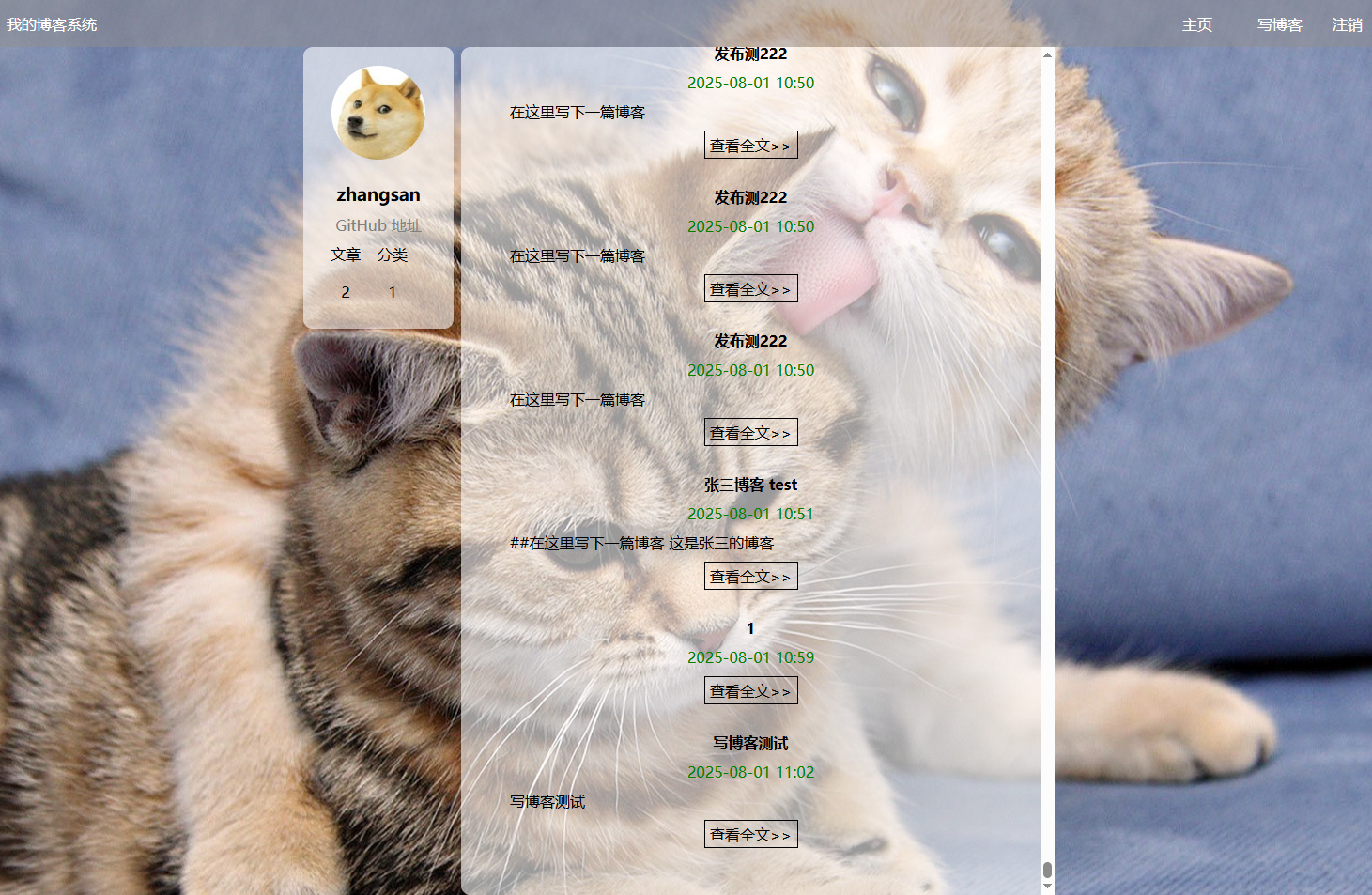
在登录页面在对应的输入框输入正确的账号和密码后,会跳转到博客列表页面,可以看到当前登录的用户昵称和发布文章数量还有分类,列表区可以看到已发布博客文章信息包括标题、时间、博客内容
列表页展示:

博客详情页里面有当前登录用户的昵称,和发布文章的数量和分类的数量,可以看到可以发布的博客文章的(标题,发布博客的时间,和博客的内容)
如果查看的文章是当前用户自己发布的,那么当前用户对这篇文章的权限是:读,写,修改,删除等,如果查看的文章是其他用户发布的,那么当前用户对文章的权限只能是只读
5). 博客详情页面测试

博客详情页面展示:
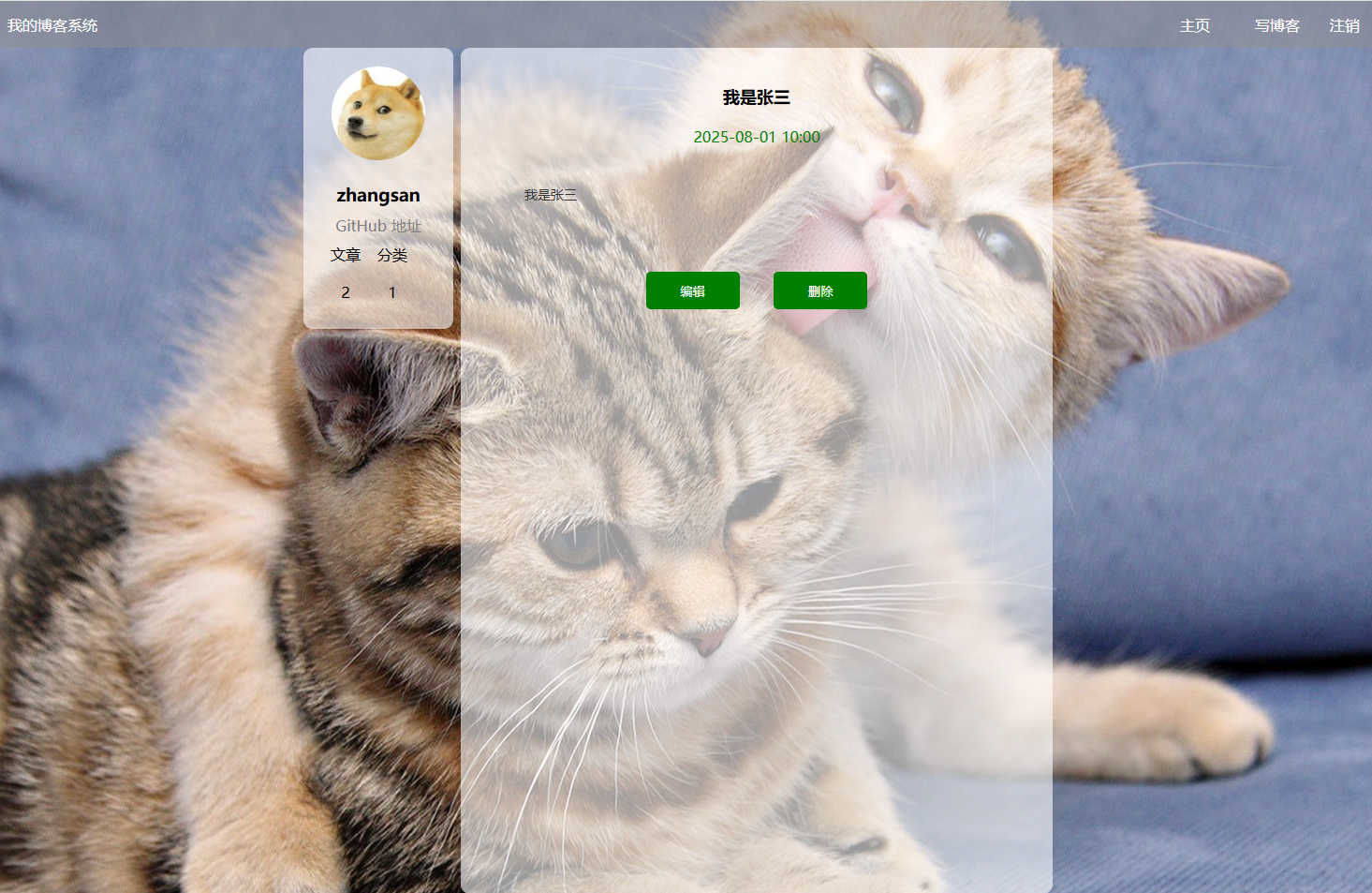
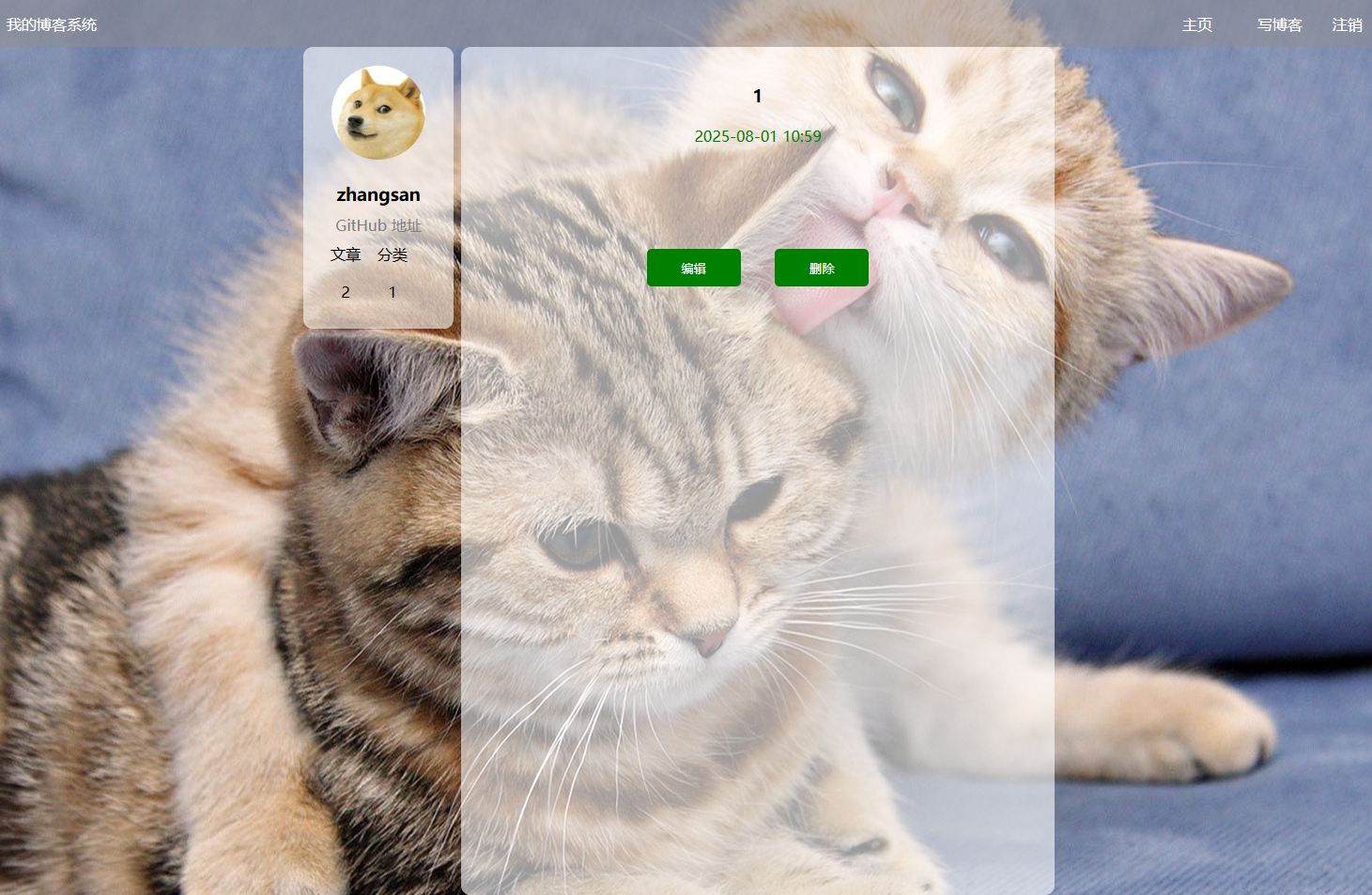
预期效果:有用户信息,编辑和删除按钮存在,博客标题和内容存在
实际效果:有用户信息,编辑和删除按钮存在,博客标题和内容存在
6). 博客编辑页面测试
在博客列表页右上角点击”写博客“,即可进入博客编辑页面,此时可以进行新博客的写入操作。
用户登录成功后会跳转到博客列表,点击右上角写博客,就会跳转到博客编辑页面
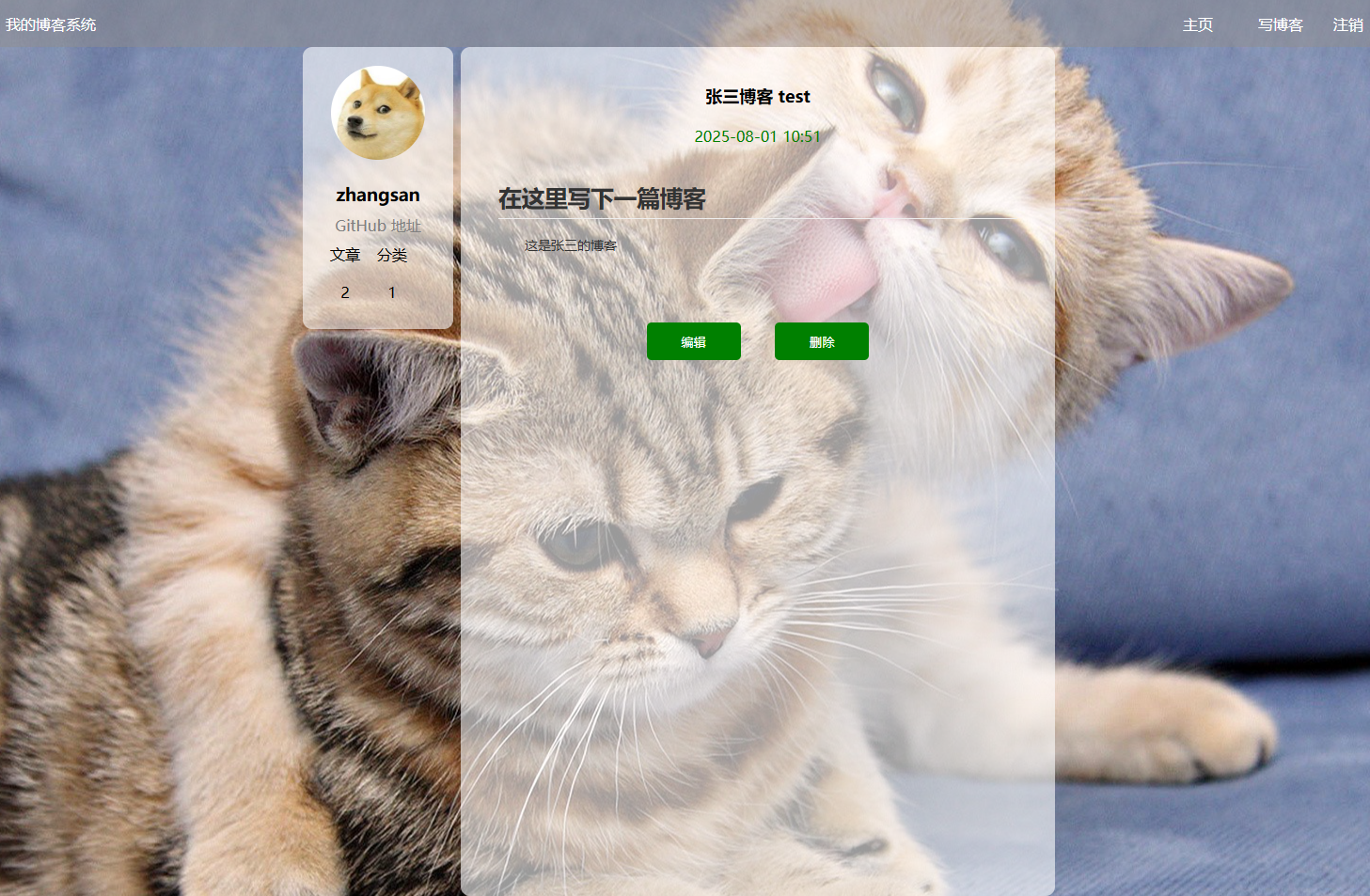
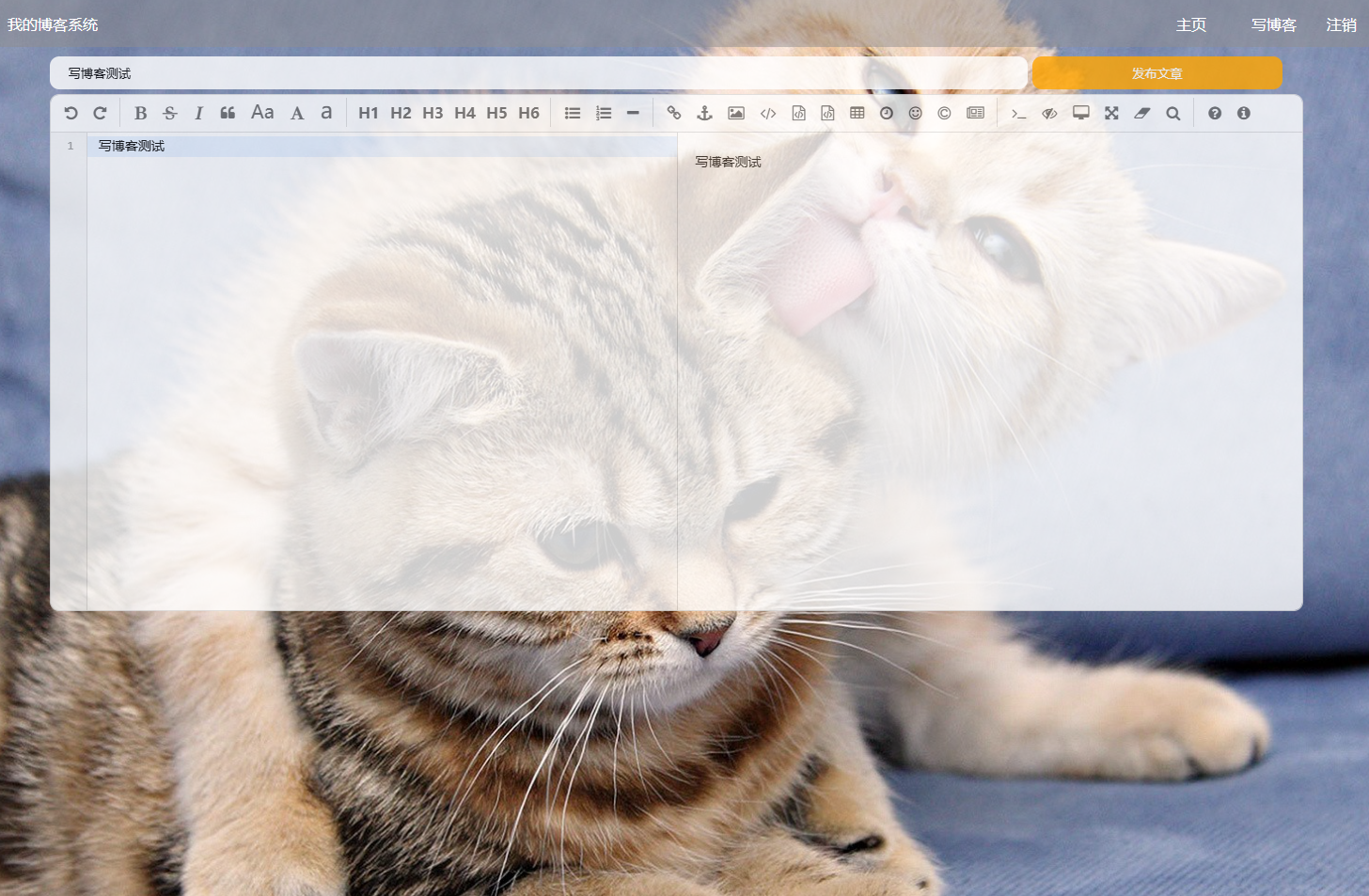
预期效果:博客编辑页面有(输入博客标题框,文本工具区,博客内容输入区,发布文章按钮)
实际效果展示:

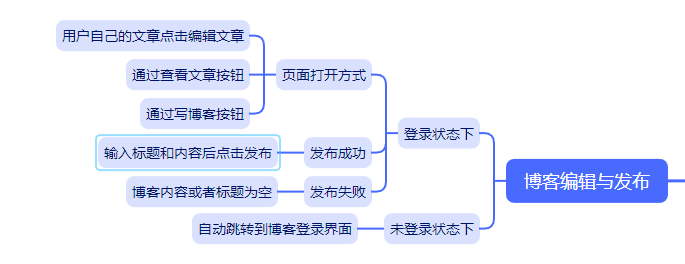
7). 博客发布功能测试
预期效果:博客内容或者博客标题不能为空
实际效果展示:
8). 博客删除功能测试

在博客列表页点击任意一篇发布的文章查看全文按钮,就可以进去到该篇博客的详情页,然后点击博客详情页里面的删除按钮,页面就会跳转到博客列表页,并且该片博客会被删除,博客数量-1
在博客列表页点击查看全文,跳转到博客详情页
跳转到博客详情页,点击删除按钮
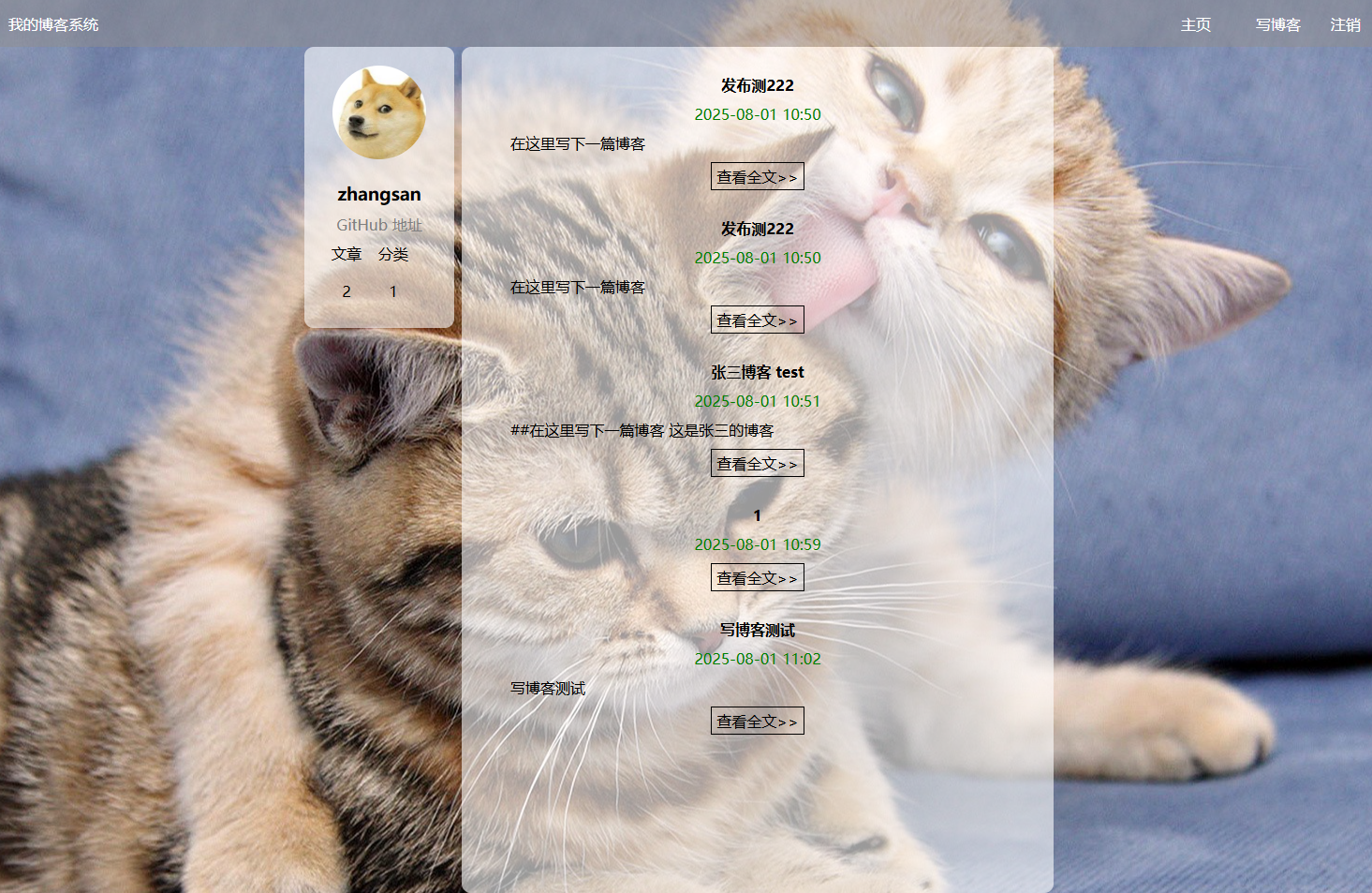
预期效果:当前博客文章被删除,且跳转回博客列表页,博客文章数量-1
实际效果展示:可以看到该博客已经消失在博客列表页了

9). 博客退出功能测试
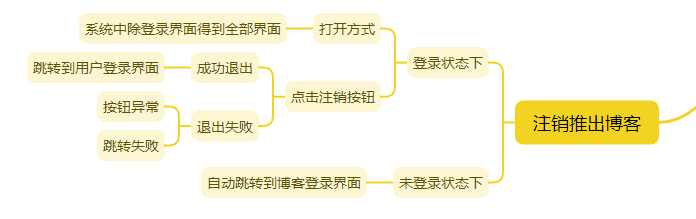
在博客列表页点击”退出“按钮之后,会跳转到博客登录界面,此时界面中的账号和密码输入框中的数据被清空,可以正常登录。
点击右上角的注销按钮就可以退出博客
预期效果:退出到博客登录页面而且账号输入框的账号和密码输入框的密码都被清空
实际效果展示:

三. 自动化测试
自动化测试的测试环境:
Python 版本是: Python3.9
selenium 版本是 4.0.0
webdriver-manager 版本为是 4.0.1
我们创建两个包, common包和TestCode包, common包用于存放驱动Drive
import os
import sys
import datetime
from selenium import webdriver
# from selenium.webdriver.support.wait import WebDriverWait
from webdriver_manager.microsoft import EdgeChromiumDriverManager
from selenium.webdriver.edge.service import Service


class Driver:
    driver = ""
    def __init__(self):
        options = webdriver.ChromeOptions()
        self.driver = webdriver.chrome(service=Service(EdgeChromiumDriverManager().install()),options=options)

        #添加一个隐式等待,预防代码执行速度比页面渲染加载快报错
        self.driver.implicitly_wait(2)


    def GetScreeShot(self):

        #创建之前先看一下,文件夹是否存在
        driname = datetime.datetime.now().strftime("%Y-%m-%d")
        if not os.path.exists("../images/"+driname):
            #如果不存在,就创建文件夹
            os.mkdir("../images/"+driname)

        #图片名称:BlogLoginTest-xxxx-xx-xx-xxxxxx
        filename =sys._getframe().f_back.f_code.co_name+"-"+datetime.datetime.now().strftime("%Y-%m-%d-%H%M%S")+".png"

        self.driver.save_screenshot("../images/"+driname+"/"+filename)

BlogDriver = Driver()
TestCode中存放测试启动函数以及测试函数
博客登录页面的BlogLoginTest测试文件
import time
from selenium.webdriver.common.by import By
from selenium.webdriver.support.wait import WebDriverWait
from selenium.webdriver.support import expected_conditions as EC

from common.public import BlogDriver

class BlogLogin:
    driver = ""
    url = ""
    def __init__(self):
        self.driver = BlogDriver.driver
        self.url = "http://8.137.19.140:9090/blog_login.html"
        self.driver.get(self.url)

    def BlogSucText(self):#成功登录博客页面的函数的函数
        #找到用户名框输入,正确的账号
         self.driver.find_element(By.CSS_SELECTOR,"#username").send_keys("zhangsan")
        #找到密码框输入,正确的密码
         self.driver.find_element(By.CSS_SELECTOR,"#password").send_keys("123456")
        #找到登录按钮并且点击
         self.driver.find_element(By.CSS_SELECTOR,"#submit").click()
        #成功登录后,查看一下用户昵称是否存在
        #登录进去后来个登录成功的截图
         BlogDriver.GetScreeShot()
        #登录进去后检查一下用户的昵称是否存在
         name = self.driver.find_element(By.CSS_SELECTOR,"body > div.container > div.left > div > h3").text
        # 检查一下用户基本信息的文章是否存在
         article = self.driver.find_element(By.CSS_SELECTOR,"body > div.container > div.left > div > div:nth-child(4) > span:nth-child(1)").text
        # 检查一下用户基本信息的分类是否存在
         classification = self.driver.find_element(By.CSS_SELECTOR,"body > div.container > div.left > div > div:nth-child(4) > span:nth-child(2)").text
         print("BlogLogin:"+name)
         print("BlogLogin:"+article)
         print("BlogLogin:"+classification)
     # self.driver.quit()  #两个函数连用就得在登录失败的函数里面退出了


    def BlogFailText(self):#错误登录博客的函数
        #因为上面已经登录了,使用回退按钮,退回到登录页面
        self.driver.back() #让浏览器后退,返回上一个页面
        #找到用户命名输入框和密码输入框把里面的内容清空
        self.driver.find_element(By.CSS_SELECTOR,"#username").clear()
        self.driver.find_element(By.CSS_SELECTOR, "#password").clear()
        #然后在输入错误的账号或者错误的密码
        time.sleep(1)
        #输入错误的账号,错误的密码
        self.driver.find_element(By.CSS_SELECTOR, "#username").send_keys("lisi")
        self.driver.find_element(By.CSS_SELECTOR, "#password").send_keys("123")

        # 输入错误的账号,正常的密码
        self.driver.find_element(By.CSS_SELECTOR, "#username").send_keys("lisi")
        self.driver.find_element(By.CSS_SELECTOR, "#password").send_keys("123456")

        # 输入正确的账号,错误的密码
        self.driver.find_element(By.CSS_SELECTOR, "#username").send_keys("zhangsan")
        self.driver.find_element(By.CSS_SELECTOR, "#password").send_keys("123")

        # 不输入账号,不输入密码
        self.driver.find_element(By.CSS_SELECTOR, "#username").send_keys("lisi")
        self.driver.find_element(By.CSS_SELECTOR, "#password").send_keys("123")

        time.sleep(1)
        BlogDriver.GetScreeShot()
        self.driver.find_element(By.CSS_SELECTOR, "#submit").click()
        #检查是否登录失败
        # 显示等待两秒
        wait = WebDriverWait(self.driver,2)
        wait.until(EC.alert_is_present())
        alert = self.driver.switch_to.alert
        print(alert.text)
        assert alert.text == "密码错误"
        alert.accept() #点击同意按钮
博客列表页面的BlogListTest测试文件
import time
from selenium.webdriver.common.by import By
from common.public import BlogDriver

class BlogList:
    driver = ""
    url = ""
    def __init__(self):
        self.driver = BlogDriver.driver
        self.url = "http://8.137.19.140:9090/blog_list.html"
        self.driver.get(self.url)

    def BlogLoginListTest(self):#登路状态下
        #检查一下博客的标题是否存在
        self.driver.find_element(By.CSS_SELECTOR,"body > div.container > div.right > div:nth-child(1) > div.title")
        #检查一下发布博客的时间是否存在
        self.driver.find_element(By.CSS_SELECTOR,"body > div.container > div.right > div:nth-child(1) > div.date")
        #检查一下博客的内容是否存在
        self.driver.find_element(By.CSS_SELECTOR,"body > div.container > div.right > div:nth-child(1) > div.desc")
        #检查一下博客列表页的查看全文按钮是否存在
        self.driver.find_element(By.CSS_SELECTOR,"body > div.container > div.right > div:nth-child(1) > a")
        #检查一下用户基本信息的昵称是否存在
        self.driver.find_element(By.CSS_SELECTOR,"body > div.container > div.left > div > h3")
        #检查一下用户基本信息的文章是否存在
        self.driver.find_element(By.CSS_SELECTOR, "body > div.container > div.left > div > div:nth-child(4) > span:nth-child(1)")
        #检查一下用户基本信息的分类是否存在
        self.driver.find_element(By.CSS_SELECTOR, "body > div.container > div.left > div > div:nth-child(4) > span:nth-child(2)")
        #检查一下博客数量是否为0,不为就就通过
        Blognum = self.driver.find_element(By.CSS_SELECTOR,"body > div.container > div.left > div > div:nth-child(5) > span:nth-child(1)").text
        print(Blognum)
        assert Blognum != 0
        BlogDriver.GetScreeShot()
        # self.driver.quit()

    def NotBlogLoginListTest(self):  #未登录状态下
        # # 找到用户命名输入框和密码输入框把里面的内容清空
        # self.driver.find_element(By.CSS_SELECTOR, "#username").clear()
        # self.driver.find_element(By.CSS_SELECTOR, "#password").clear()
        self.driver.get("http://8.137.19.140:9090/blog_list.html")
        time.sleep(2)
        BlogDriver.GetScreeShot()
        self.driver.find_element(By.CSS_SELECTOR, "body > div.container > div.right > div:nth-child(1) > div.title")


    def QuitBlogLoginListText(self):  # 登录博客状态下测试退出
        #点击退出按钮
        self.driver.find_element(By.CSS_SELECTOR, "body > div.nav > a:nth-child(6)").click()
        BlogDriver.GetScreeShot()
        #判断一下退出后的页面url和页面的标题
        Quittitle = self.driver.title
        QuitUrl = self.driver.current_url
        print(Quittitle)
        print(QuitUrl)
        assert Quittitle == "博客登陆页"
        assert QuitUrl == "http://8.137.19.140:9090/blog_login.html"
        #判断一下账号输入框和密码输入框的内容是否为空
        Quitusername = self.driver.find_element(By.CSS_SELECTOR,"#username").text
        Quitpassword = self.driver.find_element(By.CSS_SELECTOR,"#password").text
        print("Quitusername"+Quitusername)
        print("Quitpassword"+Quitpassword)
        assert Quitusername == ""
        assert Quitpassword == ""
博客编辑页面的BlogEditTest测试文件
import time
from selenium.webdriver.common.by import By
from common.public import BlogDriver

class BlogEdit:
    driver = ""
    url = ""
    def __init__(self):
        self.driver = BlogDriver.driver
        #编辑一篇新博克页面
        self.url = "http://8.137.19.140:9090/blog_edit.html"
        self.driver.get(self.url)

    def BlogLoginEditTest(self):
        #找到标题输入框输入标题
        self.driver.find_element(By.CSS_SELECTOR,"#title").send_keys("博客系统测试编辑页面")
        #编辑区域的菜单栏是第三方插件,元素无法被选中,先不处理菜单栏
        #博客编辑区本来就不为空
        time.sleep(1)
        BlogDriver.GetScreeShot()
        #点击发布文章按钮
        self.driver.find_element(By.CSS_SELECTOR,"#submit").click()
        # 因为页面的跳转需要时间,代码执行的速度如果比页面渲染的速度快,就会导致找不到元素
        time.sleep(1)
        #发布文章后,会自动跳转到博客列表页,可以判断一下跳转后的url是否等于博客列表页的url
        jumpURL = self.driver.current_url
        print(jumpURL)
        assert jumpURL == "http://8.137.19.140:9090/blog_list.html"
        #判断一下博客列表页的文章标题是否是新发布的博客的给定的标题
        # body > div.container > div.right > div: nth - child(33) > div.title,最近发布一篇文章是child(33)新发布的文章应该是child(34)
        actual = self.driver.find_element(By.CSS_SELECTOR,"body > div.container > div.right > div:nth-child(34) > div.title").text
        print(actual)
        assert actual == "博客系统测试编辑页面"

    def NotBlogLoginEditTest(self): #未登录下
        # 未登录下是找不到标题输入框输入标题
        self.driver.find_element(By.CSS_SELECTOR, "#title").send_keys("博客系统测试编辑页面")
博客退出的BlogDetailTest测试文件
import time
from selenium.webdriver.common.by import By
from selenium.webdriver.support.wait import WebDriverWait
from selenium.webdriver.support import expected_conditions as EC
from common.public import BlogDriver

class BlogDetail:
    driver = ""
    url = ""
    def __init__(self):
        self.driver = BlogDriver.driver
        #一篇博客的url
        self.url = "http://8.137.19.140:9090/blog_detail.html?blogId=133103"
        self.driver.get(self.url)

    def BlogLoginDetailTest(self):
        # 检查一下博客的标题是否存在
        self.driver.find_element(By.CSS_SELECTOR, "body > div.container > div.right > div > div.title")
        # 检查一下发布博客的时间是否存在
        self.driver.find_element(By.CSS_SELECTOR, "body > div.container > div.right > div > div.date")
        # 检查一下博客的内容是否存在
        self.driver.find_element(By.CSS_SELECTOR, "#detail")
        # 检查一下用户基本信息的昵称是否存在
        self.driver.find_element(By.CSS_SELECTOR, "body > div.container > div.left > div > h3")
        # 检查一下用户基本信息的文章是否存在
        self.driver.find_element(By.CSS_SELECTOR,"body > div.container > div.left > div > div:nth-child(4) > span:nth-child(1)")
        # 检查一下用户基本信息的分类是否存在
        self.driver.find_element(By.CSS_SELECTOR,"body > div.container > div.left > div > div:nth-child(4) > span:nth-child(2)")
        #检查一下编辑按钮是否存在
        self.driver.find_element(By.CSS_SELECTOR,"body > div.container > div.right > div > div.operating > button:nth-child(1)")
        #检查一下删除按钮是否存在
        self.driver.find_element(By.CSS_SELECTOR,"body > div.container > div.right > div > div.operating > button:nth-child(2)")
        #添加屏幕截图
        BlogDriver.GetScreeShot()
        time.sleep(2)

    def DeleteBlogLoginDetailTest(self):
        #点击第一篇博客删除按钮
        BlogDriver.GetScreeShot()
        self.driver.find_element(By.CSS_SELECTOR,"body > div.container > div.right > div > div.operating > button:nth-child(2)").click()
        #点击删除按钮后会出现一个弹窗
        wait = WebDriverWait(self.driver,2)
        #检查弹窗是否出现
        wait.until(EC.alert_is_present())
        #找到弹窗
        alert = self.driver.switch_to.alert
        #判断一下弹窗里面的内容是否是确定删除?
        actual = alert.text
        print(actual)
        assert actual == "确定删除?"
        #点击确定删除按钮
        alert.accept()
        time.sleep(1)
        BlogDriver.GetScreeShot()
        #删除后判断一下是否返回到了博客列表页
        time.sleep(1)
        rettitle = self.driver.title
        retUrl = self.driver.current_url
        assert rettitle == "博客列表页"
        assert retUrl == "http://8.137.19.140:9090/blog_list.html"
        print("rettitle:"+rettitle)
        print("retUrl:"+retUrl)


    def NotBlogLoginDetailTest(self):

        # 检查一下博客的标题是否存在
        self.driver.find_element(By.CSS_SELECTOR, "body > div.container > div.right > div > div.title")
        # 检查一下发布博客的时间是否存在
        self.driver.find_element(By.CSS_SELECTOR, "body > div.container > div.right > div > div.date")
        # 检查一下博客的内容是否存在
        self.driver.find_element(By.CSS_SELECTOR, "#detail")
        # 检查一下用户基本信息的昵称是否存在
        self.driver.find_element(By.CSS_SELECTOR, "body > div.container > div.left > div > h3")
        # 检查一下用户基本信息的文章是否存在
        self.driver.find_element(By.CSS_SELECTOR,"body > div.container > div.left > div > div:nth-child(4) > span:nth-child(1)")
        # 检查一下用户基本信息的分类是否存在
        self.driver.find_element(By.CSS_SELECTOR,"body > div.container > div.left > div > div:nth-child(4) > span:nth-child(2)")
        # 检查一下编辑按钮是否存在
        self.driver.find_element(By.CSS_SELECTOR,"body > div.container > div.right > div > div.operating > button:nth-child(1)")
        # 检查一下删除按钮是否存在
        self.driver.find_element(By.CSS_SELECTOR,"body > div.container > div.right > div > div.operating > button:nth-child(2)")
        # 添加屏幕截图
        BlogDriver.GetScreeShot()
        time.sleep(2)
自动化测试运行文件 RunTest
from TestCode import BlogLoginTest
from TestCode import BlogListTest
from TestCode import BlogDetailTest
from TestCode import BlogEditTest
from common.public import BlogDriver
from TestCode.BlogDetailTest import BlogDetail

if __name__ == "__main__":

    # blog_login_instance = BlogLoginTest.BlogLogin()
    # blog_login_instance.BlogSucText()
    # blog_list_instance = BlogListTest.BlogList()
    # #登录状态下测试博客列表页
    # blog_list_instance.BlogLoginListTest()
    # #退出博客登录
    # blog_list_instance.QuitBlogLoginListText()
    # #未登录状态下测试博客列表页
    # blog_list_instance.NotBlogLoginListTest()
    # BlogDriver.driver.quit()

    # blog_login_instance = BlogLoginTest.BlogLogin()
    # blog_login_instance.BlogSucText()
    # blog_dateil_instance = BlogDetailTest.BlogDetail()
    # #测试登录状态下的详情页
    # blog_dateil_instance.BlogLoginDetailTest()
    # #测试登录状态下详情页删除第一篇文章
    # blog_dateil_instance.DeleteBlogLoginDetailTest()
    # #退出登录
    # blog_list_instance = BlogListTest.BlogList()
    # #退出博客登录
    # blog_list_instance.QuitBlogLoginListText()
    # blog_dateil_instance.NotBlogLoginDetailTest()

    #博客编辑页面的测试
    # blog_login_instance = BlogLoginTest.BlogLogin()
    # blog_login_instance.BlogSucText()
    # blog_edit_instance = BlogEditTest.BlogEdit()
    # blog_edit_instance.BlogLoginEditTest()
    # #然后调用退出博客函数
    # blog_list_instance = BlogListTest.BlogList()
    # blog_list_instance.QuitBlogLoginListText()
    # #再调用未登录状态下,去测试博客编辑页
    # blog_edit_instance.NotBlogLoginEditTest()

    #测试一下,在登录状态下,使用BlogListTest里面退出函数
    blog_login_instance = BlogLoginTest.BlogLogin()
    blog_login_instance.BlogSucText()
    blog_list_instance = BlogListTest.BlogList()
    #测试一下退出函数
    blog_list_instance.QuitBlogLoginListText()
    BlogDriver.driver.quit()
四. 项目bug综述
用户信息bug
测试环境:
Windows10, Chrome 版本 138.0.7204.169(正式版本)
出现问题的步骤:
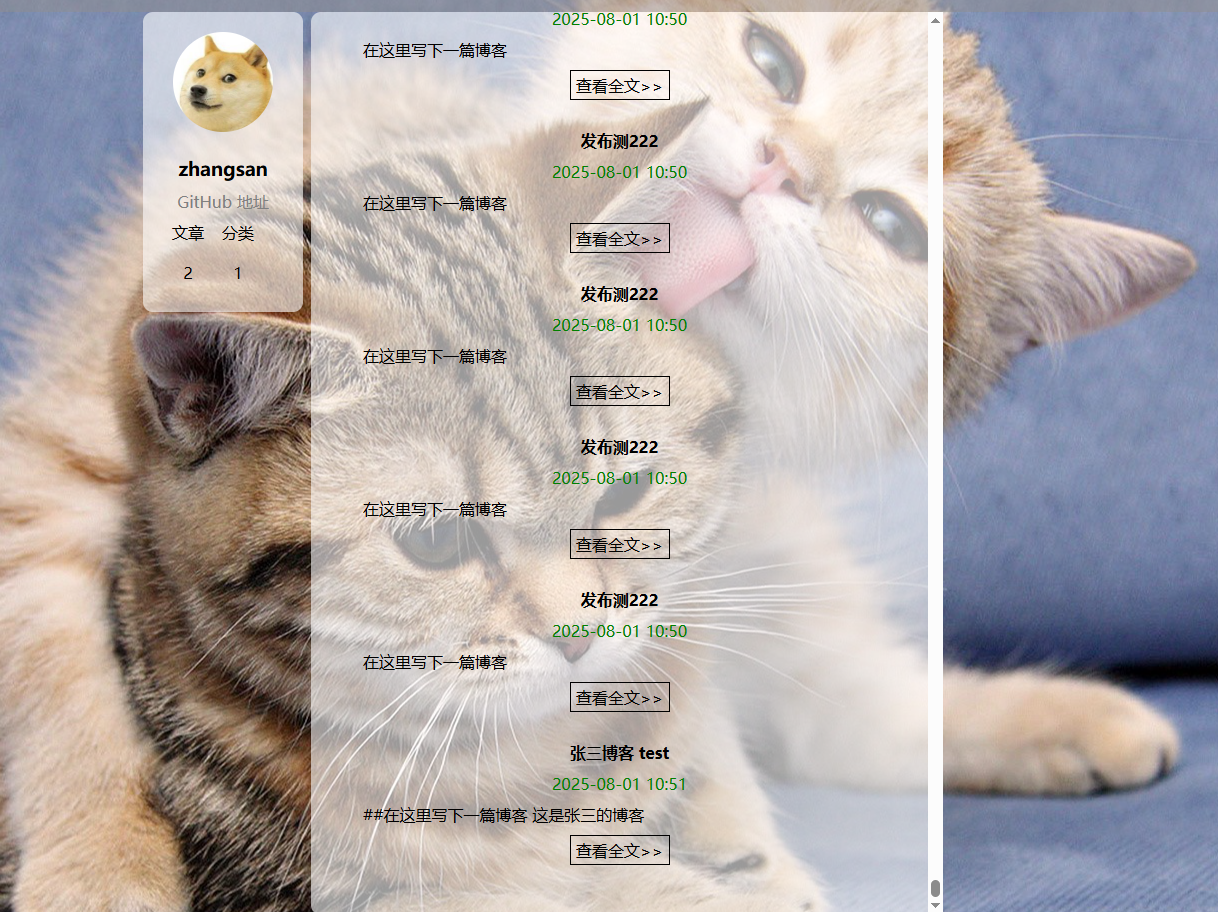
在用户登录后, 点击写博客, 输入内容后发布内容,
预期结果:
文章数量加一
实际结果:
文章数量不变
bug级别
一般
博客发布bug
测试环境:
Windows10, Chrome 版本 138.0.7204.169(正式版本)
出现问题的步骤:
在用户登录后, 点击写博客, 输入内容后发布内容,
预期结果:
内容或者标题不能为空
实际结果:
标题不可为空, 内容可以为空
bug级别
一般





 扫一扫
扫一扫


 被折叠的 条评论
为什么被折叠?
被折叠的 条评论
为什么被折叠?
 到【灌水乐园】发言





