



 本文主要介绍了Elasticsearch的基本操作,包括索引的创建、查询和删除,映射的创建与查询,以及文档的添加、查询、删除、更新和批量操作等。还提及了ES支持丰富的字段类型,如text、keyword等。
基本操作
索引
创建
# 1.创建索引
- PUT /索引名 ====> PUT /products
- 注意:
		1.ES中索引健康转态  red(索引不可用) 、yellwo(索引可用,存在风险)、green(健康)
		2.默认ES在创建索引时回为索引创建1个备份索引和一个primary索引

# 2.创建索引 进行索引分片配置
- PUT /products
{
  "settings": {
    "number_of_shards": 1, #指定主分片的数量
    "number_of_replicas": 0 #指定副本分片的数量
  }
}

)
查询
# 查询索引
- GET /_cat/indices?v

删除
# 3.删除索引
- DELETE /索引名 =====> DELETE /products
- DELETE /*     `*代表通配符,代表所有索引`

映射
创建
字符串类型: keyword 关键字 关键词 、text 一段文本
数字类型:integer long
小数类型:float double
布尔类型:boolean
日期类型:date
# 1.创建索引&映射
PUT /products
{
  "settings": {
    "number_of_shards": 1,
    "number_of_replicas": 0
  },
  "mappings": {
    "properties": {
      "title":{
        "type": "keyword"
      },
      "price":{
        "type": "double"
      },
      "created_at":{
        "type": "date"
      },
      "description":{
        "type": "text"
      }
    }
  }
}
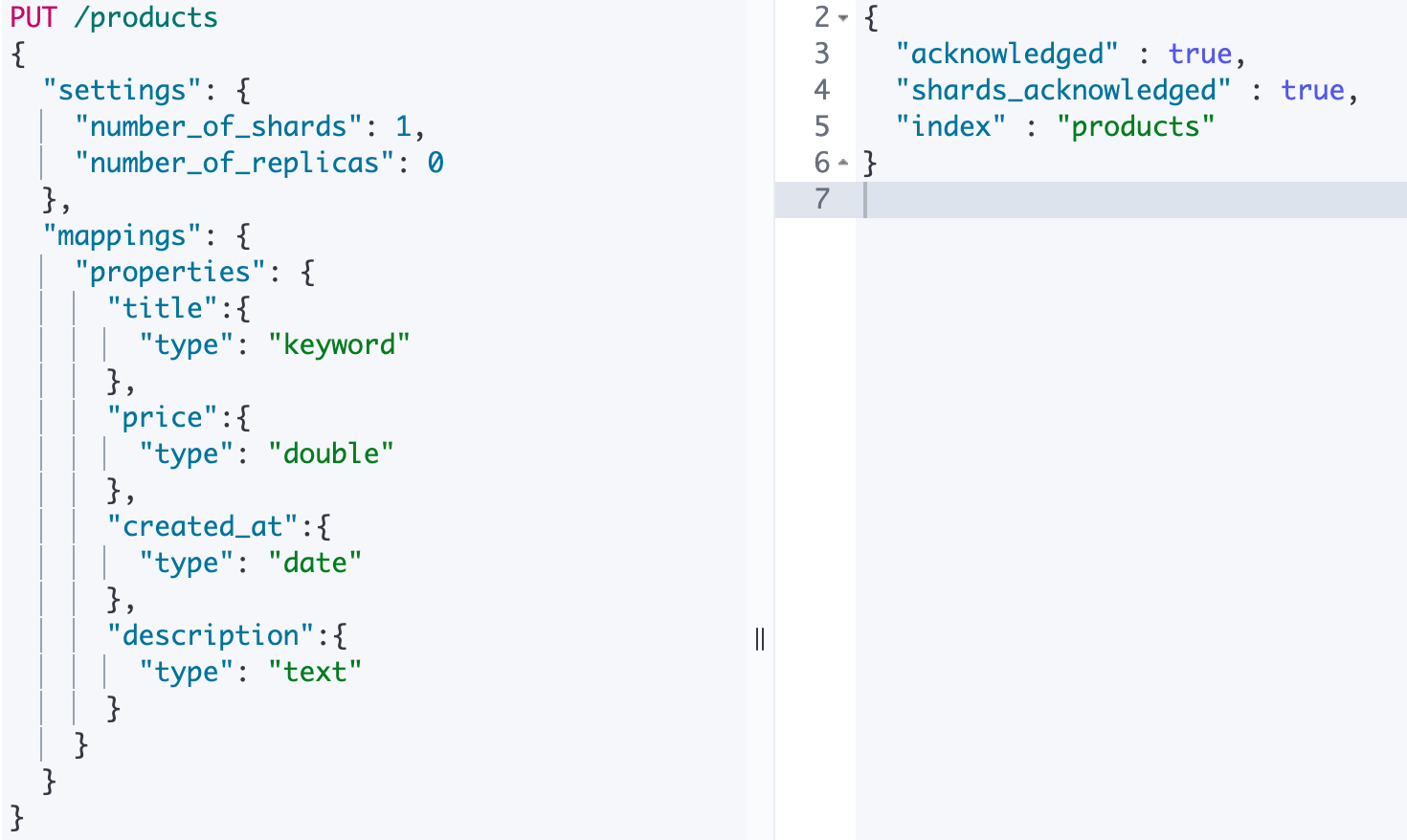
说明: ES中支持字段类型非常丰富,如:text、keyword、integer、long、ip 等。更多参见https://www.elastic.co/guide/en/elasticsearch/reference/7.15/mapping-types.html
查询
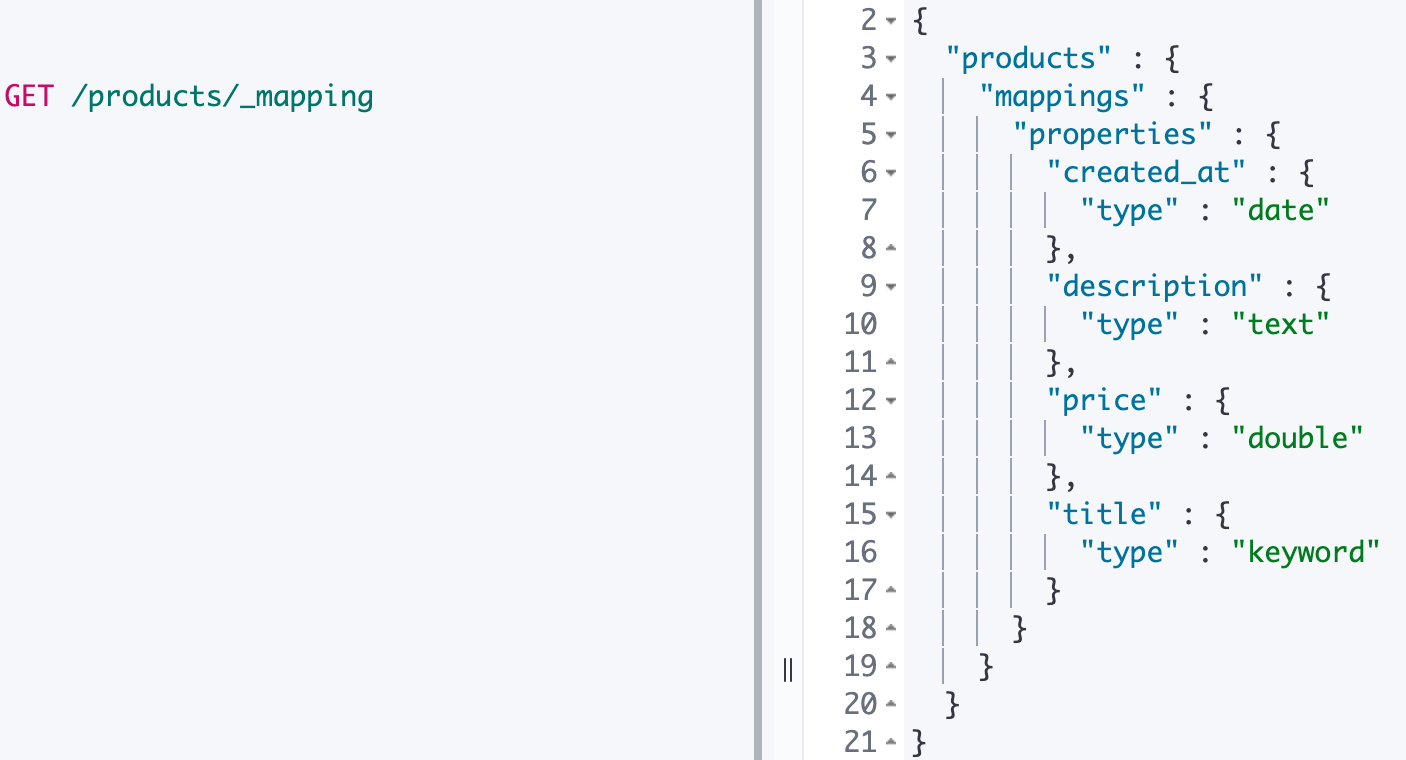
# 1.查看某个索引的映射
- GET /索引名/_mapping =====> GET /products/_mapping
文档
添加文档
POST /products/_doc/1 #指定文档id
{
  "title":"iphone13",
  "price":8999.99,
  "created_at":"2021-09-15",
  "description":"iPhone 13屏幕采用6.1英寸OLED屏幕。"
}
POST /products/_doc/ #自动生成文档id
{
  "title":"iphone14",
  "price":8999.99,
  "created_at":"2021-09-15",
  "description":"iPhone 13屏幕采用6.8英寸OLED屏幕"
}
{
  "_index" : "products",
  "_type" : "_doc",
  "_id" : "sjfYnXwBVVbJgt24PlVU",
  "_version" : 1,
  "result" : "created",
  "_shards" : {
    "total" : 1,
    "successful" : 1,
    "failed" : 0
  },
  "_seq_no" : 3,
  "_primary_term" : 1
}
查询文档
GET /products/_doc/1
{
  "_index" : "products",
  "_type" : "_doc",
  "_id" : "1",
  "_version" : 1,
  "_seq_no" : 0,
  "_primary_term" : 1,
  "found" : true,
  "_source" : {
    "title" : "iphone13",
    "price" : 8999.99,
    "created_at" : "2021-09-15",
    "description" : "iPhone 13屏幕采用6.1英寸OLED屏幕"
  }
}
删除文档
DELETE /products/_doc/1
{
  "_index" : "products",
  "_type" : "_doc",
  "_id" : "1",
  "_version" : 2,
  "result" : "deleted",
  "_shards" : {
    "total" : 1,
    "successful" : 1,
    "failed" : 0
  },
  "_seq_no" : 2,
  "_primary_term" : 1
}
更新文档
PUT /products/_doc/sjfYnXwBVVbJgt24PlVU
{
  "title":"iphon15"
}
说明: 这种更新方式是先删除原始文档,在将更新文档以新的内容插入。
POST /products/_doc/sjfYnXwBVVbJgt24PlVU/_update
{
    "doc" : {
        "title" : "iphon15"
    }
}
说明: 这种方式可以将数据原始内容保存,并在此基础上更新。
批量操作
POST /products/_doc/_bulk #批量索引两条文档
 	{"index":{"_id":"1"}}
  		{"title":"iphone14","price":8999.99,"created_at":"2021-09-15","description":"iPhone 13屏幕采用6.8英寸OLED屏幕"}
	{"index":{"_id":"2"}}
  		{"title":"iphone15","price":8999.99,"created_at":"2021-09-15","description":"iPhone 15屏幕采用10.8英寸OLED屏幕"}
POST /products/_doc/_bulk #更新文档同时删除文档
	{"update":{"_id":"1"}}
		{"doc":{"title":"iphone17"}}
	{"delete":{"_id":2}}
	{"index":{}}
		{"title":"iphone19","price":8999.99,"created_at":"2021-09-15","description":"iPhone 19屏幕采用61.8英寸OLED屏幕"}
说明:批量时不会因为一个失败而全部失败,而是继续执行后续操作,在返回时按照执行的状态返回!





 扫一扫
扫一扫


 被折叠的 条评论
为什么被折叠?
被折叠的 条评论
为什么被折叠?
 到【灌水乐园】发言





