


 在Jenkins执行job时遇到'python'不是内部或外部命令的报错。解决方案包括检查命令行中Python是否可运行,以及在Jenkins中设置Python环境变量。通过修改构建命令或配置系统环境变量,可以成功解决该问题。
一.问题描述
jenkins job 构建失败,查看console output
Building in workspace D:\D1\code\AutoTest\python_interface_autotest\PythonInterfaceAutoTest
[PythonInterfaceAutoTest] $ cmd /c call C:\WINDOWS\TEMP\jenkins2874359305483003602.bat

D:\D1\code\AutoTest\python_interface_autotest\PythonInterfaceAutoTest>python ./chapter7/run/run_main.py
'python' 不是内部或外部命令,也不是可运行的程序
或批处理文件。

D:\D1\code\AutoTest\python_interface_autotest\PythonInterfaceAutoTest>exit 9009
Build step 'Execute Windows batch command' marked build as failure
Finished: FAILURE
二.问题解决
1.检查我的命令,看在命令行能否运行


如图是可以运行的
2.问题应该是jenkins中缺少python的环境变量
于是修改命令为:
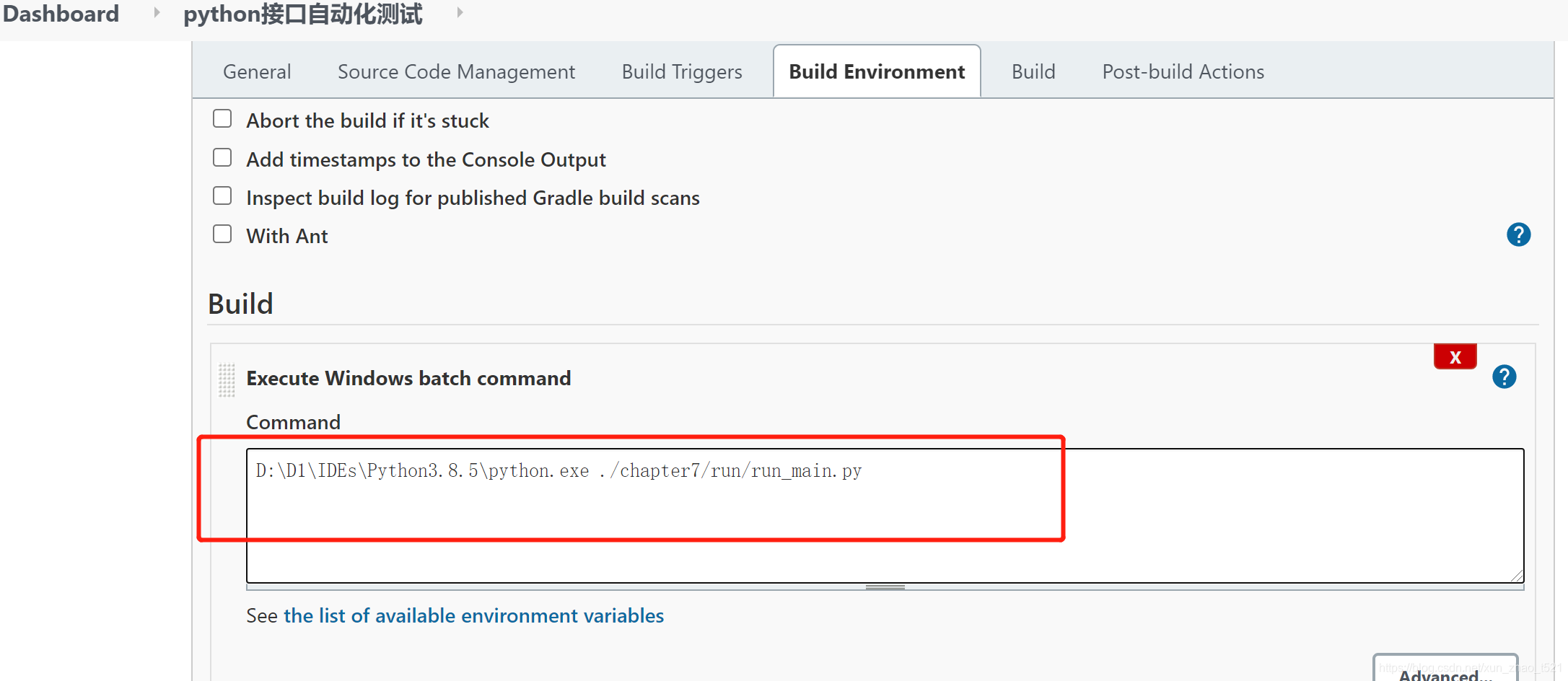
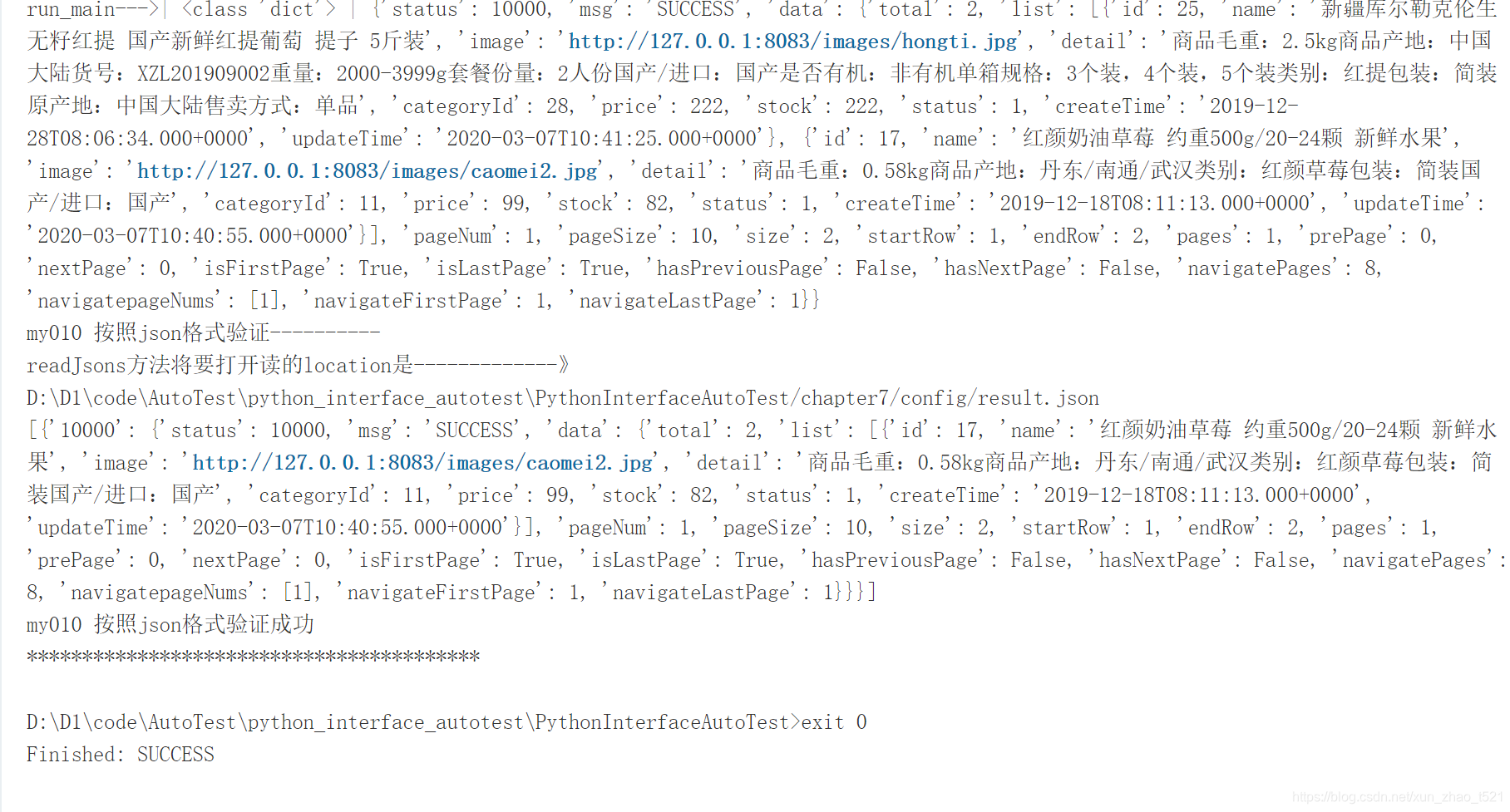
3.再次运行job

console output输出正常
注:
如果不采取2的方式,也可以配置环境变量
manage jenkins–config system
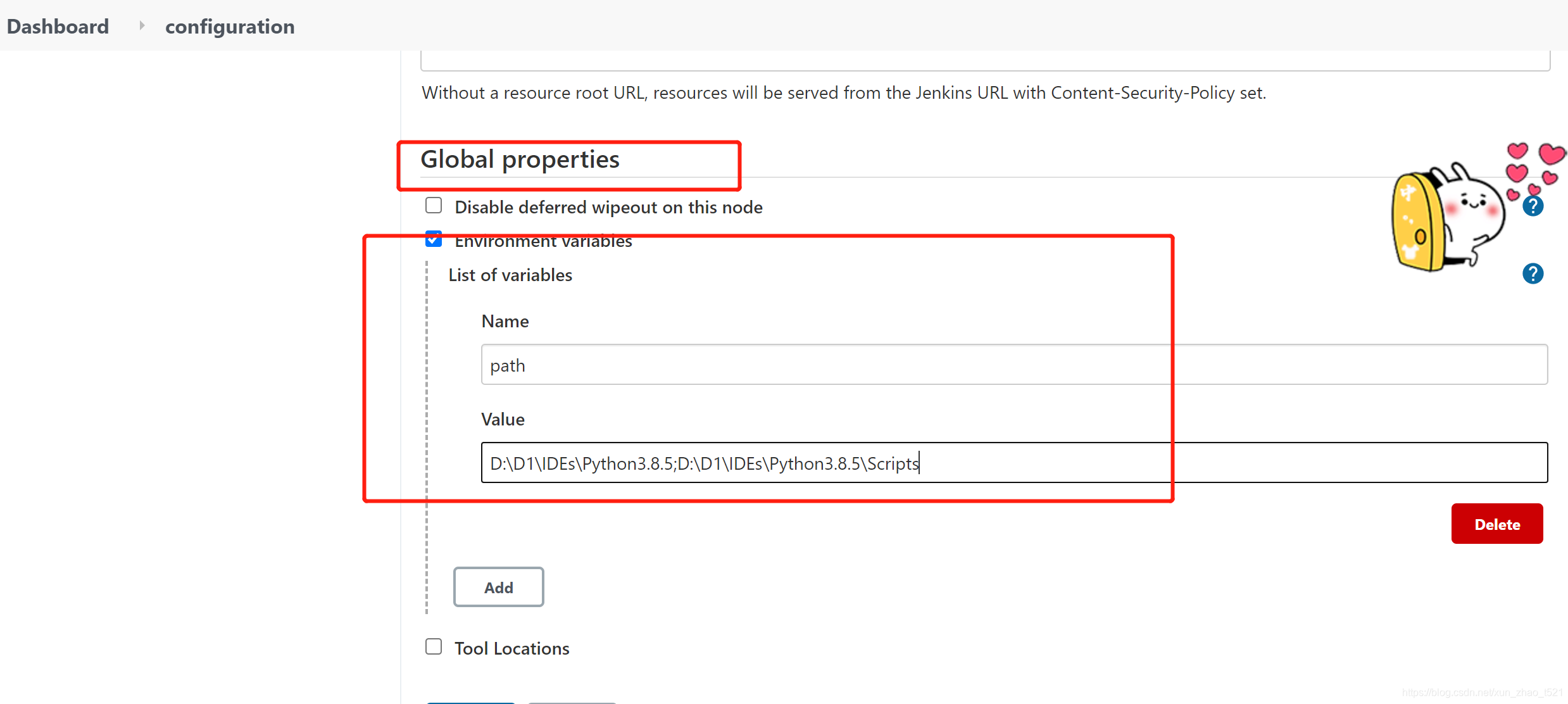
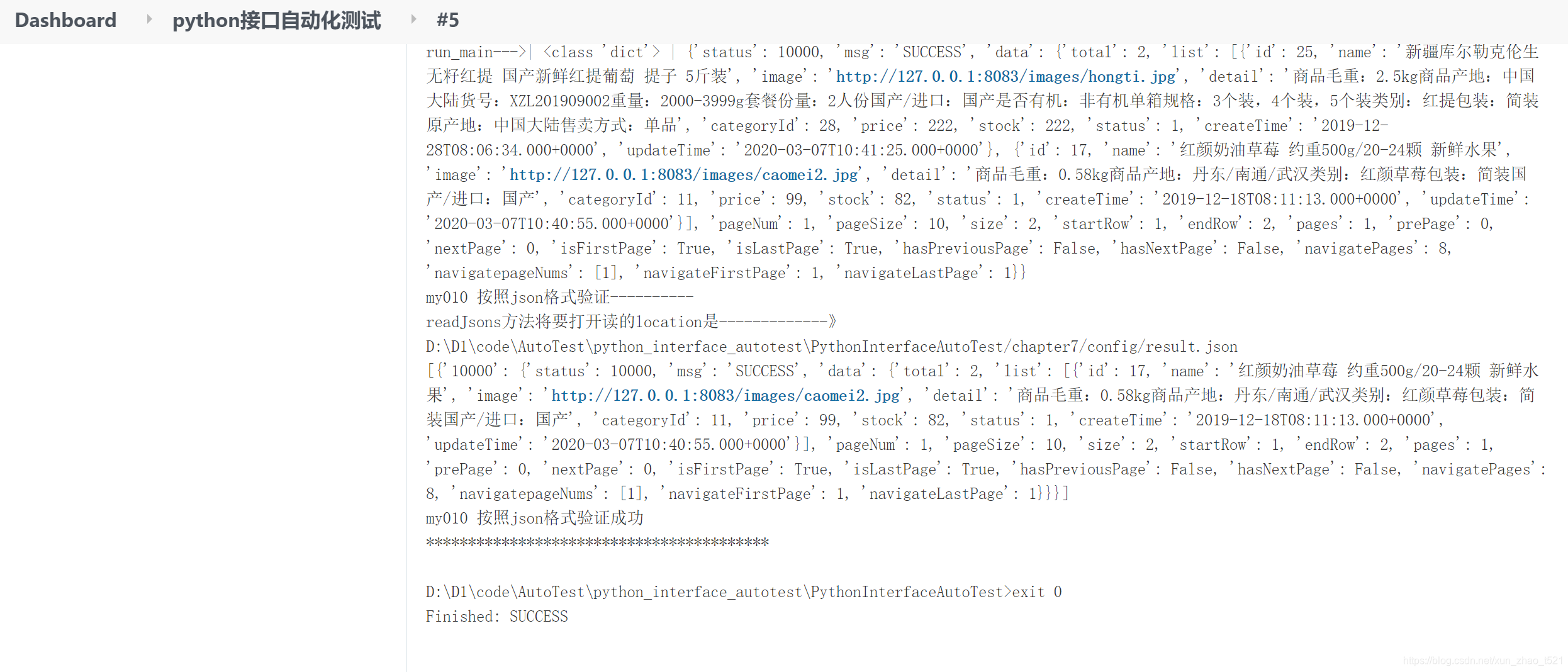
再次构建也能成功





 扫一扫
扫一扫


 1226
1226

 被折叠的 条评论
为什么被折叠?
被折叠的 条评论
为什么被折叠?
 到【灌水乐园】发言





