



1. 认识elasticsearch
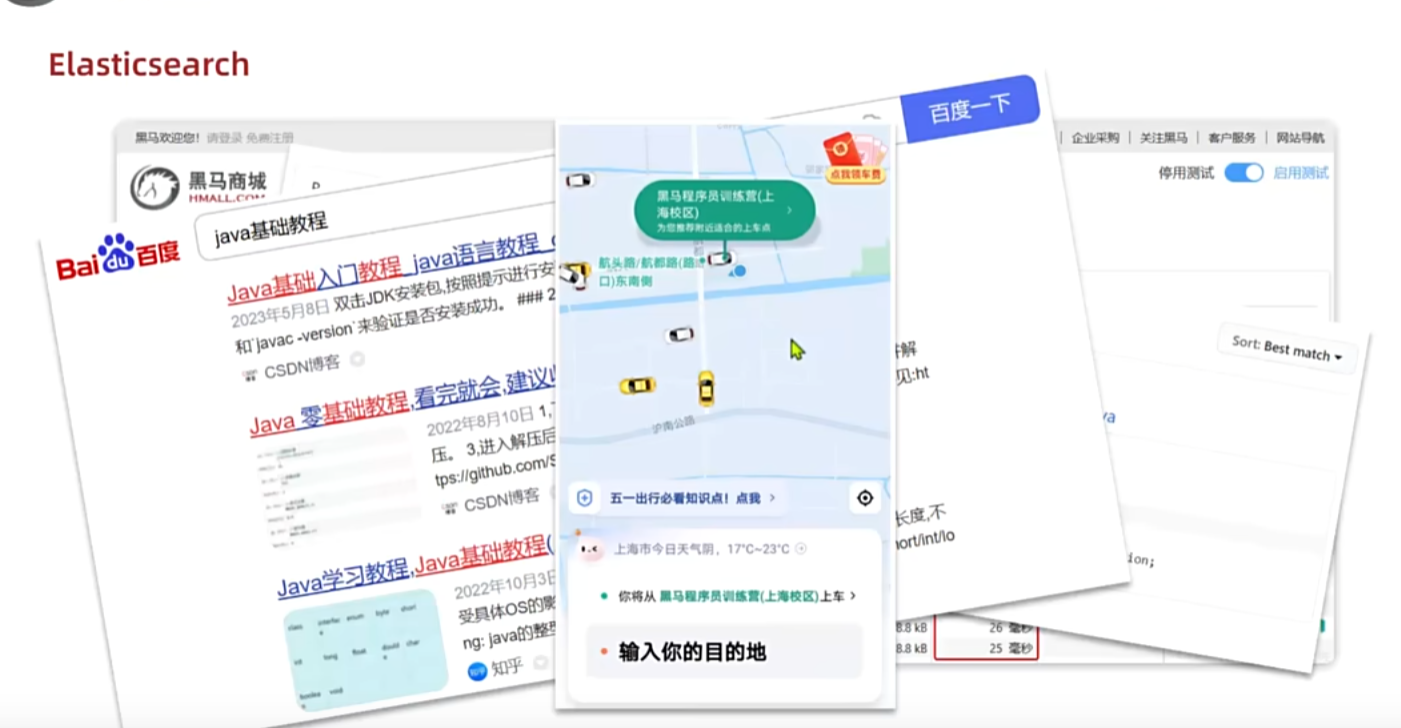
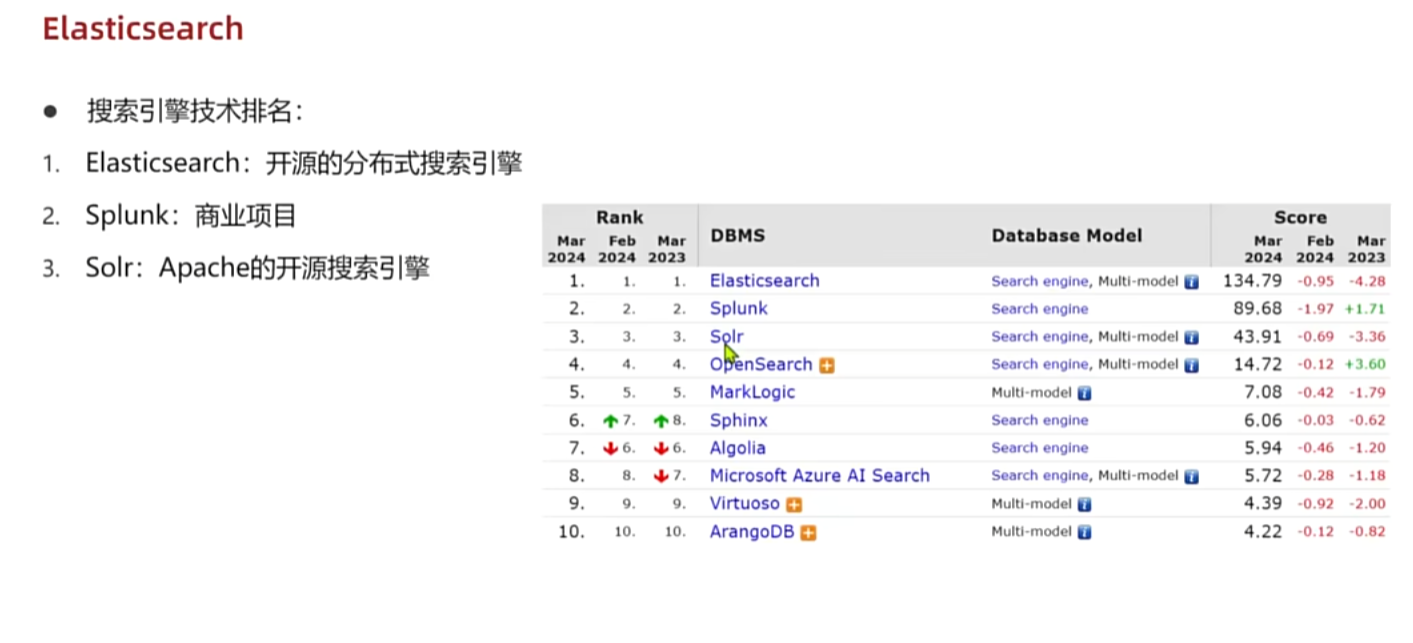
2. 认识和安装ES
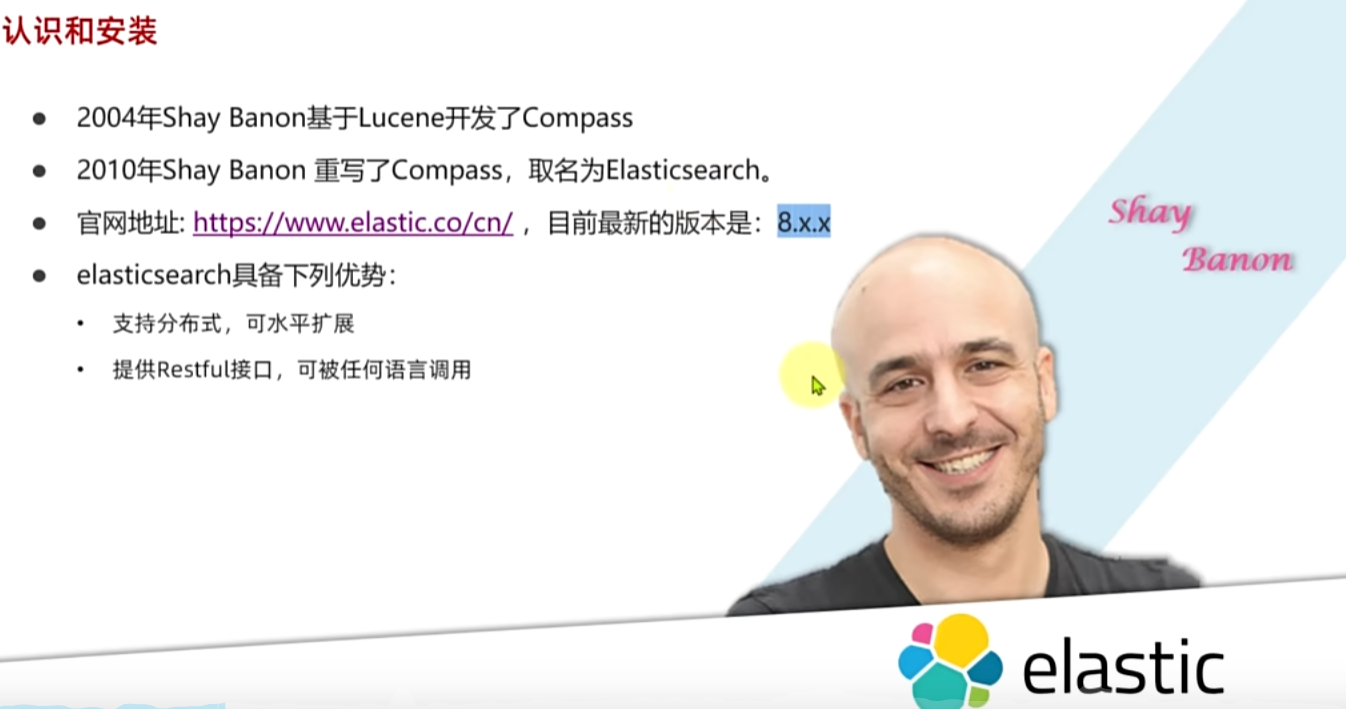
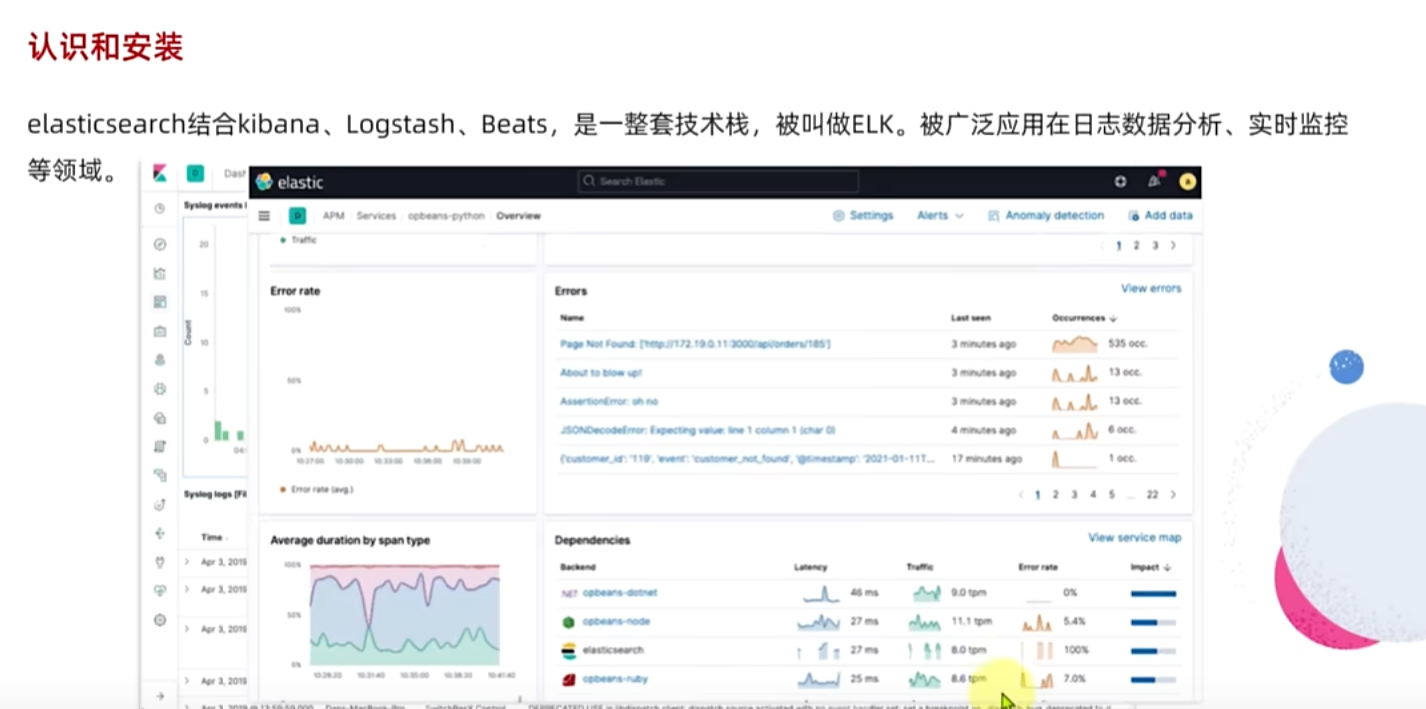
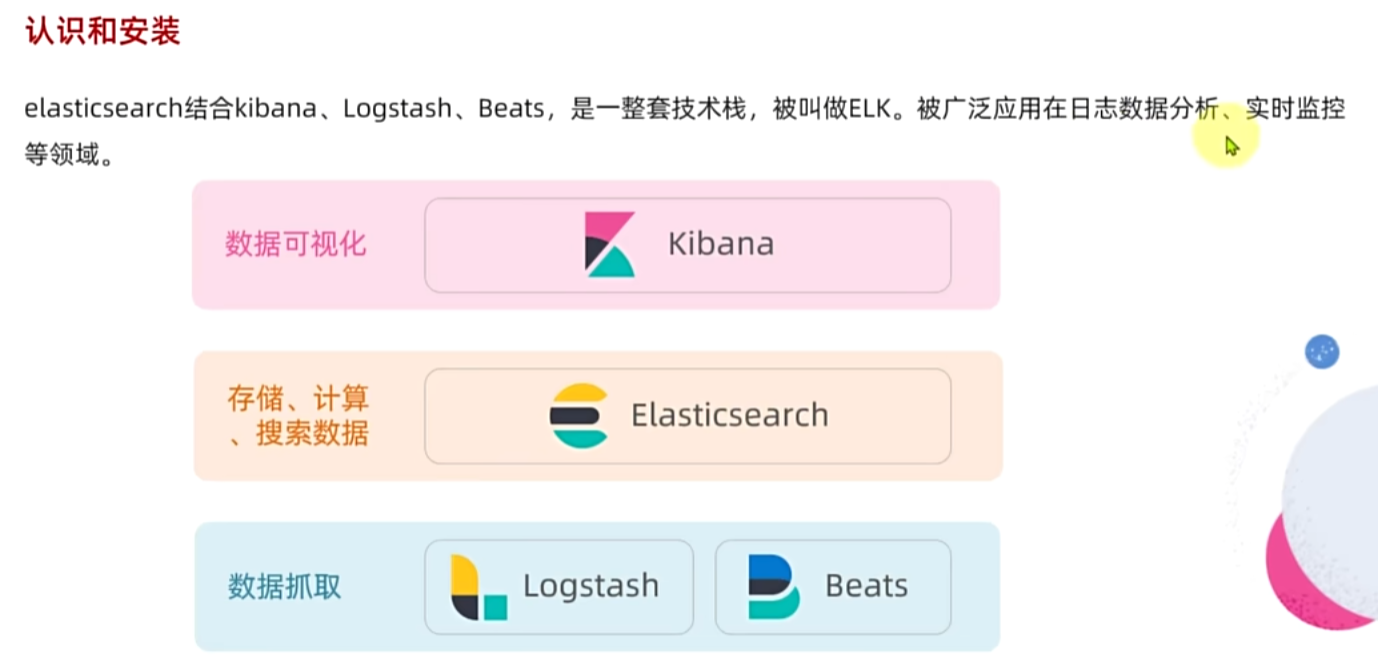
主播这里之前已经安装好了,资料包里面有镜像
docker run -d \
  --name es \
  -e "ES_JAVA_OPTS=-Xms512m -Xmx512m" \
  -e "discovery.type=single-node" \
  -v es-data:/usr/share/elasticsearch/data \
  -v es-plugins:/usr/share/elasticsearch/plugins \
  --privileged \
  --network hm-net \
  -p 9200:9200 \
  -p 9300:9300 \
  elasticsearch:7.12.1

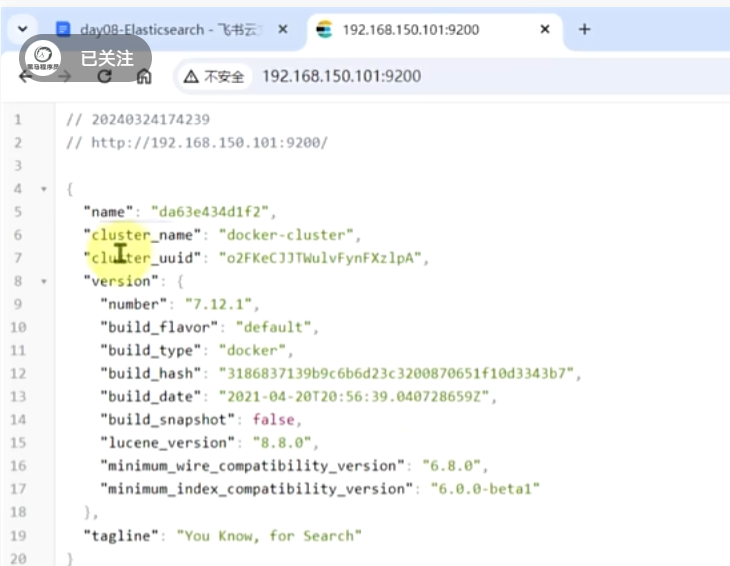
http://192.168.10.100:9200/
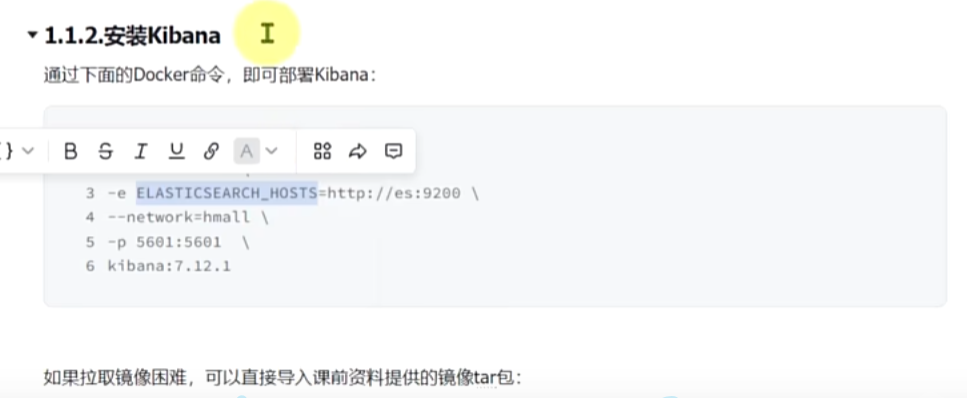
docker run -d \
--name kibana \
-e ELASTICSEARCH_HOSTS=http://es:9200 \
--network=hm-net \
-p 5601:5601  \
kibana:7.12.1
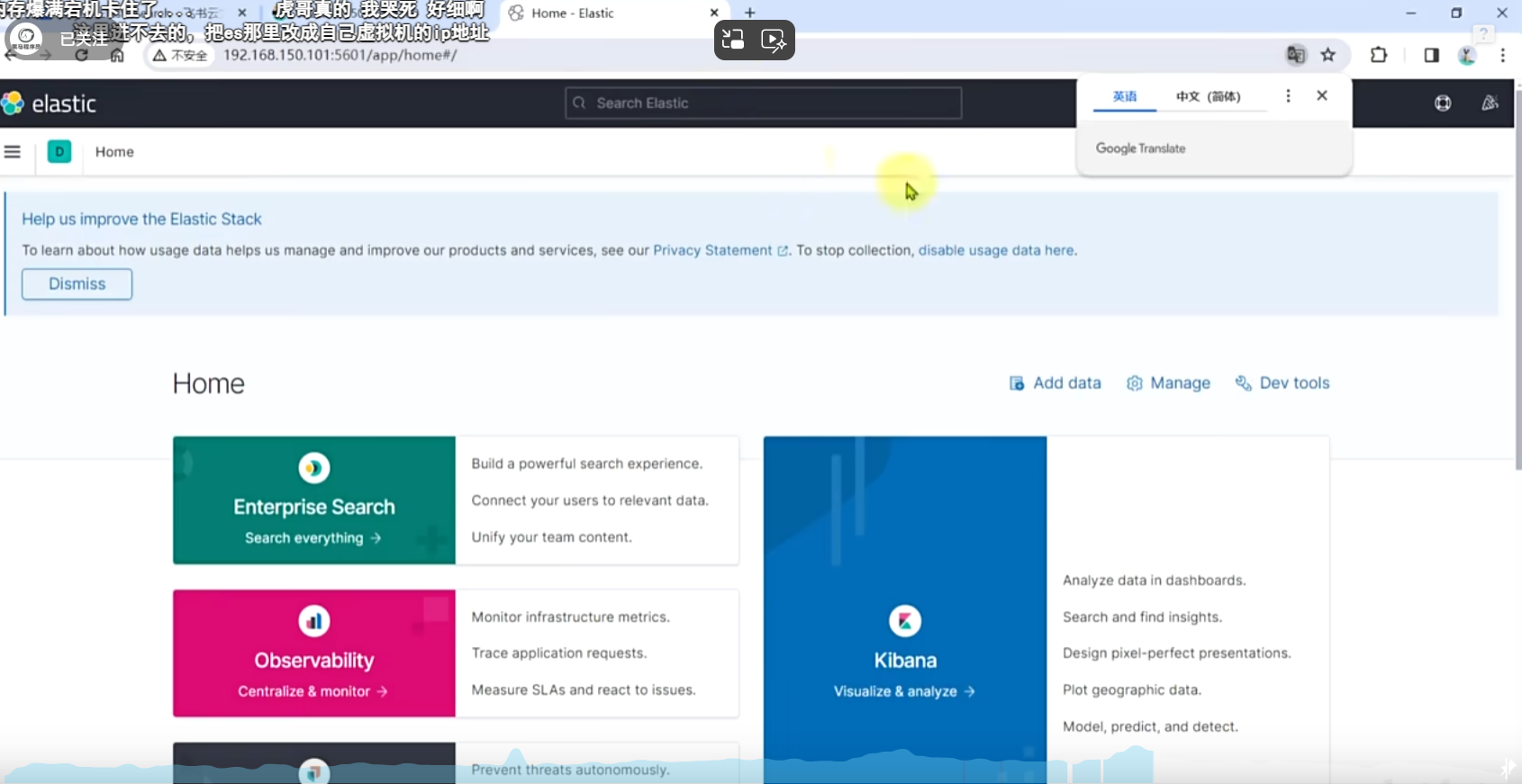
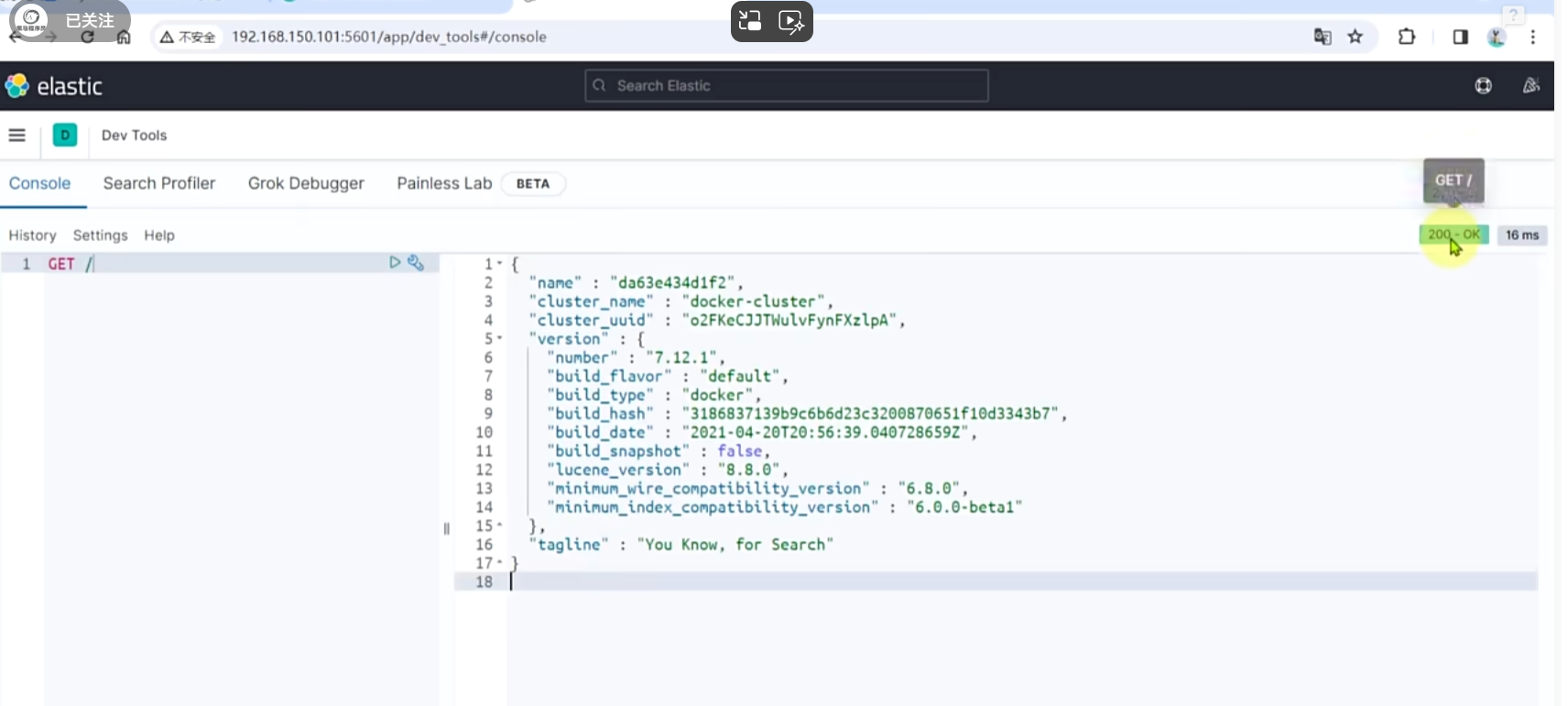
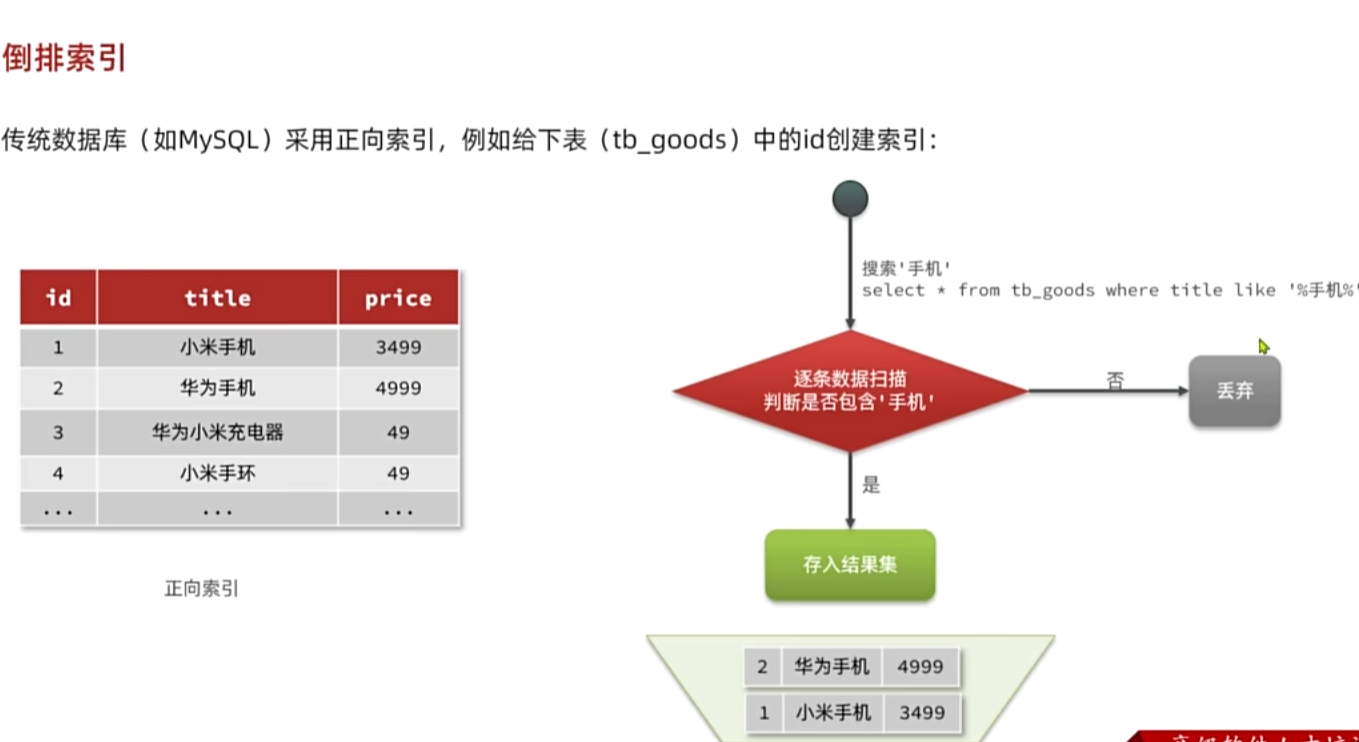
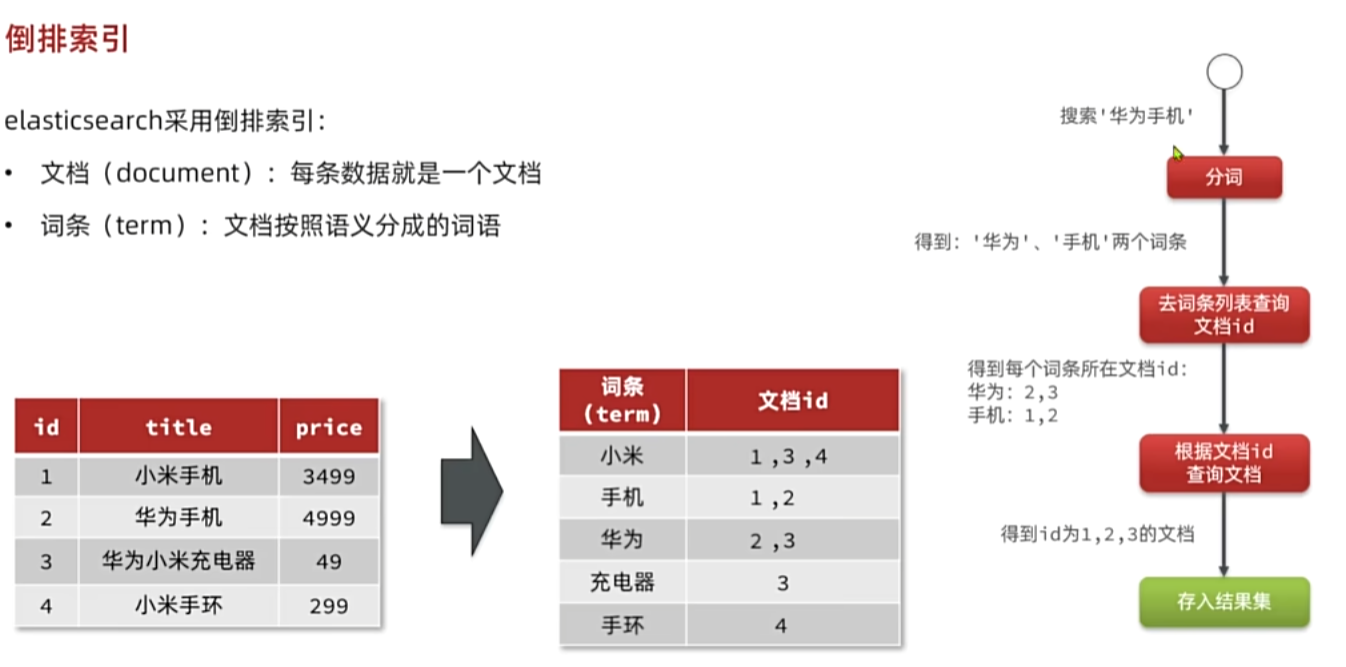
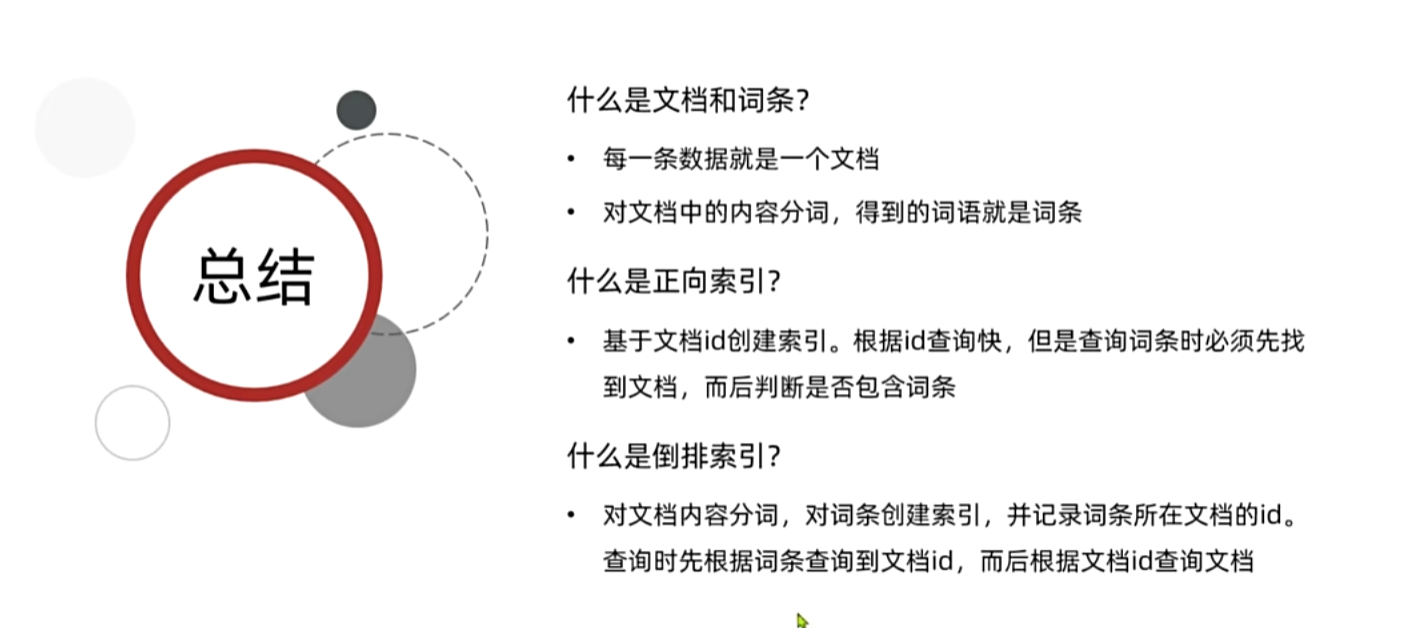
3. 倒排索引
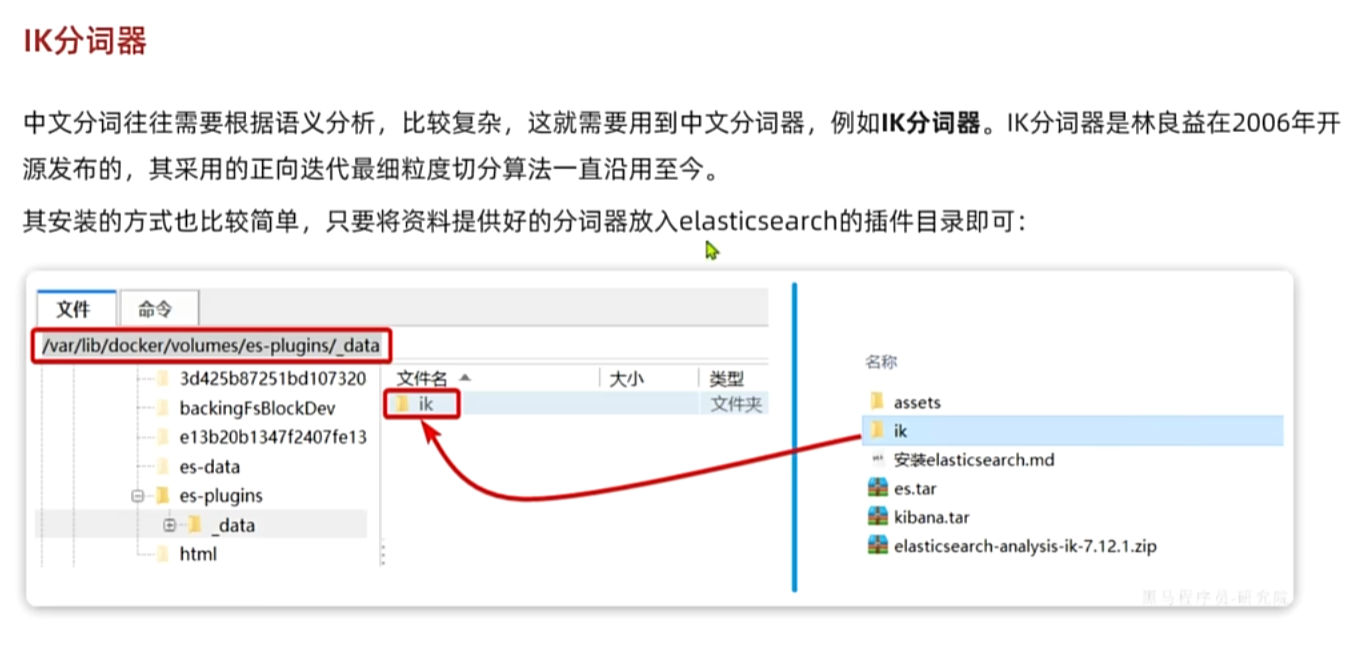
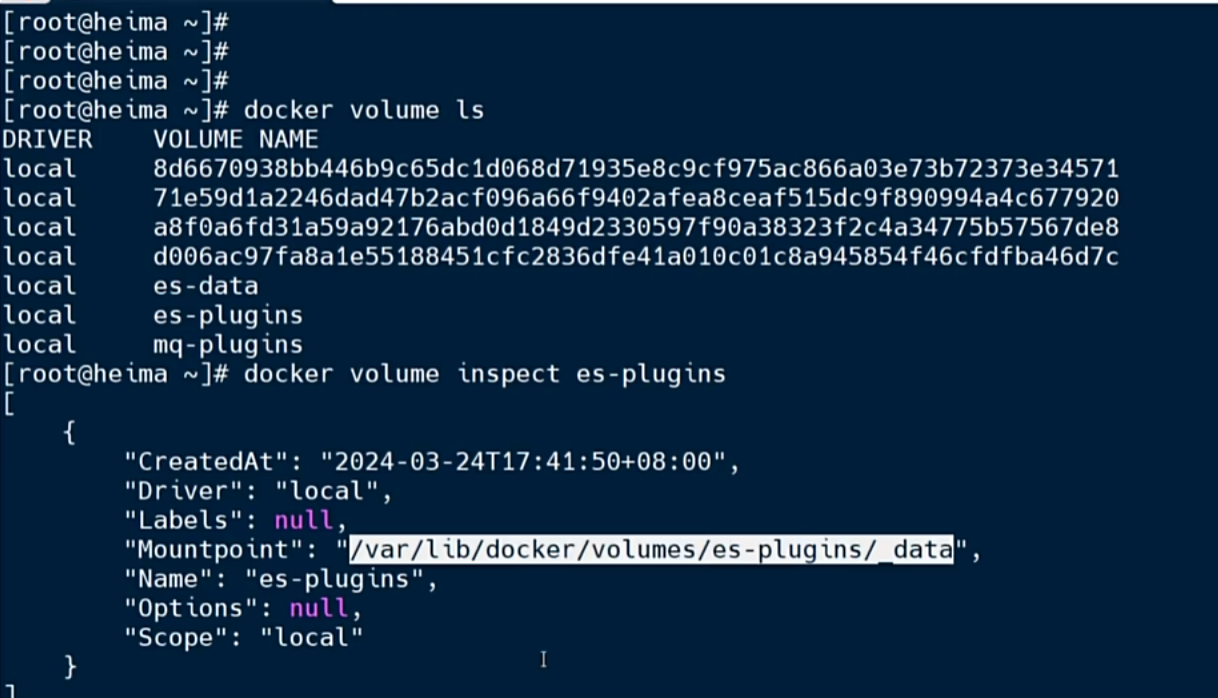
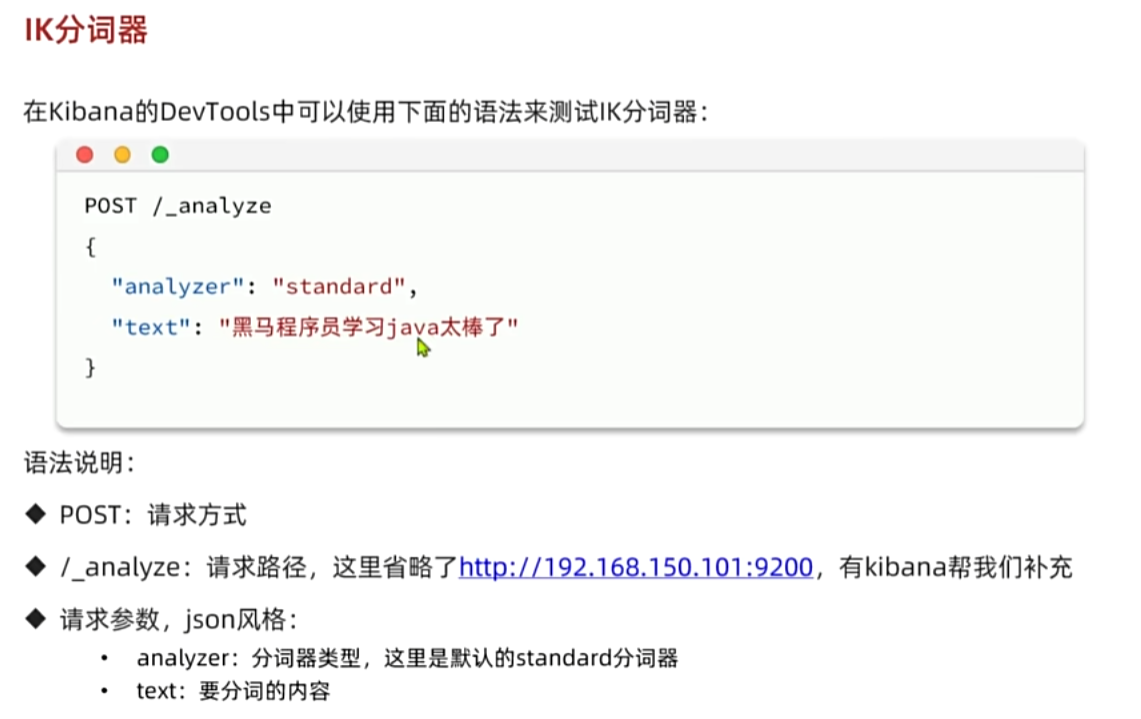
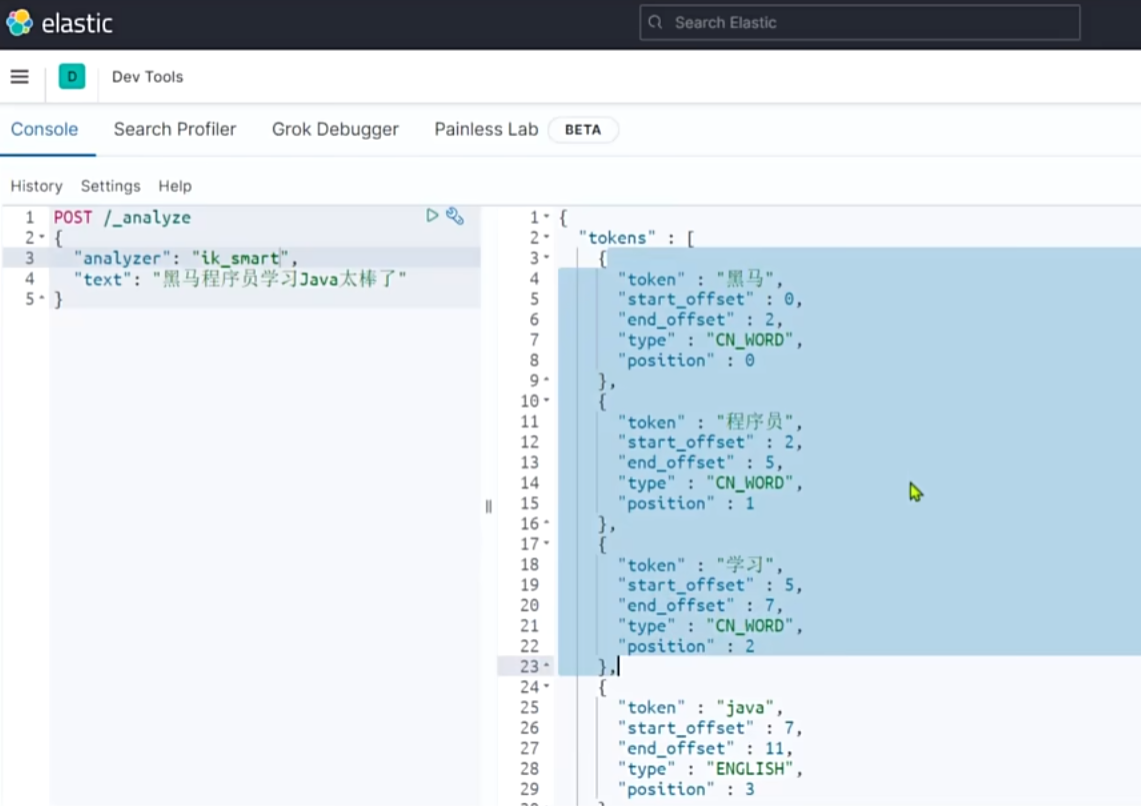
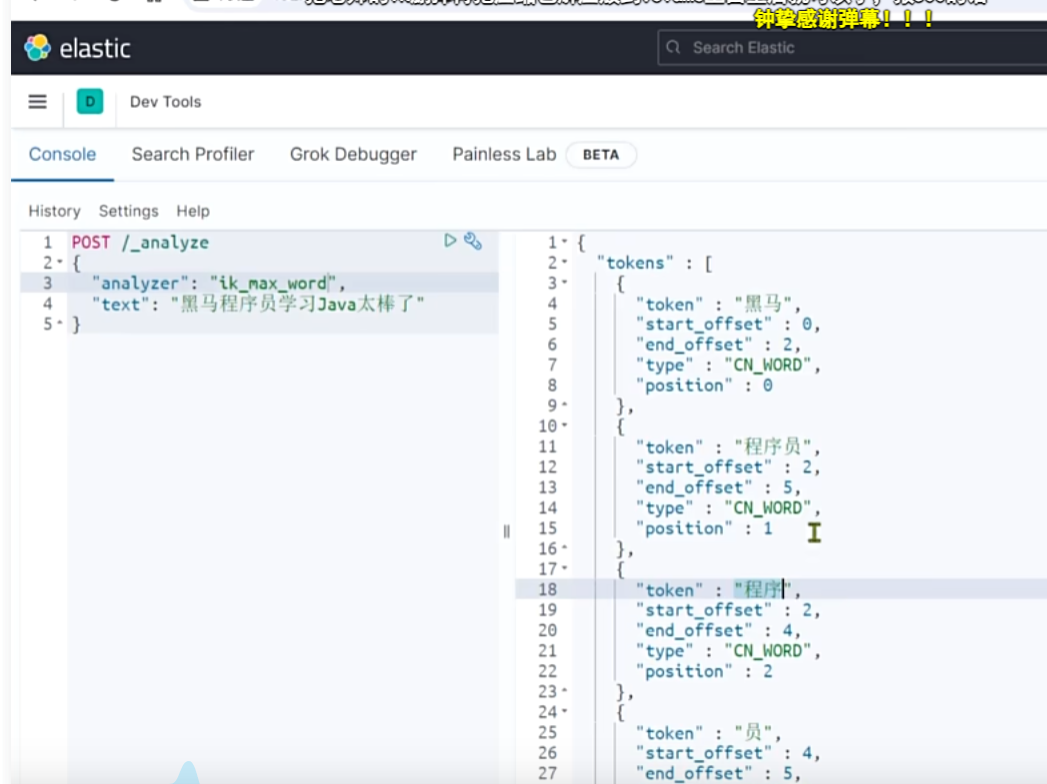
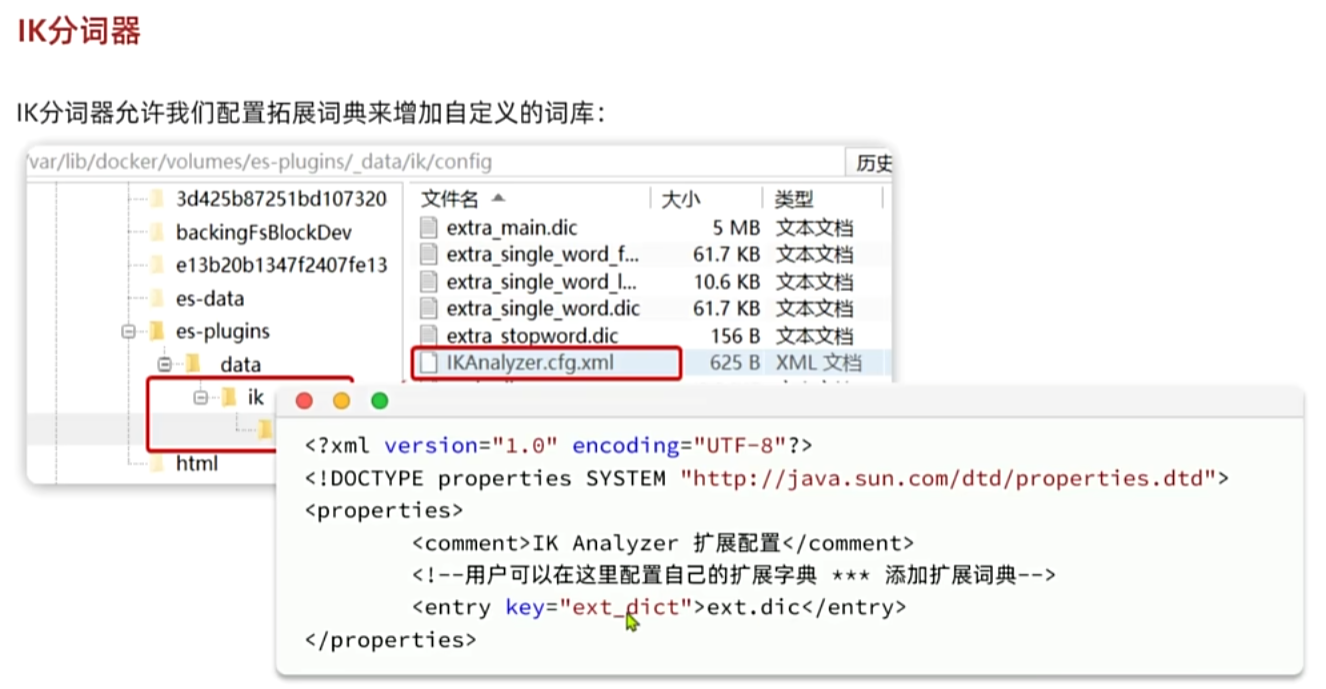
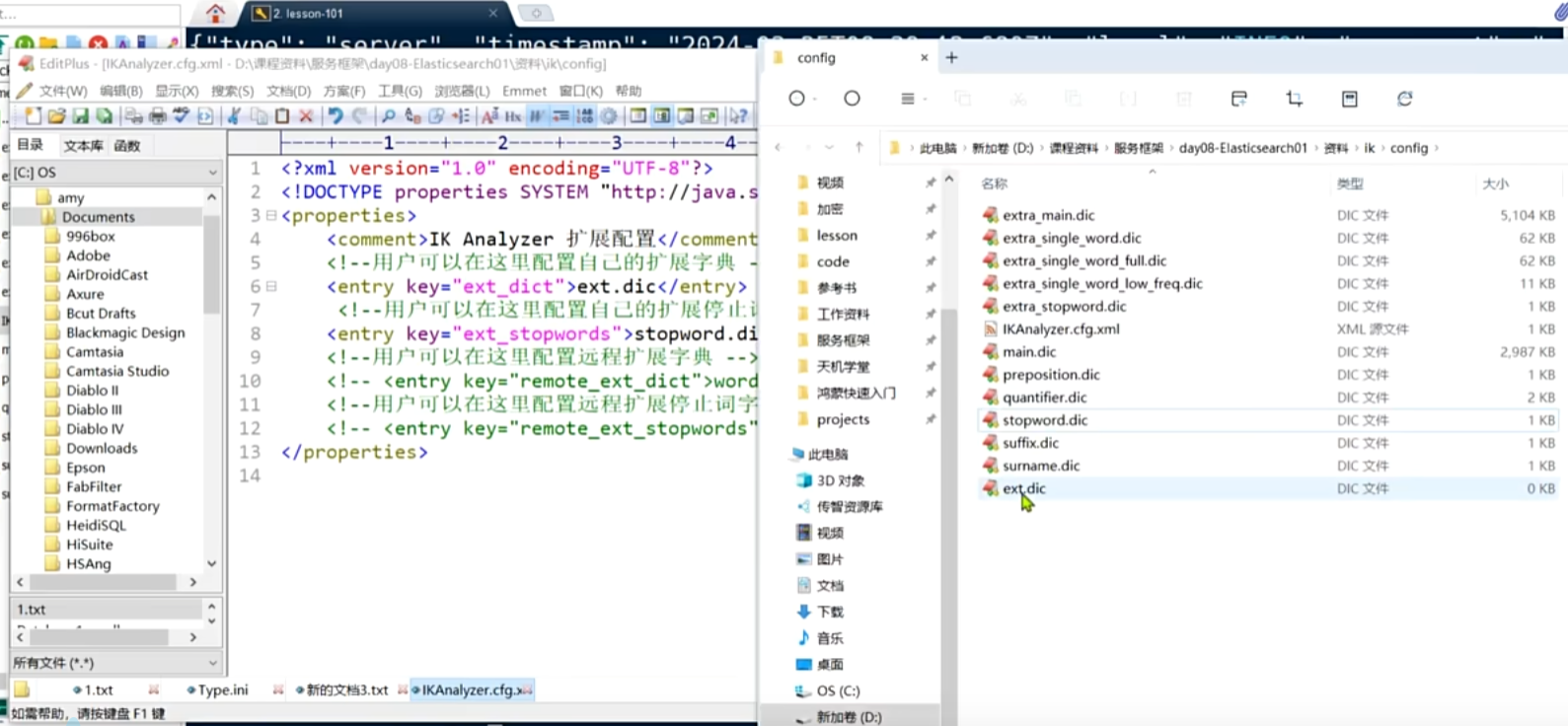
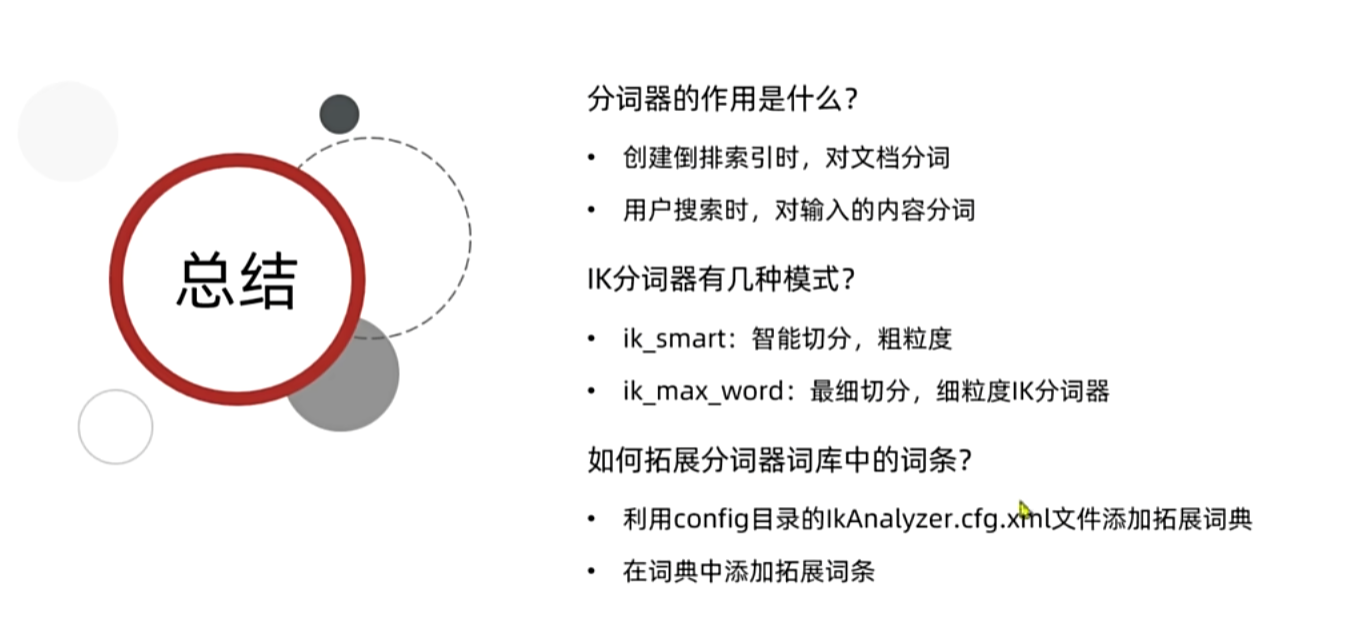
4. IK分词器
5. ES基本概念
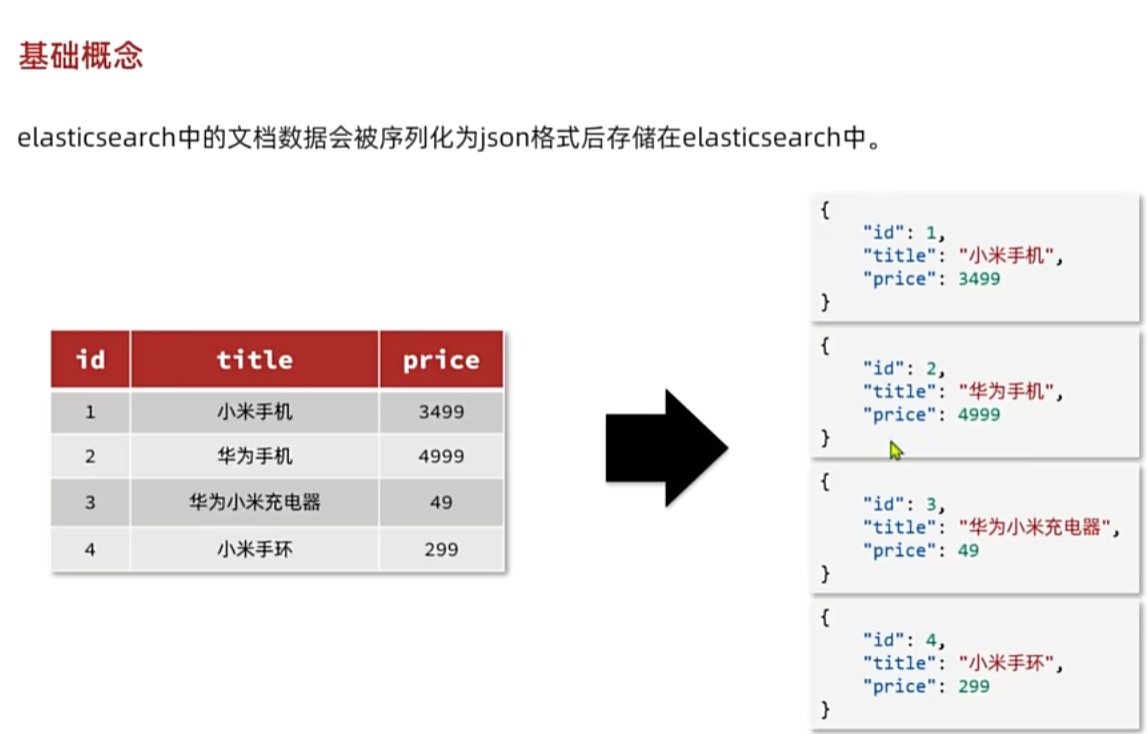
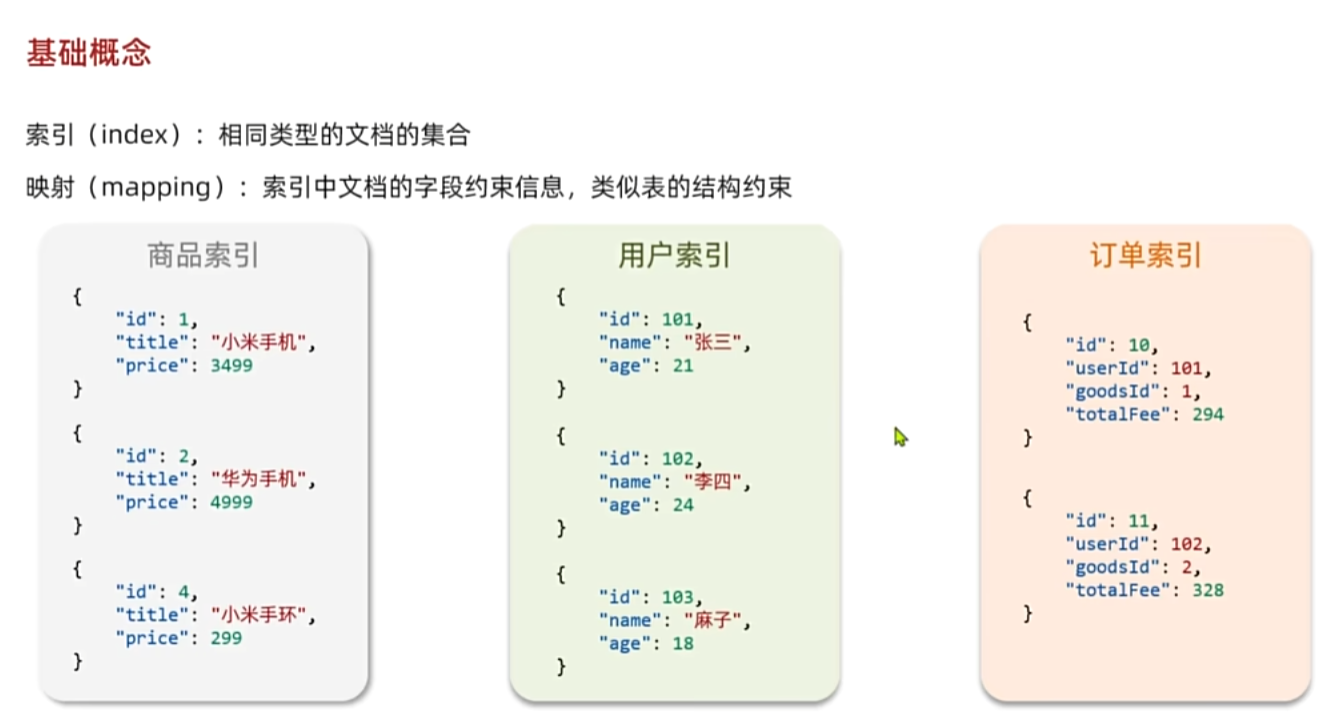
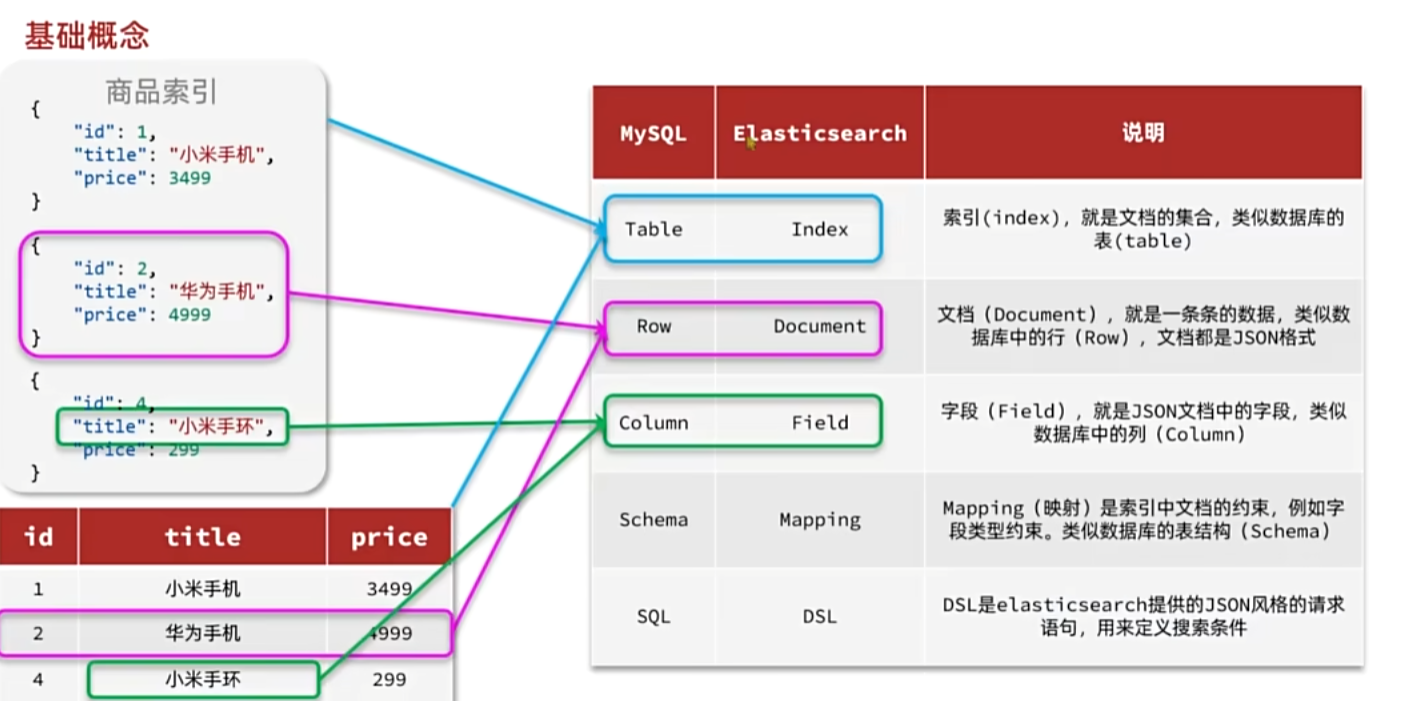
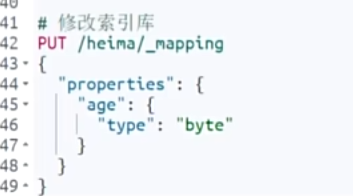
6. 索引库操作——Mapping映射属性
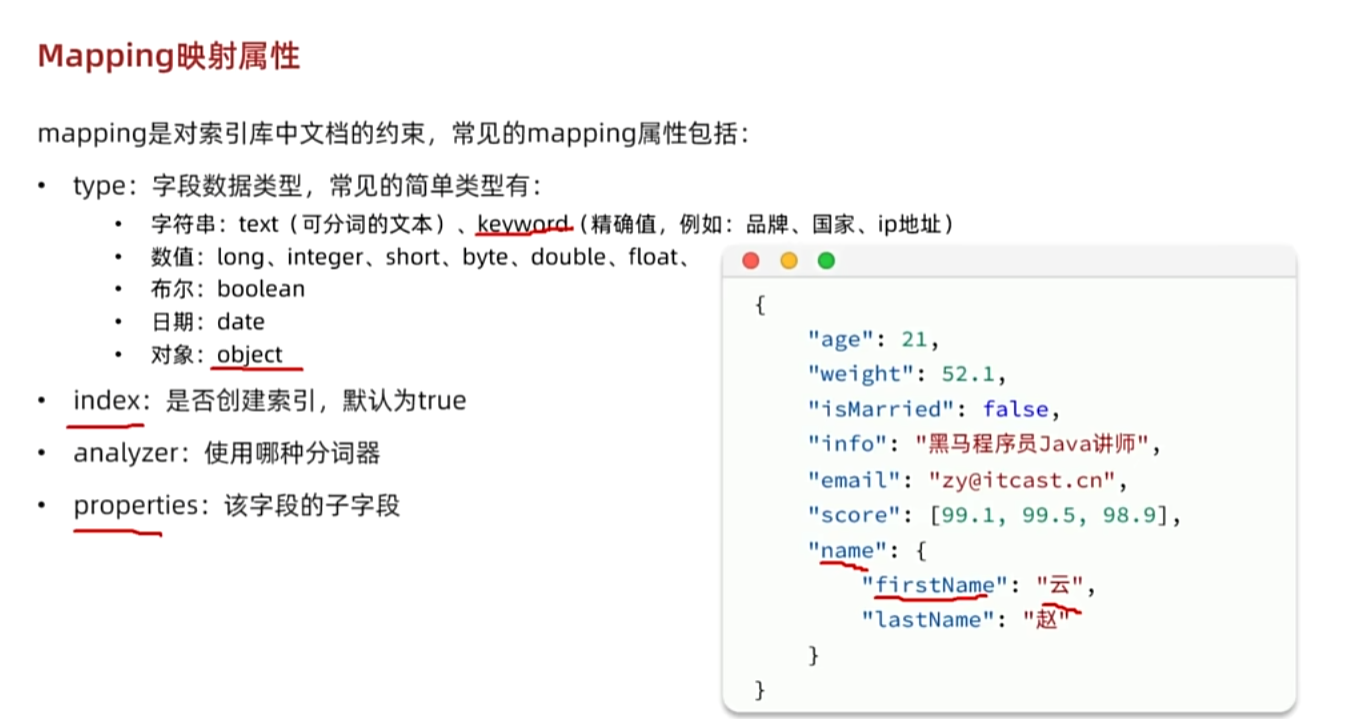
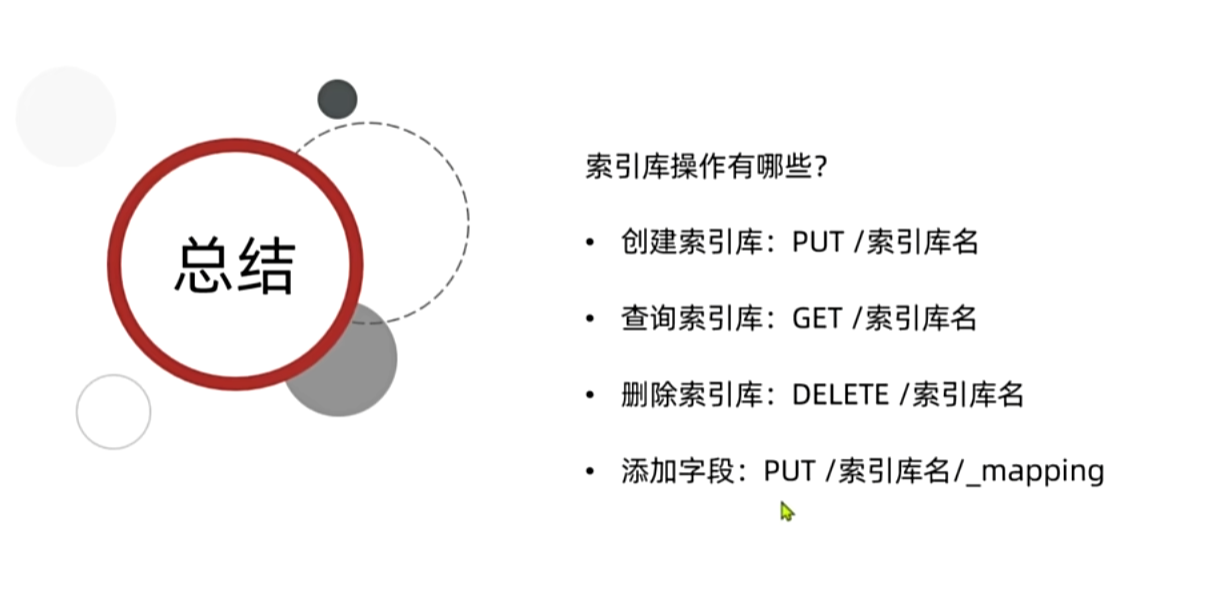
7. 索引库操作——索引库的CRUD
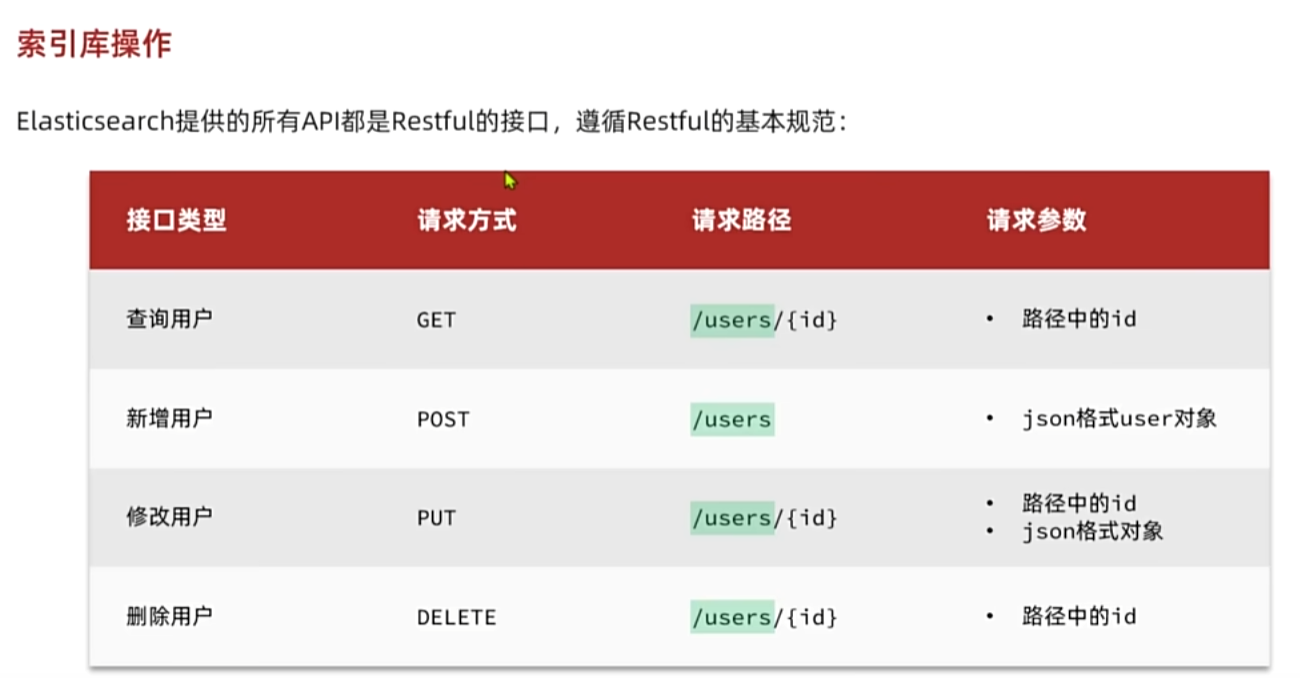
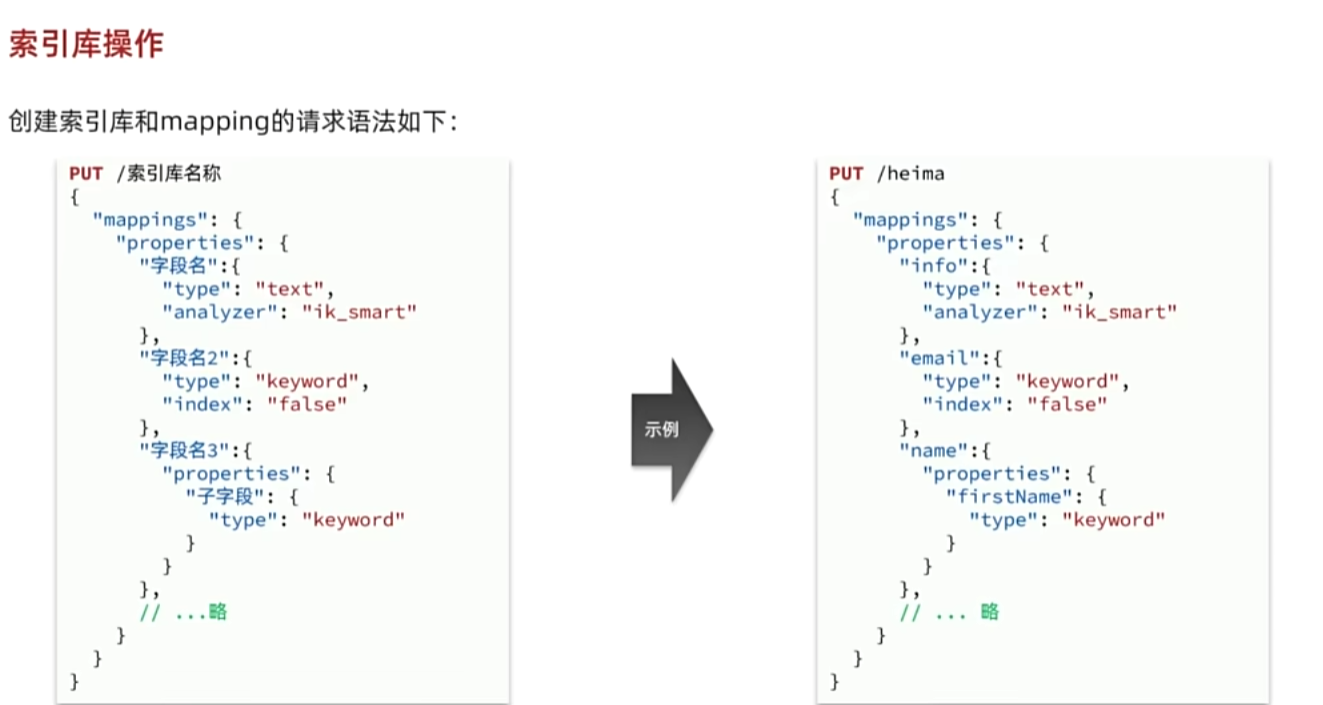
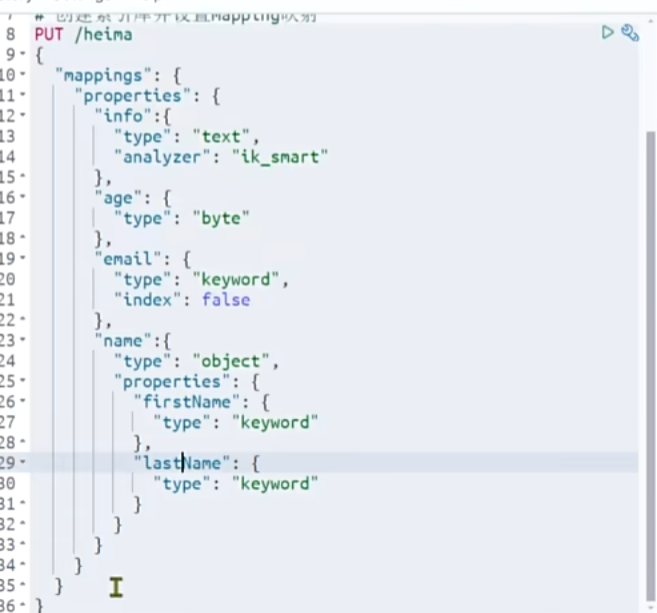


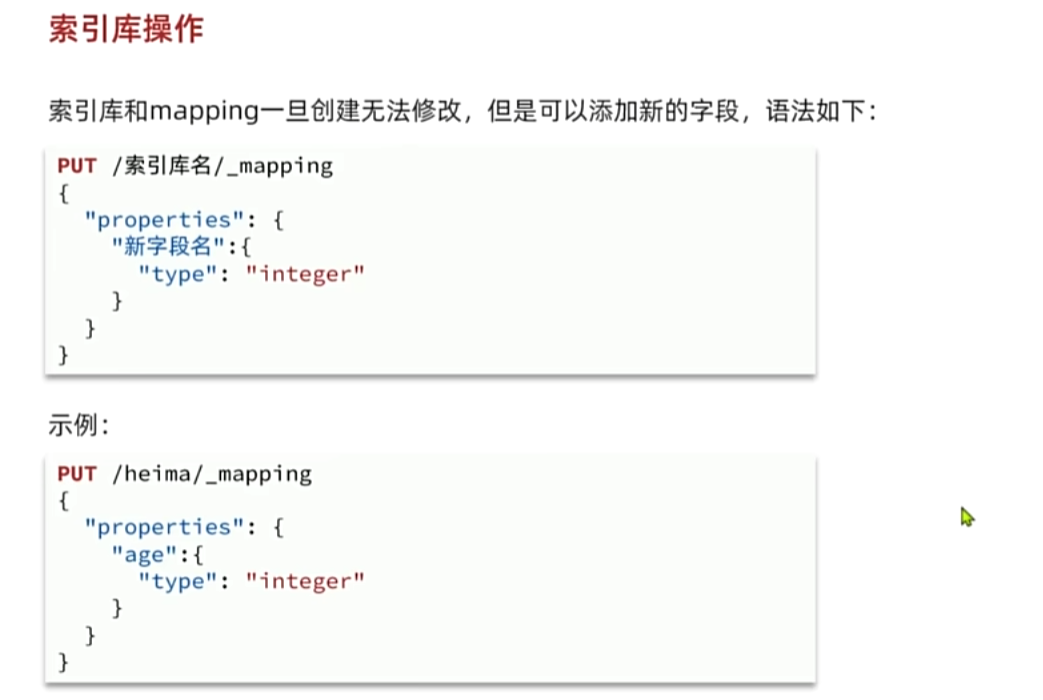
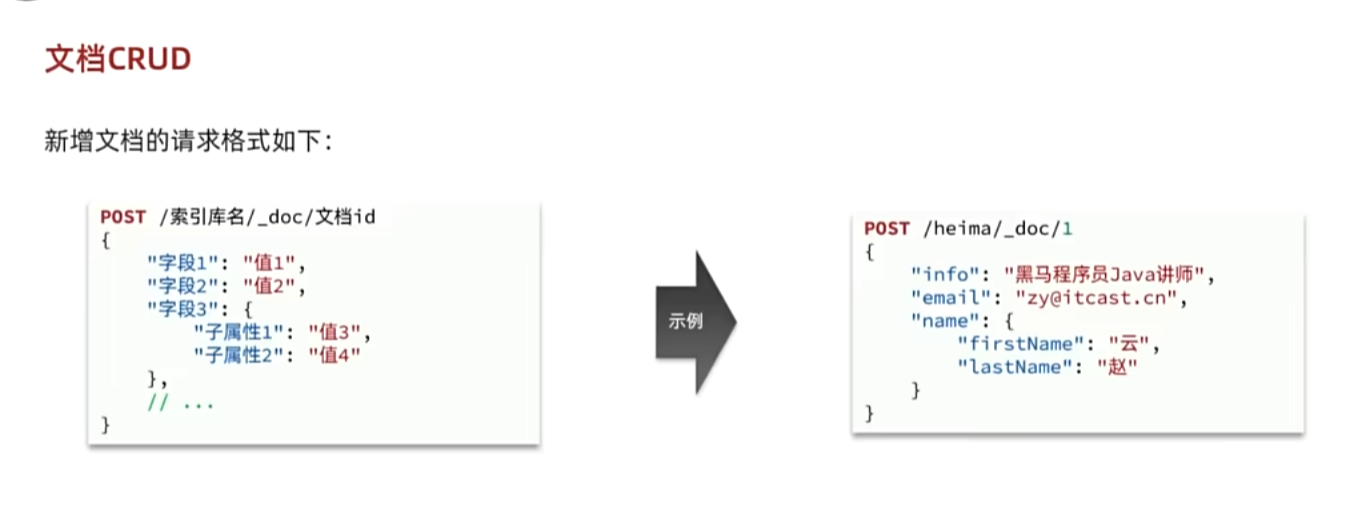
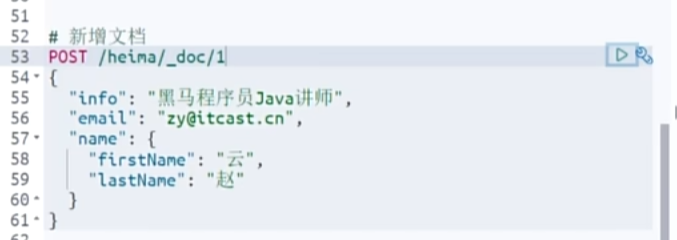
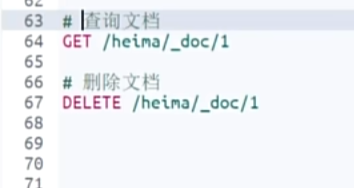
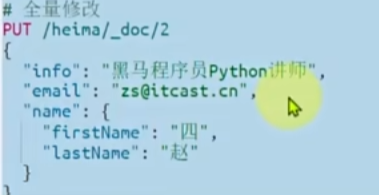
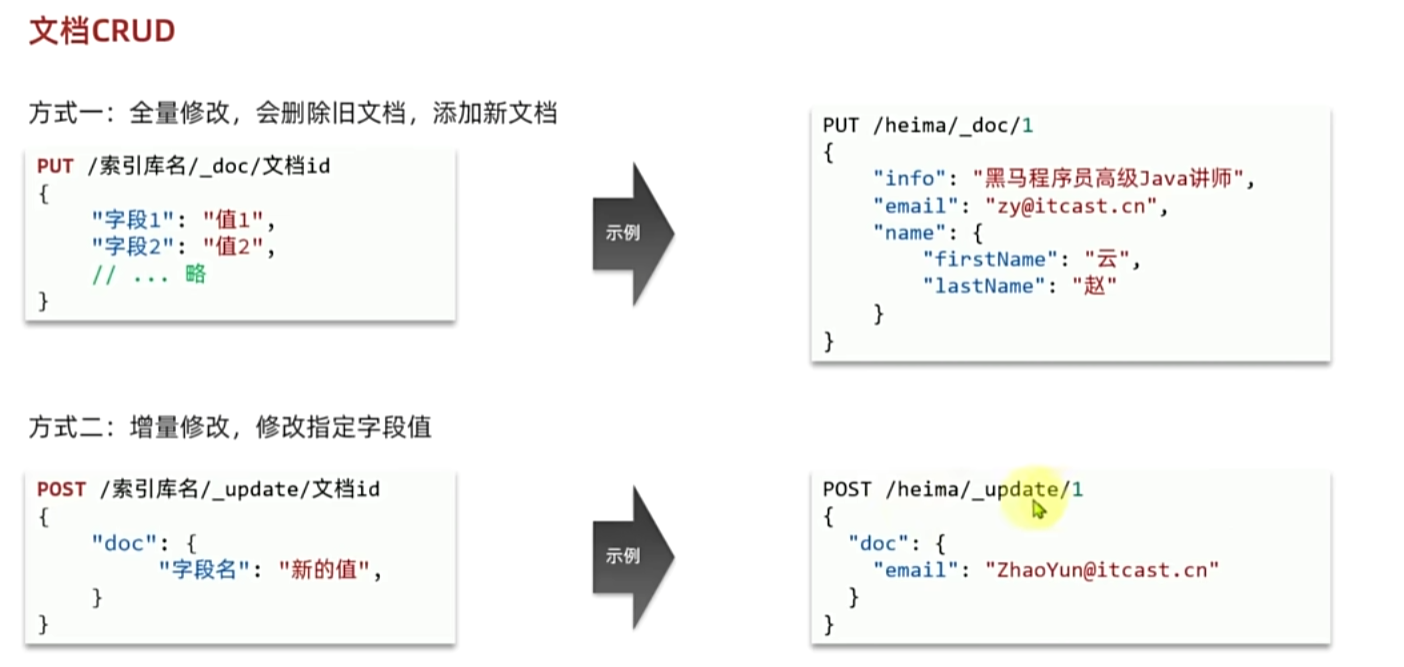
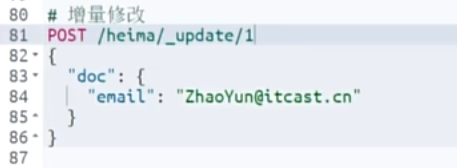
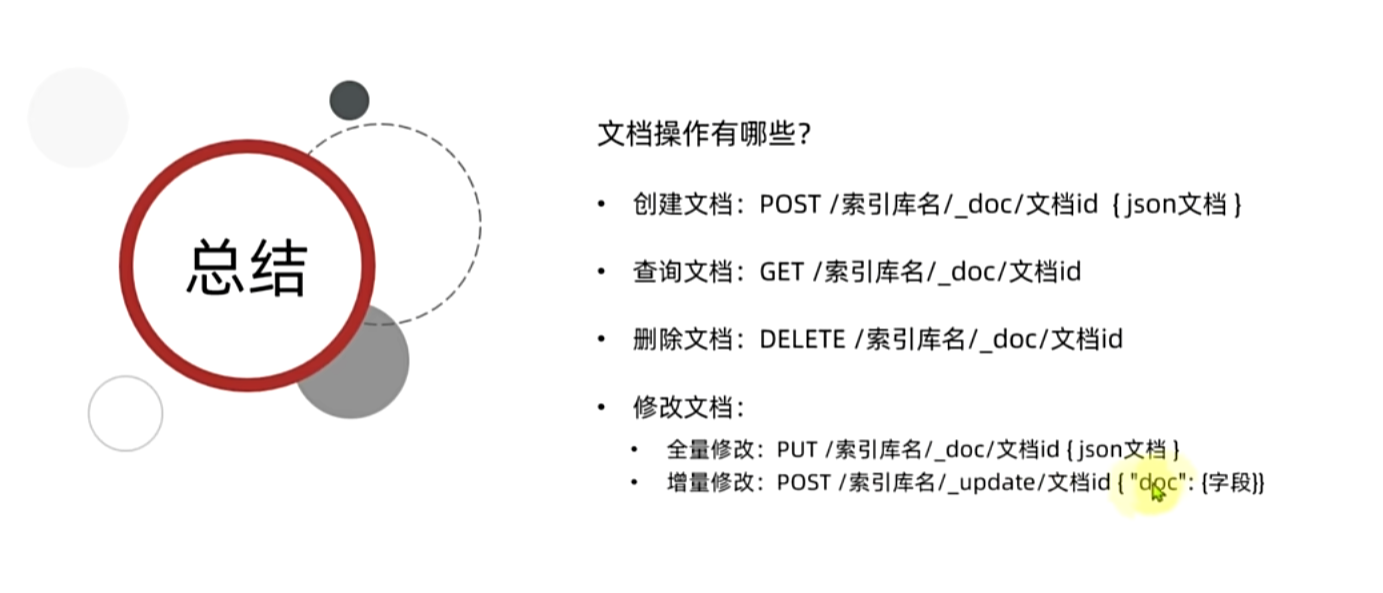
8. 文档操作——文档的CRUD
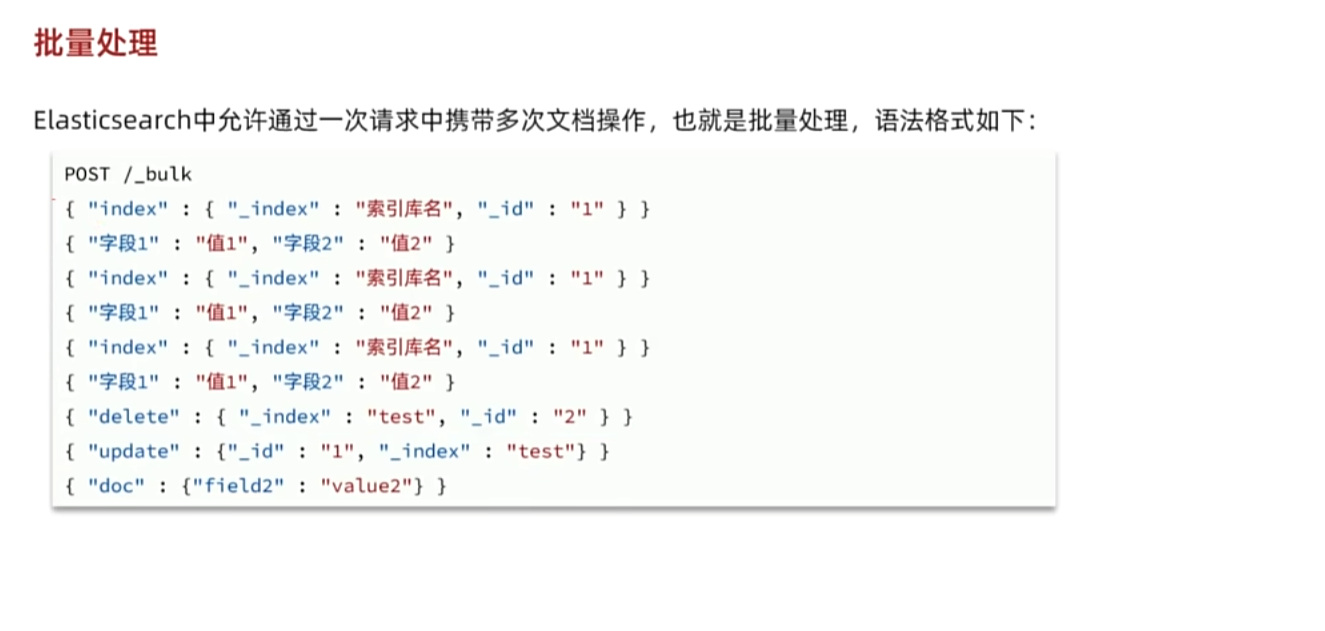
9. 文档操作——批量处理
10. JavaRestClient——客户端初始化
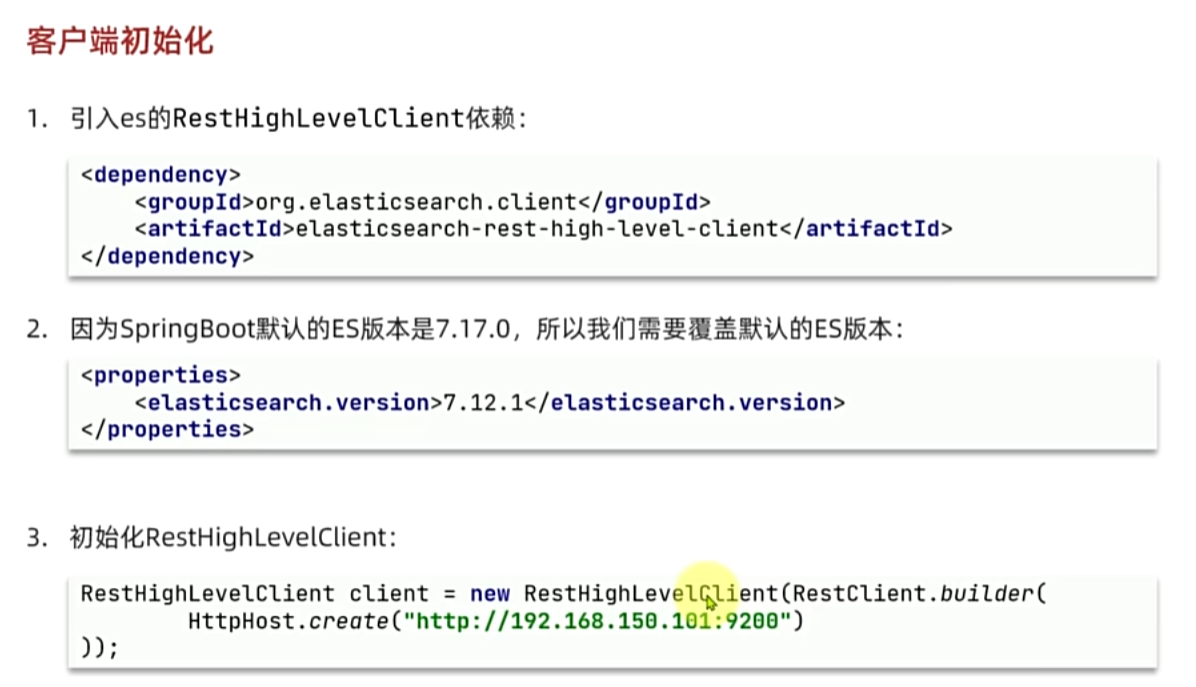
<dependency>
    <groupId>org.elasticsearch.client</groupId>
    <artifactId>elasticsearch-rest-high-level-client</artifactId>
</dependency>
  <properties>
      <maven.compiler.source>11</maven.compiler.source>
      <maven.compiler.target>11</maven.compiler.target>
      <elasticsearch.version>7.12.1</elasticsearch.version>
  </properties>
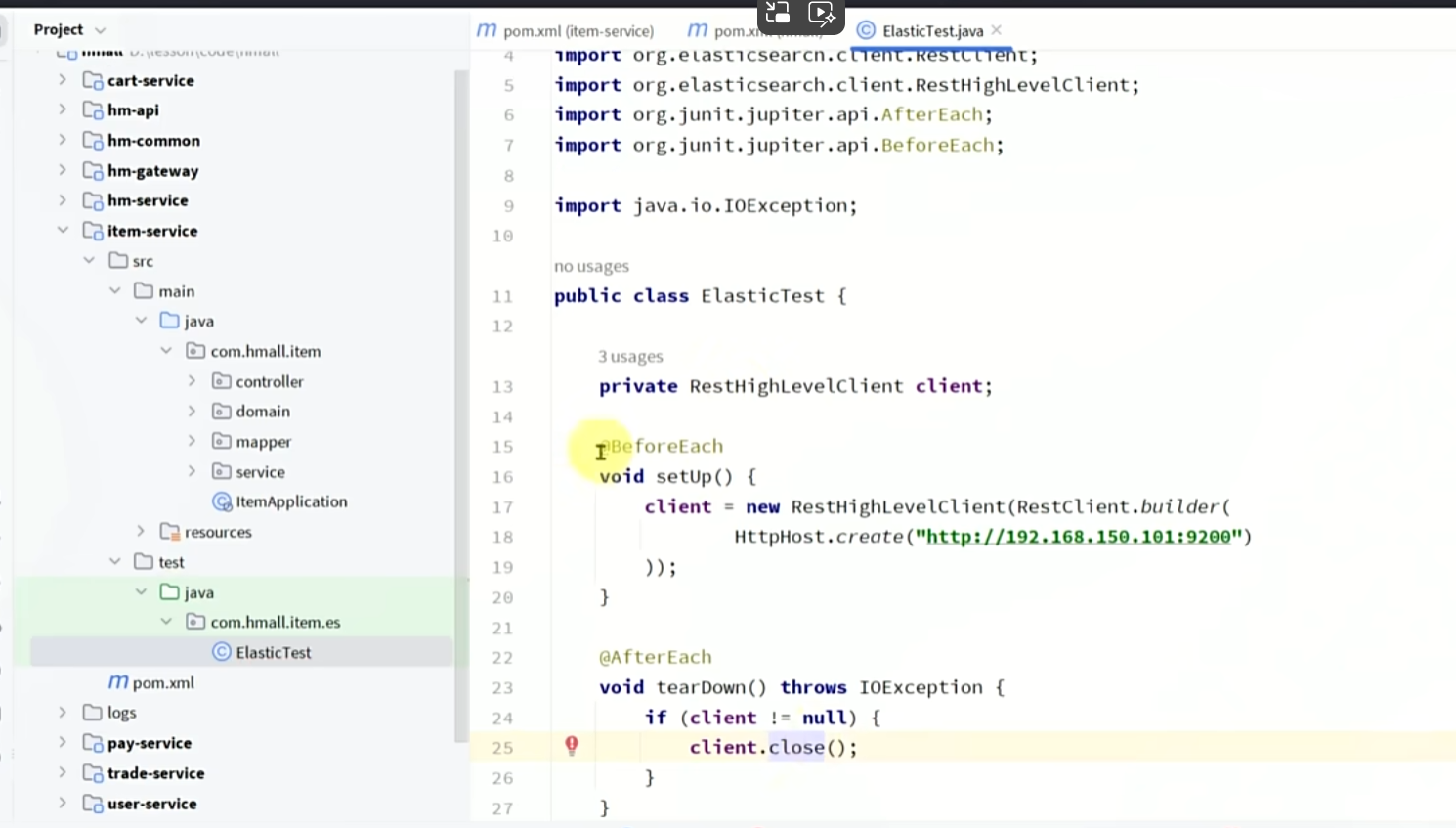
RestHighLevelClient client = new RestHighLevelClient(RestClient.builder(
        HttpHost.create("http://192.168.150.101:9200")
));
11. JavaRestClient——商品的mapping映射
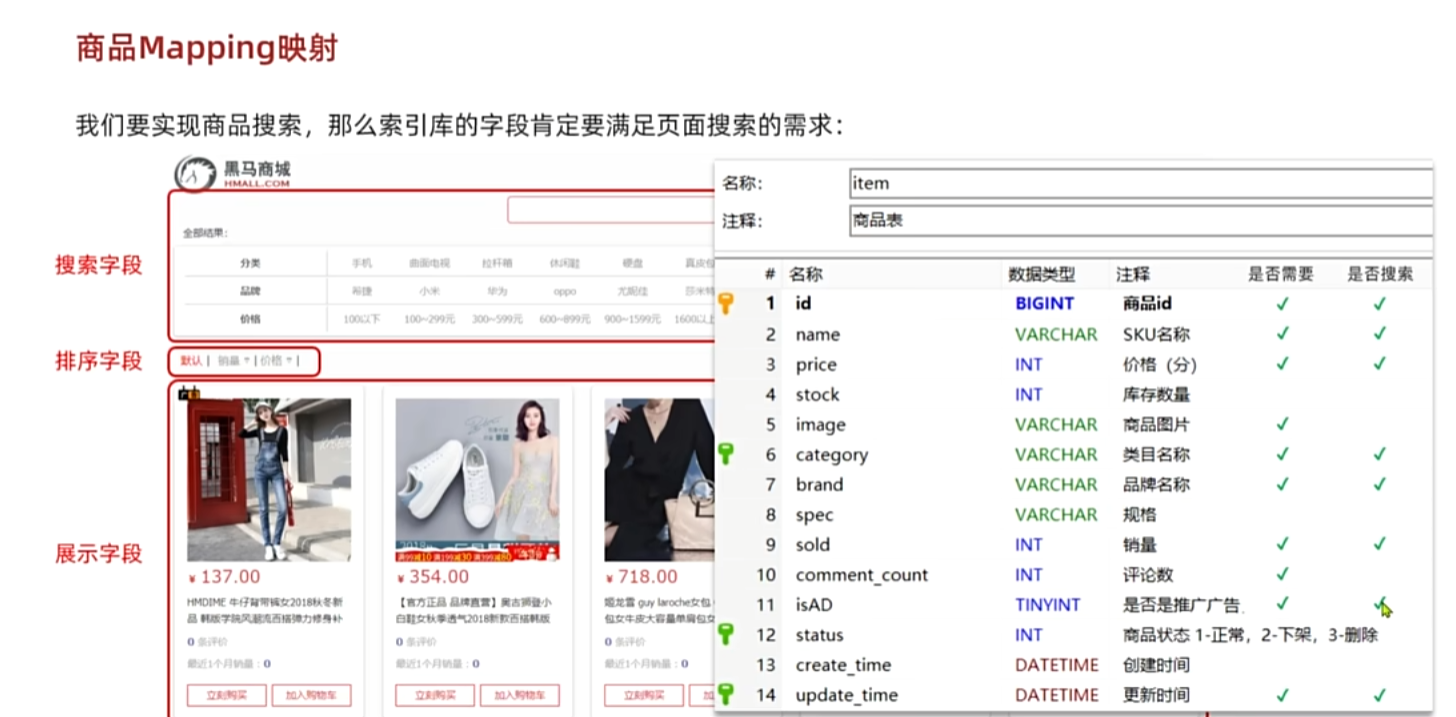
PUT /items
{
  "mappings": {
    "properties": {
      "id": {
        "type": "keyword"
      },
      "name":{
        "type": "text",
        "analyzer": "ik_max_word"
      },
      "price":{
        "type": "integer"
      },
      "stock":{
        "type": "integer"
      },
      "image":{
        "type": "keyword",
        "index": false
      },
      "category":{
        "type": "keyword"
      },
      "brand":{
        "type": "keyword"
      },
      "sold":{
        "type": "integer"
      },
      "commentCount":{
        "type": "integer",
        "index": false
      },
      "isAD":{
        "type": "boolean"
      },
      "updateTime":{
        "type": "date"
      }
    }
  }
}
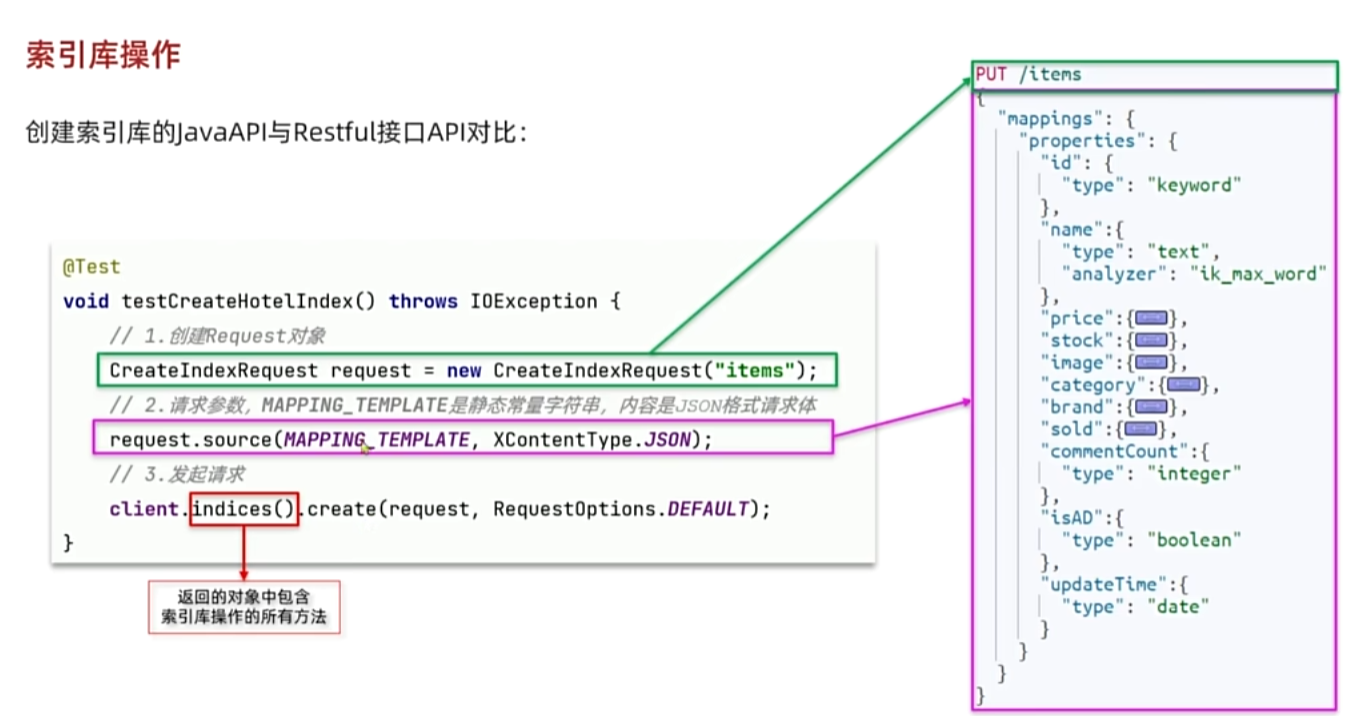
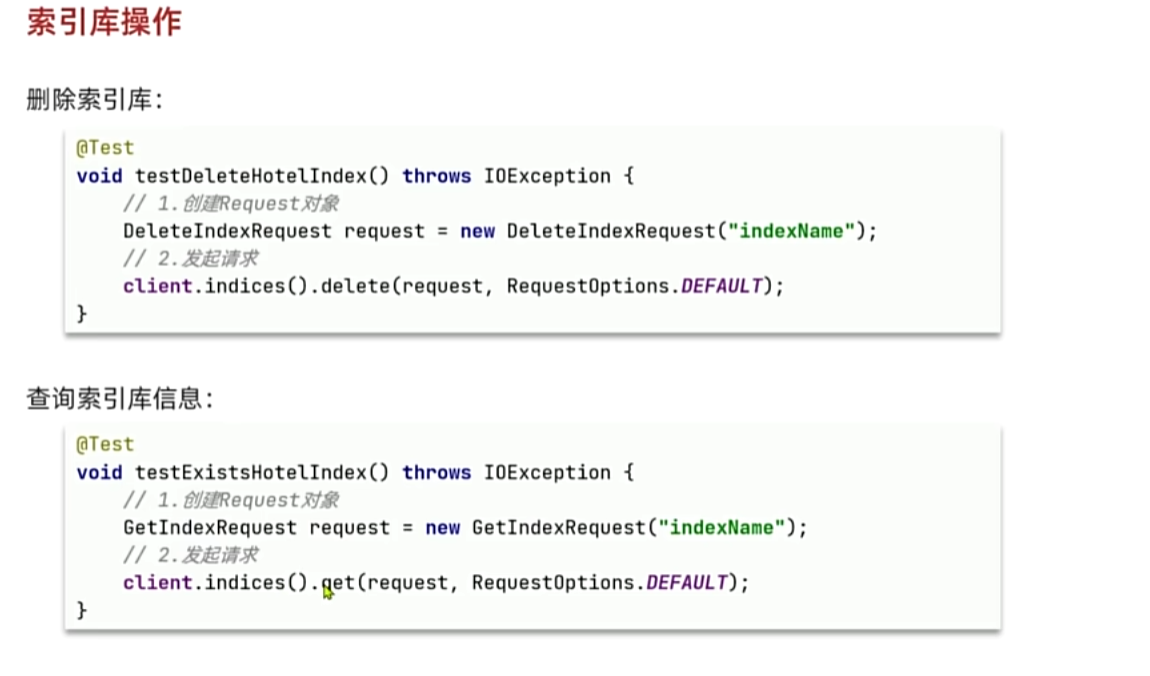
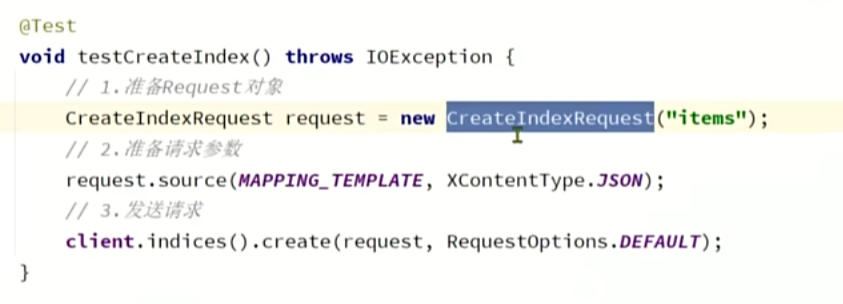
12. JavaRestClient——索引库操作
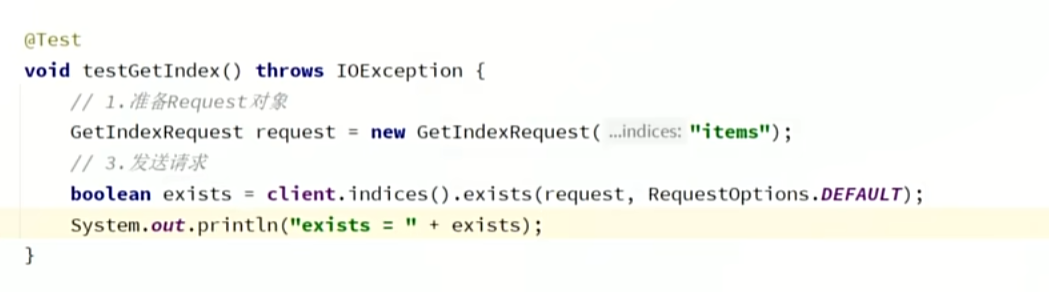
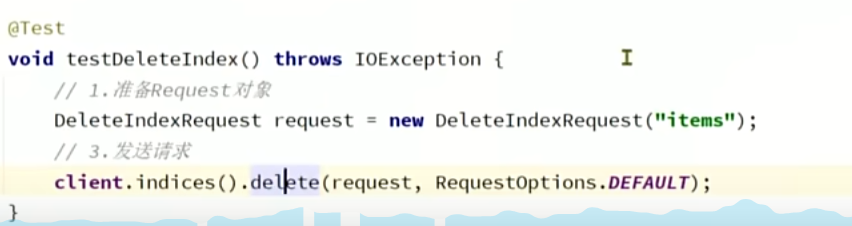
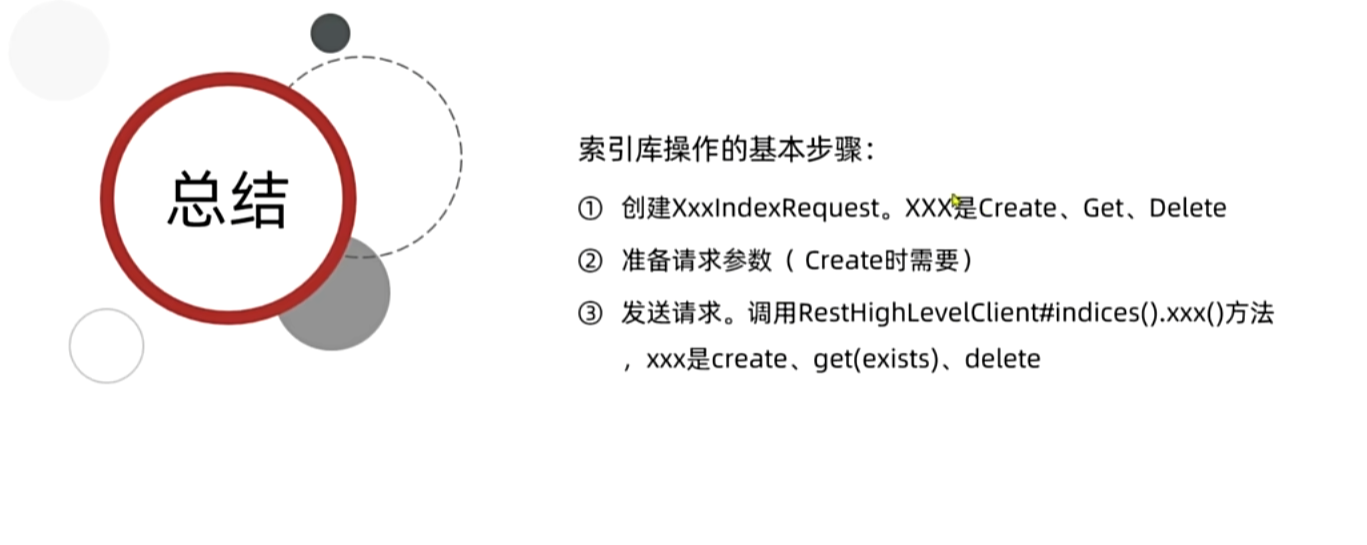
13. JavaRestClient——新增文档
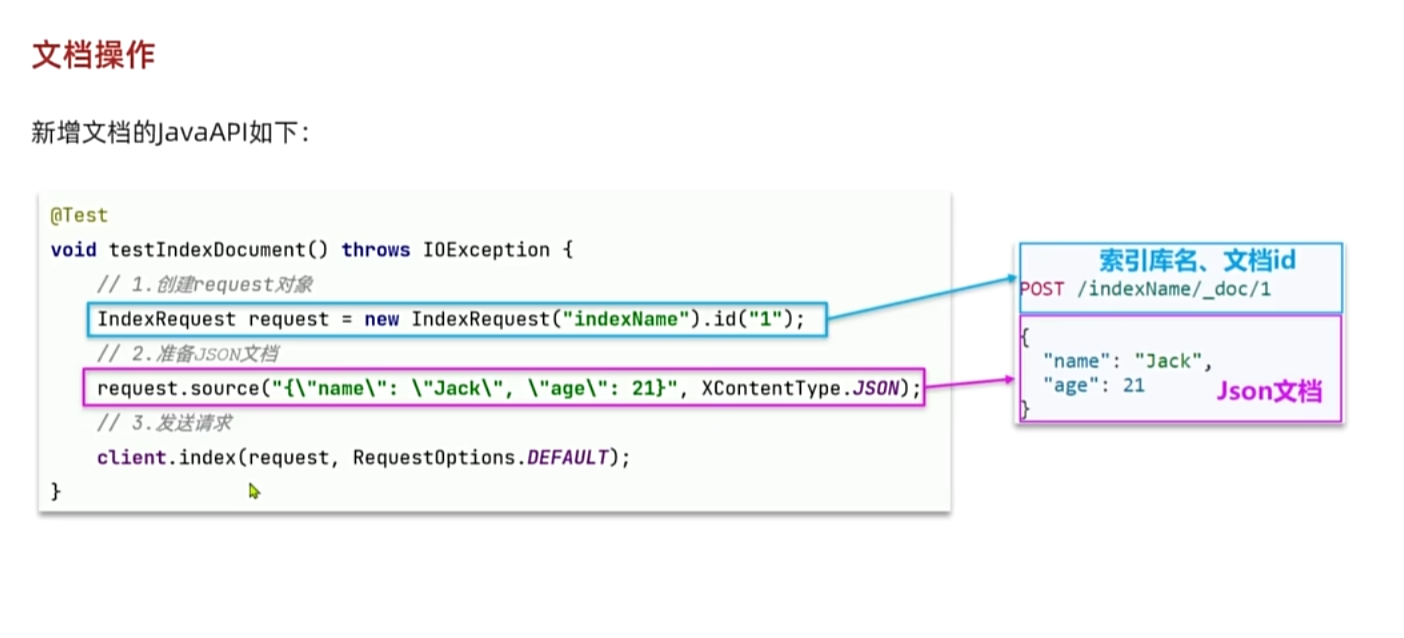
package com.hmall.item.domain.po;

import io.swagger.annotations.ApiModel;
import io.swagger.annotations.ApiModelProperty;
import lombok.Data;

import java.time.LocalDateTime;

@Data
@ApiModel(description = "索引库实体")
public class ItemDoc{

    @ApiModelProperty("商品id")
    private String id;

    @ApiModelProperty("商品名称")
    private String name;

    @ApiModelProperty("价格(分)")
    private Integer price;

    @ApiModelProperty("商品图片")
    private String image;

    @ApiModelProperty("类目名称")
    private String category;

    @ApiModelProperty("品牌名称")
    private String brand;

    @ApiModelProperty("销量")
    private Integer sold;

    @ApiModelProperty("评论数")
    private Integer commentCount;

    @ApiModelProperty("是否是推广广告,true/false")
    private Boolean isAD;

    @ApiModelProperty("更新时间")
    private LocalDateTime updateTime;
}
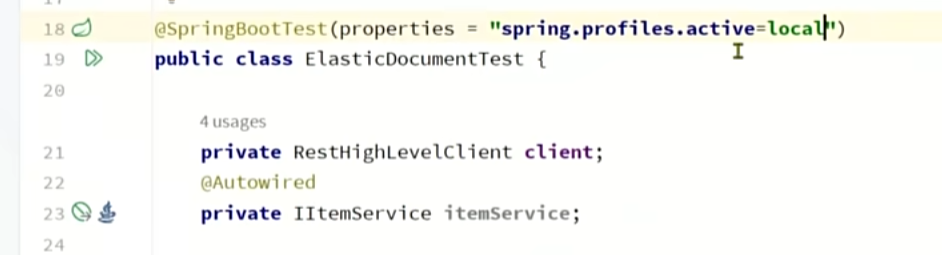
@Test
void testAddDocument() throws IOException {
    // 1.根据id查询商品数据
    Item item = itemService.getById(100002644680L);
    // 2.转换为文档类型
    ItemDoc itemDoc = BeanUtil.copyProperties(item, ItemDoc.class);
    // 3.将ItemDTO转json
    String doc = JSONUtil.toJsonStr(itemDoc);

    // 1.准备Request对象
    IndexRequest request = new IndexRequest("items").id(itemDoc.getId());
    // 2.准备Json文档
    request.source(doc, XContentType.JSON);
    // 3.发送请求
    client.index(request, RequestOptions.DEFAULT);
}
13. JavaRestClient——文档的CRUD
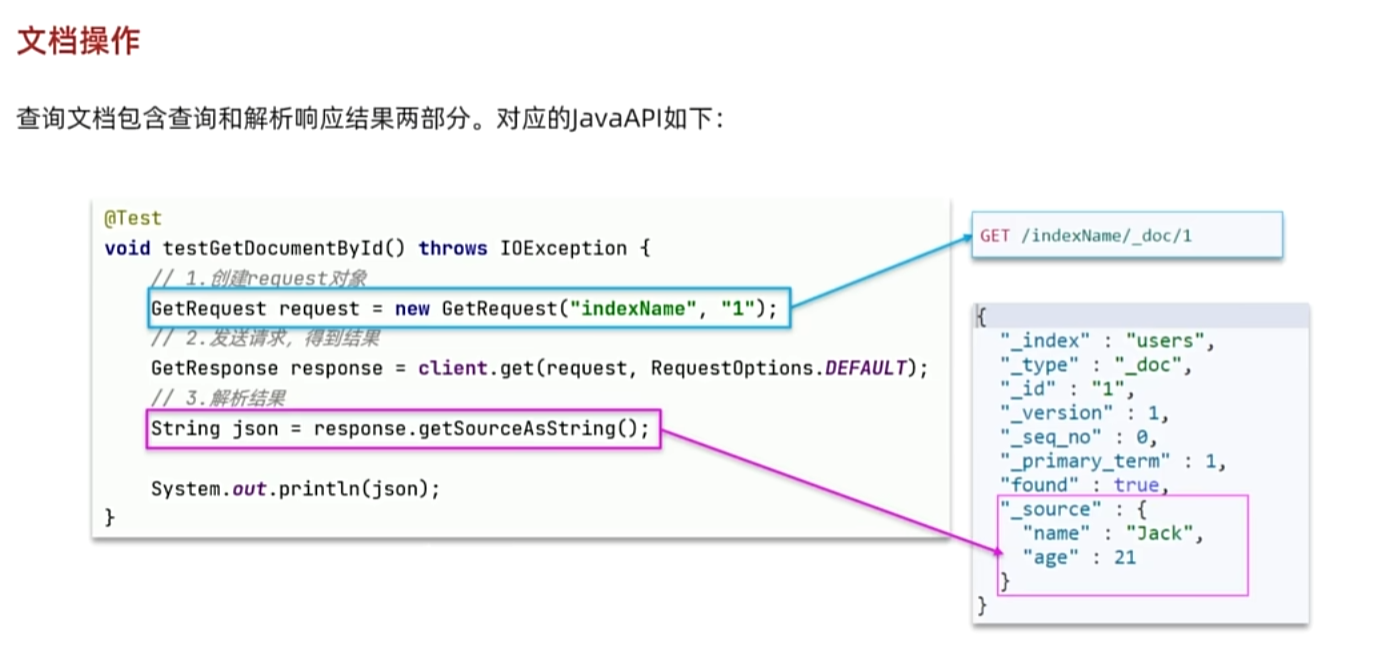
@Test
void testGetDocumentById() throws IOException {
    // 1.准备Request对象
    GetRequest request = new GetRequest("items").id("100002644680");
    // 2.发送请求
    GetResponse response = client.get(request, RequestOptions.DEFAULT);
    // 3.获取响应结果中的source
    String json = response.getSourceAsString();

    ItemDoc itemDoc = JSONUtil.toBean(json, ItemDoc.class);
    System.out.println("itemDoc= " + ItemDoc);
}
删除文档
@Test
void testDeleteDocument() throws IOException {
    // 1.准备Request,两个参数,第一个是索引库名,第二个是文档id
    DeleteRequest request = new DeleteRequest("item", "100002644680");
    // 2.发送请求
    client.delete(request, RequestOptions.DEFAULT);
}
局部更新
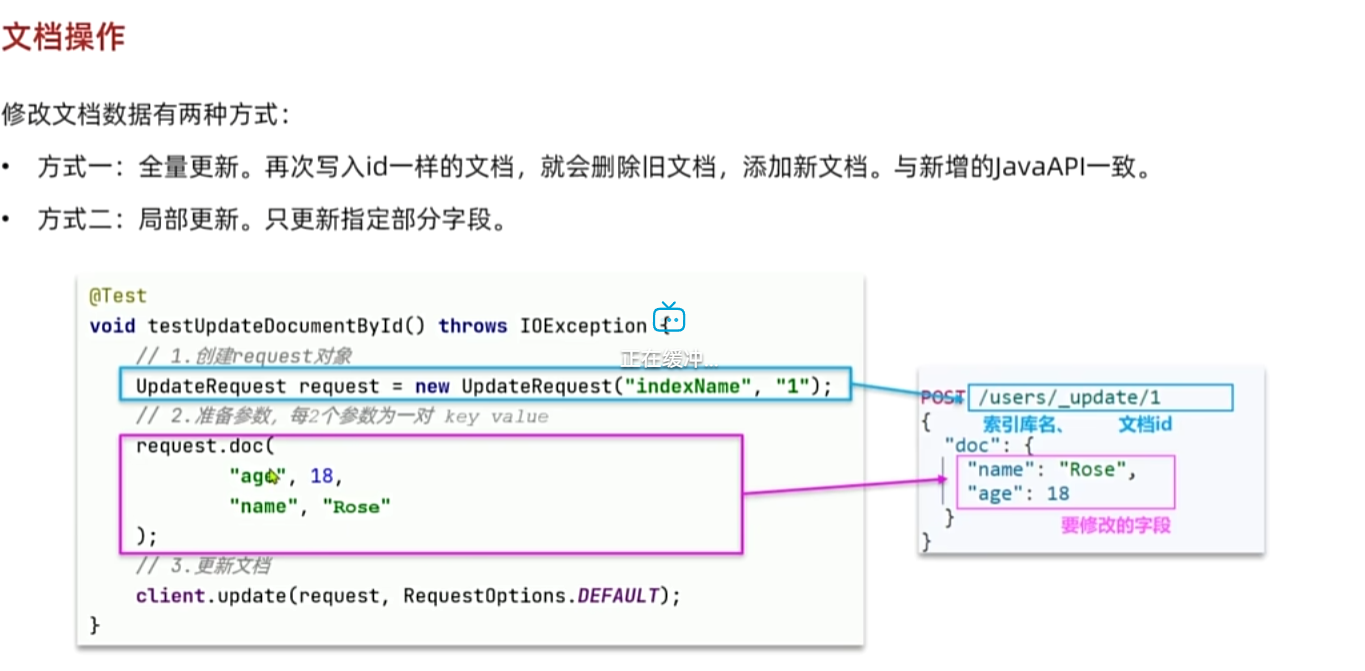
@Test
void testUpdateDocument() throws IOException {
    // 1.准备Request
    UpdateRequest request = new UpdateRequest("items", "100002644680");
    // 2.准备请求参数
    request.doc(
            "price", 58800,
            "commentCount", 1
    );
    // 3.发送请求
    client.update(request, RequestOptions.DEFAULT);
}
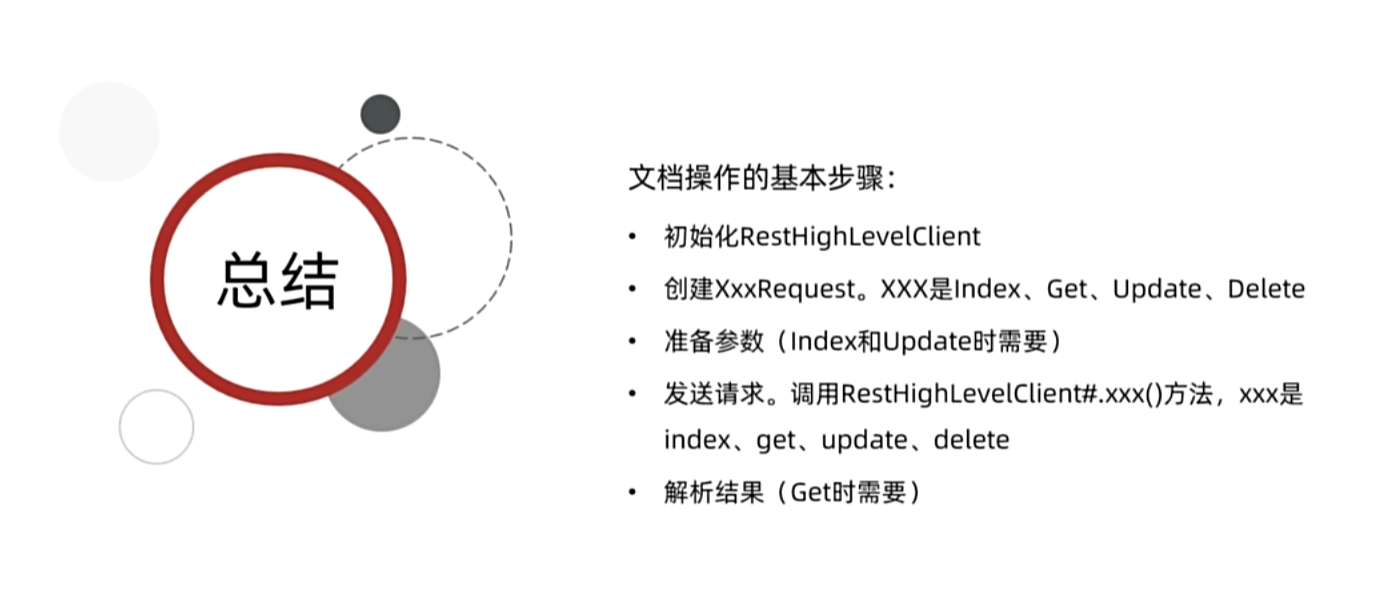
14. JavaRestClient——文档批处理
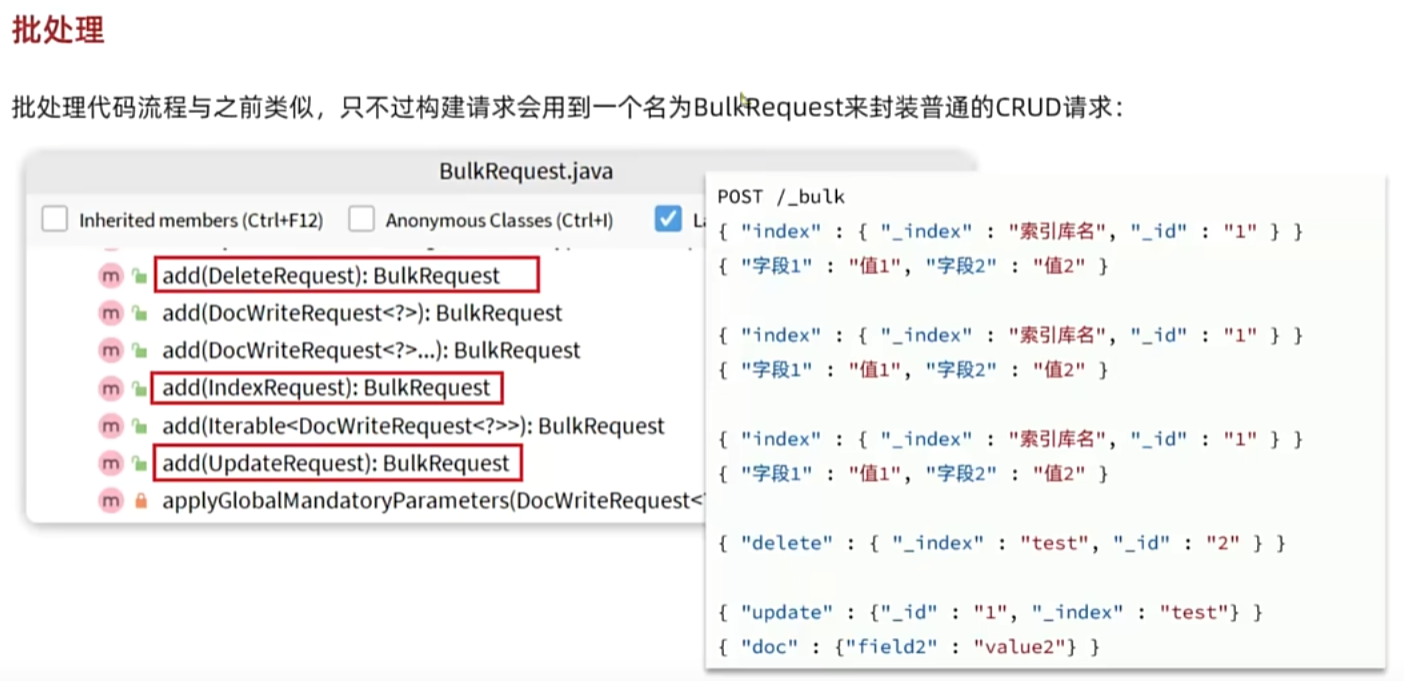
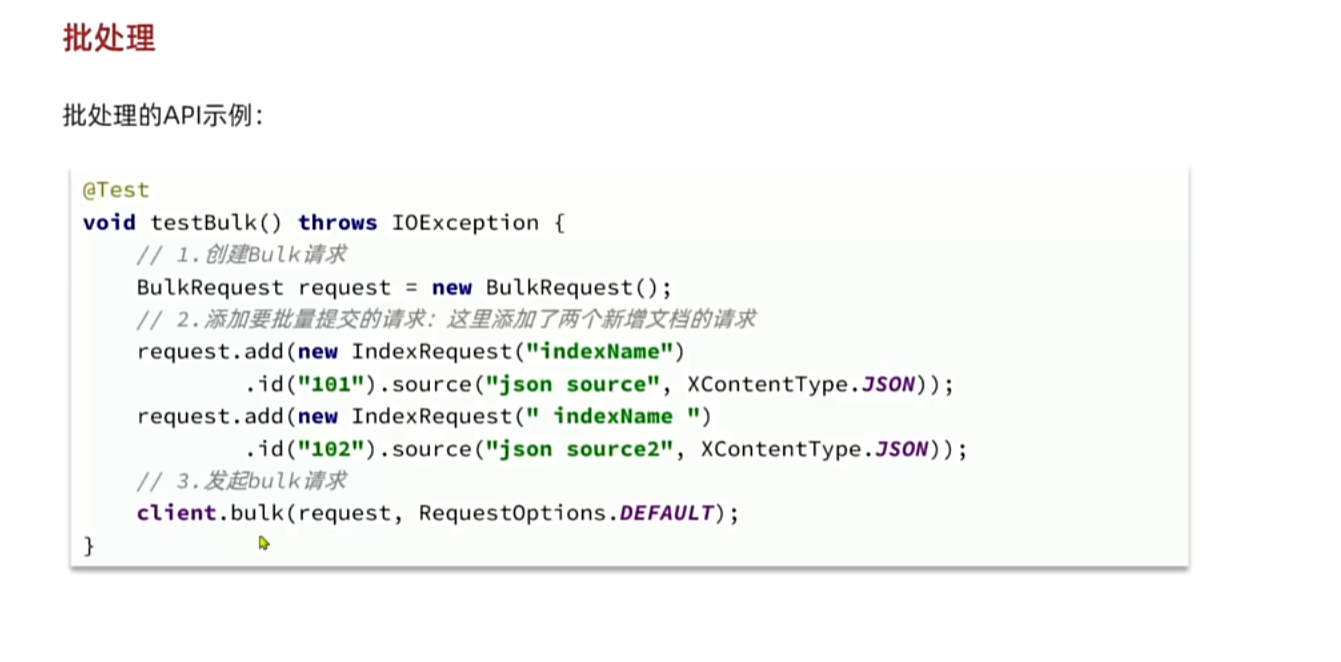
@Test
void testBulk() throws IOException {
    // 1.创建Request
    BulkRequest request = new BulkRequest();
    // 2.准备请求参数
    request.add(new IndexRequest("items").id("1").source("json doc1", XContentType.JSON));
    request.add(new IndexRequest("items").id("2").source("json doc2", XContentType.JSON));
    // 3.发送请求
    client.bulk(request, RequestOptions.DEFAULT);
}
真数据
@Test
void testLoadItemDocs() throws IOException {
    // 分页查询商品数据
    int pageNo = 1;
    int size = 1000;
    while (true) {
        Page<Item> page = itemService.lambdaQuery().eq(Item::getStatus, 1).page(new Page<Item>(pageNo, size));
        // 非空校验
        List<Item> items = page.getRecords();
        if (CollUtils.isEmpty(items)) {
            return;
        }
        log.info("加载第{}页数据,共{}条", pageNo, items.size());
        // 1.创建Request
        BulkRequest request = new BulkRequest("items");
        // 2.准备参数,添加多个新增的Request
        for (Item item : items) {
            // 2.1.转换为文档类型ItemDTO
            ItemDoc itemDoc = BeanUtil.copyProperties(item, ItemDoc.class);
            // 2.2.创建新增文档的Request对象
            request.add(new IndexRequest()
                            .id(itemDoc.getId())
                            .source(JSONUtil.toJsonStr(itemDoc), XContentType.JSON));
        }
        // 3.发送请求
        client.bulk(request, RequestOptions.DEFAULT);

        // 翻页
        pageNo++;
    }
}





 扫一扫
扫一扫


 703
703

 被折叠的 条评论
为什么被折叠?
被折叠的 条评论
为什么被折叠?
 到【灌水乐园】发言





