



 本文详细介绍了使用Python和Pygame库开发的飞机大战游戏代码,包括敌机显示、优化子弹管理、敌机移动及发射子弹等功能实现,展示了游戏开发的基本流程和技术要点。
飞机大战代码:显示敌机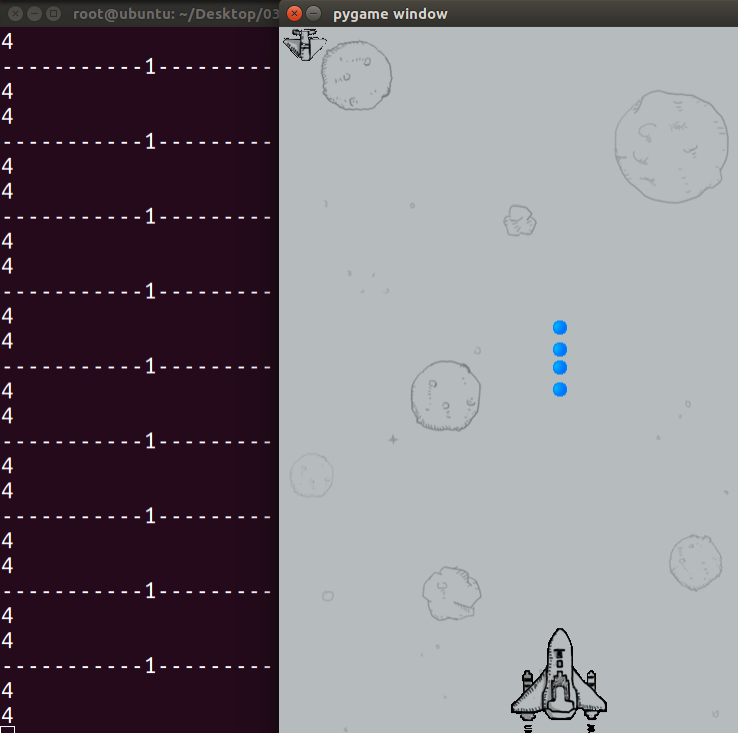
[Python] 纯文本查看 复制代码
|
001
002
003
004
005
006
007
008
009
010
011
012
013
014
015
016
017
018
019
020
021
022
023
024
025
026
027
028
029
030
031
032
033
034
035
036
037
038
039
040
041
042
043
044
045
046
047
048
049
050
051
052
053
054
055
056
057
058
059
060
061
062
063
064
065
066
067
068
069
070
071
072
073
074
075
076
077
078
079
080
081
082
083
084
085
086
087
088
089
090
091
092
093
094
095
096
097
098
099
100
101
102
103
104
105
106
107
108
109
110
111
112
113
114
|
#coding=utf-8
import pygame
from pygame.locals import *
'''
6. 显示敌人飞机
'''
class HeroPlane(object):
def __init__(self,screen):
#设置飞机默认的位置
self.x = 230
self.y = 700
#设置要显示内容的窗口
self.screen = screen
self.imageName = "./feiji/hero1.png"
self.image = pygame.image.load(self.imageName)
#用来存储英雄飞机发射的所有子弹
self.bulletList = []
def display(self):
self.screen.blit(self.image,(self.x,self.y))
for bullet in self.bulletList:
bullet.display()#显示一个子弹的位置
bullet.move()#让这个子弹进行移动,下次再显示的时候就会看到子弹在修改后的位置
def moveLeft(self):
self.x -= 10
def moveRight(self):
self.x += 10
def sheBullet(self):
newBullet = Bullet(self.x, self.y, self.screen)
self.bulletList.append(newBullet)
class Bullet(object):
def __init__(self,x,y,screen):
self.x = x+40
self.y = y-20
self.screen = screen
self.image = pygame.image.load("./feiji/bullet.png")
def move(self):
self.y -= 5
def display(self):
self.screen.blit(self.image,(self.x,self.y))
class EnemyPlane(object):
def __init__(self,screen):
#设置飞机默认的位置
self.x = 0
self.y = 0
#设置要显示内容的窗口
self.screen = screen
self.imageName = "./feiji/enemy0.png"
self.image = pygame.image.load(self.imageName)
def display(self):
self.screen.blit(self.image,(self.x,self.y))
def key_control(heroPlane):
#判断是否是点击了退出按钮
for event in pygame.event.get():
# print(event.type)
if event.type == QUIT:
print("exit")
exit()
elif event.type == KEYDOWN:
if event.key == K_a or event.key == K_LEFT:
print('left')
heroPlane.moveLeft()
#控制飞机让其向左移动
elif event.key == K_d or event.key == K_RIGHT:
print('right')
heroPlane.moveRight()
elif event.key == K_SPACE:
print('space')
heroPlane.sheBullet()
def main():
#1. 创建一个窗口,用来显示内容
screen = pygame.display.set_mode((480,852),0,32)
#2. 创建一个和窗口大小的图片,用来充当背景
background = pygame.image.load("./feiji/background.png")
#3.1 创建一个飞机对象
heroPlane = HeroPlane(screen)
#3.2 创建一个敌人飞机
enemyPlane = EnemyPlane(screen)
#4. 把背景图片放到窗口中显示
while True:
screen.blit(background,(0,0))
heroPlane.display()
enemyPlane.display()
key_control(heroPlane)
pygame.display.update()
if __name__ == "__main__":
main()
|
飞机大战代码:优化代码
[Python] 纯文本查看 复制代码
|
001
002
003
004
005
006
007
008
009
010
011
012
013
014
015
016
017
018
019
020
021
022
023
024
025
026
027
028
029
030
031
032
033
034
035
036
037
038
039
040
041
042
043
044
045
046
047
048
049
050
051
052
053
054
055
056
057
058
059
060
061
062
063
064
065
066
067
068
069
070
071
072
073
074
075
076
077
078
079
080
081
082
083
084
085
086
087
088
089
090
091
092
093
094
095
096
097
098
099
100
101
102
103
104
105
106
107
108
109
110
111
112
113
114
115
116
117
118
119
120
121
122
123
124
125
126
127
128
129
130
131
132
133
134
135
136
137
138
139
140
141
142
143
144
|
#coding=utf-8
import pygame
from pygame.locals import *
'''
7. 优化代码:优化发射出的子弹
'''
class HeroPlane(object):
def __init__(self,screen):
#设置飞机默认的位置
self.x = 230
self.y = 700
#设置要显示内容的窗口
self.screen = screen
self.imageName = "./feiji/hero1.png"
self.image = pygame.image.load(self.imageName)
#用来存储英雄飞机发射的所有子弹
self.bulletList = []
def display(self):
self.screen.blit(self.image,(self.x,self.y))
#判断一下子弹的位置是否越界,如果是,那么就要删除这颗子弹
#
#这种方法会漏掉很多需要删除的数据
# for i in self.bulletList:
# if i.y<0:
# self.bulletList.remove(i)
#用来存放需要删除的对象引用
needDelItemList = []
#保存需要删除的对象
for i in self.bulletList:
if i.judge():
needDelItemList.append(i)
#删除self.bulletList中需要删除的对象
for i in needDelItemList:
self.bulletList.remove(i)
#因为needDelItemList也保存了刚刚删除的对象的引用,所以可以删除整个列表,那么
#整个列表中的引用就不存在了,也可以不调用下面的代码,因为needDelItemList是局部变量
#当这个方法的调用结束时,这个局部变量也就不存在了
# del needDelItemList
for bullet in self.bulletList:
bullet.display()#显示一个子弹的位置
bullet.move()#让这个子弹进行移动,下次再显示的时候就会看到子弹在修改后的位置
def moveLeft(self):
self.x -= 10
def moveRight(self):
self.x += 10
def sheBullet(self):
newBullet = Bullet(self.x, self.y, self.screen)
self.bulletList.append(newBullet)
class Bullet(object):
def __init__(self,x,y,screen):
self.x = x+40
self.y = y-20
self.screen = screen
self.image = pygame.image.load("./feiji/bullet.png")
def move(self):
self.y -= 5
def display(self):
self.screen.blit(self.image,(self.x,self.y))
def judge(self):
if self.y<0:
return True
else:
return False
class EnemyPlane(object):
def __init__(self,screen):
#设置飞机默认的位置
self.x = 0
self.y = 0
#设置要显示内容的窗口
self.screen = screen
self.imageName = "./feiji/enemy0.png"
self.image = pygame.image.load(self.imageName)
def display(self):
self.screen.blit(self.image,(self.x,self.y))
def key_control(heroPlane):
#判断是否是点击了退出按钮
for event in pygame.event.get():
# print(event.type)
if event.type == QUIT:
print("exit")
exit()
elif event.type == KEYDOWN:
if event.key == K_a or event.key == K_LEFT:
print('left')
heroPlane.moveLeft()
#控制飞机让其向左移动
elif event.key == K_d or event.key == K_RIGHT:
print('right')
heroPlane.moveRight()
elif event.key == K_SPACE:
print('space')
heroPlane.sheBullet()
def main():
#1. 创建一个窗口,用来显示内容
screen = pygame.display.set_mode((480,852),0,32)
#2. 创建一个和窗口大小的图片,用来充当背景
background = pygame.image.load("./feiji/background.png")
#3.1 创建一个飞机对象
heroPlane = HeroPlane(screen)
#3.2 创建一个敌人飞机
enemyPlane = EnemyPlane(screen)
#4. 把背景图片放到窗口中显示
while True:
screen.blit(background,(0,0))
heroPlane.display()
enemyPlane.display()
key_control(heroPlane)
pygame.display.update()
if __name__ == "__main__":
main()
|
飞机大战代码:让敌机移动
[Python] 纯文本查看 复制代码
|
001
002
003
004
005
006
007
008
009
010
011
012
013
014
015
016
017
018
019
020
021
022
023
024
025
026
027
028
029
030
031
032
033
034
035
036
037
038
039
040
041
042
043
044
045
046
047
048
049
050
051
052
053
054
055
056
057
058
059
060
061
062
063
064
065
066
067
068
069
070
071
072
073
074
075
076
077
078
079
080
081
082
083
084
085
086
087
088
089
090
091
092
093
094
095
096
097
098
099
100
101
102
103
104
105
106
107
108
109
110
111
112
113
114
115
116
117
118
119
120
121
122
123
124
125
126
127
128
129
130
131
132
133
134
135
136
137
138
139
140
141
142
143
144
145
146
147
148
149
150
151
152
153
154
155
156
157
158
159
160
161
162
163
164
|
#coding=utf-8
import pygame
from pygame.locals import *
import time
'''
8. 让敌机移动
'''
class HeroPlane(object):
def __init__(self,screen):
#设置飞机默认的位置
self.x = 230
self.y = 700
#设置要显示内容的窗口
self.screen = screen
self.imageName = "./feiji/hero1.png"
self.image = pygame.image.load(self.imageName)
#用来存储英雄飞机发射的所有子弹
self.bulletList = []
def display(self):
self.screen.blit(self.image,(self.x,self.y))
#判断一下子弹的位置是否越界,如果是,那么就要删除这颗子弹
#
#这种方法会漏掉很多需要删除的数据
# for i in self.bulletList:
# if i.y<0:
# self.bulletList.remove(i)
#用来存放需要删除的对象引用
needDelItemList = []
#保存需要删除的对象
for i in self.bulletList:
if i.judge():
needDelItemList.append(i)
#删除self.bulletList中需要删除的对象
for i in needDelItemList:
self.bulletList.remove(i)
#因为needDelItemList也保存了刚刚删除的对象的引用,所以可以删除整个列表,那么
#整个列表中的引用就不存在了,也可以不调用下面的代码,因为needDelItemList是局部变量
#当这个方法的调用结束时,这个局部变量也就不存在了
# del needDelItemList
for bullet in self.bulletList:
bullet.display()#显示一个子弹的位置
bullet.move()#让这个子弹进行移动,下次再显示的时候就会看到子弹在修改后的位置
def moveLeft(self):
self.x -= 10
def moveRight(self):
self.x += 10
def sheBullet(self):
newBullet = Bullet(self.x, self.y, self.screen)
self.bulletList.append(newBullet)
class Bullet(object):
def __init__(self,x,y,screen):
self.x = x+40
self.y = y-20
self.screen = screen
self.image = pygame.image.load("./feiji/bullet.png")
def move(self):
self.y -= 5
def display(self):
self.screen.blit(self.image,(self.x,self.y))
def judge(self):
if self.y<0:
return True
else:
return False
class EnemyPlane(object):
def __init__(self,screen):
#设置飞机默认的位置
self.x = 0
self.y = 0
#设置要显示内容的窗口
self.screen = screen
self.imageName = "./feiji/enemy0.png"
self.image = pygame.image.load(self.imageName)
self.direction = "right"
def display(self):
self.screen.blit(self.image,(self.x,self.y))
def move(self):
#如果碰到了右边的边界,那么就往左走,如果碰到了左边的边界,那么就往右走
if self.direction == "right":
self.x += 4
elif self.direction == "left":
self.x -= 4
if self.x>480-50:
self.direction = "left"
elif self.x<0:
self.direction = "right"
def key_control(heroPlane):
#判断是否是点击了退出按钮
for event in pygame.event.get():
# print(event.type)
if event.type == QUIT:
print("exit")
exit()
elif event.type == KEYDOWN:
if event.key == K_a or event.key == K_LEFT:
print('left')
heroPlane.moveLeft()
#控制飞机让其向左移动
elif event.key == K_d or event.key == K_RIGHT:
print('right')
heroPlane.moveRight()
elif event.key == K_SPACE:
print('space')
heroPlane.sheBullet()
def main():
#1. 创建一个窗口,用来显示内容
screen = pygame.display.set_mode((480,852),0,32)
#2. 创建一个和窗口大小的图片,用来充当背景
background = pygame.image.load("./feiji/background.png")
#3.1 创建一个飞机对象
heroPlane = HeroPlane(screen)
#3.2 创建一个敌人飞机
enemyPlane = EnemyPlane(screen)
#4. 把背景图片放到窗口中显示
while True:
screen.blit(background,(0,0))
heroPlane.display()
enemyPlane.move()
enemyPlane.display()
key_control(heroPlane)
pygame.display.update()
#通过延时的方式,来降低这个while循环的循环速度,从而降低了cpu占用率
time.sleep(0.01)
if __name__ == "__main__":
main()
|
飞机大战代码:敌机发射子弹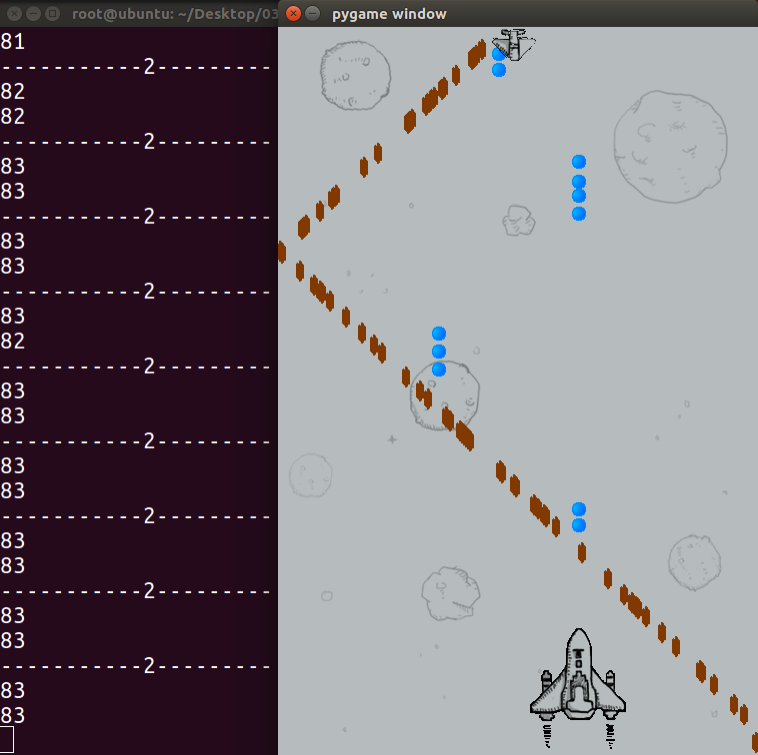
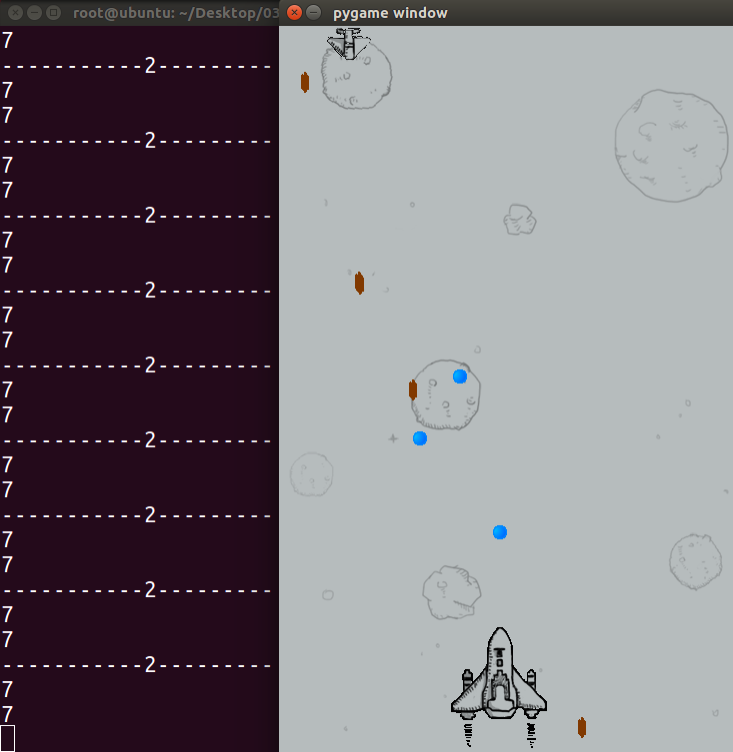
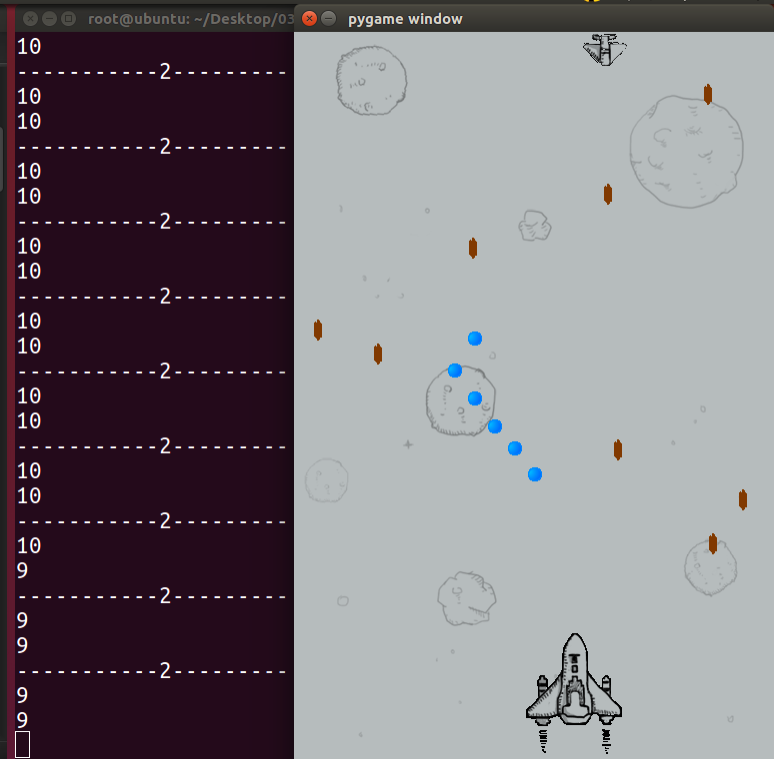
[Python] 纯文本查看 复制代码
|
001
002
003
004
005
006
007
008
009
010
011
012
013
014
015
016
017
018
019
020
021
022
023
024
025
026
027
028
029
030
031
032
033
034
035
036
037
038
039
040
041
042
043
044
045
046
047
048
049
050
051
052
053
054
055
056
057
058
059
060
061
062
063
064
065
066
067
068
069
070
071
072
073
074
075
076
077
078
079
080
081
082
083
084
085
086
087
088
089
090
091
092
093
094
095
096
097
098
099
100
101
102
103
104
105
106
107
108
109
110
111
112
113
114
115
116
117
118
119
120
121
122
123
124
125
126
127
128
129
130
131
132
133
134
135
136
137
138
139
140
141
142
143
144
145
146
147
148
149
150
151
152
153
154
155
156
157
158
159
160
161
162
163
164
165
166
167
168
169
170
171
172
173
174
175
176
177
178
179
180
181
182
183
184
185
186
187
188
189
190
191
192
193
194
195
196
197
198
199
200
201
202
203
204
205
206
207
208
209
210
211
212
213
214
215
216
|
#coding=utf-8
import pygame
from pygame.locals import *
import time
import random
'''
9. 让敌机发射子弹
'''
class HeroPlane(object):
def __init__(self,screen):
#设置飞机默认的位置
self.x = 230
self.y = 700
#设置要显示内容的窗口
self.screen = screen
self.imageName = "./feiji/hero1.png"
self.image = pygame.image.load(self.imageName)
#用来存储英雄飞机发射的所有子弹
self.bulletList = []
def display(self):
self.screen.blit(self.image,(self.x,self.y))
#判断一下子弹的位置是否越界,如果是,那么就要删除这颗子弹
#
#这种方法会漏掉很多需要删除的数据
# for i in self.bulletList:
# if i.y<0:
# self.bulletList.remove(i)
#用来存放需要删除的对象引用
needDelItemList = []
#保存需要删除的对象
for i in self.bulletList:
if i.judge():
needDelItemList.append(i)
#删除self.bulletList中需要删除的对象
for i in needDelItemList:
self.bulletList.remove(i)
#因为needDelItemList也保存了刚刚删除的对象的引用,所以可以删除整个列表,那么
#整个列表中的引用就不存在了,也可以不调用下面的代码,因为needDelItemList是局部变量
#当这个方法的调用结束时,这个局部变量也就不存在了
# del needDelItemList
for bullet in self.bulletList:
bullet.display()#显示一个子弹的位置
bullet.move()#让这个子弹进行移动,下次再显示的时候就会看到子弹在修改后的位置
def moveLeft(self):
self.x -= 10
def moveRight(self):
self.x += 10
def sheBullet(self):
newBullet = Bullet(self.x, self.y, self.screen)
self.bulletList.append(newBullet)
class Bullet(object):
def __init__(self,x,y,screen):
self.x = x+40
self.y = y-20
self.screen = screen
self.image = pygame.image.load("./feiji/bullet.png")
def move(self):
self.y -= 5
def display(self):
self.screen.blit(self.image,(self.x,self.y))
def judge(self):
if self.y<0:
return True
else:
return False
class EnemyPlane(object):
def __init__(self,screen):
#设置飞机默认的位置
self.x = 0
self.y = 0
#设置要显示内容的窗口
self.screen = screen
self.imageName = "./feiji/enemy0.png"
self.image = pygame.image.load(self.imageName)
self.direction = "right"
#用来存储敌人飞机发射的所有子弹
self.bulletList = []
def display(self):
self.screen.blit(self.image,(self.x,self.y))
#判断一下子弹的位置是否越界,如果是,那么就要删除这颗子弹
#
#这种方法会漏掉很多需要删除的数据
# for i in self.bulletList:
# if i.y<0:
# self.bulletList.remove(i)
#存放需要删除的对象信息
needDelItemList = []
for i in self.bulletList:
if i.judge():
needDelItemList.append(i)
for i in needDelItemList:
self.bulletList.remove(i)
# del needDelItemList
#更新及这架飞机发射出的所有子弹的位置
for bullet in self.bulletList:
bullet.display()
bullet.move()
def move(self):
#如果碰到了右边的边界,那么就往左走,如果碰到了左边的边界,那么就往右走
if self.direction == "right":
self.x += 4
elif self.direction == "left":
self.x -= 4
if self.x>480-50:
self.direction = "left"
elif self.x<0:
self.direction = "right"
def sheBullet(self):
num = random.randint(1,100)
if num == 88:
newBullet = EnemyBullet(self.x,self.y,self.screen)
self.bulletList.append(newBullet)
class EnemyBullet(object):
def __init__(self,x,y,screen):
self.x = x+30
self.y = y+30
self.screen = screen
self.image = pygame.image.load("./feiji/bullet1.png")
def move(self):
self.y += 4
def display(self):
self.screen.blit(self.image,(self.x,self.y))
def judge(self):
if self.y>852:
return True
else:
return False
def key_control(heroPlane):
#判断是否是点击了退出按钮
for event in pygame.event.get():
# print(event.type)
if event.type == QUIT:
print("exit")
exit()
elif event.type == KEYDOWN:
if event.key == K_a or event.key == K_LEFT:
print('left')
heroPlane.moveLeft()
#控制飞机让其向左移动
elif event.key == K_d or event.key == K_RIGHT:
print('right')
heroPlane.moveRight()
elif event.key == K_SPACE:
print('space')
heroPlane.sheBullet()
def main():
#1. 创建一个窗口,用来显示内容
screen = pygame.display.set_mode((480,852),0,32)
#2. 创建一个和窗口大小的图片,用来充当背景
background = pygame.image.load("./feiji/background.png")
#3.1 创建一个飞机对象
heroPlane = HeroPlane(screen)
#3.2 创建一个敌人飞机
enemyPlane = EnemyPlane(screen)
#4. 把背景图片放到窗口中显示
while True:
screen.blit(background,(0,0))
heroPlane.display()
enemyPlane.move()
enemyPlane.display()
enemyPlane.sheBullet()
key_control(heroPlane)
pygame.display.update()
#通过延时的方式,来降低这个while循环的循环速度,从而降低了cpu占用率
time.sleep(0.01)
if __name__ == "__main__":
main()
|
飞机大战代码:代码优化 - 抽象出基类
[Python] 纯文本查看 复制代码
|
001
002
003
004
005
006
007
008
009
010
011
012
013
014
015
016
017
018
019
020
021
022
023
024
025
026
027
028
029
030
031
032
033
034
035
036
037
038
039
040
041
042
043
044
045
046
047
048
049
050
051
052
053
054
055
056
057
058
059
060
061
062
063
064
065
066
067
068
069
070
071
072
073
074
075
076
077
078
079
080
081
082
083
084
085
086
087
088
089
090
091
092
093
094
095
096
097
098
099
100
101
102
103
104
105
106
107
108
109
110
111
112
113
114
115
116
117
118
119
120
121
122
123
124
125
126
127
128
129
130
131
132
133
134
135
136
137
138
139
140
141
142
143
144
145
146
147
148
149
150
151
152
153
154
155
156
157
158
159
160
161
162
163
164
165
166
|
#coding=utf-8
import pygame
from pygame.locals import *
import time
import random
'''
代码优化:抽出基类
'''
class Plane(object):
def __init__(self, screen, imageName):
#设置要显示内容的窗口
self.screen = screen
self.image = pygame.image.load(imageName)
#用来存储英雄飞机发射的所有子弹
self.bulletList = []
def display(self):
self.screen.blit(self.image,(self.x,self.y))
#用来存放需要删除的对象引用
needDelItemList = []
#保存需要删除的对象
for i in self.bulletList:
if i.judge():
needDelItemList.append(i)
#删除self.bulletList中需要删除的对象
for i in needDelItemList:
self.bulletList.remove(i)
for bullet in self.bulletList:
bullet.display()#显示一个子弹的位置
bullet.move()#让这个子弹进行移动,下次再显示的时候就会看到子弹在修改后的位置
class HeroPlane(Plane):
def __init__(self, screen):
super(HeroPlane, self).__init__(screen, "./feiji/hero1.png")
#设置飞机默认的位置
self.x = 230
self.y = 700
def moveLeft(self):
self.x -= 10
def moveRight(self):
self.x += 10
def sheBullet(self):
newBullet = Bullet(self.x, self.y, self.screen, "hero")
self.bulletList.append(newBullet)
class EnemyPlane(Plane):
def __init__(self, screen):
super(EnemyPlane, self).__init__(screen, "./feiji/enemy0.png")
#设置飞机默认的位置
self.x = 0
self.y = 0
self.direction = "right"
def move(self):
#如果碰到了右边的边界,那么就往左走,如果碰到了左边的边界,那么就往右走
if self.direction == "right":
self.x += 4
elif self.direction == "left":
self.x -= 4
if self.x>480-50:
self.direction = "left"
elif self.x<0:
self.direction = "right"
def sheBullet(self):
num = random.randint(1,100)
if num == 88:
newBullet = Bullet(self.x,self.y,self.screen, "enemy")
self.bulletList.append(newBullet)
class Bullet(object):
def __init__(self,x,y,screen,planeName):
self.name = planeName
self.screen = screen
if self.name == "hero":
self.x = x+40
self.y = y-20
imageName = "./feiji/bullet.png"
elif self.name == "enemy":
self.x = x+30
self.y = y+30
imageName = "./feiji/bullet1.png"
self.image = pygame.image.load(imageName)
def move(self):
if self.name == "hero":
self.y -= 4
elif self.name == "enemy":
self.y += 4
def display(self):
self.screen.blit(self.image,(self.x,self.y))
def judge(self):
if self.y>852 or self.y<0:
return True
else:
return False
def key_control(heroPlane):
#判断是否是点击了退出按钮
for event in pygame.event.get():
# print(event.type)
if event.type == QUIT:
print("exit")
exit()
elif event.type == KEYDOWN:
if event.key == K_a or event.key == K_LEFT:
print('left')
heroPlane.moveLeft()
#控制飞机让其向左移动
elif event.key == K_d or event.key == K_RIGHT:
print('right')
heroPlane.moveRight()
elif event.key == K_SPACE:
print('space')
heroPlane.sheBullet()
def main():
#1. 创建一个窗口,用来显示内容
screen = pygame.display.set_mode((480,852),0,32)
#2. 创建一个和窗口大小的图片,用来充当背景
background = pygame.image.load("./feiji/background.png")
#3.1 创建一个飞机对象
heroPlane = HeroPlane(screen)
#3.2 创建一个敌人飞机
enemyPlane = EnemyPlane(screen)
#4. 把背景图片放到窗口中显示
while True:
screen.blit(background,(0,0))
heroPlane.display()
enemyPlane.move()
enemyPlane.display()
enemyPlane.sheBullet()
key_control(heroPlane)
pygame.display.update()
#通过延时的方式,来降低这个while循环的循环速度,从而降低了cpu占用率
time.sleep(0.01)
if __name__ == "__main__":
main()
|





 扫一扫
扫一扫


 2153
2153

 被折叠的 条评论
为什么被折叠?
被折叠的 条评论
为什么被折叠?
 到【灌水乐园】发言





