


 本文介绍如何使用Turbine改造Hystrix Dashbord项目,实现一个监控页面对多个消费者的集群监控。通过增加Turbine依赖、配置yml文件、修改主启动类,最终在本地测试成功,简化了监控操作。
1. 现状
目前Hystrix项目可以监控消费者,但是每一个消费者就需要启动一个监控页面,很不方便,可以通过Turbine实现一个监控页面,监控多个消费者
2. 改造Dashbord项目
2.1 pom依赖
增加turbine的依赖,其它和单机dashbord一致
<dependencies>
    <dependency>
        <groupId>org.springframework.boot</groupId>
        <artifactId>spring-boot-starter-actuator</artifactId>
    </dependency>
    <dependency>
        <groupId>org.springframework.cloud</groupId>
        <artifactId>spring-cloud-starter-netflix-hystrix</artifactId>
    </dependency>
    <dependency>
        <groupId>org.springframework.cloud</groupId>
        <artifactId>spring-cloud-starter-netflix-hystrix-dashboard</artifactId>
    </dependency>
    <dependency>
        <groupId>org.springframework.cloud</groupId>
        <artifactId>spring-cloud-starter-netflix-turbine</artifactId>
    </dependency>
</dependencies>
2.2 yml配置
监控集群需要从Eureka-Server获取消费者服务
server:
  port: 10001

eureka:
  client:
    serviceUrl:
      defaultZone: http://eureka-server-7001:7001/eureka/,http://eureka-server-7002:7002/eureka/,http://eureka-server-7003:7003/eureka/
  instance:
    instance-id: eureka-consumer-hystrix-dashbord-10001 # 服务名称
    prefer-ip-address: true # 显示ip地址

info: # 点击注册列表未服务出现的信息
  app.name: springcloud
  company.name: www.honor.com
  build.artifactId: @project.artifactId@
  build.version: @project.version@

spring:
  application:
    name: eureka-consumer-hystrix-dashbord

turbine:
  combine-host-port: true
  app-config: EUREKA-CONSUMER #需要监控的集群名称
  aggregator:
    cluster-config: default
  cluster-name-expression: new String("default")
2.3 主启动类
@SpringBootApplication
@EnableHystrixDashboard
@EnableTurbine
public class EurekaConsumeHystrixDashbord10001 {
    public static void main(String[] args) {
        SpringApplication.run(EurekaConsumeHystrixDashbord10001.class, args);
    }
}
2.4 测试
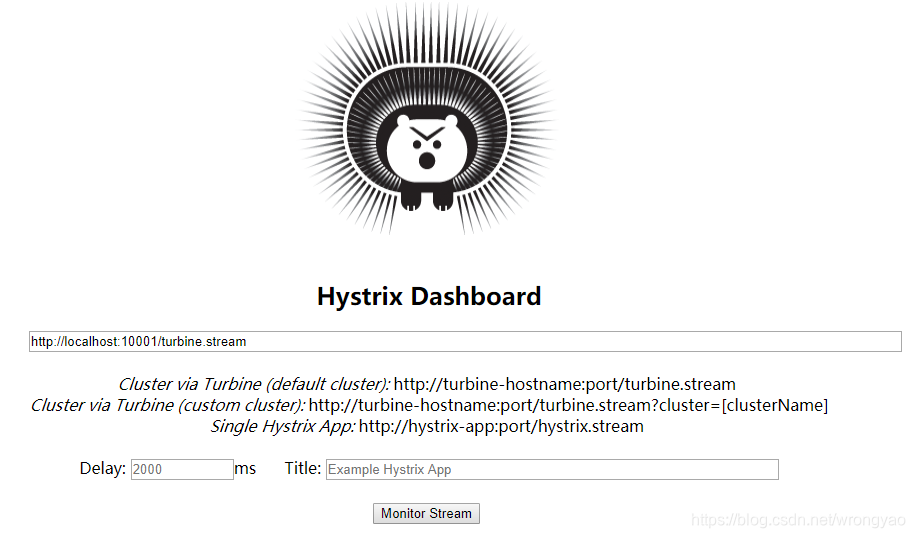
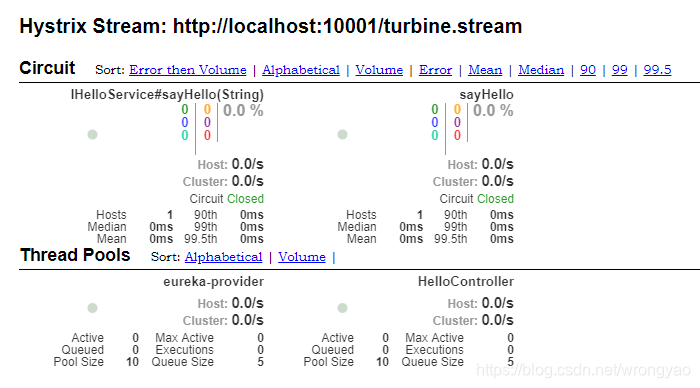
浏览器输入http://localhost:10001/turbine.stream可以看到ping页面表示成功
集群监控





 扫一扫
扫一扫


 573
573

 被折叠的 条评论
为什么被折叠?
被折叠的 条评论
为什么被折叠?
 到【灌水乐园】发言





