



# 下载vscode
在csdn上随便找到一篇,跟着步骤安装了
# 测试基本代码
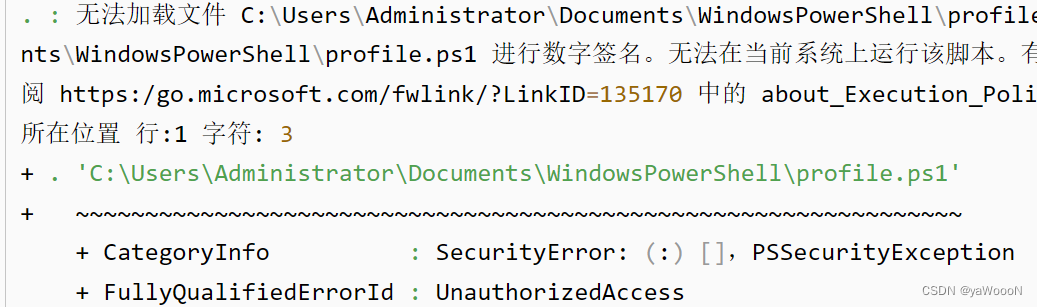
运行hello world 发现在终端中一直爆红,如图(此图是别人的):
解决:
直接在电脑搜索中查找 windows powershell ,然后使用管理员身份运行,输入命令
set-executionpolicy remotesigned
回车,输入 “y”回车。
在vscode中打开新的powershell,没有红
# 下载vscode
在csdn上随便找到一篇,跟着步骤安装了
# 测试基本代码
运行hello world 发现在终端中一直爆红,如图(此图是别人的):
解决:
直接在电脑搜索中查找 windows powershell ,然后使用管理员身份运行,输入命令
set-executionpolicy remotesigned
回车,输入 “y”回车。
在vscode中打开新的powershell,没有红
 3685
997
1987
1132
3685
997
1987
1132

 被折叠的 条评论
为什么被折叠?
被折叠的 条评论
为什么被折叠?
 到【灌水乐园】发言








 扫一扫
扫一扫


