



curl 是一个功能强大的命令行工具,用于通过多种网络协议(主要是 HTTP、HTTPS)进行数据传输。它的名字意为 “Client URL”,是开发者和系统管理员最常用的工具之一。
主要功能和特点
一. 支持多种协议
-
HTTP/HTTPS
-
FTP/FTPS
-
SCP/SFTP
-
LDAP
-
POP3/IMAP/SMTP
-
等等(共支持 20+ 种协议)
二. 核心功能
-
发送 HTTP 请求(GET、POST、PUT、DELETE 等)
-
文件上传和下载
-
支持 SSL/TLS 加密
-
支持代理
-
用户认证(Basic、Digest、Bearer Token 等)
-
cookie 支持
-
跟随重定向
-
限速控制
-
断点续传
安装
大多数 Linux 发行版和 macOS 已预装 curl。若未安装:
Ubuntu/Debian:
sudo apt install curl
CentOS/RHEL:
sudo yum install curl
macOS(通过 Homebrew):
brew install curl
基本用法示例
一、基本语法
curl [选项] [URL]
1. 简单 GET 请求
curl https://httpbin.org/get
2. 带请求头的 GET
curl -H "Authorization: Bearer your-token" https://api.example.com/data
3. POST 请求(表单格式)
curl -X POST -d "name=alice&age=30" https://httpbin.org/post
4. POST JSON 数据
curl -X POST -H "Content-Type: application/json" -d '{"name":"zhangsan","age":30}' https://httpbin.org/post
5. 下载文件
# 保存为 file.pdf
curl -O https://example.com/file.pdf

# 保存为 mydoc.pdf
curl -o mydoc.pdf https://example.com/file.pdf
6. 跟随重定向
curl -L http://example.com
7. 使用 Basic 认证
curl -u username:password https://secure.example.com
8. 查看完整请求/响应(调试)
curl -v https://httpbin.org/get
二、常用选项(Options)
| 选项 | 说明 |
|---|---|
-X 或 --request | 指定请求方法(如 GET、POST、PUT、DELETE) |
-H 或 --header | 添加自定义请求头 |
-d 或 --data | 发送 POST 数据(默认使用 application/x-www-form-urlencoded) |
-o 或 --output | 将响应保存到指定文件 |
-O 或 --remote-name | 使用远程文件名保存下载内容 |
-L 或 --location | 自动跟随重定向 |
-v 或 --verbose | 显示详细请求/响应过程(用于调试) |
-s 或 --silent | 静默模式,不显示进度条或错误信息 |
-i 或 --include | 在输出中包含响应头 |
-u 或 --user | 提供用户名和密码用于认证(如 Basic Auth) |
-k 或 --insecure | 忽略 SSL 证书验证(不推荐生产环境使用) |
--compressed | 请求服务器返回压缩内容(如 gzip)并自动解压 |
实际应用场景
1. API 测试
# 测试 REST API
curl -X GET https://api.github.com/users/octocat


curl -X POST -H "Content-Type: application/json" -d '{"title":"test"}' https://jsonplaceholder.typicode.com/posts

2. 下载文件
# 下载并重命名
curl -o ubuntu.iso https://releases.ubuntu.com/22.04/ubuntu-22.04-live-server-amd64.iso

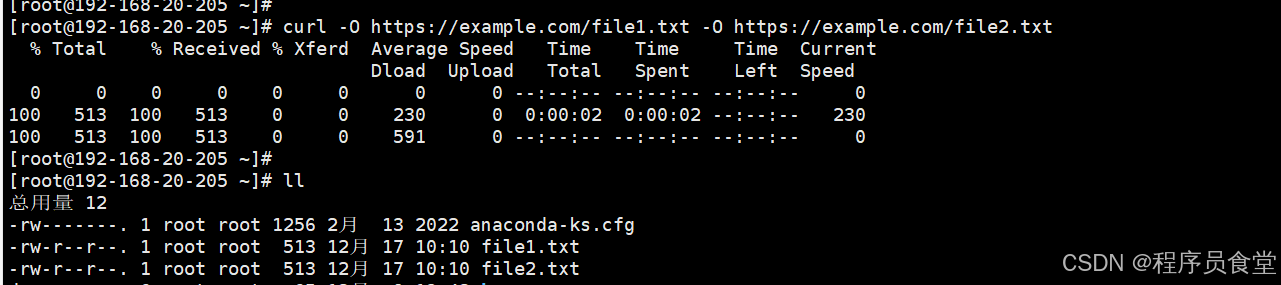
# 多文件下载
curl -O https://example.com/file1.txt -O https://example.com/file2.txt
3. 网站诊断
# 检查响应时间和状态
curl -w "%{time_total}s\n" -o /dev/null -s https://google.com

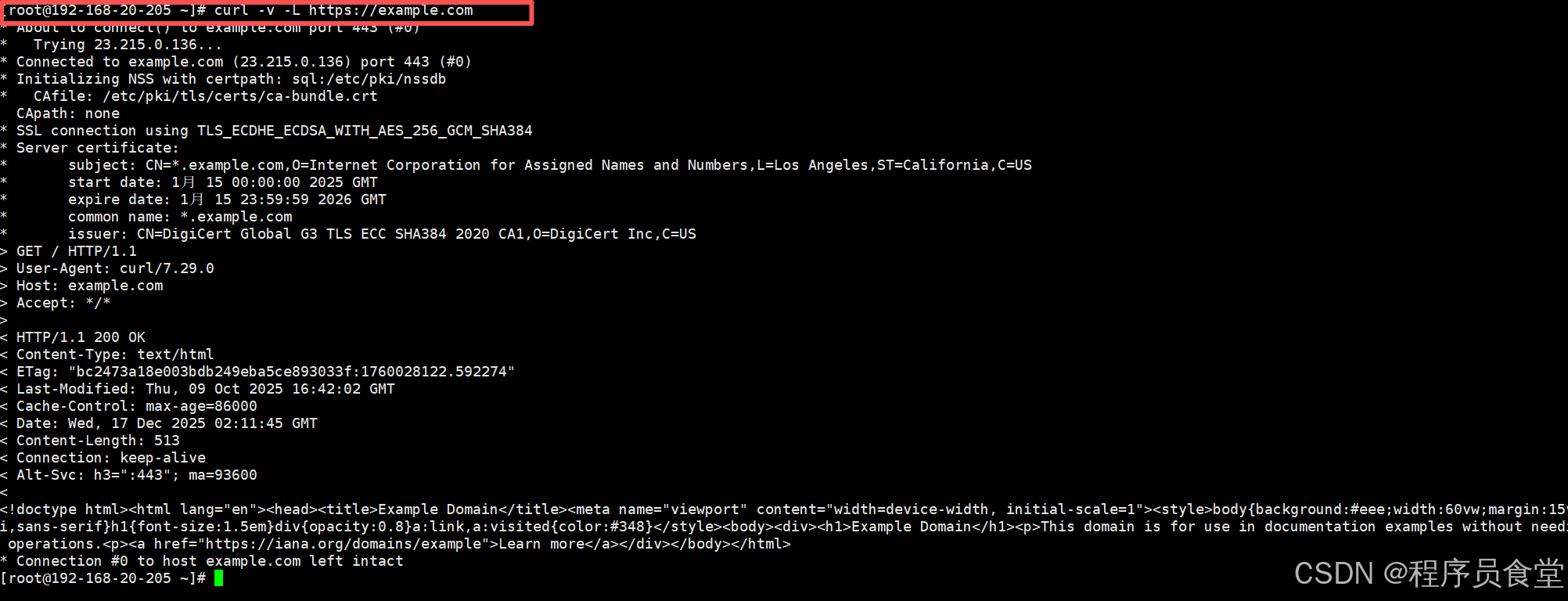
# 查看完整请求过程
curl -v -L https://example.com
4. 使用变量和脚本
# 在脚本中使用
TOKEN="your_token_here"
API_URL="https://api.example.com"

curl -H "Authorization: Bearer $TOKEN" \
     "$API_URL/data"
高级技巧
1. 处理 JSON 响应
# 使用 jq 处理 JSON 输出(需要安装 jq)
curl -s https://api.github.com/users/octocat | jq '.login, .id'

# 格式化 JSON 输出
curl -s https://api.example.com/data | python -m json.tool
2. 设置超时
curl --max-time 10 \      # 整个操作最长10秒
     --connect-timeout 5 \ # 连接超时5秒
     https://example.com
3. 并行下载
# 使用 xargs 并行下载多个文件
echo "url1 url2 url3" | xargs -n1 -P3 curl -O







 扫一扫
扫一扫


 682
682

 被折叠的 条评论
为什么被折叠?
被折叠的 条评论
为什么被折叠?
 到【灌水乐园】发言





