



 本文介绍了三种在HTML中设置文本颜色的方法:1)行内样式通过在h1标签内直接插入style属性;2)内嵌样式通过<head>内的<style>标签定义;3)外联样式通过创建单独的CSS文件并链接到HTML。还涉及了颜色描述、字体大小和CSS选择器的应用示例。
方法1——行内样式
知识点:在标题标签内插入style。
<h1 style="color: ;"></h1>
案例:新浪新闻
<!DOCTYPE html>
<html lang="en">
<head>
    <meta charset="UTF-8">
    <meta name="viewport" content="width=device-width, initial-scale=1.0">
    <title>焦点访谈:中国底气 新思想夯实大国粮仓</title>
</head>
<body>
    <img src="https://i2.sinaimg.cn/dy/deco/2012/0613/yocc20120613img01/news_logo.png" width="200px">新浪政务>正文
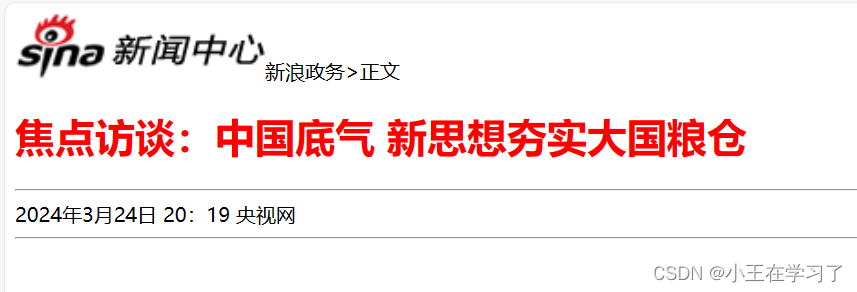
    <h1 style="color: red;">焦点访谈:中国底气 新思想夯实大国粮仓</h1>
    <hr>
    2024年3月24日 20:19 央视网
    <hr>
</body>
</html>
运行结果
方法2——内嵌样式
知识点:
通常在head标签内插入<style></style>标签,然后h1要空格一个在输入{}。
<head>
    <meta charset="UTF-8">
    <meta name="viewport" content="width=device-width, initial-scale=1.0">
    <title></title>
    <style>
        h1 {
            color:;
        }
    </style>
</head>
案例:
<!DOCTYPE html>
<html lang="en">
<head>
    <meta charset="UTF-8">
    <meta name="viewport" content="width=device-width, initial-scale=1.0">
    <title>焦点访谈:中国底气 新思想夯实大国粮仓</title>
    <style>
        h1 {
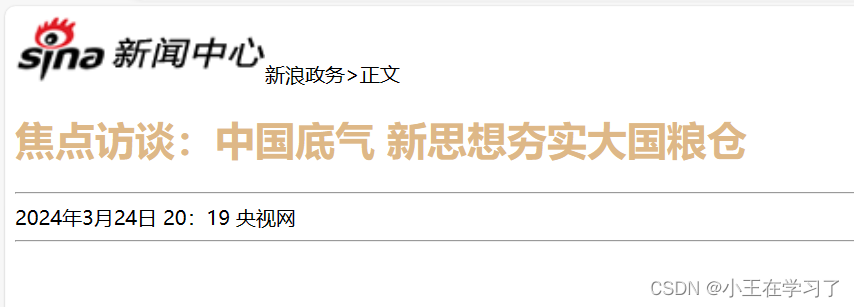
            color:burlywood;
        }
    </style>
</head>
<body>
    <img src="https://i2.sinaimg.cn/dy/deco/2012/0613/yocc20120613img01/news_logo.png" width="200px">新浪政务>正文

    <h1>焦点访谈:中国底气 新思想夯实大国粮仓</h1>
    <hr>
    2024年3月24日 20:19 央视网
    <hr>
</body>
</html>
运行结果:
方法3—— 外联样式
知识点
新建一个后缀名为css文件,把标题样式放入,然后再用link进行外联。
/* 文件名:xxx.css */
h1 {
    color:;
}
<!--文件名:xxx.html -->
<!DOCTYPE html>
<html lang="en">
<head>
    <meta charset="UTF-8">
    <meta name="viewport" content="width=device-width, initial-scale=1.0">
    <title></title>
    <link rel="stylesheet" href="xxx.css">
</head>
<body>
</body>
</html>
案例:
/* news.css */
h1 {
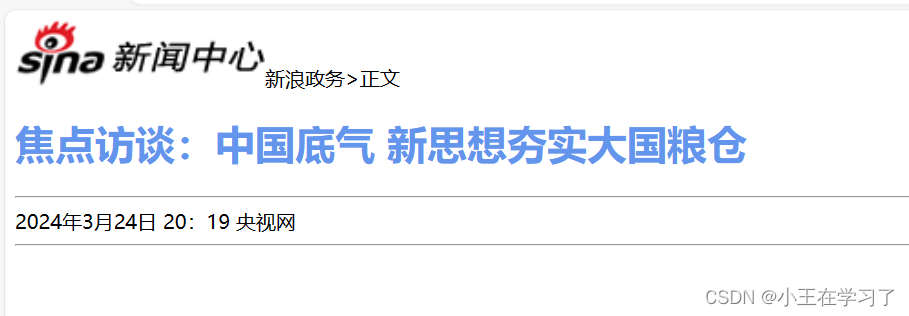
    color:cornflowerblue;
}
<!DOCTYPE html>
<html lang="en">
<head>
    <meta charset="UTF-8">
    <meta name="viewport" content="width=device-width, initial-scale=1.0">
    <title>焦点访谈:中国底气 新思想夯实大国粮仓</title>
    <link rel="stylesheet" href="css/news.css">
</head>
<body>
    <img src="https://i2.sinaimg.cn/dy/deco/2012/0613/yocc20120613img01/news_logo.png" width="200px">新浪政务>正文
    <h1>焦点访谈:中国底气 新思想夯实大国粮仓</h1>
    <hr>
    2024年3月24日 20:19 央视网
    <hr>
</body>
</html>
运行结果
颜色描述
1、关键字
color:red;
2、rgb
color:rgb(255,0,0);
3、十六进制
color:#ff0000;
字体大小
font-size: xxpx;
无标题样式
可使用<span></span>包裹文字。
span代表无意义
<span>xxx</span>
案例
<!DOCTYPE html>
<html lang="en">
<head>
    <meta charset="UTF-8">
    <meta name="viewport" content="width=device-width, initial-scale=1.0">
    <title>焦点访谈:中国底气 新思想夯实大国粮仓</title>
    <style>
        h1 {
            color: #4d4f53;
        }
        span {
            color: gray;
        }
    </style>
</head>
<body>
    <img src="https://i2.sinaimg.cn/dy/deco/2012/0613/yocc20120613img01/news_logo.png" width="200px">新浪政务>正文
    <!-- <h1 style="color: red;">焦点访谈:中国底气 新思想夯实大国粮仓</h1> -->
    <h1>焦点访谈:中国底气 新思想夯实大国粮仓</h1>
    <hr>
    <span>2024年3月24日 20:19</span> 央视网
    <hr>
</body>
</html>
CSS选择器
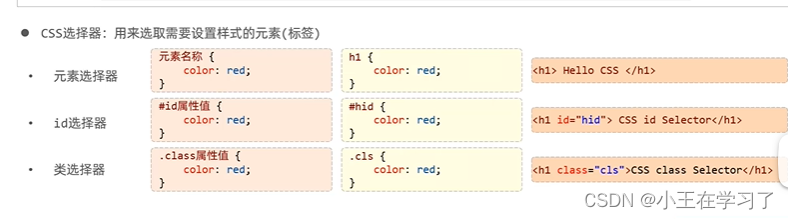 案例
案例
<!DOCTYPE html>
<html lang="en">
<head>
    <meta charset="UTF-8">
    <meta name="viewport" content="width=device-width, initial-scale=1.0">
    <title>焦点访谈:中国底气 新思想夯实大国粮仓</title>
    <style>
        h1 {
            color: #4d4f53;
        }
        /* 元素选择器 */
/*         span {
            color: gray;
        }
 *//*   id选择器
        #time {
            color: gray;
        }
        class类选择器
 */        .tt {
            color: gray;
        }

    </style>
</head>
<body>
    <img src="https://i2.sinaimg.cn/dy/deco/2012/0613/yocc20120613img01/news_logo.png" width="200px">新浪政务>正文
    <!-- <h1 style="color: red;">焦点访谈:中国底气 新思想夯实大国粮仓</h1> -->
    <h1>焦点访谈:中国底气 新思想夯实大国粮仓</h1>
    <hr>
    <span id="time" class="tt">2024年3月24日 20:19</span> <span>央视网</span>
    <hr>
</body>
</html>
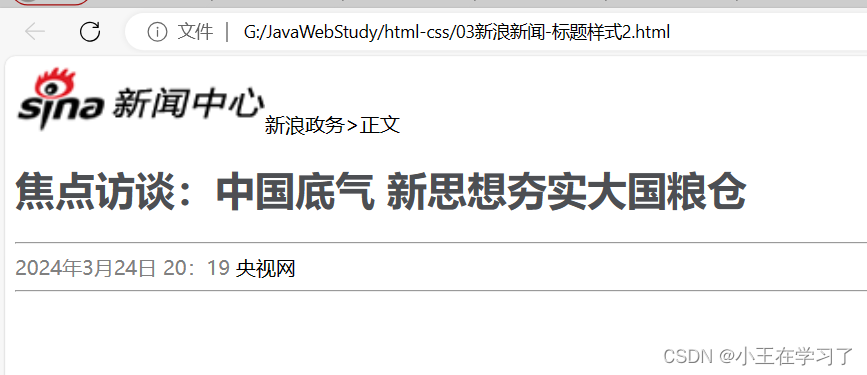
运行结果





 扫一扫
扫一扫


 1072
1072


 到【灌水乐园】发言



